inflearn logo

Complete Types A–F of the Web Design Development Craftsman practical exam in two weeks

In just 2 weeks, here's what you'll get

  • What you’ll have in hand upon completion (at least 2) • My own layout template for creating A–F-type wireframes within 30 minutes

  • jQuery implementation code set for menus, image sliders, tabs, and pop-ups

  • My Completion Record for Two 3-Hour Practice Mock Exams and My Own Time Allocation Plan

Starts Nov 2

12 days

Finish Nov 13

ezweb님과 함께해요!

Career Verified

3,025

Learners

80

Reviews

4

Answers

4.9

Rating

17

Courses

I am a frontend instructor specializing in teaching everything from web publishing to practical JavaScript and React, as well as AI-assisted development.

I have taught non-majors, beginners, and job seekers at ESTSOFT KDT and Green Computer Academy, among others. I break down complex concepts into small hands-on exercises and focus on project-based classes in which learners complete the final product themselves.

Key Areas of Education

  • HTML/CSS Web Publishing

  • JavaScript Fundamentals and Web Interactions

  • React-based frontend development

  • Implementing web services using Firebase

  • Figma UI Design and Development Integration

  • Web Development with Generative AI

  • Web Design Technician Practical Exam

Corporate & Institutional Training

We provide training for corporate practitioners, KDT programs, and special lectures at universities and academies.

We structure the curriculum and hands-on projects according to the target audience’s prior knowledge, instructional hours, and desired outcomes. We offer in-person classes, live online instruction, and recorded educational content production.

Online Educational Content Production

We carry out the following online educational content production tasks.

  • Lecture curriculum and learning objective design

  • Creation of course materials and presentations

  • Organizing step-by-step practice code and example projects

  • Writing lecture scripts for filming

  • Lecture filming and content delivery

Key Activities

  • ESTSOFT KDT Front-End Course

  • Green Computer Academy Web Publishing and Front-End Course

  • Operates the web publishing YouTube channel ‘ezweb’

  • Authored books in web publishing and web design

Books Authored

We accept inquiries about delivering lectures at companies and institutions, as well as producing online educational content.

Inquiries: ezwebpub@gmail.com

More

A practical challenge to master all past exam question types for the Web Design Development Craftsman certification two weeks before the exam

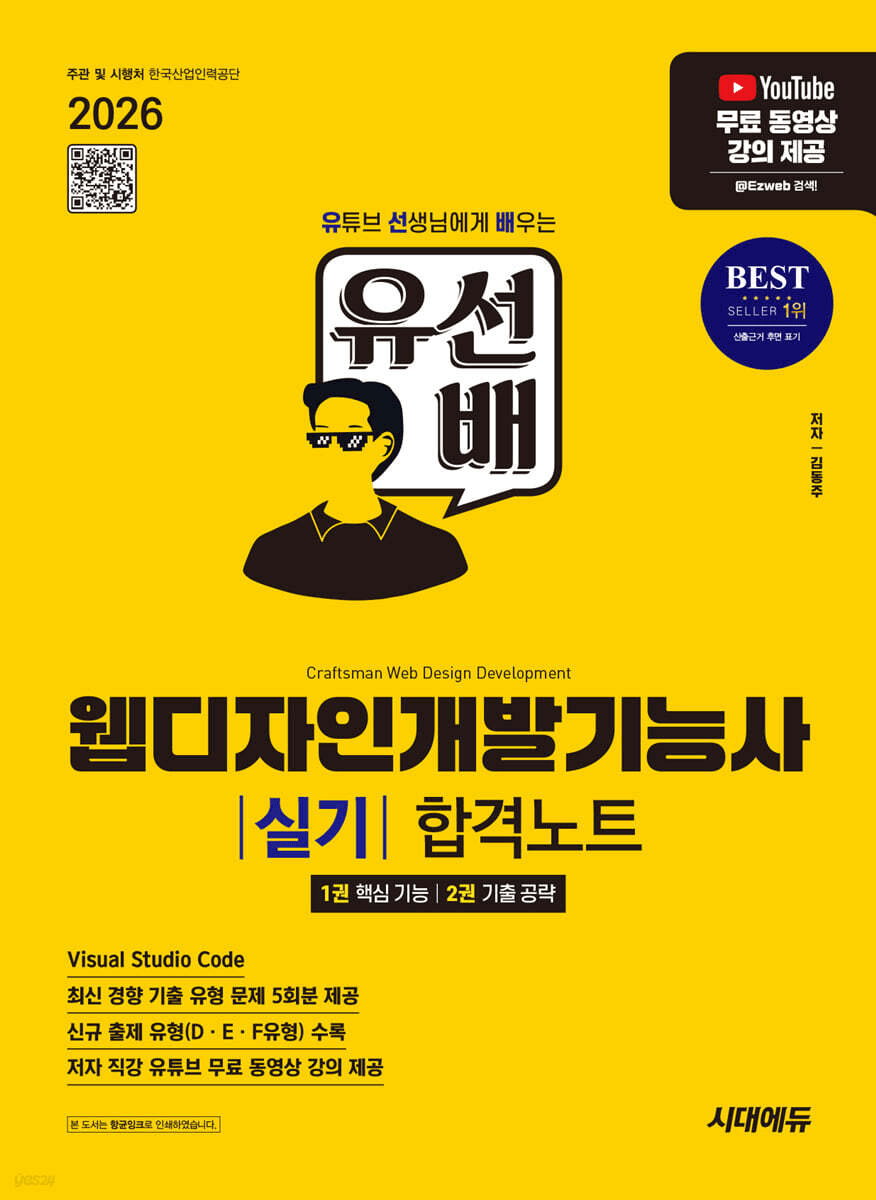
The author of 『Yuseonbae’s Web Design Development Technician Practical Tutoring Notes』 runs it personally.

Master one section at a time through daily missions, and join weekly live sessions for key takeaways and answers to your questions.


Recommended for those who:

  • Those who feel overwhelmed about where to start with the 2026 practical exam (11/14–12/2) approaching

  • Those who know a little HTML and CSS but have never completed a project within 3 hours

  • Those who have completed a government-funded academy course or studied on their own but find it difficult to keep studying consistently by themselves

  • Those who feel particularly unsure about implementing jQuery features such as menus, slideshows, tabs, and pop-ups

  • Those who want to organize all the recent additions, including the newly added F-type format, at once

Features of This Challenge

  1. A two-week structure that ends the day before the exam: Running from 11/2 (Mon) to 11/13 (Fri), you will complete all parts and two practice exams before the first exam day (11/14).
  2. One mission a day, focused practice for each part: Complete one part each day, covering wireframe types A–F, menus, image slides, tabs, and pop-ups.

  3. Basic + Challenge Tasks: Every mission is divided into a required basic task and an optional challenge task. Beginners can complete just the basics, while those with experience can take on the challenges as well.

  4. Two 3-hour practice exams: On 11/10 (Tue) and 11/12 (Thu), you will work through them under timed, real-exam conditions to develop a sense of time management.

  5. 3 live sessions: We cover the key points of each section, publicly review submitted code, and answer questions right away. Recordings are provided.

Live Session Information

Each live session lasts approximately 90 minutes. The first part covers the key points of the relevant section, and the latter part is dedicated to answering students’ questions. Participation is recommended but not required.

  • Live Session 1 (11/4): Common patterns for layout types A–D, public code review of Missions 1–3, Q&A

  • 2nd Live Session (11/8): E- and F-type layouts, public code review of menu and slide jQuery code, Q&A

  • Third live session (11/11): Review of the first mock exam, organizing tabs and pop-ups, test-site mistake checklist, and Q&A

Things to Prepare

  • Laptop or PC (both Windows and Mac are supported)

  • VS Code, Chrome browser (we’ll set them up together during the orientation)

  • 1–2 hours of study time per day

General Mission Information

There are 11 missions in total, one each day from 11/2 (Mon) to 11/13 (Fri), excluding Sundays, and each mission consists of a basic task (required) and a challenge task (optional).

  • Submission deadline: By 11:59 PM one day after the day of publication (Sunday, 11/8, is a catch-up day, so previous missions may be submitted; the final Mission 11 is due by 11:59 PM on the day it is published).

  • Submission format: Please leave the following three items in a comment on the mission post.

    1. At least one screenshot of the results screen

    2. Key code (use a code block) or a GitHub Pages·CodePen link

    3. One-line reflection: What you got stuck on or something new you learned

  • Mock Exam Missions (8 and 10): Submit a screenshot showing both the start and end times.

  • Feedback: Each week during the live session, we publicly review selected code worth sharing and common mistakes. Leave your questions in the comments, and we’ll answer them during the live Q&A.

  • Practice materials: For each mission, we provide resources in the same format as the exam, including mockup images, text, and logos.

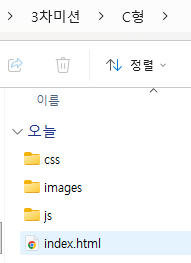
The folder structure is kept the same as the exam for all missions.

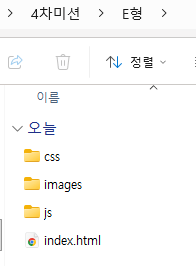
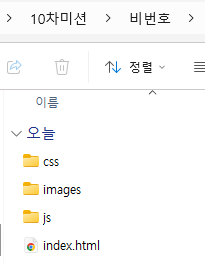
Assignment folder/ ├── index.html ├── css/style.css ├── js/script.js └── images/

Mission 1 · 11/2 (Mon) — Exam Paper Analysis, Environment Setup, and Semantic Markup

  • Learning objectives: Understand the structure of the publicly available exam (requirements, detailed instructions for each section, technical compliance requirements, and submission method), and translate the wireframe into semantic tags.

  • Basic Assignment

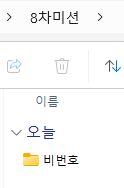
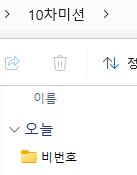
    • After installing VS Code and Chrome, create a folder named 'Candidate Number' and index.html, css, js, and images folders on the desktop (open index.html directly in Chrome to check it without Live Server).

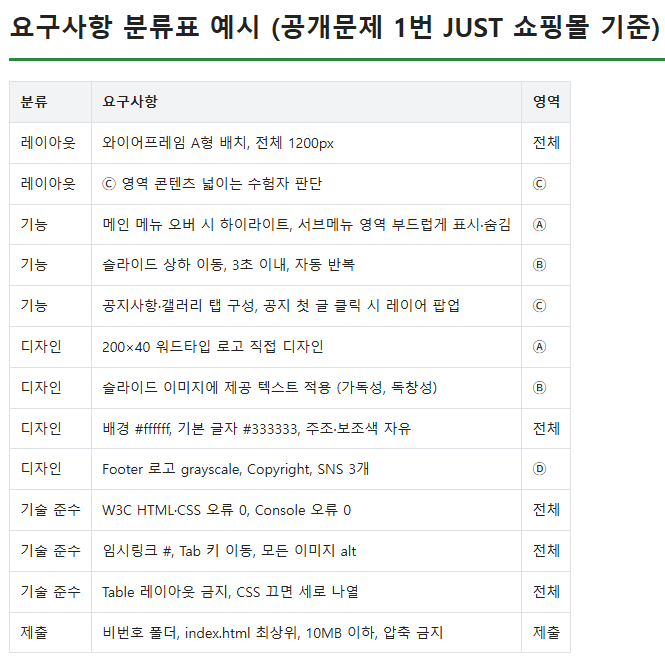
    • Choose one public problem and classify its requirements into four categories: layout, functionality, design, and technical compliance.

    • Mark up the wireframe using header, nav, main, section, and footer (the menu should have two levels: ul > li > a, and all links should be temporary links: #).

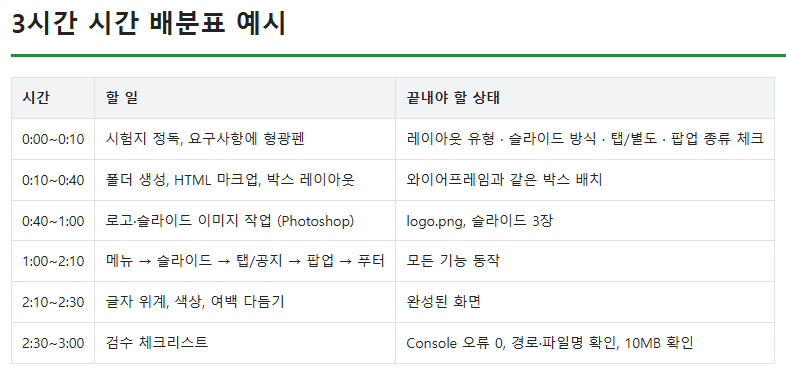
  • Challenge: Create a 3-hour time allocation plan (layout / functionality / design / review)

  • Deliverables: A screenshot of the folder structure, a requirements classification table, and the index.html code

  • Checkpoint: <!DOCTYPE html>, lang="ko", charset="utf-8", and whether the menu links are selected in order using the Tab key

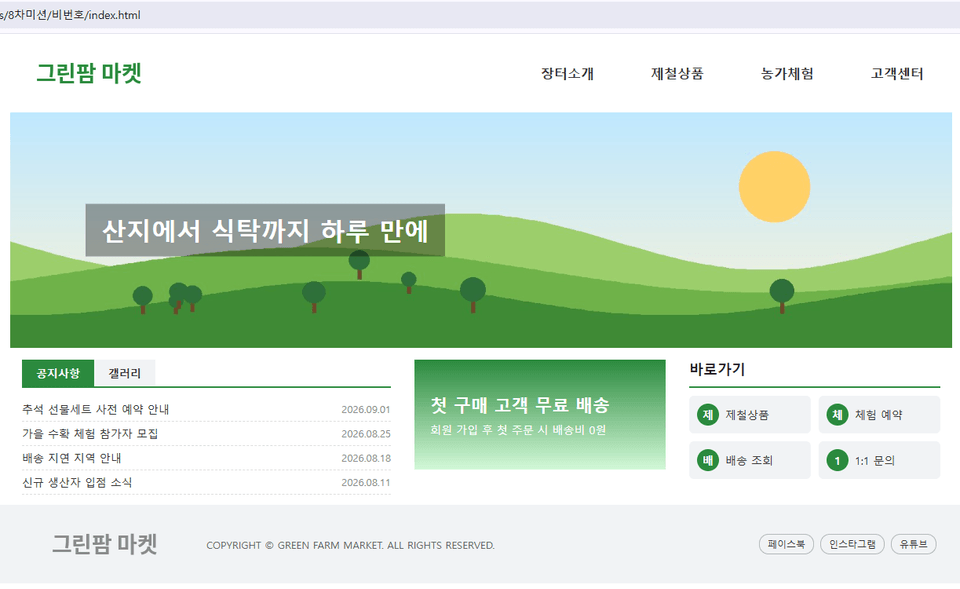
Submission Example

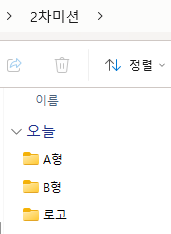
Mission 2 · 11/3 (Tue) — CSS Layout + Type A · Type B + Logo Design

  • Learning objectives: Implement Type A and Type B in CSS exactly as specified, without using tables, and design a logo that meets the exam specifications yourself.

  • Basic Assignment

    • Write reset CSS (margin, padding, list-style, remove underlines from a, box-sizing: border-box), background #ffffff, default text color #333333

    • Implement the Type A and Type B layout boxes based on the provided design draft (both the 1200px fixed-width version and the 100%-width versions of the A and B areas).

    • Create a 200×40px wordmark logo (logo name only, without a symbol) using Photoshop or Illustrator, then insert it as a PNG.

  • Challenge: Resize and place a different logo while preserving its aspect ratio, as in the task using the provided logo.

  • Submission materials: Screenshots of the A and B type results, CSS code, and logo image

  • Checkpoint: Whether the content is listed vertically when CSS is disabled in the browser, and whether the logo image has alt-text


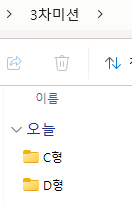
Mission 3 · 11/4 (Wed) — Complete C & D Types + Footer

  • Learning objectives: Learn the C- and D-type layouts and complete the footer components that repeatedly appear in the public problems.

  • Basic Assignment

    • Implement the C-type and D-type layout boxes based on the provided design mockups

    • Process the footer logo in grayscale (filter: grayscale(100%) or use a monochrome image)

    • Build the copyright notice, three social media links, bottom menu, and family site as text (HTML).

  • Challenge: Separate the CSS common to types A–D and create your own reusable template

  • Submission: Screenshots of the C- and D-type results, footer code

  • Checkpoint: Check whether the sum of the section heights matches the total height and whether the content was not inserted as images (we will review the code for Missions 1–3 together during the first live session on 11/4).


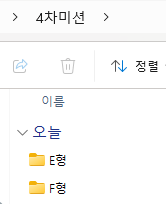
Mission 4 · 11/5 (Thu) — Type E & Type F (Vertical Menu · Left Sidebar Layout)

  • Learning objectives: Complete types E and F, including the left vertical menu type and the newer type (left sidebar + card-style content), and organize all six types from A to F.

  • Basic Assignment

    • Implement the E- and F-type layout boxes based on the provided mockup (1000px left-aligned layout, with a 200px left sidebar and the remaining area at 100% width).

    • Create a summary table on a single page outlining the six A–F layouts.

  • Challenge: Turn on the timer and complete one public problem wireframe, including the layout, within 30 minutes.

  • Submission: Screenshots of the E-type and F-type results, and a type summary table

  • Checkpoint: Check whether the layout remains intact when changing the browser window width (consistency across various resolutions)


Mission 5 · 11/6 (Fri) — Menu (Highlight + Three Submenu Methods)

  • Learning objective: Implement the menu instructions in the sample problem exactly as specified.

  • Basic assignment

    • Place the jQuery file in the js folder and link it locally (the test site blocks internet access, so CDN use is not allowed), then write the basic $(function(){ }) structure.

    • Highlight the main and submenus when hovered over, and remove the highlight when the mouse leaves.

    • Implement a smooth appearance and disappearance effect for the submenu area: at least two methods, including individual dropdowns for each menu and expansion of the entire submenu area.

  • Challenge: Implement a way for submenus to appear beside a vertical menu, and prevent animation buildup using stop()

  • Submission: A screenshot (or GIF) of the functioning screen and the script.js code

  • Checkpoint: Check whether the submenu appears above the slide (position, z-index) and whether there are no errors in the Console tab


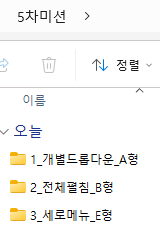
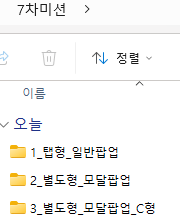
1_Individual Dropdown_Type A

2_Full Expansion_B Type

3_Vertical Menu_Type E

Mission 6 · 11/7 (Sat) — Creating Slide Images + 3 Types of Animations

  • Learning Objectives: Design and apply text to slide images, and implement all three transition methods from the sample problem.

  • Basic Assignment

    • Apply the provided text to the three provided images (ensure readability through font, weight, color, and size; use an HTML text overlay or edit in Photoshop).

    • Implement each of the following: fade (fadeIn / fadeOut), horizontal slide, and vertical slide.

    • All three transition within 3 seconds, start automatically when the page is opened, and repeat from the first image after the last.

  • Challenge: Make it loop seamlessly from the last image back to the first image

  • Submission: Captures of the three interactions and code

  • Checkpoint: Make sure the images do not appear outside the area (overflow: hidden). If there is no moving slide, it will be disqualified.


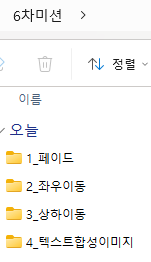
Slide_1_Fade

Slide_2_Horizontal Movement

Slide_3_Vertical Movement

Mission 7 · 11/9 (Mon) — Notices · Gallery (Tabbed/Separate), Layer Pop-ups (Regular/Modal), Banners · Quick Links

  • Learning objective: Implement all variations of the public assignment content area.

  • Basic Assignment

    • Tab-based: Organize notices and the gallery into tabs and display the corresponding content when clicked (addClass / removeClass, show / hide)

    • Separate layout: Place the notices and gallery (three images arranged horizontally) in their respective areas.

    • Implement opening and closing a layer popup when the first notice post is clicked, in both a standard type and a modal type (semi-transparent background + centered positioning).

    • Code the banner and shortcuts in HTML using the provided files (do not insert them as a single image).

  • Challenge: Right-align the announcement dates and truncate long titles with an ellipsis (text-overflow: ellipsis)

  • Deliverables: Screenshots of the tabbed and separate layouts, screenshots of the two pop-ups, and the code

  • Checkpoint: Check whether the page jumps to the top when clicking a link and whether the popup close button can be reached using the Tab key


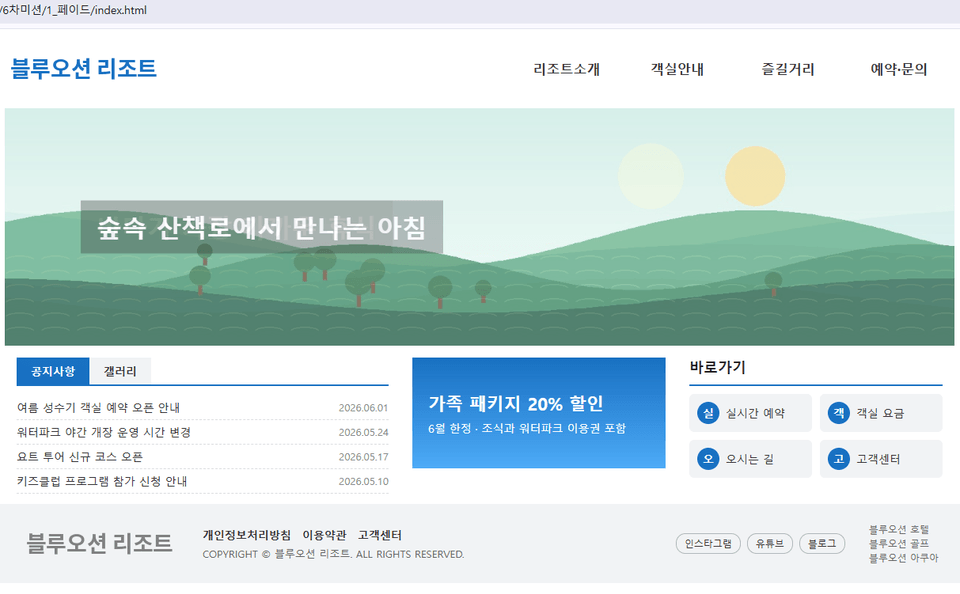
Popup_1_Tabbed_GeneralPopup

Popup_2_Separate-Type_Modal Popup

Popup_3_Separate_Modal_Popup_Type C

Mission 8 · 11/10 (Tue) — First Mock Exam (3 hours, Public-Problem Tab Type)

  • Learning Objective: Complete one tab-type public problem within 3 hours, just like the actual exam.

  • Basic assignment

    • Complete one publicly available challenge problem designated by the challenge (tab-style + standard popup) with the timer running (use the resources provided by the challenge).

    • Organize the unfinished parts into a list

  • Challenge: Record the time spent on each part and compare it with the time allocation table for Mission 1.

  • Submission materials: Screenshots of the start and end times, a screenshot of the results screen, and a list of incomplete items

  • Checkpoint: This is a mandatory mission for course completion. We will review the list of unfinished items together during the third live session (11/11).


Session 8_First Mock Exam

Mission 9 · 11/11 (Wed) — Error Notes and a Review to Ensure Technical Compliance and Prevent Disqualification

  • Learning objective: Address the areas missed in the first mock exam and establish a review routine based on the technical requirements and disqualification criteria of the publicly available exam questions.

  • Basic Assignment

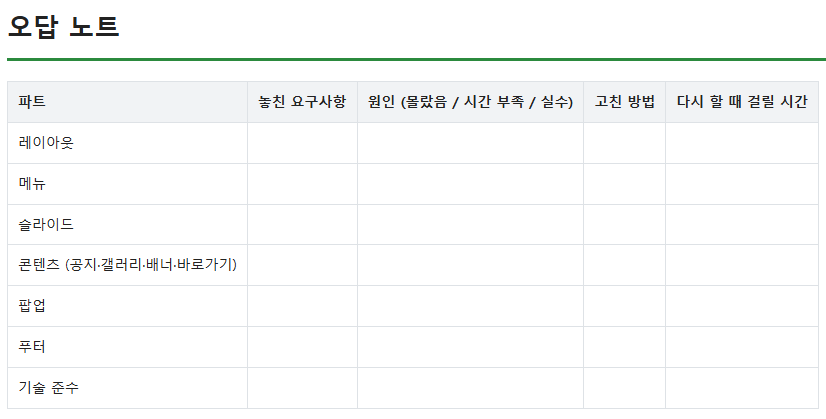
    • Create an error log organized by section (layout / menu / slider / content / popup / footer), documenting the parts you missed.

    • Reimplement the weakest section.

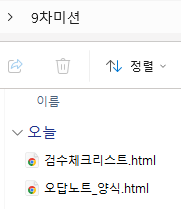
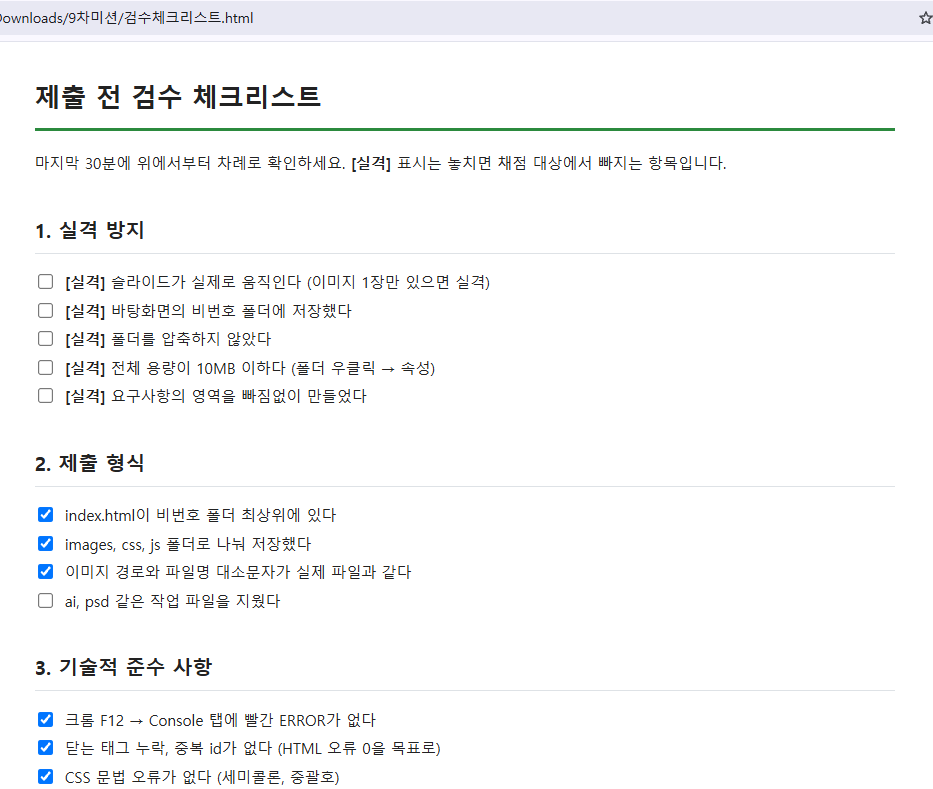
    • Create a review checklist: 0 W3C HTML/CSS errors, 0 console errors, Tab-key navigation, vertical stacking when CSS is disabled, alt text for all images, text hierarchy, an unnumbered folder with index.html at the top level, image paths and filenames, exclude AI and PSD files, under 10MB, submit without compressing.

  • Challenge task: Check your first mock exam submission using validator.w3.org and fix the errors (Internet access will be blocked at the exam site, so make this a habit now)

  • Submissions: error log, reimplementation results, and review checklist

  • Checkpoint: Whether you separately marked the disqualification conditions among the checklist items (nonfunctional slides, compressed submission, exceeding the size or time limit, and failure to save the non-numbered folder)


Mission 10 · 11/12 (Thu) — Final Mock Exam (3 hours, separate public-problem format)

  • Learning objective: Conduct a final check under conditions identical to the actual exam using a public problem of a different type from the first exam.

  • Basic assignment

    • Complete one public challenge problem designated for the challenge (standalone format + modal popup, with a slide method different from the first mock exam) within 3 hours.

    • Use the final 30 minutes to apply Mission 9’s inspection checklist.

  • Challenge: Write a retrospective comparing the time spent and level of completion with those of the first practice exam

  • Submission materials: Screenshots of the start and end times, the results screen, and a retrospective compared to the first attempt (challenge)

  • Checkpoint: This is a required mission for course completion. Whether the time allocation of 30 minutes for layout / 90 minutes for functionality / 30 minutes for design / 30 minutes for review was followed.


10th_Final Mock Exam

Mission 11 · 11/13 (Fri) — A Light Final Check the Day Before the Exam

  • Learning objective: Warm up without overexerting yourself and finish preparing for the day of the exam.

  • Basic assignment

    • Rebuild only the layout of the one type you feel least confident about within 30 minutes

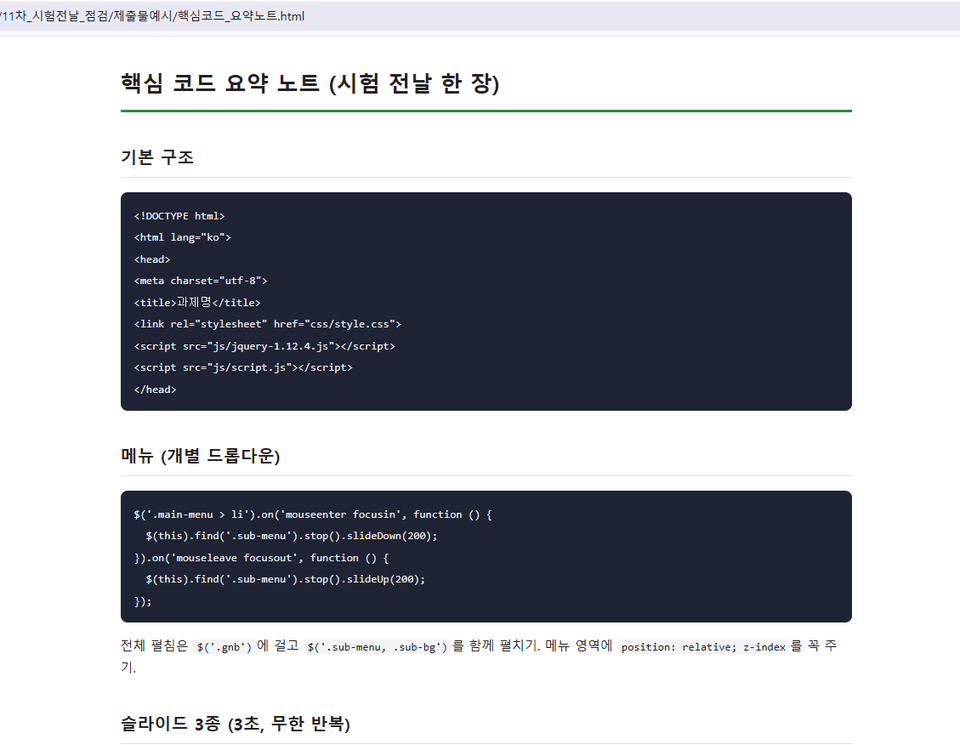
    • Review the summary note that organizes the core code for the menu, three types of slides, tabs, and two types of pop-ups on a single page.

    • Check your exam admission ticket, ID, black writing instrument, test center location, and entry time (reference materials, USB drives, personal keyboards, and mice are not allowed).

  • Challenge: Reorganize Mission 9’s review checklist in the order you will use it at the test site

  • Submissions: 30-minute layout screenshot, summary notes screenshot

  • Checkpoint: Review the mistake checklist from the third live session one more time and get some rest early.


강사 프로필
LIVE

함께 소통할 수 있는 라이브가 예정되어 있어요!

11.04.수

오후 08:00

1주차 라이브

11.08.일

오전 10:00

1주차 라이브

11.11.수

오후 08:00

2주차 라이브

11월

2일

챌린지 시작일

2026년 11월 2일 오전 12:00

챌린지 종료일

2026년 11월 13일 오후 11:30

Recommended for
these people

Who is this course right for?

  • A test taker who doesn’t know where to start and is just flipping through past exam questions

  • Those who have learned HTML and CSS but have never completed a full set within 3 hours.

  • For those who can create the layout but keep getting stuck on the menu and slide jQuery every time

  • Those whose study rhythm falls apart when studying alone after completing a government-funded academy course

Need to know before starting?

  • It’s a good idea to become familiar with HTML tags and CSS properties at least once.

  • You need a laptop or PC on which you can install VS Code.

FAQs

취소 및 환불 규정
챌린지는 지식공유자가 설정한 수업 최소 정원이 충족되지 않을 경우, 폐강 안내가 고지되며 결제 내역이 자동취소됩니다.

ezweb's other courses

Check out other courses by the instructor!

단, 6자리 남았어요

$18.70

29%

$26.40