Microsoft Teams - 1 Using Teams (from basics to team composition)
This is Teams training for all team members, team leaders, and managers who will collaborate through Teams. This training covers everything from understanding Teams to how to use chat, and how to organize and use teams and channels for collaboration.
If your company has chosen Teams as their collaboration tool, this is a must-attend lecture for all employees. It was a very informative time. Thank you.
5.0
seolahlee
100% enrolled
There is no better lecture for a quick overview!
What you will gain after the course
Understanding Microsoft 365 Collaboration Services
Teams Pricing, Free/Paid Comparison
Collaborative Product Comparison
Install Teams (PC, Web, Mobile)
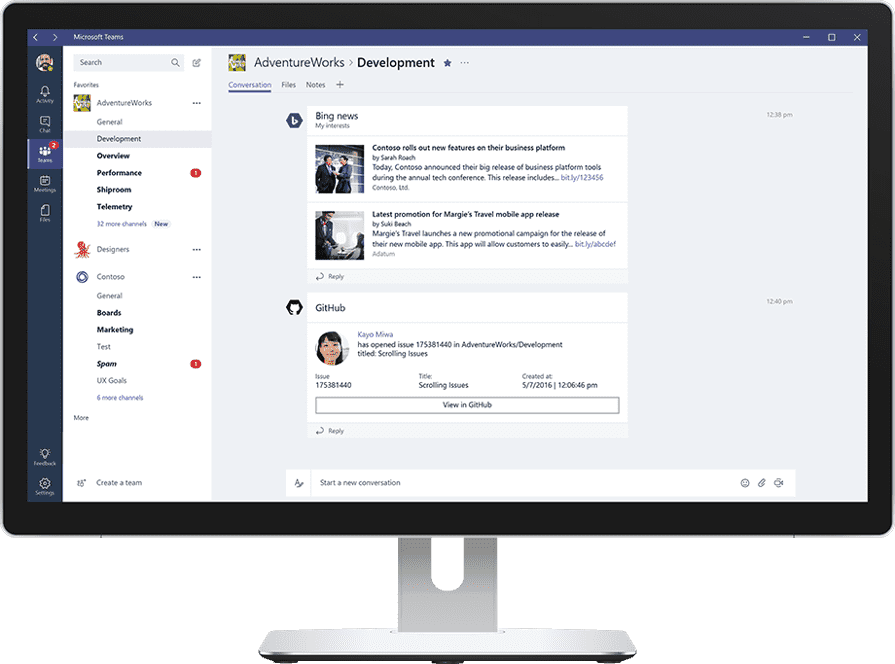
Understanding the Teams Menu
Teams settings (general, accounts, notifications, devices, calls, etc.)
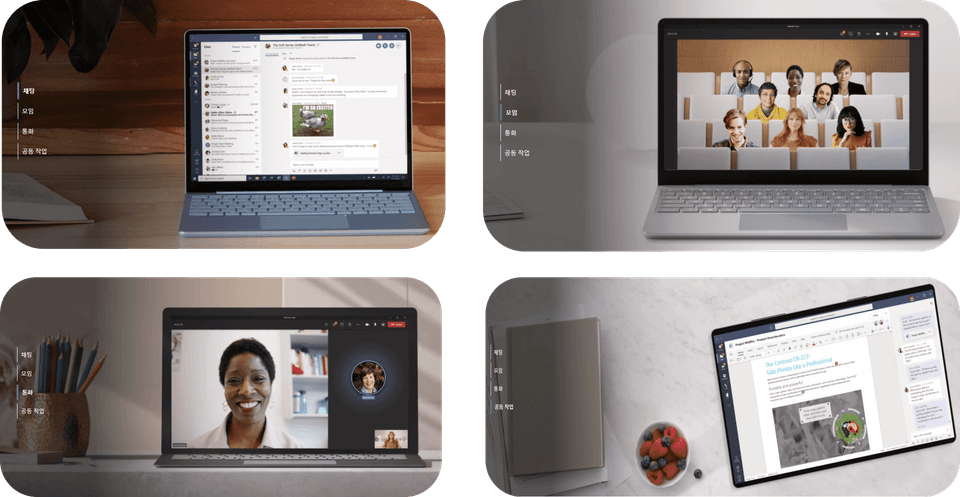
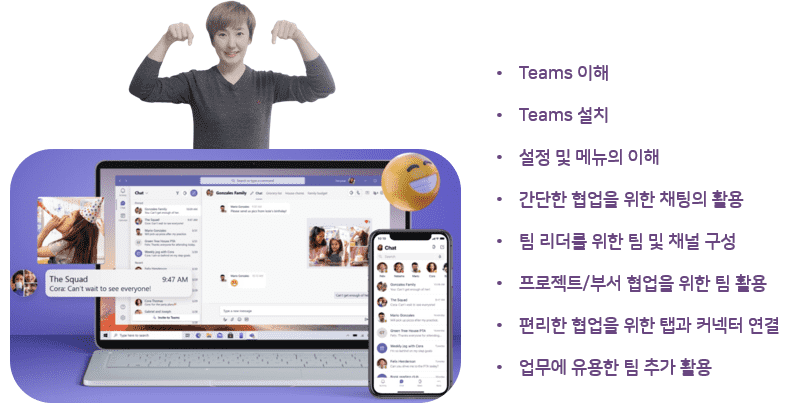
Leverage Teams Chat for Easy Collaboration
Team and Channel Organization for Team Leaders
[Practice] Teams Overview Team Composition
Leveraging teams for project/department collaboration
Understanding tab and connector connections for easy collaboration
Useful Tips for Using Teams at Work
Work Less, Do More! Collaborate smarter with Teams.
Microsoft Teams Welcome to the lecture!
The era of the new normal, Teams for work management 📖
Since its launch in March 2017, Microsoft Teams has evolved rapidly, becoming the ultimate hub for teamwork. The prolonged COVID-19 pandemic has ushered in a new normal, combining remote work and commuting. To provide a work environment suited to this new normal, Microsoft is evolving Teams into a cloud-based, integrated work management service that goes beyond simple collaboration to handle all aspects of corporate tasks, including human resources and resource management.
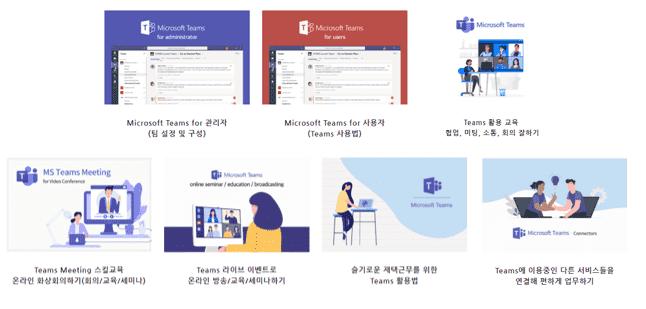
At Omas, we have launched and operated Teams lectures (*roadmap) as shown below so that many people can utilize Teams, but as shown above, it is developing very quickly and new features are being added, so the lectures also need to be updated overall, so we are launching a new lecture structure.
Omas's Microsoft Teams Lecture Series 🔍
Lecture Topic 🧩
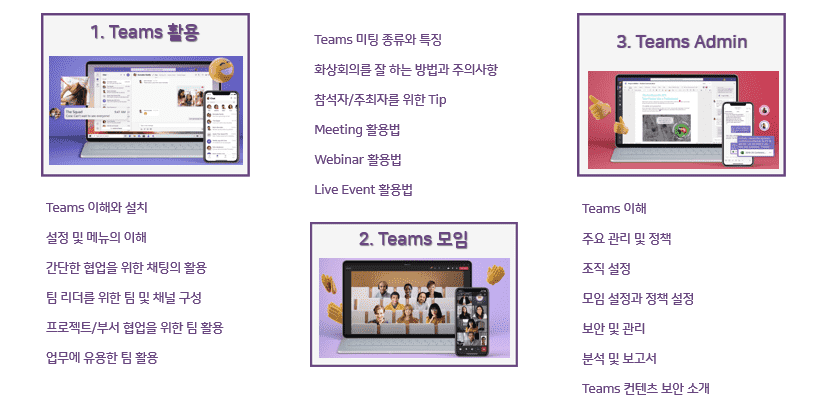
The Microsoft Teams course is divided into three chapters: Teams Utilization, Teams Meetings, and Teams Admin, allowing you to take the courses you need according to your role.
#1. Using Teams
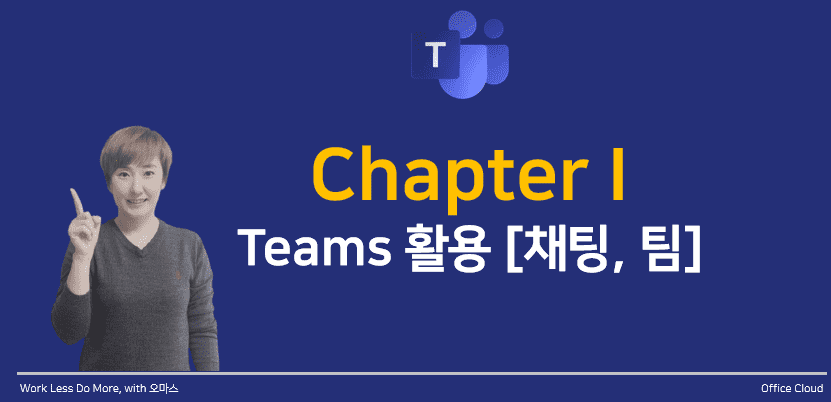
The first course to launch is "Using Teams." While previous courses were divided into Teams for Administrators (team setup and configuration) and Teams for Users (how to use Teams), this course focuses on Teams, covering everything from the basics to advanced use.
#2. Teams meeting
The second course to be launched is "Teams Meetings." With the recent enhancements to Teams meeting functionality and the addition of webinars, this course covers the types and features of meetings and how to utilize them in practice, including meetings, webinars, and live events.
#3. Teams Admin
The third course to be launched is "Teams Admin." This course covers how administrators can understand the key management menus, set policies, organizations, and meetings, and utilize security, management, analytics, and reporting.
Collaboration, video conferencing How to start If you're feeling lost!🔑
This is perfect for peoplewho want to collaborate through Teams . All team members, team leaders, and managers
For those who want to understand Teams in general
Anyone who needs to understand Microsoft 365's collaboration services, such as SharePoint, OneDrive, Planner, and Teams.
Anyone who needs to collaborate through Teams
Anyone who wants to be good at Teams Meetings
Curious about new features in Teams?
Those who want to communicate well internally and externally
Anyone who wants to be good at meetings through Teams
For Chat/Team Teams Basics and Utilization ✨
The existing lectures are divided into Teams for Administrators (team setup and configuration), Teams for Users (how to use Teams), etc., so in this lecture, we will group them under Teams utilization so that you can understand each other and understand the overall flow, and it will be structured so that you can cover everything from the basics to utilization.
Learning content Check it out 📚
This course is designed for team members, team leaders, and managers. Beginning with an understanding of Teams, installation, and menu introduction, you'll learn how to utilize chat for simple collaboration, and team and channel configuration for team leaders. You'll also learn how to utilize Teams for project or department collaboration, understand tab and connector connections, and find useful work-related tips.
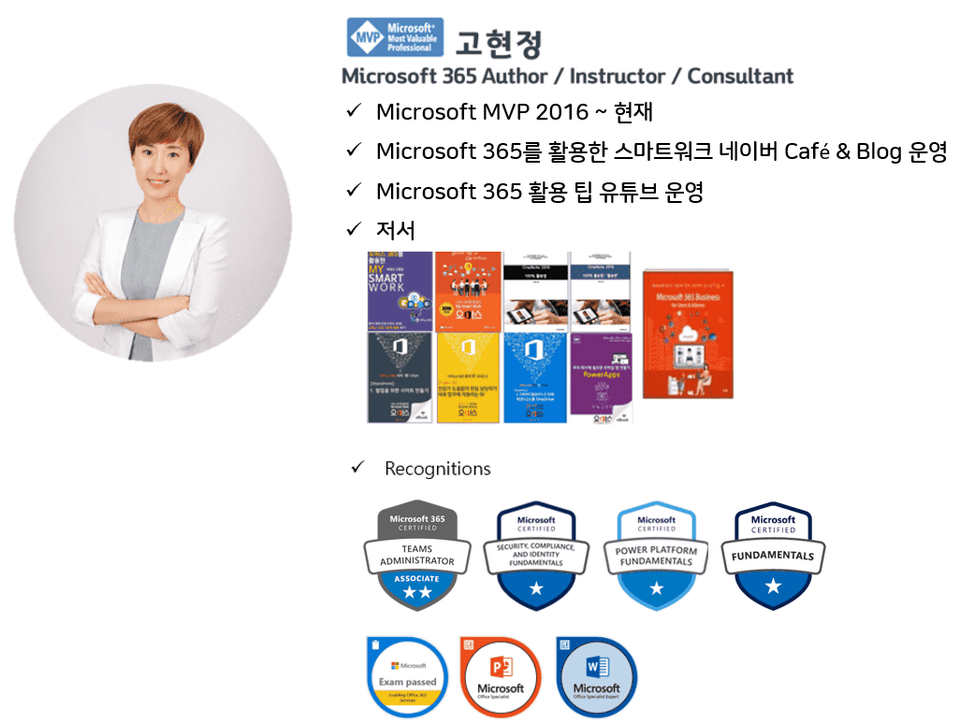
Who created this course Introducing the knowledge sharer 🙋♀️
Preview Q&A 💬
Q. Do I need to purchase a license to attend the lecture?
No, you can practice with a free license (Business Standard trial or higher).
Q. Do I need any prior knowledge to take the course?
No, no prior knowledge is required as we provide step-by-step learning from basics to application.
Q. Can I take the course with a free Teams license or educational license?
Yes, it is possible, but the lecture content is for business use, so the menu and content may be different.
In this lecture The following settings are required ✒️
If your company has chosen Teams as their collaboration tool, this is a must-attend lecture for all employees. It was a very informative time. Thank you.









![[Latest version update] Project and task management to become a pro at planning - MS PlannerCourse Thumbnail](https://cdn.inflearn.com/public/courses/336001/cover/9368db08-c64b-42ca-8ad1-e7a872bffc0e/336001.jpg?w=420)

![[Work Automation Using Free MS RPA] Power Automate Desktop - Automate Repetitive TasksCourse Thumbnail](https://cdn.inflearn.com/public/courses/332826/cover/fd9d8667-48a8-4d2e-b27d-1154f66df679/332826.png?w=420)
![[Work Automation Using Free MS RPA] Power Automate Desktop BasicCourse Thumbnail](https://cdn.inflearn.com/public/courses/329047/cover/35cb417d-cd84-47f8-a20f-653724b03a77/329047-eng.png?w=420)


![[Pass ITQ Excel A in One Go] in 3 daysCourse Thumbnail](https://cdn.inflearn.com/public/courses/329652/cover/b44e11b6-a47e-4993-86ea-a85da9836bb5/329652-eng.png?w=420)
![[For Beginners] Data Visualization with Power BICourse Thumbnail](https://cdn.inflearn.com/public/courses/327055/cover/455b54c1-3e63-439b-9b60-5d12e12bc303/PowerBI-001 (1).png?w=420)