강의

멘토링

커뮤니티

Productivity

/

Office

Mastering Excel for Business: The Complete Course!

We are conducting a practical Excel course for workplace use. This is a fully hands-on, business-oriented Excel training.

(5.0) 2 reviews

22 learners

Level Basic

Course period Unlimited

  • dymanagementlab
Excel
Excel
Excel
Excel

What you will gain after the course

  • Excel

  • Create a chart


DY Management Research Institute

(Director Dae-young Lyu, Ph.D. in Business Administration / Certified Management Consultant (Finance))

I am Daeyoung Lyu, and I run 'DY Management Institute' on YouTube and N-Blog.

Based on my corporate experience and academic background in business administration, I aim to provide practical assistance to professionals in related fields. I offer highly practical approaches that can provide immediate help across various areas, including costing, management, accounting, financial business planning, investment attraction, and general management. If you are interested in my lectures or wish to collaborate within my areas of expertise, please contact me via email!


※ Areas of Expertise:

  • Management/cost consulting, feasibility studies, financial business planning, management simulation, and financial projections for fundraising.

  • Practical Excel training, data visualization using Excel, and business efficiency through Excel. We will cut your work time in half.

  • I welcome inquiries regarding lectures, project requests, and Q&A related to my areas of expertise and YouTube videos.


Excel is the best program currently available for managing data, whether you are working in a corporate environment or running your own business. Being proficient in Excel significantly reduces your work hours. Furthermore, it greatly improves the quality of your data. Mastering Excel will cut your task completion time in half.


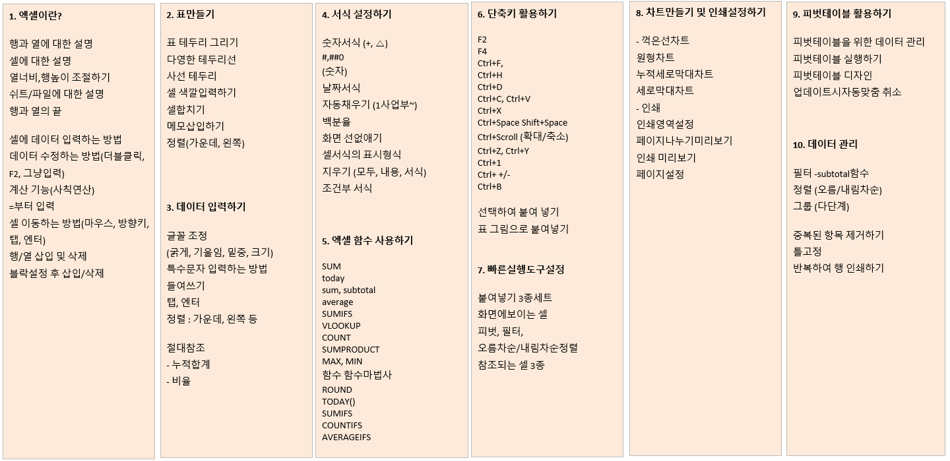
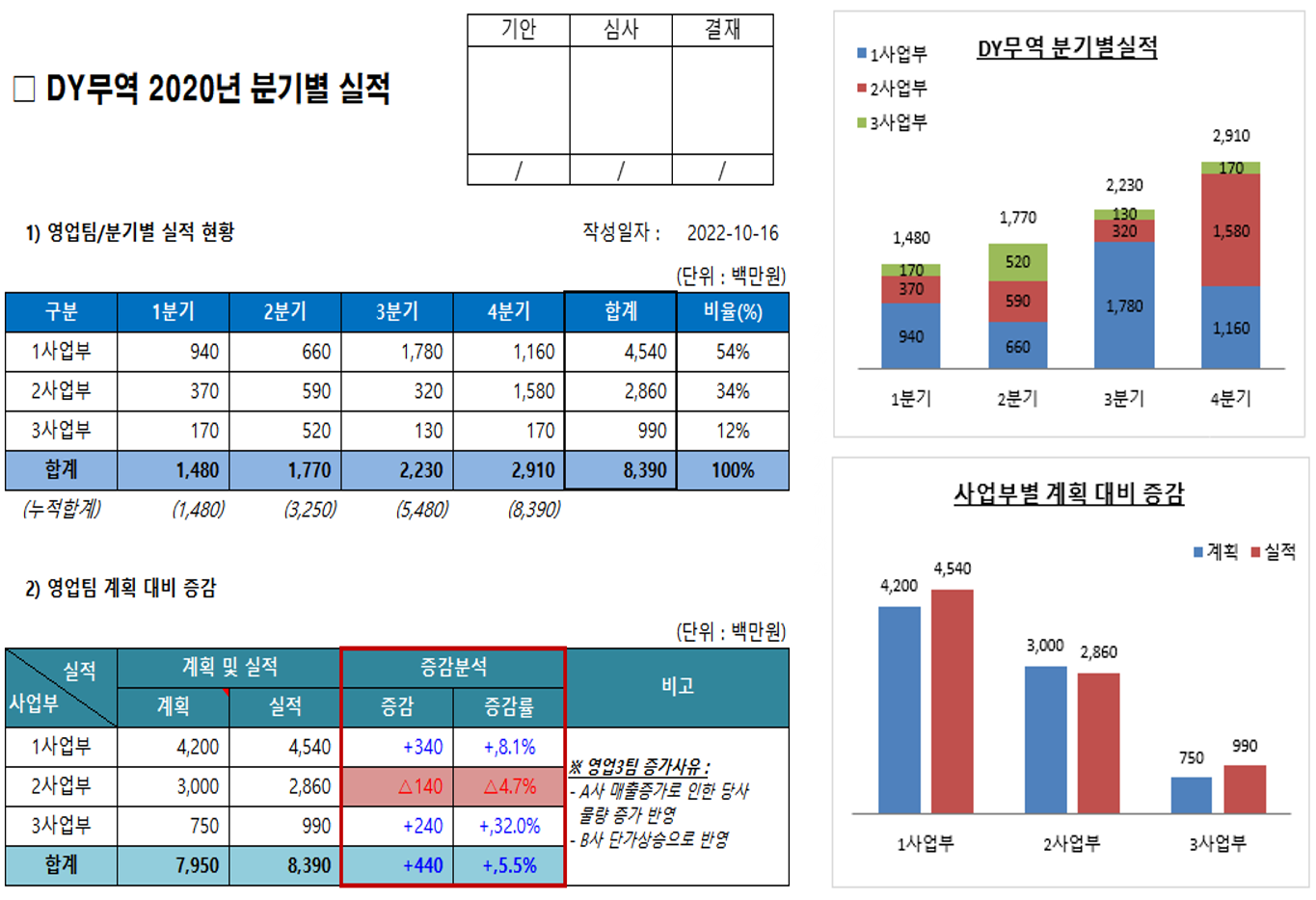
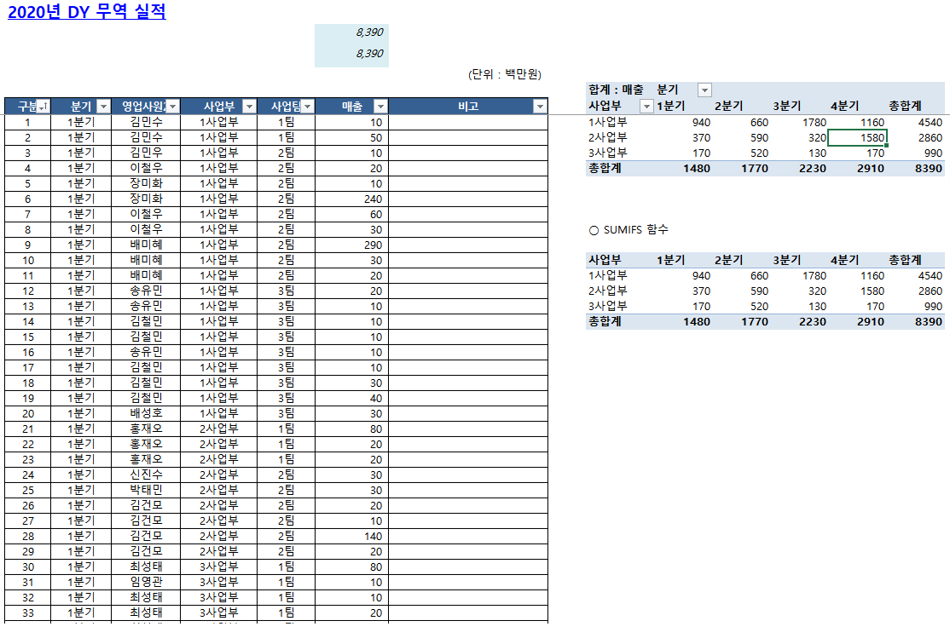
Many people struggle with Excel because they haven't received proper training. This course was created specifically for them. It consists of a total of 10 lessons, covering everything from Excel basics to functions, formatting, Pivot Tables, and chart creation.


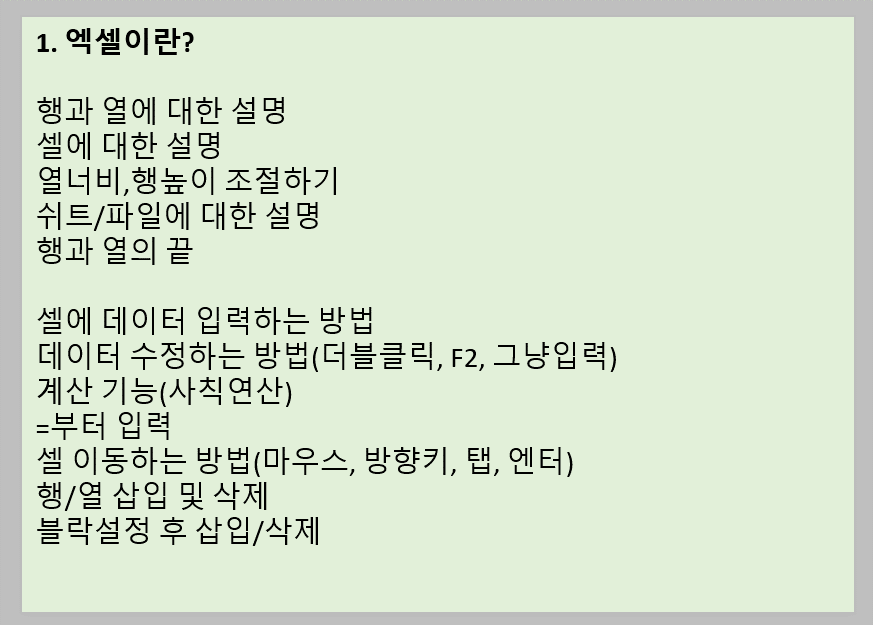
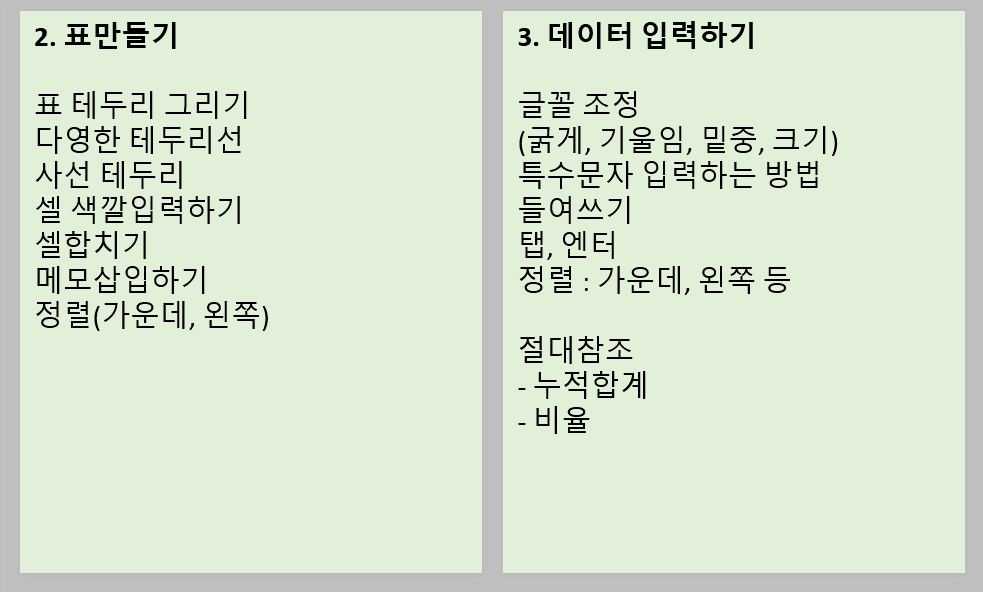
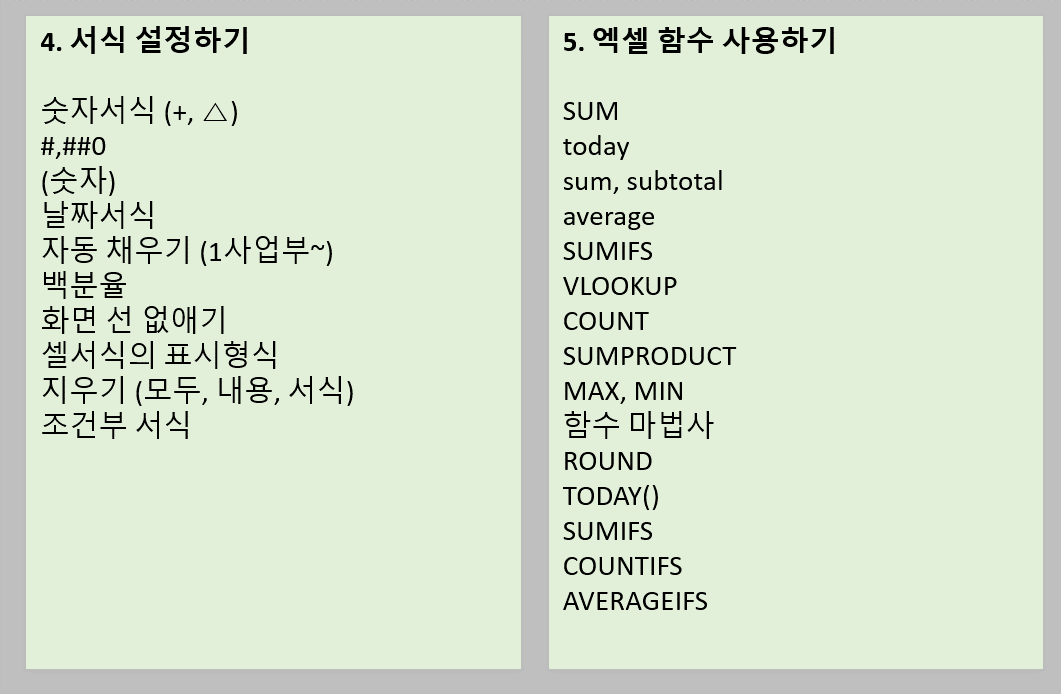
The curriculum for my course is as follows. We will cover everything from essential practical functions to various tips and tricks used in the field.


1. What is Excel?

2. Creating Tables

3. Entering Data

4. Setting Formats

5. Using Excel Functions

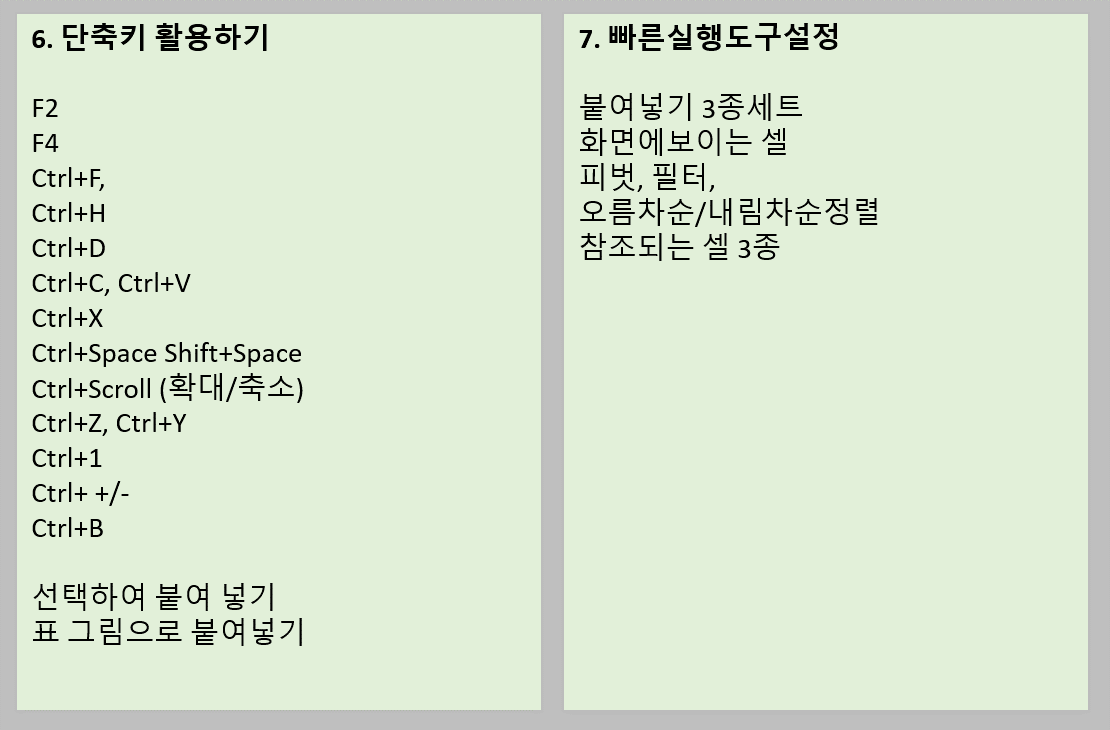
6. Using Shortcut Keys

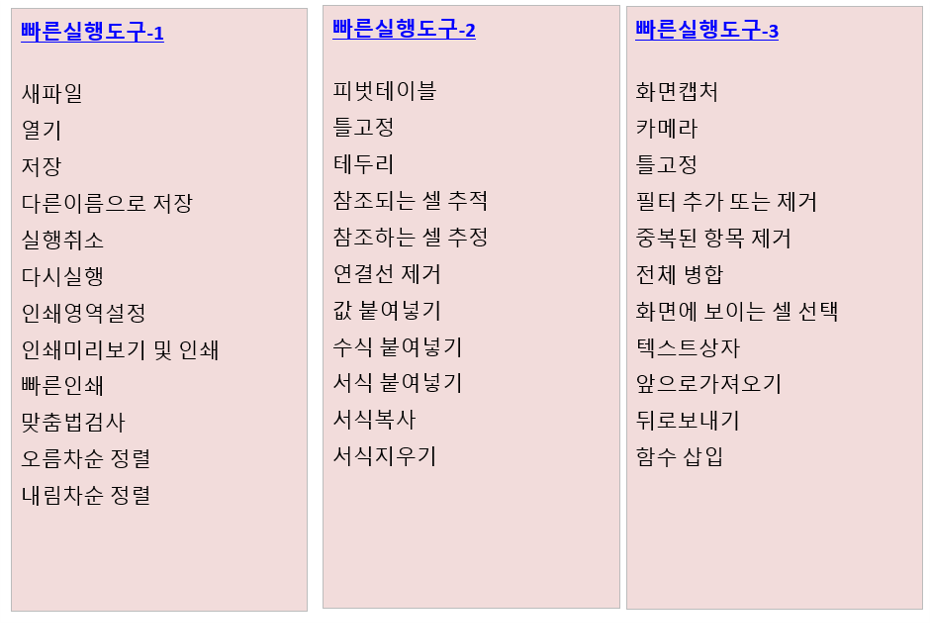
7. Quick Access Toolbar Settings

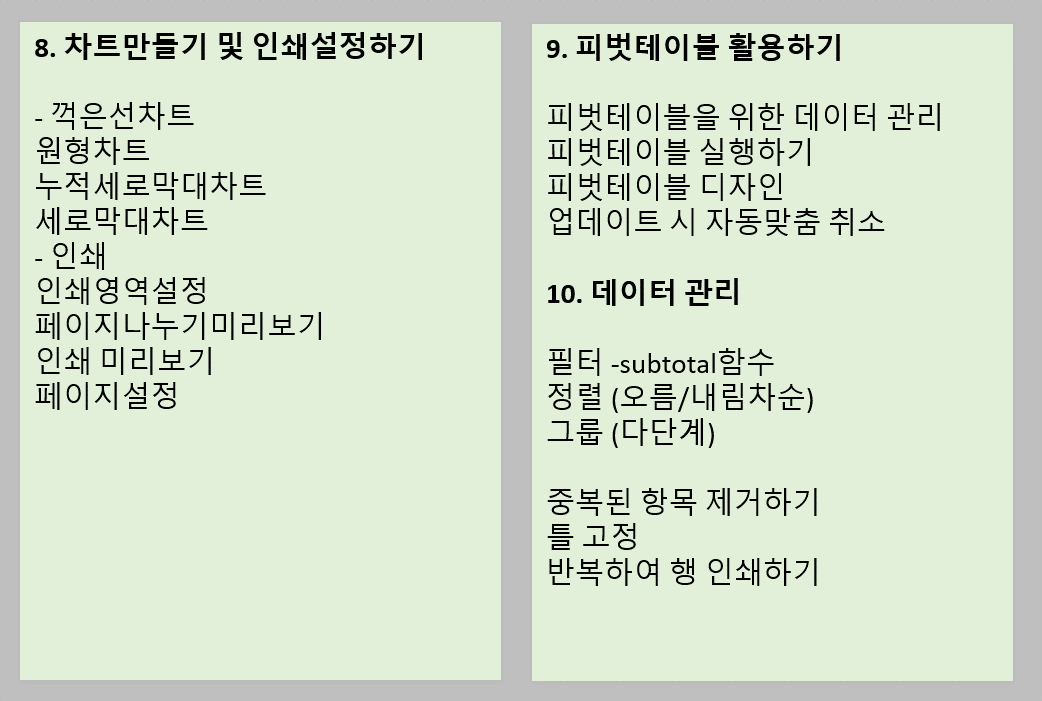
8. Creating Charts and Print Settings

9. Utilizing Pivot Tables

10. Data Management


I have 20 years of hands-on experience in finance, management, and planning. Working in fields that deal with numbers, I have reached the highest level of proficiency in practical Excel usage. I am also currently conducting training on practical Excel at my current company.


Please refer to the image below for more details.


Recommended for
these people

Who is this course right for?

  • Excel user

  • New employee

Hello
This is

169

Learners

18

Reviews

5

Answers

4.5

Rating

16

Courses

I am Daeyoung Ryu, and I run 'DY Management Research Institute' on YouTube and Naver Blog.

Based on my professional experience and studies, I aim to provide practical assistance to those working in related fields. I offer highly hands-on approaches that can be immediately applied across various areas, including costing, management, accounting, financial business planning, investment attraction, and overall business management.

I am here to help. I provide highly practical and immediate solutions across cost accounting, management, accounting, financial business planning, investment attraction, and overall business management.

  • YouTube DY Management Research Institute: www.youtube.com/@dy-4714

  • Naver Blog DY Management Research Institute: https://blog.naver.com/udae025

※ Areas of Expertise:

  • Management/cost consulting, feasibility studies, financial business planning, management simulation, and financial projections for investment attraction.

  • Practical Excel training, data visualization using Excel, and improving work efficiency through Excel. I will cut your working time in half.

  • I welcome inquiries regarding lectures, project requests, and Q&A related to my areas of expertise and YouTube videos.

Data visualization and business efficiency using Excel. I will cut your work time in half. I welcome requests for lectures, projects, and Q&A regarding my areas of expertise and YouTube videos.

Curriculum

All

13 lectures ∙ (3hr 16min)

Course Materials:

Lecture resources
Published: 
Last updated: 

Reviews

All

2 reviews

5.0

2 reviews

  • seongminhong8014님의 프로필 이미지
    seongminhong8014

    Reviews 1

    Average Rating 5.0

    5

    100% enrolled

    • dymanagementlab
      Instructor

      Thank you for the evaluation.

  • joy7155님의 프로필 이미지
    joy7155

    Reviews 1

    Average Rating 5.0

    5

    100% enrolled

$17.60

dymanagementlab's other courses

Check out other courses by the instructor!

Similar courses

Explore other courses in the same field!