inflearn logo

[Unity 6] Learning Through Practice: Real-World Game Development - Idle Game

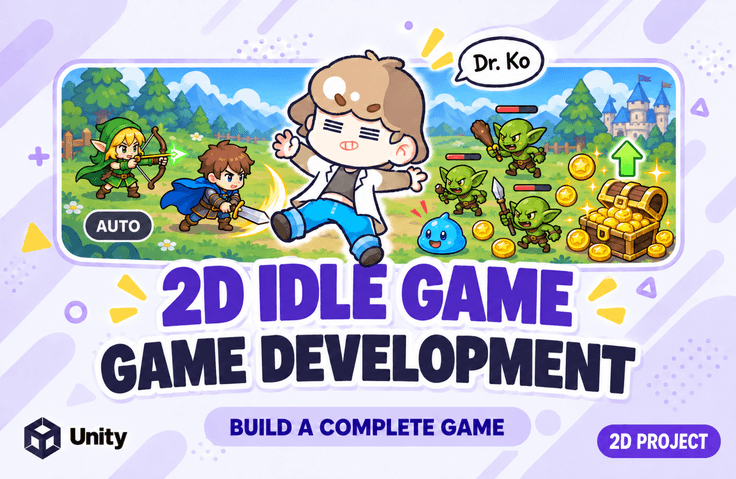
This is a practice-oriented course where you will create a 2D idle game from start to finish using Unity 6. You will implement the core features required for idle game production step-by-step, including game world configuration, player and enemy object creation, basic attacks, Behavior Tree-based enemy AI, currency systems, stat upgrades, Memory Pool systems, skill equipping/unequipping, equipment data management, inventory, gacha systems, stage systems, and finally, building and deployment. This course covers a more advanced structure than the previous Top-Down Shooting game production. Beyond simply creating features one by one, you will improve the architecture to manage multiple objects integrally using MemoryPoolManager, PoolOriginKeyHolder, and PoolKeys, and learn how to apply or remove stat effects based on equipping and unequipping equipment/skills. Additionally, you will gain hands-on experience with systems frequently used in actual idle RPG/clicker games within a single project, such as Google Sheet-based equipment data loading, equipment management systems, inventory, gacha, and stage systems.

38 learners are taking this course

Level Intermediate

Course period Unlimited

Unity
Unity
scriptable-object
scriptable-object
unity2d
unity2d
Unity6
Unity6
C#
C#
Unity
Unity
scriptable-object
scriptable-object
unity2d
unity2d
Unity6
Unity6
C#
C#

What you will gain after the course

  • You can create a Unity 6-based 2D idle game project from start to finish.

  • You can create a structure for pooling various types of objects using MemoryPoolManager, PoolOriginKeyHolder, and PoolKeys.

  • You can understand the structure of applying and removing stat effects based on equipping and unequipping gear and skills.

  • Equipment data managed in Google Sheets can be converted into Unity ScriptableObjects and integrated with game systems.

Create every piece of content for a 2D Idle Game from A to Z!

Easy and fun, Dr. Go's Unity Series 🎲

We provide all the resources and the PDF used in the practice sessions.

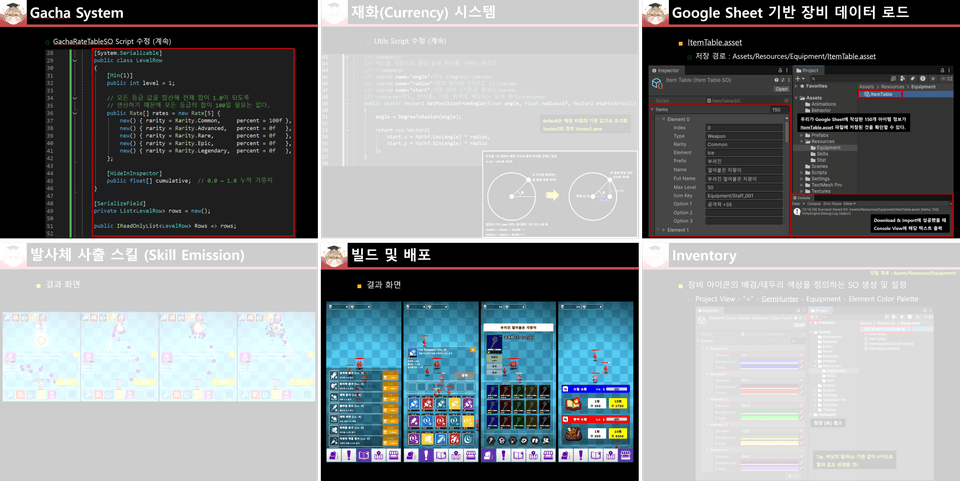
We provide all the resources used in the practice, as well as a 1,010-page lecture PDF.

Follow the examples using the meticulously organized PDF without the hassle of repeatedly playing and pausing the lecture

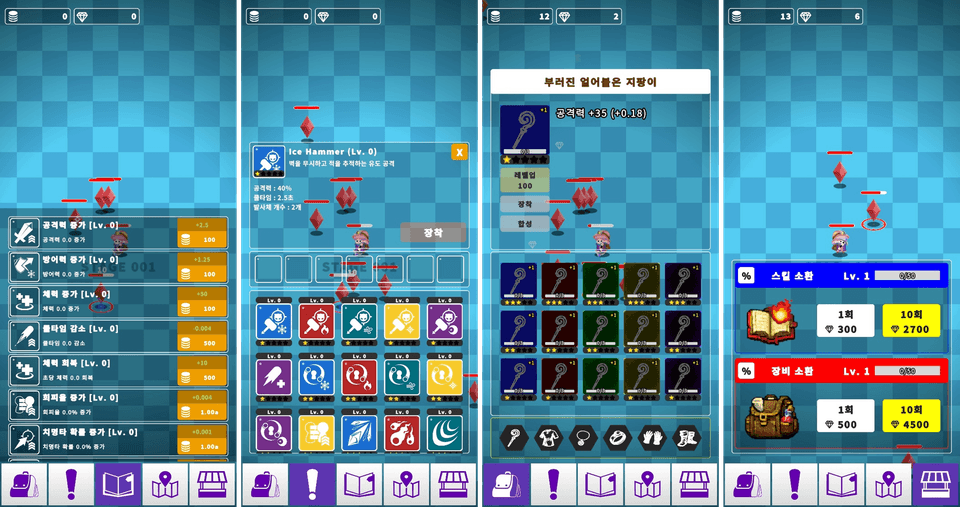
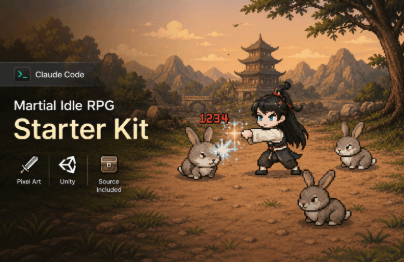
After taking this course, you will be able to create results like this

Upon completing this course, you will be able to create your own Unity 6-based 2D idle game.

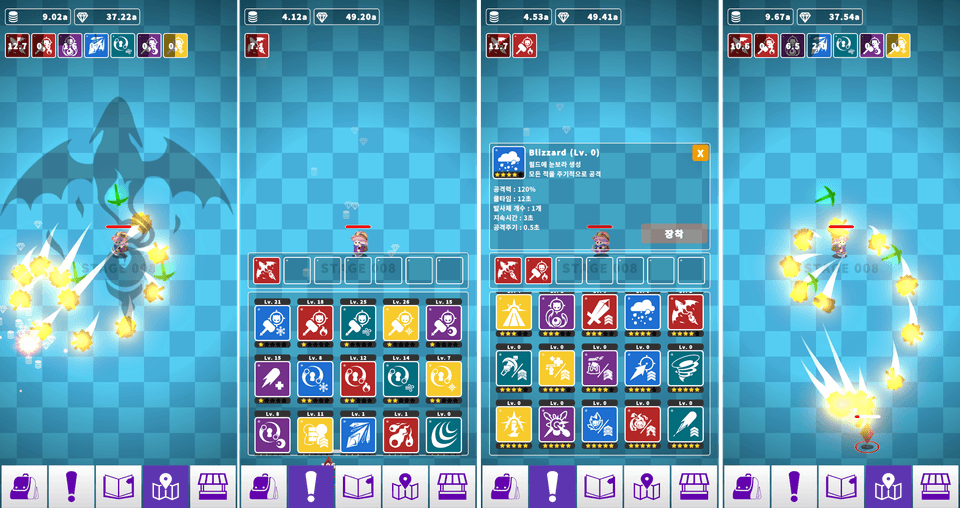
Players automatically search for and attack enemies, earning currency upon defeating them. You will implement a structure where players use the earned currency to upgrade stats, learn or equip various skills, and grow their characters through equipment and gacha systems.

Beyond a simple clicker game, the goal is to complete an idle RPG-style project where stats, skills, equipment, inventory, gacha, and stages are all interconnected.


Basic Game Structure

- Game world construction using 2D Tilemap

- Creation and configuration of player and enemy objects

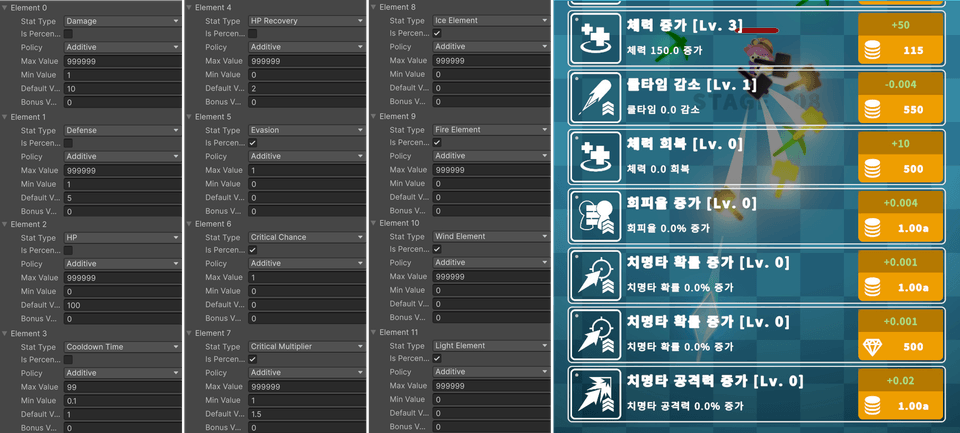
- Basic stat settings and health display

- Player attack target search and basic attack

- Implementing enemy AI using Behavior Tree


Memory Pool System

- Understand the basic structure of a Memory Pool and manage objects with frequent creation/deletion through the pool

- Integrated pool management using MemoryPoolManager

- Managing object keys using PoolKeys, and storing original Pool Keys using PoolOriginKeyHolder

- Manage various objects such as enemies, projectiles, and effects using a pooling structure


Currency and Stat System

- Management of currency effect activation/deactivation

- Currency data management and UI output, currency generation upon enemy death

- Stat upgrade system

- Application and removal of stats based on equipment/skill effects

- UI update structure based on stat changes


Skill System

- Creation of buff, projectile, continuous, and area-of-effect (AoE) skills

- Skill acquisition and level-up system

- Cooldown calculation and skill usage control

- Skill equipping/unequipping system

- UI: Skill list, selected skill info popup, skill slots, equipped skill slots

- Skill Database configuration


Equipment System

- Load Google Sheet-based equipment data → Parse CSV data → Convert to ScriptableObject Asset

- Equipment data verification and automatic generation flow

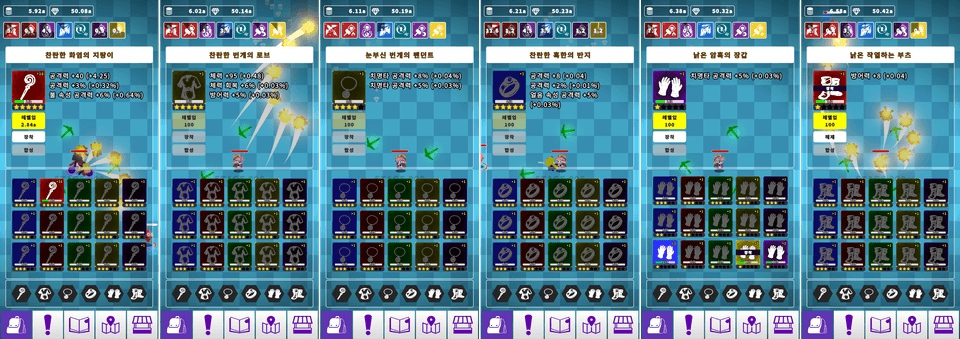
- Equipment Management System (Equip/Unequip equipment, stat changes based on equipment effects)

- UI: TabBar by equipment type, equipment icons, Inventory, Detail View


Gacha System

- Gacha EXP table design, management of appearance probability data by gacha level

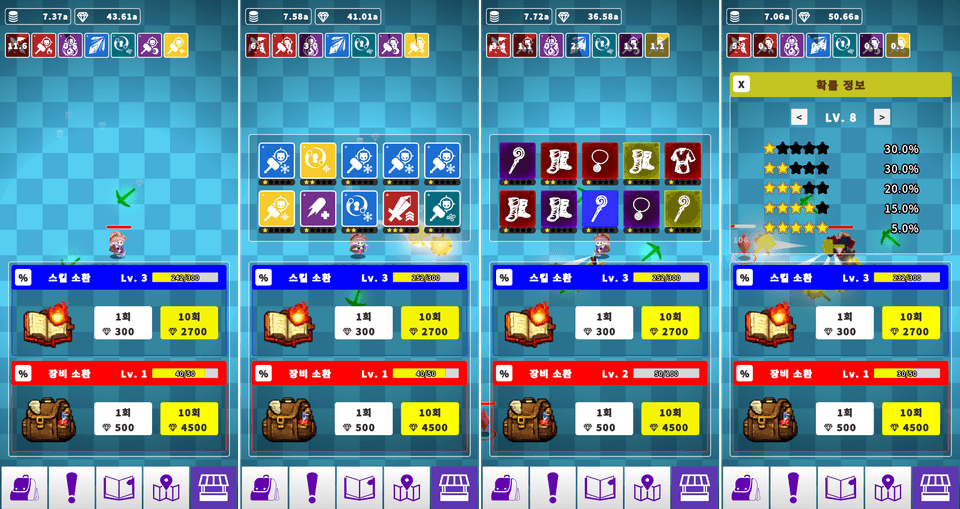
- Gacha level system, skill/equipment gacha, and selective summon features

- Integration of gacha level, cumulative draw count, and probability tables

- UI: Gacha Main, Gacha Results, Gacha Rates


Etc.

- Implementation of Currency Collect Effect [Linked to all types of currency. Additional currencies can be added]

- Implementation of Fade Effect

- Game data save/load management (JSON)

- Management of various data used in the game (ScriptableObject)

- Implementation of mobile game currency display (Number+Symbol, 2.22a)

- Implementation of the stage system (increase in enemy stats and rewards according to the stage, flow of defeating normal enemies and bosses)

- Android build settings and distribution

- TabBar

The goal of this course

The goal of this course is not simply to complete a single idle game example.

The goal is to learn systems frequently used in Unity 2D game development within an actual project workflow while creating an idle game.

By following the lecture to the end, you will be able to complete a 2D idle game project where players automatically attack enemies, earn currency, grow their stats, equip skills and gear, and continuously progress through gacha and stages.

Furthermore, based on this project, you can expand it into your own idle game by adding new skills, new equipment, new gacha tables, and new stage structures.

Notes Before Taking the Course

  • This course was created using Unity version 6000.4.xf1,

    It works identically in all Unity 6 versions. (2026. 07. 30)

  • This course includes C# techniques such as delegate, event, polymorphism, and abstraction.

Practice Environment

  • Operating System and Version (OS): Windows

  • Tools used: Unity6, Visual Studio 2022

  • Unity Version : 6000.4.10f1

  • Project Type: 2D Game

Learning Materials

  • We provide the practice resources and PDF textbook required for the lecture.

  • The PDF textbook includes object settings for each part, script writing flows, explanations of key concepts, and the UI layout process. It is helpful to use the PDF alongside the videos if you miss a part while following along or if you want to double-check the code.

  • By using the provided materials to follow the lecture, you can learn step-by-step, from the initial project creation stage to the completion of the core systems of an idle game.


  • If you encounter errors due to typos while writing code or if you find writing the code tedious, please download the "Script (*.cs) files."

  • If you want to run the project first, please download the "Project Files" for each section.

Prerequisites and Important Notes

  • Basic Unity proficiency

  • C# Programming (Basic understanding of inheritance and abstract classes)

  • This course features many structures where multiple systems are interconnected. Rather than trying to perfectly understand everything at once, I recommend following along step-by-step in the order of "Basic Combat → Currency/Stats → Skills → Equipment → Inventory → Gacha → Stages" while running the results of each part yourself.

Recommended for
these people

Who is this course right for?

  • Those who want to personally implement the basic structure of idle games, clicker games, and idle RPGs.

  • Those who want to learn how stats, skills, equipment, inventory, gacha, and stage systems are interconnected.

  • Those who want to learn ScriptableObject, Memory Pool, UI, data management, and equipment systems within an actual game production workflow.

  • Those who are curious about Google Sheet-based data management and Unity runtime system integration methods.

  • Those who want to experience a Unity project that is one step more advanced than the existing Top-Down Shooting lecture.

Need to know before starting?

  • Understanding how to use the Unity engine

  • Understanding of the C# language (Understanding of inheritance, abstract classes, properties, List, Dictionary, etc.)

Hello
This is unitynote

Career Verified

14,617

Learners

274

Reviews

142

Answers

4.9

Rating

10

Courses

Key Experience

Current 2022 ~ Professor, Department of Game Software, Hoseo University

Current 2016 ~ Full-time Lecturer, Department of Game Design, Kongju National University

Former 2022 ~ 2024 Unity Certified Instructor

Former 2023 Adjunct Professor, Department of Electrical Engineering, Pohang University of Science and Technology (POSTECH)

Former 2022 Adjunct Professor, Woosong University School of Techno-Media Convergence (Game Multimedia Major)

Former 2019 Adjunct Professor, Department of Computer Science and Engineering, Kongju National University

Former 2018 Adjunct Professor, Department of Photography and Visual Contents, Sangmyung University

Former 2017 Adjunct Professor, Department of Game Media, Kaywon University of Art and Design

Former 2016, 2020–2021 Adjunct Professor, Department of Game Design and Development, Pai Chai University

Former 2016 Namseoul University VRAR Adjunct Professor

Former 2016 Adjunct Professor, Department of Game Animation, Korea University of Media Arts

Former 2015 ~ 2018 Adjunct Professor, School of Information and Communication, Baekseok University

Operator of the "Dr. Ko's Unity Note" YouTube channel https://www.youtube.com/@unitynote. Introduction: I majored in Game Programming and currently teach game development and the Unity engine.

Operating the "Go Baksa's Unity Note" YouTube channel

https://www.youtube.com/@unitynote

Introduction

I specialize in game programming and teach game development and the Unity engine.

Fields of Instruction: Unity Engine (Basics, 2D/3D Game Development, VR/AR), Servers, Artificial Intelligence, Shaders, Introduction to Game Studies, etc.

More

Curriculum

All

107 lectures ∙ (13hr 46min)

Course Materials:

Lecture resources
Published: 
Last updated: 

Reviews

Not enough reviews.
Please write a valuable review that helps everyone!

unitynote's other courses

Check out other courses by the instructor!

Similar courses

Explore other courses in the same field!

25% off for new members

$106.40

25%

$136.40