
강의

멘토링

커뮤니티

Game Dev

/

Game Programming

[Unity 6] Learn by Following Along: Top-Down Shooting Game

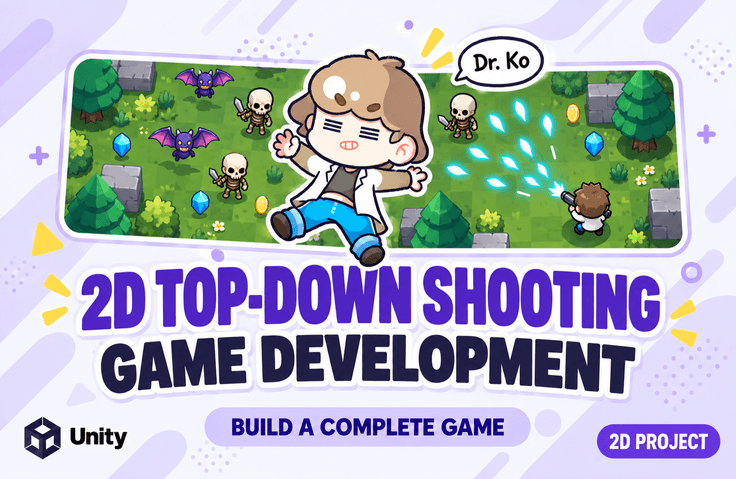
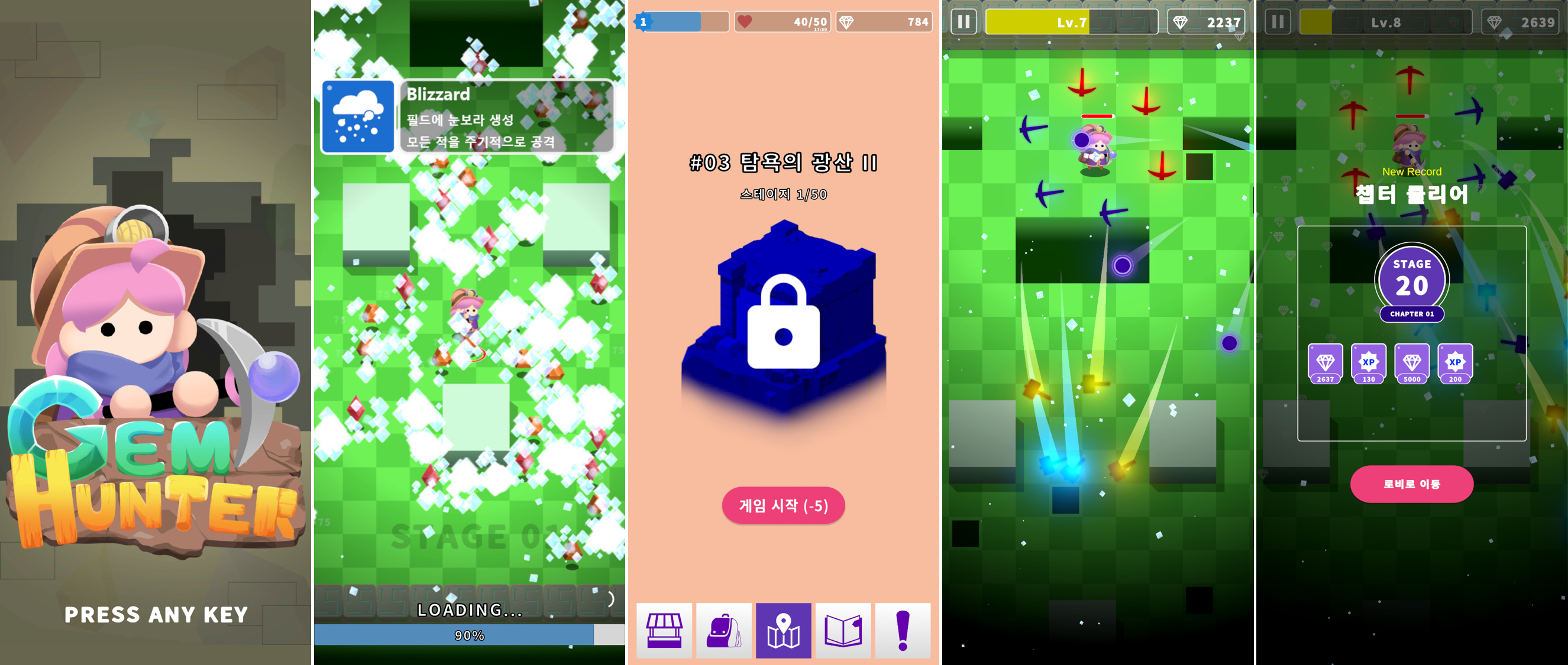
This is a step-by-step process of developing a chapter/stage-based Top-Down Shooting game similar to "Archero" from start to finish using Unity 6. (All resources and PDF materials used in the course are provided.)

(4.6) 16 reviews

131 learners

Level Basic

Course period Unlimited

  • unitynote
Unity
Unity
unity2d
unity2d
Unity6
Unity6
Unity
Unity
unity2d
unity2d
Unity6
Unity6

Reviews from Early Learners

Reviews from Early Learners

4.6

5.0

까만돌

100% enrolled

Thank you for the valuable lecture.

5.0

sinji107

46% enrolled

It's disappointing that there's no voice explanation during the code writing parts, and from the perspective of a beginner who is just starting to get familiar with Unity and C#, the explanations might feel insufficient. However, it was a great help for novice developers who want to try making games in genres like Archero.

5.0

Hyodong Woo

100% enrolled

As expected, Dr. Ko is always reliable! I highly recommend this lecture as well. ※It might be a bit challenging for complete beginners~

What you will gain after the course

  • This is a course on creating a top-down shooting game with chapter/stage format similar to Archero.

  • Since it teaches you how to create rather than simply following along with the video, you can modify or add features.

Create everything from A to Z for a 2D Top-Down Shooting game!

Easy and Fun, Dr. Go's Unity Series 🎲

All resources used in the practice sessions and PDF are provided.

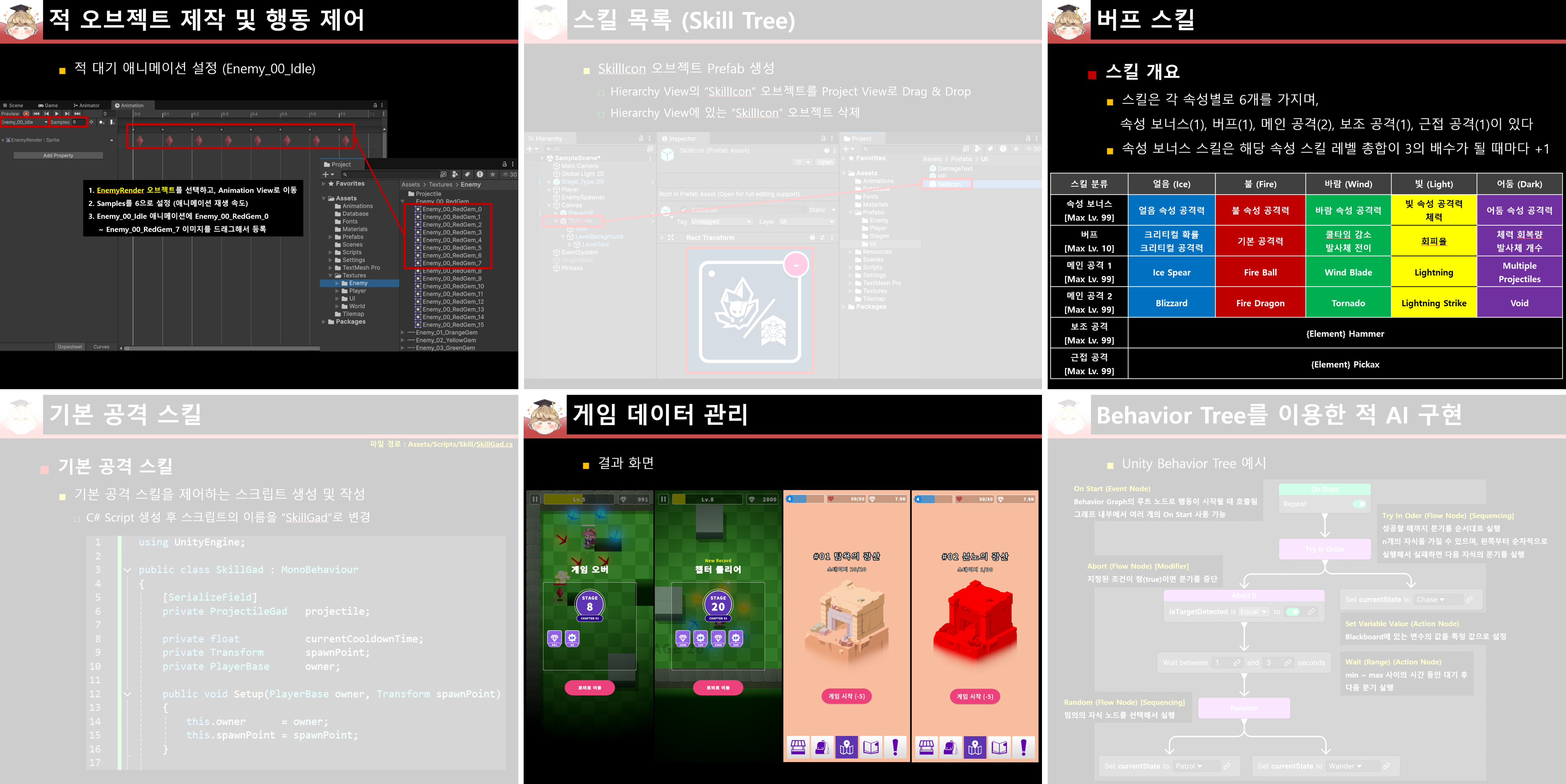
We provide all the resources used in the practice sessions, as well as a 1054-page lecture PDF. Follow along with the examples using the meticulously organized PDF without having to repeatedly play/pause the video during the lecture

After taking this course, you'll be able to create results like these

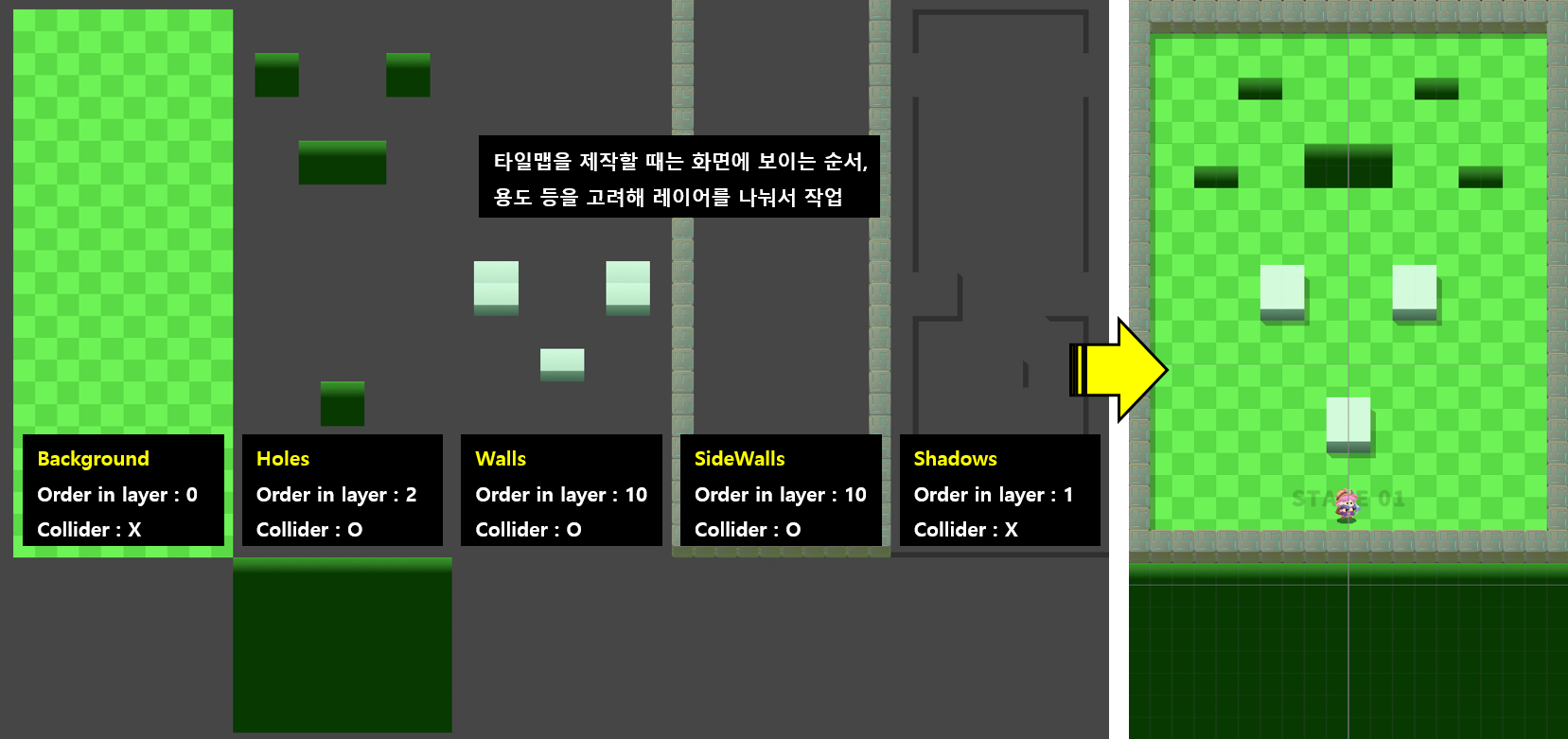
Creating a World Using Tilemap

- Floor, cliffs, walls, outer walls, shadows


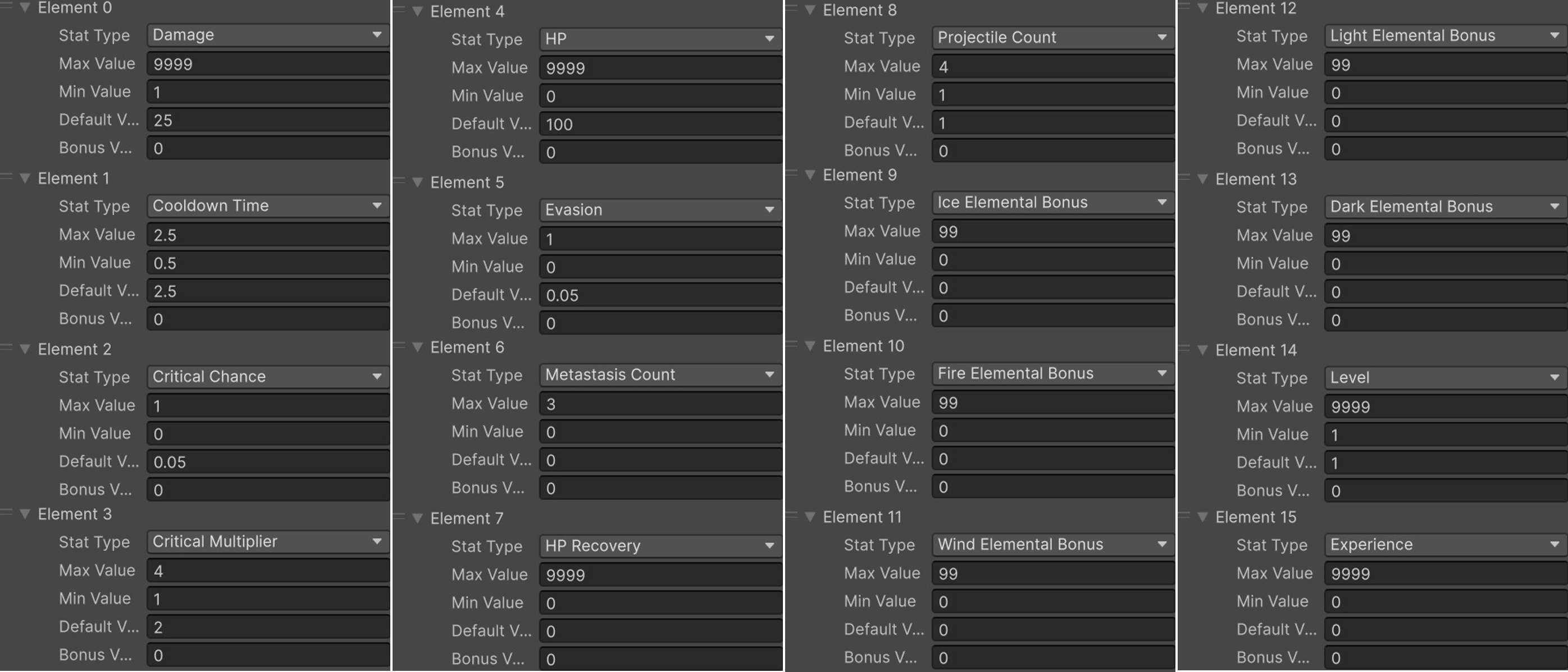
Stat

- Modular stat system implementation considering stat type expansion

- Implemented bonus stats that increase/decrease through skills and items

- Control method calls for stat value changes using delegates and events


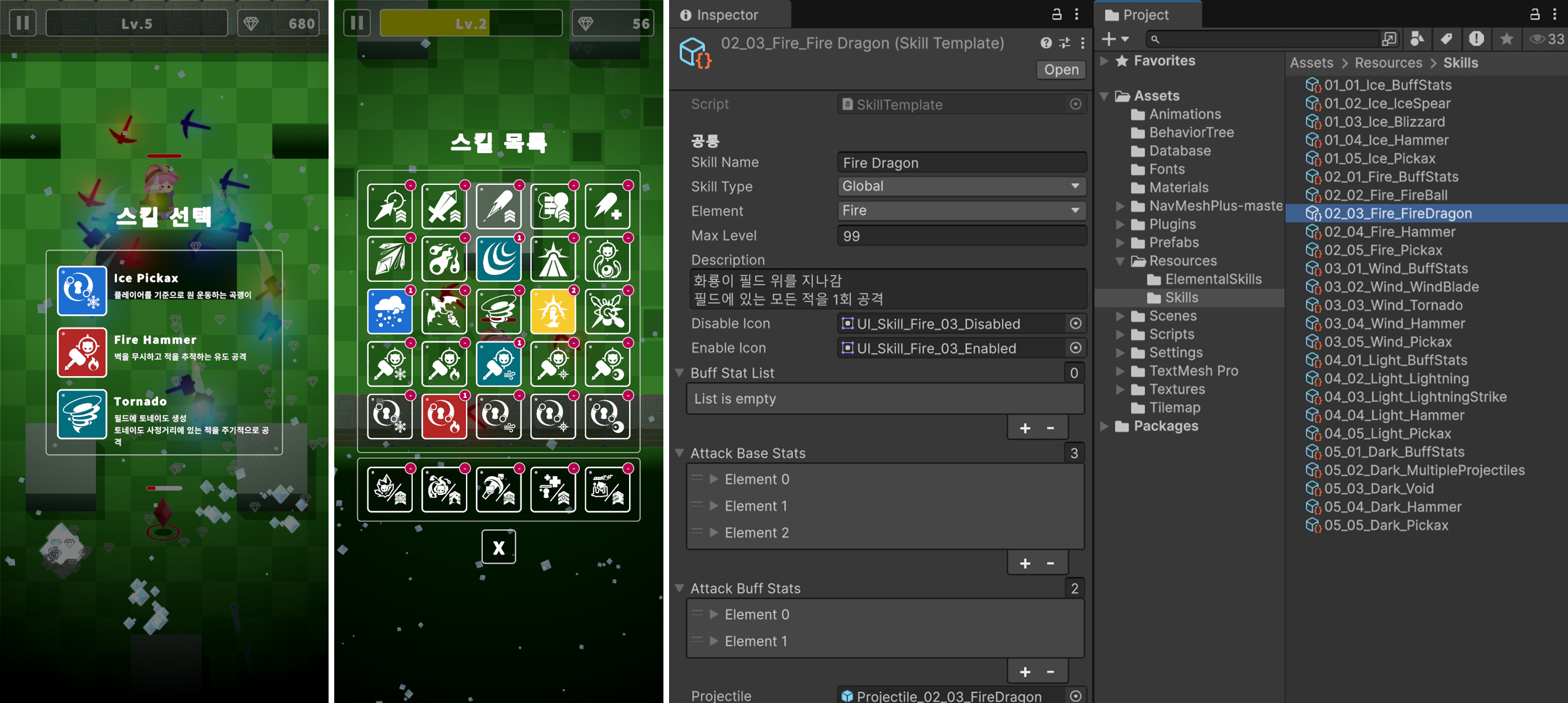
Skill

- Created buff, projectile, duration-based, and area-of-effect skills

- Skill acquisition and level-up system

- Cooldown calculation and skill usage control


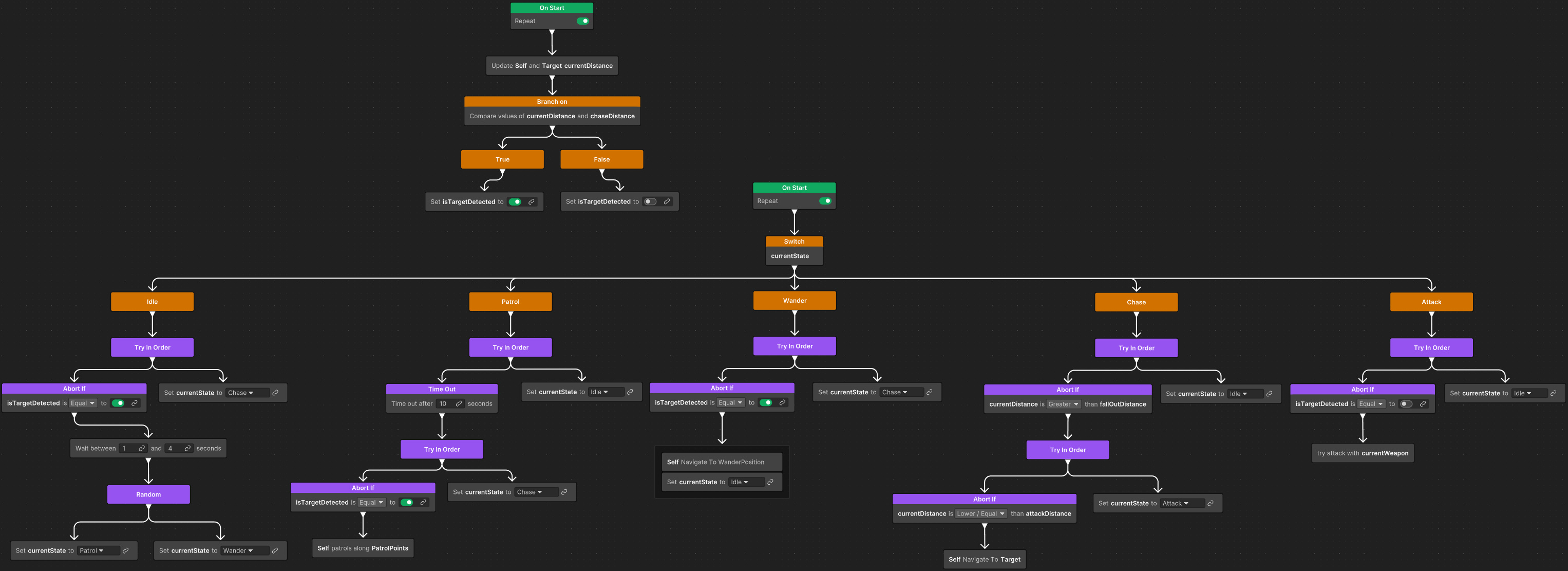
Enemy AI

- Pathfinding using Navmesh2D

- Enemy behavior implementation using Behavior Tree (Idle, Patrol, Wander, Chase, Attack)

- Implemented weapon classes for diversifying enemy attack patterns (WeaponBase, WeaponStraight, )


Player

- Movement control using Input System

- Idle/movement animation playback, left/right direction flip, target detection and weapon aiming

- Player gains experience and levels up when enemies are defeated


Other

- Implemented skill projectiles and hit effects (utilizing Particle System, Trail, Line, Light2D)

- Implemented Item Collect Effect

- Asynchronous loading implementation

- Fade Effect implementation

- Memory Pool implementation for memory management

- Game data save/load management (JSON)

- Managing various game data using ScriptableObject

- Mobile game currency display implementation (number + symbol, 222M)

- Heart system implementation (heart consumption during gameplay, recharge time management, etc.)

- Virtual joystick implementation

- Android build settings and deployment

- Swipe UI

- TabBar

Important Notes Before Enrollment

  • This course was created using Unity 6000.1.xf1 version

    Works identically in all Unity 6 versions. (2025. 07. 05)

  • This course includes C# techniques such as delegates, events, polymorphism, and abstraction.

Practice Environment

  • Operating System and Version (OS): Windows

  • Tools Used: Unity6, Visual Studio 2022

Learning Materials

  • Please download the "textbook PDF, videos within the textbook, and resources" to proceed with your learning.

  • If you encounter errors due to typos while writing code or find coding tedious, download the "Script (*.cs) files"

  • If you want to run the project first, download the "project file" for each section

Prerequisites and Notes

  • Basic Unity skills

  • C# programming

Recommended for
these people

Who is this course right for?

  • Someone who has taken the "Learn by Following Along with Dr. Go's Unity Basics" course

  • For those curious about how to create a Top-Down shooting game like Archero

  • For those curious about how to implement a scalable stat and skill system

Need to know before starting?

  • Understanding How to Use Unity Engine

  • Understanding the C# Language

Hello
This is

14,083

Learners

252

Reviews

137

Answers

4.8

Rating

8

Courses

Key Experience

Current 2022 ~ Professor, Department of Game Software, Hoseo University

Current 2016 ~ Full-time Lecturer, Department of Game Design, Kongju National University

Former 2022 ~ 2024 Unity Certified Instructor

Former 2023 Adjunct Professor, Department of Electrical Engineering, Pohang University of Science and Technology (POSTECH)

Former 2022 Adjunct Professor, Woosong University School of Techno-Media Convergence (Game Multimedia Major)

Former 2019 Adjunct Professor, Department of Computer Science and Engineering, Kongju National University

Former 2018 Adjunct Professor, Department of Photography and Visual Contents, Sangmyung University

Former 2017 Adjunct Professor, Department of Game Media, Kaywon University of Art and Design

Former 2016, 2020–2021 Adjunct Professor, Department of Game Design and Development, Pai Chai University

Former 2016 Namseoul University VRAR Adjunct Professor

Former 2016 Adjunct Professor, Department of Game Animation, Korea University of Media Arts

Former 2015 ~ 2018 Adjunct Professor, School of Information and Communication, Baekseok University

Operator of the "Dr. Ko's Unity Note" YouTube channel https://www.youtube.com/@unitynote. Introduction: I majored in Game Programming and currently teach game development and the Unity engine.

Operating the "Go Baksa's Unity Note" YouTube channel

https://www.youtube.com/@unitynote

Introduction

I specialize in game programming and teach game development and the Unity engine.

Fields of Instruction: Unity Engine (Basics, 2D/3D Game Development, VR/AR), Servers, Artificial Intelligence, Shaders, Introduction to Game Studies, etc.

Curriculum

All

35 lectures ∙ (11hr 15min)

Course Materials:

Lecture resources
Published: 
Last updated: 

Reviews

All

16 reviews

4.6

16 reviews

  • ddoosh님의 프로필 이미지
    ddoosh

    Reviews 2

    Average Rating 5.0

    5

    100% enrolled

    • unitynote
      Instructor

      Thank you for your precious review^^

  • muttul589114님의 프로필 이미지
    muttul589114

    Reviews 67

    Average Rating 4.8

    5

    100% enrolled

    Thank you for the valuable lecture.

    • unitynote
      Instructor

      Thank you for your valuable course review! ^^

  • aoddl93078900님의 프로필 이미지
    aoddl93078900

    Reviews 3

    Average Rating 5.0

    5

    100% enrolled

    • unitynote
      Instructor

      Thank you for your valuable course review^^

  • okjang005569님의 프로필 이미지
    okjang005569

    Reviews 12

    Average Rating 5.0

    5

    60% enrolled

    • unitynote
      Instructor

      Thank you for your valuable course review^^

  • sinji1078229님의 프로필 이미지
    sinji1078229

    Reviews 13

    Average Rating 5.0

    Edited

    5

    46% enrolled

    It's disappointing that there's no voice explanation during the code writing parts, and from the perspective of a beginner who is just starting to get familiar with Unity and C#, the explanations might feel insufficient. However, it was a great help for novice developers who want to try making games in genres like Archero.

    • unitynote
      Instructor

      Thank you for your valuable course review^^

Limited time deal ends in 3 days

$90,750.00

25%

$93.50

unitynote's other courses

Check out other courses by the instructor!

Similar courses

Explore other courses in the same field!