inflearn logo

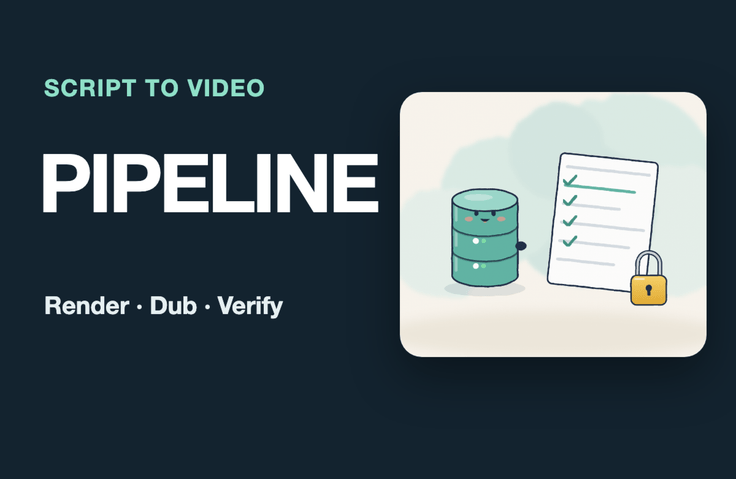
From a Single Page of Script to a Dubbed Video — An Automated Video Production Pipeline with Claude Code (Lectures, YouTube, Shorts)

I’m building a pipeline that turns a single script file into slides, a local dub, subtitles, and vertical Shorts, then has a machine review them against the transcript and on-screen content before they’re uploaded. It runs on my computer without generative video tools or paid voice APIs.

1 learners are taking this course

Level Basic

Course period Unlimited

Python
Python
Youtube Creator
Youtube Creator
Business Productivity
Video Production
Video Production
whisper
whisper
Python
Python
Youtube Creator
Youtube Creator
Business Productivity
Video Production
Video Production
whisper
whisper

What you will gain after the course

  • Generate a 1080p dubbed video and SRT/VTT subtitles from a single script file (JSON) with one command.

  • Dub using local speech synthesis without external voice APIs or keys, and resynthesize only the corrected sentences.

  • Automatically generate vertical Shorts, thumbnails, upload descriptions, and chapters from the same script.

  • Use Whisper transcription to compare the dub against the script, and categorize discrepancies as notation differences, actual errors, or requiring a listen.

  • Compile the video frame and slide comparison, text overflow and subtitle overlap, audio levels and silence, and format checks into a single-page report.

  • Continue creating the series with Claude Code skills and progress logs, while preventing company information from leaking with banned-word checks.

  • Verify the licenses for voice models, dictation models, and fonts, as well as AI voice disclosure requirements, against official sources.

  • Implement the core functions for rendering, pauses, subtitles, transcription comparison, measurement, and process execution directly in the skeleton, then use the grader to verify normal, boundary, and failure cases.

With one command: script → video, subtitles, shorts, and a review report. People listen only to the parts the machine picks for them.

This isn’t a course about churning out Shorts. You’ll create a series of 6–8-minute horizontal lecture and explainer videos, generate the voice-over locally on your own computer without paid APIs, and let machines handle the initial review by comparing Whisper transcriptions against the script sentence by sentence and number by number, and video frames against the slides. Only one lesson covers rearranging the same script into a vertical Short.

I build a pipeline that turns a single script file into slides, locally dubbed audio, subtitles, and vertical Shorts, then has the machine check the transcript against the visuals before uploading. It runs on my computer without generative video tools or paid voice APIs.

No generative video AI or n8n. When you regularly produce multiple explainer and lecture videos, automate two time-consuming tasks: redoing everything whenever you make a change, and checking everything before uploading. Sentence caching means only revised sentences are synthesized again. Offline transcription checks the dubbed audio against the script, sentence by sentence and number by number, while the video is checked against the slides. I’ll show the failures I encountered firsthand while building the toolkit—Chrome freezing, transcription timestamps drifting, and overlapping subtitles going undetected—along with the regression tests.

By the end of this course, you will

  • Create a 1080p dubbed video and SRT/VTT subtitles from a single script file (JSON) with one command.

  • Dub with local speech synthesis without an external speech API or key, and re-synthesize only the sentences you’ve corrected.

  • Automatically create vertical Shorts, thumbnails, upload descriptions, and chapters from the same script.

  • Use Whisper transcription to compare the dubbing against the script, then sort the candidates into notation differences, actual errors, and cases that need listening.

  • Combines video-frame and slide comparisons, text overflow and subtitle overlap checks, and volume, silence, and format checks into a single report.

  • Continue creating a series with Claude Code skills and progress logs, and use banned-word checks to prevent company information from leaking.

  • Verify the licenses for voice models, speech-to-text models, and fonts, along with any requirements to label AI-generated voices, using official sources.

Recommended for these people

  • For anyone who needs to create multiple commentary, lecture, or internal training videos but spends too much time recording, adding subtitles, and reviewing them.

  • Instructors and training coordinators who repeat the same edits for every video and worry, 'Did I get anything wrong this time?'

  • Developers and knowledge creators who want to try automating repetitive tasks with Claude Code

Curriculum (8 sections · 33 lessons · approximately 204 minutes)

  • Section 1. The Finished Product and the Factory Map — Start with the finished product: how one page of a script becomes a video, Map of the seven steps: scripting, rendering, dubbing, merging, subtitles, review, and logging, Set up your work environment: essential tools for Mac and Windows, Check licenses before writing: voice models, speech-to-text models, and fonts.

  • Section 2. Scripts as Data — A script is data: lesson.json made up of scenes, sentences, and panels; writing scripts with Claude Code: writing guidelines and reference files; automatic script checks: length, sentence length, and prohibited expressions; numbers as they’re read aloud: Korean readings and a pronunciation dictionary

  • Section 3. Slide Rendering — One HTML page per slide: template structure, exporting slide PNGs with headless Chrome, tables, code, and flow panels: how to fit information on screen, automatically detect overflow, overlap, and clipping, automatically generate thumbnails and covers

  • Section 4. Local Dubbing — First sentence of local speech synthesis: dubbing without external APIs, sentence caching: resynthesize only edited sentences, pauses and speed: designing gaps between sentences, volume matching: keeping every episode at the same volume, switching and comparing engines: one voice per series

  • Section 5. Combining video and subtitles — Stitch scenes together with ffmpeg, automatically generate subtitles: from sentence timing to SRT·VTT, turn horizontal lectures into vertical Shorts, upload package: automatically generate titles, descriptions, and chapters.

  • Section 6. Automated Review — Transcription review: turn the voice-over back into text; compare the script with the transcription, sentence by sentence and number by number; classify candidates as real errors or transcription mishearings; compare screens: does the video frame show the current slide?; check silence, volume, and specifications, and generate a review report.

  • Section 7. Run the Production Line with Claude Code — Package the workflow into skills: the entire process with one command, split up script work and render in parallel, continue with HANDOFF: pick up where you left off, and keep personal information from leaking into the screen or materials

  • Section 8. Complete a Real-World Project — Hands-on: Complete five videos for a virtual channel and track how long it takes; Wrap-up: Review your pipeline checklist

Practice Environment

Download the vidpipe kit from the practice ZIP (Python 3.10–3.12, Chrome, and ffmpeg) and run it on Mac or Windows. It includes five scripts for the fictional science explainer channel “A Bite of Science,” code for script checks, slide rendering, local dubbing, video, Shorts, upload packages, and transcript review, plus tests, Claude Code skill files, checklists, and license information. The voice and speech-to-text models are downloaded automatically from their official sources the first time you run them (about 0.9 GB). No Docker or cloud services required.

Prerequisites

  • Can paste commands into the terminal and run them.

  • You can use or install Claude Code (you don’t need to know Python syntax).

What This Course Does Not Cover

  • AI video generation (image and video generation models), avatars, and lip sync

  • Voice cloning

  • How to use editing tools like CapCut and Premiere

  • n8n Automation

  • Shorts planning, views, and monetization strategies

Guide

The narration in this course was created using an AI-generated voice, and the on-screen execution results are the original output from actually running the educational kit. Claude Code’s responses, processing times, and transcription results may vary from run to run and from computer to computer. This course does not guarantee views or revenue. All data is fictional and for educational purposes, and numbers may vary depending on the execution environment.

Recommended for
these people

Who is this course right for?

  • For those who need to create multiple explainer, lecture, and in-house training videos but spend too much time recording, adding subtitles, and reviewing them.

  • Instructors and training staff repeating the same edits for every video, anxiously wondering, 'Did I miss anything this time?'

  • Developers and knowledge creators who want to try automating repetitive tasks with Claude Code

Need to know before starting?

  • You can paste commands into the terminal and run them.

  • Have used or can install Claude Code (no need to know Python syntax)

Hello
This is dorian05202988

Career Verified

A data craftsman with over 20 years of experience in databases and IT. As a DBA and manager of a DB Platform team, I work with database platforms and specialize in MySQL, PostgreSQL, Oracle, MongoDB, SQL tuning, AWS, Terraform, and Python. Drawing on experience in the gaming, finance, and IT services industries, I explain database and cloud architecture. I have published 『Oracle Practical Tuning: Learning SQL Patterns』 and 『Oracle Pro*C Practical Project Guide』, and have presented on serverless architectures, database selection, and multi-database strategies at AWS Summit 2018 and 2019 and DataYa Nolja 2020. Recently, I have been working on slow-query analysis and tuning recommendations using Bedrock LLM, automated DB specification sizing, and query workflows through a DB metadata MCP server and Slack bot. I explain database automation for developers and AI applications for non-developers through hands-on exercises tailored to the audience and objectives of each course. Rather than applying AI suggestions as-is, I teach a decision-making framework that verifies result equivalence, execution plans, and observability conditions, and defers action when the supporting evidence is insufficient. Company operational data and credentials are not included in the course materials.

More

Curriculum

All

40 lectures ∙ (4hr 9min)

Course Materials:

Lecture resources
Published: 
Last updated: 

Reviews

Not enough reviews.
Please write a valuable review that helps everyone!

dorian05202988's other courses

Check out other courses by the instructor!

Similar courses

Explore other courses in the same field!

Limited time deal

$44.00

20%

$55.00