inflearn logo

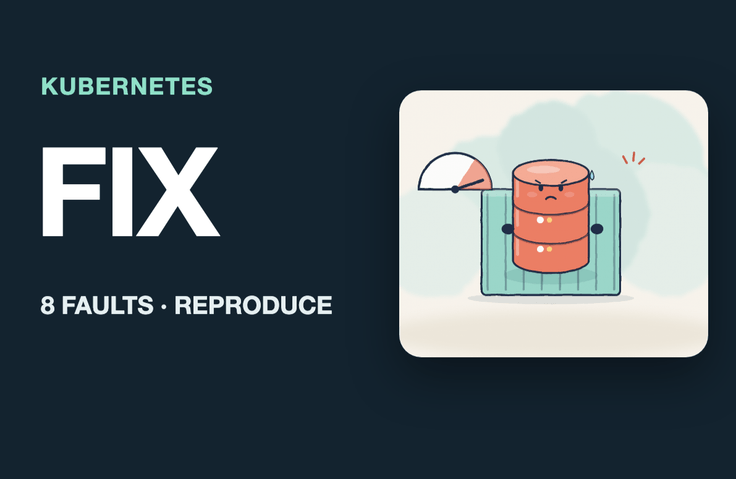
Restarts, 4× Slower, 502s During Deployments — When Only Your Service Is Sick on Kubernetes: Reproduce and Fix 8 Failures Yourself

After Kubernetes Basics: When Your Service Is Sick. Diagnose and fix issues by looking at symptoms like restarts, slowdowns, 502s, and stalled deployments, using only kubectl and metrics. Trigger eight failures yourself in a local Kubernetes environment on your laptop, then measure the before-and-after numbers under the same load.

1 learners are taking this course

Level Intermediate

Course period Unlimited

Kubernetes
Kubernetes
Docker
Docker
devops
devops
container
container
Kubernetes
Kubernetes
Docker
Docker
devops
devops
container
container

What you will gain after the course

  • Find OOMKilled and exit code 137 in the lastState of a restarting Pod, and explain why they don’t appear in the app logs.

  • Align the JVM heap limit with the container memory limit so the app reports the problem itself instead of being silently terminated.

  • For a service that’s still alive but running slowly, count CPU throttling directly with `cpu.stat` and don’t be fooled by `kubectl top` averages.

  • Distinguish liveness, readiness, and startup probes to stop restart storms in slow-starting apps.

  • Distinguish which component responded (Ingress or app) when you see 404, 502, 503, or 504, and pinpoint issues with path rewriting, Service selectors, ports, and DNS names.

  • We plan for periods when autoscaling (HPA) is slow to respond by maintaining a minimum number of instances, and eliminate deployment-time disruptions with termination grace periods and draining.

  • Use rollout status and progress deadlines to identify deployments stalled by a typo in the secret key.

After learning Kubernetes, when your service is in trouble.

Use only symptoms like restarts, slowdowns, 502s, and stalled deployments to pinpoint and fix the cause with kubectl and metrics. Trigger eight failures yourself on local Kubernetes on your laptop, then compare the numbers before and after under the same load.

Most Kubernetes courses start by setting up a cluster and learning its features one by one. This course focuses on what to do when your service has problems on Kubernetes that someone else has already set up for you. Starting from a single symptom (restarts, latency, 5xx errors, empty responses, or a stuck deployment), you narrow down which layer is at fault using kubectl and kernel metrics, then measure before and after under the same load. Every number and message on screen is actual output from commands run in the lab environment.

By the end of this course, you will be able to

  • In a restarting Pod, use lastState to find OOMKilled and exit code 137, and explain why it doesn’t appear in the application logs.

  • Align the JVM heap limit with the container memory limit so the app can report the problem itself instead of being silently terminated.

  • For a service that’s slowed down but hasn’t died, count CPU throttling directly with cpu.stat, and don’t be fooled by kubectl top averages.

  • Separate liveness, readiness, and startup probes to stop restart storms for slow-starting apps.

  • When you see 404, 502, 503, or 504, determine which component responded—the ingress or the app—and pinpoint issues with path rewriting, Service selectors, ports, or DNS names.

  • Measure periods when autoscaling (HPA) kicks in late and prepare by maintaining a minimum number of replicas. Use termination grace periods and draining to eliminate interruptions during deployment.

  • Detect deployments stalled by a typo in a secret key using rollout status and a progress deadline.

Recommended for

  • A backend developer who has taken an introductory Kubernetes course and now wants to diagnose issues when their service behaves strangely on Kubernetes.

  • A developer whose cluster is managed by another team and who is responsible only for the manifests and app.

  • For those who used to ask “Is it an infrastructure problem?” and wait every time something went wrong.

Curriculum (7 sections · 40 lessons · about 300 minutes)

  • Section 0. First success: Your first incident in 5 minutes — Complete demo: Fix 8 Loop Market incidents by looking only at the symptoms; find the first root cause in 5 minutes: catalog keeps restarting because it’s OOMKilled; practice environment and checkpoints: up.sh and checkpoint.sh; essential kubectl tools: get·describe·events·logs --previous; one-page diagnostic sequence and progress board: symptom → layer → command

  • Section 1. Memory · JVM — How OOMKilled happens: container memory limits, Why it doesn’t appear in app logs: exit 137 and lastState, JVM memory = heap + everything else: MaxRAMPercentage, Fix and verify: fit the heap within the limit, before → after restart, Memory requests and limits: reserving space and cutting off, Section review: incident 1/8 resolved, restart count before → after

  • Section 2. CPU Throttling — Reproducing Incident 2: Latency quadruples even though nothing crashes, CPU requests and limits: 100 ms periods and quota, directly counting throttling with cpu.stat, Why is it slow when top shows 38m? The trap of averages, Fixing and measuring before and after: latency and throttling before→after, Should you remove or raise the limit? Criteria for deciding and section review (2/8)

  • Section 3. Probes and restarts — Reproduce incident 4: only the new version restarts 4 times in 75 seconds, differences between readiness, liveness, and startup probes, reading the cause from events and why the old version survived, fixing it with startupProbe and restarts before→after (3/8), settings left behind after reverting with apply: the replace and rollback trap

  • Section 4. Request Paths and Names — Reproducing Incident 1: /catalog returns 404 even though it worked until yesterday, tracing Ingress → Service → Pod, diagnosing and fixing: path rewriting (4/8), when a mismatched Service selector leaves endpoints empty, 502·503·504 — who responded, Reproducing Incident 7: the typo in catalog-api and DNS naming rules (5/8)

  • Section 5. Autoscaling and Deployments — Reproduce Incident 5: Traffic surged, but there was only one replica for the first 30 seconds; HPA formula: percentage of requests; Why it’s slow: metric intervals and scaling decisions; Pods start in 2 seconds; Mitigation: start with at least 3 replicas; p95 885ms → 457ms (6/8); Reproduce Incident 6: 12 failures during deployment; drain and termination grace period reduce 12 failures to 0 (7/8)

  • Section 6. Configuration · Capstone — Reproduce incident 8: a typo in the secret key and a stalled deployment, Find a stalled deployment: rollout status and maxSurge (8/8), Capstone guide: a one-page diagnostic checklist, Capstone A: Diagnose an unfamiliar set of incidents on your own, Capstone B: Diagnose mixed symptoms on your own, Capstone solutions and overall before-and-after, Next steps

Lab Environment

The hands-on exercises use a local Kubernetes cluster (kind) on your laptop to run two services for the virtual shopping mall “Loop Market” (catalog and order). A single run of up.sh starts the cluster, ingress, metrics collection, and services, while checkpoint.sh lets you instantly set up the starting state for each lesson. The exercise materials include eight fault-injection scripts, two capstone fault sets, a load-testing tool, and a diagnostic checklist.

Prerequisites

  • Familiar with Pods, Deployments, and Services (at an introductory course level)

  • Experience running commands in a terminal

  • A Mac or Linux machine running Docker (4 CPUs and at least 6 GB of memory recommended for Docker)

What This Course Does Not Cover

  • Cluster installation and operation (kubeadm, node management)

  • Helm, deployment tools, and service mesh

  • Setting Up Distributed Tracing and Observability Tools

  • Configuring Cloud-Managed Kubernetes

Note

The video narration is AI-generated. The commands, metrics, and results shown on screen are actual outputs from the hands-on environment. All data is simulated for educational purposes, and numbers may vary depending on the execution environment.

Recommended for
these people

Who is this course right for?

  • A backend developer who has taken an introductory Kubernetes course and now wants to troubleshoot their service when something goes wrong on Kubernetes.

  • A developer whose cluster is operated by another team and who is responsible only for the manifests and app.

  • Someone who, whenever there was an outage, would just ask, "Is it an infrastructure issue?" and wait.

Need to know before starting?

  • Has heard of Pods, Deployments, and Services (at an introductory course level)

  • Experience running commands in the terminal

  • A Mac or Linux machine running Docker (4 CPUs and at least 6 GB of memory recommended for Docker)

Hello
This is dorian05202988

Career Verified

A data craftsman with over 20 years of experience in databases and IT. As a DBA and manager of a DB Platform team, I work with database platforms and specialize in MySQL, PostgreSQL, Oracle, MongoDB, SQL tuning, AWS, Terraform, and Python. Drawing on experience in the gaming, finance, and IT services industries, I explain database and cloud architecture. I have published 『Oracle Practical Tuning: Learning SQL Patterns』 and 『Oracle Pro*C Practical Project Guide』, and have presented on serverless architectures, database selection, and multi-database strategies at AWS Summit 2018 and 2019 and DataYa Nolja 2020. Recently, I have been working on slow-query analysis and tuning recommendations using Bedrock LLM, automated DB specification sizing, and query workflows through a DB metadata MCP server and Slack bot. I explain database automation for developers and AI applications for non-developers through hands-on exercises tailored to the audience and objectives of each course. Rather than applying AI suggestions as-is, I teach a decision-making framework that verifies result equivalence, execution plans, and observability conditions, and defers action when the supporting evidence is insufficient. Company operational data and credentials are not included in the course materials.

More

Curriculum

All

40 lectures ∙ (4hr 59min)

Course Materials:

Lecture resources
Published: 
Last updated: 

Reviews

Not enough reviews.

Please write a valuable review that helps everyone!

dorian05202988's other courses

Check out other courses by the instructor!

Similar courses

Explore other courses in the same field!

Limited time deal

$44.00

20%

$55.00