inflearn logo

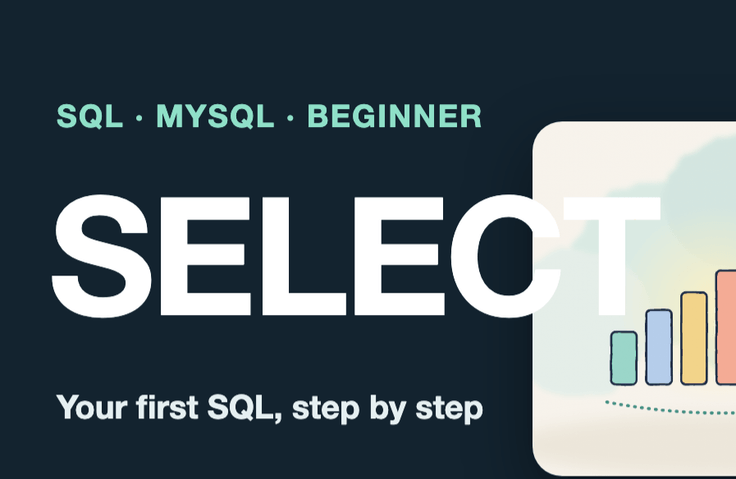
A Beginner’s Guide to SQL Anyone Can Use Right Away — Learn SELECT, JOIN, and GROUP BY with a Professional DBA and MySQL

With SQL, what’s scarier than syntax errors are the places where results are silently wrong. Reproduce issues with NULLs, date range end points, and sums inflated by joins firsthand, then learn how to turn questions in plain language into SQL and safely get numbers from company databases. Includes 1.1 million rows of virtual online store data, 229 examples, and 60 exercises.

1 learners are taking this course

Level Beginner

Course period Unlimited

SQL
SQL
MySQL
MySQL
DBMS/RDBMS
DBMS/RDBMS
SQL
SQL
MySQL
MySQL
DBMS/RDBMS
DBMS/RDBMS

What you will gain after the course

  • Break the question into four parts—what, where, conditions, and order—and write them as a SELECT statement.

  • Identify and avoid cases where results are silently wrong, such as NULLs, date ranges, inflated totals after joins, and NOT IN.

  • Pull the numbers you want directly with WHERE·GROUP BY·HAVING·JOIN·subqueries·WITH.

  • Fix installation, connection, and syntax errors yourself based on the error messages.

  • When first connecting to the company database, query it safely by using a read-only account, limiting execution time, and running EXPLAIN beforehand to protect the production database.

  • Verify with SELECT before UPDATE/DELETE, and roll back using a transaction.

Turn questions in plain language into SQL—and learn whether you can trust the numbers: the first practical step toward pulling data directly from your company’s database.

By the end of this course, when someone at work asks questions like "What were sales by category last month?" or "Which members have never placed an order?", you’ll be able to translate them into SQL, run the queries, and verify for yourself that the numbers aren’t quietly wrong.

SQL’s most frightening problems aren’t syntax errors, but “places where the results are quietly wrong.” You’ll reproduce issues with NULLs, date range end values, and sums inflated by joins, while learning how to turn questions phrased in plain language into SQL and safely retrieve figures from a company database. Includes 1.1 million rows of virtual shopping mall data, 229 examples, and 60 exercises.

How This Course Is Different

  • Recreate and fix, firsthand, the issues that quietly produce incorrect results in real-world work.

  • A Practicing DBA’s Guide to Your First Connection to a Company Database (Read-Only Accounts, Execution Time Limits, EXPLAIN)

  • Includes lessons that deliberately recreate and solve five common errors encountered during installation and connection.

  • The numbers and error messages on every screen are the exact original outputs from actual runs, using fixed data so the same answers appear on my computer too.

  • Each lesson includes practice problems, answers, execution results, and a single command to rerun that lesson’s examples.

By the end of this course, you’ll be able to

  • Break a question in words into four parts—what, where, conditions, and order—and write it as a SELECT statement.

  • Recognize and avoid cases where results can be silently wrong, such as NULLs, date ranges, inflated totals after joins, and NOT IN.

  • Use WHERE, GROUP BY, HAVING, JOIN, subqueries, and WITH to retrieve the numbers you want yourself.

  • Fixes installation, connection, and syntax errors on your own using the error messages.

  • When connecting to a company database for the first time, protect the production database by using a read-only account, setting execution time limits, and running EXPLAIN before executing queries.

  • Verify with SELECT before UPDATE or DELETE, and roll back using transactions.

Recommended for those who:

  • SQL beginners without a technical background (planning, operations, marketing, merchandising, customer support, and data roles)

  • Professionals who work with Excel and need to pull numbers directly from their company’s database

  • Junior developers who want to brush up on the fundamentals.

Curriculum (8 sections · 47 lessons · about 5 hours 25 minutes)

  • Section 1. Getting Started — Your First Encounter with Databases — Lesson 1: Databases Instead of Excel, Lesson 2: Set Up the Practice Environment All at Once, Lesson 3: When You Get Stuck — Five Installation and Connection Errors, Lesson 4: Tables, Rows, and Columns — Exploring Acorn Market, Lesson 5: Your First SELECT — Choosing Columns, Lesson 6: Four Steps to Turn Questions into SQL

  • Section 2. Selecting only the rows you want — WHERE and sorting — Lesson 7: WHERE — only rows that match the conditions, Lesson 8: AND, OR, and parentheses, Lesson 9: IN and BETWEEN, Lesson 10: Finding text with LIKE, Lesson 11: NULL — empty values, Lesson 12: ORDER BY — sorting, Lesson 13: Limiting the number of rows and pagination, Lesson 14: DISTINCT and aliases

  • Section 3. Working with Values — Calculations and Functions — Lesson 15: Expressions — Prices and Discounts, Lesson 16: String Functions, Lesson 17: Date Functions, Lesson 18: Dividing into Ranges with CASE, Lesson 19: Calculations with NULLs, Lesson 20: The Character '10' and the Number 10

  • Section 4. Bringing It All Together — Aggregation and GROUP BY — Lesson 21: Three Types of COUNT, Lesson 22: SUM · AVG · MIN · MAX, Lesson 23: GROUP BY — Grouping by Category, Lesson 24: Grouping by Two Columns — By Month and Category, Lesson 25: HAVING and WHERE, Lesson 26: Understanding GROUP BY Errors, Lesson 27: Subtotals and Totals — ROLLUP

  • Section 5. Joining Tables — JOIN — Lesson 28: Why Split Tables, Lesson 29: INNER JOIN — Orders and Members, Lesson 30: LEFT JOIN — Finding What’s Missing, Lesson 31: When Numbers Multiply After a Join, Lesson 32: Joining Three Tables, Lesson 33: Where to Put Conditions in a LEFT JOIN, Lesson 34: Self-Join — Referrers and Categories, Lesson 35: UNION and UNION ALL

  • Section 6. Questions Within Questions — Subqueries and CTEs — Lesson 36: Subqueries in WHERE, Lesson 37: IN·EXISTS — Members Who Have Made a Purchase, Lesson 38: Subqueries in FROM — Two-Step Aggregation, Lesson 39: A Taste of WITH and Ranking

  • Section 7. Changing Data and Creating Tables — Lesson 40 CREATE TABLE and Data Types, Lesson 41 INSERT·UPDATE·DELETE, Lesson 42 Transactions — COMMIT and ROLLBACK, Lesson 43 What Constraints Prevent

  • Section 8. An Introduction to Indexes and Your First Steps with a Company Database — Lesson 44: Indexes Are Like a Book’s Index, Lesson 45: Reading the First Line of EXPLAIN, Lesson 46: Your First Time Connecting to a Company Database, Lesson 47: Comprehensive Practice and Next Steps

Hands-on Practice Environment

Launch MySQL 8.4 with Docker on your laptop, then create data for the virtual shopping mall 'Dotori Market' with a single command (3,000 members, 30,000 orders, 75,000 order details, 1 million view records, and more). The data is generated according to fixed rules, so everyone gets the same results as shown in the course. Each lesson comes with example SQL files, exercises, answers, and execution results, and you can rerun that lesson’s examples with a single command.

Prerequisites

  • None (as long as you can paste commands into a terminal)

  • A computer that can run Docker (WSL is recommended for Windows)

What This Course Does Not Cover

  • Those who want to work through certification exam questions

  • Those who want to learn how to interpret execution plans and tune queries (covered in the next course)

  • Those looking to study data modeling and normalization theory in depth.

Notice

The slide scripts and voiceovers were created with the help of AI tools, and all execution results shown on screen are from actually running the original queries. All data is fictional and for educational purposes, and execution times may vary depending on the environment.

Recommended for
these people

Who is this course right for?

  • Non-specialists learning SQL for the first time (planning, operations, marketing, merchandising, customer service, and data roles)

  • People who work in Excel and need to pull numbers directly from their company’s database

  • A junior developer who wants to strengthen their fundamentals again.

Need to know before starting?

  • None (as long as you can paste commands into the terminal)

  • A computer that can run Docker (WSL recommended for Windows)

Hello
This is dorian05202988

Career Verified

A data craftsman with over 20 years of experience in databases and IT. As a DBA and manager of a DB Platform team, I work with database platforms and specialize in MySQL, PostgreSQL, Oracle, MongoDB, SQL tuning, AWS, Terraform, and Python. Drawing on experience in the gaming, finance, and IT services industries, I explain database and cloud architecture. I have published 『Oracle Practical Tuning: Learning SQL Patterns』 and 『Oracle Pro*C Practical Project Guide』, and have presented on serverless architectures, database selection, and multi-database strategies at AWS Summit 2018 and 2019 and DataYa Nolja 2020. Recently, I have been working on slow-query analysis and tuning recommendations using Bedrock LLM, automated DB specification sizing, and query workflows through a DB metadata MCP server and Slack bot. I explain database automation for developers and AI applications for non-developers through hands-on exercises tailored to the audience and objectives of each course. Rather than applying AI suggestions as-is, I teach a decision-making framework that verifies result equivalence, execution plans, and observability conditions, and defers action when the supporting evidence is insufficient. Company operational data and credentials are not included in the course materials.

More

Curriculum

All

47 lectures ∙ (5hr 24min)

Course Materials:

Lecture resources
Published: 
Last updated: 

Reviews

Not enough reviews.
Please write a valuable review that helps everyone!

dorian05202988's other courses

Check out other courses by the instructor!

Similar courses

Explore other courses in the same field!

Limited time deal

$61,600.00

20%

$59.40