inflearn logo

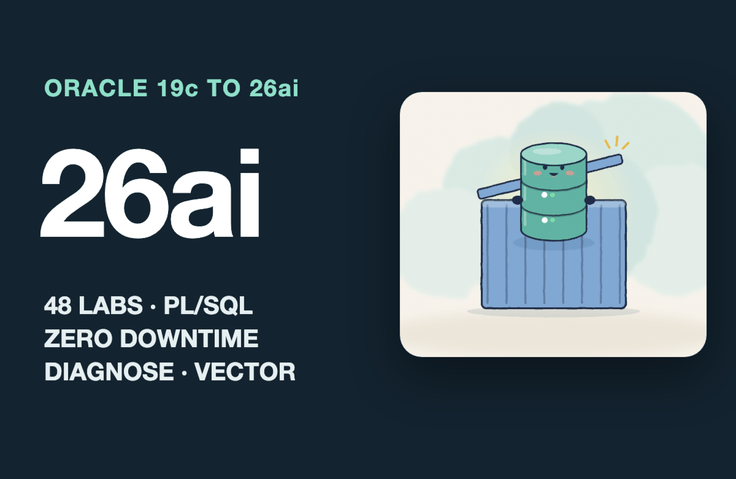
Oracle 19c in Practice + New Features in 23ai/26ai — PL/SQL, Zero-Downtime Changes, Incident Diagnosis, and Vectors

Covers advanced techniques used in production services by an Oracle 19c developer, with hands-on practice in bulk PL/SQL processing, making changes without downtime, diagnosing failures, and recovering data after mistakes. You’ll also compare how to perform the same tasks more safely and quickly in 26ai. Run every command yourself using Oracle Database Free (26ai) launched with Docker and sample online shopping mall data.

1 learners are taking this course

Level Intermediate

Course period Unlimited

Oracle
Oracle
SQL
SQL
DBMS/RDBMS
DBMS/RDBMS
database
database
Oracle
Oracle
SQL
SQL
DBMS/RDBMS
DBMS/RDBMS
database
database

What you will gain after the course

  • Replace per-record PL/SQL loops with BULK COLLECT, FORALL, and single-statement SQL, and log failed rows separately using SAVE EXCEPTIONS and DML error logging.

  • Change columns, indexes, table structures, and procedures without downtime while the service is running, using online DDL, DBMS_REDEFINITION, and edition-based redefinition.

  • Identify the SQL statements and sessions causing slowdowns using wait events, ASH, blocking sessions, and actual execution statistics, then resolve them safely.

  • Reproduce and lock down why execution plans change using statistics, histograms, bind peeking, and plan baselines.

  • Restore data after mistakes with Flashback, RMAN, and Data Pump, and migrate it with the schema masked.

  • We compare 26ai’s new SQL syntax, SQL domains, JSON duality views, lock-free reservations, and JavaScript stored procedures with the 19c approach.

  • Build vector semantic search, hybrid search, and RAG retrieval steps using only SQL with an embedding model in the database.

Get hands-on with the 19c skills you use today and the new 26ai features you’ll use next through 48 practical exercises.

This course covers advanced techniques that 19c developers use in production services. You’ll practice bulk PL/SQL processing, making changes without downtime, finding the causes of failures, and recovering data after mistakes. You’ll also compare how to do the same tasks more safely and quickly in 26ai. Every command is run hands-on using Oracle Free (26ai) in Docker and data from a virtual shopping mall.

Most Oracle courses fall into one of three categories: SQL and PL/SQL fundamentals, DBA tuning focused on memory structures, or examples of index and join tuning. This course fills the gap, covering the real challenges developers responsible for live services run into: when a batch job still hasn’t finished by morning, when tables and procedures need to be changed without taking the service down, when something suddenly slows down, or when data is accidentally deleted. Each lesson is labeled as common to 19c, a comparison of 19c and 26ai, or new in 26ai, so you can tell apart content you can use right away even if your company’s database is on 19c from content you’ll need when upgrading. Every number and error message shown on screen comes from actually running the exercises, and results that differ from expectations are shown as they are.

By the end of this course

  • Replace row-by-row PL/SQL loops with BULK COLLECT, FORALL, or a single SQL statement, and record failed rows separately using SAVE EXCEPTIONS or DML error logging.

  • Change columns, indexes, table structures, and procedures without downtime during service using online DDL, DBMS_REDEFINITION, and edition-based redefinition.

  • Use wait events, ASH, blocking sessions, and actual execution statistics to identify the SQL statements and sessions causing slowdowns, then resolve them safely.

  • Reproduce and control why execution plans change using statistics, histograms, bind peeking, and plan baselines.

  • Recover data after mistakes with Flashback, RMAN, and Data Pump, and migrate schemas with masking.

  • Compare the new SQL syntax, SQL domains, JSON duality views, lock-free reservations, and JavaScript stored procedures in 26ai with the 19c approach, and put them to use.

  • Build vector semantic search, hybrid search, and RAG retrieval pipelines using only SQL with embedding models inside the database.

Recommended for these people

  • Oracle developers with 3–7 years of experience

  • Teams running 19c and preparing to upgrade to 23ai/26ai

  • Those who want advanced practical skills after SQLP

  • Backend developers who need to diagnose batch processing and production issues themselves.

Curriculum (11 sections · 48 lectures · approximately 335 minutes)

  • Section 1. Getting Started — Course roadmap and how to read the notation, installing the free edition of Oracle with Docker, CDBs and PDBs, checking the version

  • Section 2. Practical SQL and New Syntax — Analytic functions in practice and GROUP BY aliases, MERGE and multi-table INSERT, joined UPDATE and RETURNING, BOOLEAN and IF EXISTS, SQL macros, and exercises in refining legacy SQL.

  • Section 3. Advanced PL/SQL — BULK COLLECT and FORALL, exception handling and DML error logging, result cache, pipelined table functions, dynamic SQL and bind variables, JavaScript stored procedures

  • Section 4. Data Rules and JSON — SQL domains, automating comments and table specifications, JSON storage and JSON_TABLE, JSON duality views

  • Section 5. Concurrency and Transactions — Read consistency and ORA-01555, SKIP LOCKED work queues, reproducing deadlocks and finding their causes, hot rows and lock-free reservations

  • Section 6. Zero-Downtime Changes — Online DDL and DDL waits, online table redefinition, edition-based redefinition, and procedures for deploying large-scale changes to production

  • Section 7. Performance Measurement and Execution Plan Management — viewing actual execution statistics, statistics management and histograms, bind peeking and adaptive cursors, plan baselines and real-time plan management, finding slow SQL and SQL Monitor

  • Section 8. Troubleshooting for Developers — Read the current state through wait events, retrace past incidents with ASH, track down and clean up blocking sessions, respond to space issues, and read alert logs and ORA errors

  • Section 9. Data Protection and Recovery — Undo mistakes with Flashback, archive logs and RMAN basics, move schemas with Data Pump, auditing and permissions, SQL Firewall

  • Section 10. 26ai Extensions: Vectors and Graphs — Vector types and in-database embedding models, semantic search and vector indexes, hybrid search and RAG retrieval steps, property graph queries

  • Section 11. Upgrades and Wrap-Up — Upgrade Checklist, Capstone Project, Summary, and Next Steps for Learning

Hands-on Environment

The installation script (./up.sh) launches Oracle AI Database 26ai Free (23.26.3) in Docker and sets up vector memory and JavaScript settings, along with data for the virtual shopping mall “Pebble Market” (20,000 customers, 500,000 orders, and 3,000 reviews), all at once. Run ./scenarios/sNN.sh for each lesson to see the same results as in the course. Since no free 19c image is available, all labs were run on the 26ai Free edition, and 19c behavior is described separately as known behavior. The vector search lesson downloads an embedding model released by Oracle (about 133MB) and loads it into the database for use.

Prerequisites

  • SQL SELECT, INSERT, UPDATE, and basic joins

  • PL/SQL Blocks and Cursor Basics

  • A computer with Docker installed (8GB or more of memory recommended; works with both Apple Silicon and Intel)

What This Course Does Not Cover

  • Introduction to SQL and PL/SQL

  • Index and Join Tuning Theory (SQLP Scope)

  • Memory Structure and Instance Parameter Tuning

  • RAC, Data Guard, and Exadata

  • Cloud Autonomous Database

Notice

The slide narration uses synthesized speech. All data is fictional and for educational purposes, and the numbers may vary depending on the execution environment.

Recommended for
these people

Who is this course right for?

  • Oracle developer with 3–7 years of experience

  • A team running 19c and preparing to upgrade to 23ai/26ai

  • For those seeking advanced practical skills after SQLP

  • A backend developer who needs to diagnose batch and operational issues firsthand

Need to know before starting?

  • SQL SELECT, INSERT, UPDATE, and basic joins

  • PL/SQL Block and Cursor Basics

  • A computer with Docker installed (8 GB of memory or more recommended; both Apple Silicon and Intel supported)

Hello
This is dorian05202988

Career Verified

A data craftsman with over 20 years of experience in databases and IT. As a DBA and manager of a DB Platform team, I work with database platforms and specialize in MySQL, PostgreSQL, Oracle, MongoDB, SQL tuning, AWS, Terraform, and Python. Drawing on experience in the gaming, finance, and IT services industries, I explain database and cloud architecture. I have published 『Oracle Practical Tuning: Learning SQL Patterns』 and 『Oracle Pro*C Practical Project Guide』, and have presented on serverless architectures, database selection, and multi-database strategies at AWS Summit 2018 and 2019 and DataYa Nolja 2020. Recently, I have been working on slow-query analysis and tuning recommendations using Bedrock LLM, automated DB specification sizing, and query workflows through a DB metadata MCP server and Slack bot. I explain database automation for developers and AI applications for non-developers through hands-on exercises tailored to the audience and objectives of each course. Rather than applying AI suggestions as-is, I teach a decision-making framework that verifies result equivalence, execution plans, and observability conditions, and defers action when the supporting evidence is insufficient. Company operational data and credentials are not included in the course materials.

More

Curriculum

All

48 lectures ∙ (5hr 34min)

Course Materials:

Lecture resources
Published: 
Last updated: 

Reviews

Not enough reviews.
Please write a valuable review that helps everyone!

dorian05202988's other courses

Check out other courses by the instructor!

Similar courses

Explore other courses in the same field!

Limited time deal

$80,080.00

20%

$77.00