
inflearn logo

Docker Basics - From Installation to Multi-Container Docker Compose

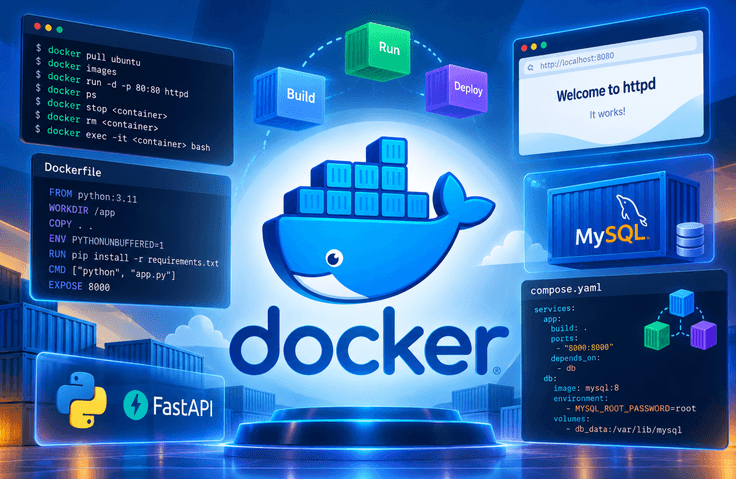
This course covers the fundamentals of Docker in 7 lessons totaling 3 hours and 55 minutes. Rather than stopping at conceptual explanations, you will write and build 5 Dockerfiles yourself. By the end, you will combine a FastAPI server and a MySQL database into a single application and run it with one line: docker compose up. Lessons 1 and 2 begin with installing Docker Desktop and checking the WSL2 environment. You will pull an ubuntu image from Docker Hub and confirm that images are composed of multiple layers, then manage local images with images and rmi. Next, you will work with the container lifecycle using run, ps, stop, and rm, and use exec to enter a running container. You will open an httpd container’s web page in a browser through port mapping (-p), then start a MySQL container with a volume (-v) and environment variables (-e) to see why data remains even after the container is deleted. Lessons 3 through 5 focus on creating images yourself. You will examine FROM, WORKDIR, COPY, ENV, RUN, CMD, and EXPOSE line by line, highlighting the difference between RUN and CMD: RUN operates at build time, while CMD operates at runtime. You will create images for four different types: a Python script that runs once and exits, a continuously running FastAPI server, an executable compiled with PyInstaller, and an existing binary such as jq. In the compilation example in particular, you will use a multi-stage build to discard the build tools and keep only the final output. Lessons 6 and 7 focus on connecting containers. First, you will reproduce the "Internal Server Error" that occurs when two containers are started without network configuration. Then, you will create a network with docker network create so that the containers can find each other using only their names. You will check the assigned IP addresses with network inspect and even visually confirm that Docker’s built-in DNS (127.0.0.11) is working by using ping and /etc/resolv . conf inside a container. In the final lesson, Lesson 7, you will transfer all the docker run options covered so far into a single compose.yaml file, then bring up and shut down the entire application with up and down. The five types of project materials used in the exercises—including Dockerfile, app . py, and compose.yaml—are provided, so you can follow along immediately without typing. The exercises are conducted in a Windows + PowerShell environment, and the commands are the same on macOS and Linux.

2 learners are taking this course

Level Beginner

Course period Unlimited

Docker
Docker
docker-compose
docker-compose
dockerfile
dockerfile
Python
Python
FastAPI
FastAPI
Docker
Docker
docker-compose
docker-compose
dockerfile
dockerfile
Python
Python
FastAPI
FastAPI

What you will gain after the course

  • Understand the relationship between Docker images and containers, and directly manage images and containers using the pull, images, rmi, run, ps, stop, rm, and exec commands.

  • You can write the Dockerfile commands FROM, WORKDIR, COPY, ENV, RUN, CMD, and EXPOSE separately and create an image with docker build.

  • With a multi-stage build, you can create an image containing only the PyInstaller build output, and package existing binaries such as jq into the image as well.

  • In compose.yaml, you can define services, image, build, ports, environment, and depends_on, and manage multiple containers as a single unit using docker compose up/down/ps/build.

  • You can run httpd and MySQL containers with port mapping (-p), volume (-v), and environment variable (-e) options applied, then access them from a browser on the host.

  • You can build a one-off Python script and a continuously running FastAPI server as separate images to explain the differences between the two approaches.

  • You can create a network with `docker network create` so that the FastAPI container can connect to MySQL using the container name.

A Hands-On Introduction to Docker: From Python, FastAPI, and MySQL to Docker Compose

This is a hands-on course for those new to Docker. You’ll learn step by step, from the basic concepts of images and containers to writing Dockerfiles, configuring container networks, and managing multiple containers with Docker Compose.

You will also practice creating Docker images for Python scripts and FastAPI servers from scratch and connecting them to a MySQL database. This course will help you build the foundational skills needed to maintain a consistent development environment and deploy applications efficiently.

This course is suitable for those looking to enter the fields of backend development, Python development, data engineering, or DevOps, with the goal of developing Docker skills that can be applied to real-world projects.

What You’ll Learn

Core Learning Content (Core Keywords)

1. Docker Basics and Image Management

  • Understanding the Difference Between Docker Images and Containers

  • Image management using the docker pull, docker images, and docker rmi commands

  • Container lifecycle management using the docker run, docker ps, docker stop, docker rm, and docker exec commands

2. Running Containers and Configuring the Environment

  • Configuring external access to a web server through port mapping (-p)

  • Data using volumes (-v)

Before You Enroll

Prerequisites & Notices

1. Prerequisites and Preparation

  • Beginners learning Docker for the first time can also take this course.

  • In a Windows 11 environment, you need to install Docker Desktop and WSL2, and you must be able to use PowerShell with administrator privileges during the installation process.

  • You can also do the exercises on macOS and Linux.

  • It would be helpful if you have experience using basic commands such as mkdir and cd in the terminal.

  • If you know the basics of Python syntax, you’ll be able to follow the FastAPI server and Python script exercises more easily.

  • Prior knowledge of Docker or containers is not required.

2. Course Environment and Learning Method

  • This course consists of online video lectures totaling 3 hours and 55 minutes.

  • The course is explained based on a Windows 11 and PowerShell environment, and the main Docker commands can also be used on macOS and Linux.

  • Use the provided practice materials to run the Dockerfile, Python application, compose.yaml, and more yourself.

  • After watching the lecture, we recommend learning by entering each command yourself and checking the results of its execution.

  • Learning in order—from installation and image building to container networking and Docker Compose—will make the content easier to understand.

3. Questions and Learning Support

  • If an error occurs during the hands-on exercises, organize the error message and the command you ran together, then submit your inquiry through the course’s Questions and Answers feature.

  • When asking a question, providing specific details about your operating system, Docker version, executed command, and error message will help identify the problem.

  • Please check the course announcements for updates to the course and information about whether additional materials are provided.

4. Important Notes for Taking the Course

  • A PC that meets the system requirements is needed to install and run Docker Desktop.

  • Some exercises require an internet connection to download images from Docker Hub.

  • Before deleting a container, check where the data is stored. Data not stored in a volume may be lost when the container is deleted.

  • Docker Desktop’s enterprise licensing policy may vary depending on factors such as company size and revenue, so if you plan to use it for business purposes, please check the official licensing policy.

Recommended for
these people

Who is this course right for?

  • A beginner developer who had heard of Docker but got stuck during the installation process

  • A backend developer who wants to run MySQL or Redis in containers without installing them locally.

  • Python developers who need to package and deliver servers built with FastAPI or Flask as images

  • A team developer who wants to eliminate the “It works on my PC” environment discrepancy issue

  • A junior developer who has to write the Dockerfile required by the person in charge of deployment directly.

  • A beginner in data analytics and DevOps who wants to reproduce a development environment with a single `docker compose up` command

Need to know before starting?

  • A PC capable of installing Docker Desktop (the materials are based on Windows 11 + PowerShell, and the commands are the same on macOS and Linux)

  • For Windows, WSL2 must be enabled, and PowerShell with administrator privileges is used during the installation process (how to install and update WSL is covered in Lesson 1).

  • Experience entering commands such as mkdir and cd in a terminal

  • Python Basics - The practice code is around 10 lines, but it will be easier if you can read FastAPI examples.

  • Docker Desktop is free for personal learning and educational purposes, but business use by companies with 250 or more employees or annual revenue of $10 million or more requires a paid subscription.

Hello
This is it learner

IT training programs led by hands-on experts and professional instructors in various IT fields, offering practical, hands-on courses in programming, software development, data analysis, artificial intelligence, networking, information technology, and more. Through educational content that reflects the latest IT technologies and industry trends, these programs help learners acquire both theoretical knowledge and practical skills while adapting to the rapidly changing IT environment.

More

Curriculum

All

7 lectures ∙ (3hr 55min)

Course Materials:

Lecture resources
Published: 
Last updated: 

Reviews

Not enough reviews.
Please write a valuable review that helps everyone!

it learner's other courses

Check out other courses by the instructor!

Similar courses

Explore other courses in the same field!

Limited time deal

$2,513.00

6%

$16.50