

Docker Basics - From Installation to Multi-Container Docker Compose
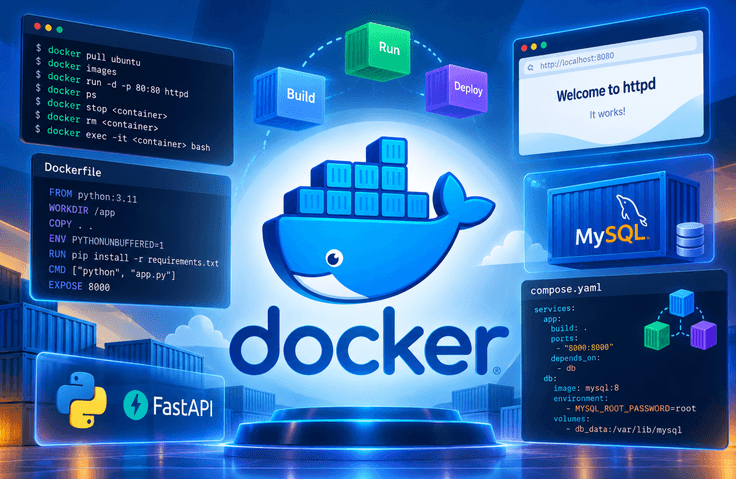
This course covers the fundamentals of Docker in 7 lessons totaling 3 hours and 55 minutes. Rather than stopping at conceptual explanations, you will write and build 5 Dockerfiles yourself. By the end, you will combine a FastAPI server and a MySQL database into a single application and run it with one line: docker compose up. Lessons 1 and 2 begin with installing Docker Desktop and checking the WSL2 environment. You will pull an ubuntu image from Docker Hub and confirm that images are composed of multiple layers, then manage local images with images and rmi. Next, you will work with the container lifecycle using run, ps, stop, and rm, and use exec to enter a running container. You will open an httpd container’s web page in a browser through port mapping (-p), then start a MySQL container with a volume (-v) and environment variables (-e) to see why data remains even after the container is deleted. Lessons 3 through 5 focus on creating images yourself. You will examine FROM, WORKDIR, COPY, ENV, RUN, CMD, and EXPOSE line by line, highlighting the difference between RUN and CMD: RUN operates at build time, while CMD operates at runtime. You will create images for four different types: a Python script that runs once and exits, a continuously running FastAPI server, an executable compiled with PyInstaller, and an existing binary such as jq. In the compilation example in particular, you will use a multi-stage build to discard the build tools and keep only the final output. Lessons 6 and 7 focus on connecting containers. First, you will reproduce the "Internal Server Error" that occurs when two containers are started without network configuration. Then, you will create a network with docker network create so that the containers can find each other using only their names. You will check the assigned IP addresses with network inspect and even visually confirm that Docker’s built-in DNS (127.0.0.11) is working by using ping and /etc/resolv . conf inside a container. In the final lesson, Lesson 7, you will transfer all the docker run options covered so far into a single compose.yaml file, then bring up and shut down the entire application with up and down. The five types of project materials used in the exercises—including Dockerfile, app . py, and compose.yaml—are provided, so you can follow along immediately without typing. The exercises are conducted in a Windows + PowerShell environment, and the commands are the same on macOS and Linux.
2 learners are taking this course
Level Beginner
Course period Unlimited
News
