
inflearn logo

5 AI Assistants for Office Workers – Perplexity, Copilot, Gemini, Claude, Clova Note

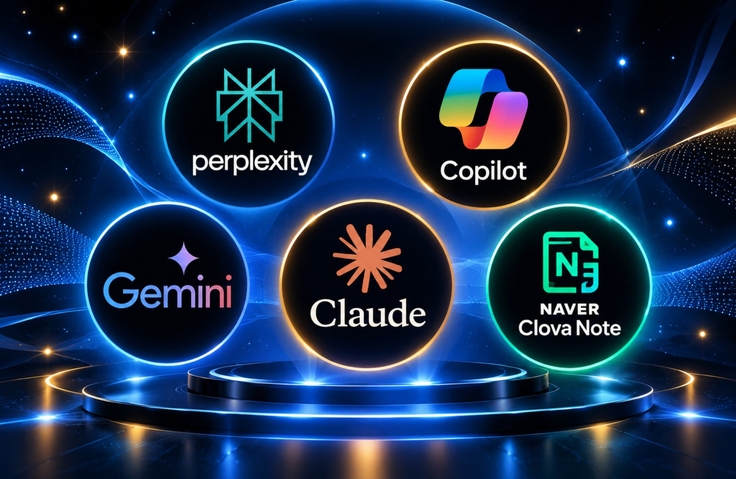
When you look back on a day at work, certain tasks repeat themselves. You search for information, write reports, attend meetings and take notes, create Excel spreadsheets and PowerPoint presentations, and organize and share the results in documents. These five tasks are essentially the backbone of office work. This course covers those five stages in order, assigning one suitable AI tool to each. Perplexity is used for research and organizing information, Claude for writing documents and creating drafts, Naver ClovaNote for automating meeting minutes, Microsoft Copilot for support with office tasks, and Google Gemini for integration with Google services. This is not a course that simply lists tools; it teaches you how to decide which tool to insert at which point in your workflow. Each tool is covered in the same three-step format. In Lesson 1, you will learn the background behind the tool, what it does well and poorly, and where the boundary lies between its free and paid plans, before taking a look around the official website. In Lesson 2, you will learn the basics by going through the menus and settings. In Lesson 3, you will practice using real-world work scenarios. Examples include creating business and business-trip report templates, researching popular restaurants in Jongno, Seoul and organizing the information into promotional presentation materials, drafting a business report PPT introducing a product to a client, recording a sales report meeting and turning it into meeting minutes, creating a marketing logo image, and preparing approval forms and accounting ledgers in Google Docs. In particular, this course spends considerable time showing how much the results can vary depending on how you phrase your questions. You will see firsthand that even the same request can produce completely different results when written in two lines versus ten, using specific instructions such as generating tables, creating charts, specifying list formats, and downloading files. All you need is a PC connected to the internet and a web browser. You will need to sign up for each of the five services, and the course is based on their free usage options. However, each tool has different limitations. Microsoft Copilot becomes especially useful when integrated with Office applications, so its value increases significantly in an environment that uses Microsoft Office. For real-time recording practice with ClovaNote, the mobile app is more reliable than a PC microphone. These details will be explained as they come up in the relevant sections. It is perfectly fine if you have never used an AI tool before. By the end of the course, you will be able to decide, "Which tool should I open for this task?" and formulate questions on your own to get the results you want.

1 learners are taking this course

Level Beginner

Course period Unlimited

Business Productivity
summarization
summarization
productivity-power-tools
Engineer Big Data Analysis
prompt engineering
prompt engineering
Business Productivity
summarization
summarization
productivity-power-tools
Engineer Big Data Analysis
prompt engineering
prompt engineering

What you will gain after the course

  • Perplexity’s real-time web search and source citation features can be used to research and organize materials to cite in a report.

  • With Claude's Projects, you can organize conversations by topic and view the results in a separate window using Artifacts.

  • You can create kiosk program code and a draft business report by specifying the language, number of screens, and items to include in detail to Claude.

  • You can upload a prerecorded meeting audio file to ClovaNote to convert it to text and generate an AI summary.

  • You can request document creation and presentation creation through Microsoft Copilot’s Tasks menu and Projects menu.

  • You can generate marketing logo images with Copilot and refine the designs through follow-up questions.

  • You can export Gemini’s table generation results to Google Sheets and create documents by integrating with Google Docs and Slides.

  • You can ask Perplexity to generate tables, charts, lists, and other formats, then transfer the results into a document.

  • You can upload text, Excel, and image files to Claude and request summaries and analyses.

  • With Clova Note, you can record meetings in real time, convert them to text, and distinguish between speakers.

  • You can improve speech recognition accuracy by registering frequently used terms and sentences in Clova Note.

  • You can upload txt, pdf, and xlsx files to Copilot, request an analysis, and download the results as a CSV for editing.

  • You can write content and conduct in-depth report analyses using Google Gemini’s Canvas and Deep Search features.

Course Title

AI Workflow Automation for Professionals: Perplexity, Claude, Copilot, Gemini, and Clova Note

Course Introduction

Learn how to use AI to handle repetitive workplace tasks more quickly and systematically, from researching information and writing reports to organizing meeting minutes, analyzing data, and creating presentations.

In this course, you will learn the features and practical applications of Perplexity, Claude, Naver Clova Note, Microsoft Copilot, and Google Gemini. Rather than simply introducing AI features, you will learn through step-by-step practice which AI tool to use in which situation in your actual work.

Learn how to research real-time information with Perplexity and organize sources, analyze lengthy documents and files with Claude and draft reports and business plans, and record meetings with Clova Note to automatically create meeting minutes by speaker. You will also learn through practical, work-focused exercises how to use Microsoft Copilot for documents, tables, charts, and presentations, as well as how to use Google Gemini for integrated work across documents, spreadsheets, and presentations.

In particular, through various hands-on exercises, you will learn the principle that the results can vary greatly depending on how you ask AI questions. By learning how to give specific instructions about the desired table format, report structure, chart type, analysis criteria, and file outputs, you will develop the ability to use AI according to your work objectives rather than simply being an AI user.

The content you learn in this course can be applied across a wide range of fields, including office and business administration, marketing, planning, sales, customer management, consulting, freelance work, and running a one-person business.

The course is structured step by step, from basic functions to practical workplace applications, so even those using AI for the first time can follow along. By the end of the course, you’ll be able to choose the right AI tool for each work situation and design your own prompts to achieve the desired results.

What You’ll Learn

Core Keywords

  • Perplexity: Real-time web search, source verification, research, report writing, and market research

  • Claude: Long-form document analysis, file uploads, summarization, document creation, Projects, Artifacts, code generation

  • Clova Note: Real-time voice recording, speech-to-text transcription, speaker identification, meeting minutes, AI summaries

  • Microsoft Copilot: Document creation, Excel data analysis, table and chart generation, PowerPoint creation, file analysis, and image generation

  • Google Gemini: Multimodal AI, Canvas, Deep Research, file analysis, table creation, and integration with Google Docs, Sheets, and Slides

  • Prompt design: Writing specific questions to achieve the desired results, specifying the output format, and setting conditions and requirements

  • Using AI for Work: Applying AI to practical tasks such as reports, meeting minutes, market research, business plans, presentations, and marketing materials

Learning Content

In this course, you will progressively learn the core functions of five AI tools frequently used in workplace and business environments.

First, learn how to use Perplexity to search for real-time web information and verify reliable sources. You will learn how to organize information so that it can be used in reports, market research materials, presentations, and more, rather than simply reading the search results.

In Claude, you will learn how to upload and analyze and summarize lengthy documents and various files. You will also learn how to use Projects and Artifacts to manage conversations by task and efficiently create outputs such as documents, code, and business reports.

In Clova Note, you will learn how to record meetings in real time and convert speech to text. You will learn how to distinguish speakers, use AI summaries to condense lengthy meeting content into concise meeting minutes, and configure settings to improve speech recognition accuracy.

In Microsoft Copilot, you will learn how to use AI in the Microsoft Office environment. You will learn practical applications such as analyzing files like TXT, PDF, and XLSX, organizing data into tables and charts, and drafting reports and presentations.

With Google Gemini, you will learn how to write and conduct in-depth analyses using Canvas and Deep Research, as well as how to export generated tables to Google Sheets or connect Google Docs and Slides to create work deliverables.

Finally, we focus on prompt design methods that are commonly important across all tools. Through hands-on practice, you will see how the results can vary depending on how you specify the question’s level of detail, conditions, output format, target audience, file format, and more, even for the same request.

Through this, learners go beyond simply knowing the functions of AI tools and can apply AI to real-world workflows ranging from researching materials → analysis → document writing → meeting minutes organization → data processing → presentation creation.

Before You Enroll

Prerequisite Knowledge and Preparation en

This is a beginner course, so you can take it without any prior knowledge of AI tools or programming experience. It is structured so that even learners who are new to AI can follow along step by step, from basic features to practical workplace applications.

For the course exercises, you need to sign up for Perplexity, Claude, Naver Clova Note, Microsoft Copilot, and Google Gemini. The course is generally based on the free usage tiers, but each service may have limitations on usage, file downloads, and other features.

We recommend preparing a PC connected to the internet and a web browser. In the Microsoft Copilot exercises, you can experience integration features with Word, Excel, and PowerPoint more effectively in an environment where Microsoft Office is installed. The Google Gemini exercises require a Google account and the use of Google Drive.

For real-time recording practice with Clova Note, we recommend using the mobile app. Speech recognition quality may vary depending on the microphone environment on your PC.

Learning Method

We recommend learning by directly using the features explained in each lecture within the service. In particular, during the prompt-writing exercises, try entering the questions presented in the lecture as they are, then change the conditions and output formats to compare how the results differ.

Repeatedly practicing tasks similar to real work—such as analyzing files, writing reports, generating meeting minutes, and creating tables and charts—will help you apply what you have learned to your job.

The course videos are designed around high-quality visuals and clear voice explanations suitable for learning on standard PC and mobile environments. Rather than completing each lecture in one sitting, we recommend pausing the video during sections that include hands-on exercises and following along yourself.

Questions and Course Updates

If you have any questions during the course or encounter problems during the exercises, you can ask questions through the course Q&A or question board. When asking a question, include the AI service you are using, the content you entered, and the result that occurred so the issue can be identified more accurately.

AI services’ features and interface layouts may change continuously. Therefore, when significant changes occur to a service’s key features or usage methods, we update the necessary course content and practice materials so that you can learn in the latest environment.

Since free-use policies and feature limitations by service may also change, we recommend checking the latest terms of use for each AI service when using it in practice.

Recommended for
these people

Who is this course right for?

  • Office workers who spend a lot of time writing reports, proposals, and approval documents

  • The staff member who ends up handling the preparation and organization of meeting minutes every time

  • Marketers, planners, and consultants who repeatedly conduct research and market research

  • Office workers who use Microsoft Office or Google Workspace every day

  • A team leader assessing the current state in preparation for introducing AI tools to the team

  • Freelancers and solo business owners who have to juggle multiple roles alone

Need to know before starting?

  • You need to sign up for each of the five services used in the hands-on practice (Perplexity, Claude, Naver ClovaNote, Microsoft Copilot, and Google Gemini).

  • The lecture will proceed based on the scope of free usage. However, the limitations vary by tool. Perplexity requires a paid plan for downloads in specified file formats, Claude has usage limits, and Clova Note has a set amount of free usage time.

  • The Microsoft Copilot section is more useful in environments where Microsoft Office is used. You can follow the course even without Office, but the effectiveness of the integrated Word, Excel, and PowerPoint exercises will be reduced.

  • For the Clova Note real-time recording practice, we recommend using the mobile app. Recognition quality may be lower when using a PC microphone.

  • The Google Gemini section assumes the use of a Google account and Google Drive. It includes hands-on exercises integrating Docs, Sheets, and Slides.

  • No prior experience using AI tools or knowledge of the subject is required. Although the course includes hands-on practice generating code, you can follow along without any development knowledge.

Hello
This is it learner

IT training programs led by hands-on experts and professional instructors in various IT fields, offering practical, hands-on courses in programming, software development, data analysis, artificial intelligence, networking, information technology, and more. Through educational content that reflects the latest IT technologies and industry trends, these programs help learners acquire both theoretical knowledge and practical skills while adapting to the rapidly changing IT environment.

More

Curriculum

All

15 lectures ∙ (5hr 23min)

Course Materials:

Lecture resources
Published: 
Last updated: 

Reviews

Not enough reviews.
Please write a valuable review that helps everyone!

it learner's other courses

Check out other courses by the instructor!

Similar courses

Explore other courses in the same field!

Limited time deal ends in 6 days

$25.30

8%

$27.50