Perform drafting work through in-depth study of 2D drawing.
Learn practical application methods through 2D drawing tasks.
Master 2D drawing practice with AutoCAD 2022! 🙆♀️
Course Introduction 📖
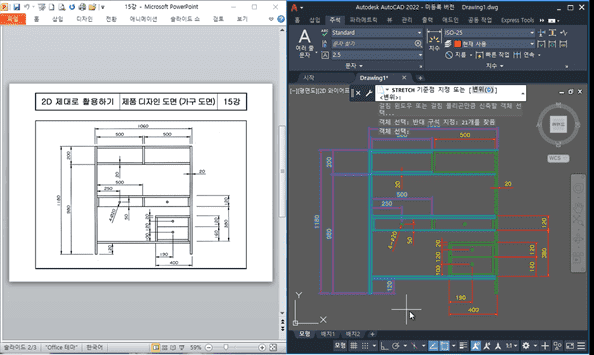
AutoCAD currently occupies the majority of the CAD market in Korea! If you learned the basic commands of AutoCAD 2022 in the previous course, <AutoCAD 2022: Building 2D Foundations>, in this course, you can study 2D drawing in more depth and learn how to apply it to practical work. The lessons are conducted in a follow-along format, so you can progress without difficulty by following the videos step-by-step. Let's learn practical knowledge that can be used in the field through various examples!
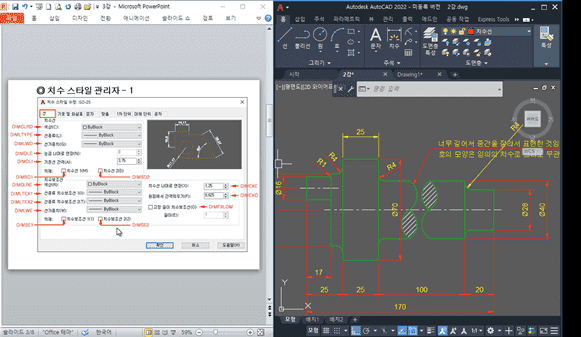
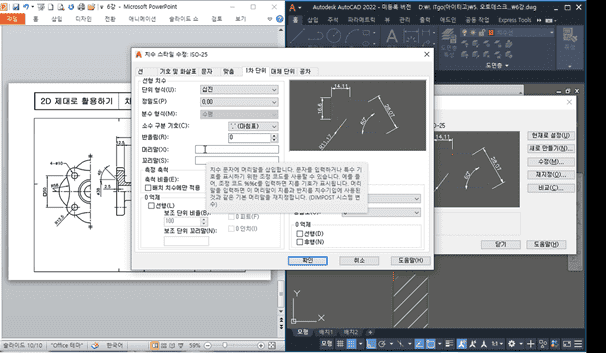
Go beyond the basics and proceed to advanced learning (from 'Setting up Dimension Style Manager').
Learn practical application methods that can be used in the field (from 'Drafting Work 2').
This course does not provide Q&A sessions with the instructor. Please keep this in mind when enrolling.
Tools covered here 🙌
AUTODESK AutoCAD 2022
This course uses AutoCAD 2022 (Korean version). Therefore, we recommend using that version of AutoCAD. You can purchase the program from the official AUTODESK website or use various versions such as the free trial or short-term membership. Official Site Link
I'm glad that studying CAD has become more fun. Right now, I'm just watching the lectures and following along, but I want to improve my skills to the point where I can make the things I want to make!

















![How to Make a Unity 2D Roguelike Game [Korean Subtitles]Course Thumbnail](https://cdn.inflearn.com/wp-content/uploads/unity003.jpg?w=420)