
Figma AI (Figma) for Beginners, The Beginning of Design Automation Part 3 (Final)

This course systematically teaches core features, starting with Figma’s basic interface and vector tools and progressing to auto layout, components, responsive layouts, and more. Through hands-on practice creating mobile UI layouts and components, you’ll develop design skills that can be applied directly to real-world projects. You’ll also experience design automation and prompt-based workflows using plugins, Figma Site, Figma Make, and the latest Figma AI features.

1 learners are taking this course

Level Basic

Course period 12 months

autolayout
autolayout
Figma
Figma
ui
ui
autolayout
autolayout
Figma
Figma
ui
ui
Thumbnail

What you will gain after the course

  • You can create a systematic UI design system and responsive layouts using Auto Layout, components, and variants.

  • Design deliverables can be implemented as webpages using Figma Sites and plugins.

  • You can use Figma Make and Figma AI features to perform prompt-based design generation and automation tasks.

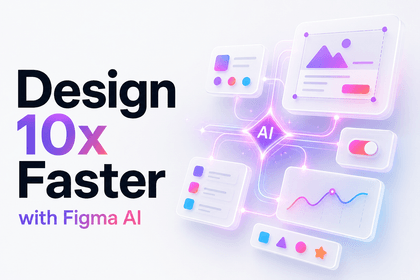
Figma AI 입문 Part.3 (完)
Don’t design by hand. Have AI do it for you.
Mobile UI Layout · Component Creation · html.to.design · Figma Site · Figma Make · Prompt-to-Code · New Figma AI Features
Figma AI 입문 Part.3 (完) 강의 대표 이미지
ABOUT THIS COURSE
You’ll be able to build your own design automation workflow that generates UI layouts from a single prompt and connects them to code with Figma Make.
TOOLS

Tools Covered

Learn the tools used for design automation and prompt-based workflows.

Fi

Figma

AI

Figma AI

HT

html.to.design

Plugin

FM

Figma Make

OUTPUT

You’ll create things like these

Upon completing the course, you will be able to create the following deliverables yourself.

📱

Mobile UI Layout

Designing responsive mobile screens using Auto Layout and components

1~3강
🧩

Mobile Component Set

Creating Reusable Mobile UI Components

4강
🌐

Figma Site Web Page

A simple webpage implemented using Figma Site features

6강
💻

Prompt-to-code output

Code conversion generated from a prompt using Figma Make

7~8강
CURRICULUM

You can learn things like these.

We’ve organized the curriculum by topic to outline what you’ll learn.

1~4강

Mobile UI Layout & Component Creation

You can systematically build professional-level mobile screens using auto layout and components.

5~6강

Using Plugins & Figma Site

Quickly implement design deliverables as webpages using the html.to.design plugin and Figma Site.

7~8강

Figma Make · Prompt to Code

Experience an automated workflow that generates designs and connects them to code simply by entering prompts.

9~10강

Using Figma AI’s New Features

Learn how to improve design efficiency using the latest Figma AI features.

NOTICE

Notes Before Taking the Course

  • This course is Part 3 (Final), and we recommend taking Parts 1 and 2 first.
  • Access to Figma AI and Figma Make features may be limited depending on your account plan.
  • The Figma UI and AI features may have been updated since the time of recording, so the screens may look different.
  • This course does not provide a Q&A service.
  • It is recommended to complete the exercises using the latest version of the Figma desktop app or browser.

Recommended for
these people

Who is this course right for?

  • Beginner to intermediate learners who want to systematically learn Figma’s basic features and the UI design creation process

  • Aspiring designers and content creators who want to learn web and mobile interface design from scratch through hands-on practice.

  • Creators and planners who want to learn design automation and efficient workflows using Figma AI features and plugins

Need to know before starting?

  • Basic knowledge of Figma’s interface and how to use its tools

  • Basic Concepts of UI/UX Design and Principles of Layout Composition

  • Basic understanding of responsive design and mobile UI structures

Hello
This is usefulit

8,280,056

Learners

6,598

Reviews

4.6

Rating

336

Courses

I will help you grow through useful IT lectures.

Curriculum

All

11 lectures ∙ (4hr 51min)

Course Materials:

Lecture resources
Published: 
Last updated: 

Reviews

Not enough reviews.
Please write a valuable review that helps everyone!

usefulit's other courses

Check out other courses by the instructor!

Similar courses

Explore other courses in the same field!

Free