inflearn logo

Utilizing AutoCAD 2022 2D Properly

In this course, you will learn advanced 2D drawing techniques and practical application methods in AutoCAD 2022.

(5.0) 12 reviews

30,406 learners

Level Basic

Course period 12 months

AutoCAD
AutoCAD
CAD
CAD
AutoCAD
AutoCAD
CAD
CAD

Reviews from Early Learners

5.0

5.0

조병성

100% enrolled

That was good.

5.0

강대련

100% enrolled

You explain it very well and easily.

5.0

할수있다

100% enrolled

Thank you, I listened carefully

What you will gain after the course

  • Perform drafting work through in-depth study of 2D drawing.

  • Learn practical application methods through 2D drawing tasks.

Master 2D drawing practice with AutoCAD 2022! 🙆‍♀️

Course Introduction 📖

AutoCAD currently occupies the majority of the CAD market in Korea!
If you learned the basic commands of AutoCAD 2022 in the previous course, <AutoCAD 2022: Building 2D Foundations>, in this course, you can study 2D drawing in more depth and learn how to apply it to practical work.
The lessons are conducted in a follow-along format, so you can progress without difficulty by following the videos step-by-step. Let's learn practical knowledge that can be used in the field through various examples!

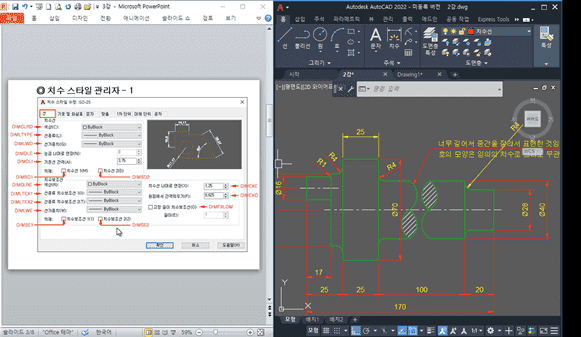
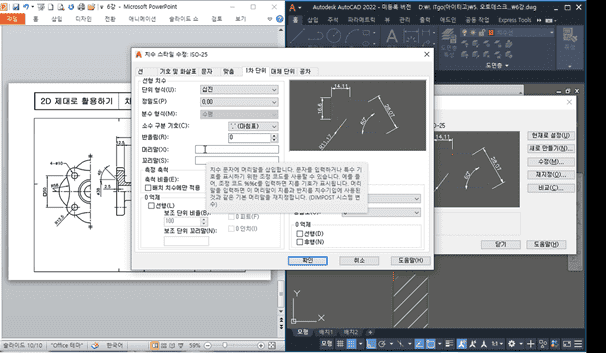
Go beyond the basics and proceed to advanced learning (from 'Setting up Dimension Style Manager').

Learn practical application methods that can be used in the field (from 'Drafting Work 2').

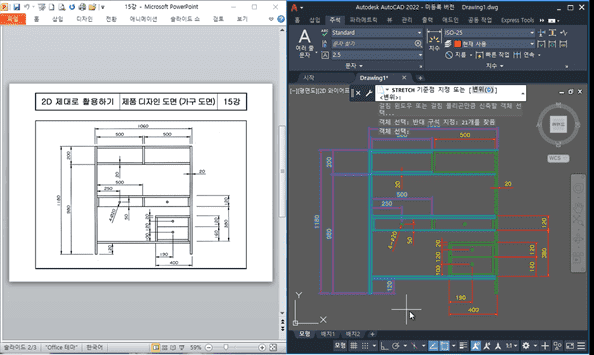
Try drawing a product blueprint yourself (from 'Drawing Furniture Blueprints 1').

📢 Please check before taking the course!

  • This course does not provide Q&A sessions with the instructor. Please keep this in mind when enrolling.

Tools covered here 🙌

  • AUTODESK AutoCAD 2022

This course uses AutoCAD 2022 (Korean version). Therefore, we recommend using that version of AutoCAD.
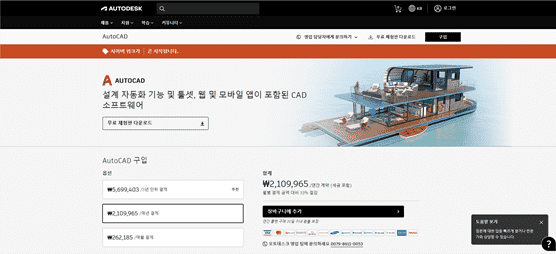
You can purchase the program from the official AUTODESK website or use various versions such as the free trial or short-term membership. Official Site Link


Related Lectures 👓

<AutoCAD 2022 2D Basics>

  • You can learn the basic commands of AutoCAD 2022.
  • I recommend taking this course first before listening to this lecture.
  • Click the image to go to the corresponding lecture.

Expected Questions Q&A 💬

Q. Is prior knowledge required?

Yes, it is recommended to have knowledge of how to use the basic commands of AutoCAD 2022.

Q. Are the course materials included in the lecture?

Yes, you can download the course materials by clicking the cloud icon located in the left tab of the Lesson 1 video player screen.

Recommended for
these people

Who is this course right for?

  • Those who wish to perform drafting work through AutoCAD 2D drawing

  • Those who want to make practical use of 2D drawing work.

Need to know before starting?

  • Basic AutoCAD Usage

Hello
This is usefulit

8,277,946

Learners

6,431

Reviews

4.6

Rating

308

Courses

I will help you grow through useful IT lectures.

Reviews

All

12 reviews

5.0

12 reviews

  • hyde31633589님의 프로필 이미지
    hyde31633589

    Reviews 350

    Average Rating 5.0

    5

    100% enrolled

    Thank you, I listened carefully

    • samuel9973391님의 프로필 이미지
      samuel9973391

      Reviews 10

      Average Rating 5.0

      5

      100% enrolled

      I'm glad that studying CAD has become more fun. Right now, I'm just watching the lectures and following along, but I want to improve my skills to the point where I can make the things I want to make!

      • rkdeofus7215449님의 프로필 이미지
        rkdeofus7215449

        Reviews 2

        Average Rating 5.0

        5

        100% enrolled

        You explain it very well and easily.

        • byungsung2jo5791님의 프로필 이미지
          byungsung2jo5791

          Reviews 1

          Average Rating 5.0

          5

          100% enrolled

          That was good.

          • ahnmg58392944님의 프로필 이미지
            ahnmg58392944

            Reviews 8

            Average Rating 5.0

            5

            100% enrolled

            It's simple and easy to listen to.

            usefulit's other courses

            Check out other courses by the instructor!

            $27.50