Project and task management for becoming a pro at Excel - MS Planner
Do you want to do a good job? Do you want to manage your work schedule well so that you don't miss anything and can see it at a glance?
Learn how to create and manage projects, teams, or your own tasks using Planner to become a pro at work.
To do your work well, you need to manage it well. How do you check which of the many tasks you should do first,which ones you have done,which ones you haven't done,or which ones you have missed?
Also,if I am involved in a project , I need to check how much progress the project has made ,if there are any problems, and if there have been any changes in the middle .
How do you organize so many things?
Diary?Memo?Calendar?Outlook?
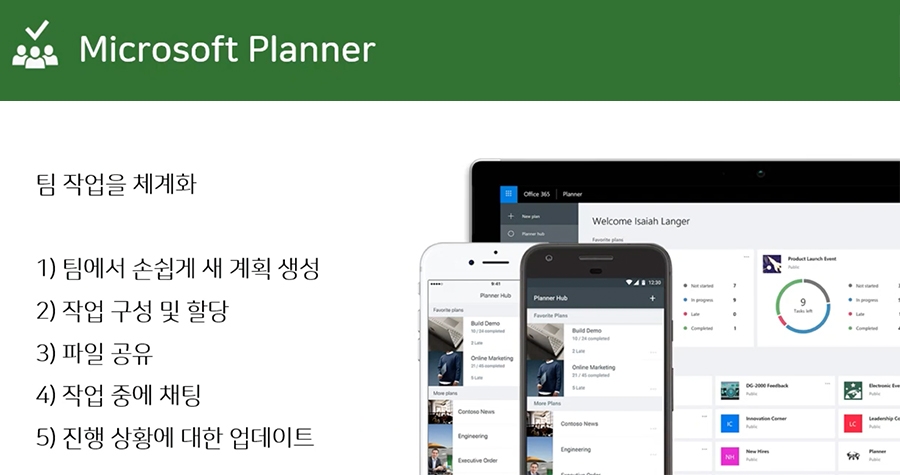
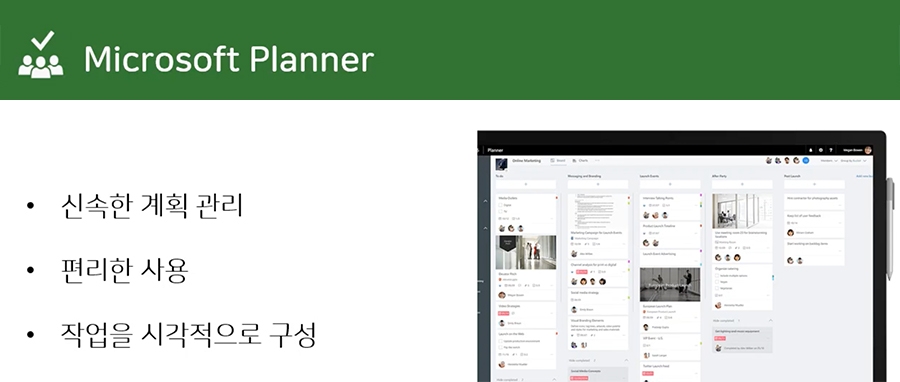
Plannerisa program that allowsme to organize and see my work at a glance .Planneris available for free if you are usingOffice 365, and is a very useful tool that allows me to see my work at a glance.Learn how to create and manage projects, teams, or my work usingPlanner !
What I learned in class ✏️
In this course, you will learn how to visualize and manage your work and projects efficiently.
- Understand what Microsoft Planner is andget to know the screens and menus - Planner notification settings - Create a new plan,create/move/copy/set deadlines/labels for tasks within the plan - Export the plan to an Excel file - Sync your plan with your Outlook calendar - Link Planner to a team in Teams - Manage your tasks on the go with Mobile Planner
What kind of communication wasn't smooth? If you leave questions related to the lectures, we answer them all~ Since you're still taking the course, please post your questions on the Q&A board~





![[Work Automation Using Free MS RPA] Power Automate Desktop Basic강의 썸네일](https://cdn.inflearn.com/public/courses/329047/cover/35cb417d-cd84-47f8-a20f-653724b03a77/329047-eng.png?f=avif&w=420)


![[Latest version update] Project and task management to become a pro at planning - MS Planner강의 썸네일](https://cdn.inflearn.com/public/courses/336001/cover/9368db08-c64b-42ca-8ad1-e7a872bffc0e/336001.jpg?f=avif&w=420)

![[Work Automation Using Free MS RPA] Power Automate Desktop - Automate Repetitive Tasks강의 썸네일](https://cdn.inflearn.com/public/courses/332826/cover/fd9d8667-48a8-4d2e-b27d-1154f66df679/332826.png?f=avif&w=420)


![[Work Automation Using Free MS RPA] Power Automate Desktop - Excel Automation강의 썸네일](https://cdn.inflearn.com/public/courses/330201/cover/8adc841c-39de-4770-98d3-2439ed8881a3/330201-eng.png?f=avif&w=420)
![[Work Automation Using Free MS RPA] Power Automate Desktop Essentials강의 썸네일](https://cdn.inflearn.com/public/courses/329655/cover/8364da63-535b-4613-9b02-3dcdfc21791d/329655-eng.png?f=avif&w=420)


![[Pass ITQ Excel A in One Go] in 3 days강의 썸네일](https://cdn.inflearn.com/public/courses/329652/cover/b44e11b6-a47e-4993-86ea-a85da9836bb5/329652-eng.png?f=avif&w=420)


![[For Beginners] Data Visualization with Power BI강의 썸네일](https://cdn.inflearn.com/public/courses/327055/cover/455b54c1-3e63-439b-9b60-5d12e12bc303/PowerBI-001)