강의

멘토링

커뮤니티

Game Dev

/

Game Programming

Absolute Course! Unity 6 - ECS/DOTS Programming Masterclass

This is a course that completely masters Unity's next-generation architecture ECS/DOTS from basics to practical application. ECS is data-oriented programming that is completely different from the existing GameObject approach, and many developers are struggling due to its high entry barrier. This course addresses these difficulties by learning step by step from ECS core concepts (Entity, Component, System) to Burst compiler, Job system, and Unity Physics integration.

(5.0) 7 reviews

82 learners

Level Intermediate

Course period Unlimited

  • indiegamemaker
unity-dots
unity-dots
unity-ecs
unity-ecs
unity
unity
실습 중심
실습 중심
multithread
multithread
Unity
Unity
Unity6
Unity6
unity-dots
unity-dots
unity-ecs
unity-ecs
unity
unity
실습 중심
실습 중심
multithread
multithread
Unity
Unity
Unity6
Unity6

Reviews from Early Learners

Reviews from Early Learners

5.0

5.0

류학림

100% enrolled

I tried hands-on practice with ECS/DOTS for the first time! Although it doesn't cover everything theoretically, it was a time where I could clearly understand what ECS is. I think it would be very helpful for other learners to study various features through Unity's official documentation after completing the course. After completing the course, I modified the scripts for review and self-study purposes, and I think it would be great if other learners could also give it a try! Thank you for the great lecture!!!! --- [Review and Self-Study] 1. Movement System Refactored PlayerMovementSystem and ProjectileMovementSystem to operate based on IJobEntity to improve Burst compilation efficiency and enable parallel processing. - Although PlayerMovementSystem is a single entity, I added a Job structure to maintain consistency with others and ensured the entire logic is Burst compiled. - Removed the foreach loop in ProjectileMovementSystem and modified it to use ScheduleParallel so that work threads are used efficiently when multiple projectiles move simultaneously. 2. HP Bar System Added ComponentLookup.DidChange() checks in PlayerHpBarSystem and EnemyHpBarSystem, and modified to calculate FillAmount only when the data in PlayerComponent and EnemyComponent actually changes. 3. Collision Modified ProjectileCollisionSystem from manually creating EntityCommandBuffer and waiting for Job completion with Complete and Playback to using EndFixedStepSimulationEntityCommandBufferSystem. 4. Audio After completing the final sound effect implementation, it seems an error occurs when moving from the main scene to the game scene because entities are not immediately created in AudioManager. Therefore, I modified it to check (audioBufferEntity == Entity.Null || !entityManager.Exists(audioBufferEntity)) in Update to verify entity existence before playback, just like in other System scripts.

5.0

김성관

100% enrolled

This is more difficult than any other lecture I've taken before. There are so many new concepts introduced. I think I need to go through it repeatedly. It was good to learn new concepts.

What you will gain after the course

  • Programming with the Latest ECS 1.4 API

  • Pure ECS Environment DOTS Programming Techniques

  • Utilizing Unity Physics with Burst Compilation and JobSystem

  • Hybrid ECS Utilization Techniques for UI, Scene, and Sound Integration

High-Performance 2D Survival Game Development with Unity ECS

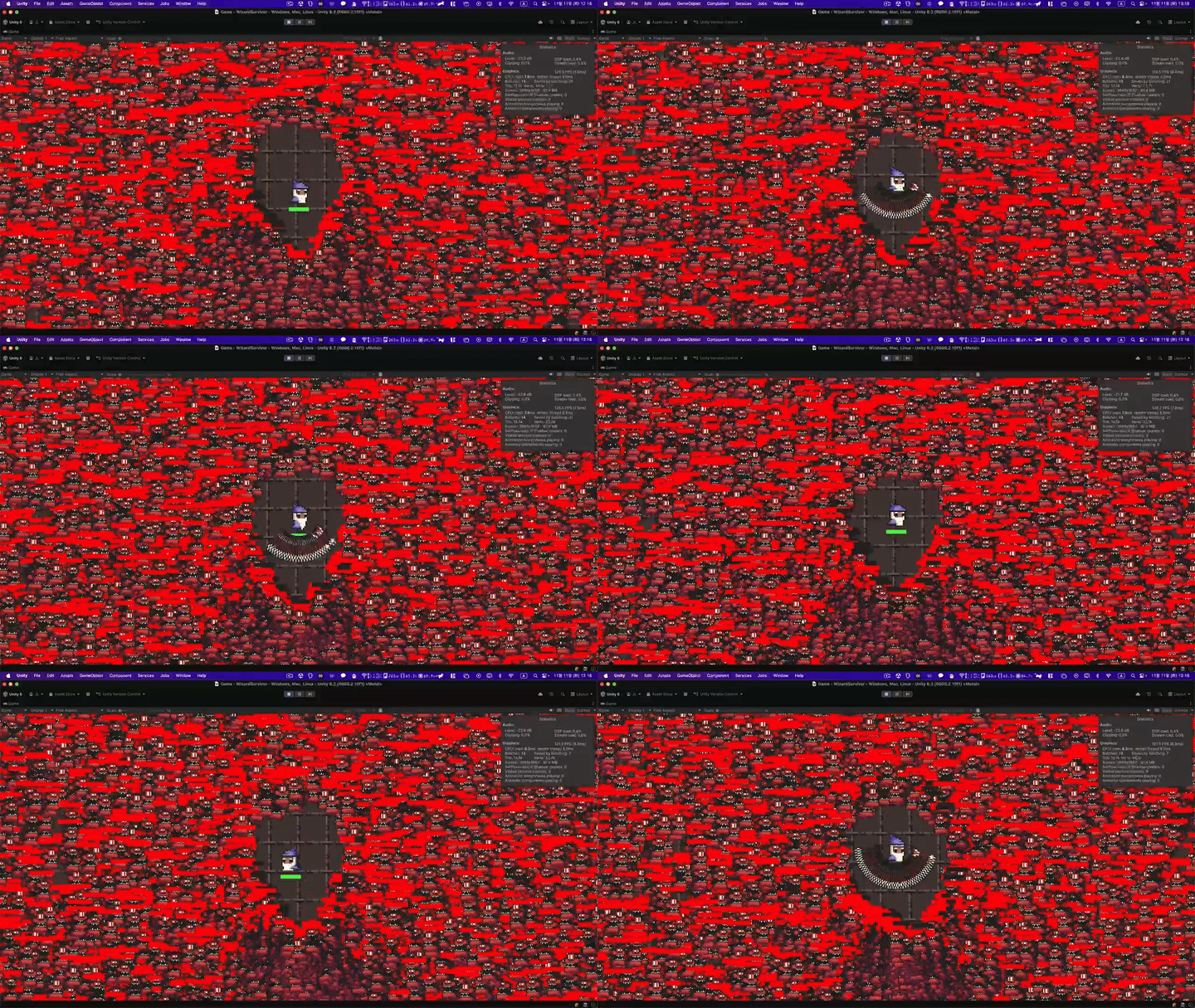
"While GameObject could only handle 1,000 units, ECS runs smoothly even with 100,000 units."


Unity ECS/DOTS is Unity's next-generation development approach based on multithreading and memory optimization. However, the reality is that it's difficult to learn on your own due to concepts that are completely different from traditional Unity.

This course is prepared for those who are new to ECS. Starting from the basic concepts of Entity-Component-System, you'll master patterns that can be immediately used in actual games.

Why should you learn ECS now?

  • Unity Technologies is pushing ECS as the next-generation standard architecture. It has been stabilized since Unity 6, and it's a technology that will be required in more projects going forward.


  • ECS is a core technology that enables players to experience more objects, smoother frames, and more complex simulations from mobile to console.

  • There are still not many developers who can properly handle ECS. If you acquire ECS development capabilities, it becomes a major competitive advantage in the job market.

  • ECS is not a concept unique to Unity. Similar patterns are spreading in other engines and frameworks, such as Unreal's Mass Entity System and Bevy Engine.

Key Learning Content:

  • IComponentData, ISystem, Authoring Pattern


  • Parallel Processing Using Burst Compilation and IJobEntity

  • SRP Batcher Configuration and GPU Instance Utilization

  • Unity Physics and ITriggerEventsJob for Collision Handling

  • Hybrid pattern using MonoBehaviour and ECS together

  • Dynamic Entity Management Techniques Using EntityCommandBuffer

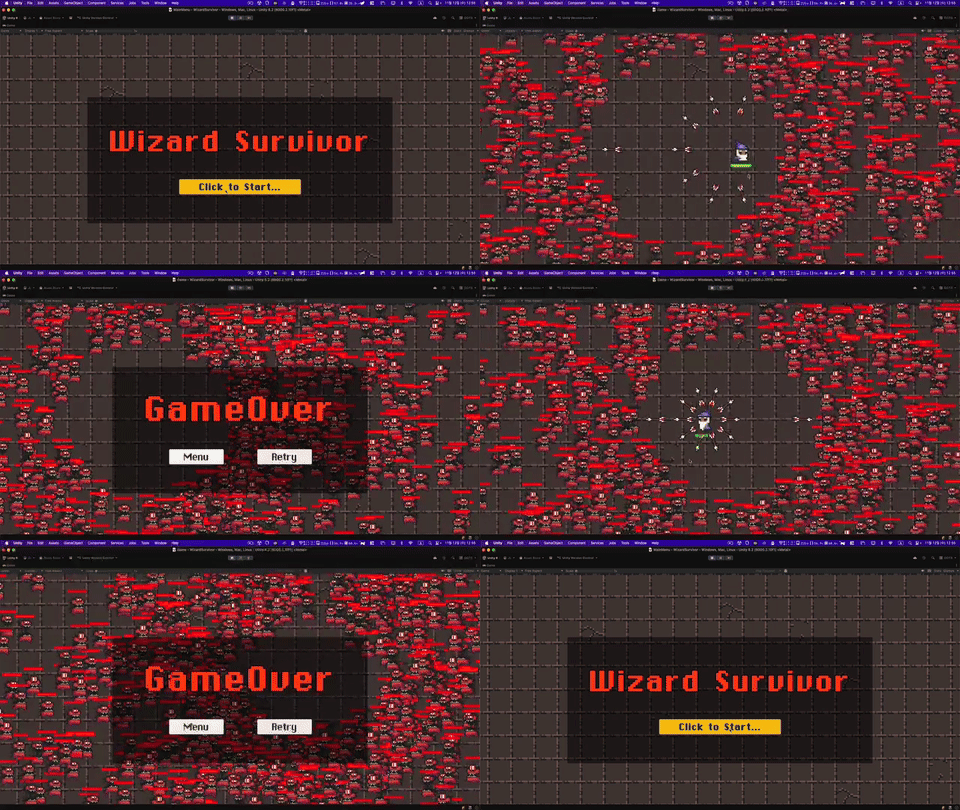
The hands-on project is a vampire survival style game, designed to handle tens of thousands of enemies and projectiles simultaneously so you can experience ECS performance firsthand. After completing the course, you'll be able to apply ECS directly to your own projects.

ECS Basic Concepts

  • Rather than extensive theoretical lessons, you'll learn essential ECS concepts in a concise manner and then immediately write practical code to master the structure of ECS programming.


ECS Basic Usage

  • We start with basic logic implementation through Component, System, and Authoring.

  • The collision handling and optimization process using Unity Physics is underway.

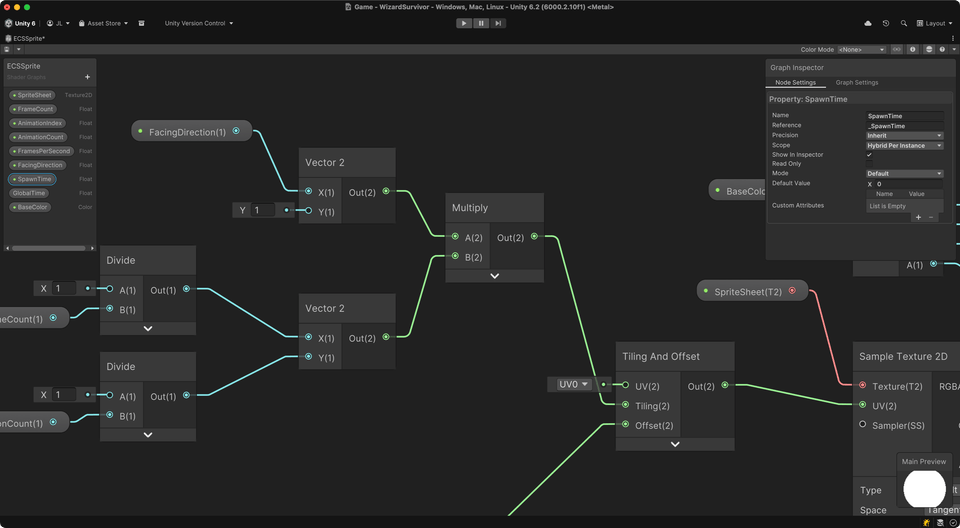
2D Sprite Animation Shader Provided

  • Pure ECS does not yet support sprite animation. The most reliable approach for this is using shader techniques, which is the best solution.

  • Provides a complete shader graph optimized for ECS that utilizes Sprite Offset, and learn techniques for implementing 2D animation in an ECS environment. (The lecture does not cover shader graph creation.)

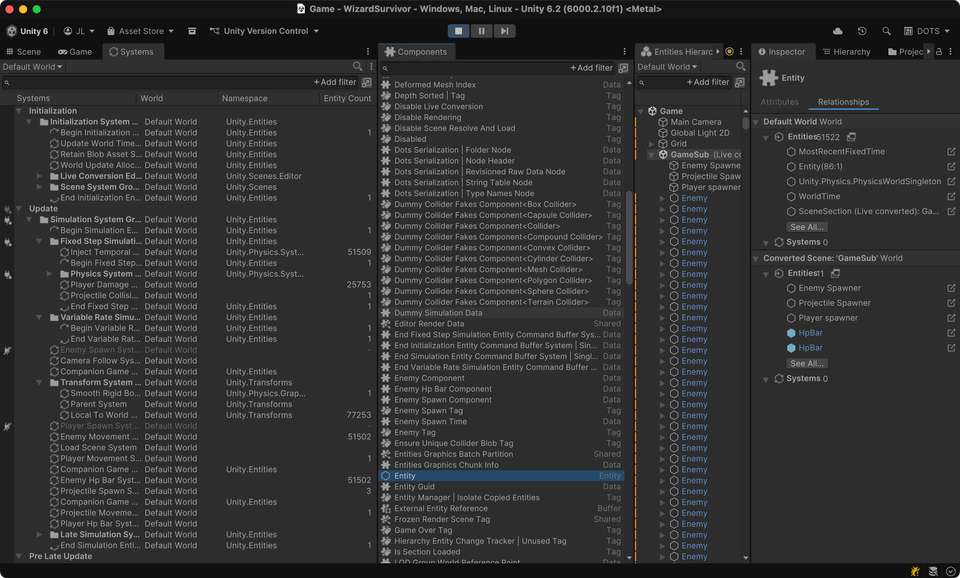
How to Use the ECS-Dedicated Monitoring View

  • We proceed by actively utilizing essential monitoring views during ECS development to check accurate data.

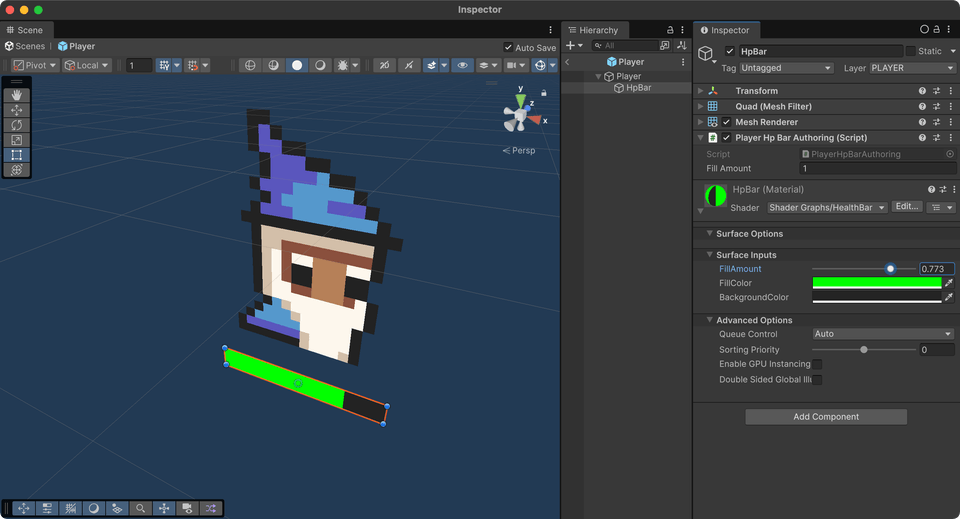
  • Entity Hierarchy View

  • Components View

  • Systems View

  • Archtypes View


Monitoring for Optimization

  • Verify the activation of Job Worker Threads using IJobEntity in the profiler.

Hybrid Batch Group activation status verification

  • Proceed while monitoring the Frame Debugger to ensure there are no parts where batching is broken.

  • ECS automatically handles GPU Instancing, while we examine the process of checking whether Hybrid Batch Group is enabled.

Scene Transition and System Initialization

Scene transitions in ECS also require a complex procedure. While in MonoBehaviour, scene objects are automatically cleaned up during the scene loading process when scenes are unloaded, ECS requires manual handling.


  • Implement logic to transition to main menu scene

  • Implement restart logic

After taking the course

  • ECS capabilities ready for immediate deployment in practice

    • Fully functional game project portfolio

    • Mastering ECS Design Patterns and Best Practices

    • Performance issue analysis and resolution skills (Frame Debugger, Profiler analysis)


  • Acquiring a Differentiated Technology Stack

    • Unity ECS/DOTS Expertise - Still a Scarce Developer Pool

    • Burst and Job System Optimization Experience

    • Data-Oriented Programming Mindset


  • Scalable Game Architecture

    • A structure that easily handles thousands to tens of thousands of entities

    • Applicable to various genres including multiplayer and large-scale simulations (Netcode for Entities)

This is a course prepared through approximately 30 sample projects to develop an optimal curriculum that can gradually increase the learning difficulty. Therefore, I believe you will have no difficulty learning the ECS development environment.

Pre-enrollment Reference Information

Practice Environment

  • Operating System: Windows, macOS

  • Unity 6 (6000.2.10f1 or higher)

  • IDE: Visual Studio 2022 or Rider recommended

Recommended for
these people

Who is this course right for?

  • Unity developers who have the basics down but need performance optimization

  • Those who want to create games that handle large-scale objects

  • Those who want to learn Unity's latest technology stack

  • Those who want to build competitiveness for employment/career change

Need to know before starting?

  • C# Basic Syntax (Classes, Structures, Interfaces)

  • Unity Basic Usage (GameObject, Component, Scene)

Hello
This is

598

Learners

57

Reviews

57

Answers

4.9

Rating

8

Courses

Hello, I'm Jae-hyun Lee.

I started teaching myself Unity with the dream of becoming a solo game developer, and from 2009 to 2012, I released about 10 mobile games as a solo developer. I published Absolute Course! Unity and conducted offline lectures. Through teaching, I realize every time that knowing something well is different from teaching it well. Based on these experiences, I am always striving to convey my knowledge to you more effectively. và tiến hành các bài giảng trực tiếp. Trong quá trình giảng dạy, tôi luôn nhận ra rằng việc am hiểu kiến thức và việc truyền dạy tốt là hai điều hoàn toàn khác nhau. Dựa trên những kinh nghiệm này, tôi luôn nỗ lực để truyền đạt kiến thức của mình đến các bạn một cách hiệu quả nhất.

I hope this lecture serves as a great starting point for you and provides a little help as you move forward into the enjoyable world of game development. ~


Major Teaching Experience

  • NC Soft Special Lecture

  • NHN Entertainment

  • Netmarble Game Academy

  • Fast Campus - Unity Camp 1st ~ 8th Cohort

  • Team Sparta Online Tutor

  • T Academy

  • ETRI (Electronics and Telecommunications Research Institute)

  • KOCCA, GCA, Seongnam Industry Promotion Agency

  • Special lectures at KAIST, Sogang University, Chung-Ang University, Hansung University, and Dankook University

Key Activities

  • Author of Absolute Course! Unity (Published in Japan and China)

  • Unity UNITE 2014 Session Lecture

  • Unity UNITE 2018 Hands-on Session Special Lecture

  • Unity Industry 2022 Hands-on Session Special Lecture

  • Served as a Unity Korea Official Master from the 2nd to the 5th term

    Special Lecture at Unity UNITE 2014 Session Special Lecture at Unity UNITE 2018 Hands-on Session Special Lecture at Unity Industry 2022 Hands-on Session Active as a Unity Korea Certified Master from the 2nd to 5th terms

Unity UNITE 2014 Special Session Lecture Unity UNITE 2018 Hands-on Session Lecture Unity Industry 2022 Hands-on Session Lecture Active as a Unity Korea Certified Master from the 2nd to 5th terms

Curriculum

All

27 lectures ∙ (6hr 6min)

Course Materials:

Lecture resources
Published: 
Last updated: 

Reviews

All

7 reviews

5.0

7 reviews

  • 123123123123123님의 프로필 이미지
    123123123123123

    Reviews 34

    Average Rating 3.7

    5

    100% enrolled

    This is more difficult than any other lecture I've taken before. There are so many new concepts introduced. I think I need to go through it repeatedly. It was good to learn new concepts.

    • indiegamemaker
      Instructor

      You completed the course really quickly! Since this is a completely different approach from existing development methods, it must have been quite challenging. I think practicing by converting small logic pieces to ECS would definitely be helpful.

  • sdkbh4117님의 프로필 이미지
    sdkbh4117

    Reviews 1

    Average Rating 5.0

    5

    33% enrolled

    • l4f0님의 프로필 이미지
      l4f0

      Reviews 2

      Average Rating 5.0

      5

      33% enrolled

      • haku님의 프로필 이미지
        haku

        Reviews 4

        Average Rating 4.5

        5

        100% enrolled

        I tried hands-on practice with ECS/DOTS for the first time! Although it doesn't cover everything theoretically, it was a time where I could clearly understand what ECS is. I think it would be very helpful for other learners to study various features through Unity's official documentation after completing the course. After completing the course, I modified the scripts for review and self-study purposes, and I think it would be great if other learners could also give it a try! Thank you for the great lecture!!!! --- [Review and Self-Study] 1. Movement System Refactored PlayerMovementSystem and ProjectileMovementSystem to operate based on IJobEntity to improve Burst compilation efficiency and enable parallel processing. - Although PlayerMovementSystem is a single entity, I added a Job structure to maintain consistency with others and ensured the entire logic is Burst compiled. - Removed the foreach loop in ProjectileMovementSystem and modified it to use ScheduleParallel so that work threads are used efficiently when multiple projectiles move simultaneously. 2. HP Bar System Added ComponentLookup.DidChange() checks in PlayerHpBarSystem and EnemyHpBarSystem, and modified to calculate FillAmount only when the data in PlayerComponent and EnemyComponent actually changes. 3. Collision Modified ProjectileCollisionSystem from manually creating EntityCommandBuffer and waiting for Job completion with Complete and Playback to using EndFixedStepSimulationEntityCommandBufferSystem. 4. Audio After completing the final sound effect implementation, it seems an error occurs when moving from the main scene to the game scene because entities are not immediately created in AudioManager. Therefore, I modified it to check (audioBufferEntity == Entity.Null || !entityManager.Exists(audioBufferEntity)) in Update to verify entity existence before playback, just like in other System scripts.

        • indiegamemaker
          Instructor

          Thank you for your valuable course review. ~ By sharing even the detailed refactoring process, I think it will be very helpful to others as well.

      • graffiti님의 프로필 이미지
        graffiti

        Reviews 1

        Average Rating 5.0

        5

        100% enrolled

        $77.00

        indiegamemaker's other courses

        Check out other courses by the instructor!

        Similar courses

        Explore other courses in the same field!