inflearn logo
inflearn logo

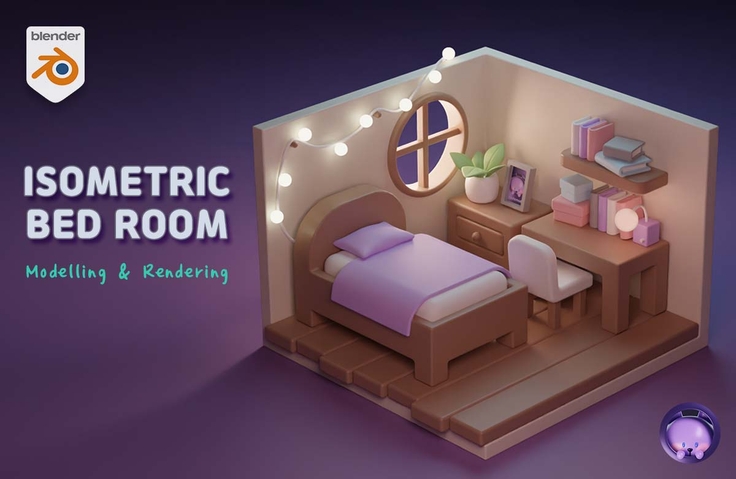
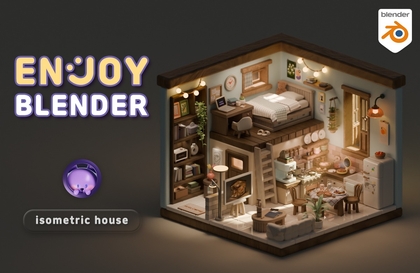
Blender 3D isometric room creation

If you follow along, you can create a beautiful room! Let's study Blender in a fun way with Code Mode! :)

(5.0) 70 reviews

3,090 learners

Level Basic

Course period Unlimited

Blender
Blender
Blender
Blender
Thumbnail

Reviews from Early Learners

Reviews from Early Learners

5.0

5.0

Henry

43% enrolled

Thank you for explaining it so clearly!

5.0

nice day (z7777)

100% enrolled

It's free but great. It helps refresh my memory on features I had forgotten, and since it's divided into chapters, it's not overwhelming for those who find it hard to watch everything at once—you can just go through it one chapter at a time. I liked how the explanations were easy to understand despite being free. I came here through YouTube without expecting much, but I'm very satisfied.

5.0

김민정

86% enrolled

This is a free course, yet it's such high quality... Thank you so much

What you will gain after the course

  • Basic modeling of transformed shapes

  • Basic Modifiers Required for Modeling

  • Making a pillow with sculpting

  • Expressing material with simple color and roughness

  • Representing Light (Emission) Materials

  • Inserting a picture into a frame using UV unwrapping

Unique features of this course ✨

It's easier to follow because there are subtitles!
captionIt's easier to understand because there is an image with explanation!

Using Blender
Make a pretty room 🛖


Learn simple sculpting functions!


Set the render values and set the light!


Add some life to it by adding some materials!

Q&A 💬

Q. Why should I learn Blender?

Blender is a really feature-rich program and it's free! It's great for beginners who are wondering if they can do 3D well. It's also great for learning as a hobby and for those who want to create their own animations or videos.

If you are learning for employment, it may be a good idea to learn a program that is widely used in the field. It is true that Blender is still relatively less well-known in Korea and is not used much by companies. It is natural since there are programs that were used before. However, companies that use Blender are gradually emerging and it is widely used overseas. I guess and hope that Blender will increase in importance in Korea in the future.

Q. Can non-majors also take the course?

Yes, you can do it even if you don't major in video or design. The most difficult part of drawing a three-dimensional picture is perspective and drawing angles. In Blender, if you place an object close to or far from the camera, perspective will be created naturally, and if you add light, shadows will be created automatically, so even if you can't draw, you can make it pretty.

Of course, there are exceptions, such as sculpting or texture painting, but the modeling and rendering you learn in this video are basic steps that anyone can do if they follow along diligently and have the will to create!

Q. What do I need to prepare to take this course?

  • computer
    I recommend a desktop computer . For detailed recommended specifications, please check the link below. A laptop is also possible, but rendering work in 3D requires a lot of graphics card performance, and it may be inconvenient because Blender uses the numpad (the number pad to the right of the arrow keys) a lot.
    Check your computer specifications for Blender
  • mouse
    I need a mouse with a wheel .
  • Keyboard
    As mentioned above, I recommend a keyboard with a numpad .
  • (Optional) Tablet PC or dual monitor
    Since there are many functions and the nature of the video is such that you will often have to stop in the middle to follow along, it is useful to have it.
  • Blender beginner's knowledge
    You need to have enough Blender knowledge to be able to rotate the screen. If you are really new to Blender, this Complete Basics video for Beginners will be helpful.

Q. How is it different from other lectures?

The most important part is that the goal of the course is that anyone can create pretty results when they work hard. Even if it is difficult to create, I think that if the finished product is satisfactory, it becomes the driving force for the next work, so I put a lot of effort into creating results that people can brag to their friends about and say, "I made this!"

There are so many functions that you need to know about 3D programs, including Blender. If I were to explain each part one by one in a tutorial, it would be difficult to make progress. However, if you just follow along, you will end up following along without even knowing what the functions are. So I made a lecture that explains the principles in a simple way and allows you to follow along.

Q. What should I do if something gets blocked?

If you get stuck in the middle, it becomes difficult to proceed to the next step. We understand your frustration, so we are always open to questions. For inquiries regarding Inflearn service operation, please use 1:1 inquiry.

Introducing the knowledge sharer ✒️

Codemod CODEMOD | CODEMOD

Hello. This is Codemode! :)
I currently run a YouTube channel where I create animations and upload tutorials using Blender.
I feel proud that it is filled with positive comments, and it gives me the strength to continue making videos.
(Click on the profile image to go to the YouTube channel!)

Are you curious about other lectures by this knowledge sharer?

Recommended for
these people

Who is this course right for?

  • If you want to create a cute work with a blender

  • Those who are interested in 3D programs and want to learn by following the works

Need to know before starting?

  • Blender Beginner Knowledge (QnA Link Included!)

Hello
This is codemod

7,912

Learners

335

Reviews

288

Answers

4.9

Rating

10

Courses

Blender with CODEMOD!


Let's bring the images you've only imagined to life using the free 3D program, Blender.
From game assets, architecture, and product design to 3D printing models, dioramas, animation, motion graphics, VFX, and simulations—
I will teach you the concepts and principles in an easy-to-understand way so you can apply them yourself!


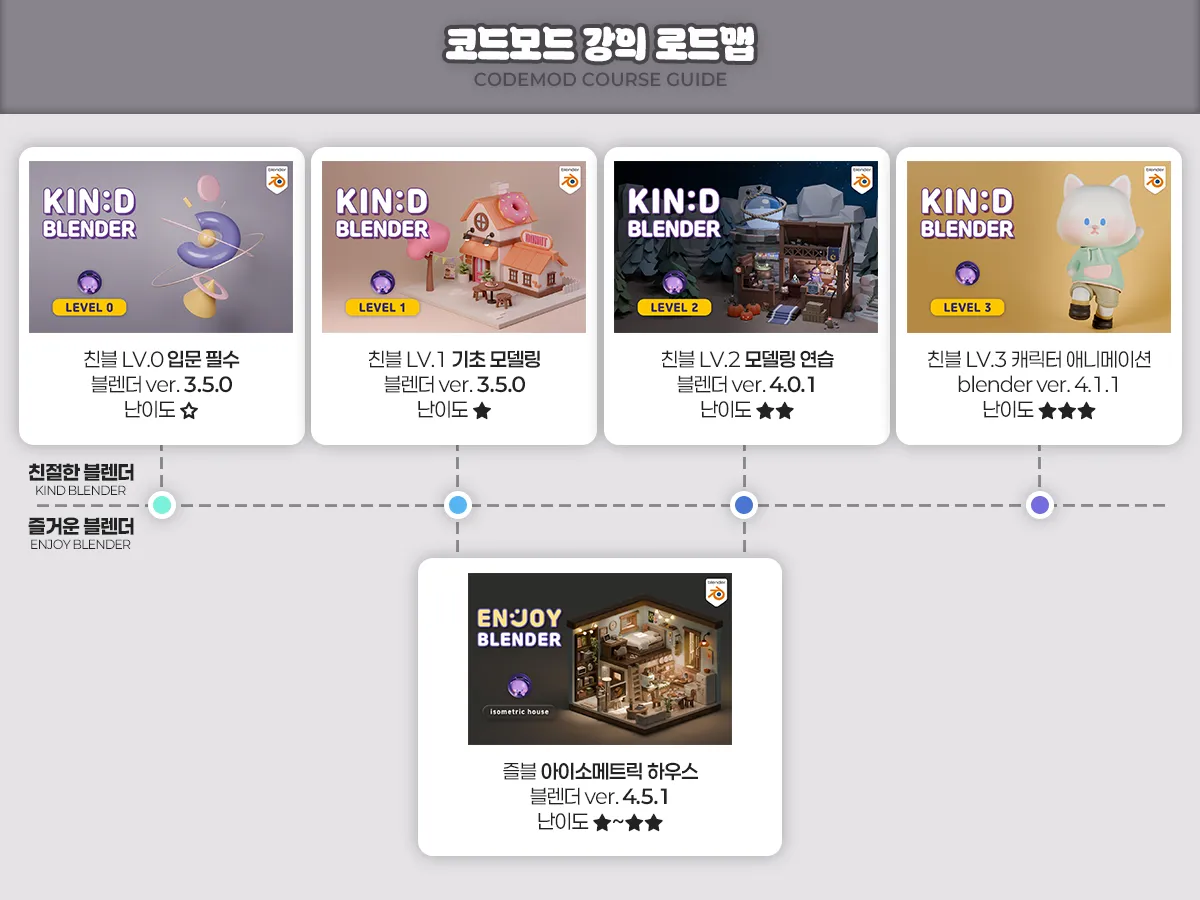
Friendly Blender Lv.0 Essential Introduction - ☆☆☆☆☆
Friendly Blender Lv.1 Basic Modeling - ★☆☆☆☆
Friendly Blender Lv.2 Modeling Practice - ★☆☆☆☆
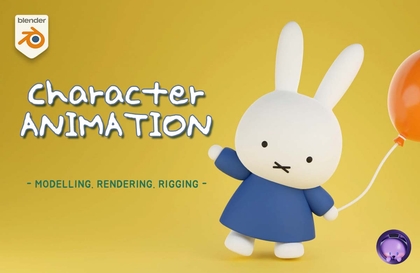
Friendly Blender Lv.3 Character Animation - ★★☆☆☆
Fun Blender Isometric House - ★☆☆☆☆

codemod3d@gmail.com


www.youtube.com/codemod3d
www.instagram.com/codemod

More

Curriculum

All

8 lectures ∙ (1hr 29min)

Course Materials:

Published: 
Last updated: 

Reviews

All

70 reviews

5.0

70 reviews

  • syrup님의 프로필 이미지
    syrup

    Reviews 1

    Average Rating 5.0

    5

    100% enrolled

    It's free but great. It helps refresh my memory on features I had forgotten, and since it's divided into chapters, it's not overwhelming for those who find it hard to watch everything at once—you can just go through it one chapter at a time. I liked how the explanations were easy to understand despite being free. I came here through YouTube without expecting much, but I'm very satisfied.

    • codemod
      Instructor

      I'm glad to hear that you enjoyed the lecture. Thank you for sharing your work through the mission and for including the necessary details. I hope you continue to have fun studying Blender! :)

  • mumukim02125209님의 프로필 이미지
    mumukim02125209

    Reviews 1

    Average Rating 5.0

    5

    43% enrolled

    Thank you for explaining it so clearly!

    • codemod
      Instructor

      Thank you for listening and enjoying. I hope you continue to have a great time studying Blender! :)

  • zlwmvkdnj3771님의 프로필 이미지
    zlwmvkdnj3771

    Reviews 1

    Average Rating 4.0

    Edited

    4

    43% enrolled

    Great!

    • codemod
      Instructor

      Thank you. I hope you continue to have a great time studying Blender! :)

  • s250420613님의 프로필 이미지
    s250420613

    Reviews 1

    Average Rating 5.0

    5

    43% enrolled

    • codemod
      Instructor

      Thank you. I hope you continue to enjoy studying Blender! :)

  • dameee님의 프로필 이미지
    dameee

    Reviews 7

    Average Rating 4.1

    4

    43% enrolled

    • codemod
      Instructor

      Thank you. I hope you continue to have a great time studying Blender! :)

codemod's other courses

Check out other courses by the instructor!

Similar courses

Explore other courses in the same field!

Free