



강의

멘토링

커뮤니티

Design

/

3D Modeling

Create an animation of a Blender 3D Mip character saying hello

Create a cute Miffy character and learn simple rigging and animation to create a greeting video with Miffy! :)

(4.9) 28 reviews

1,904 learners

  • codemod
3시간 만에 완강할 수 있는 강의 ⏰
실습 중심
블렌더
Blender
Character Design
Rigging
Animation
animations
Thumbnail

Reviews from Early Learners

What you will gain after the course

  • Simple Character Modeling

  • Simple Rigging

  • Simple animation

Banner.png

Using Blender
Create a Miffy character 🐰

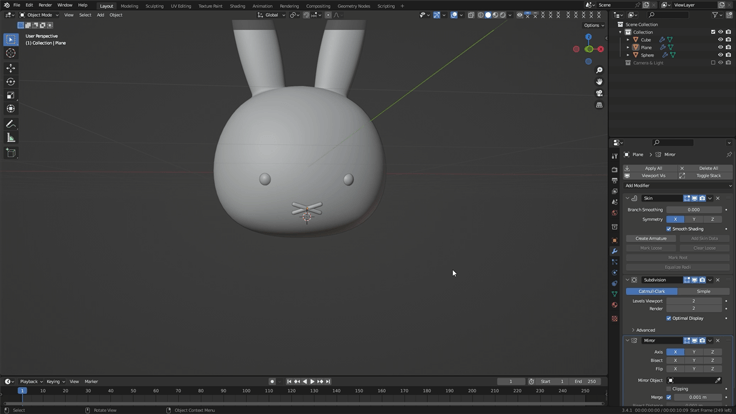
1.png

Modeling Miffy's face!

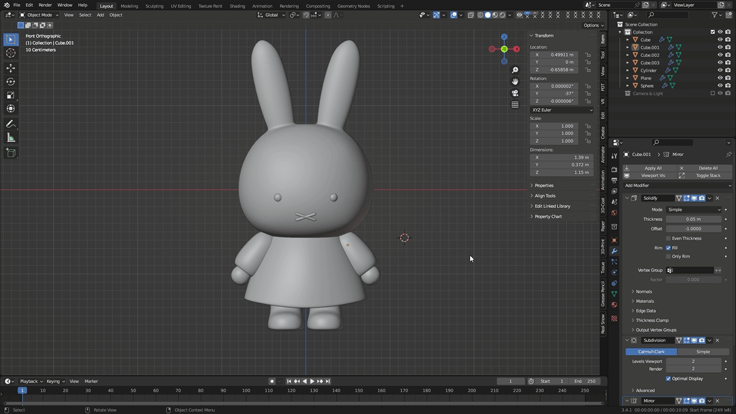
2.png

Modeling Miffy's body!

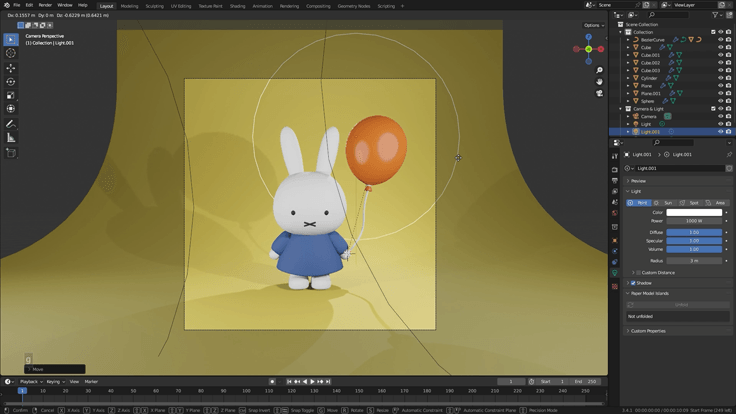
3.png

Let's create a balloon, texturing it and rendering it!

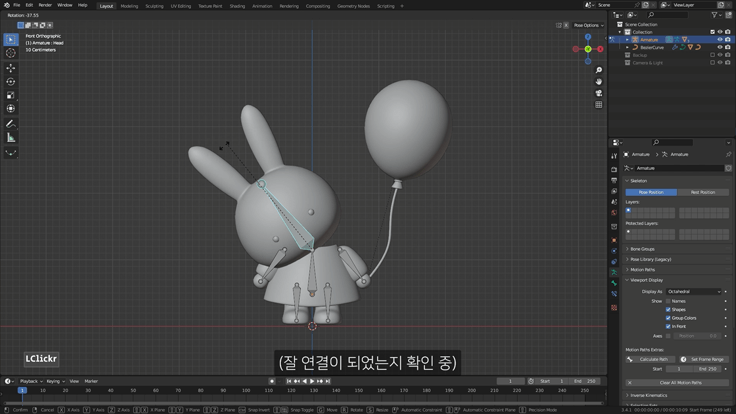
4.png

Create a skeleton and connect it to the modeled Miffy!

5.png

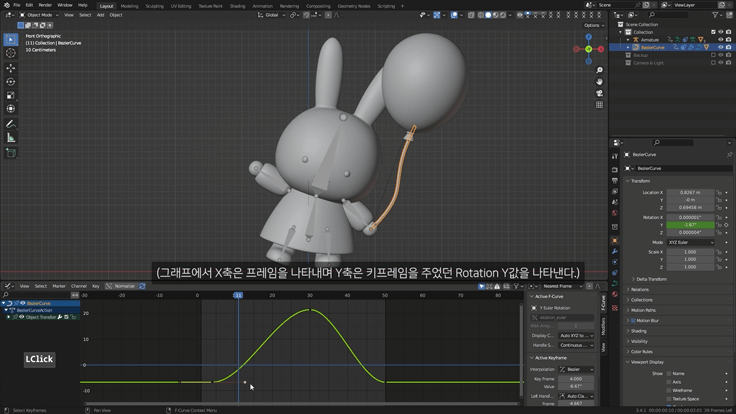
Complete the animation by adding keyframes to the skeleton!

Q&A 💬

Q. Why should I learn Blender?

Blender is a truly feature-rich program, and it's free! It's a great way to get started with 3D if you're unsure if you're good at it. It's also great for learning as a hobby, or for anyone looking to create their own animations or videos.

If you're learning for employment, it might be a good idea to learn a program widely used in your field. It's true that Blender is still relatively unknown in Korea and isn't widely used in companies. Perhaps that's to be expected, considering existing programs are already in use. However, more and more companies are adopting Blender, and it's widely used overseas. My guess and hope is that Blender's use will increase in Korea in the future.

Q. Can non-majors also take the course?

Yes, you can do it even if you don't have a degree in video or design. The most difficult part of creating a three-dimensional image is perspective and shadows. In Blender, placing objects closer or further away from the camera creates a natural sense of perspective, and adding light automatically creates shadows, so even if you're not good at drawing, you can still create beautiful images.

Of course, there are exceptions, such as sculpting or texture painting, but the modeling and rendering you learn in this video are basic steps that anyone can do if they follow along diligently and have the will to create!

Q. What do I need to prepare for this lecture?

  • computer
    We recommend a desktop computer . For detailed recommended specifications, please see the link below. While a laptop is possible, 3D rendering tasks are particularly demanding on the graphics card, and Blender relies heavily on the numpad (the number pad to the right of the arrow keys), which can be inconvenient.
    Check your computer specifications for Blender

  • mouse
    I need a mouse with a wheel .

  • Keyboard
    As mentioned above, I recommend a keyboard with a numpad .

  • (Optional) Tablet PC or dual monitors
    Since there are many functions and the nature of the video is such that you often have to stop and follow along in the middle, it is useful to have it.

  • Blender beginner's knowledge
    You'll need some Blender knowledge to be able to rotate the screen. If you're completely new to Blender , this complete beginner's guide for beginners might be helpful.

Q. How is this different from other courses?

The most important thing I consider is that, with hard work, anyone can produce beautiful results. Even if it's challenging, I believe that a satisfying finished product motivates you to continue working on the next project. Therefore, I've worked hard to create something you'll be proud to show off to your friends, saying, "I made this!"

3D programs, including Blender, have so many features you need to know. If I were to create a tutorial explaining each and every detail, it would be difficult to make progress. But if you simply follow along, you'll end up not even understanding what each feature does. So, I created this tutorial to explain the principles in a simple way and encourage you to follow along.

Q. What should I do if something gets stuck?

If you get stuck midway through, it can be difficult to move on. We understand your frustration, so we're always open to your questions. For inquiries regarding Inflearn service operations, please use the 1:1 Inquiry form.

Introducing the Knowledge Sharer ✒️

codemod character 150.png

CODEMOD


Hello. This is Code Mode! :)
I currently run a YouTube channel where I create animations and upload tutorials using Blender.
I feel a sense of pride in the fact that it's filled with positive comments, and it gives me the strength to continue making videos.
(Click on the profile image to go to the YouTube channel!)

Recommended for
these people

Who is this course right for?

  • Those who want to challenge the character with a blender

  • Anyone who wants to try animation with a blender

Need to know before starting?

  • Blender Beginner Knowledge (QnA Link Included!)

Hello
This is

7,427

Learners

295

Reviews

230

Answers

4.9

Rating

9

Courses

안녕하세요. 코드모드 입니다! :)
블렌더로 3D 애니메이션이나 디오라마 작품 작업도 하고 유튜브에 튜토리얼도 올리고 있어요.

----------------------------------------------------------------------------------------------

- 유튜브 채널 : www.youtube.com/codemod3d
- 인스타그램 : www.instagram.com/codemod (DM확인 잘 안해요!)

따라 만든 작품들을 유튜브나 인스타그램 등 SNS에 올리실 때는
@codemod 또는 #codemod 태그 달아주시기를 부탁드려요!

----------------------------------------------------------------------------------------------

- 개인적인 연락 : codemod3d@gmail.com
- 비즈니스 문의 : codemod.om@gmail.com


Curriculum

All

7 lectures ∙ (1hr 28min)

Course Materials:

Published: 
Last updated: 

Reviews

All

28 reviews

4.9

28 reviews

  • jieuuun2님의 프로필 이미지
    jieuuun2

    Reviews 2

    Average Rating 5.0

    5

    100% enrolled

    As expected, another trustworthy lecture from CodeMode teacher👍 Thanks to the explanations that go straight to my ears, I completed this lecture without any obstacles! My ultimate goal is to create and model my own character I feel good because it seems like I've taken another step closer to that goal😊😊 Thank you so much for the fun and great class!!💛

    • codemod
      Instructor

      I'm happy that you seem to have enjoyed the lectures, and I feel proud that they seem to have helped you move toward your goals. I'm already curious about that character from your final goal! I'll always be cheering you on with anticipation! Thank you!! :)

  • mohammadhusainhaider님의 프로필 이미지
    mohammadhusainhaider

    Reviews 1

    Average Rating 5.0

    5

    100% enrolled

    • codemod
      Instructor

      Thank you. I hope you continue to have enjoyable Blender studies! :)

  • jyeon9421님의 프로필 이미지
    jyeon9421

    Reviews 3

    Average Rating 5.0

    5

    67% enrolled

    • codemod
      Instructor

      Thank you. I hope you continue to have enjoyable Blender studies! :)

  • joycoursekr님의 프로필 이미지
    joycoursekr

    Reviews 4

    Average Rating 5.0

    5

    100% enrolled

    • codemod
      Instructor

      Thank you. I hope you continue to have enjoyable Blender studies! :)

  • happyrappy21님의 프로필 이미지
    happyrappy21

    Reviews 1

    Average Rating 5.0

    5

    100% enrolled

    Follow along step by step and before you know it, it's complete!

    • codemod
      Instructor

      Thank you for making it so fun! I hope you continue to have enjoyable Blender studies going forward. :)

Free

codemod's other courses

Check out other courses by the instructor!

Similar courses

Explore other courses in the same field!