


Build an Online Store Solo with AI Vibe Coding (Design) Part 3: Subpages and Admin Mode 2

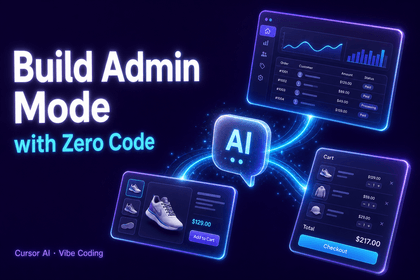
This is the process of designing and implementing subpages and an admin mode for an online shopping mall using Cursor AI. You’ll create a mobile-optimized shopping cart layout through questions and complete the structure of the admin page step by step. Using AI coding tools, you’ll gain hands-on experience building fully functional shopping mall features on your own.

1 learners are taking this course

Level Beginner

Course period 12 months

Cursor AI
Cursor AI
ecommerce
ecommerce
frontend
frontend
game-ai
game-ai
Cursor AI
Cursor AI
ecommerce
ecommerce
frontend
frontend
game-ai
game-ai
Thumbnail

What you will gain after the course

  • Using Cursor AI, you can build shopping mall subpages and an admin mode simply by asking questions.

  • You can design a mobile-optimized shopping cart layout using AI coding.

  • You can develop complex page structures step by step using AI prompts.

AI Vibe 코딩으로 혼자 쇼핑몰 개발하기 (디자인편) Part.3

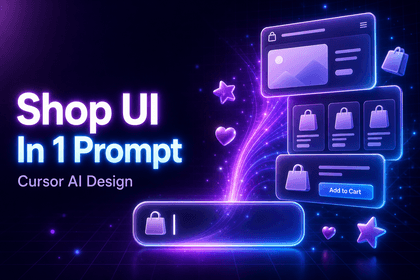
The way you ask AI questions creates the shopping mall’s subpages and admin mode.

Mobile shopping cart layout design · AI prompt-based partial modifications · Step-by-step implementation of the admin page structure

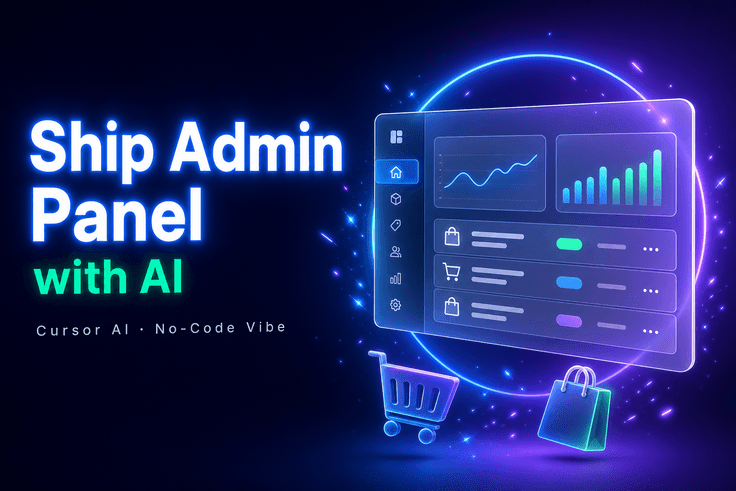
AI Vibe 코딩으로 혼자 쇼핑몰 개발하기 (디자인편) Part.3 강의 대표 이미지

By asking Cursor AI the right questions, you can complete a mobile-optimized shopping cart and admin page as fully functional e-commerce features.

TOOL

Tools covered

These are the main tools used in the hands-on practice.

Cu

Cursor AI

VS

VS Code

Free

OUTPUT

This is what you’ll make.

Upon completing the course, you will have the following results.

📱

Mobile-optimized shopping cart layout

A mobile-only shopping cart screen designed using AI prompts

3~5강
🛠️

E-commerce Admin Page

Admin-mode page structure completed over 4 stages

6~9강
🧪

Partial Modification Test File

AI-Assisted Code Modification and Validation File

1강
CURRICULUM

You can learn things like this.

Through this course, you can develop the following skills.

1강

AI-Based Code Partial Modification Methods

Learn various prompt strategies for using test files to have AI accurately modify only the parts you want.

2강

Mobile Responsive Check

Learn how to directly verify and check whether the layout is displayed correctly in a mobile environment.

3~5강

Designing a Shopping Cart Layout with AI Prompts

Learn prompt engineering by structuring questions step by step to create a mobile-optimized shopping cart layout on your own.

6~9강

Step-by-step implementation of the admin page

From preview to completion, interact with AI to complete the structure of the admin-mode page in four stages.

NOTICE

Notes Before Taking the Course

  • This course is Part 3 and builds on the project developed in the previous Part.
  • Even if you have questions during the course, the instructor does not provide direct questions and answers.
  • We recommend watching at 1.5x speed or faster.
  • As of the time of recording, the UI and tool screens may differ from the current versions.
  • When using the latest version of external tools such as Cursor AI, the screen may look different.

Recommended for
these people

Who is this course right for?

  • Developers who want to use Cursor AI to build actual e-commerce functionality

  • People who want to quickly build frontend pages using AI coding tools

  • Planners and developers who want to design admin modes and subpages using AI

Need to know before starting?

  • Basic knowledge of web front-end technologies such as HTML, CSS, and JavaScript

  • Basic usage of Cursor AI or similar AI coding tools

  • Understanding the General Page Structure of a Web Shopping Mall

Hello
This is usefulit

8,280,056

Learners

6,598

Reviews

4.6

Rating

336

Courses

I will help you grow through useful IT lectures.

Reviews

Not enough reviews.
Please write a valuable review that helps everyone!

usefulit's other courses

Check out other courses by the instructor!

Similar courses

Explore other courses in the same field!

Free