

Developing an Online Store Solo with AI Vibe Coding (Design) Part 2: Main Page and Navigation Menu 2

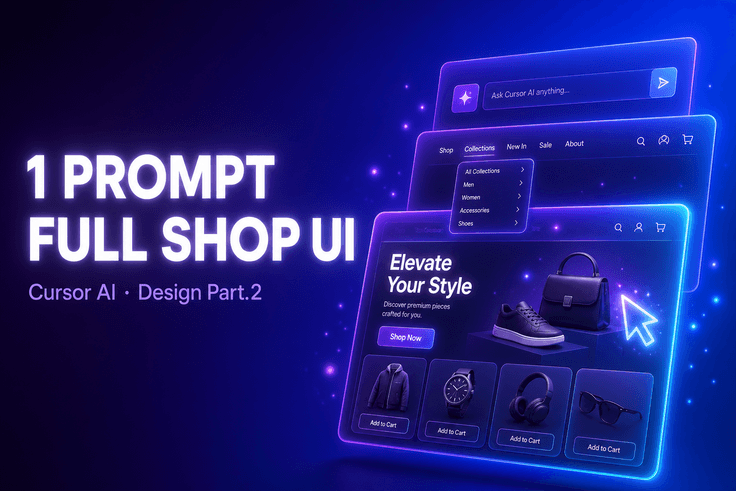
This process demonstrates how to use Cursor AI to create an online store’s homepage and navigation menu using only questions. It covers hands-on practice incorporating design elements into development through AI vibe coding.

1 learners are taking this course

Level Beginner

Course period 12 months

Cursor AI
Cursor AI
ecommerce
ecommerce
frontend
frontend
game-ai
game-ai
Cursor AI
Cursor AI
ecommerce
ecommerce
frontend
frontend
game-ai
game-ai
Thumbnail

What you will gain after the course

  • You can directly implement an online store’s main page using Cursor AI.

  • You can design and develop navigation menus with AI coding tools.

  • You can create web applications using a question-based AI vibe coding approach.

AI Vibe 코딩으로 혼자 쇼핑몰 개발하기 (디자인편) Part.2
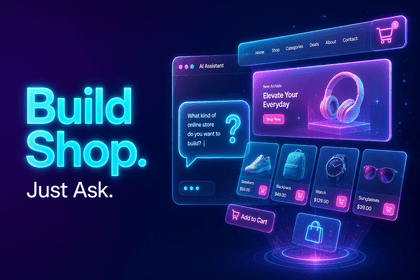
The shopping mall homepage is completed with just one line of questioning.
AI-based main page layout composition in Cursor / Navigation menu UI design / Frontend implementation of design elements
AI Vibe 코딩으로 혼자 쇼핑몰 개발하기 (디자인편) Part.2 강의 대표 이미지
ABOUT THIS COURSE
You can directly implement the shopping mall main page and navigation menu by requesting tasks from AI and reviewing the results.
TOOLS

Tools Covered

These are the tools used in the hands-on exercises.

Cu

Cursor AI

OUTPUT

This is what you’ll make.

By the end of the course, you will have the following results in hand.

🛍️

Shopping mall main page

E-commerce homepage layout implemented with an AI prompt

본편
🧭

Navigation Menu UI

A navigation menu component designed with the user's journey in mind

본편
CURRICULUM

You can learn things like this.

These are the core learning areas covered in the course.

본편

Creating a Main Page with AI Vibe Coding

Learn the process of directly implementing a shopping mall homepage layout by sending questions to Cursor AI.

본편

Navigation Menu Design and Implementation

Complete the navigation menu needed for the shopping mall in UI units by conversing with AI.

본편

Applying Design Elements to the Frontend

Experience the process of applying design elements to actual screens using AI coding methods.

NOTICE

Notes Before Taking the Course

  • This course is Part 2, so the learning flow will be more natural if you take Part 1 first.
  • This course does not provide question-and-answer support.
  • When watching at 1.5× speed or faster, please be careful not to miss the flow of the hands-on exercises.
  • The UI and version at the time of recording may differ from the latest environment.
  • Students must prepare their own Cursor AI account and environment in advance.

Recommended for
these people

Who is this course right for?

  • A non-major who wants to build an online store themselves using AI coding tools

  • A beginner who wants to learn frontend development using Cursor AI

  • Someone who wants to learn how to build web applications using only questions

Need to know before starting?

  • Basic understanding of web fundamentals such as HTML and CSS

  • Basic usage of Cursor AI or similar AI coding tools

  • General understanding of e-commerce site structure and homepage composition

Hello
This is usefulit

8,280,056

Learners

6,598

Reviews

4.6

Rating

336

Courses

I will help you grow through useful IT lectures.

Curriculum

All

7 lectures ∙ (3hr 24min)

Published: 
Last updated: 

Reviews

Not enough reviews.
Please write a valuable review that helps everyone!

usefulit's other courses

Check out other courses by the instructor!

Similar courses

Explore other courses in the same field!

Free