![[Beginner] Mastering Basic Vocabulary with a Strong Foundation CourseCourse Thumbnail](https://cdn.inflearn.com/public/files/courses/329990/cover/01m05qtvdpfm5nx33ywnh2d2t0?w=420)
[Beginner] Mastering Basic Vocabulary with a Strong Foundation Course
EDUPIC
$17.60
Beginner / Word, MS-Office
4.3
(4)
Take an EDUPIC course and become a true fan! This is an introductory course for Word 2013&2016.

Beginner
Word, MS-Office

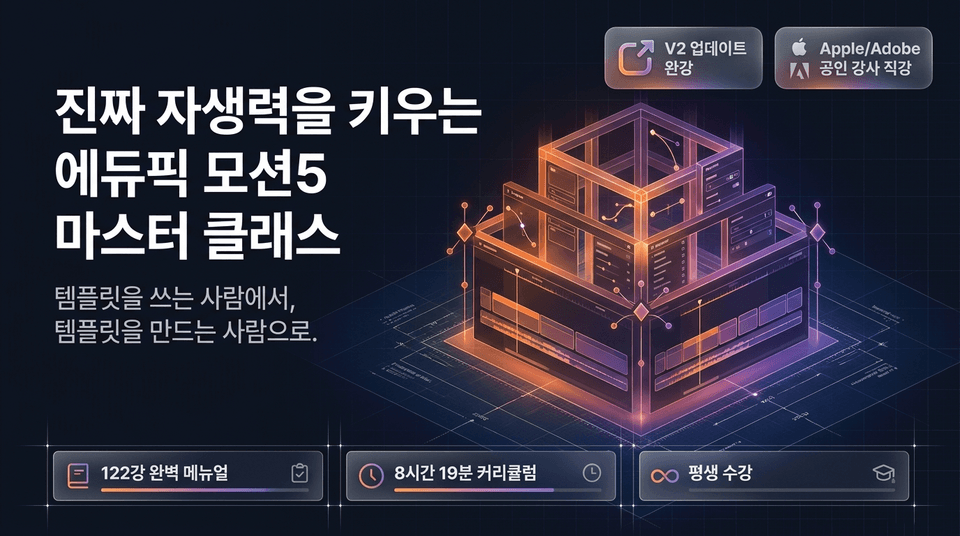
From someone who uses templates to someone who creates them.
A complete 122-lesson manual | 8 hours and 19 minutes of curriculum | Lifetime access & free updates guaranteed through the latest 2027 version.

Master the principles beyond tutorials.
Apple & Adobe ACI (International Certified Instructor)-verified class.
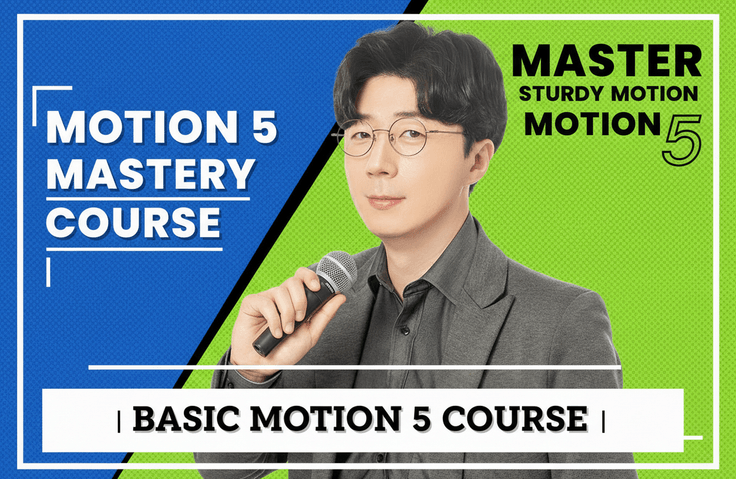
Edupick Motion 5 122-lesson master course.
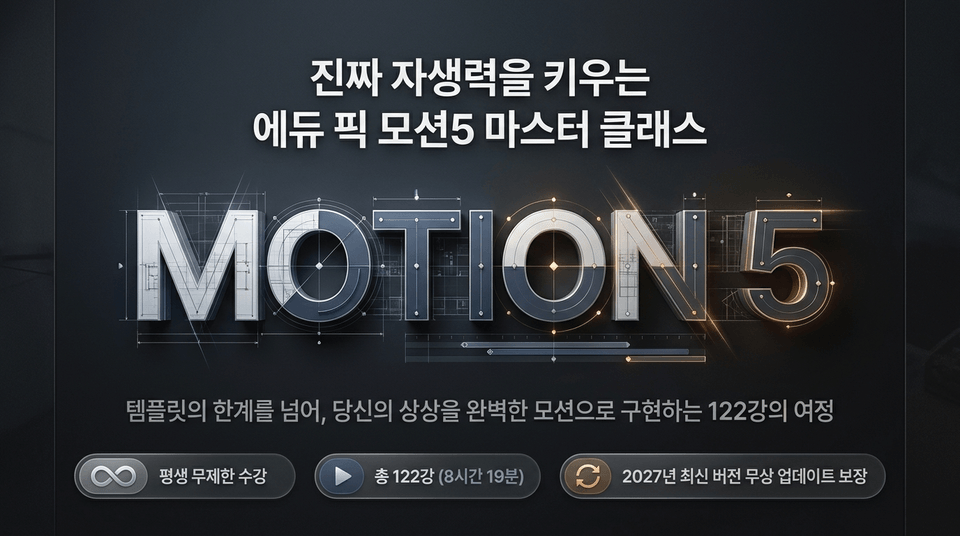
MOTION 5: Beyond the limitations of templates,
A 122-lesson journey to bring your imagination to life through flawless motion.
With a single payment, enjoy unlimited lifetime access, with free updates guaranteed through the latest version in 2027.
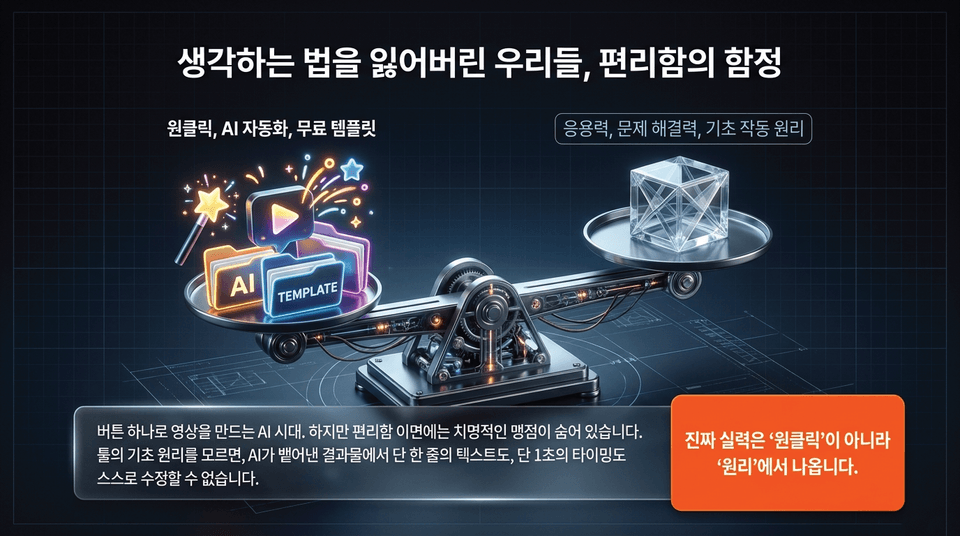
• One-click, AI automation, free templates: Within predefined frameworks, they certainly seem fast and perfect.
• But here’s the critical blind spot hidden beneath the surface: If you don’t understand the basic principles of the tools, you can’t independently modify even a single line of text or a single second of timing in the output generated by AI. True skill comes from the 'principles'.
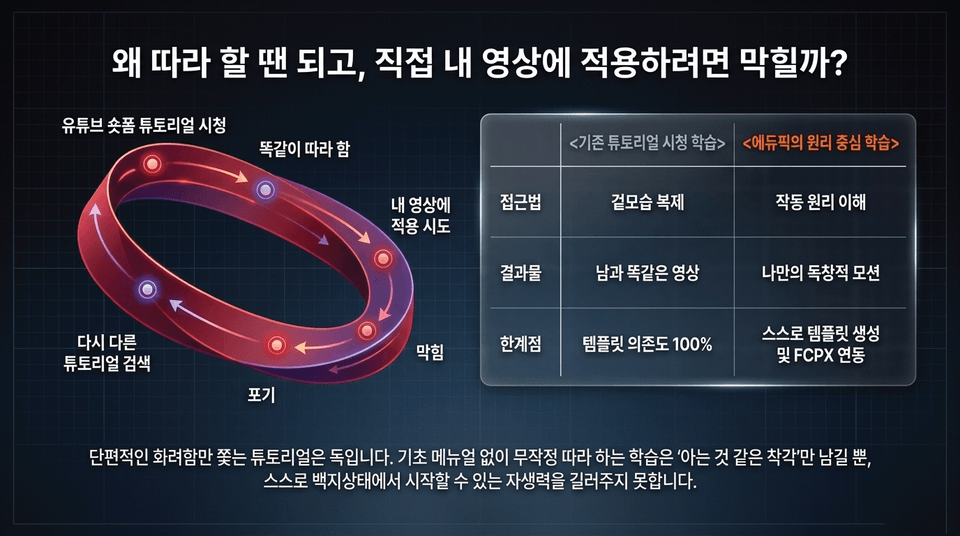
The vicious cycle of learning by copying tutorials:
Watch YouTube short-form tutorials ➔ Follow along exactly ➔ Try to apply it to your own video ➔ Get stuck ➔ Give up ➔ Search for another tutorial.
Tutorials that chase only superficial flashiness are toxic. Learning by blindly following along without a basic manual does not develop the self-reliance to start from a blank slate on your own.
AI and automation templates are certainly fast. Within a predefined framework, they look perfect. But when we need to modify {{?}}? Wait no marker around detail. Must preserve entity. Sentence: But when we need to modify 'that very detail' in our minds, we come to a stop.
Passive work that relies on a single button ultimately becomes a limitation that hinders a creator’s growth.
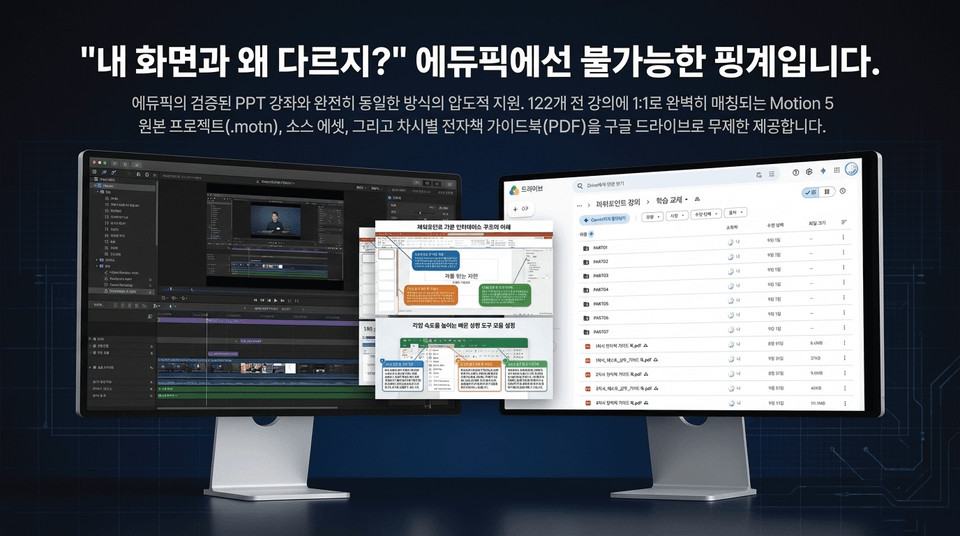
Overwhelming support in exactly the same way as Edupick’s proven PPT courses.
We provide unlimited access via Google Drive to Motion 5 original projects (.motn), source assets, and e-book guidebooks (PDF) for each lesson, perfectly matched 1:1 to all 122 lectures.
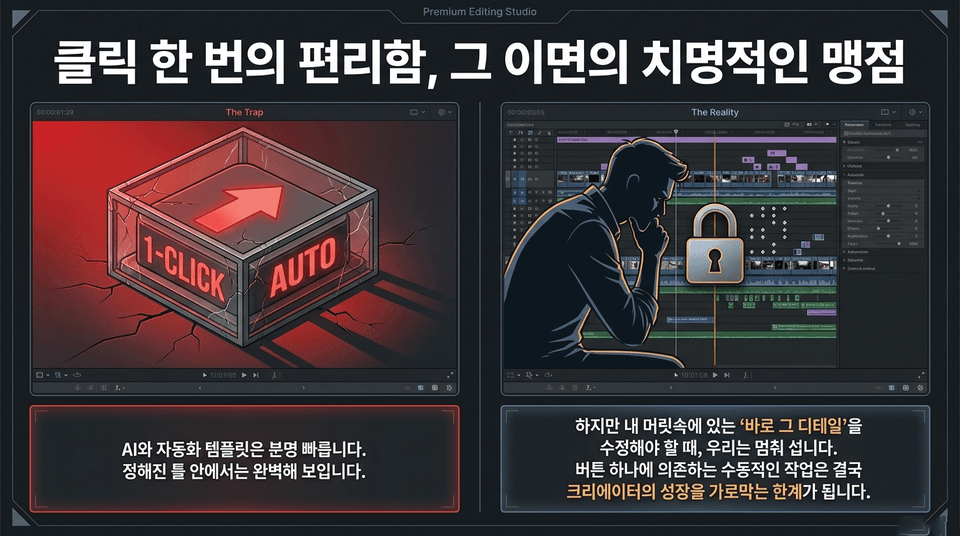
AI and automation templates are certainly fast. They appear perfect within their predefined frameworks. But when we need to modify that exact detail in our minds, we come to a stop.
Passive work that relies on a single button ultimately becomes a limitation that hinders creators’ growth.
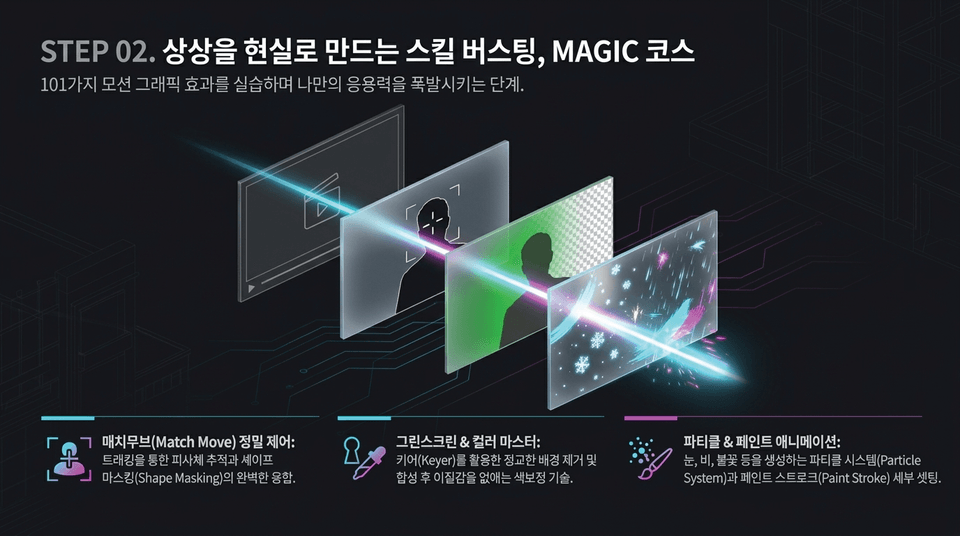
"The stage where you practice 101 motion graphics effects and unleash your ability to create your own applications.
• Match Move precision control: The perfect fusion of tracking-based subject following and Shape Masking
• Green Screen & Color Mastery: Sophisticated background removal using a Keyer and color correction techniques that eliminate unnaturalness after compositing
• Particle & Paint Animation: Detailed settings for the Particle System and Paint Stroke used to create snow, rain, flames, and more
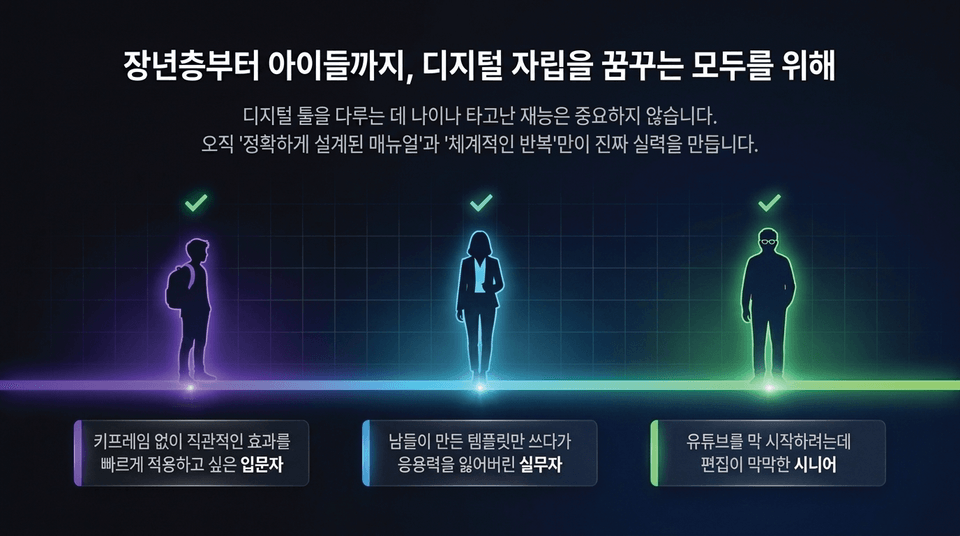
&34;Age and innate talent do not matter when it comes to using digital tools.
Only a precisely designed manual and systematic repetition can build true expertise.
• Beginners: Those who want to quickly apply intuitive effects without keyframes
• Working professionals: Editors who have lost their ability to adapt after using only templates created by others
• Seniors: Older adults who are just starting YouTube but feel overwhelmed by editing
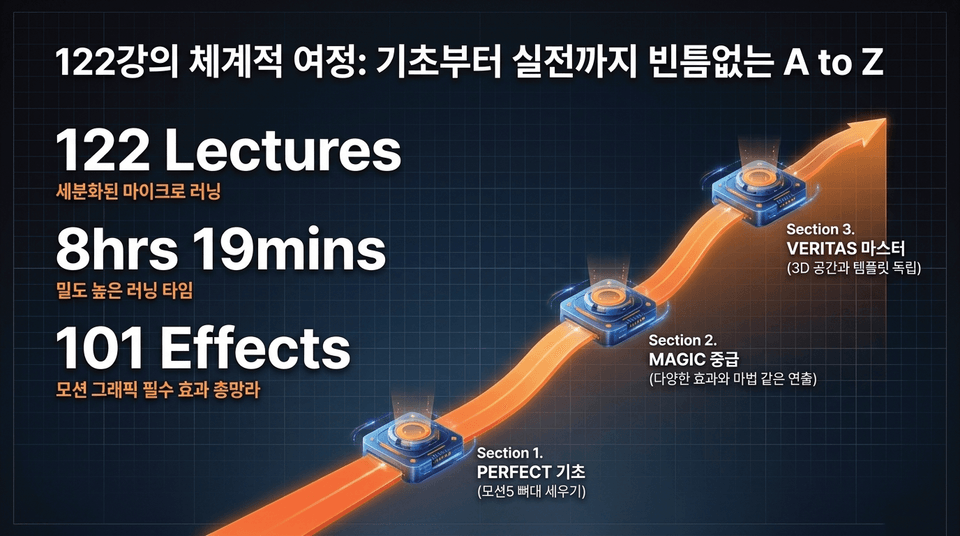
• 122 Lectures: Highly segmented microlearning (5–10 minutes)
• 8hrs 19mins: High-density learning time
• 101 Effects: A comprehensive collection of essential motion graphics effects
• 3 Main Sections: Section 1. PERFECT Basics ➔ Section 2. MAGIC Intermediate ➔ Section 3. VERITAS Mastery
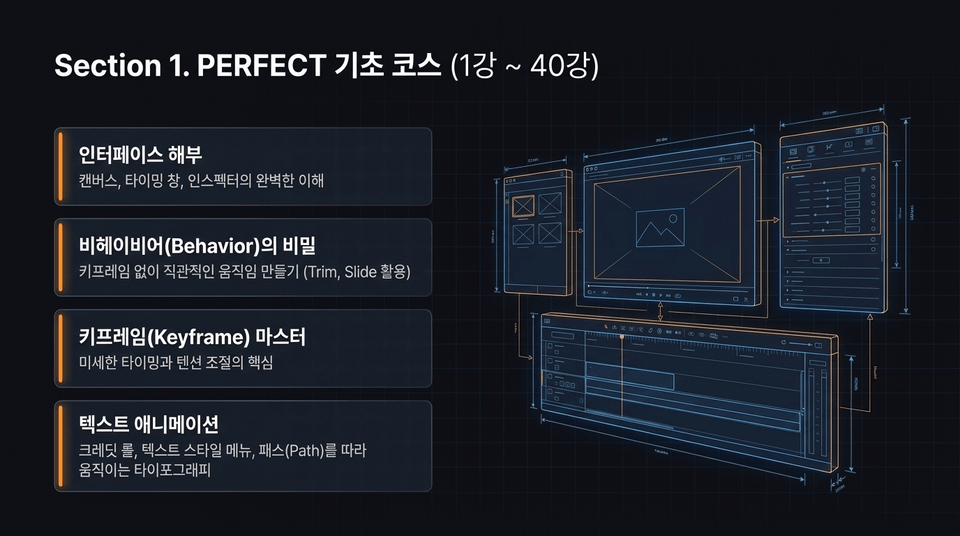
• Interface Breakdown: A complete understanding of the canvas, timing window, and inspector
• The Secrets of Behaviors: Create intuitive movement without keyframes (using Trim and Slide)
• Keyframe Mastery: The key to fine-tuning timing and tension
• Text Animation: Credit rolls, the Text Style menu, and typography that moves along a path"
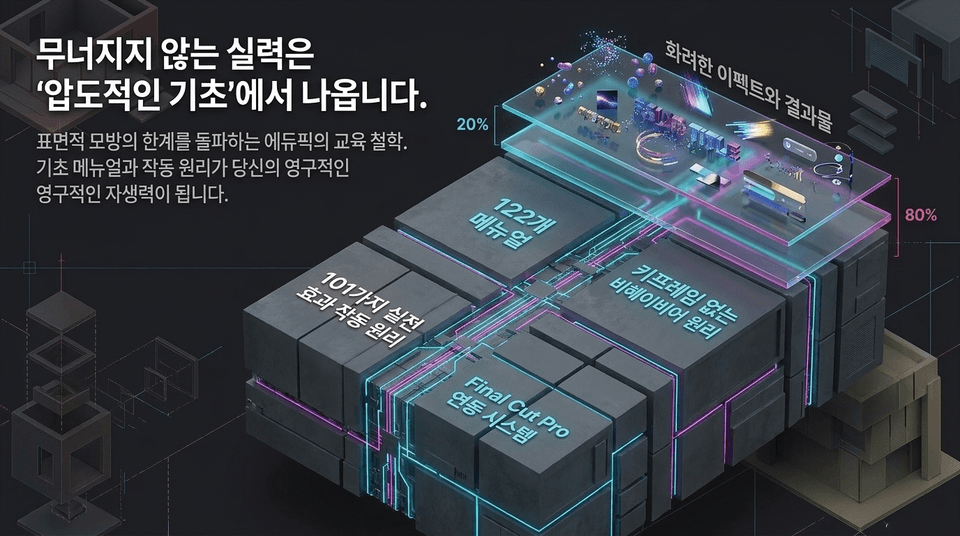
Edupick’s educational philosophy breaks through the limitations of superficial imitation. Basic manuals and operating principles become your lasting self-reliance.
• 122 comprehensive manuals
• 101 practical effects and operating principles
• The principles of behaviors without keyframes
• A complete Final Cut Pro integration system
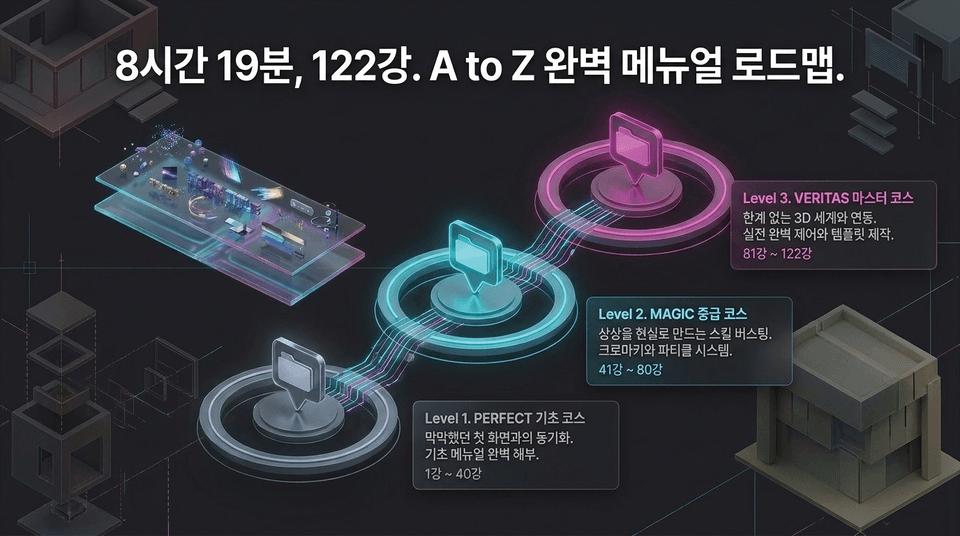
• Level 1. PERFECT Beginner Course (Lessons 1–40): Syncing with the once-intimidating first screen. A complete breakdown of the basic manual.
• Level 2. MAGIC Intermediate Course (Lessons 41–80): Skills that turn imagination into reality. Chroma keying and particle systems.
• Level 3. VERITAS Master Course (Lessons 81–122): Integrating with a limitless 3D world. Complete hands-on control and template creation.
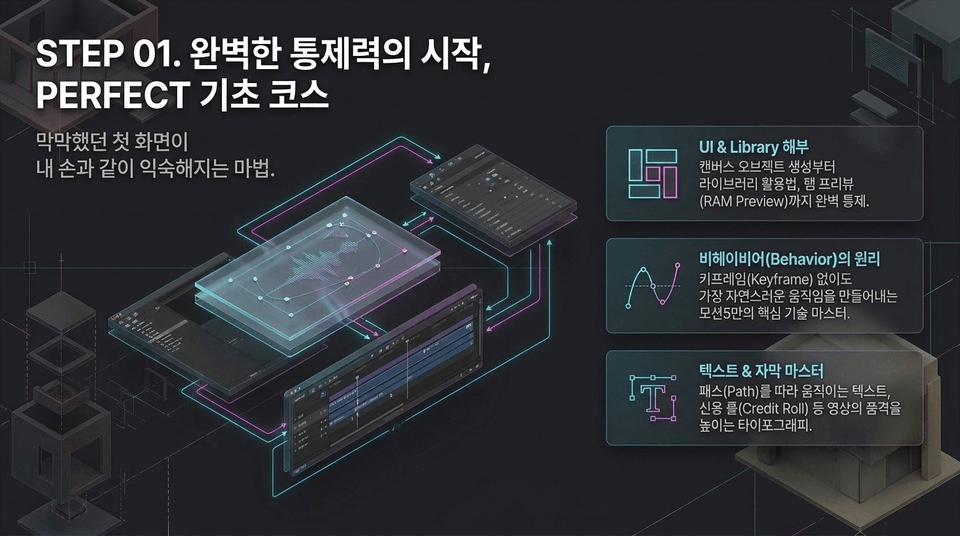
The intimidating first screen becomes as familiar as my own hands.
• UI & Library Deep Dive: Complete control, from creating canvas objects to using the library and RAM Preview
• The Principles of Behavior: Master Motion5’s core technology for creating the most natural movements without keyframes
• Text & Subtitle Mastery: Typography that elevates the quality of your videos, including text that follows a path and credit rolls
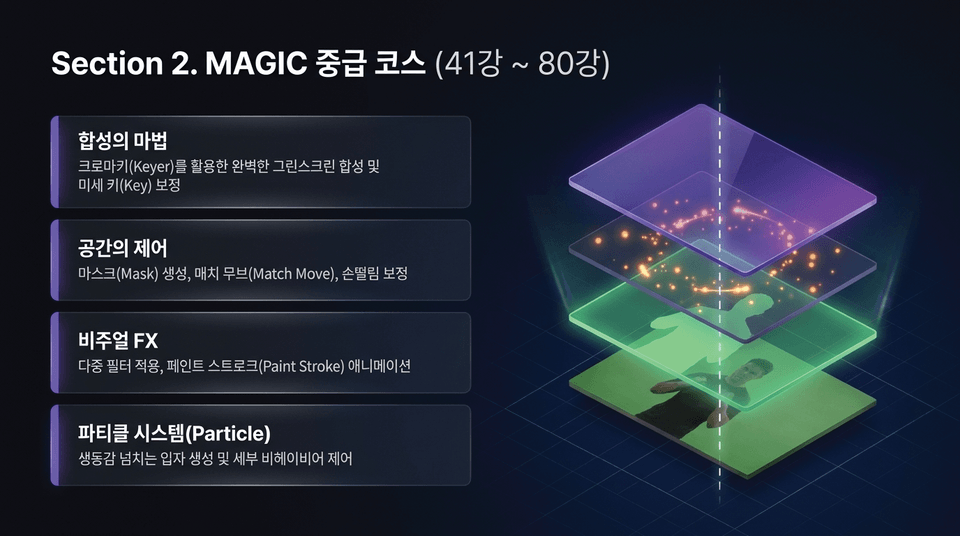
• The Magic of Compositing: Perfect greenscreen compositing using a chroma keyer, along with fine key adjustments
• Control of Space: Mask creation, match moving, and camera shake stabilization
• Visual FX: Applying multiple filters and animating paint strokes
• Particle System: Creating dynamic particles and controlling detailed behaviors
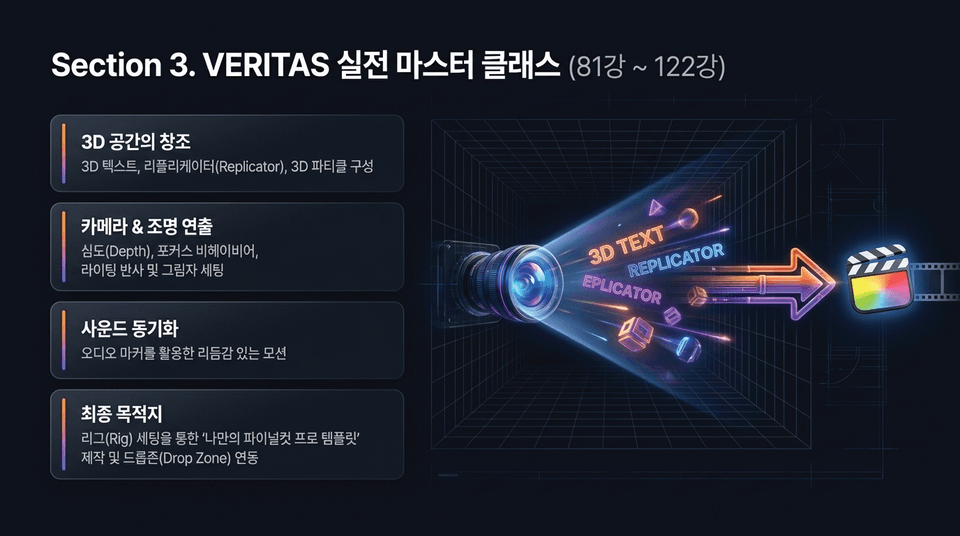
• Creating a 3D Space: 3D text, replicators, and 3D particle composition
• Camera & Lighting Direction: Depth of field, focus behavior, lighting reflections, and shadow settings
• Sound Synchronization: Rhythmic motion using audio markers
• Final Destination: Creating 'your own Final Cut Pro template' through rig setup and Drop Zone integration
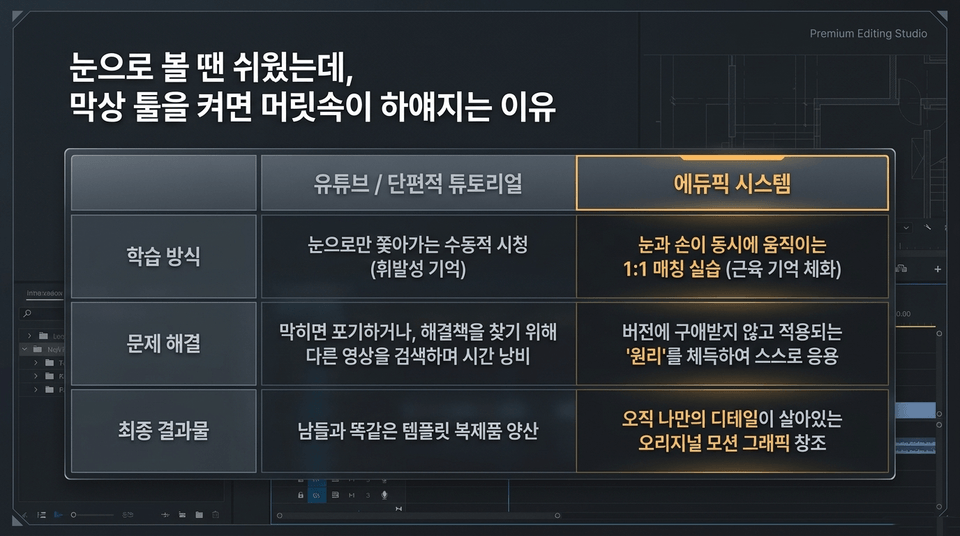
• YouTube/fragmentary tutorials: Passive viewing that only follows along with your eyes (fleeting knowledge) ➔ Give up when you get stuck or waste time searching for another video ➔ Mass-produce template replicas that look just like everyone else’s
• Edupick system: 1:1 matched practice where your eyes and hands move simultaneously (embedding muscle memory) ➔ Master the “principles” without being bound by versions and apply them independently ➔ Create original motion graphics brought to life with details that are uniquely your own"
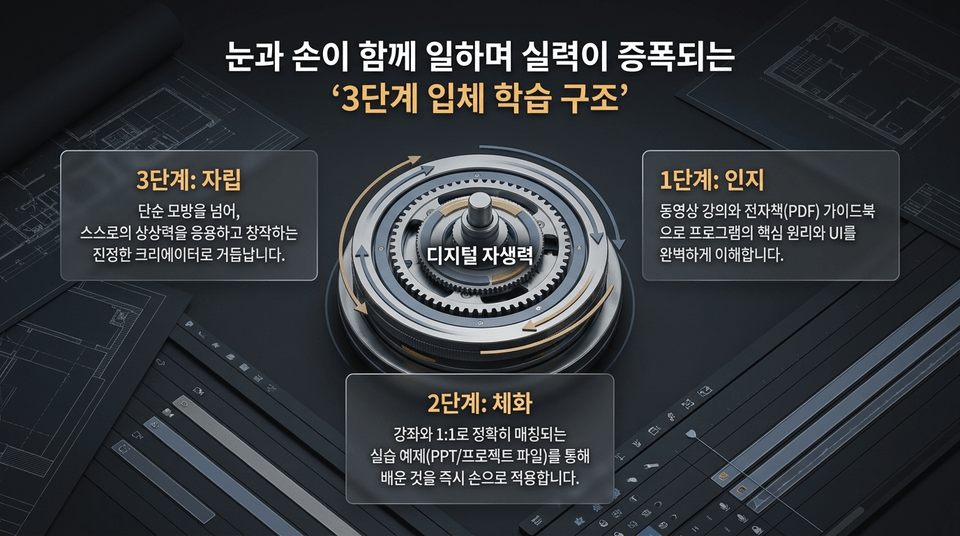
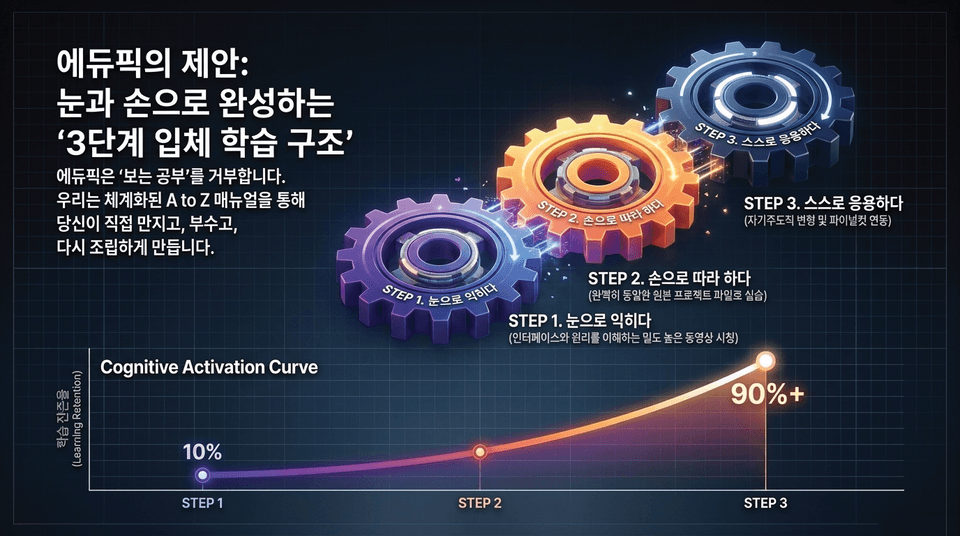
• Step 1: Understand: Gain a complete understanding of the program’s core principles and UI through video lectures and the e-book (PDF) guidebook.
• Step 2: Internalize: Immediately apply what you learn through hands-on practice examples (project files) that precisely correspond one-to-one with the course.
• Step 3: Become self-reliant: Go beyond simple imitation and grow into a true creator who applies their own imagination and creates original work.
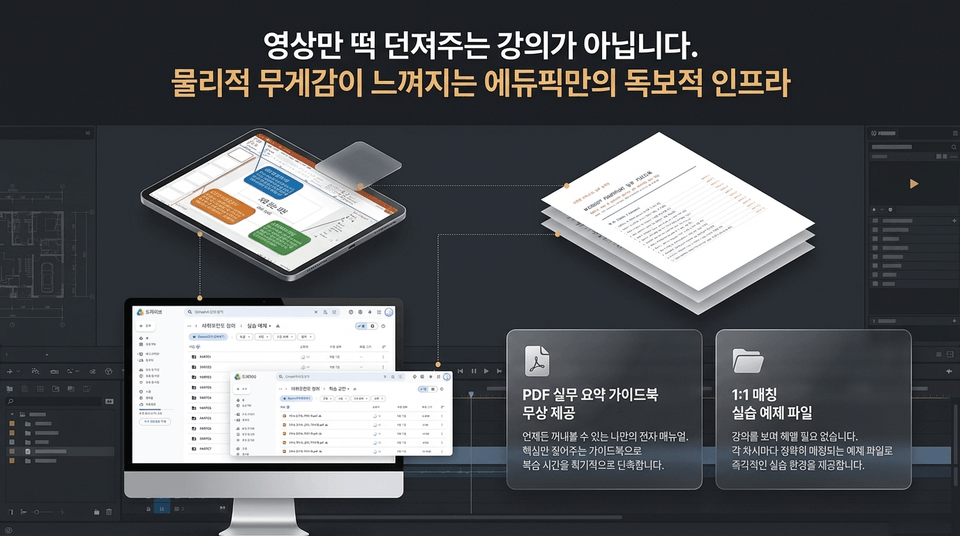
• Free PDF Practical Summary Guidebook: Your own electronic manual that you can refer to anytime. This guidebook highlights only the key points, dramatically shortening your review time.
• 1:1 Matched Practical Example Files: No need to struggle while watching the lessons. Each lesson comes with an exactly matched example file (such as 에듀픽 1-1.motn), providing an immediate hands-on practice environment.
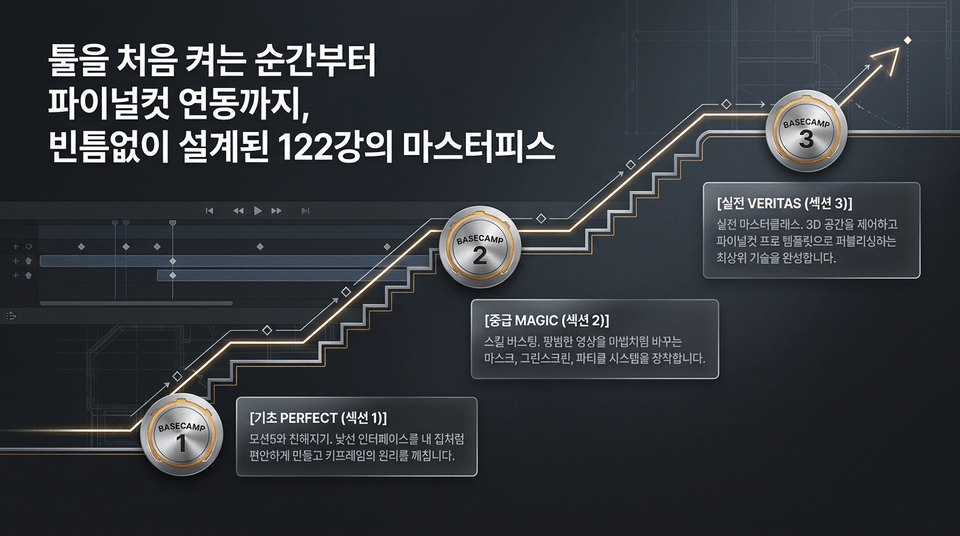
• Level 1. PERFECT Beginner Course (Lessons 1–40): Get in sync with the intimidating first screen. A complete breakdown of the basic manual.
• Level 2. MAGIC Intermediate Course (Lessons 41–80): Skill-boosting techniques that turn imagination into reality. Chroma key and particle systems.
• Level 3. VERITAS Master Course (Lessons 81–122): Integrate with a limitless 3D world. Master real-world control and create templates.
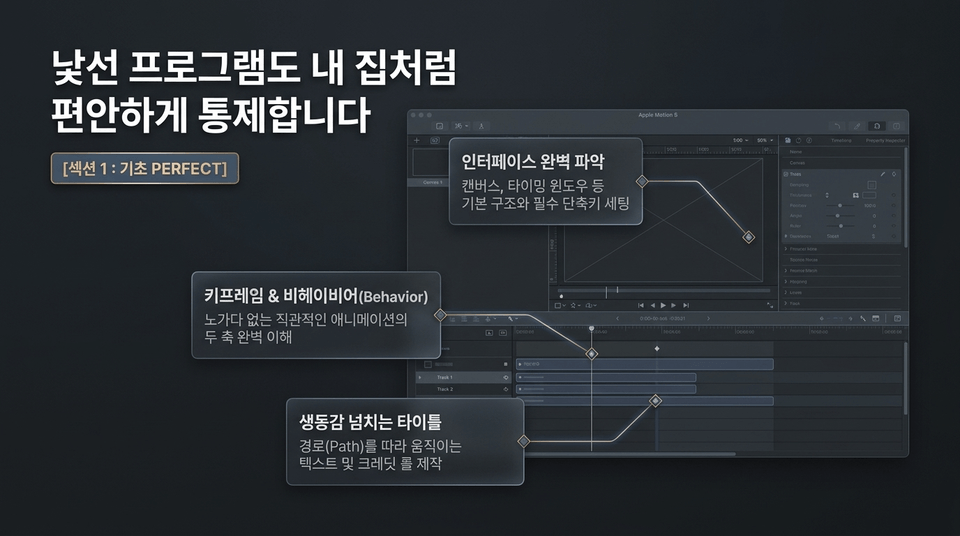
• Mastering the Interface: Understand the basic structure, including the canvas and timing window, and set up essential keyboard shortcuts
• Keyframes & Behavior: Fully understand the two pillars of intuitive animation without tedious manual work
• Dynamic Titles: Create text and credit rolls that move along a path"
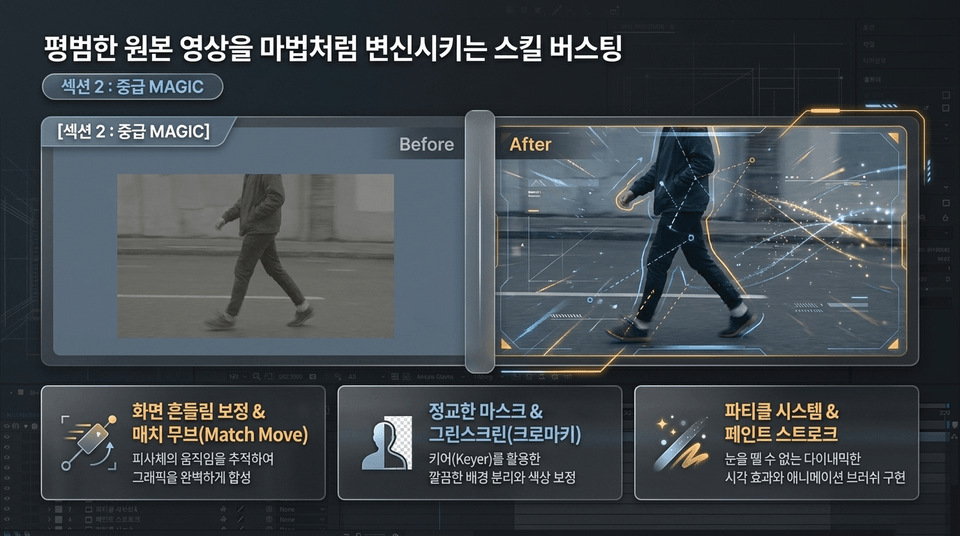
• Screen Stabilization & Match Move: Track subject movement to seamlessly composite graphics
• Advanced Masking & Greenscreen (Chroma Key): Cleanly separate backgrounds and perform color correction using a keyer
• Particle Systems & Paint Strokes: Create captivating dynamic visual effects and animated brushes
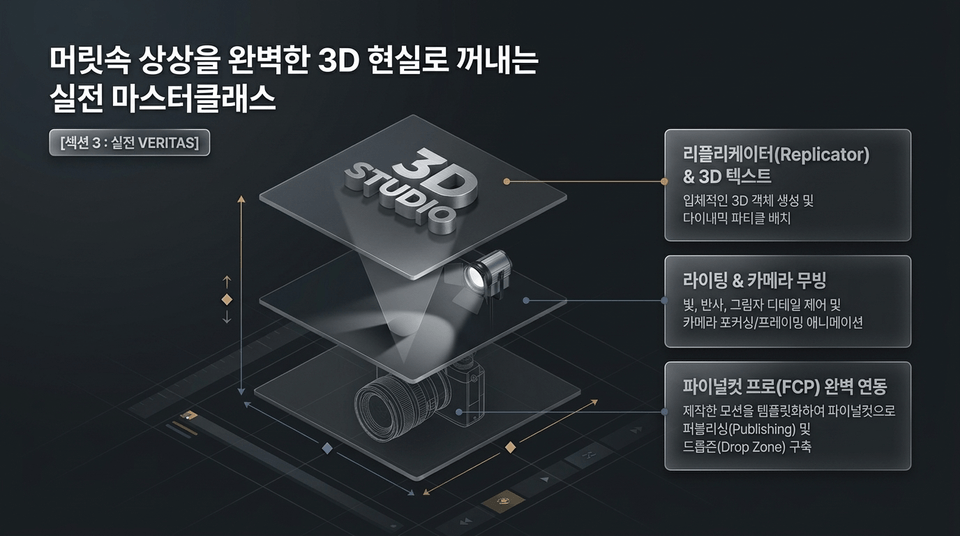
• Replicator & 3D Text: Create three-dimensional 3D objects and arrange dynamic particles
• Lighting & Camera Movement: Control the details of light, reflections, and shadows, and animate camera focusing/framing
• Seamless Final Cut Pro (FCP) Integration: Turn your creations into templates for publishing to Final Cut and building Drop Zones"
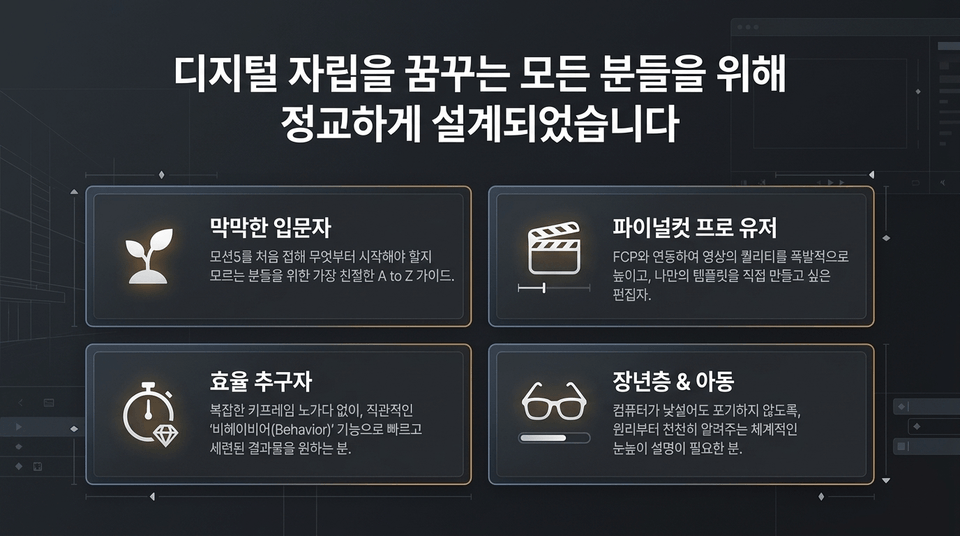
• Overwhelmed beginners: The friendliest A-to-Z guide for those who are new to Motion 5 and don’t know where to start.
• Final Cut Pro users: Editors who want to dramatically enhance their video quality by integrating with FCP and create their own templates.
• Efficiency seekers: Those who want fast, polished results using the intuitive 'Behavior' feature, without the tedious work of complex keyframing.
• Older adults & children: Those who need systematic, accessible explanations that teach the principles step by step so they won’t give up even if computers are unfamiliar.
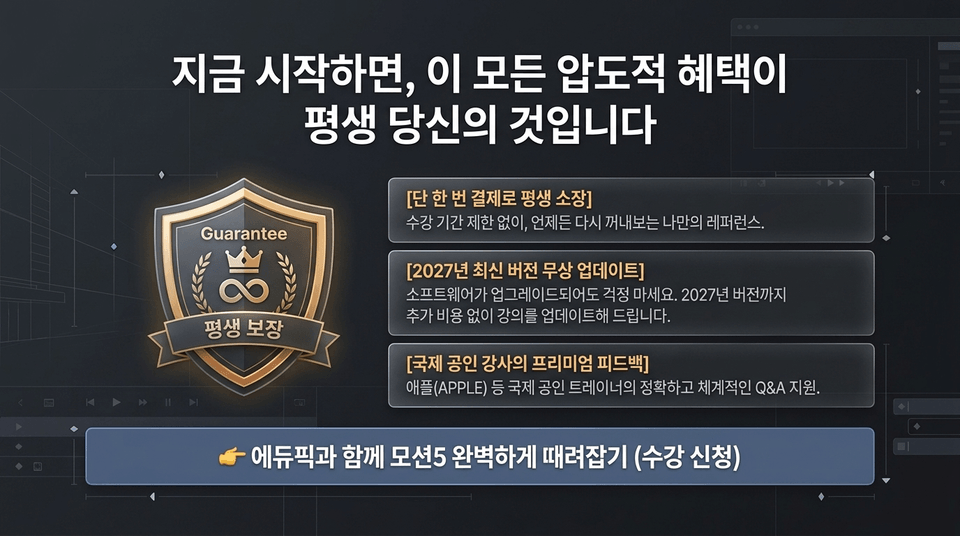
• Lifetime access with a single payment: No access period limit—your own reference you can revisit anytime.
• Free updates to the latest 2027 version: Don’t worry when the software is upgraded. We’ll update the course through the 2027 version at no additional cost.
• Premium feedback from internationally certified instructors: Accurate, systematic Q&A support from internationally certified trainers, including Apple (APPLE) instructors.
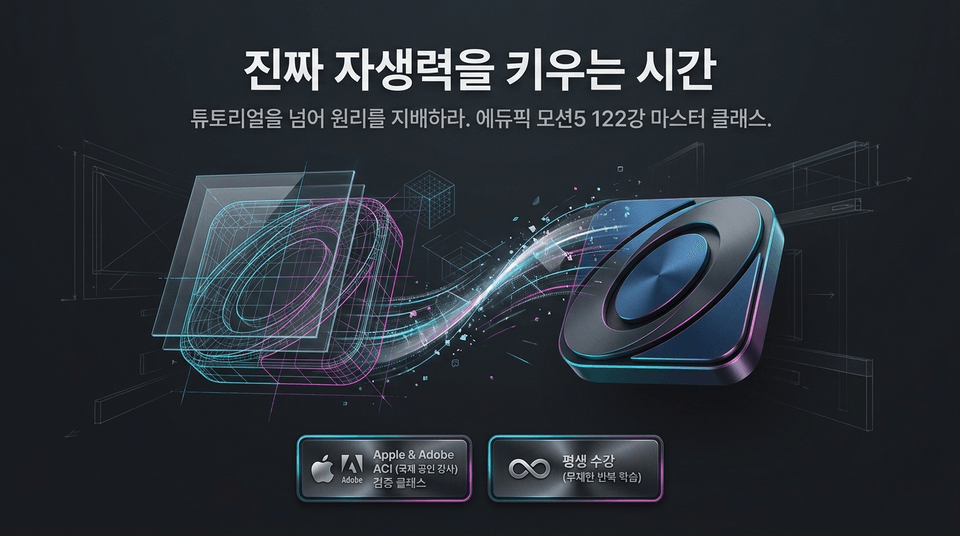
Master the principles beyond tutorials. Apple & Adobe ACI (internationally certified instructor) verified class.
Edupick Motion 5 122-lesson master course.
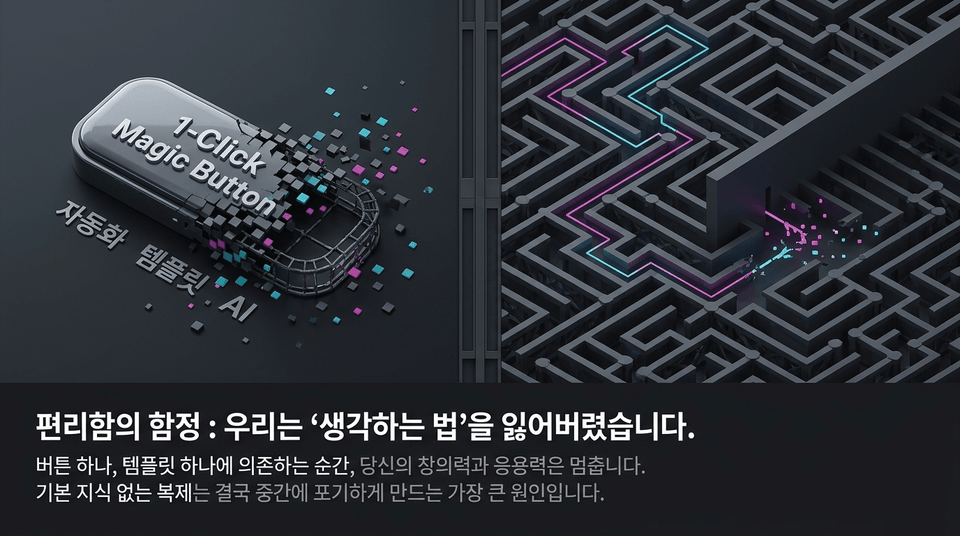
AI and automation templates are certainly fast. They look perfect within their predefined frameworks. But when we need to modify “that exact detail” in our minds, we come to a halt.
Passive work that relies on a single button ultimately becomes a limitation that hinders a creator’s growth.
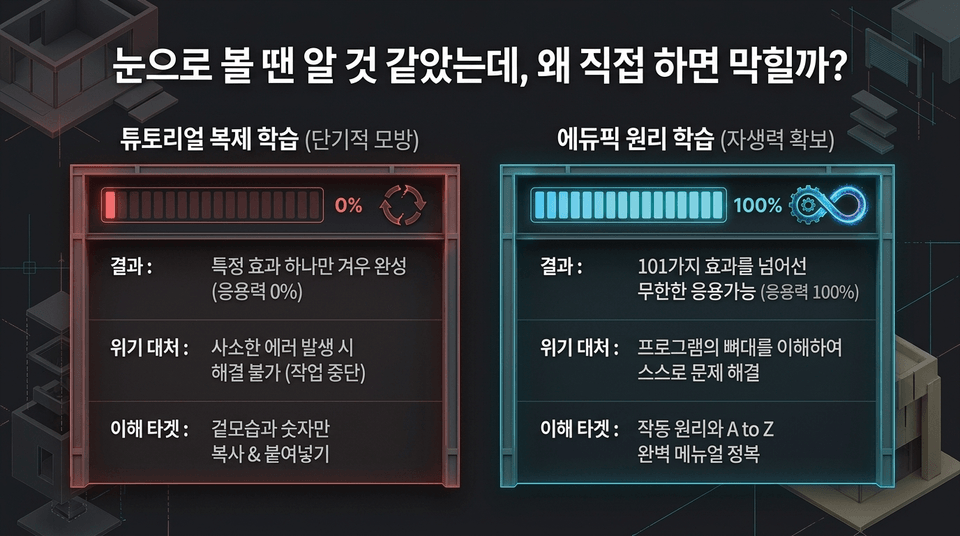
• Tutorial duplication learning (short-term imitation): Barely complete a single effect (0% adaptability) ➔ Unable to resolve even minor errors (work comes to a halt) ➔ Copy & paste only the appearance and numbers
• Edupick principles-based learning (building self-reliance): Unlimited applications beyond 101 effects (100% adaptability) ➔ Understand the program’s framework and solve problems independently ➔ Master the operating principles and the complete A-to-Z manual
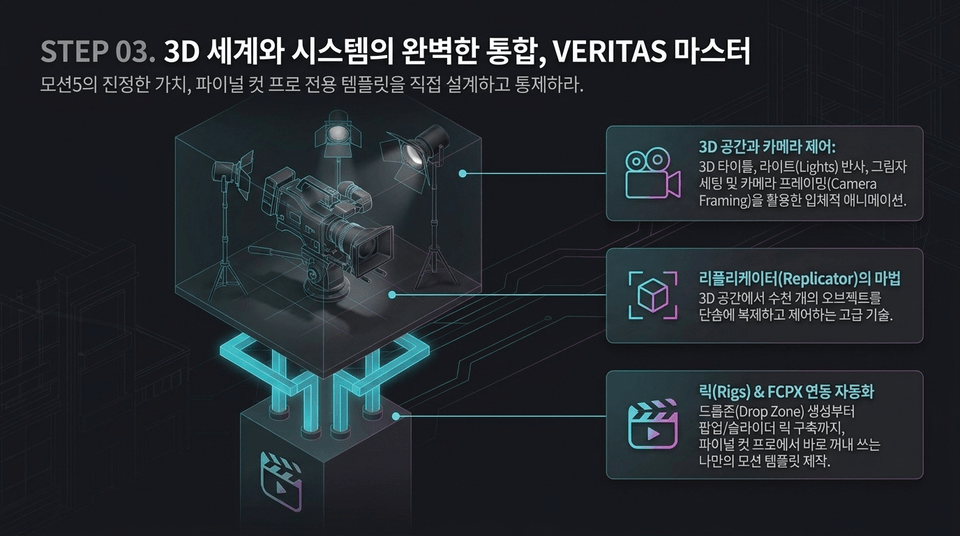
Discover the true value of Motion 5: design and control your own Final Cut Pro templates.
• 3D Space and Camera Control: Create three-dimensional animations using 3D titles, light reflections, shadow settings, and Camera Framing
• The Magic of the Replicator: Advanced techniques for instantly duplicating and controlling thousands of objects in 3D space
• Rigs & FCPX Integration Automation: Create your own motion templates for immediate use in Final Cut Pro, from creating Drop Zones to building popup/slider rigs
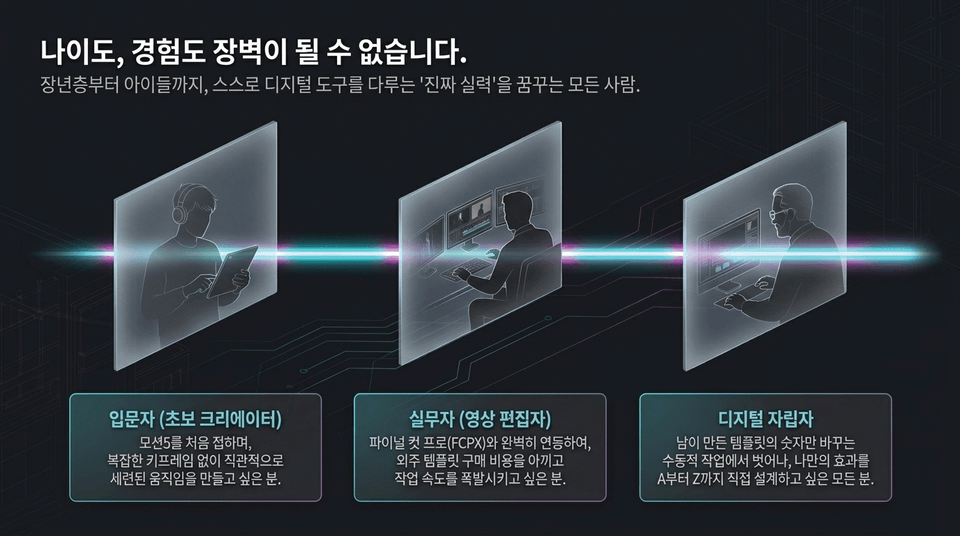
• Beginners (novice creators): Those who want to create intuitively polished motion without complex keyframes.
• Professionals (video editors): Those who want to integrate seamlessly with Final Cut Pro (FCPX), save on the cost of purchasing third-party templates, and dramatically speed up their workflow.
• Digital self-starters: Anyone who wants to move beyond passively changing numbers in templates created by others and design their own effects from A to Z.
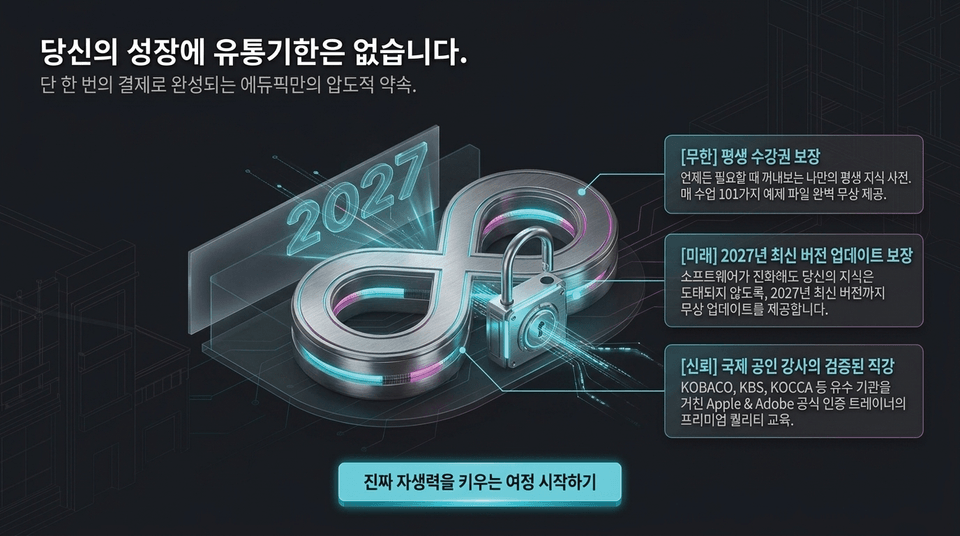
If you start now, all these incredible benefits will be yours for life.
👉 Master Motion 5 completely with EduPick (Go to enrollment)



![[Master] A Solid Basics Course for Mastering Vegas ProCourse Thumbnail](https://cdn.inflearn.com/public/files/courses/333400/cover/ai/2/979a70a0-ec99-47ef-bd7b-7883f25abc66.png?w=420)
![[Master] Logic Pro X Course for Solid FundamentalsCourse Thumbnail](https://cdn.inflearn.com/public/files/courses/333265/cover/ai/2/17a32478-e555-4570-9048-60d185dff97c.png?w=420)
![[Master] Basic Solid Audition CourseCourse Thumbnail](https://cdn.inflearn.com/public/files/courses/333264/cover/ai/2/97588aa2-8f02-4d97-ab60-793af35babc7.png?w=420)
![[Master] Solid Basics After Effects CC CourseCourse Thumbnail](https://cdn.inflearn.com/public/files/courses/333257/cover/ai/2/cc466790-af2d-4198-b5e8-1795be65e85a.png?w=420)
![[Master] Solid Cinema 4D Basics CourseCourse Thumbnail](https://cdn.inflearn.com/public/files/courses/333255/cover/ai/2/9c49cd06-4ea4-4208-bbe6-53012a50e97c.png?w=420)
![[Master] Basic Solid: Follow Along with 101 Premiere Pro EffectsCourse Thumbnail](https://cdn.inflearn.com/public/files/courses/330105/cover/ai/2/e8ee2cfe-abd5-48f9-92f2-f49829f2014a.png?w=420)
![[Advanced] Mastering Excel: Building a Solid Foundation CourseCourse Thumbnail](https://cdn.inflearn.com/public/files/courses/330004/cover/01m04tf9hsr0m5gzxrskce1nja?w=420)

![[Intermediate] Mastering Excel with a Solid Foundation CourseCourse Thumbnail](https://cdn.inflearn.com/public/files/courses/330003/cover/01m04pa6n703t49hn2dmwpy0ct?w=420)
![[Beginner] Mastering Excel with a Solid Foundation CourseCourse Thumbnail](https://cdn.inflearn.com/public/files/courses/330002/cover/01m01nqapy9skgs8gsn4geedyp?w=420)
![[Master] Basic, Solid PowerPoint CourseCourse Thumbnail](https://cdn.inflearn.com/public/files/courses/330000/cover/ai/2/5012d48c-44e2-4646-a0ce-862974174b5a.png?w=420)
![[Advanced] Mastering Basic Solid Vocabulary CourseCourse Thumbnail](https://cdn.inflearn.com/public/files/courses/329993/cover/01m05r0fqknfxtp3x8z47xe9wv?w=420)
![[Intermediate] Mastering Basic Vocabulary with a Solid Foundation CourseCourse Thumbnail](https://cdn.inflearn.com/public/files/courses/329992/cover/01m05qy1cw6ff6j32fmydcqjrb?w=420)
![[Master] Mastering Illustrator with Solid Fundamentals CourseCourse Thumbnail](https://cdn.inflearn.com/public/files/courses/329341/cover/ai/2/2fc896c1-5fa9-47b2-964a-c77c04aecc1b.png?w=420)
![[Master] Mastering Premiere Pro: The Fundamentals and Essentials CourseCourse Thumbnail](https://cdn.inflearn.com/public/files/courses/328934/cover/ai/2/a3f2420d-f7b9-40f8-9c1f-20e6fcdef11f.png?w=420)
![[Master] Solid Fundamentals Final Cut Pro X CourseCourse Thumbnail](https://cdn.inflearn.com/public/files/courses/328720/cover/ai/0/5d3a6fdc-11f8-4076-9d98-68cabf216f68.png?w=420)
![[Master] Mastering Cubase with Solid Fundamentals CourseCourse Thumbnail](https://cdn.inflearn.com/public/files/courses/328633/cover/ai/0/55019ddb-2451-4429-8caa-5230574e4ca2.png?w=420)

![[Integrated] Introduction to AI Video + Shorts ProductionCourse Thumbnail](https://cdn.inflearn.com/public/files/courses/343177/cover/01kx2mmgmppa8h7jdb8kx9bxye?w=420)
![[Integrated] Introduction to AI Video Production + Practical ApplicationCourse Thumbnail](https://cdn.inflearn.com/public/files/courses/343029/cover/01kwtvq9840gqg1t7b6krs3bkk?w=420)