[Master] Mastering Illustrator with Solid Fundamentals Course
This course is suitable for all versions of Illustrator from CC 2015 onward, including the latest version. Let’s learn systematically using the example files provided for each lesson.
You can master the most basic tools in Illustrator.
You can learn many of the tools commonly used in Illustrator all at once.
You can learn the practical tips used most often in the field.
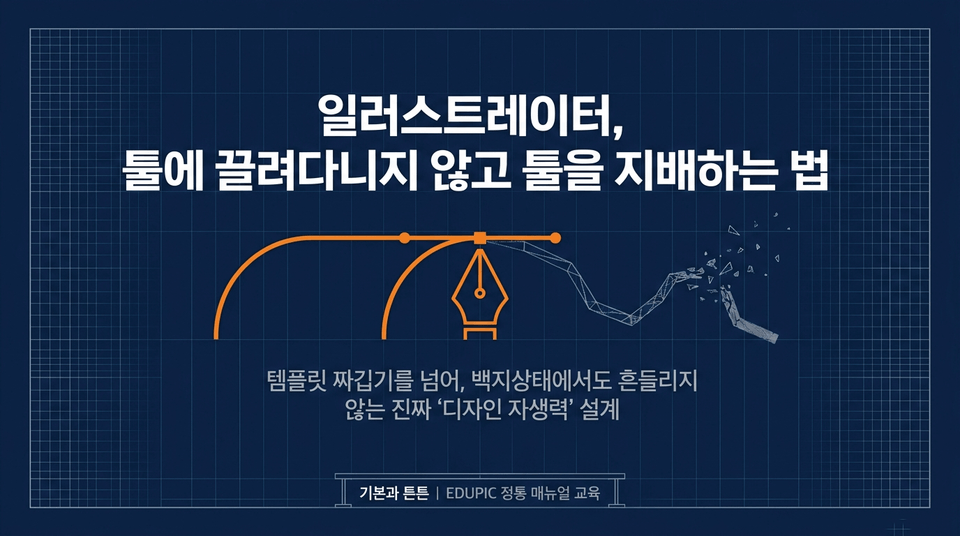
The loss of self-reliance hidden behind convenience. EduPick’s traditional A to Z manual for Illustrator, centered on fundamental principles.
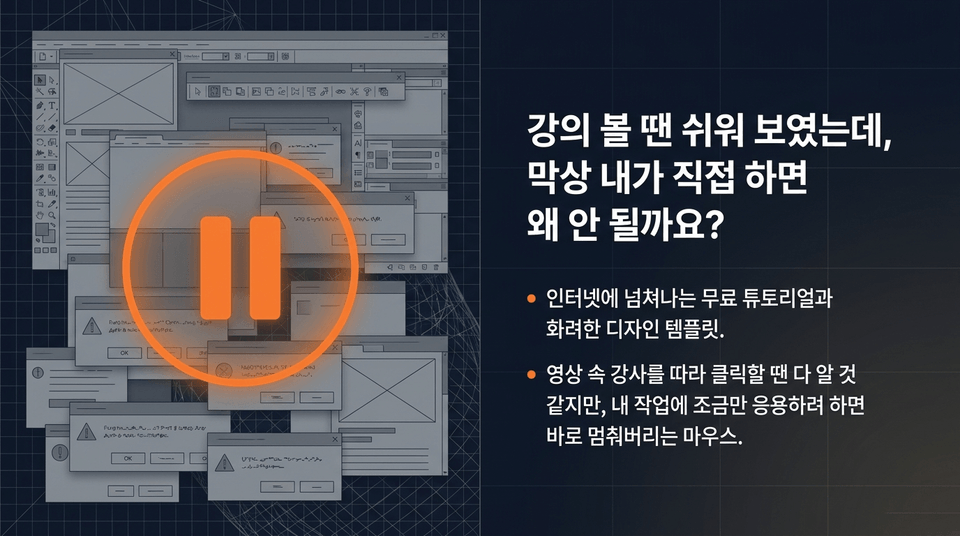
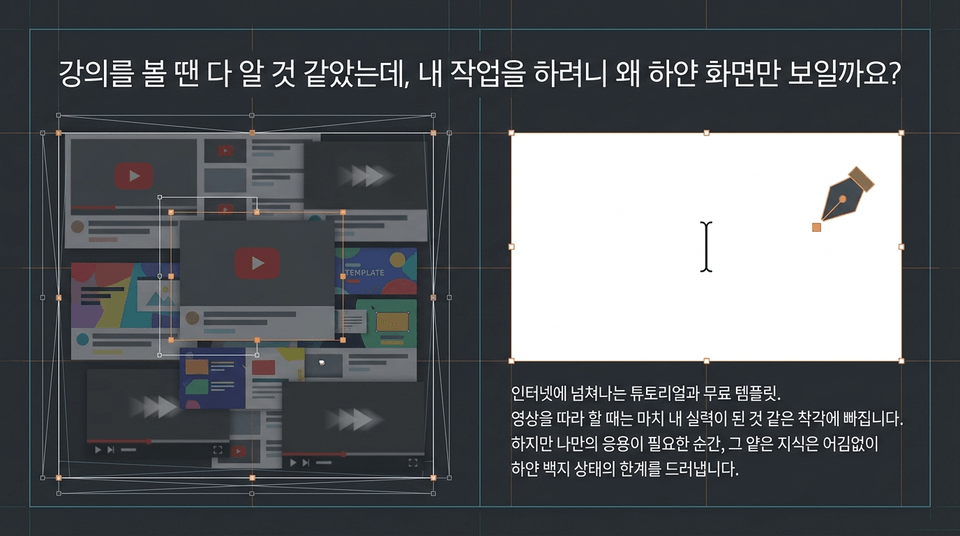
• Free tutorials and flashy design templates overflowing on the internet. • It feels like you understand everything while clicking along with the instructor in the video, but the moment you try to apply it to your own work, your mouse comes to a complete stop.
• Shallow imitation without understanding the principles (mere copying): Work comes to a complete standstill at even the slightest error. • Solid skills built from the ground up with basic manuals (fundamental principles): The “true self-reliance” to freely control any template or AI tool you encounter.
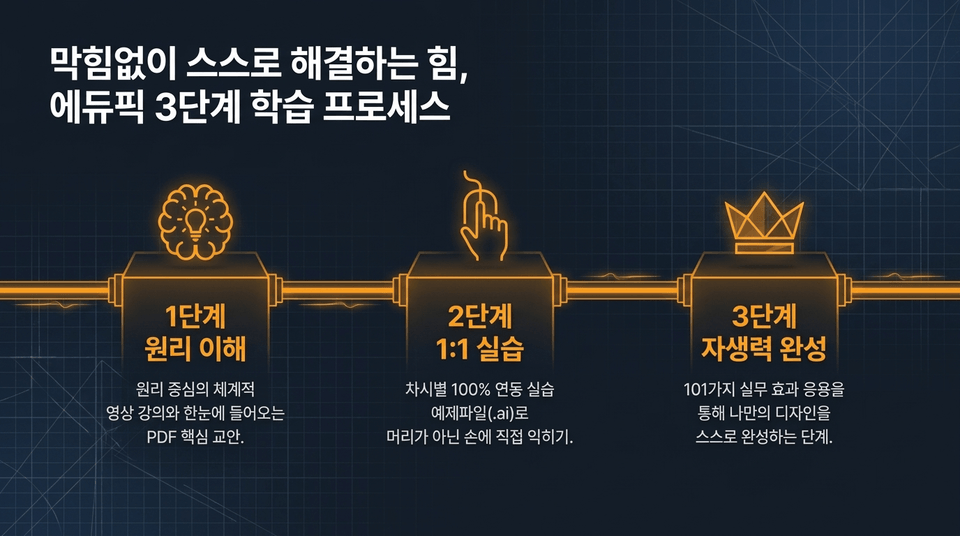
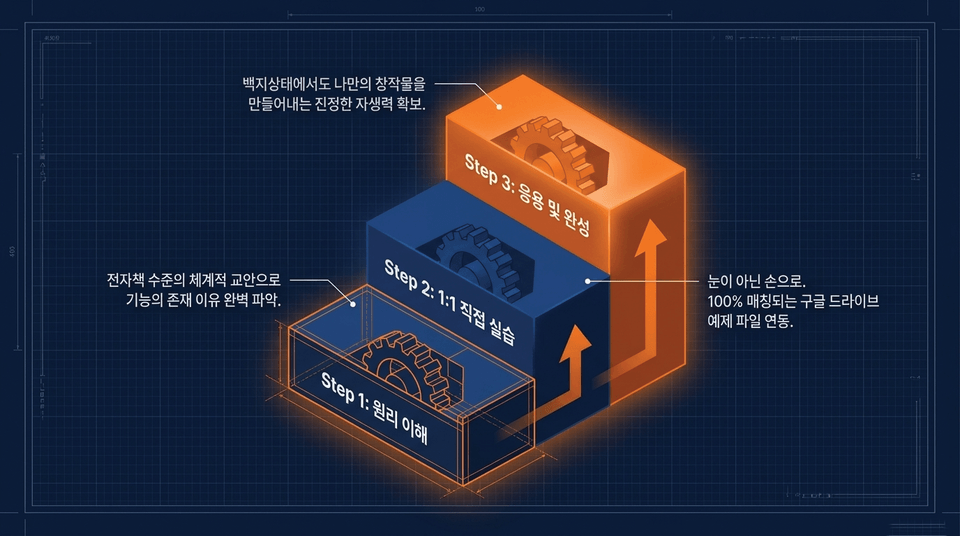
• Step 1: Understand the Principles: Systematic, principle-focused video lectures and concise key course materials at a glance. • Step 2: 1:1 Practice: Build hands-on skills—not just theoretical knowledge—by working with 100% lesson-aligned practice example files (.ai). • Step 3: Develop Self-Reliance: Apply practical effects to independently complete your own designs.
• Dedicated folder for each lesson: A neatly organized file structure aligned with a systematic, practical curriculum. • Two-stage files provided: The original practice file (Start) for hands-on learning and the completed version (Finish) for comparing settings when you get stuck.
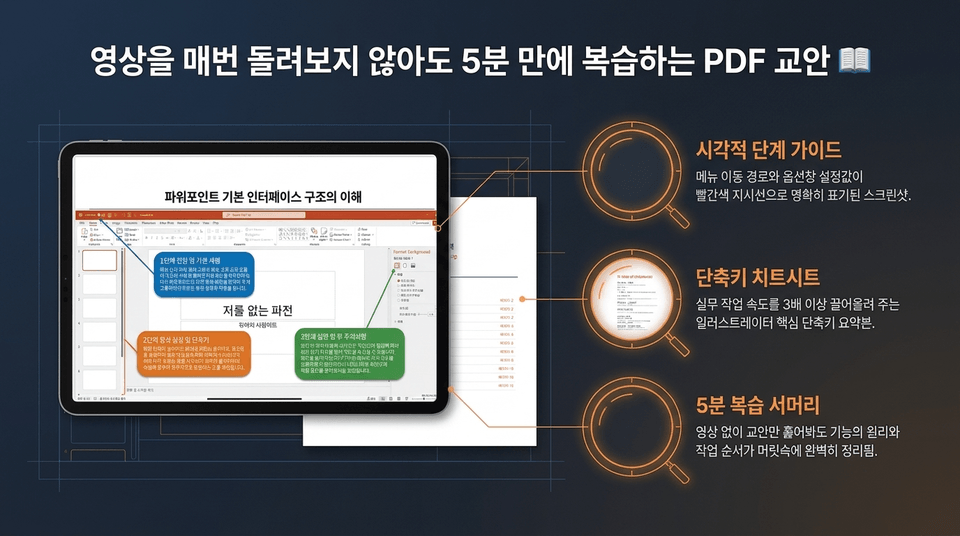
• Visual step-by-step guide: A guide clearly showing menu navigation paths and option panel settings. • Keyboard shortcut cheat sheet: A summary of essential shortcuts that can boost your work speed by more than threefold. • 5-minute review summary: Even without the videos, simply skimming the course materials gives you a complete understanding of the principles and workflow.
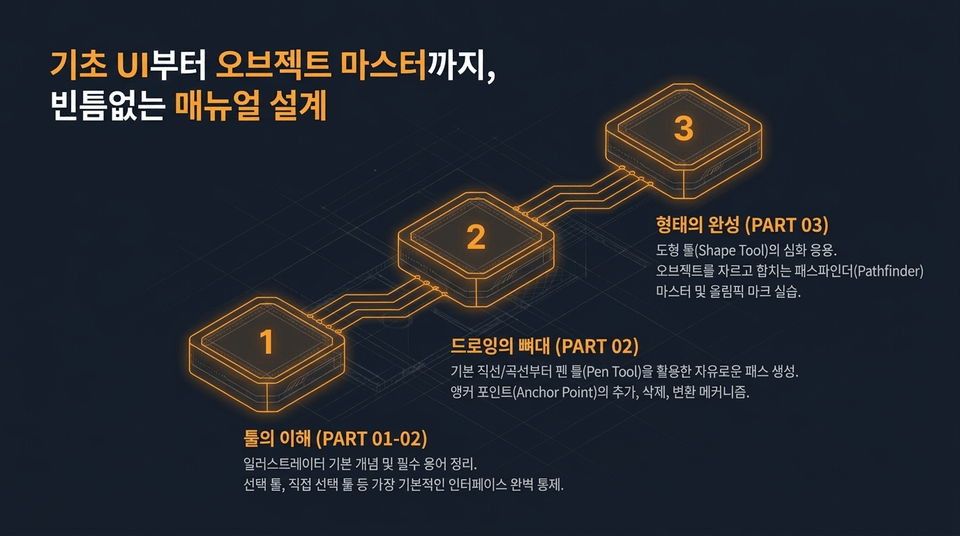
• Part 01 Fundamentals and Philosophy: Illustrator concepts, practical terminology, and a philosophical approach to working with the tools. • Part 02 Complete Control of the Pen Tool and Paths: Master complete control of everything from the Selection tool to curves, straight lines, and anchor points. • Part 03 Object Creation and Principles: Master the principles of creating complex objects by applying shape tools and using Pathfinder.
• Beginners & older adults: A step-by-step, friendly manual tailored to those who are unfamiliar with computers. • Students & beginners: The first step toward 'digital self-reliance'—thinking and creating independently, beyond simply imitating. • Aspiring instructors & professionals: Developing 'real skills' through an in-depth understanding of the principles, enough to teach others.
• Unlimited lifetime access: Your own comprehensive reference that you can consult anytime, without being rushed, whenever you get stuck in your work. • Always up to date: We provide continuous updates to keep pace with the rapid changes in tools and ensure compatibility with the latest versions.
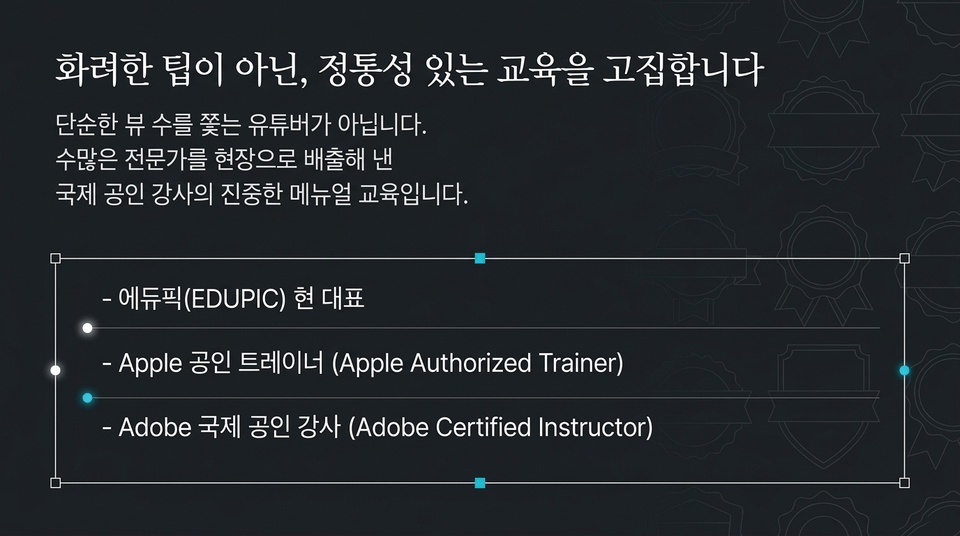
• Current EDUPIC CEO • ACI (Adobe Certified Instructor), Adobe internationally certified instructor • Apple Certified Trainer • Major teaching engagements: Korea Creative Content Agency (KOCCA), KBS Human Resources Development Institute, Jeonju Information & Culture Industry Promotion Agency (JICA), and major universities. Go beyond mastering tools and develop the power to create independently.
Edupick Illustrator Mastery Course for Building an Unshakable Foundation.
🔍 In-Depth Problem Analysis & The Limitations of Imitation (Problem Analysis)
Tutorials and free templates are overflowing on the internet. When following along with a video, you may fall into the illusion that the skills have become your own. But the moment you need to apply them in your own way, that shallow knowledge inevitably reveals its limitations, leaving you staring at a blank white page.
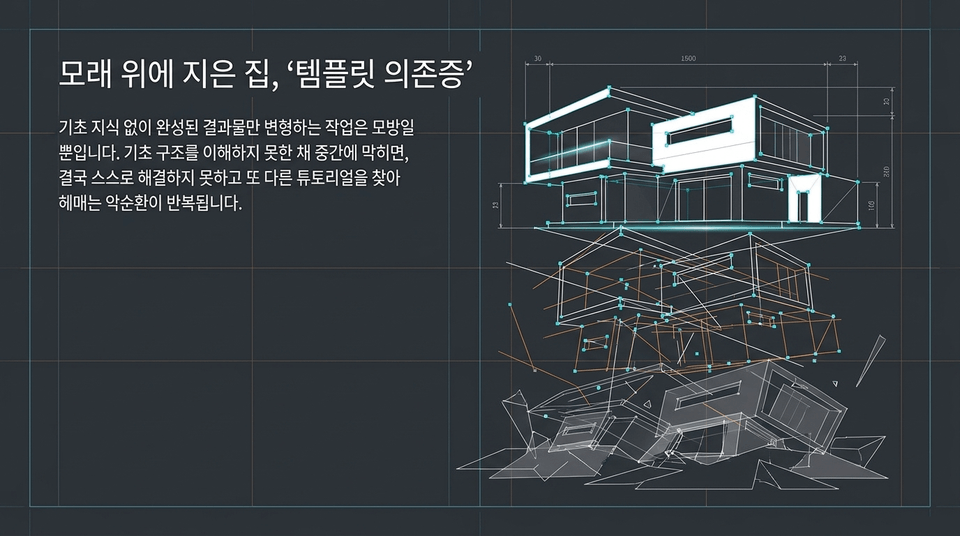
Modifying only finished results without basic knowledge is merely imitation. When you get stuck midway without understanding the underlying structure, you ultimately cannot solve the problem yourself and end up repeating the vicious cycle of searching for yet another tutorial.
A world where an image can be completed with a single button or one line of prompting. Paradoxically, the more convenient the tools become, the more workers who lack an understanding of the fundamental principles are led around by the results produced by AI instead of directing the AI.
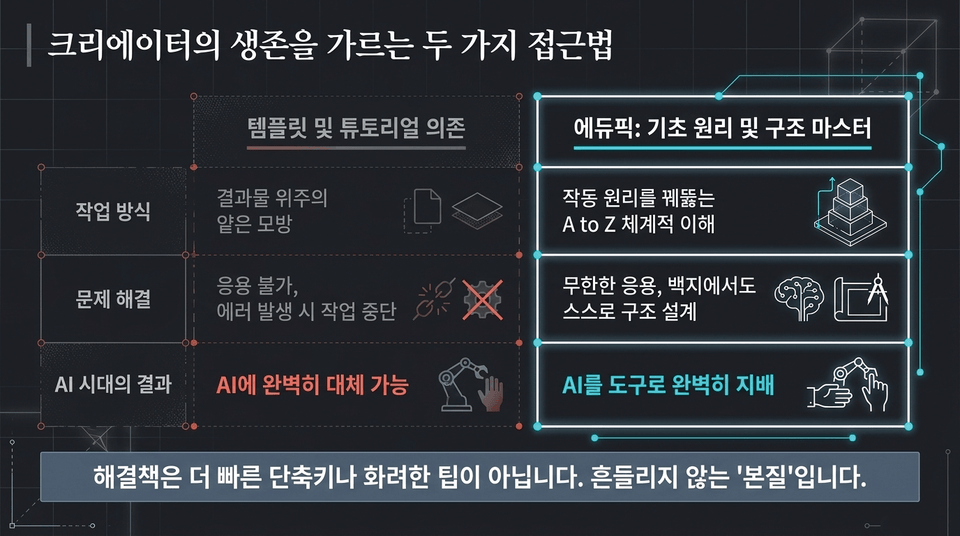
• Dependence on templates and tutorials: Shallow imitation focused on the end result ➔ Unable to adapt, work comes to a halt when errors occur ➔ Can be completely replaced by AI • Mastery of Edupick’s basic principles and structures: A systematic A-to-Z understanding that penetrates how things work ➔ Unlimited application, independently designing structures from a blank page ➔ Completely mastering AI as a tool
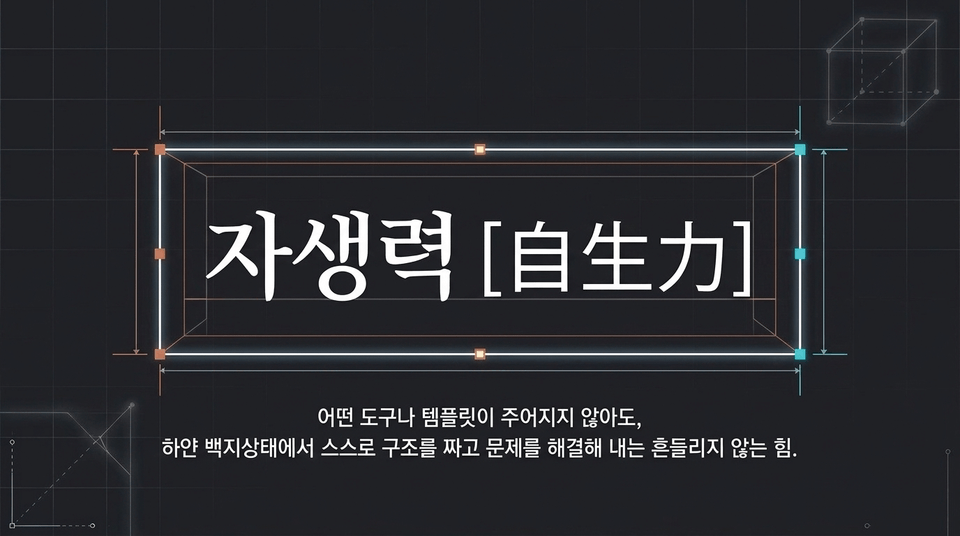
The unwavering ability to independently devise structures and solve problems from a blank slate, even without being given any tools or templates.
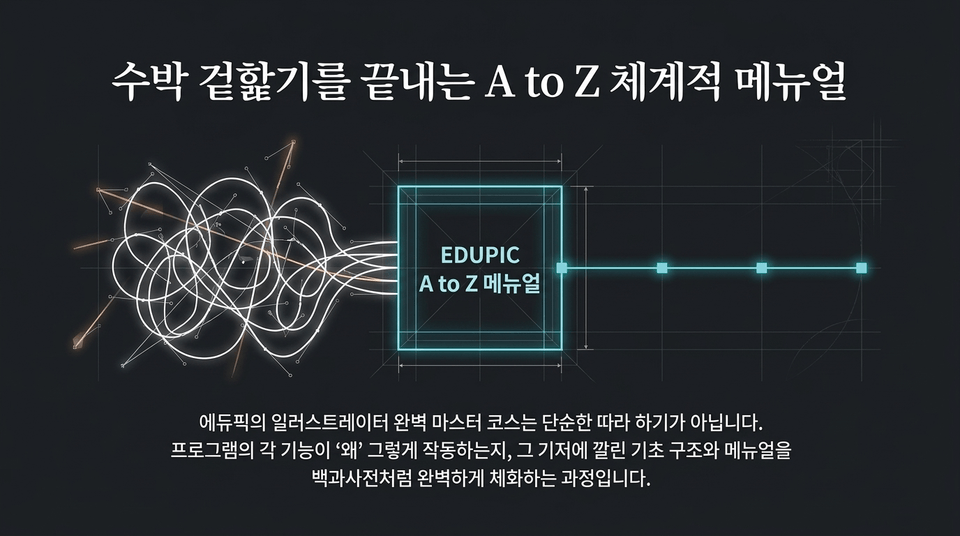
Edupick’s Illustrator Mastery Course is not simply about following along. It is a process of completely internalizing, like an encyclopedia, the foundational structures and manuals underlying how each program function works—and understanding “why” it works that way.
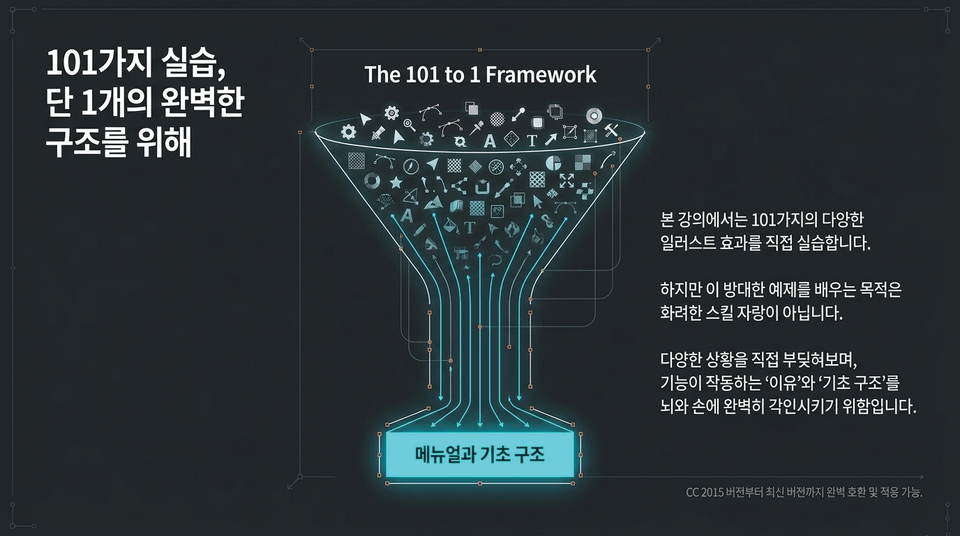
The 101 to 1 Framework. The purpose of learning a vast range of examples is not simply to acquire skills. It is to perfectly imprint in your mind and muscle memory the “reason” and “fundamental structure” behind how each function works by directly tackling a variety of situations.
• Part 01 Foundations and Philosophy: Illustrator concepts, practical terminology, and a philosophical approach to working with tools. • Part 02 Perfect Control of the Pen Tool and Paths: Perfect control over everything from the Selection Tool to curves, straight lines, and anchor points. • Part 03 Object Creation and Principles: Master the principles of creating complex objects through shape tool applications and Pathfinder.
To keep you from giving up halfway through after becoming exhausted by lengthy lectures, every EduPick course is meticulously condensed to focus on the essentials, with each lesson lasting approximately 5 to 10 minutes. You can use your commute or spare moments to fully master one feature a day.
This isn’t about being a YouTuber who simply chases views. It’s serious, manual-based training from an internationally certified instructor who has launched countless experts into the field.
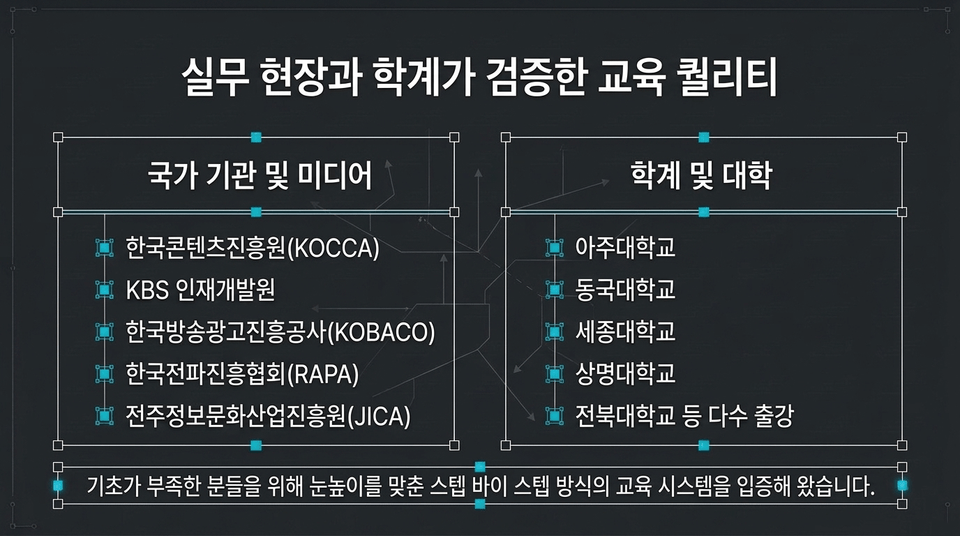
• Government institutions and media organizations: Korea Creative Content Agency (KOCCA), KBS Human Resources Development Center, Korea Broadcast Advertising Corporation (KOBACO), Korea Radio Promotion Association (RAPA), Jeonju Information & Culture Industry Promotion Agency (JICA) • Major universities: A proven, accessible educational system demonstrated through lectures at Ajou University, Dongguk University, Sejong University, Sangmyung University, Jeonbuk National University, and many others.
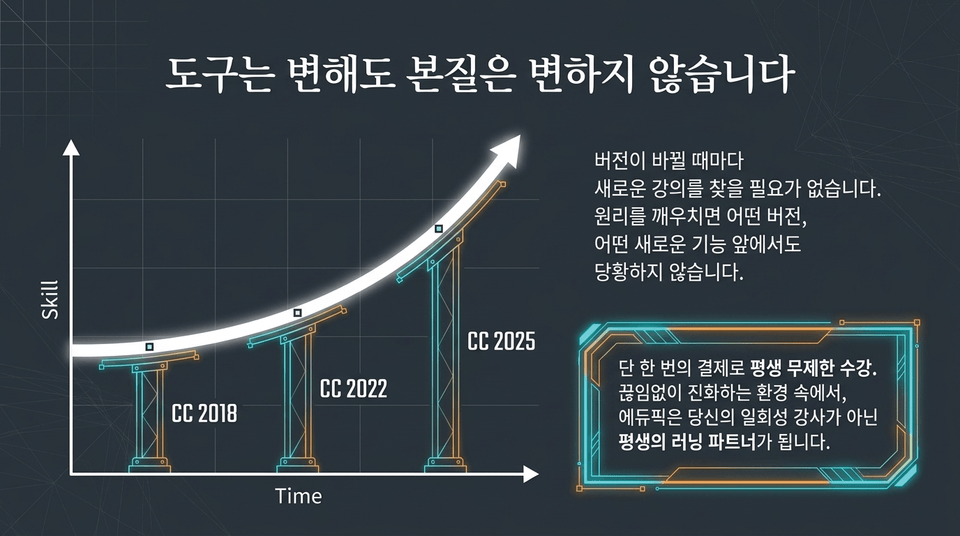
You don’t need to search for a new course every time the CC version changes. Once you understand the principles, you won’t be flustered by any version or new feature. Enroll just once and enjoy unlimited access for life.
Edupick never rests on the past. Major course updates are planned to reflect the features and trends of upcoming versions. Start now, and you’ll be able to enjoy future lessons on the latest technologies at no additional cost.
It’s time to abandon superficial tricks and build a deep foundation. The first step toward giving your designs true self-sustaining power. Start the Edupick Illustrator Complete Mastery Course right now. Enroll and keep lifetime access
⚡ Differentiated Learning System & Contrast (Drive Asset)
Beyond piecing together templates, build true 'design self-reliance' that won’t waver even from a blank slate. (Solid Foundations | EDUPIC’s Authentic Manual-Based Training)
THE ILLUSION: A flashy five-minute tutorial that looked perfect at first glance. THE REALITY: The moment you open Illustrator, you’re faced with a blank slate and unable to do anything. Shallow imitation-based learning without understanding why ultimately leads to 'giving up halfway'.
In the age of AI and automation, merely changing the colors of templates created by others is not true skill. Edupick’s philosophy is to cultivate ‘fundamental self-reliance’—the ability to plan and implement things independently in any situation.
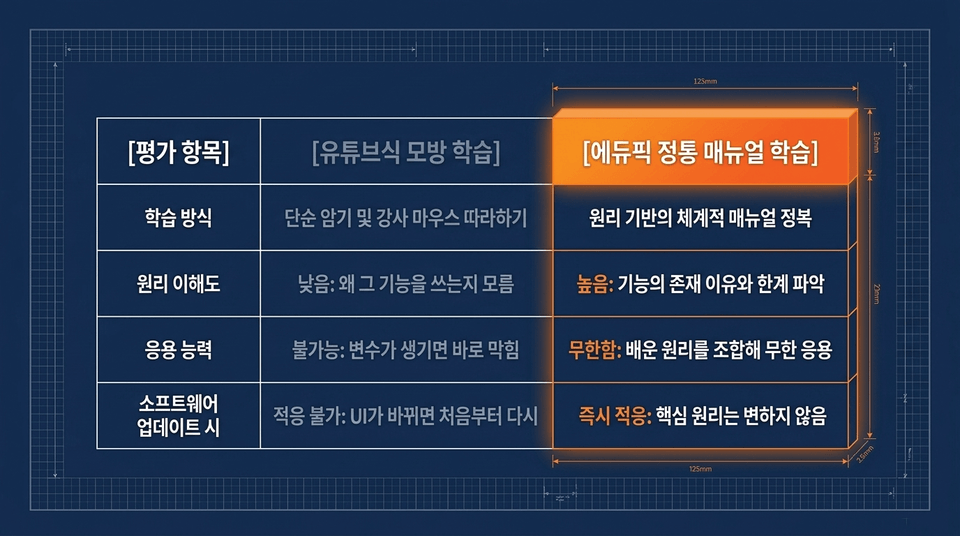
• Learning method: Simple memorization and following the instructor’s mouse ❌ vs mastering a systematic, principle-based manual ⭕ • Understanding of principles: Low (not knowing why) ❌ vs high (understanding why the feature exists) ⭕ • Application skills: Immediately getting stuck when variables arise ❌ vs combining learned principles for limitless application ⭕
Step 1: Understand the Principles (Understand how the features work through a systematic curriculum) ➔ Step 2: Hands-On 1:1 Practice (Learn by doing, not just watching. Includes perfectly matched example files) ➔ Step 3: Apply and Complete (Build the self-reliance to create your own original work from a blank canvas).
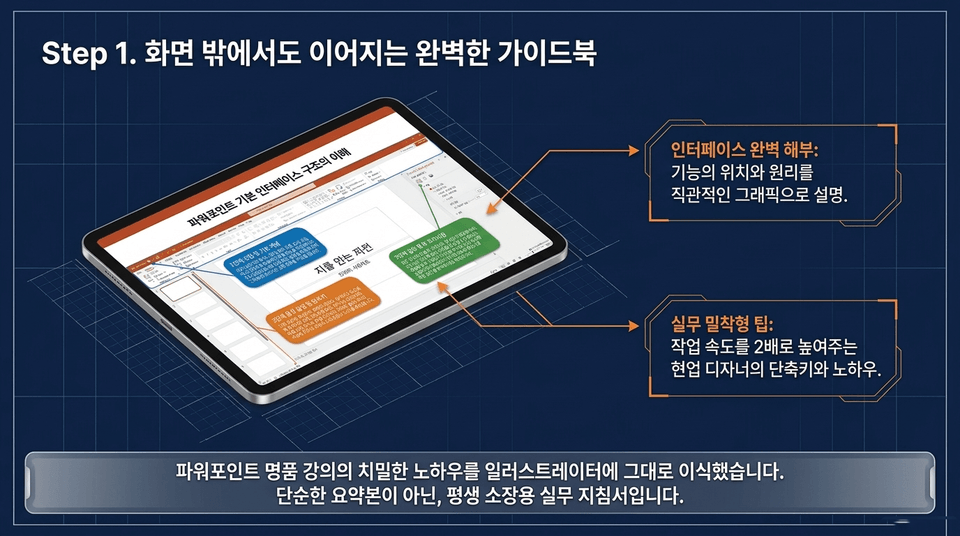
We have transferred the meticulous know-how of a premium course directly into Illustrator. This is not a simple summary, but a practical guide to keep for a lifetime. • Complete interface breakdown: Explains the location and principles of each function with intuitive graphics. • Practical, hands-on tips: Shortcuts and know-how from working designers that double your workflow speed.
📚 Detailed Curriculum & Practice Environment (Curriculum & Practice)
Don’t just watch the instructor’s mouse pointer. Open the precisely prepared practice example file (.ai) for each chapter, work with it yourself, and make practical skills your own.
High-definition video lectures (a flow learned through sight and sound) + e-book course materials (a complete manual understood through the mind) + integrated practice files (one-to-one examples mastered through hands-on work) = building a pillar of design self-reliance that won’t be shaken by any variable!
Master everything in Illustrator through 46 densely packed lessons. • Build the foundations: Interface optimization / Selection tools / The Pen Tool and anchor points • Create shapes: Applying shape tools / A complete breakdown of Pathfinder / Object drawing • Practical design: Typography / Infographic charts / Creating icons and banners
Not just a tool user, but a true education professional who knows 'how to teach'. • Official Apple Authorized Trainer certification • Official Adobe Certified Instructor certification • Verified by public institutions and leading universities
🔥 Course Benefits & Final Enrollment (CTA)
Break free from the pressure of a limited course period. With just one payment, we provide a 'lifetime access pass' so that, as long as you have the passion, you can return anytime to review and apply what you’ve learned to your work.
Were you worried that my lessons might not work as Illustrator versions are updated? At Edupick, we guarantee free course updates through upcoming latest versions to support your continued growth.
☑ Those who are new to Illustrator and want to build a solid foundation from the basics ☑ Those who know how to use it but struggle to apply their skills and lack the fundamentals ☑ Office workers who want to break free from “patchwork tasks” that only involve changing numbers in templates ☑ Those who plan to work as graphic design instructors or prepare a portfolio in the future
Edupick designs your self-sufficiency in design. Unleash your creativity to the fullest on a solid foundation of fundamentals.
Unleash your creativity on a solid foundation. The perfect guide is waiting for you
Start mastering Illustrator from A to Z ➔
Recommended for these people
Who is this course right for?
For those who are new to Illustrator
Those who have a basic foundation but are still inexperienced
Those who want to properly learn Illustrator
Those who want to work as graphic design instructors
For those who want to use it as a video teaching aid for lectures





























![[Master] A Solid Basics Course for Mastering Vegas ProCourse Thumbnail](https://cdn.inflearn.com/public/files/courses/333400/cover/ai/2/979a70a0-ec99-47ef-bd7b-7883f25abc66.png?w=420)
![[Master] Logic Pro X Course for Solid FundamentalsCourse Thumbnail](https://cdn.inflearn.com/public/files/courses/333265/cover/ai/2/17a32478-e555-4570-9048-60d185dff97c.png?w=420)
![[Master] Basic Solid Audition CourseCourse Thumbnail](https://cdn.inflearn.com/public/files/courses/333264/cover/ai/2/97588aa2-8f02-4d97-ab60-793af35babc7.png?w=420)
![[Master] Solid Basics After Effects CC CourseCourse Thumbnail](https://cdn.inflearn.com/public/files/courses/333257/cover/ai/2/cc466790-af2d-4198-b5e8-1795be65e85a.png?w=420)
![[Master] Solid Cinema 4D Basics CourseCourse Thumbnail](https://cdn.inflearn.com/public/files/courses/333255/cover/ai/2/9c49cd06-4ea4-4208-bbe6-53012a50e97c.png?w=420)
![[Master] Basic Solid: Follow Along with 101 Premiere Pro EffectsCourse Thumbnail](https://cdn.inflearn.com/public/files/courses/330105/cover/ai/2/e8ee2cfe-abd5-48f9-92f2-f49829f2014a.png?w=420)
![[Advanced] Mastering Excel: Building a Solid Foundation CourseCourse Thumbnail](https://cdn.inflearn.com/public/files/courses/330004/cover/01m04tf9hsr0m5gzxrskce1nja?w=420)

![[Intermediate] Mastering Excel with a Solid Foundation CourseCourse Thumbnail](https://cdn.inflearn.com/public/files/courses/330003/cover/01m04pa6n703t49hn2dmwpy0ct?w=420)
![[Beginner] Mastering Excel with a Solid Foundation CourseCourse Thumbnail](https://cdn.inflearn.com/public/files/courses/330002/cover/01m01nqapy9skgs8gsn4geedyp?w=420)
![[Master] Basic, Solid PowerPoint CourseCourse Thumbnail](https://cdn.inflearn.com/public/files/courses/330000/cover/ai/2/5012d48c-44e2-4646-a0ce-862974174b5a.png?w=420)
![[Advanced] Mastering Basic Solid Vocabulary CourseCourse Thumbnail](https://cdn.inflearn.com/public/files/courses/329993/cover/01m05r0fqknfxtp3x8z47xe9wv?w=420)
![[Intermediate] Mastering Basic Vocabulary with a Solid Foundation CourseCourse Thumbnail](https://cdn.inflearn.com/public/files/courses/329992/cover/01m05qy1cw6ff6j32fmydcqjrb?w=420)
![[Beginner] Mastering Basic Vocabulary with a Strong Foundation CourseCourse Thumbnail](https://cdn.inflearn.com/public/files/courses/329990/cover/01m05qtvdpfm5nx33ywnh2d2t0?w=420)
![[Master] Course: Mastering Motion 5 with Solid FundamentalsCourse Thumbnail](https://cdn.inflearn.com/public/files/courses/329588/cover/ai/2/0cb79354-a333-4c64-966b-d74732d58a47.png?w=420)
![[Master] Mastering Premiere Pro: The Fundamentals and Essentials CourseCourse Thumbnail](https://cdn.inflearn.com/public/files/courses/328934/cover/ai/2/a3f2420d-f7b9-40f8-9c1f-20e6fcdef11f.png?w=420)
![[Master] Solid Fundamentals Final Cut Pro X CourseCourse Thumbnail](https://cdn.inflearn.com/public/files/courses/328720/cover/ai/0/5d3a6fdc-11f8-4076-9d98-68cabf216f68.png?w=420)
![[Master] Mastering Cubase with Solid Fundamentals CourseCourse Thumbnail](https://cdn.inflearn.com/public/files/courses/328633/cover/ai/0/55019ddb-2451-4429-8caa-5230574e4ca2.png?w=420)