![[Beginner] Mastering Basic Vocabulary with a Strong Foundation CourseCourse Thumbnail](https://cdn.inflearn.com/public/files/courses/329990/cover/01m05qtvdpfm5nx33ywnh2d2t0?w=420)
[Beginner] Mastering Basic Vocabulary with a Strong Foundation Course
EDUPIC
$17.60
Beginner / Word, MS-Office
4.3
(4)
Take an EDUPIC course and become a true fan! This is an introductory course for Word 2013&2016.

Beginner
Word, MS-Office


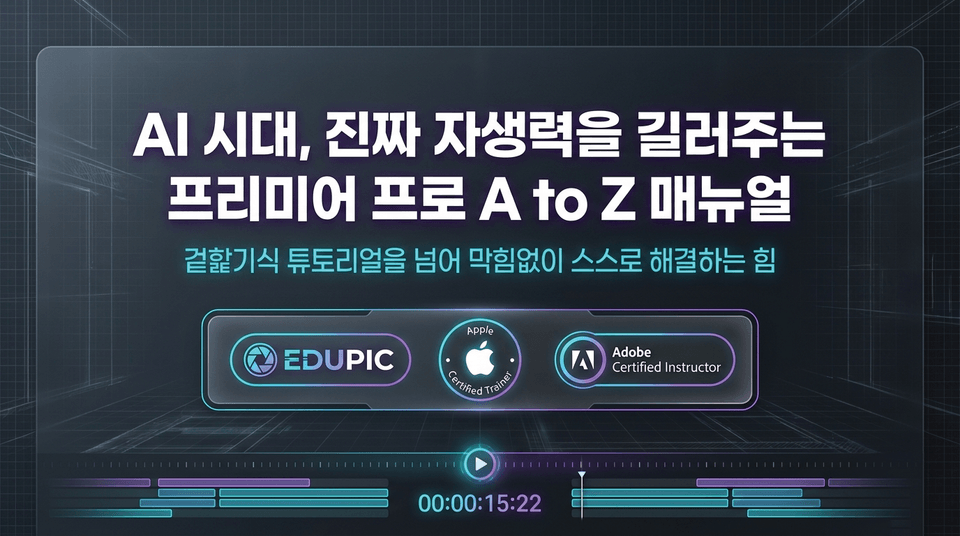
The power to solve problems independently without getting stuck—going beyond superficial tutorials.
EDUPIC x Apple Authorized Trainer x Adobe Certified Instructor
A comprehensive Premiere Pro mastery course led by a trusted certified trainer.
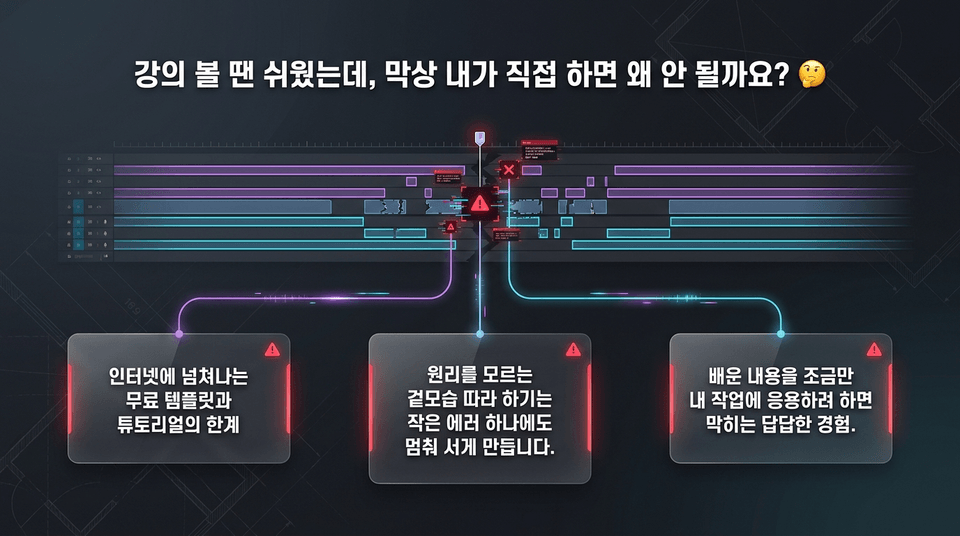
• The limitations of free templates and tutorials overflowing on the internet.
• Simply imitating the appearance without understanding the underlying principles can bring your entire project to a halt over even the smallest error.
• We completely eliminate the frustration of getting stuck when trying to apply what you’ve learned to your own work.
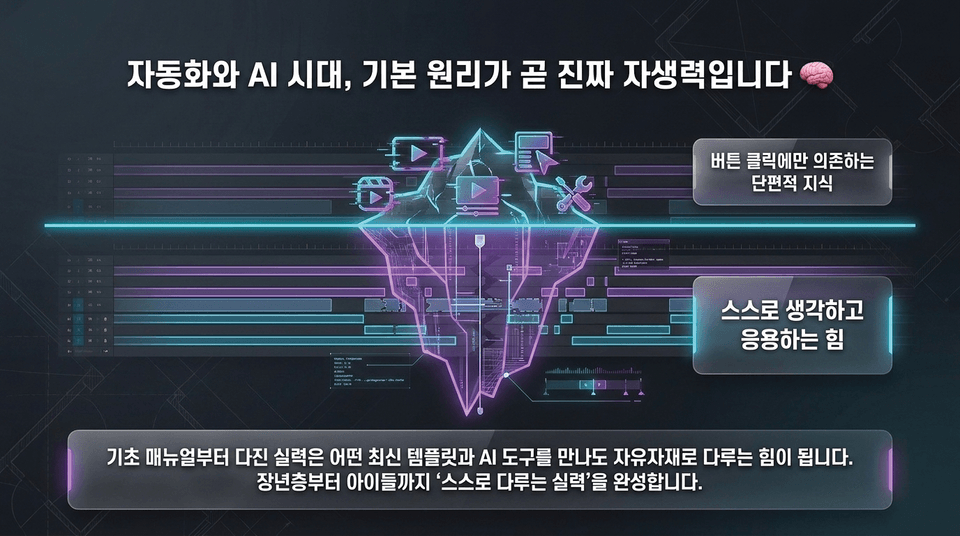
• Fragmented knowledge that relies only on clicking buttons ❌ vs. the ability to think and apply concepts independently ⭕
• Skills built from the basics become the ability to handle any new template or AI tool with ease. From older adults to children, everyone develops the “ability to use them independently.”
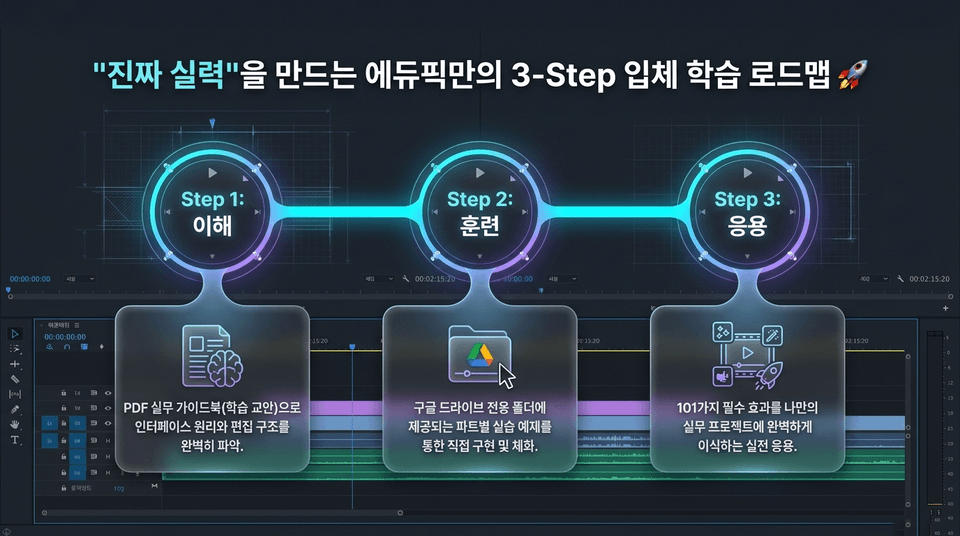
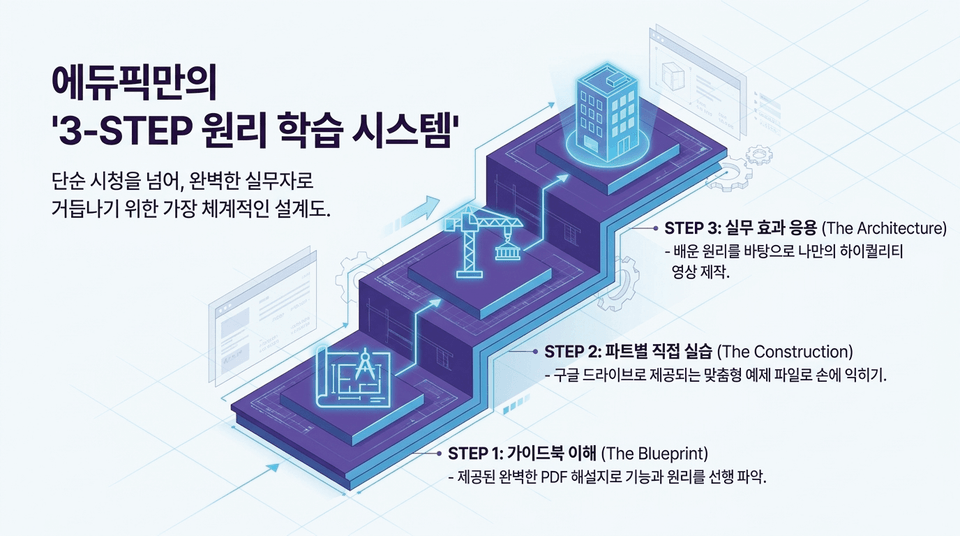
• Step 1. Understanding: Fully grasp the interface principles and editing structure using the PDF practical guidebook (course materials).
• Step 2. Practice: Implement and internalize the skills through hands-on exercises provided in dedicated Google Drive folders for each part.
• Step 3. Application: Apply 101 essential effects perfectly to your own real-world projects.
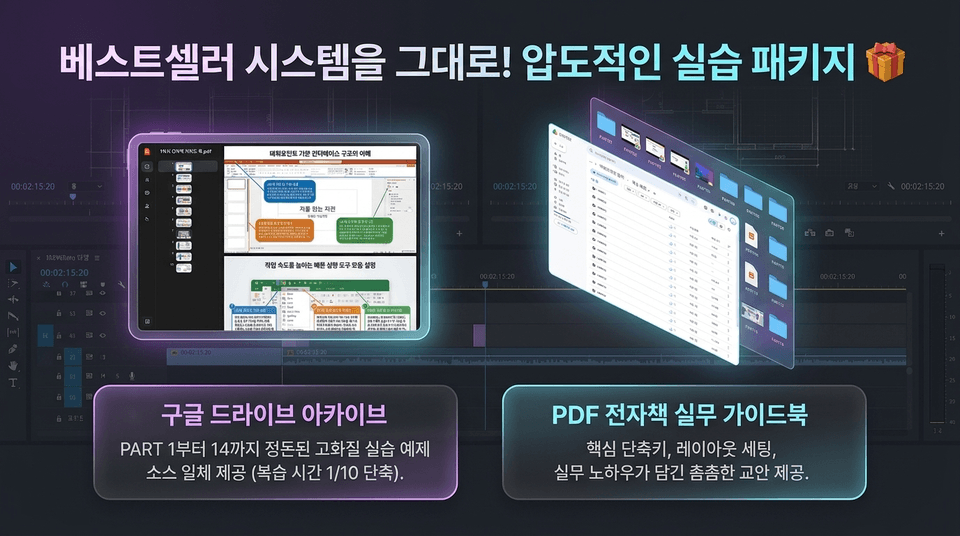
• Google Drive archive: All neatly organized, high-quality practice example source files from PART 1 through PART 14 provided (reducing review time by 1/10).
• PDF e-book practical guidebook: A comprehensive course manual containing essential shortcuts, layout settings, and practical know-how.
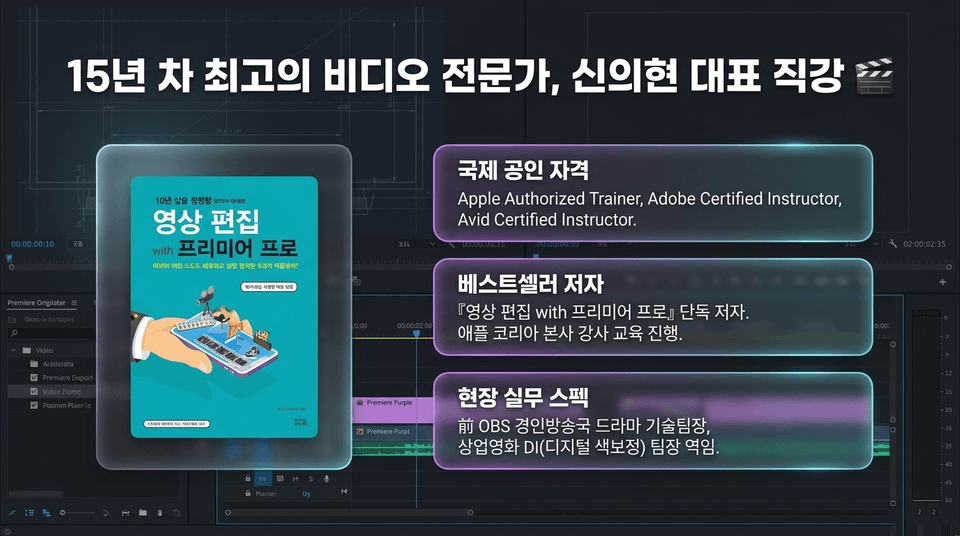
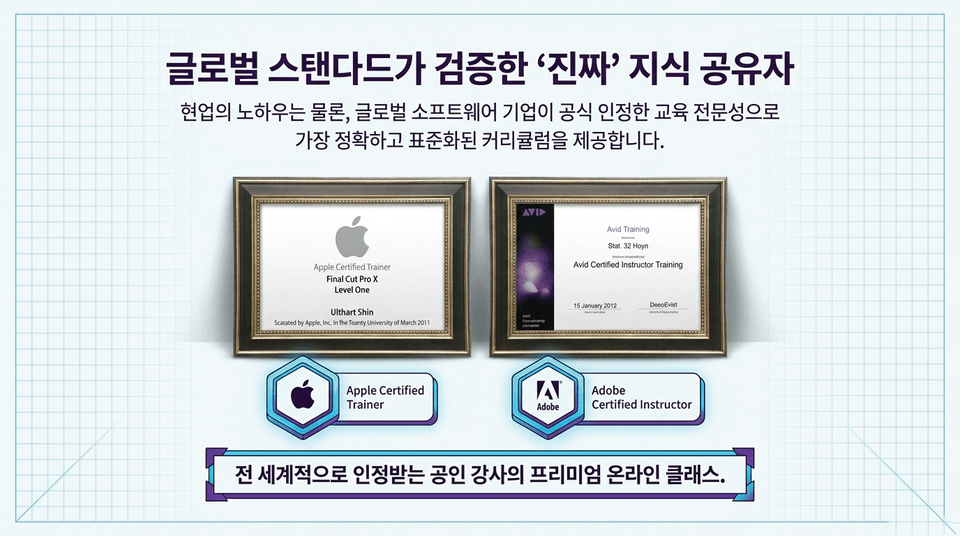
• Internationally recognized certifications: Apple Authorized Trainer, Adobe Certified Instructor, Avid Certified Instructor
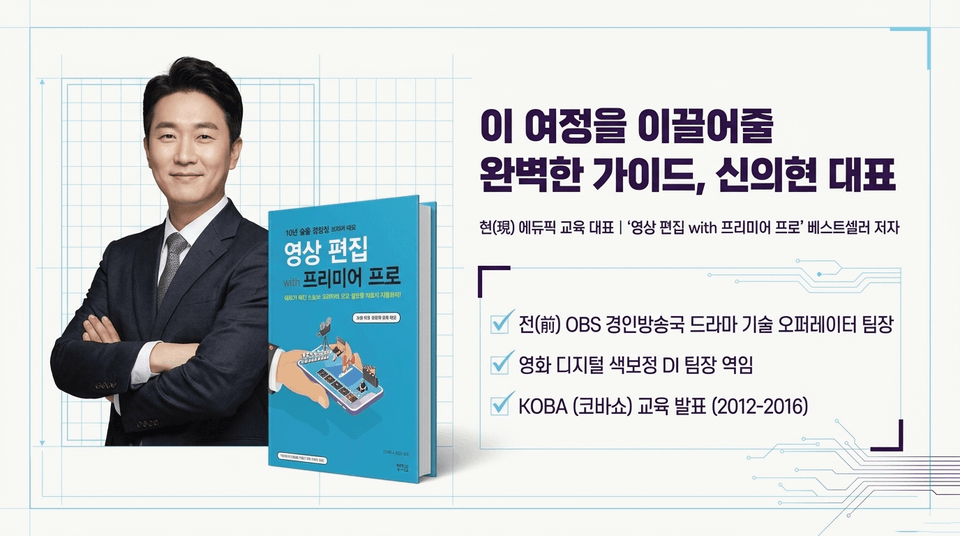
• Bestselling author: Sole author of 『Video Editing with Premiere Pro』 and conducted instructor training at Apple Korea headquarters
• Industry experience: Former technical team leader for dramas at OBS Gyeongin TV and former DI (digital intermediate/color grading) team leader for commercial films
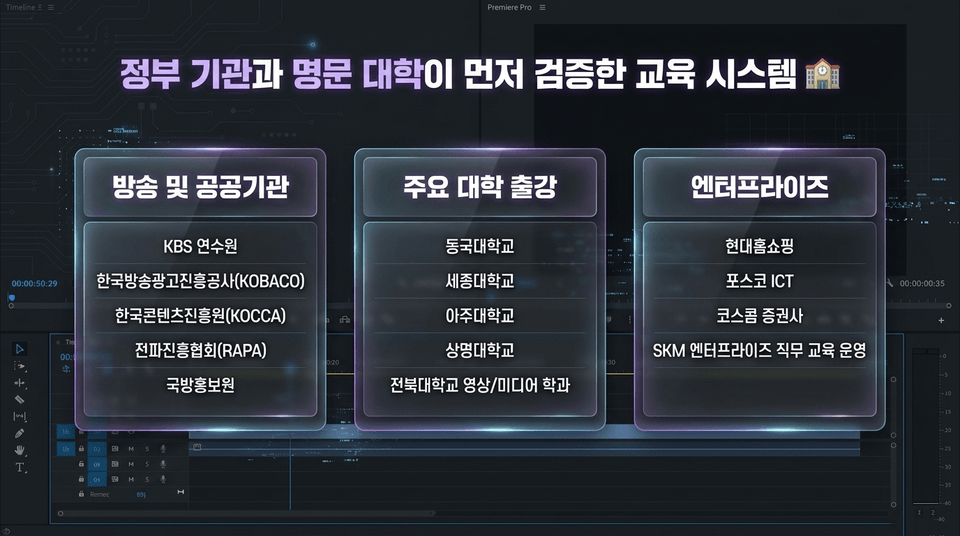
• Broadcasting and public institutions: KBS Training Institute, KOBACO, KOCCA, RAPA, and the Defense Media Agency
• Lectures at major universities: Dongguk University, Sejong University, Ajou University, Sangmyung University, and Jeonbuk National University’s departments of film and media
• Enterprise: Conducted job training for Hyundai Home Shopping, POSCO ICT, Koscom Securities, and SKM Enterprise
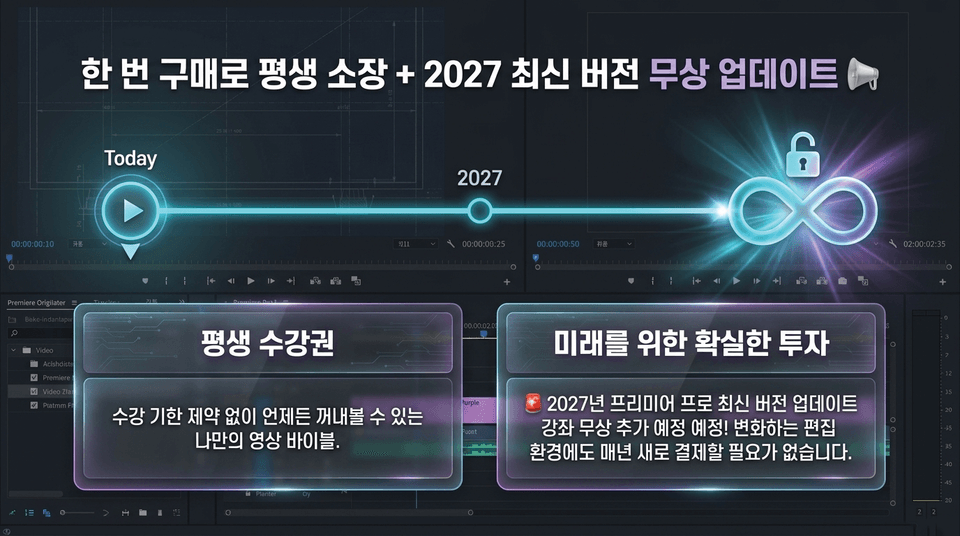
• Lifetime access: Your own video bible, available anytime without a course expiration date.
• A sure investment in the future: 🚨 An updated course on the latest version of Premiere Pro is scheduled to be added free of charge in 2027! You won’t need to pay again every year as the editing environment changes.
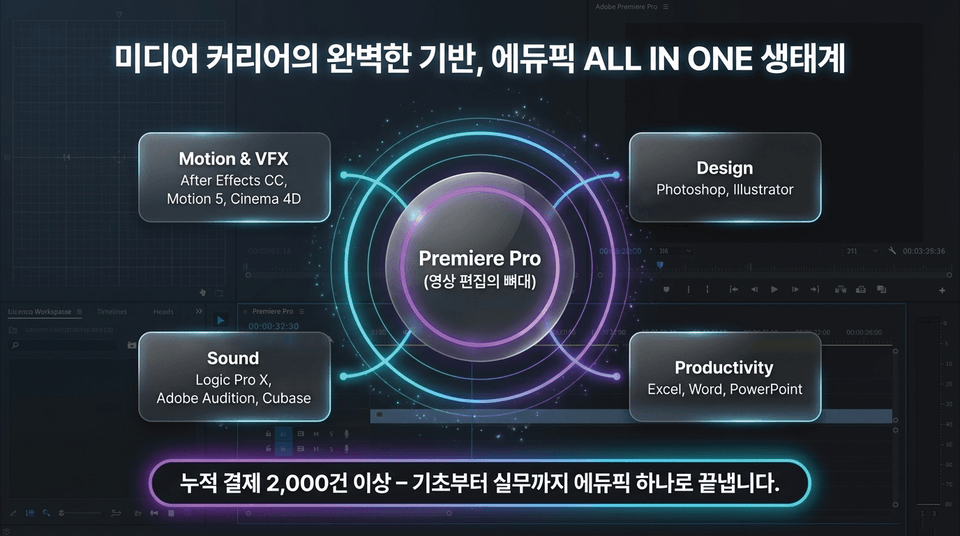
The ultimate media class centered around Premiere Pro (the backbone of video editing).
• Motion & VFX: After Effects CC, Motion 5, Cinema 4D
• Design: Photoshop, Illustrator
• Sound: Logic Pro X, Adobe Audition, Cubase
• Productivity: Excel, Word, PowerPoint
Over 2,000 purchases to date—we cover everything from the basics to real-world applications with Edupick.
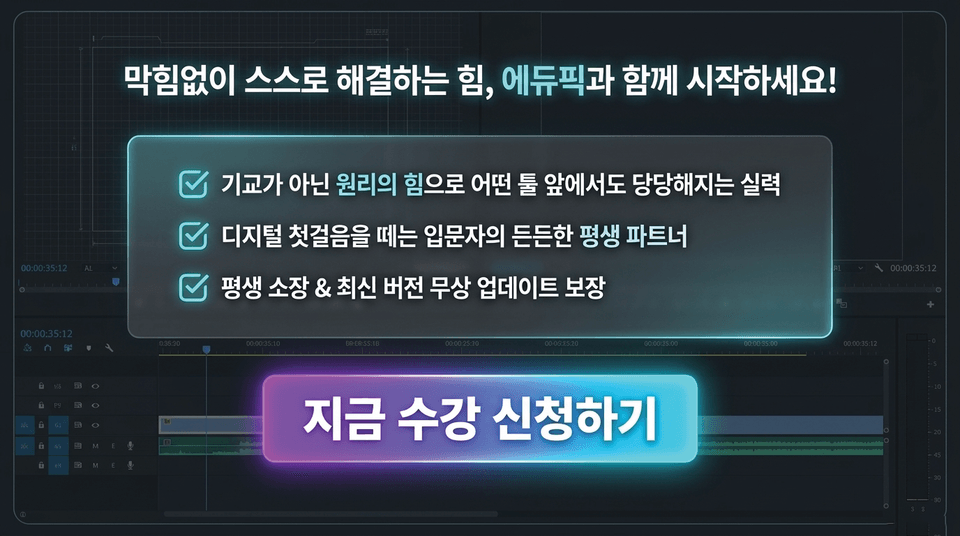
☑ Skills that give you confidence with any tool through the power of principles, not tricks
☑ A reliable lifelong partner for beginners taking their first steps into the digital world
☑ Lifetime access & free updates to the latest versions guaranteed
Enroll now
An endless stream of tutorials and a flood of automation tools that promise results with a single click. Yet we feel more powerless than ever.
The more tools evolve, the more valuable those who have mastered the fundamentals become.
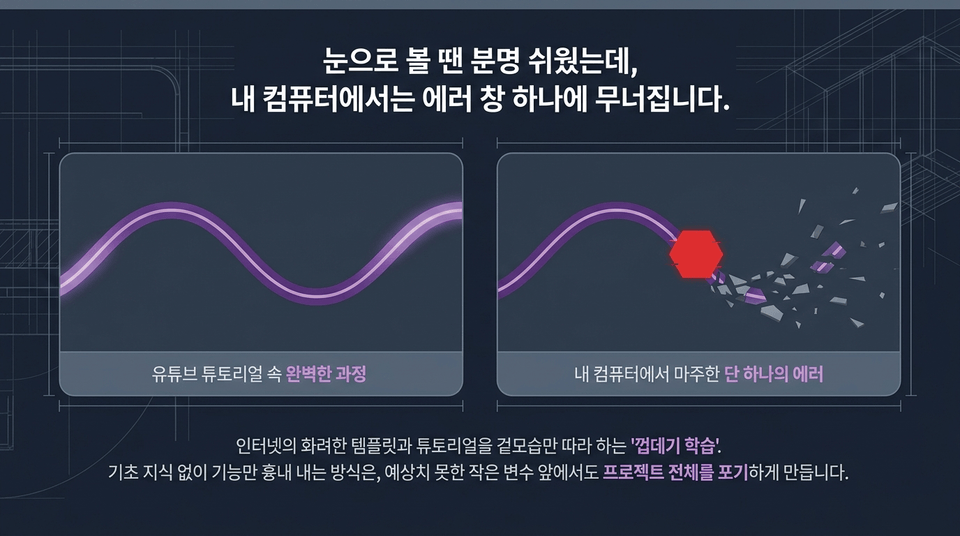
The perfect process in a YouTube tutorial vs. a single error encountered on my computer.
Trying to imitate features without foundational knowledge can make you give up on the entire project when faced with even a small unexpected variable.
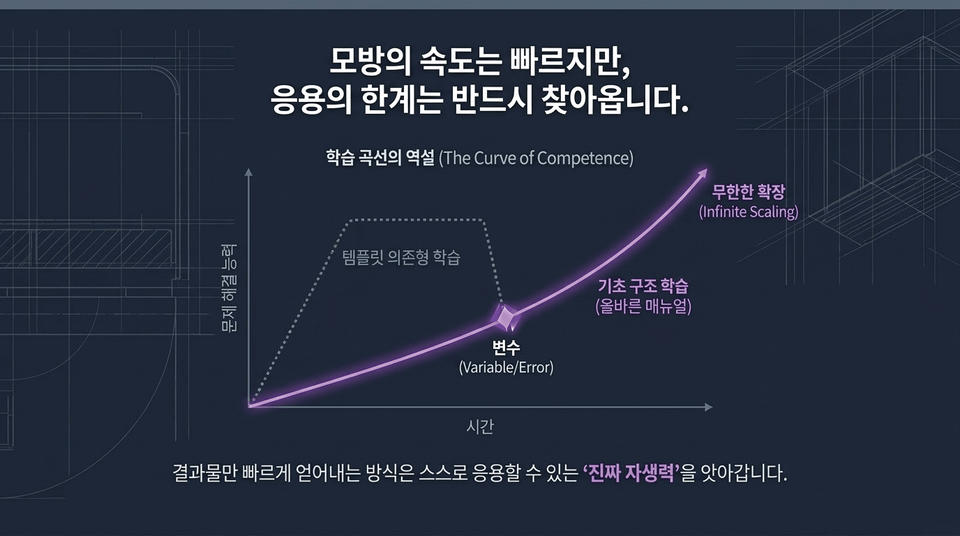
Template-dependent learning may appear to be fast at first, but the moment it encounters a variable (Variable/Error), its growth curve bends downward.
In contrast, learning the fundamental structures based on the proper manual enables infinite scaling (Infinite Scaling).
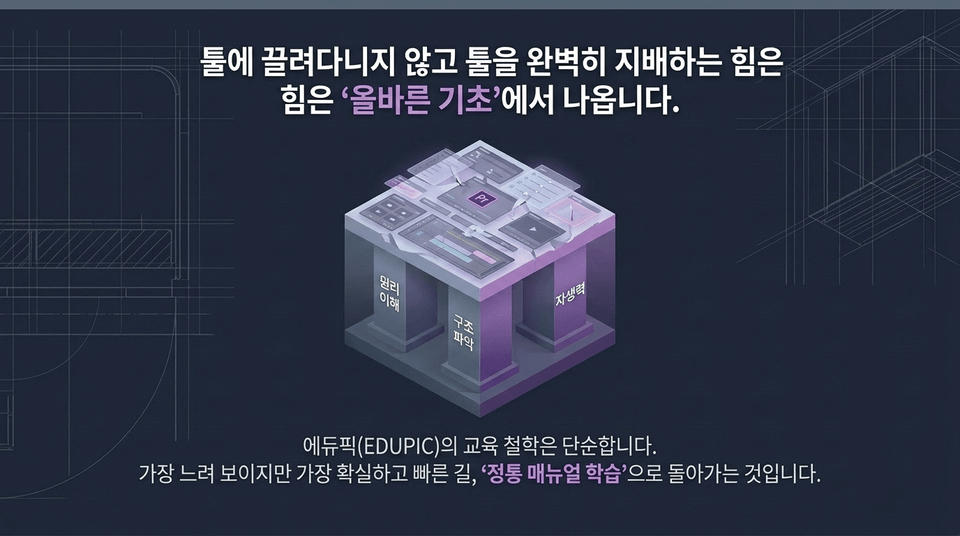
Understanding principles + grasping structure + self-reliance.
EDUPIC’s educational philosophy is simple: returning to the 'traditional manual-based learning'—the path that may seem the slowest, but is the most reliable and fastest.
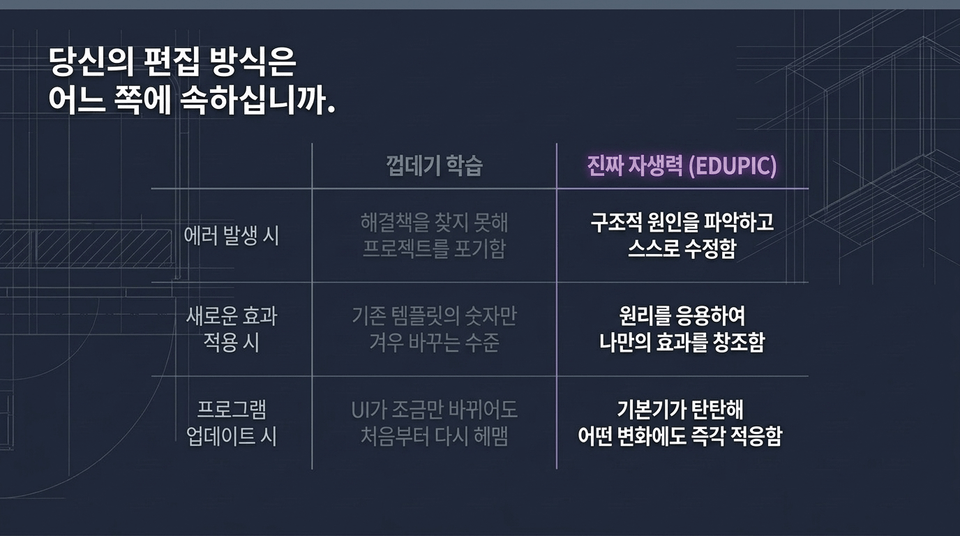
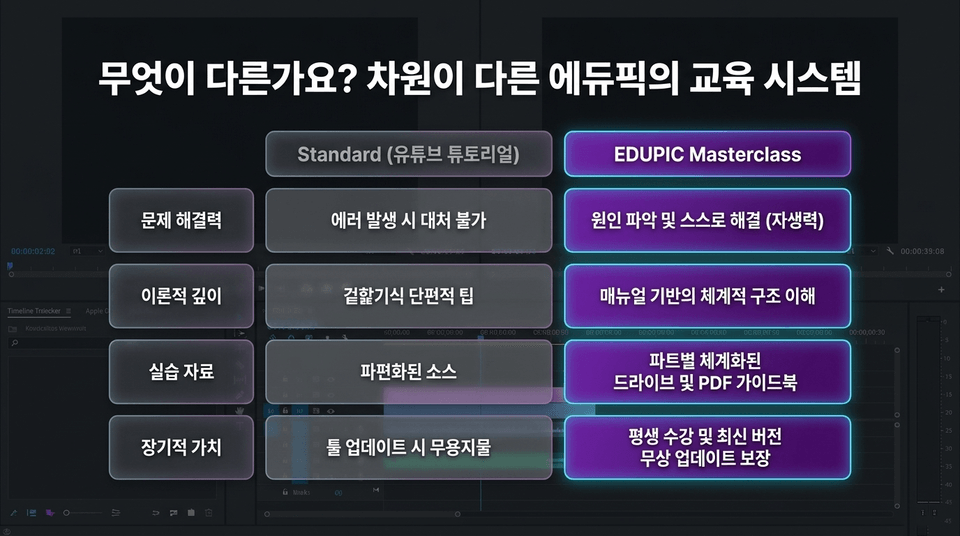
• When an error occurs: Give up on the project because you cannot find a solution ❌ vs. Identify the underlying cause and fix it yourself ⭕
• When applying a new effect: Barely manage to change the numbers in an existing template ❌ vs. Apply the principles to create your own effect ⭕
• When the program is updated: Get lost from scratch whenever the UI changes even slightly ❌ vs. Adapt immediately to any change thanks to solid fundamentals ⭕
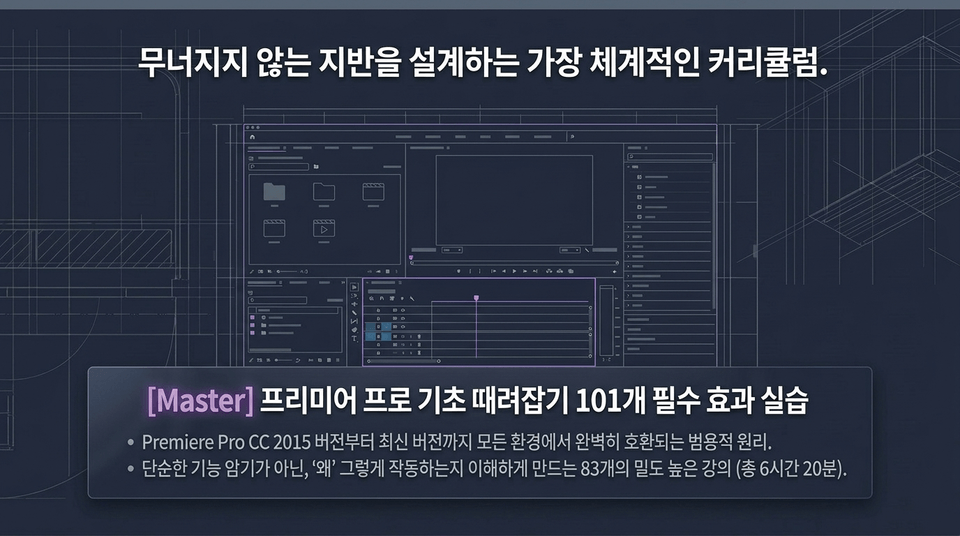
Master Premiere Pro Basics: Practice 101 Essential Effects
• Universal principles that are fully compatible across all environments, from Premiere Pro CC 2015 through the latest version.
• 83 in-depth lessons (6 hours and 20 minutes total) designed to help you understand not just how to memorize functions, but {{?}}why{{?}} they work the way they do.
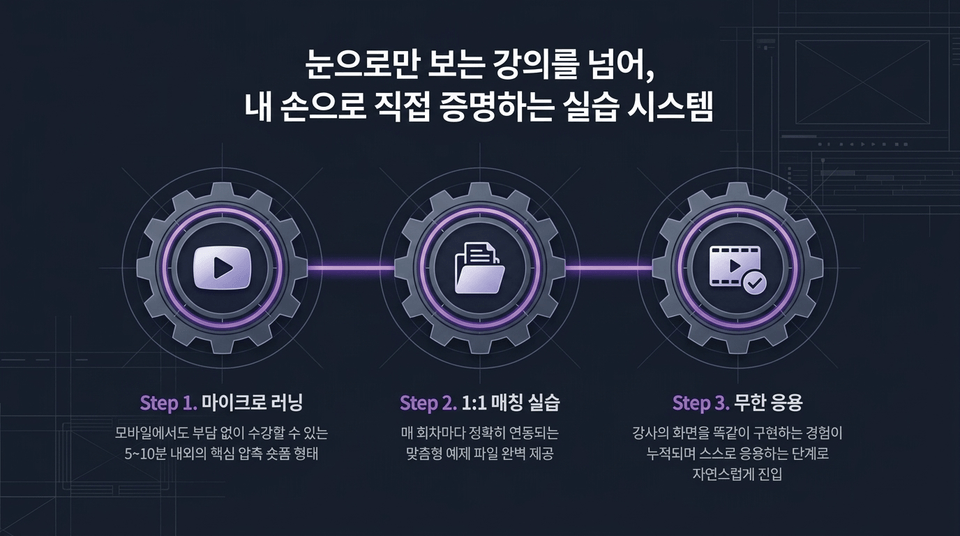
• Step 1. Microlearning: Core concepts condensed into short-form lessons of around 5–10 minutes that are easy to take even on mobile
• Step 2. 1:1 Matched Practice: Fully provided, customized example files that correspond precisely to each lesson
• Step 3. Unlimited Application: As you accumulate experience replicating the instructor’s screen exactly, you naturally progress to applying the skills on your own
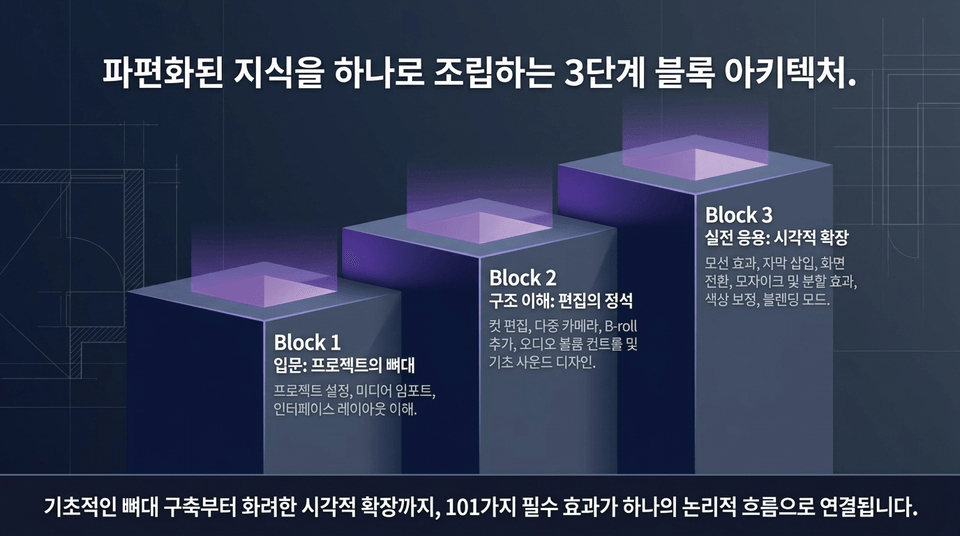
• Block 1 Introduction (Project Framework): Project setup, media import, and understanding the interface layout.
• Block 2 Understanding the Structure (The Essentials of Editing): Cut editing, multicamera editing, adding B-roll, audio volume control, and basic sound design.
• Block 3 Practical Application (Visual Expansion): Motion effects, adding captions, transitions, mosaic and split-screen effects, color correction, and blending modes.
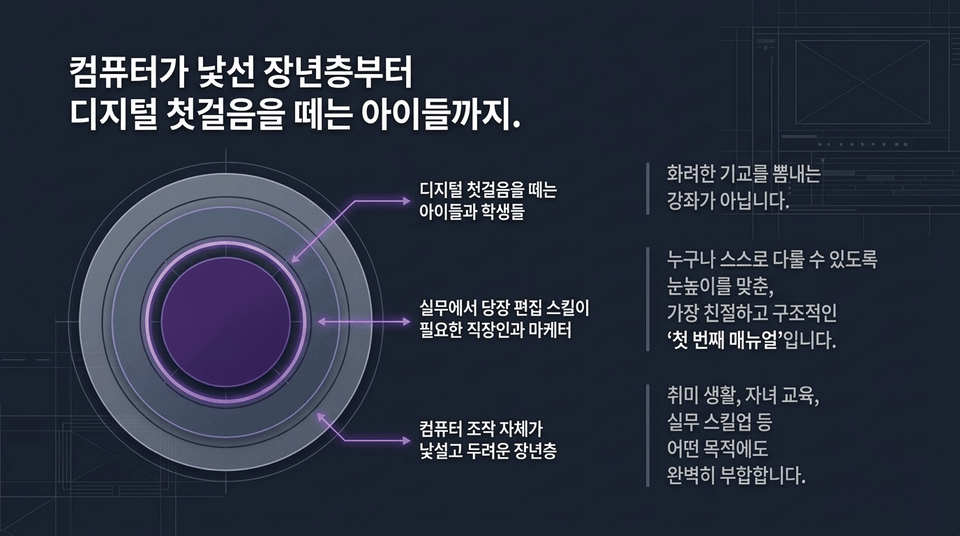
• This is not a course for showing off flashy techniques.
• It is the most friendly and structured “first manual”, tailored to the level of everyone from children and students taking their first steps into the digital world, to office workers and marketers who need editing skills right away for work, and older adults who find operating a computer unfamiliar and intimidating, so they can all use it independently.
• Apple Authorized Trainer & Adobe Certified Instructor (internationally certified trainer)
"Beyond simply teaching how to use the tools, I teach the proper mindset and philosophy for working with video media tools."
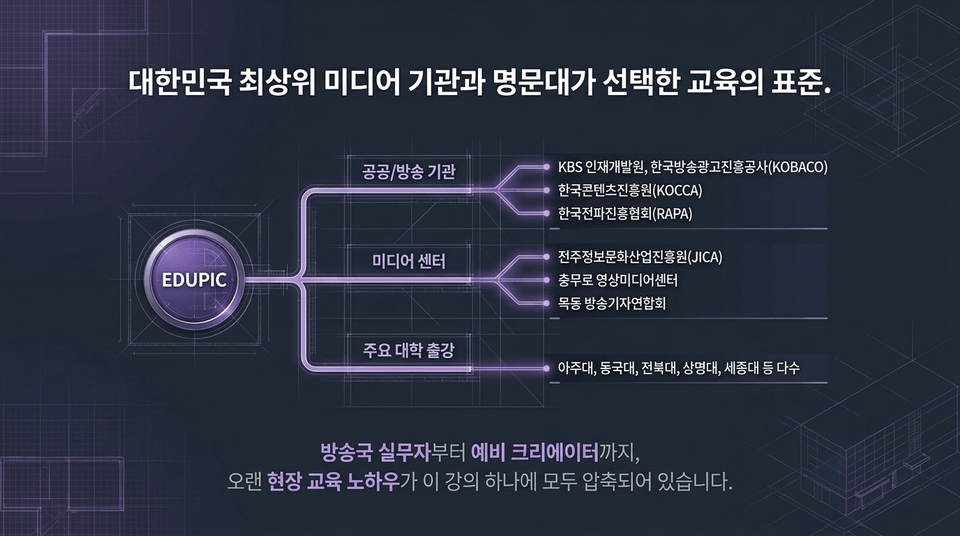
• Public/broadcast institutions: KBS Human Resources Development Institute, KOBACO, KOCCA, RAPA
• Media centers: JICA, Chungmuro Video Media Center, Mokdong Broadcast Journalists Association
• Lectured at major universities: Ajou University, Dongguk University, Jeonbuk National University, Sangmyung University, Sejong University, and many others
From broadcast professionals to aspiring creators, years of hands-on training expertise are all distilled into this one course.
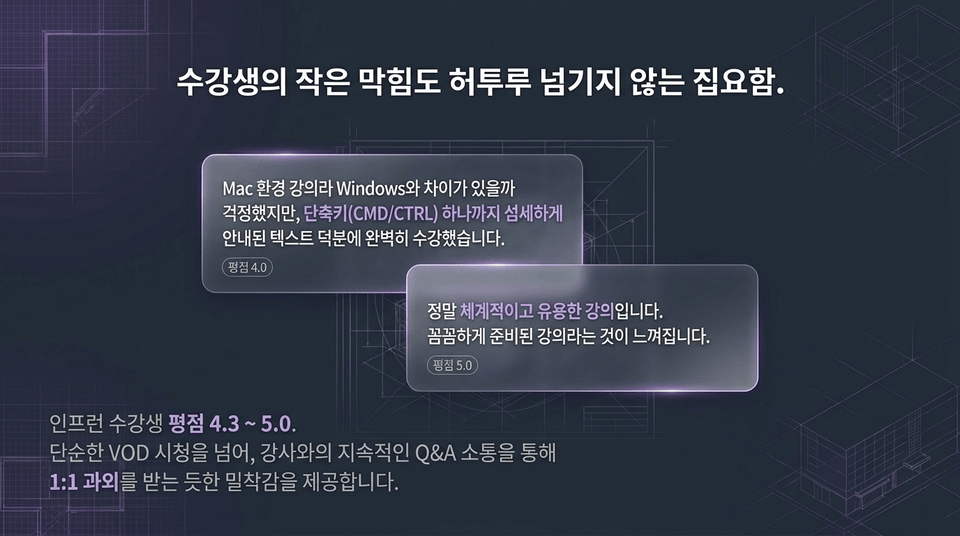
"I was worried that there might be differences between the Mac environment used in the course and Windows, but thanks to the text instructions that carefully explained even every keyboard shortcut, I completed the course perfectly." (Rating: 5.0)
Inflearn student ratings range from 4.3 to 5.0. Going beyond simply watching VODs, the course provides an immersive experience that feels like receiving one-on-one tutoring through ongoing Q&A interaction with the instructor.
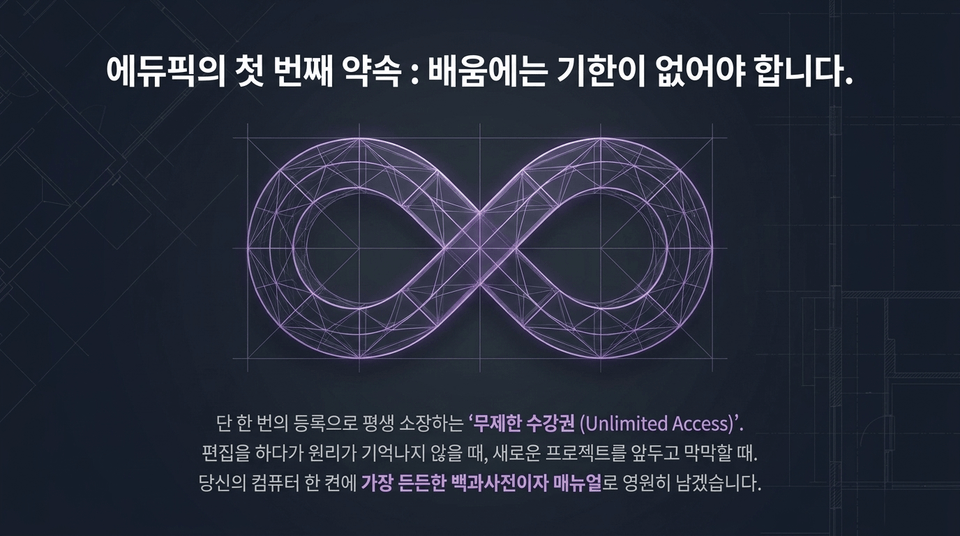
With just one registration, you will own the 'Unlimited Access' pass for life. When you can't remember how something works while editing or feel overwhelmed before starting a new project, it will remain forever on your computer as your most reliable encyclopedia and manual.
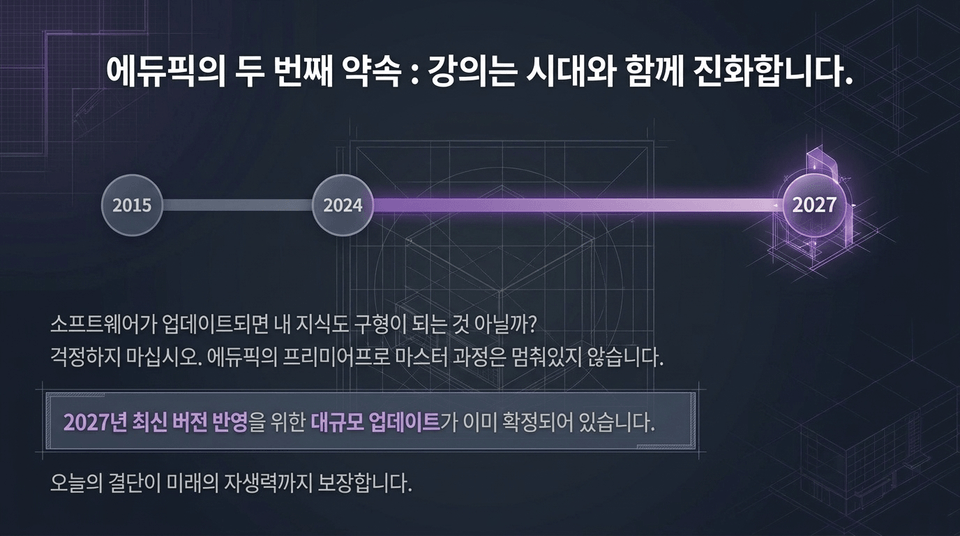
2015 ➔ 2024 ➔ 2027.
"If the software gets updated, won’t my knowledge become outdated too?" Don’t worry. Edupick’s Premiere Pro Master Course is not standing still. A major update incorporating the latest version from 2027 has already been confirmed. The decision you make today will ensure your self-reliance in the future as well.
Do not feel frustrated in front of error messages anymore. Do not confine your creativity to templates created by someone else. Take a solid first step toward your “true self-reliance” and get started properly with EDUPIC today.
Start the EDUPIC Premiere Pro Basics/Completion Course
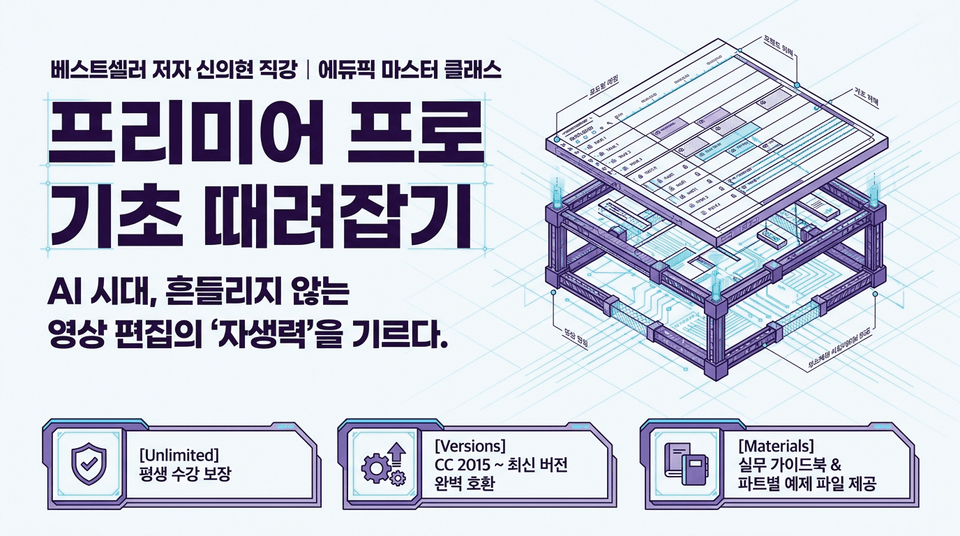
In the AI era, build the “self-reliance” to edit videos with confidence.
Go beyond superficial tutorials and develop the ability to solve problems independently without getting stuck.
Unlimited lifetime access | Fully compatible with CC 2015 through the latest version | Practical guidebook & example files for each section included
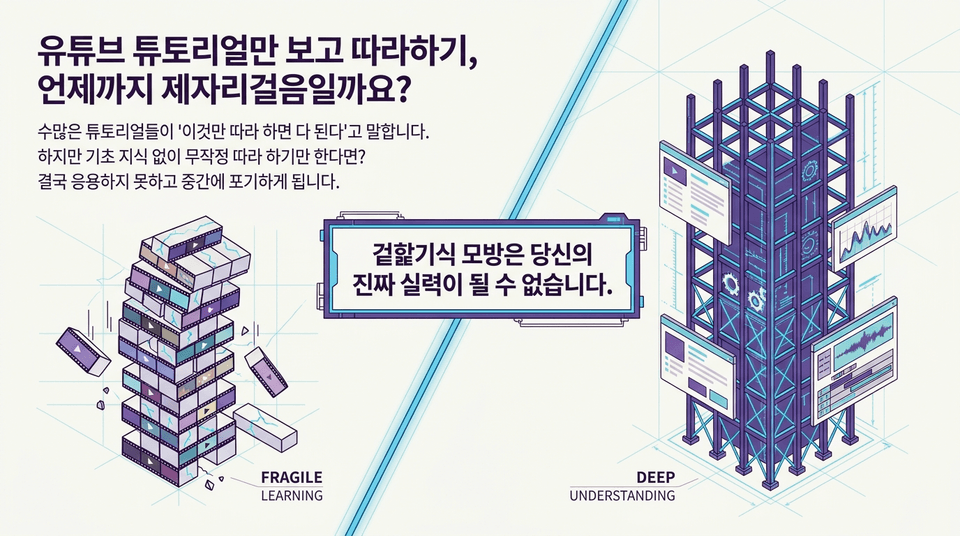
• FRAGILE LEARNING (Fragile Imitation): What happens if you blindly follow along without basic knowledge? Shallow learning that is easily undermined because you don’t understand the principles.
• DEEP UNDERSTANDING (In-Depth Understanding): Build self-reliance with limitless potential for growth and problem-solving skills through learning the foundational structure (the proper manual).
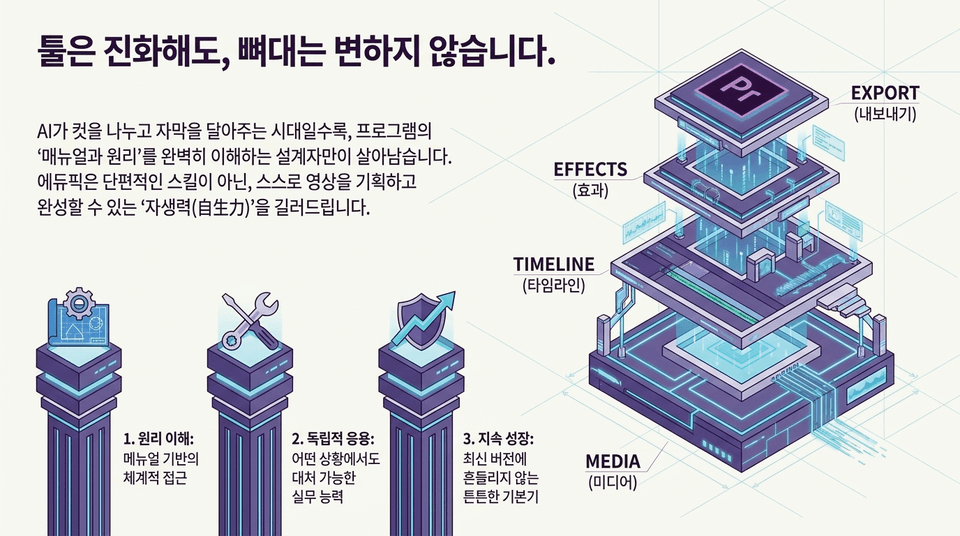
The more we enter an era where AI divides cuts and adds captions, the more only designers who perfectly understand a program’s 'manuals and principles' will survive.
1. Understanding the principles: A systematic, manual-based approach
2. Independent application: Practical skills to handle any situation
3. Continuous growth: Solid fundamentals that remain steady regardless of the latest version (MEDIA ➔ TIMELINE ➔ EFFECTS ➔ EXPORT)
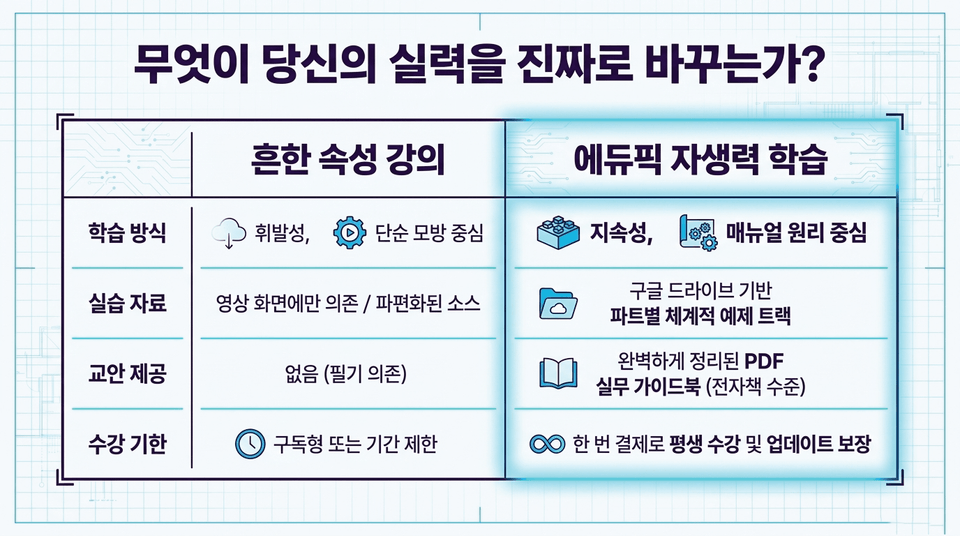
• Learning approach: Volatile, simple imitation-focused ❌ vs. Lasting, manual- and principle-focused ⭕
• Practice materials: Reliance on fragmented video-based source files ❌ vs. Systematic, part-by-part example tracks based on Google Drive ⭕
• Course materials: None (reliance on note-taking) ❌ vs. A perfectly organized PDF practical guidebook (at the level of an e-book) ⭕
• Access period: Subscription-based or time-limited ❌ vs. Lifetime access and guaranteed free updates with a one-time payment ⭕
We provide the most accurate and standardized curriculum, combining hands-on industry expertise with educational excellence officially recognized by global software companies (Apple, Adobe, and Avid).
A premium online class taught by an internationally recognized certified instructor.
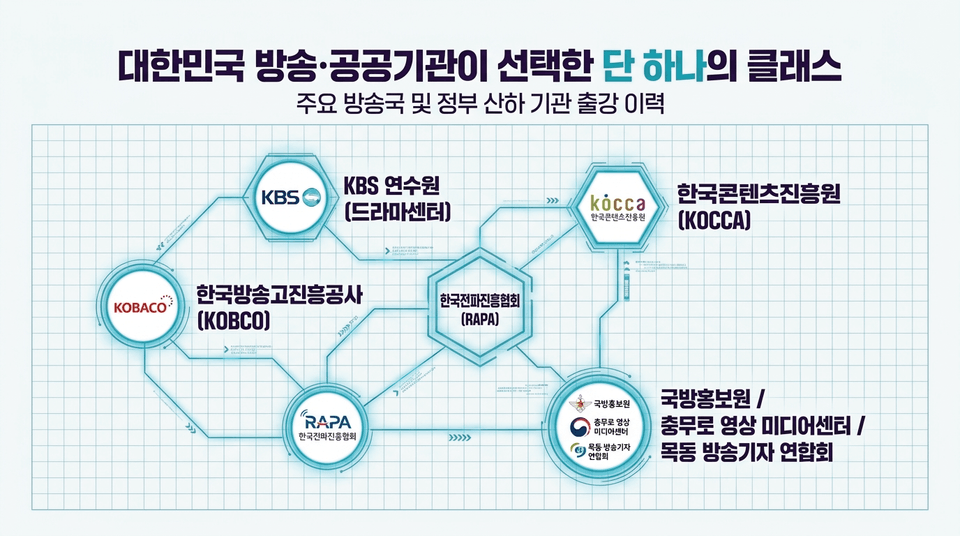
• KBS Training Institute (Drama Center) Video Editing/Sound/Color Grading Job Training
• KOBACO (Korea Broadcast Advertising Corporation) Editing Specialist Course
• KOCCA (Korea Creative Content Agency) & RAPA (Korea Radio Promotion Association)
• Defense Media Agency / Chungmuro Video Media Center / Mokdong Association of Broadcast Journalists
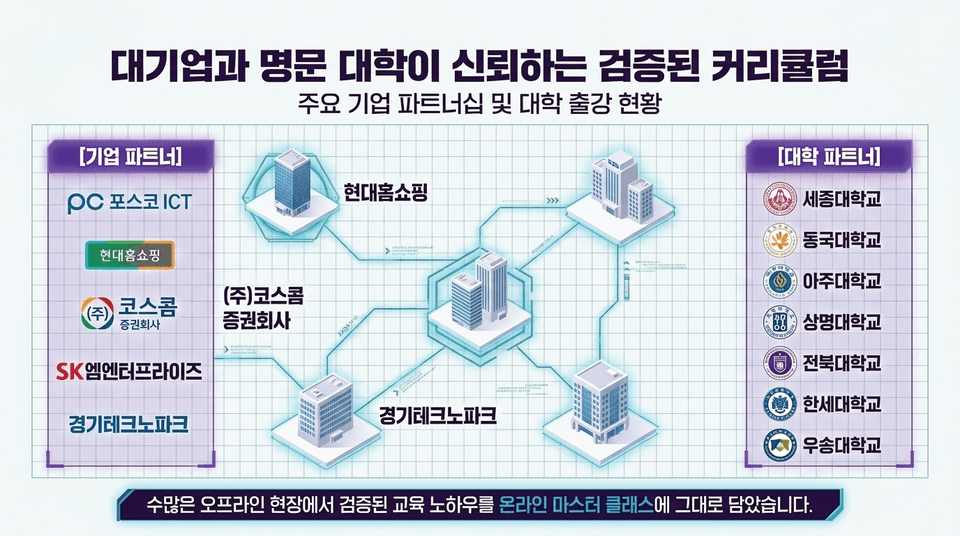
• Corporate partners: POSCO ICT, Hyundai Home Shopping, Koscom Securities Co., Ltd., SK M Enterprise, Gyeonggi Technopark
• University partners: Sejong University, Dongguk University, Ajou University, Sangmyung University, Jeonbuk National University, Hansei University, Woosong University
We have incorporated the educational expertise proven at numerous offline sites directly into this online master class.
The most systematic design for transforming yourself into a fully capable professional, going beyond simply watching.
• STEP 1: Understand the Guidebook (The Blueprint): First learn the features and principles using the comprehensive PDF guide provided.
• STEP 2: Practice Each Part Yourself (The Construction): Build hands-on familiarity with customized example files provided via Google Drive.
• STEP 3: Apply Practical Effects (The Architecture): Create your own high-quality videos based on the principles you have learned.
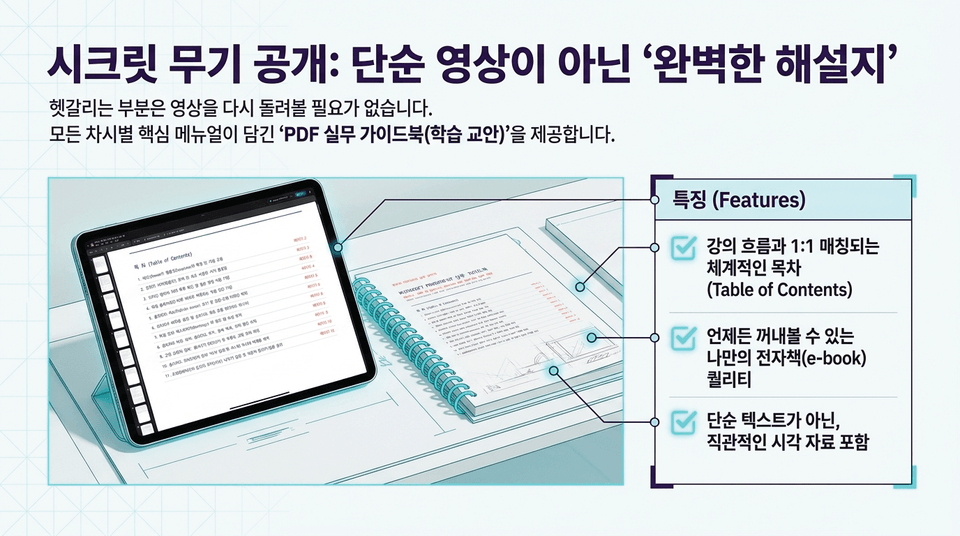
There’s no need to replay the video when something is confusing. We provide a 'PDF Practical Guidebook (Course Materials)' containing the key manuals for every lesson.
☑ A systematic Table of Contents that matches the course flow 1:1
☑ E-book quality that you can refer to anytime
☑ Includes intuitive visual materials, not just simple text
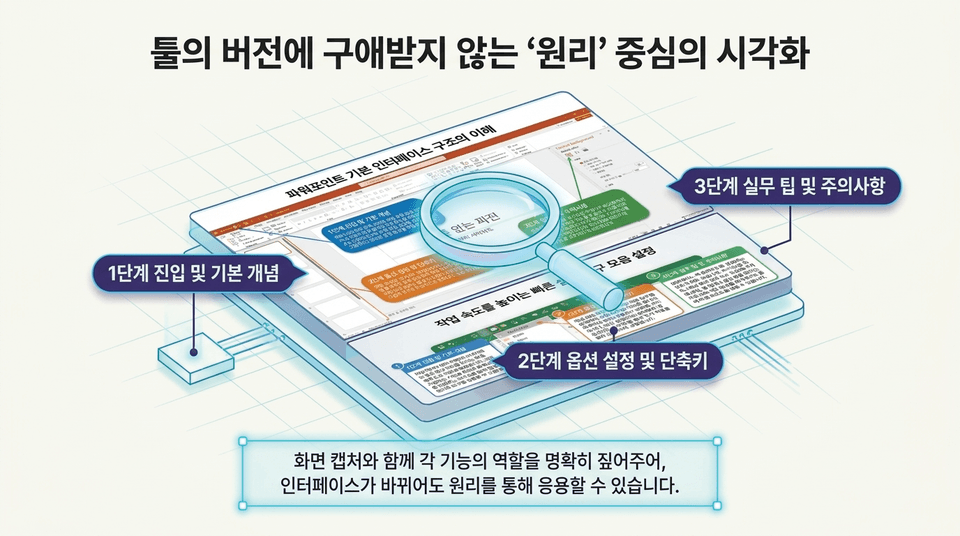
Step 1: Getting started and basic concepts ➔ Step 2: Option settings and shortcuts ➔ Step 3: Practical tips and precautions.
Along with screen captures, we clearly explain the role of each function, so you can apply the principles even when the interface changes.
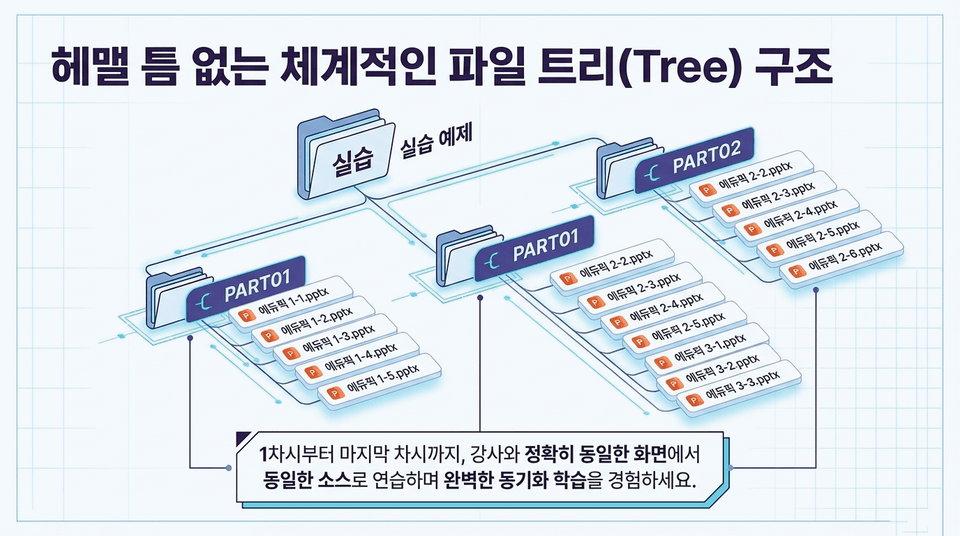
Stop watching lectures passively. Practice example files perfectly matched to each lecture section (PART 01, PART 02...) are provided instantly via Google Drive. Without having to waste time searching for examples, students can set up a complete practical work environment with just one click.
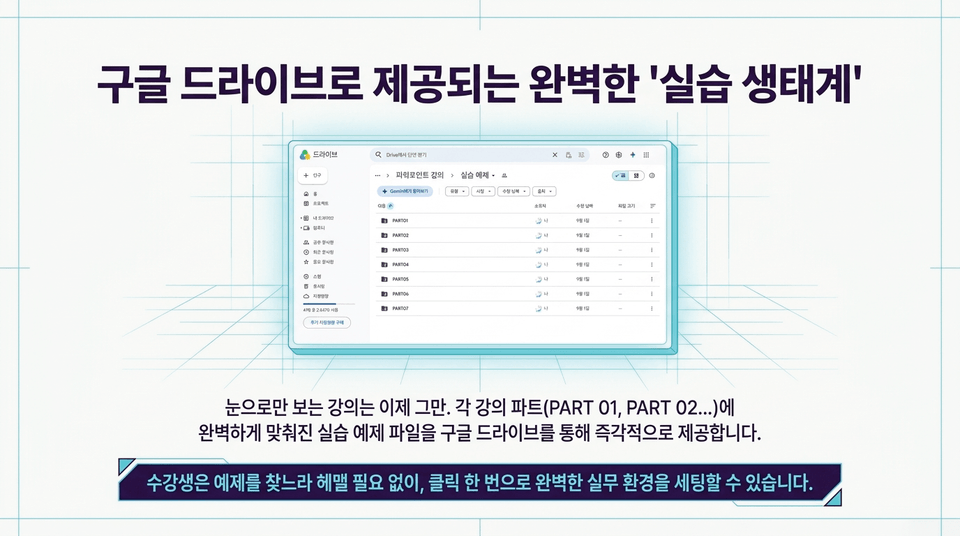
From the first lesson to the last, practice with the same sources on exactly the same screen as the instructor and experience perfectly synchronized learning. (Practice/Practice Examples ➔ PART01, PART02 ...)
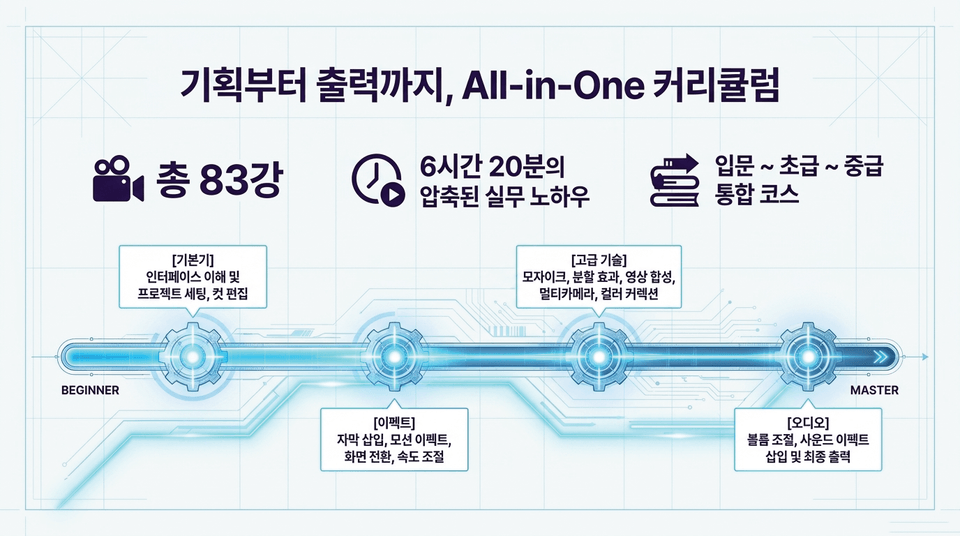
A condensed integrated course covering 83 lessons / 6 hours and 20 minutes of practical know-how / from beginner to elementary to intermediate
• BEGINNER Fundamentals: Understanding the interface, setting up projects, and cut editing
• Effects: Adding subtitles, motion effects, transitions, and speed adjustments
• Audio: Adjusting volume, adding sound effects, and final output
• MASTER Advanced Techniques: Mosaics, split-screen effects, video compositing, multicamera editing, and color correction
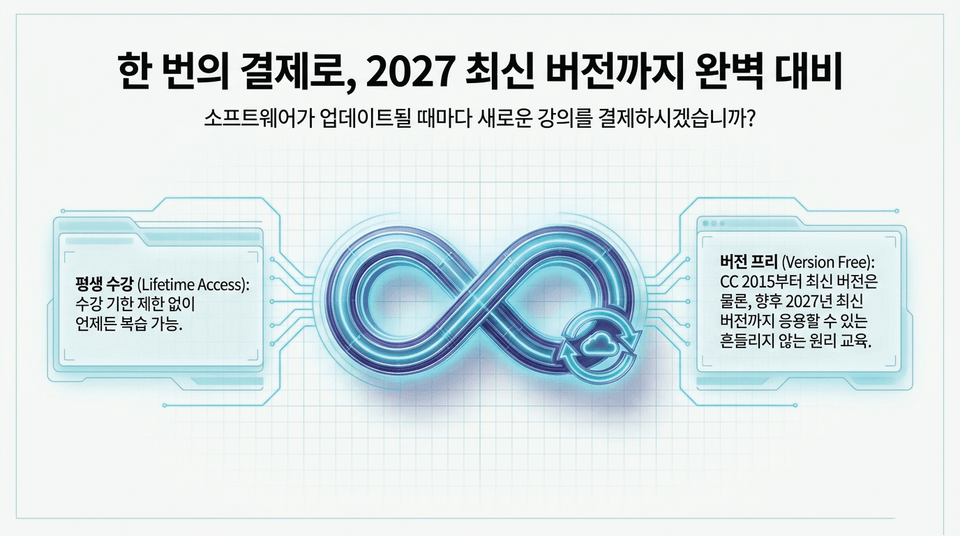
Will you pay for a new course every time the software is updated?
• Lifetime Access: Review the course anytime without a time limit.
• Version Free: Learn solid fundamental principles that can be applied from CC 2015 through the latest version, as well as future versions up to the latest version in 2027.
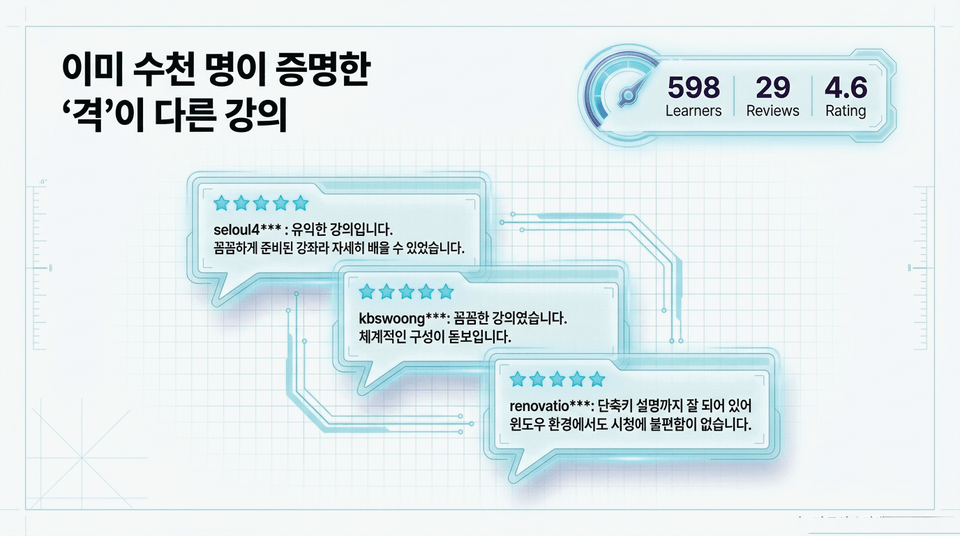
Learners: 598+ | Reviews: 29+ | Rating: 4.6 / 5.0
• "This is a very informative course. It was so thoroughly prepared that I was able to learn in detail." (seloul4**)
• "This was a very thorough course. Its systematic structure really stands out." (kbswoong**)
• "The shortcuts are explained well, so there is no inconvenience watching it even in a Windows environment." (renovatio**)
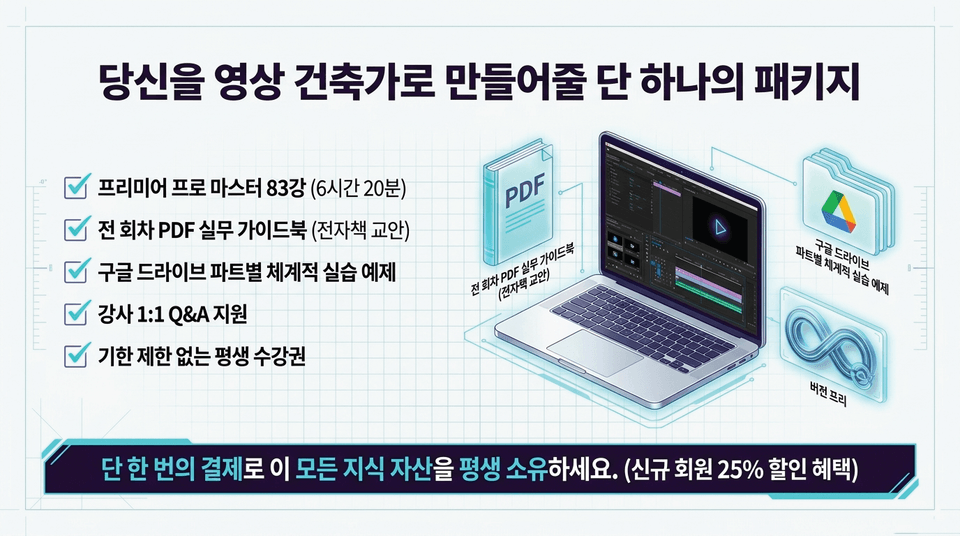
☑ Premiere Pro Master: 83 lessons (6 hours 20 minutes)
☑ PDF practical guidebook for every lesson (digital textbook)
☑ Systematic practice examples for each section on Google Drive
☑ 1:1 instructor Q&A support
☑ Lifetime access with no expiration
Own all of these knowledge assets for life with a single payment. (25% discount for new members)
Stop wandering. Design genuine skills with EduPick right now.
Once you understand the principles, your videos will change.
Stop wandering aimlessly. Design real skills with Eduepick right now.
Enroll now and gain lifelong self-reliance ➔



![[Master] A Solid Basics Course for Mastering Vegas ProCourse Thumbnail](https://cdn.inflearn.com/public/files/courses/333400/cover/ai/2/979a70a0-ec99-47ef-bd7b-7883f25abc66.png?w=420)
![[Master] Logic Pro X Course for Solid FundamentalsCourse Thumbnail](https://cdn.inflearn.com/public/files/courses/333265/cover/ai/2/17a32478-e555-4570-9048-60d185dff97c.png?w=420)
![[Master] Basic Solid Audition CourseCourse Thumbnail](https://cdn.inflearn.com/public/files/courses/333264/cover/ai/2/97588aa2-8f02-4d97-ab60-793af35babc7.png?w=420)
![[Master] Solid Basics After Effects CC CourseCourse Thumbnail](https://cdn.inflearn.com/public/files/courses/333257/cover/ai/2/cc466790-af2d-4198-b5e8-1795be65e85a.png?w=420)
![[Master] Solid Cinema 4D Basics CourseCourse Thumbnail](https://cdn.inflearn.com/public/files/courses/333255/cover/ai/2/9c49cd06-4ea4-4208-bbe6-53012a50e97c.png?w=420)
![[Master] Basic Solid: Follow Along with 101 Premiere Pro EffectsCourse Thumbnail](https://cdn.inflearn.com/public/files/courses/330105/cover/ai/2/e8ee2cfe-abd5-48f9-92f2-f49829f2014a.png?w=420)
![[Advanced] Mastering Excel: Building a Solid Foundation CourseCourse Thumbnail](https://cdn.inflearn.com/public/files/courses/330004/cover/01m04tf9hsr0m5gzxrskce1nja?w=420)

![[Intermediate] Mastering Excel with a Solid Foundation CourseCourse Thumbnail](https://cdn.inflearn.com/public/files/courses/330003/cover/01m04pa6n703t49hn2dmwpy0ct?w=420)
![[Beginner] Mastering Excel with a Solid Foundation CourseCourse Thumbnail](https://cdn.inflearn.com/public/files/courses/330002/cover/01m01nqapy9skgs8gsn4geedyp?w=420)
![[Master] Basic, Solid PowerPoint CourseCourse Thumbnail](https://cdn.inflearn.com/public/files/courses/330000/cover/ai/2/5012d48c-44e2-4646-a0ce-862974174b5a.png?w=420)
![[Advanced] Mastering Basic Solid Vocabulary CourseCourse Thumbnail](https://cdn.inflearn.com/public/files/courses/329993/cover/01m05r0fqknfxtp3x8z47xe9wv?w=420)
![[Intermediate] Mastering Basic Vocabulary with a Solid Foundation CourseCourse Thumbnail](https://cdn.inflearn.com/public/files/courses/329992/cover/01m05qy1cw6ff6j32fmydcqjrb?w=420)
![[Master] Course: Mastering Motion 5 with Solid FundamentalsCourse Thumbnail](https://cdn.inflearn.com/public/files/courses/329588/cover/ai/2/0cb79354-a333-4c64-966b-d74732d58a47.png?w=420)
![[Master] Mastering Illustrator with Solid Fundamentals CourseCourse Thumbnail](https://cdn.inflearn.com/public/files/courses/329341/cover/ai/2/2fc896c1-5fa9-47b2-964a-c77c04aecc1b.png?w=420)
![[Master] Solid Fundamentals Final Cut Pro X CourseCourse Thumbnail](https://cdn.inflearn.com/public/files/courses/328720/cover/ai/0/5d3a6fdc-11f8-4076-9d98-68cabf216f68.png?w=420)
![[Master] Mastering Cubase with Solid Fundamentals CourseCourse Thumbnail](https://cdn.inflearn.com/public/files/courses/328633/cover/ai/0/55019ddb-2451-4429-8caa-5230574e4ca2.png?w=420)
![[Integrated] Introduction to AI Video + Shorts ProductionCourse Thumbnail](https://cdn.inflearn.com/public/files/courses/343177/cover/01kx2mmgmppa8h7jdb8kx9bxye?w=420)


![[Integrated] Introduction to AI Video Production + Practical ApplicationCourse Thumbnail](https://cdn.inflearn.com/public/files/courses/343029/cover/01kwtvq9840gqg1t7b6krs3bkk?w=420)