
ź°•ģ˜

ė©˜ķ† ė§

ģ»¤ė®¤ė‹ˆķ‹°

NEW
Security & Network

/

System

VPS Web Hosting with Email Server, Cloudflare DNS and SSL, WordPress, FTP, Databases, Backups

This course is designed to help beginners confidently manage a VPS server and host professional websites without feeling overwhelmed by technical complexity. With over 5 years of experience working with WordPress and VPS-based hosting, I have helped many beginners solve common problems such as slow website performance, poor security, high hosting renewal costs, and limited control on shared hosting platforms. In this course, I break down complex server concepts into simple, step-by-step lessons that anyone can follow. You will learn how to purchase an affordable and high-performance VPS, connect a custom domain, install WordPress or other websites, secure your server, and manage everything using a reliable and user-friendly control panel. I also guide you through setting up Cloudflare for DNS, free SSL, CDN protection, automated backups, FTP access, database management, and a secure email server. By the end of this course, you will have the skills and confidence to manage your own VPS server, host multiple websites, and run a secure, scalable, and cost-effective web hosting environment.

2 learners are taking this course

Level Beginner

Course period Unlimited

  • Sime Bugarija
vpshosting
vpshosting
cloudflare
cloudflare
wordpress
wordpress
serversecurity
serversecurity
emailserver
emailserver
vps
vps
dns
dns
MSSQL
MSSQL
vpshosting
vpshosting
cloudflare
cloudflare
wordpress
wordpress
serversecurity
serversecurity
emailserver
emailserver
vps
vps
dns
dns
MSSQL
MSSQL

What you will gain after the course

  • How to purchase, configure, and manage a VPS server from scratch

  • How to install and host WordPress and other websites on a VPS

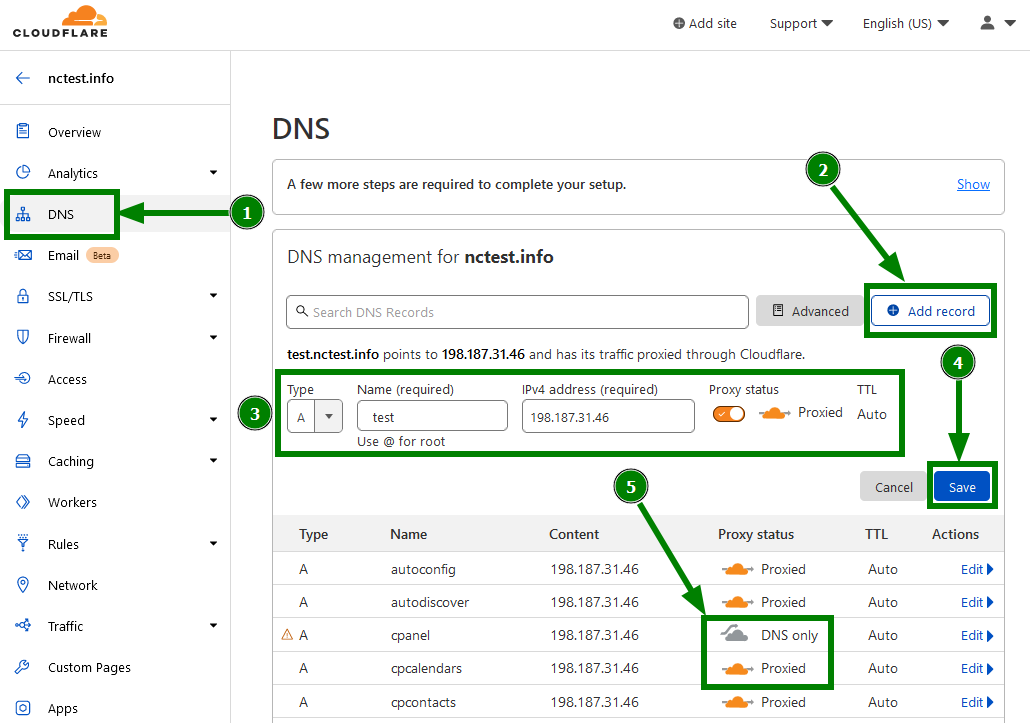
  • How to configure DNS, Cloudflare CDN, and free SSL for better security and performance

  • How to manage FTP accounts, databases, and automated backups

  • How to create and manage a secure email server with a custom domain

Master VPS Web Hosting: Secure Websites, Cloudflare DNS & SSL, Email Server, WordPress & Backups

Learn how to manage a VPS server from scratch and host fast, secure, and scalable websites used in web development, IT systems, cloud hosting, and digital businesses.

This course is designed for beginners who want to move away from slow and restrictive shared hosting and gain full control over their hosting environment using professional tools such as Cloudflare, WordPress, FTP, databases, backups, and secure email servers.

I created this course after seeing many beginners struggle with poor hosting performance, unexpected renewal costs, and fear of VPS management. Through real-world experience, I learned that VPS hosting is not as complicated as it seems when explained step by step—and this course is built to prove exactly that.

What You’ll Learn

Section (1): Core Keywords – VPS, Hosting, Security, Cloudflare

In this section, you will build a strong foundation in VPS hosting and server management. You’ll understand how servers work and how to set them up securely and efficiently.

You will learn how to:

  • Choose and purchase an affordable, high-performance VPS server

  • Buy and connect a custom domain name

  • Configure DNS settings correctly

  • Integrate Cloudflare to protect your server and route all traffic securely

  • Use Cloudflare’s free CDN to improve website speed and performance

  • Secure your website with free SSL certificates

Section (2): Core Keywords – WordPress, FTP, Databases, Backups, Email Server

This section focuses on practical website hosting and server operations. You will learn how to manage everything needed to run real websites professionally.

You will learn how to:

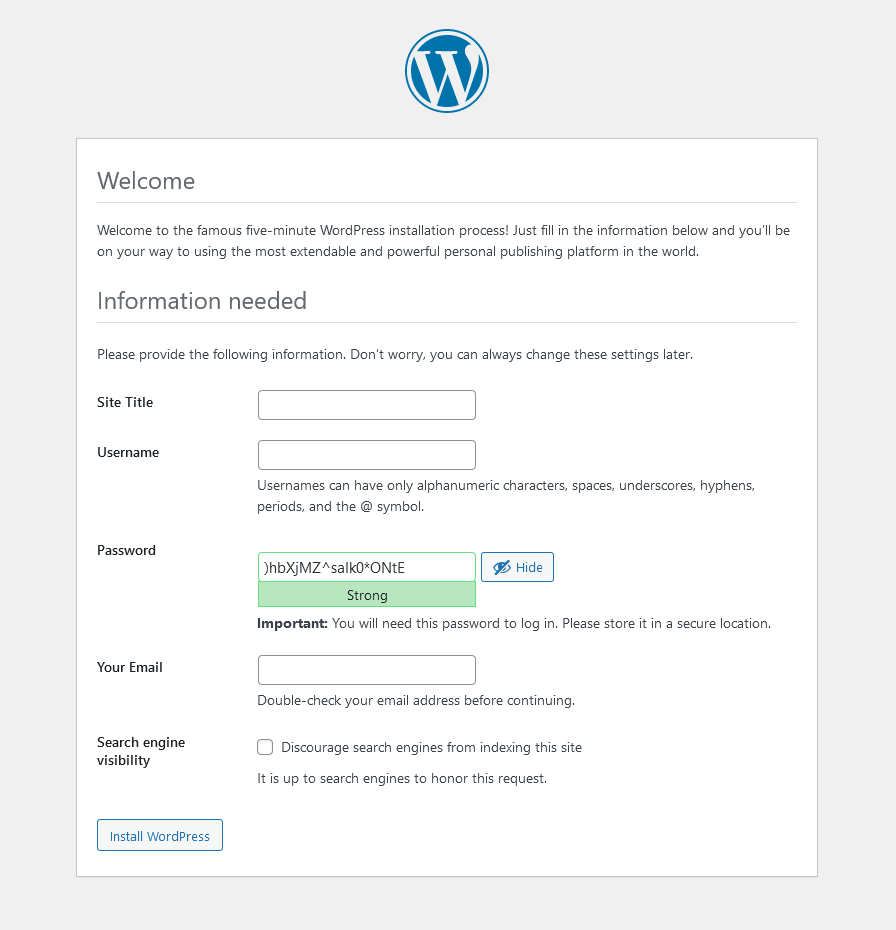
  • Install WordPress and other websites on a VPS server

  • Use a control panel to manage websites easily

  • Create and manage FTP accounts

  • Manage databases safely

  • Set up automatic and free server backups

  • Create professional email addresses with your own domain

  • Configure a secure email server to send and receive emails safely

Before You Enroll

Prerequisites & Notices

  • No prior VPS or server knowledge is required

  • Basic computer and internet usage is sufficient

  • This course is designed for beginners

Course Format & Quality

  • Clear video and audio explanations

  • Step-by-step demonstrations

  • Practical, real-world examples

Learning Recommendations

  • Follow the lessons in order

  • Practice each step on your own VPS

  • Pause and repeat lessons when needed

Support & Updates

  • Students can ask questions in the course Q&A section

  • The course may receive future updates to stay aligned with current technologies

Copyright & Intellectual Property Notice

  • All course materials are protected by copyright

  • Course videos and resources are for personal learning only

  • Redistribution, resale, or reuse of content without permission is strictly prohibited

šŸ’”When you complete this course

This course provides a certification of completion in a format suitable for resumes and portfolios.
By completing the course, you can receive this, which can serve as official proof of your learning accomplishments.

šŸ’”Learn Smart with Language Options for Audio and Subtitles

You can switch both audio and subtitles according to your learning style.
Select your preferred language.

Recommended for
these people

Who is this course right for?

  • Beginners who are frustrated with slow performance, limited control, and high renewal costs of shared hosting

  • WordPress users, bloggers, freelancers, and small business owners who want full control over their hosting environment

  • Anyone who wants to learn how to host websites, manage servers, and create professional email addresses using their own domain

Need to know before starting?

  • No prior technical or server management experience is required. Basic computer and internet usage knowledge is enough. All concepts are explained step by step in a beginner-friendly manner.

Hello
This is

I have been actively using Blender for the last 4 years, mainly for creating film animation. In my courses you can learn a lot about modeling, texturing, lighting creation, post-processing and animation. My goal is to achieve as realistic a render as possible. All my courses are step-by-step and intended for users who have no previous experience in Blender.

Curriculum

All

10 lectures āˆ™ (2hr 30min)

Published:Ā 
Last updated:Ā 

Reviews

Not enough reviews.
Please write a valuable review that helps everyone!

$22.00

Sime Bugarija's other courses

Check out other courses by the instructor!