Easy Windows Development Environment Setup Without Any Hassle
kenuheo
How to easily set up git, VS Code, Node.js, Python, Java dev environments on Windows within 2 hours without struggling.

Beginner
Git, VSCode, Microsoft Windows
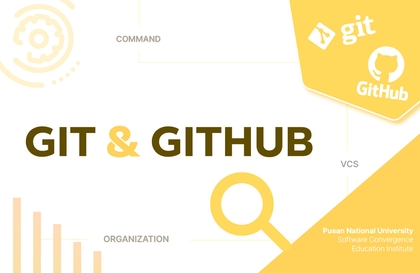
* Lecture for those who are new to Git and GitHub * Basic Git features and Git-related plugins in VS Code
123 learners
Level Beginner
Course period Unlimited
Reviews from Early Learners
5.0
이재훈
You can quickly learn only the core parts necessary for using git.
5.0
나동진
It delivers only the necessary content quickly based on coding. Great.
5.0
jcm528
It was good that the teaching was easy and well-done for me as I was learning for the first time.
Basic usage of Git and GitHub
VS Code's version control features and extension plugins
Managing code conflicts
Learn how to easily handle Git, the most widely used version control tool for project code, and the remote repository GitHub. While there are many tools available for managing Git, VS Code and its plugins make it easy to use.
Using GitLens and Git Graph plugins
Effective use of Git Bash tools
Learn the basic structure of Git and how to register as a committer.
We'll walk through version management step-by-step with a simple socket.io example.
Here's how to easily commit from VS Code's UI.

Git local repository
Create a repository on GitHub and link it locally.
You can easily synchronize with remote repositories through VS Code.
You can collaborate with other developers through remote repositories.

Git, GitHub, VS Code
Explore VS Code's branch management UI.
You can tell the difference between Merge and Rebase.
You will also learn basic branch commands related to UI.
You can manage branches through the Git Graph plugin.

Handling branches
Find out when your code crashes.
Learn how to minimize code collisions.
Use this easy way to resolve conflicts in VS Code.
Operating System and Version (OS): Any OS that VS Code and Git work on.
Tools used: Git, VS Code
PC specifications: 4GB or more of memory, 10GB or more of disk space
PDF and online resources https://bit.ly/okgitvsc
About 2 hours long
Even beginners who are just starting out in development can take this course.
Although recorded on Windows 10, it should run equally well on Mac and Linux.
Questions/Answers and future updates
Learning Materials License: CC0 1.0 Universal
Who is this course right for?
For those who are new to Git and GitHub
For those who want to easily manage versions in VS Code
For those who want to easily resolve code conflicts

795
Learners
58
Reviews
43
Answers
4.6
Rating
3
Courses
I am the founder of https://okky.kr and share what I have learned at https://github.com/kenu/okdevtv.
I am collecting the latest videos from development-related channels at https://mp4.okdevtv.com..
I have conducted over 500 programming broadcasts on KenuHeo YouTube..
I am collecting the latest videos from development-related channels at https://mp4.okdevtv.com. I have hosted over 500 programming broadcasts on the KenuHeo YouTube channel.
All
15 lectures ∙ (2hr 1min)
Course Materials:
All
11 reviews
4.5
11 reviews

Reviews 4
∙
Average Rating 5.0
Reviews 4
∙
Average Rating 4.3
Reviews 48
∙
Average Rating 5.0
Reviews 4
∙
Average Rating 5.0
Reviews 4
∙
Average Rating 5.0
Check out other courses by the instructor!
Explore other courses in the same field!