

inflearn logo

Complete Beginner’s Guide to Figma — From the Basics of UI Design to Figma AI Automation

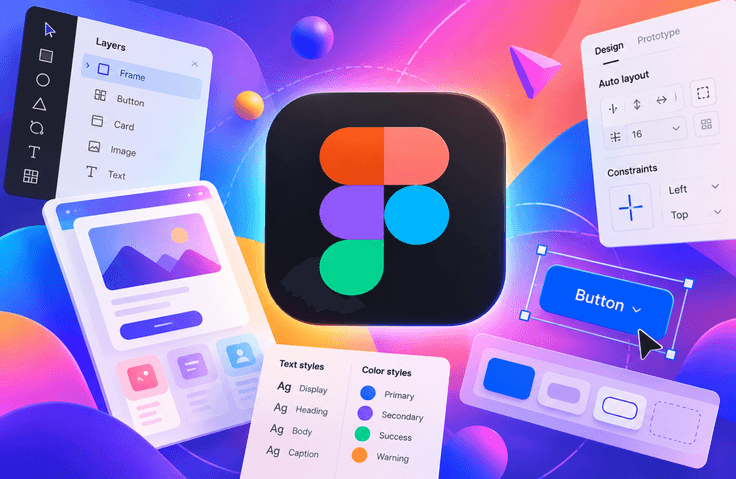
This course is a 26-session, approximately 13-hour hands-on course for those opening Figma for the first time, covering everything from the fundamentals of UI design to the latest AI automation features. Figma has now become an essential tool for UI design, but with so many features, it can be overwhelming to know where to start. In particular, if you do not properly understand concepts like Auto Layout and Components, you will keep taking workarounds and ultimately remain stuck manually moving shapes one by one. This course builds up these concepts step by step through examples. The first part covers the interface, vector tools, and graphic styles. Once you learn how to work with shapes and paths and register color and text styles as a system, your workflow speed will change. You will then learn the principles of automatically arranging elements with Auto Layout. The middle section focuses on Components and Variants. You will practice creating a single button, managing its different states, and building a structure that can be reused across multiple screens. In the responsive layout sessions, you will learn to design UIs that do not break when the screen size changes and extend them to mobile layouts. The final six sessions are what set this course apart. You will learn how to import existing web pages into Figma using the 'html . to . design' plugin, turn designs into actual web pages with Figma Site, and generate code by entering prompts with Figma Make. The latest Figma AI features are also covered. You can follow along even if you did not major in design or have never used graphic tools before. By the end of the course, you will be able to design web and mobile UIs yourself and reduce your working time with AI features.

1 learners are taking this course

Level Beginner

Course period Unlimited

Figma
Figma
Web Design
Web Design
UIUX
UIUX
ui-design
ui-design
Figma
Figma
Web Design
Web Design
UIUX
UIUX
ui-design
ui-design

What you will gain after the course

  • Figma Interface and Vector Tools - Learn the screen layout and create graphics using shapes, paths, and Boolean operations.

  • Using Auto Layout - Create a structure that automatically aligns and arranges elements without breaking when the content changes.

  • Responsive Layout Design - Implement a UI that adapts to changes in screen size using Constraints and Auto Layout.

  • Plugin and Figma Site — import existing websites with 'html . to . design' and publish designs as webpages.

  • Plugin and Figma Site — import existing websites with 'html . to . design' and publish designs as webpages.

  • Components and Variants - Create reusable UI elements and systematically manage variations by state.

  • Mobile UI Creation - Complete mobile screen structures and components through hands-on practice.

  • Figma Make and AI Automation - Experience a workflow that generates designs and code with prompts.

From Figma Fundamentals to Real-World Practice: UI/UX, Responsive Design, and Figma AI

Learn systematically from the basics of Figma to UI/UX design you can use in real-world projects, along with the latest AI features.

In this course, you will practice step by step, starting with Figma’s basic interface and vector tools and progressing to color and text styles, Auto Layout, Components, Variants, and Constraints. You will design modern UIs for web and mobile yourself and learn how to create responsive layouts that adapt naturally to different screen sizes.

Additionally, you’ll learn how to use Figma’s latest features to import existing webpages into Figma and turn designs into actual webpages using Figma Sites. You’ll also practice using Figma Make to generate screens and code with just prompts, as well as using AI to automate repetitive design tasks.

The skills learned in this course can be applied across a wide range of fields, including UI/UX design, web and mobile development, website creation, digital product design, startups, marketing, content creation, and digital project management.

By the end of the course, you’ll be able to design web and mobile UIs yourself, build reusable components and responsive layouts, and improve the efficiency of your design work using Figma AI.

What You’ll Learn

Figma Basic Features and Interface

Understand Figma’s interface and workspace, and learn how to create basic graphic elements using frames, shapes, paths, vector tools, and boolean operations.

Design Style System

Learn how to register and manage colors and text styles to maintain a consistent design across multiple screens. Learn the fundamentals of an efficient design system, where modifying a style allows you to update all connected elements at once.

Auto Layout

Learn the basic principles of Auto Layout, which automatically arranges elements and manages spacing and sizing. Use nested Auto Layouts to design UI structures whose layouts remain natural even when the content changes.

Components and Variants

Learn how to create and reuse frequently used UI elements such as buttons, cards, and lists as Components. Use Variants to systematically manage various UI states, including default, active, and disabled states.

Responsive Design

Using Constraints and Auto Layout, design responsive layouts that remain intact even when the screen size changes. Implement a structure in which the size and position of elements automatically adjust to fit various screen widths.

Mobile UI Design

Understand the basic structure and specifications of mobile screens and create actual mobile app screens. Practice configuring key screens, connecting screens, and creating mobile-specific components.

Figma Site and Web Design

Learn how to import existing webpages into Figma and use Figma Site to turn designs into actual webpages.

Figma Make and AI Automation

Learn how to use Figma Make to generate UI screens and code using only prompts. Modify the generated results, export them as code, and learn how to automate repetitive design tasks using Figma AI.

Practical application skills

You will learn through hands-on practice to design UIs for websites, mobile applications, landing pages, digital products, and more, while building reusable design structures.

Before You Enroll

Prerequisite Knowledge

This course is designed for learners who are new to Figma, so no prior expertise in design or UI/UX is required.

Anyone can take this course as long as they have access to a computer and the internet and a free Figma account. Even without prior experience using design programs, the course is structured so that learners can follow along step by step from the beginning.

Knowing how to handle basic SVG and image files can make the exercises go more smoothly, but it is not required.

Course Environment and Learning Method

Since Figma is a web-based tool, a Windows or Mac computer and a stable internet connection are recommended.

The course is structured around hands-on practice by following along directly on the screen. Rather than simply watching the videos, we recommend trying out the features explained in each lesson directly in Figma.

In particular, it is important to repeatedly create key features such as Auto Layout, Components, Variants, and Constraints yourself. After studying each section, you can enhance your learning by using the provided practice files to create your own UI.

Questions and Learning Support

If you have any questions about the course content or encounter problems during the exercises, you can ask questions through the course platform’s questions and comments feature.

When asking a question, you can receive a more accurate answer by also describing the screen where the problem occurred or the steps you took.

Course Updates

Figma features and AI features may be continuously updated. If new features or significant changes arise, the course content may be reviewed and the necessary sections updated.

As the usage and availability of the latest features, such as Figma Make, Figma AI, and Figma Site, may change with service updates, there may be differences between the actual Figma environment and the course content.

Recommended for
these people

Who is this course right for?

  • Aspiring designers and students just starting out with Figma

  • For those who want to move beyond manually repositioning shapes and properly learn Auto Layout and Components

  • Content creators who want to learn web and mobile UI design through hands-on practice

  • Planners, PMs, and frontend developers who need to collaborate with designers

  • A practicing designer who wants to systematically understand the principles of responsive layout design

  • Creators who want to apply the latest AI features, such as Figma Make and Figma Site, to real-world projects.

  • Those who need to create a landing page themselves as a solo founder or small business owner

Need to know before starting?

  • A computer with internet access (Figma is web-based, so both Windows and Mac are supported)

  • Figma account (most exercises can be completed with the free plan)

  • A paid plan may be required for hands-on practice with Figma Make and Figma Site.

  • No experience using design tools is required.

  • Practice example files (.fig), image and text sources, and a course PDF are provided.

Hello
This is it learner

IT training programs led by hands-on experts and professional instructors in various IT fields, offering practical, hands-on courses in programming, software development, data analysis, artificial intelligence, networking, information technology, and more. Through educational content that reflects the latest IT technologies and industry trends, these programs help learners acquire both theoretical knowledge and practical skills while adapting to the rapidly changing IT environment.

More

Curriculum

All

26 lectures ∙ (13hr 3min)

Course Materials:

Lecture resources
Published: 
Last updated: 

Reviews

Not enough reviews.
Please write a valuable review that helps everyone!

it learner's other courses

Check out other courses by the instructor!

Similar courses

Explore other courses in the same field!

Limited time deal ends in 5 days

$51,480.00

10%

$44.00