inflearn logo

UI Designer's Engine Course, Unreal UMG Recipes (Beginner)

This is an introductory course to Unreal UMG. Led directly by Lucy, a UI/UX designer with 11 years of experience in the gaming industry, you can learn Unreal Engine and UMG in an easy and fun way. After completion, you'll be able to place various UI elements in Widget Blueprints and create simple materials, effects, and event nodes.

(4.8) 6 reviews

82 learners

Level Beginner

Course period Unlimited

Unreal Engine
Unreal Engine
GUI
GUI
unreal-umg
unreal-umg
UIUX
UIUX
Unreal Engine
Unreal Engine
GUI
GUI
unreal-umg
unreal-umg
UIUX
UIUX

Reviews from Early Learners

Reviews from Early Learners

4.8

5.0

liji10040

36% enrolled

When I first started working with Unreal, there weren't any helpful tutorials like this, so I had to implement things somehow, which naturally led me to learn through trial and error, but there were parts that weren't organized in my mind. I took this course with the feeling of organizing things once again. It was very helpful that the instructor explained from their experience when to use what, and even when both are possible, which situation is more suitable. I really hope the next course comes out too.

5.0

염블랑(은영)

29% enrolled

The menu explanations were incredibly detailed... It made it easy to learn by comparing with Unity~

5.0

허도윤

100% enrolled

It was my first time learning UMG, so I was curious, but thanks to you, I think I’ve come to understand it to some extent! I’ll make sure to keep studying consistently from now on. I highly recommend this as an introductory course!

What you will gain after the course

  • Overall Concept and Understanding of UMG

  • Understanding each element provided by UI widgets

  • Basic UI Animation and Basic UI Material Creation

  • UI BP Node Coding Introduction

  • Packaging the created project for Windows version

UI Designer's Engine Course, Unreal UMG Recipes (Beginner)

Welcome to the Unreal Engine UMG beginner course.
Take a moment to have some tea while you explore what kind of course this is! And how about trying to picture in your mind what kind of class this will be?

🍳Before we start...

When do UI designers feel like they've hit a major wall? Many people say it's the moment they first encounter Unreal UMG. Unlike Unity, Unreal is a very flexible and stable engine once you get used to it, but that initial hurdle of "getting used to it" is incredibly high.

This course is for those of you who are new to UMG (GUI tool of Unreal Engine, UMG (unreal-umg), which is a GUI tool of Unreal Engine. Together with instructor Lucy, who has been doing UI/UX design in the gaming industry for 11 years, and with various cute illustrations (!!), you can easily and enjoyably get started with UMG. So... it's like learning to cook!

In many ways, this course is optimized for UI designers, but it will also serve as a great guide for programmers who are working with UI widgets in Unreal for the first time.

After completing this entire course, you will now be able to place all types of UI in BP with simple animations, and create basic materials and style events.

I wish all of you taking this course development and success!

❓What content will you learn?

Section 1. Let's Get Our Tools Ready!
(Unreal UMG Manual)

You can't go to battle with a gun... no, you can't go cooking without bringing your tools! First, we need to get our hands on the tools, which is UMG, right? In this section, we'll provide you with a comprehensive explanation of Unreal Engine and share various practical tips needed to handle the engine more easily.

About various common concepts in UMG...

Section 2. Let's Gather the Materials!
(UMG Widget Theory Class)

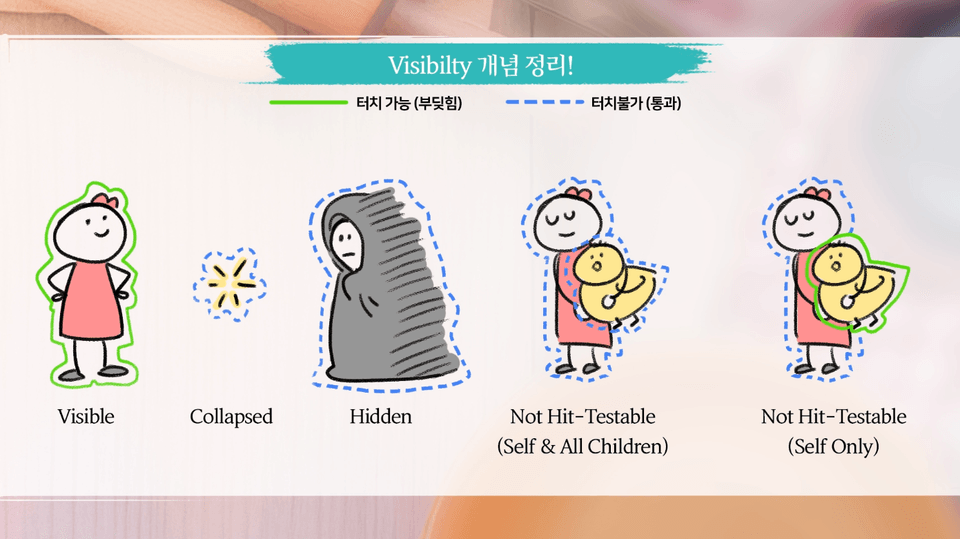
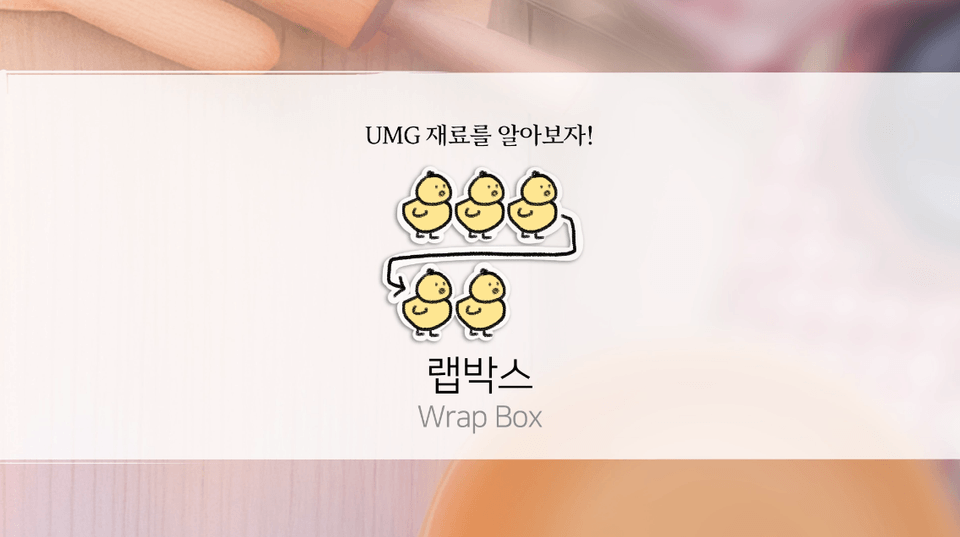
I opened UMG, but the black is the background... and the white is the text... Don't worry! First, I'll take out all the elements used when creating UI BP and explain them one by one. At the beginning of each lecture about each element, I'll attach explanatory diagrams to help you understand!

Easy-to-understand illustrations
that explain each element!

Section 3. Let's Make Some Food!
(UI HUD, Inventory Practice and Build Packaging)

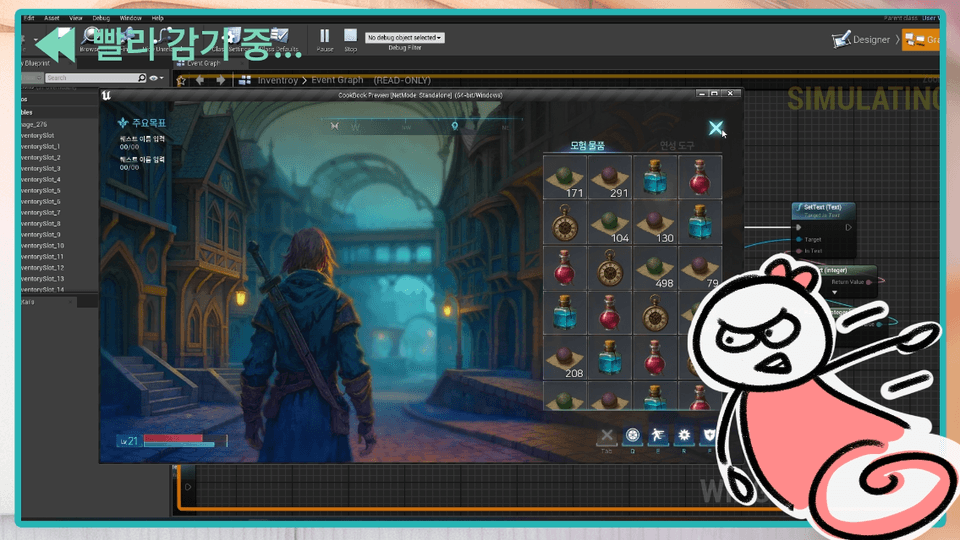
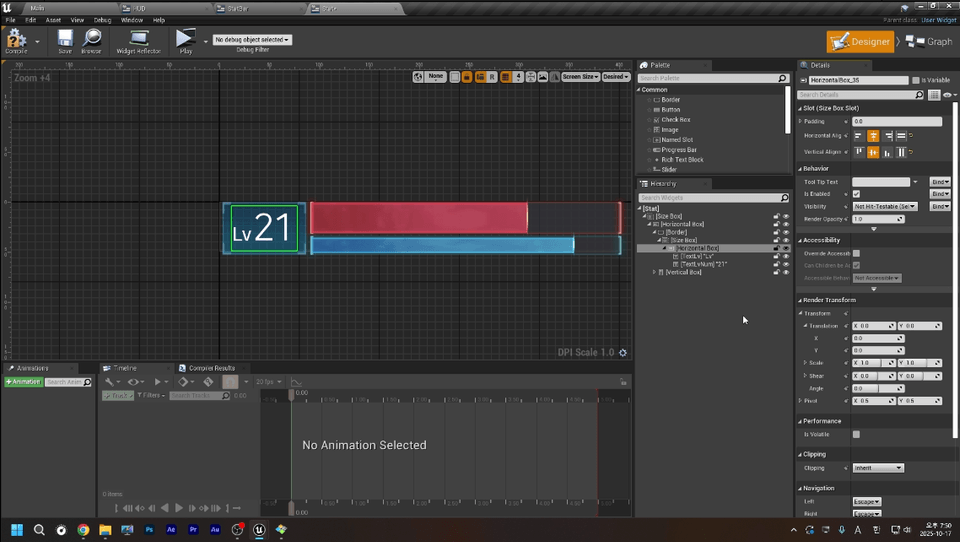
Now that we have all the tools and materials ready, it's time to use them to create delicious dishes, right? In this introductory course, we'll directly create HUD and inventory using the assets provided in the lectures! And finally, package a Windows version build to create your own UMG portfolio!

Let's create and package a GUI directly with Lucy!

🔎Practice Preview

In the practical section of this lecture...

Of course, you'll learn GUI BP elements and layout methods.

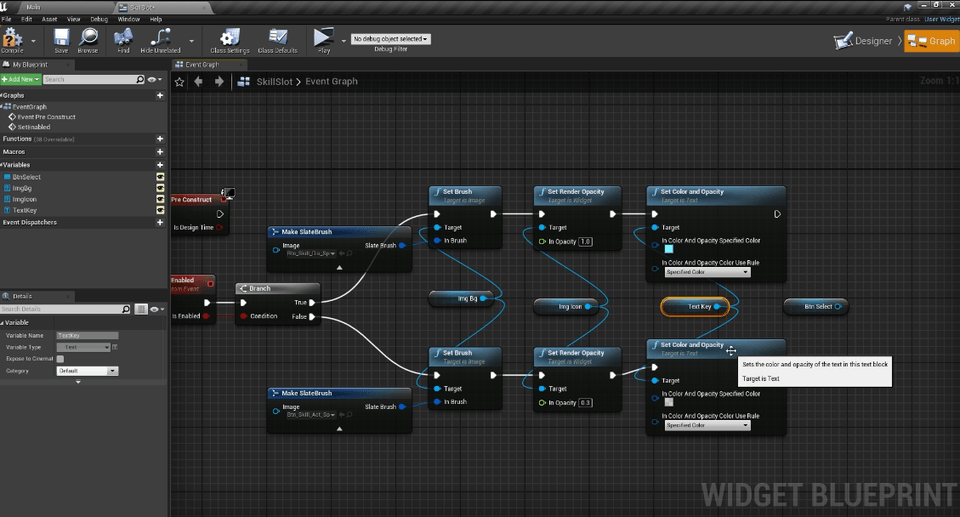
Along with the Node.js fundamentals that make those elements work,

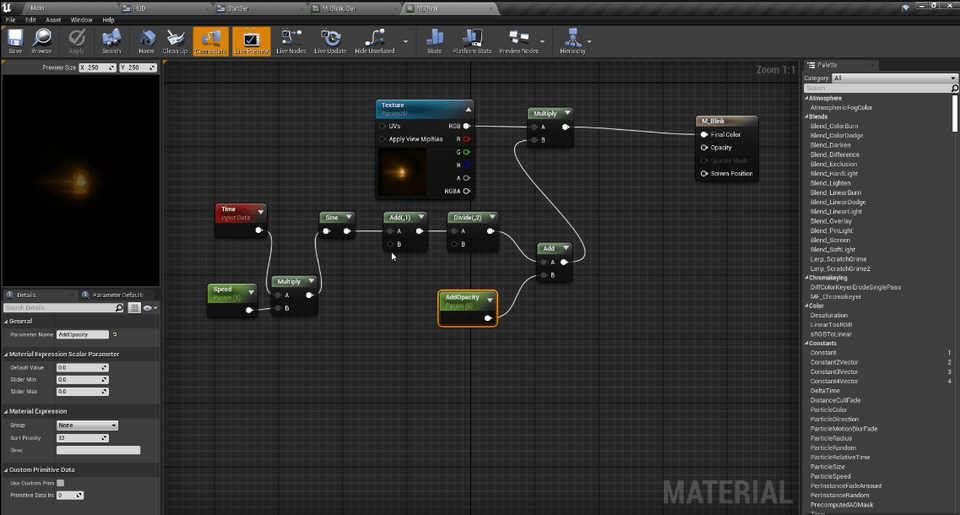
Finish your GUI beautifully with materials and animation basics!

You can learn everything all-in-one!
Now you can confidently say you've tried your hand at UMG, right?

🐤Expected Q&A

Q. Why Unreal 4 instead of Unreal 5? Do you know what era we're living in?🙁

  • Yes, I completely understand that feeling of wanting to install the latest engine version right now and move into the new era! However, to bring up a somewhat sad topic, UMG didn't really have any remarkable developments in Unreal 5. In fact, bugs from version 4 were carried over as is. While there are some changes in terms of usability, the basic framework remains entirely the same, so for the introductory learning process where you need to master that framework, I thought Unreal 4, which lacks additional convenience features, would be more suitable. If you know how to use 4, you can quickly learn to use 5, but if you first learn with 5, it would be quite difficult to go back to 4 later (and you probably wouldn't want to either). Also, in our country's industry, there are many games built on Unreal 4 that are still being serviced, so Unreal 4 still has many practical applications. This is even more true for larger companies.


    But as I mentioned earlier, once you get past the beginner level, it would make sense to learn the new features of the latest version as well. After that, I only have plans for now, but if I proceed with more advanced lectures, I'm thinking of covering Unreal Engine 5's UMG at that time.

Q. I heard that UI designers can get jobs easily even without knowing engines. Is it really necessary to know engines?

  • Actually, I hear that a lot from people who recently joined as new employees.


    That's right, getting hired might be possible even without knowing the engine, but the problem comes after that.

    If you don't understand how UI works within games

    It's easy to naturally become excluded both in meetings and during the implementation process.

    Not knowing the engine doesn't simply mean not knowing the technology,

    This means they don't know how their design actually moves and responds.

    That ultimately means giving up about half of design's power on your own.

    Knowing the engine makes you much more free as a designer.

    I can see how the UI I created is actually implemented in the game,

    Communication with programmers or planners also becomes easier.

    From that point on, you'll be recognized not just as 'just a designer' but as a 'core member of the development team'.

    Beyond getting a job, if you want to become a truly skilled UI designer with lasting abilities,

    You must know the engine.

📝Notes to Consider Before Taking the Course

Practice Environment

  • Operating System: The lectures were conducted on PC, Windows 11 (64bit).

  • Tools Used: Unreal Engine (Version: 4.27)

  • PC Specifications: Since this course only covers UMG, you can take the course without any issues even on relatively low-spec systems (Intel Core i5 or higher). However, since Unreal Engine itself is quite heavy, please ensure your system meets the minimum requirements for Unreal Engine.

Learning Materials

  • The assets needed for each lecture and dummy images required for practice are prepared in advance.

    • After taking the course, you can check the Google Drive path in the News Board.

    • Therefore, this course does not require any other image creation programs.

Prerequisites and Important Notes

  • This course is conducted under the assumption that you have already done or learned basic UI design art work. Therefore, basic UI terminology other than terms used in the engine may not be explained.

  • The use of UI image assets provided during the course for purposes other than course learning is prohibited.

👩‍🏫Who will teach us?

  • NC Soft (~2025)

  • XL Games (~2024)

  • SEGA Publishing Korea (~2017)


    (Only up to three career experiences are listed in chronological order)

Hello, I'm Lim Eun-ji (Lucy). I have been handling UI design and UX editing as a working professional in the field. It's been 11 years already. Based on my extensive hands-on experience at numerous game companies, I will do my best to pass on the essential know-how and knowledge you need!

If you post any questions you have on the question board, I will help you to the best of my ability. Also, if there are any study topics you'd like to see in future lectures, please let me know and I'll take them into consideration when creating the next lecture.

Recommended for
these people

Who is this course right for?

  • Those who are new to Unreal UMG

  • Someone who has been assigned to UI work but is worried because they don't have a mentor

  • Those who want to learn about optimized UI resource management

  • Someone who, as a programmer, is taking on UI editing for the first time

Need to know before starting?

  • This course was created under the assumption that you already have knowledge of basic UI design art work.

Hello
This is lucynim

82

Learners

6

Reviews

3

Answers

4.8

Rating

1

Course


Eunji Lim (Lucy)
Senior Unreal UX Editor / UI·UX Designer


Hello! I'm Lucy~

It has already been over 10 years since I started working in game UI/UX. During that time, I served as the UI Team Lead for the ArcheAge War team at XLGAMES and worked as a Senior UX Editor at NCSOFT, where I was responsible for interactive UI systems and Unreal-based UX pipelines for large-scale projects.

That’s why I don’t just focus on design; I also have a deep understanding of how UI functions within the engine.
As a result, I’ve always been thinking about ways to help designers and programmers understand each other better.

My class aims for "Unreal Engine that designers can understand."
Instead of just listing difficult functions, it is a class where we solve how to handle the parts that frequently cause bottlenecks in actual professional work together.


I believe that game UI is truly complete only when design sensibility and technology meet.
In my lecture, I will guide you step-by-step through practical, realistic know-how that you can apply immediately in the field, in a comfortable manner.


  • Key Experience

    • 2024–2025 | NCSOFT – Senior Unreal UX Editor

      • I was responsible for building Unreal-based UX systems and streamlining UI pipelines.
        I took on the role of designing UI/UX toolkits and interactive widget structures for large-scale projects, improving collaboration efficiency between designers and programmers.

    • 2017–2024 | XLGAMES – UI Team Lead / Lead Designer

      • I led the UI department to complete a large-scale project prepared over three years and subsequently spearheaded the launch of 'ArcheAge War.'
        I oversaw the establishment of the overall UX visual language, the creation of style guides, and the improvement of the engine pipeline.

    • Previous Experience | Participation in various projects and editor tool development

      • I have extensive experience in practical system design, including developing internal UI editors and establishing prototyping environments.


  • Areas of Expertise
    Unreal Engine UI/UX Design, UMG System, Interactive UI Effects, UI Production and Design



More

Curriculum

All

14 lectures ∙ (7hr 55min)

Course Materials:

Lecture resources
Published: 
Last updated: 

Reviews

All

6 reviews

4.8

6 reviews

  • flarns830603님의 프로필 이미지
    flarns830603

    Reviews 3

    Average Rating 5.0

    5

    36% enrolled

    • ilrujer8705님의 프로필 이미지
      ilrujer8705

      Reviews 1

      Average Rating 5.0

      5

      29% enrolled

      The menu explanations were incredibly detailed... It made it easy to learn by comparing with Unity~

      • saver20756050님의 프로필 이미지
        saver20756050

        Reviews 1

        Average Rating 5.0

        Edited

        5

        100% enrolled

        It was my first time learning UMG, so I was curious, but thanks to you, I think I’ve come to understand it to some extent! I’ll make sure to keep studying consistently from now on. I highly recommend this as an introductory course!

        • liji100408401님의 프로필 이미지
          liji100408401

          Reviews 1

          Average Rating 5.0

          5

          36% enrolled

          When I first started working with Unreal, there weren't any helpful tutorials like this, so I had to implement things somehow, which naturally led me to learn through trial and error, but there were parts that weren't organized in my mind. I took this course with the feeling of organizing things once again. It was very helpful that the instructor explained from their experience when to use what, and even when both are possible, which situation is more suitable. I really hope the next course comes out too.

          • lilydkgus8552님의 프로필 이미지
            lilydkgus8552

            Reviews 1

            Average Rating 5.0

            5

            36% enrolled

            Similar courses

            Explore other courses in the same field!

            $41.80