inflearn logo
inflearn logo

Easy with Canva! Professional Website & Landing Page Creation Guide Course: Includes 4 LP Templates & Custom Domain Setup Manual

For beginners who want to create stylish and professional websites or landing pages for free. Learn how to quickly create attractive websites using Canva. Perfect for landing pages and profile pages for entrepreneurship and side business ventures.

1 learners are taking this course

Level Beginner

Course period Unlimited

Web Design
Web Design
website
website
canva
canva
Web Design
Web Design
website
website
canva
canva
날개 달린 동전

Course 추천하고 성장과 수익을 만들어 보세요!

날개 달린 동전

Marketing Partners

Course 추천하고 성장과 수익을 만들어 보세요!

What you will gain after the course

  • Learn to create professional-looking websites and landing pages from scratch using Canva

  • You will be able to customize the provided LP templates and create landing pages optimized for your own business.

  • Understand how to set up a custom domain and be able to publish a website with an original URL (This is an explanation on note, not a video. Also, the explanation uses X Server)

  • You'll learn methods to make layouts less likely to break on mobile (though it may not be completely preventable in some cases)

  • Understand the basic structure and elements of an effective landing page, and become able to design an attractive page layout that captures customer interest

Create Professional Quality
Stylish Websites for Free with Canva!

4 LP templates & complete guide to custom domain setup.


For those who can't invest much in website creation,
Canva makes it easy for anyone to create professional-grade landing pages and websites.
You'll acquire practical website creation skills that expand your customer reach and business opportunities.


Canva Website Creation
How to Create Amazing Websites Even Without Design Experience

Using Canva, create profile pages and landing pages
We'll explain in detail everything from responsive design to menu structure..

We go beyond simple template editing to directly design and create pages tailored to your business objectives.

You will experience the actual service launch process, from the 4 types of LP templates provided to custom domain setup using X Server.

Creating Stylish, Mobile-Responsive
Websites with Canva

Section 1 - Course Introduction and the Necessity of Canva Website Creation

In this section, we introduce the overall content of the course and the benefits of participating. You'll understand the importance of website creation and learn the basic process of creating a profile page using Canva.

Section 2 - Analysis of the Advantages and Disadvantages of Website Creation Using Canva

We will analyze in detail the reasons for creating websites with Canva and the advantages and disadvantages of the platform. We will compare the differences between the paid and free versions, and through the distinction between websites (HP) and landing pages (LP), understand the types of websites suitable for creation with Canva.

Section 3 - Canva Profile Page Creation Practice

In this section, we will demonstrate the process of creating an actual profile page using Canva. Following the specific design workflow, we will enhance learning effectiveness through hands-on practice.

Section 4 - Understanding the Components of an Effective Landing Page (LP)

Learn the core principles for creating landing pages that drive action. Understand the fundamental components including the PASONA formula, and clearly grasp the difference between Benefits and Merits.

Section 5 - Canva Landing Page (LP) Production Practice and Optimization

We will demonstrate the actual landing page creation process step-by-step and guide you through techniques to prevent layout issues and optimize for mobile environments. This includes navigation settings and solutions for mobile display errors.

Section 6 - Course Summary and Additional Tips

This course summarizes the core content and provides a bonus lecture on how to deliver the websites and landing page templates you've created to clients.

Do you feel that creating a great website with Canva is
difficult?
This course was created specifically for people like you.


✔️ Business owners or individuals creating a website for the first time

  • Those who want to start with Canva even without design experience

  • Those who want to create their own website or landing page without financial burden

  • Those who need an attractive official page to enhance their SNS promotion effectiveness

✔️ For those starting a business who find website creation costs burdensome

  • Those running a small business who want to develop in-house LP creation capabilities

  • Early-stage entrepreneurs who find it burdensome to hire professionals

  • Those who want to design persuasive landing pages that catch customers' attention by themselves

✔️ Individuals who want to have an official online space beyond blogs and social media

  • People who want to easily create unique profile pages or portfolio websites

  • Those who want to enhance their own brand recognition with a unique domain

  • Those who want to quickly create professional-level results using Canva's diverse templates


Bonus: Templates ready to use in Canva

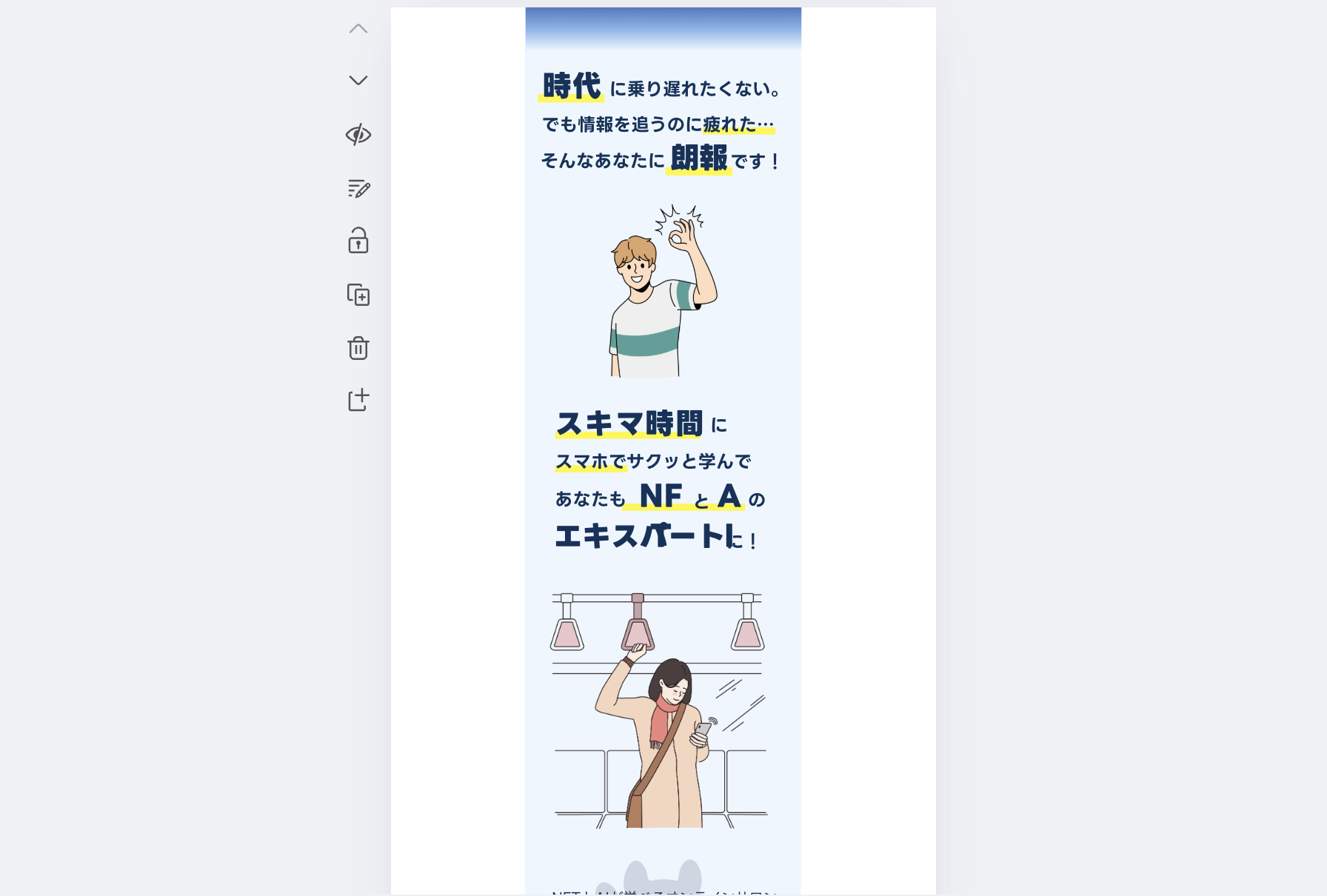
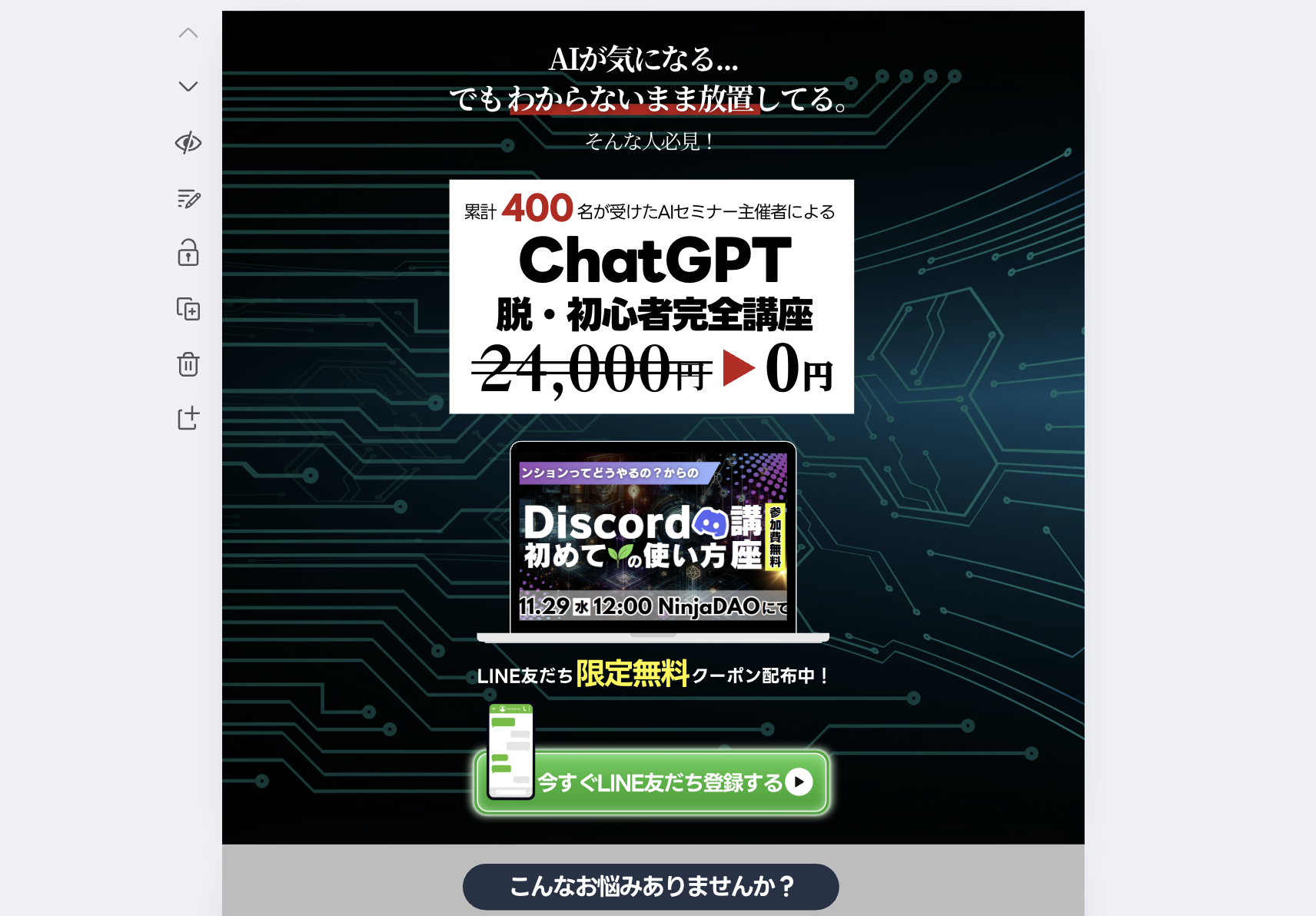
Community landing page

Educational materials landing page

Landing page for online courses

Tool landing page

The era of simply swapping out templates is over.
Create your own stunning websites and landing pages with Canva that showcase your unique personality.

Important Notes Before Enrollment


Practice Environment

  • A PC that can access the Canva website

  • A stable internet environment

  • When using a custom domain, separate rental server subscription and configuration are required

Prerequisites and Notes

  • It would be even better if you know the basic operations of Canva.

  • No website creation experience is necessary.

  • Custom domain setup is provided in notes rather than video format.

  • Mobile layout issues may not be completely resolved.

Learning Materials

  • 4 LP Canva templates provided in the course

  • Custom Domain Setup Manual (This manual explains the setup process based on the assumption that you are using Japan's X Server as your rental server)


💡What you'll gain from this course

This course is designed in a format that can be utilized for resumes and portfolios after completion

A certificate of completion will be provided. Simply by taking the course, you'll receive a free certificate of completion, allowing you to keep proof of your learning achievements✨


💡How to Take the Course


You can freely switch the audio and subtitle languages to match your learning style!

Select your preferred language from the settings icon at the bottom of the screen to make your learning experience more comfortable🍀

Recommended for
these people

Who is this course right for?

  • People who want to start a side business or freelance work but want to minimize the cost and time spent on website creation

  • Business owners running small-scale businesses who are struggling with expensive web development costs and want to create professional landing pages on their own

  • People who are doing customer acquisition through social media but feel they are missing business opportunities by not having an official landing page for their products or services

  • Sole proprietors who lack confidence in their design skills but want to easily create a stylish and attractive profile page

Need to know before starting?

  • This content is for marketing beginners who don't know the term LP.

  • I will explain using Windows 11

Hello
This is UMINO

CEO of Deep Sea Inc. After graduating from Waseda University, I spent 16 years building a career as an HR expert (specializing in recruitment, talent development, and organizational development) at a global foreign-affiliated company operating in over 220 countries. I have been extensively involved in establishing human resource strategies that support corporate growth.

While living in the United States, I experienced firsthand the innovation brought by generative AI and its overwhelming impact on operational efficiency. After returning to Japan, I founded DeepSea Inc. and have since been dedicated to developing and delivering online courses that teach AI skills ready for immediate application in business settings.

My courses are designed to help busy business professionals acquire **"practical skills that deliver results in a short amount of time."** Rather than cramming in difficult theories, I emphasize templates that can be used immediately in the workplace and highly reproducible know-how. These courses can also be implemented as corporate training programs.

As the author of books such as "ChatGPT x Audio Broadcasting" and "100 AI Time-Saving Techniques for Moms," my mission is to explain how to utilize AI technology in daily life and business in an easy-to-understand way. I look forward to delivering practical knowledge on improving productivity through AI to our learners in South Korea.

More

Curriculum

All

21 lectures ∙ (1hr 22min)

Course Materials:

Lecture resources
Published: 
Last updated: 

Reviews

Not enough reviews.
Please write a valuable review that helps everyone!

UMINO's other courses

Check out other courses by the instructor!

Similar courses

Explore other courses in the same field!

강의상세.할인문구

$71,500.00

50%

$110.00