Creating AI Videos Using Gemini / Flow
stanlee
Free
Beginner / gemini
4.5
(60)
600+
We will create a simple AI video using Google Gemini and Flow.

Beginner
gemini

The goal is to learn everything from basic Figma tools to prototyping in a light and easy way, enabling non-majors to directly design app screens for planning purposes.
How to use basic Figma tools and an overview of Figma's overall features
Creating UI design pages using Figma
Feeling overwhelmed by complex design tools and not sure where to start?
This course covers everything from Figma basics to prototyping, tailored for non-majors to help you
quickly and easily develop practical skills for screen design. Create an experience where you bring your own ideas to life through design.
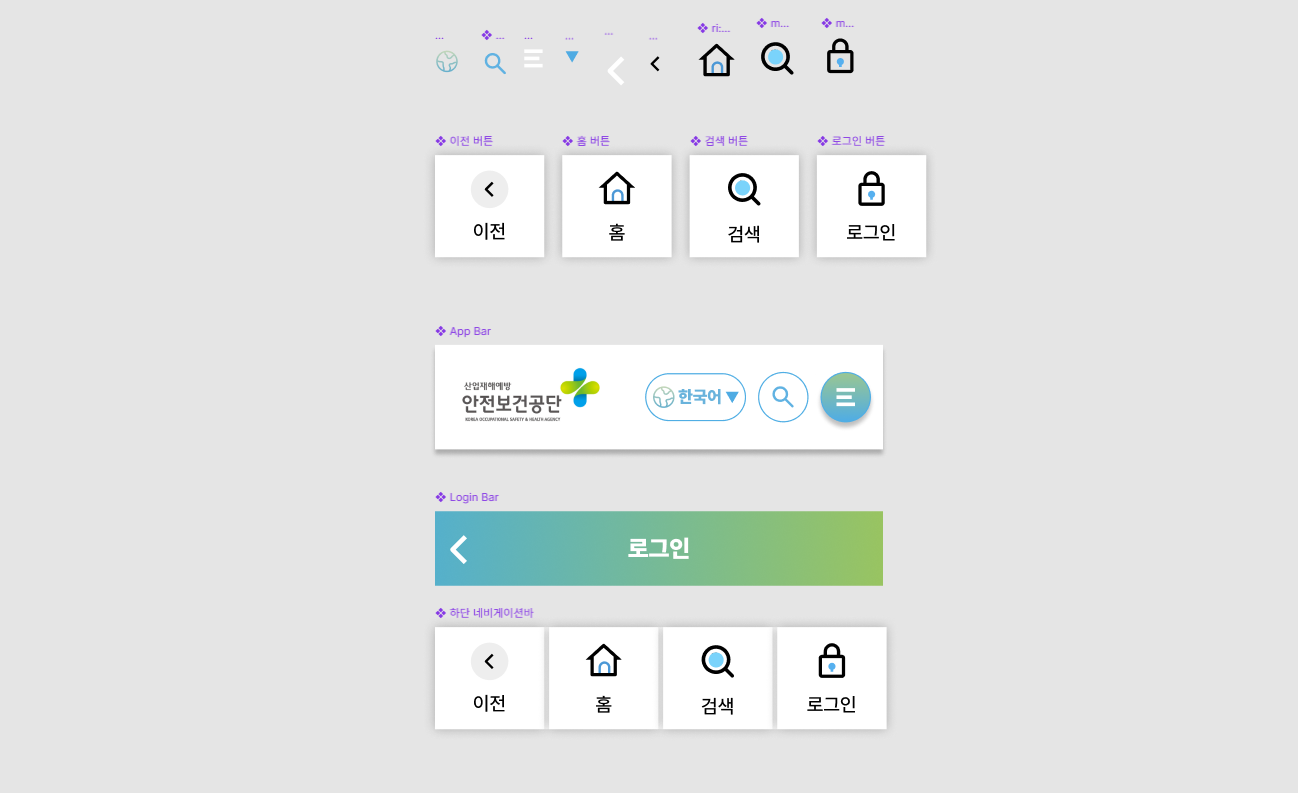
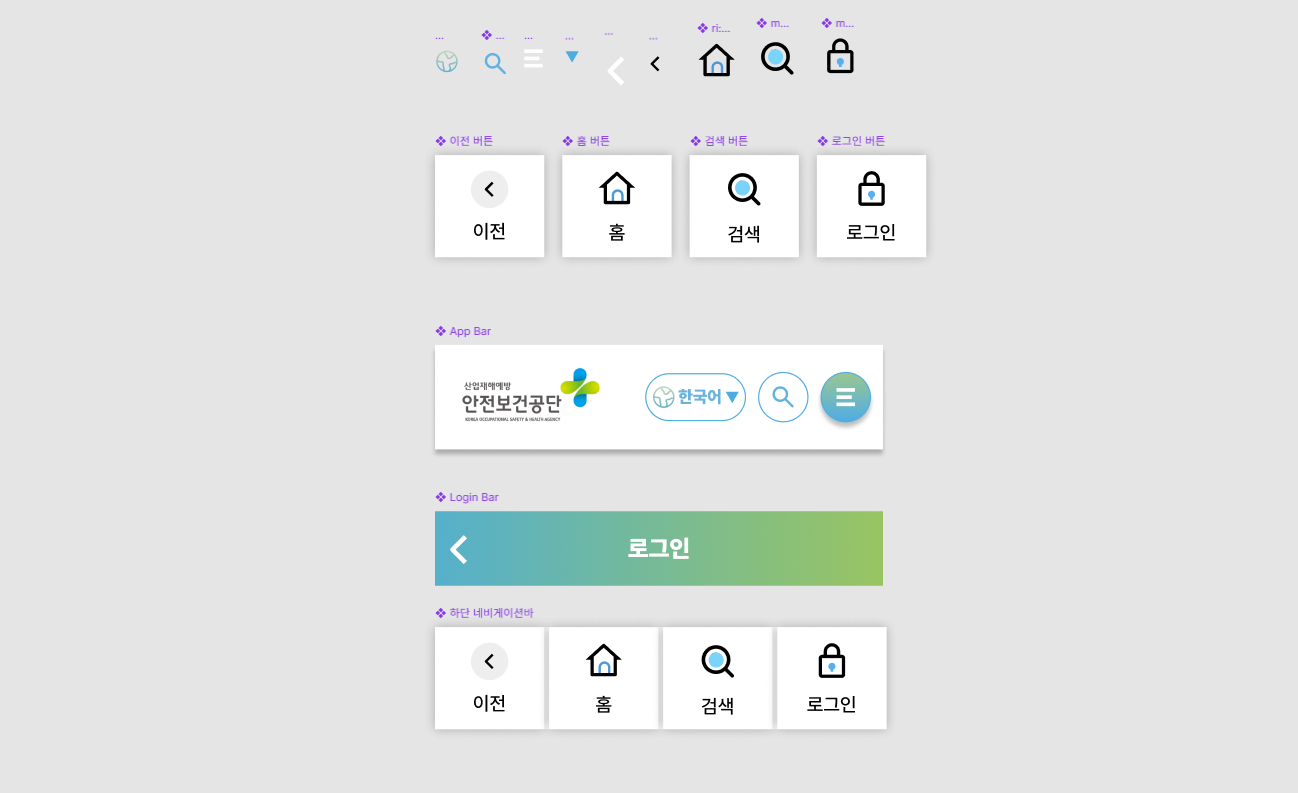
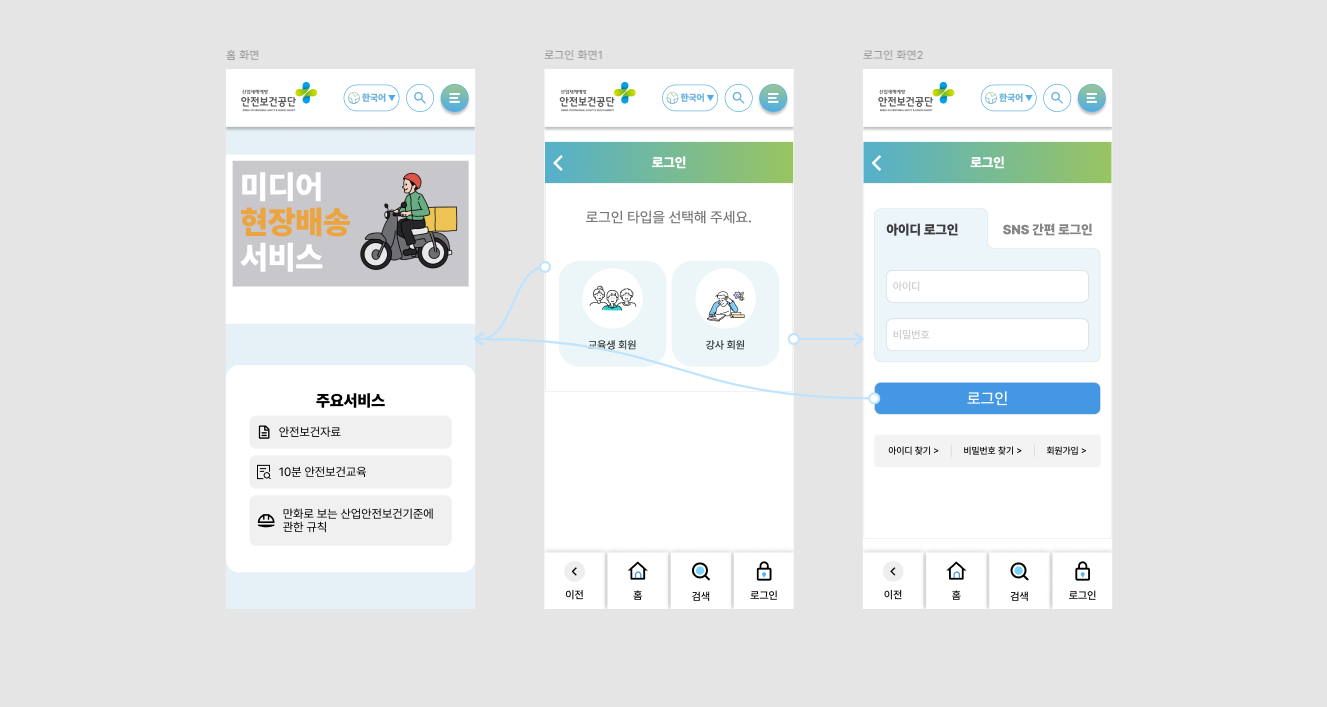
3 types of UI designs for benchmarking the Korea Occupational Safety and Health Agency app service
Learn all the tools of Figma and gain practical experience in creating UI design pages yourself by utilizing Auto Layout and Components.
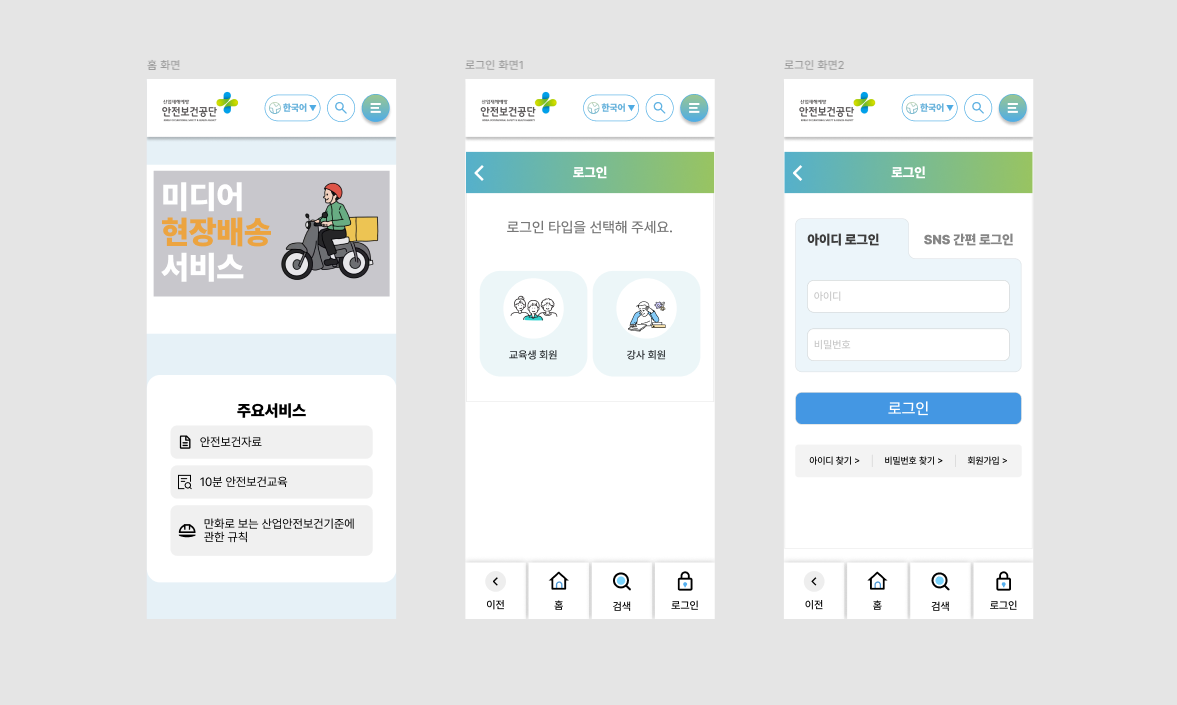
3 types of UI designs for benchmarking the KOSHA (Korea Occupational Safety and Health Agency) app service
From basic tool usage to prototyping, you will be able to design all the screens necessary for app planning yourself using
Figma.
Point 1. Even non-majors can master Figma
Screen design is essential for app planning, and now even non-majors can gain confidence in it. Learn Figma step-by-step from the basics and turn the ideas in your head into designs you can see with your own eyes.
Point 2. Completing Intuitive UI Design
You can easily and clearly master the core functions of Figma, a design tool that may have felt complex. We will share the know-how to efficiently create design pages using Auto Layout and Component features.
Point 3. Prototyping to turn ideas into reality
Beyond just designing, you can personally create prototypes that function like real apps. Enhance the quality of your work by experiencing your project plans coming to life.
Point 4. Pro tips from instructors with real-world experience
I will generously share Figma tips based on my field experience as an instructor at UX/UI designer bootcamps such as Oz Coding School and Codeit. I have included only the essential content, tailored to the level of non-majors.
✔️ Non-majors who plan apps but have no design experience
Those who want to personally design the screens for the apps they have planned.
Those who want to quickly learn everything from Figma basics to prototyping
Those who want to use the app design tool Figma with confidence
✔️ Planning professionals who feel the need for UI design
Those who want to create design drafts themselves for smoother communication with developers.
Those who want to improve work efficiency by learning how to use simple UI design tools
Those who want to improve the user experience of a service using Figma
✔️ Beginners who are new to the design tool, Figma
Those who want to easily learn the basic functions of Figma that once felt difficult.
Those who want to learn how to design using core features such as Auto Layout and Components
Those who want to gain experience designing actual screens, going beyond simply learning basic functions.
Practice Environment
You will need a PC with the Figma program installed. (It is also possible to use the Figma website.)
A stable internet connection is recommended.
It can be used on Windows or macOS operating systems.
Prerequisite Knowledge and Important Notes
It is okay even if you have no prior experience using design tools.
It is structured so that even non-majors can easily follow along.
Anyone interested in app planning is welcome.
Learning Materials
Example files required for the practice will be provided.
Please prepare an environment where you can follow along with the lecture demonstration.
Who is this course right for?
A non-major app planner who needs UI design screens
Non-majors interested in Figma UI design

3,660
Learners
175
Reviews
6
Answers
4.4
Rating
8
Courses
AI Work Innovation and Generative AI Practitioner | AI Agent | Vibe Coding
I provide practical training for companies, universities, and educational institutions on generative AI, AI agents, and vibe coding.
Based on practical design experience, I provide training aimed at applying AI image and video production, Claude Code, Codex, Google Antigravity, task automation, and web service development to real-world work.
Professional Experience
Corporate AI and AX Practical Training Instructor
Conducted corporate training and KDT education for TeamSparta.
AXLabs Corporate AI Education Instructor
Conducted corporate AI training at YouCanLabs
(Current) TeamSparta Naeilba움 Camp AI Designer KDT Bootcamp Tutor (1st, 2nd, and 4th cohorts)
(Former) NexT Runners Oz Coding School Product Designer, KDT Bootcamp Lead Instructor (2nd Cohort)
(Former) Codeit Codeit Sprint Product Designer KDT Bootcamp Mentor
Training for Major Companies and Organizations
2026 Practical Google Antigravity Training for Employees of Large Corporate Affiliates
2026 Practical training on Claude Code and AI Agents for employees of large corporations through HRD programs
2026 Practical Codex Training for Managers and Executives at Major Corporations
2026 Multiple practical training programs on generative AI, AI agents, and vibe coding for companies and organizations
2025 Practical Gemini and Flow AI Video Training for Experienced HDC Hyundai Development Company Employees
2025 Practical Adobe Firefly training for employees of large corporations, organized by Adobe distributor DMOA
2024 Adobe Firefly practical training for art directors at Pentacle, a Megazone Group affiliate
Institutional training for organizations including Seoul Techno Park, the Busan Metropolitan Office of Education, the Ulsan Center for Creative Economy & Innovation, and the Gyeongnam Center for Creative Economy & Innovation
AI education and special lectures at universities including Kyungnam University, Busan Health University, Inje University, and Dongseo University
Key Training Areas
Generative AI utilization, AI agents, Claude Code, Codex, Google Antigravity, vibe coding, AI workflow automation, AI image and video production
All
4 lectures ∙ (2hr 53min)
Check out other courses by the instructor!
Explore other courses in the same field!
25% off for new members
$28.50
25%
$38.50
-001 (4).png?w=420)