From basic usage of Addressable to implementing a patch system We'll explain it intuitively and easily! 🦾
Addressable, Learn step by step 🎮
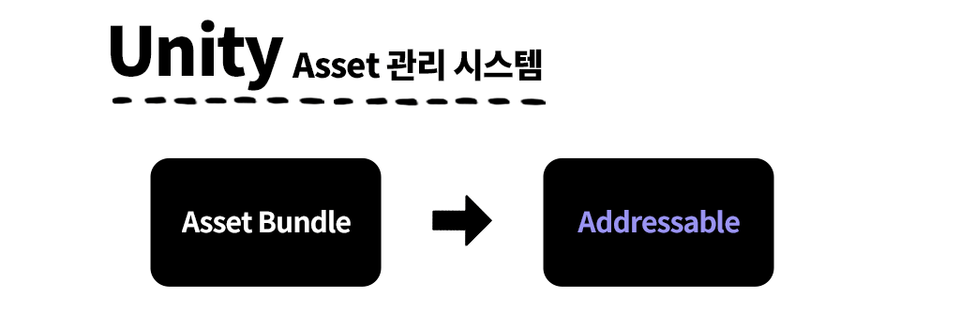
The Unity engine's asset management system has been firmly established for years, transitioning from Asset Bundles to Addressable . While developers naturally encounter Addressable, there's a lot of information that can't be understood without consulting the BullKind guide and internal source code. Despite the ease with which it's accessible, there hasn't been much high-quality material available, so I hope this course can provide that resource.
Anyone with a basic knowledge of C# can implement a patch system using Addressable from start to finish. This course aims to teach the basic usage and concepts of Addressable, as well as implement a patch system, making the complex yet complex Addressable approach easy and intuitive.
Unique features of this course 💁♀️
Click the start game button to access the in-game You can output a log about this to the screen.
You can learn the basic usage of Addressable.
We've lowered the barrier to entry for implementing patching systems with Addressable.
How various factors interact with each other and produce results in relation to patches. It contains an intuitive explanation.
We've broken down how to tailor the course to your needs through GitHub Branches . The courses are organized by branch based on topic, allowing you to find just the parts you need.
Changes in students after attending the lecture 📜
✔️ Addressable's Familiarize yourself with basic usage
🦾 Suitable for the nature of the project Patch system flow design
🕵️♂️ For asset management Appropriate strategies and solutions
What you'll learn 📚
#1. Addressable Basics
Package installation, Addressable features, Tool introduction, Runtime API, Core files, Asset identification method, etc. It mainly covers basic conceptual parts.
A must-read for anyone unfamiliar with Addressable.
#2. Download system Before implementation
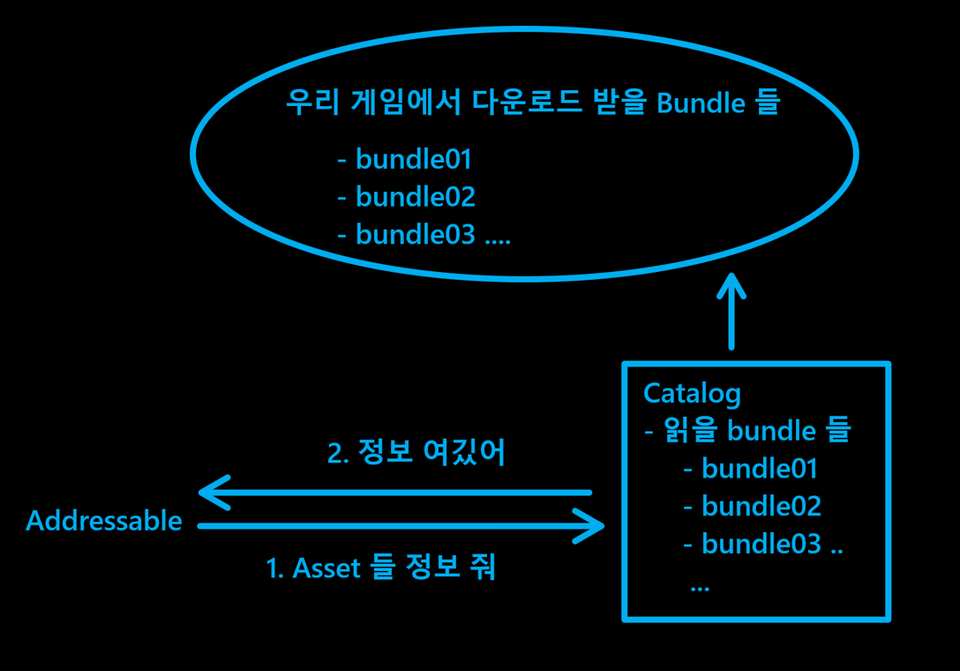
Learn about key Addressable conceptsthat are directly or indirectly relatedto downloads,such as Remote Catalog, Label, Environment Settings, and Dependencies .
#3. Download system implementation
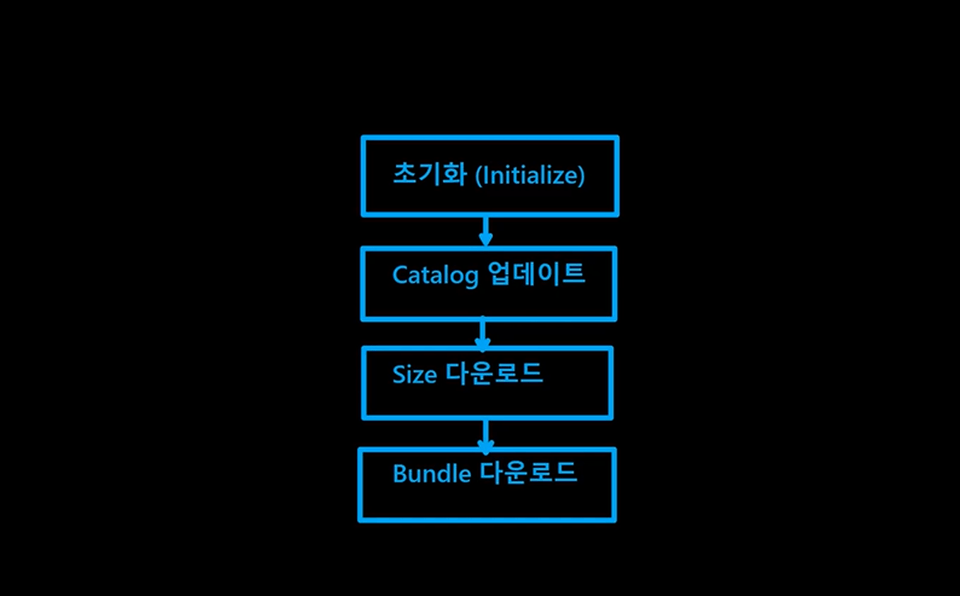
Download (Patch) System flow description, class structure design, system implementation, exception handling, and testing.
We actually test the download by applying it to a user interaction popup.
#4. Content Updates
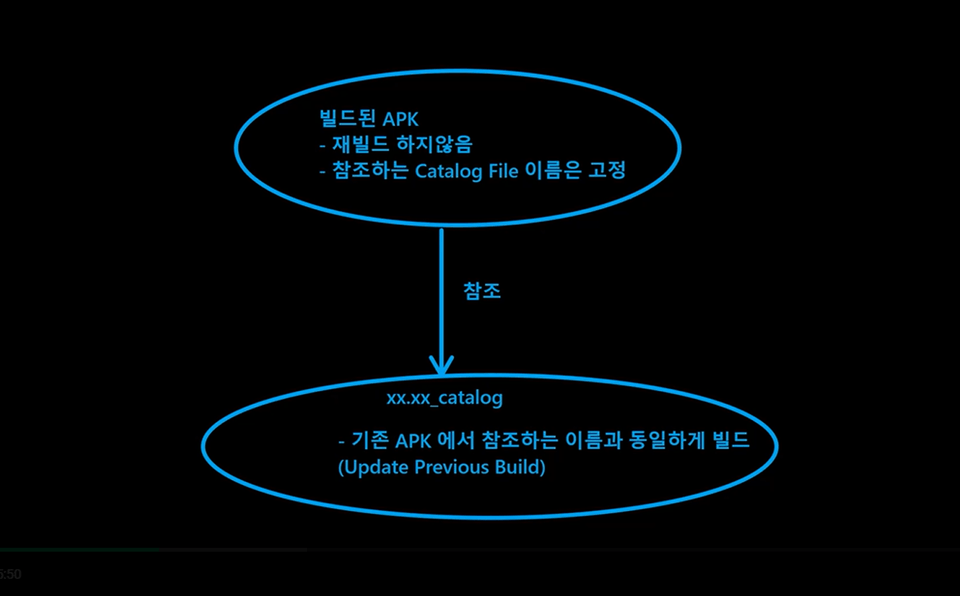
This article covers how to update content without rebuilding an app once it has been built.
Expected Questions Q&A 💬
Q. What is the lecture environment like?
The OS is Windows 10, UnityEngine is 2021.3.7f1, Addressable isthe latest version as of 220925, 1.19.19, andthe build test is on Android.
Q. Is this a course that non-majors can also take?
Ability to understand the C# programming language with prior knowledge is required.
Q. How does the implementation proceed?
There are three ways.
Take a class with me and type together (recommended)
After receiving the completed project, we will analyze it along with the lecture progress. - The completed version of the project has been uploaded to the notice, so you can proceed in this way according to your needs.
Episode-by-episode analysis on Github Branch - I've uploaded the lecture episodes by episode, so you can refer to them and proceed step by step after Branch Checkout.
Q. What level of content is covered in the class?
We cover everything from the basics of Addressable to how to deploycontent changes without building an app .
Q. Can I proceed with just one computer?
Since the course will be conducted in an Android environment, the lecture has been structured so that an emulator capable of running .apk files can be installed andthe files to be downloaded can be performed on a local host.
Recommended for these people
Who is this course right for?
Unity Beginner Intermediate
Anyone who wants to implement a patch/download system
Need to know before starting?
C#
Hello This is
1,371
Learners
73
Reviews
22
Answers
4.5
Rating
4
Courses
게임 개발자로 시작해 다양한 기술을 익히면서 깨달은 것이 있습니다.
"어려운 건 없다. 설명을 어렵게 하는 것 뿐이다."
처음 프로그래밍을 배울 때, 분명히 간단한 개념인데도 복잡하게 설명된 자료들 때문에 혼란스러웠던 기억이 있습니다. 늘 느꼈던건 직접 이해하고 나니 '핵심'은 생각보다 단순했다는 거죠.
지금은 AI를 활용한 여러 개발 방법론을 연구하며 파이썬으로 다양한 자동화 프로젝트를 진행하고 있습니다.
저는 '배우는 사람이 정확히 알아야 할 것' 을 명확히 정의하고, 그 핵심만 쏙쏙 뽑아서 전달하기 위해 노력합니다.
좋은 bài giảng, cảm ơn bạn. Giờ thì tôi hiểu rồi ㅎㅎ
Nhưng trong phiên bản mới nhất (Addressable 1.21.21), khi sử dụng "update a previous build", không có cửa sổ chọn tệp "addressables_content_state.bin" thì có phải cần thiết phải có một số cài đặt khác không? Vui lòng trả lời tôi. ㅠㅠ Tôi đã bị mắc kẹt ở đây trong nhiều tuần rồi ㅠㅠ
Tôi ngần ngại trả tiền vì được hỏi tại sao không có bài giảng về hệ thống vá lỗi, nhưng cuối cùng, tất cả những gì tôi phải làm là hiểu hệ thống danh mục. Phần giải quyết các phụ thuộc có một chút thất vọng. Mọi chuyện đều ổn, nhưng thật đau đớn vì màng nhĩ của tôi bị bàn phím tấn công.