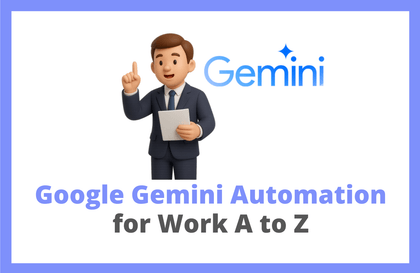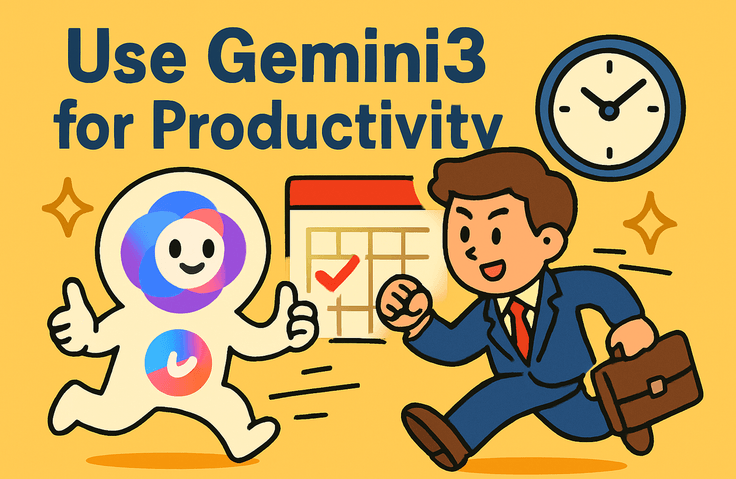




How to use Gemini to increase productivity

How long will you keep struggling with repetitive daily research and document writing? I, too, was an ordinary office worker who worked overtime every day trying to find key insights amidst an overflow of information. However, after integrating Gemini 3 into my workflow, I experienced a significant increase in work speed. Boost your productivity by utilizing Gemini in your tasks.

1 learners are taking this course

Level Beginner

Course period 3 months

gemini
gemini
AI
AI
gemini
gemini
AI
AI

What you will gain after the course

  • You can get natural language-based questions and answers using Google's Gemini.

  • You can expect productivity improvements by utilizing AI.

How will AI innovate our work and daily lives? 🤔

The answer lies in Artificial Intelligence (AI), AI Transformation (AX), and prompt engineering and multimodal utilization using Gemini.
Going beyond simple chatting to Google Workspace integration, image/video generation, and practical automation. We reveal the core technologies to utilize the next-generation AI, Gemini, to its full potential.

In this course, you will learn the smartest ways to collaborate with AI using the Gemini 1.5 Flash model. We cover in-depth topics ranging from the basic RTF framework to document analysis and practical workflow optimization. If you are tired of lectures that only list theories, develop true AI utilization skills through practice-oriented prompt exercises in this course!

Features of this course

📌 The Standard of Prompting, RTF Framework Provided: We teach you systematic prompt writing methods that guarantee results, rather than leaving you with vague questions.

📌 Perfect Synergy with the Google Ecosystem: Drastically reduce your work time through a smart task automation guide that seamlessly integrates Docs, Gmail, and Drive.

📌 30% Theory, 70% Practice: This is not a lecture just for watching. It is structured around hands-on practice where you learn by doing, such as creating travel plans and analyzing documents yourself.

📌 A course for everyone: No complex coding knowledge is required. All you need is the passion to turn AI into your personal work assistant :)

Recommended for these people

I want to level up by using AI. Office workers and students who know the basics of Gemini but are wondering how to use it more deeply in practice.

I am interested in a smart work environment.
Those who want to maximize work efficiency by integrating Google Workspace
(Docs, Gmail, etc.) with AI.

I'm curious about the latest AI technology.
Those who want to master image and video generation, as well as document analysis, using next-generation AI models.

Here is what you will learn.

  • Prompting Basics (RTF Framework 🚀): Move beyond simple questions and master the core structure of using Role, Task, and Format to elicit sophisticated responses from AI.

  • Multimodal Generation (Image and Video Generation Guide): Learn practical techniques to transform your ideas into high-quality images and videos by combining Gemini with the latest AI tools.

  • Data Analysis (Image and Document Analysis Part 1/2): Take an in-depth look at how Gemini analyzes vast amounts of PDF documents or complex image data and provides key summaries.

  • Workflow Automation (Gemini x Google Workspace): Experience the gold standard of true workflow automation by combining Docs, Gmail, and Drive with Gemini, covering everything from drafting emails to organizing materials.

💡 Key Summary by Section

  • The Standard of Prompting: Systematically defines how to communicate with AI to dramatically improve the quality of the output.

  • Next-Generation AI Utilization: Cultivate multimodal capabilities that go beyond text to enable visual content creation.

  • Practical Optimization: We share the secrets to innovatively shortening repetitive document tasks by integrating with the Google ecosystem.

Notes before taking the course

💻 Practice Environment (Environment)

This course is conducted based on specific tools and OS for efficient practice.

  • OS Standard: The lectures are based on MacOS. However, Windows users can also follow along without any issues.


📚 Learning Materials (Resources)

  • Delivery Method: All lecture materials are provided as PDFs, and summaries of the lecture materials are available in the lecture's resource room.

⚠️ Prerequisites and Important Notes

  • All you need is basic computer literacy.

Recommended for
these people

Who is this course right for?

  • Those who want to increase work productivity using AI

  • Those who want to carry out various tasks using AI

Need to know before starting?

  • You just need to know how to use a computer.

  • No prior knowledge is required.

Hello
This is may9noy

1,757

Learners

160

Reviews

22

Answers

4.6

Rating

7

Courses

Hello. 😄

Sometimes I get exhausted from burnout due to childcare and work, 😅

I am an IT worker living each day with gratitude and a joyful heart. 😅


Personal Blog : https://may9noy.tistory.com

GitHub : https://github.com/Nanninggu


I wish you a life and home always filled with good things. 😀

More

Curriculum

All

17 lectures ∙ (2hr 18min)

Course Materials:

Lecture resources
Published: 
Last updated: 

Reviews

Not enough reviews.
Please write a valuable review that helps everyone!

may9noy's other courses

Check out other courses by the instructor!

Similar courses

Explore other courses in the same field!

Limited time deal

$15,840.00

20%

$15.40