강의

멘토링

커뮤니티

Game Dev

/

Game Programming

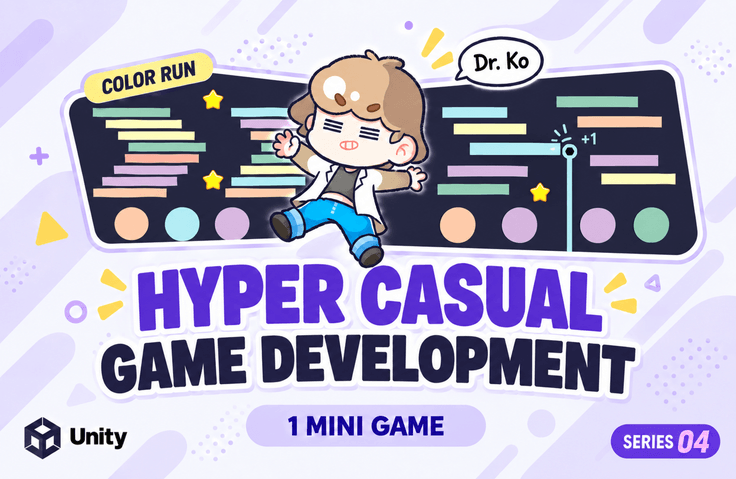
Dr. Ko's Unity Hyper Casual Game Series 04: Learn by Following

This course is for beginners who are wondering "What should I do now?" after building a basic knowledge of Unity. You can learn the core code of a small-scale hyper-casual game in a short but intense way. (All resources and PDF materials used in the course are provided.)

(4.5) 2 reviews

70 learners

Level Basic

Course period Unlimited

  • unitynote
C#
C#
Unity
Unity
C#
C#
Unity
Unity

What you will gain after the course

  • Creating commercial hyper-casual games using Unity

  • Color Run Game Creation (2D)


This lecture!

The fourth in Dr. Ko's hyper-casual game series, made with Unity and C#!

This is the Color Run game production part.

For beginners

Game development that you learn by following along

I know a little about how to use the Unity Engine, but...

For those of you who were wondering, 'So what do I do now?' and those of you who were at a loss as to how to actually make a game, pay attention!


Unity, I learned the basics
How to play the actual game
If you are at a loss as to what to create?

of commercialized games
Development method
If you were curious?

Real-world examples
Try making it by following the instructions
Want to learn while having fun ?


This course was created for those who wanted to create various games with Unity.

Learn the structure of commercial games easily and enjoyably by creating a simple hyper-casual game with your own hands.

This course is designed to help you get a feel for game development.

For lecture learning

We provide a 377-page PDF!

We provide all the resources used in the exercises, as well as a 377-page PDF of the lecture. You can follow the examples and create your own creations from the carefully organized PDF without having to constantly play and pause the lecture.

Learning Content

Section (1) Player and Camera

Control player movement by dragging the screen

Camera movement control and size (orthographicSize) control

Section (2) Basic Objects

Change Color Bar appears at the start of the zone and changes the player's color.

Star classified as an item

Create Triangle, Square, and Circle objects to use as obstacles

Section (3) Moving, Rotating, and Resizing Objects

Create objects that move, rotate, and scale to adjust the game's difficulty.

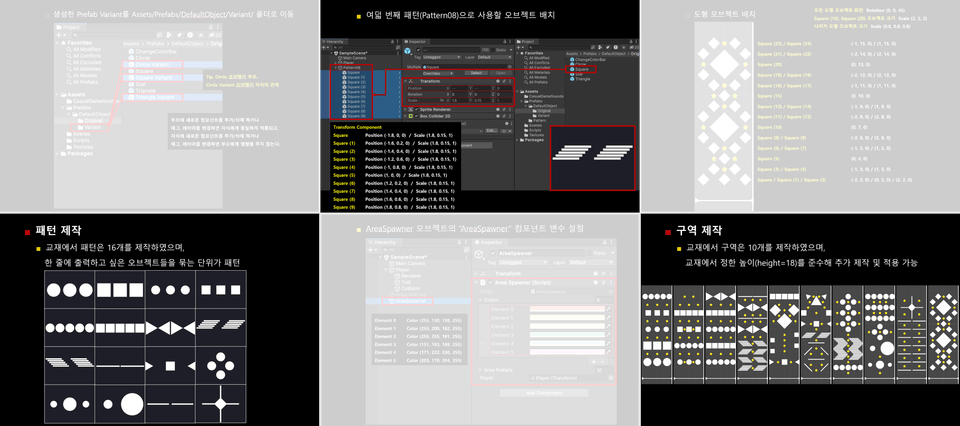
Section (4) Patterns, Area Objects

16 different pattern objects to use in the game

Create 10 zone objects by grouping color changing bars, obstacles, and items.

Creating a device to control the automatic generation/color setting of zones

Section (5) Object Collision Handling

Change player color when colliding with color change bar

Processing item acquisition when colliding with an item

Delete obstacles when colliding with obstacles of the same color

Game over when colliding with an obstacle of a different color

Section (6) Game UI

Main, In-Game, and GameOver UI creation and integration

Current score, high score link

Section (7) Skin Shop

Use the stars you have earned to purchase/select skins,

Check the selected skin in-game

Section (8) Archive

Use the stars you have earned to purchase/select skins,

Check the selected skin in-game

Section (9) Additive

Increase player movement speed over time to adjust the game's difficulty,

Follow the steps for mobile build

Things to note before taking the course

  • This course was created using Unity 2023.2.xf1, and works equally well with Unity 6, the latest version. (May 7, 2024)

  • This tutorial doesn't require the latest version of techniques, so you can use a lower or higher version of Unity.


Learning Materials (Section 0)

  • Download the "Textbook PDF, Textbook Videos, and Resources" to begin your studies.

  • If you make a typo while writing code or find writing code cumbersome, download the "script (*.cs) file"

Recommended for
these people

Who is this course right for?

  • Those who took the course "Dr. Koh's Unity Basics: Learn by Following"

  • Those who have taken the existing Hyper Casual series course

  • Anyone curious about how to develop commercial hyper-casual games

Need to know before starting?

  • Understanding how to use the Unity Engine

  • Understanding the C# language

Hello
This is

14,083

Learners

252

Reviews

137

Answers

4.8

Rating

8

Courses

Key Experience

Current 2022 ~ Professor, Department of Game Software, Hoseo University

Current 2016 ~ Full-time Lecturer, Department of Game Design, Kongju National University

Former 2022 ~ 2024 Unity Certified Instructor

Former 2023 Adjunct Professor, Department of Electrical Engineering, Pohang University of Science and Technology (POSTECH)

Former 2022 Adjunct Professor, Woosong University School of Techno-Media Convergence (Game Multimedia Major)

Former 2019 Adjunct Professor, Department of Computer Science and Engineering, Kongju National University

Former 2018 Adjunct Professor, Department of Photography and Visual Contents, Sangmyung University

Former 2017 Adjunct Professor, Department of Game Media, Kaywon University of Art and Design

Former 2016, 2020–2021 Adjunct Professor, Department of Game Design and Development, Pai Chai University

Former 2016 Namseoul University VRAR Adjunct Professor

Former 2016 Adjunct Professor, Department of Game Animation, Korea University of Media Arts

Former 2015 ~ 2018 Adjunct Professor, School of Information and Communication, Baekseok University

Operator of the "Dr. Ko's Unity Note" YouTube channel https://www.youtube.com/@unitynote. Introduction: I majored in Game Programming and currently teach game development and the Unity engine.

Operating the "Go Baksa's Unity Note" YouTube channel

https://www.youtube.com/@unitynote

Introduction

I specialize in game programming and teach game development and the Unity engine.

Fields of Instruction: Unity Engine (Basics, 2D/3D Game Development, VR/AR), Servers, Artificial Intelligence, Shaders, Introduction to Game Studies, etc.

Curriculum

All

35 lectures ∙ (2hr 34min)

Course Materials:

Lecture resources
Published: 
Last updated: 

Reviews

All

2 reviews

4.5

2 reviews

  • sarana33님의 프로필 이미지
    sarana33

    Reviews 4

    Average Rating 4.5

    4

    100% enrolled

    The course materials are written in more detail than any other course, and they are friendly materials. While watching, I came to understand how to structure the UIs, and I studied by looking at codes that I didn't know in between. I think it would have been better if there had been more explanation about the settings in the mobile build section.

    • unitynote
      Instructor

      Thank you for your valuable review. We will try to improve the mobile build as you have suggested when updating the version.

  • muttul589114님의 프로필 이미지
    muttul589114

    Reviews 67

    Average Rating 4.8

    5

    31% enrolled

    Thank you for the valuable lecture.

    • unitynote
      Instructor

      Thank you for your valuable course review. Thank you for taking almost every class and leaving a course review. I will try to come back with better lectures.

Limited time deal ends in 3 days

$16,500.00

25%

$17.60

unitynote's other courses

Check out other courses by the instructor!

Similar courses

Explore other courses in the same field!