강의

멘토링

커뮤니티

Game Dev

/

Game Programming

[Unity 6] Learn by Following Along: Hyper Casual Game Series 03

This is a course for beginners who are wondering "What should I do now?" after building foundational knowledge of Unity. You can learn the core code of games in a short but intensive way by creating Hyper Casual Games that are not large in scale. (All resources and PDF materials used in the course are provided.)

(5.0) 7 reviews

278 learners

Level Basic

Course period Unlimited

  • unitynote
C#
C#
Unity
Unity
C#
C#
Unity
Unity

Reviews from Early Learners

Reviews from Early Learners

5.0

5.0

Lusty

12% enrolled

I thought a lot about it and bought it, but it was the perfect lecture for me. First, I watched a few videos and then I found it easier to view it in PDF format, so I was able to progress quickly and clear all three in two days. My study plan is to quickly follow along for the first time and understand the overall flow. (Complete) 2nd time - Take a close look at why it was written this way 3rd time - Try adding features to make the game more complete 4th time - Try refactoring using interfaces, delegates, etc. according to the contents of the book on dependency injection that I am reading separately 5th time - Complete the game without looking at any materials. The best thing about this lecture is that it provides PDF materials and that it covers only the necessary things concisely. After I finish this, I plan to watch parts 1 and 2, but I hope part 4 comes out.

5.0

정재훈

31% enrolled

This is helpful!

5.0

sa4560

100% enrolled

The first minigame was a bit difficult, but from the second minigame onwards it became much easier to make and the code was easier to understand!

What you will gain after the course

  • Created a commercialized hyper-casual game using Unity

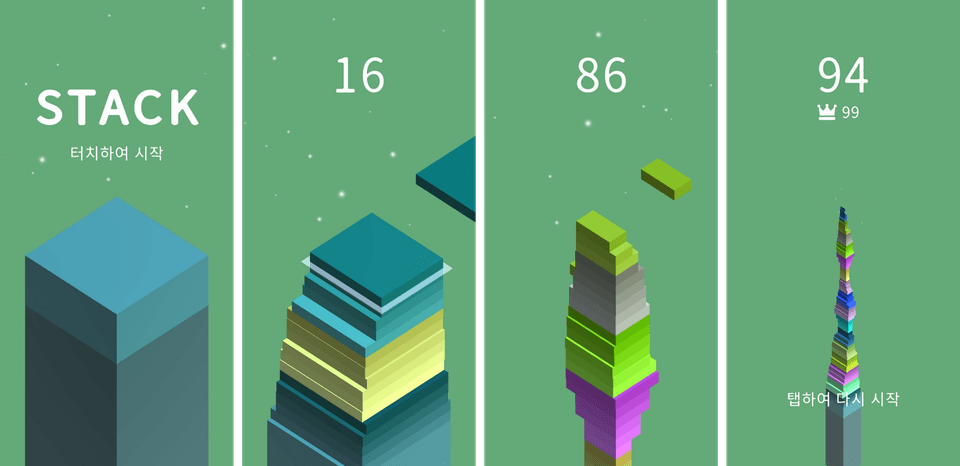
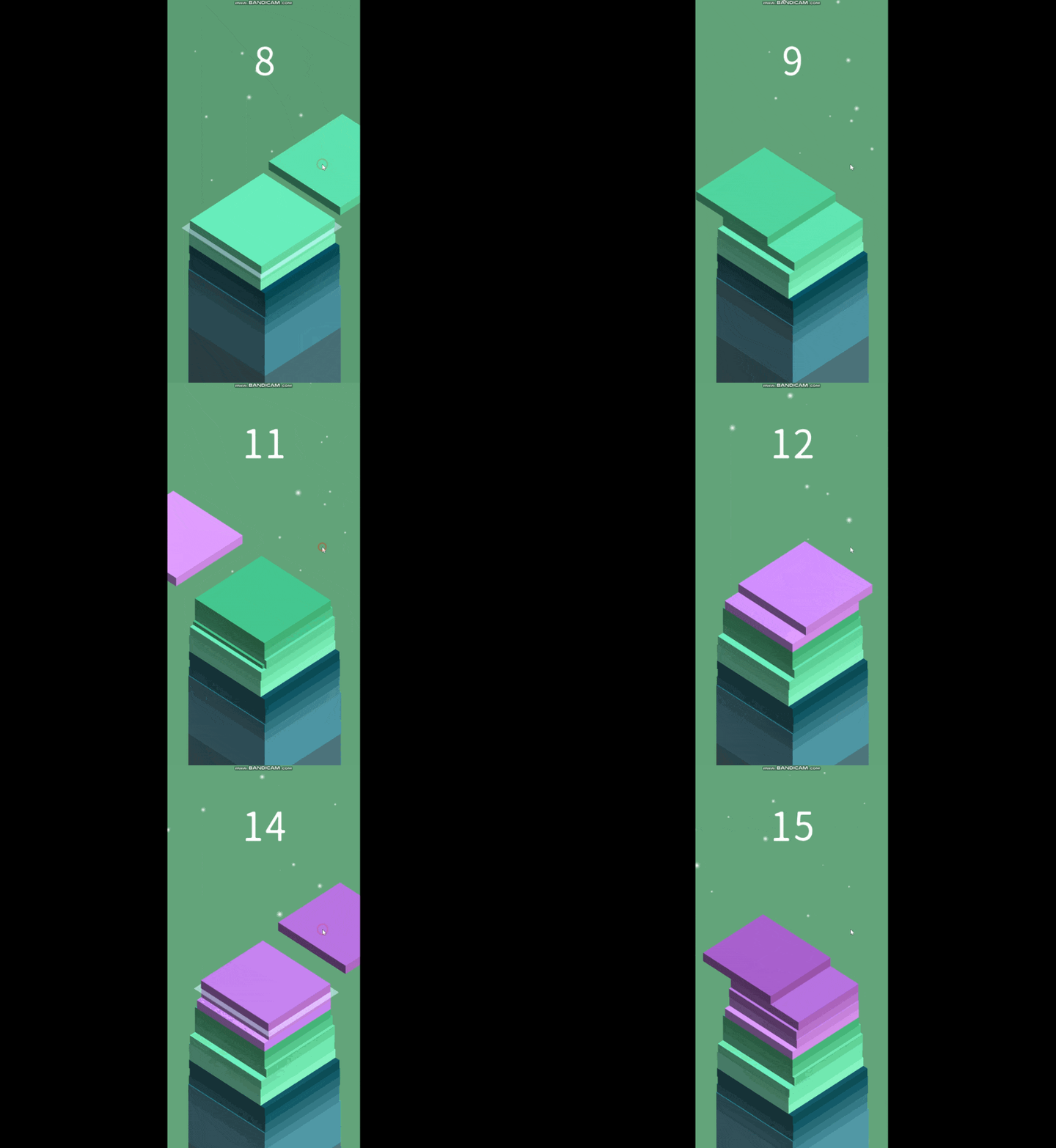
  • Stack Game Development (3D)

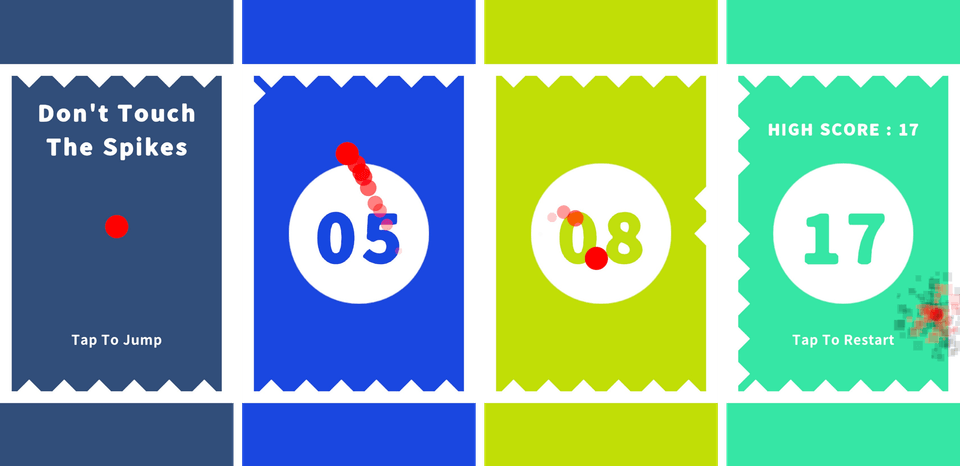
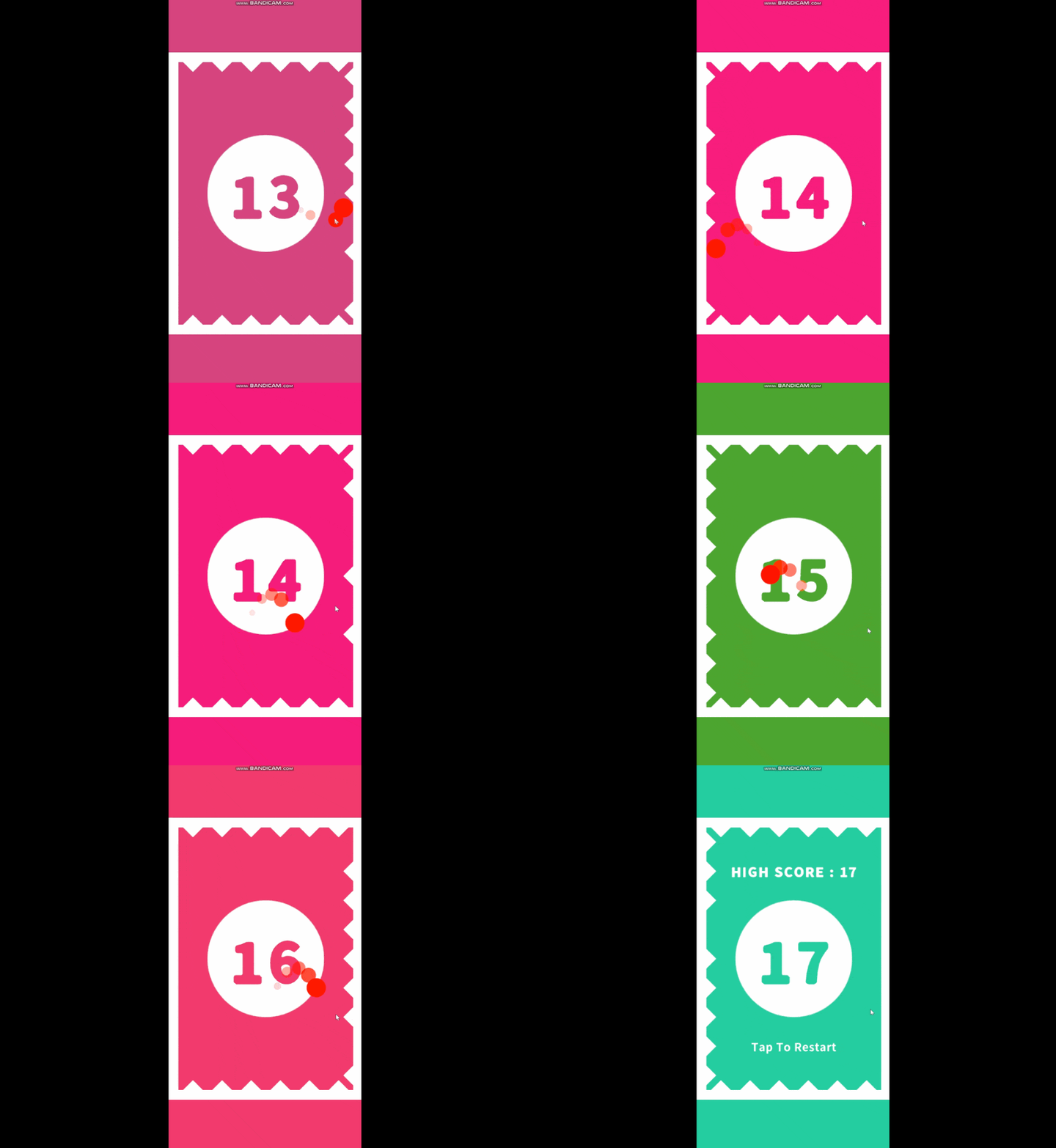
  • Don't Touch The Spikes Game Development (2D)

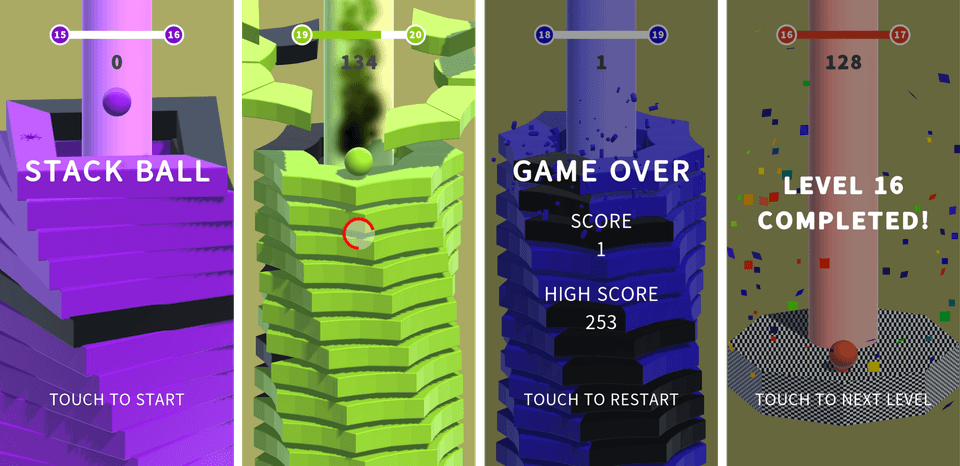
  • Stack Ball Game Development (3D)

Make simple games yourself!
Easy and fun, Dr. Go's Unity Series 🎲

This course is!

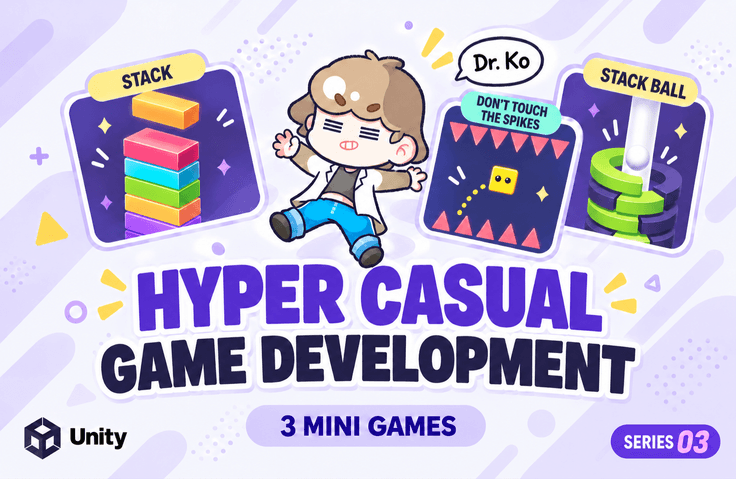
The third installment of Unity engine and C# Dr. Go's Hyper Casual Game Series! This covers the creation of Stack [3D], Don't Touch The Spikes [2D], and Stack Ball [3D] games.


Game development for beginners:
Learn by following along.

You know a little bit about how to use the Unity engine, but...
If you've been thinking 'So what do I do now?' or felt lost about how to actually make a game, pay attention!

The worries of beginner game developers,
solved with this course!

You've learned the basics of Unity,
but feel lost about how to
make an actual game?

If you were curious about
the development methods
of commercially released games?

If you want to
learn by following
actual examples in a fun way?

I created this course for those who want to make various games with Unity.
It's a course designed to help you easily and enjoyably learn the structure of commercial games by creating several simple hyper-casual games with your own hands, and develop a sense for game development.


We provide
all resources used in the practice sessions and
PPT!

You can download the lecture materials in the first lesson of each section.

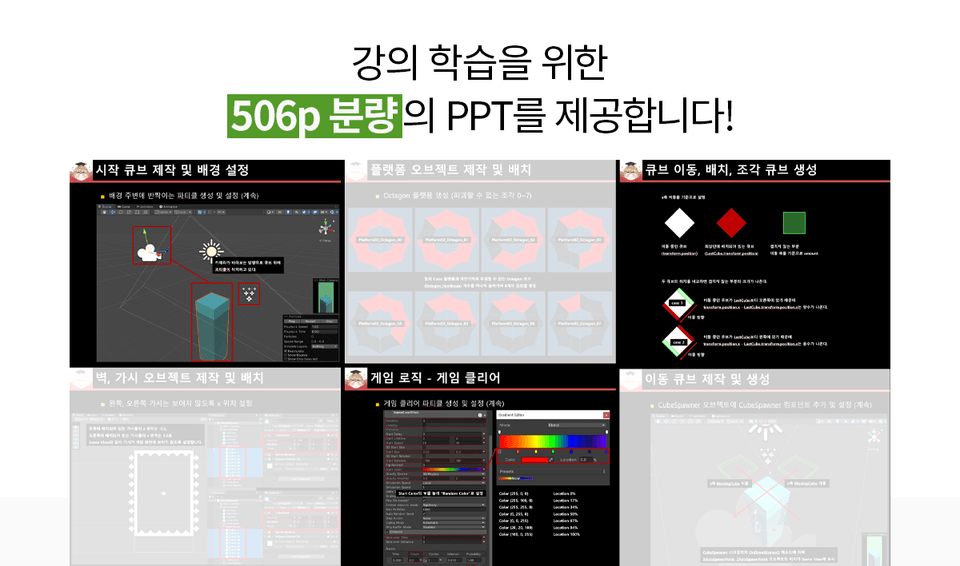
We provide all the resources used in the practice sessions, as well as a 560-page lecture PPT. Instead of having to repeatedly play/pause while watching the lecture, you can follow along with the examples using the meticulously organized PPT.


You can easily learn
the necessary features
by creating small-scale games.

Section 3~8 - 3D Stack

  • Creating the Starting Cube and Setting the Background Configure the basic project settings and create the effects visible in the background.
  • Creating and Generating Moving Cubes Learn how to generate moving cube objects with gradually changing colors (completely random every 5 times) at designated positions, and how to move the camera along with cubes stacking like a tower.
  • Cube Movement, Placement, and Fragment Cube Generation Learn how to move cubes in a specified direction, and when placing a cube with a mouse click, compare its position with the last cube to generate fragment cubes for the non-overlapping portions.
  • Game Over Compare the overlapping value (hangOver) between the Last Cube and Current Cube to determine whether it's game over and handle the game over process.
  • Game UI Configure Main, In Game, and Game Over UI, and activate/deactivate UI according to the situation.
  • 추가 기능
    • Learn how to play a camera animation to view the entire cube tower when the game is over.
    • Learn how to handle Perfect matches when cubes are perfectly aligned, and how to play sounds and effects.
    • You'll also learn how to restore the cube's size by a certain amount when the Perfect combo reaches 5 or more.
    • Manage reusable objects using a Memory Pool.

A 3D game where you stack a tower as high as possible by placing cubes at precise timing to minimize cut-off pieces

Section 9~13 - 2D Don't Touch The Spikes

  • Creating and Placing Wall and Spike Objects Create and place wall and spike objects on the map.
  • Controlling the Player Object Learn how to control the player object's jumping and left/right movement.
  • 가시 활성/비활성화, 게임 오버
    • When the player collides with a wall, deactivate the spikes on the collided wall and activate the spikes on the opposite wall.
    • When the player collides with a spike, play the player destruction effect and handle the game over.
  • Game UI Configure Main, In Game, and Game Over UI, and activate/deactivate the UI according to the situation.
  • 추가 구현
    • When the player collides with a wall, change the background color and play a sound for dramatic effect.
    • Play a sound when the player collides with spikes and dies.
    • Create/play an effect that leaves an afterimage at the player's position each time the player jumps.
    • Set the number of spikes that appear based on the score.
    • Set up left/right PillarBox and top/bottom LetterBox according to the resolution.

A 2D game where you jump the player at the right timing to avoid spikes appearing on both walls and survive as long as possible

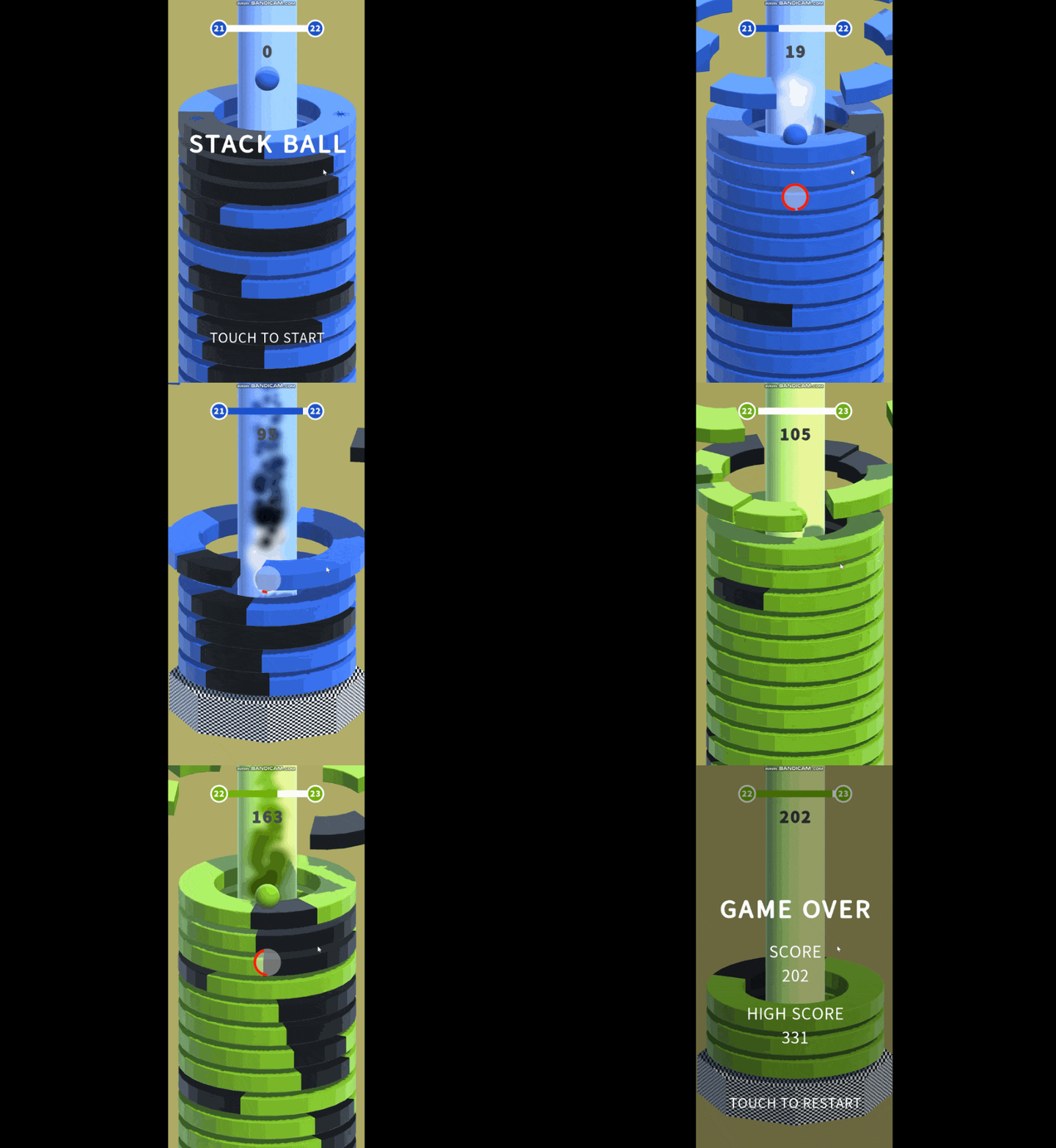
Section 14~20 - 3D Stack Ball

  • 플랫폼 오브젝트 제작 및 배치
    • Create 6 types of platform piece objects and 20 types of platform objects used in the current game.
    • Create/place the pillar and final platform, then select and arrange platforms based on the number/type of platforms according to the level.
    • Change the colors of the pillars, platforms (destructible parts), player, and UI that appear in the game.
  • Player Object Implement the player's jump and set up collision between the player and platforms.
  • 플레이어와 플랫폼 충돌 처리
    • Use Rigidbody's AddForceAtPosition, AddTorque, etc. to launch the platform pieces.
    • Implement the player's descent, and distinguish between breakable pieces (Break) and non-breakable pieces (NonBreak) of the platform to handle collisions with the player.
    • As the player descends, the camera object moves by considering the positions of the player and the last platform.
  • Game Logic - Before Game Start Configure the Main UI, activate it when playing the game, and deactivate it when the game starts with a mouse click.
  • 게임 로직 - 게임 시작
    • Displays information about the current level, next level, level progress bar (current level progress, %), and current score
    • Implement a power gauge that increases when holding down the mouse button and decreases when released, and activate power mode when the power gauge reaches 100%. (Can destroy all pieces)
  • Game Logic - Game Over Configure the game over UI, and when the game is over, activate the game over UI along with an effect that makes the player appear to be destroyed.
  • 게임 로직 - 게임 클리어
    • Configure the game clear UI, and when the game is cleared, activate the game clear UI along with an effect that looks like numerous pieces of confetti fluttering like a fanfare.
    • When loading a scene upon game clear, use PlayerPrefs to save/load data so that the current score is maintained and the Main UI can be deactivated.

A 3D game where the player destroys breakable platform pieces (colored platform fragments) on a rotating platform while reaching the goal


YouTube Channel
Dr. Go's Unity Notes!

Go to "GoBaksa's Unity Note" channel (Click)

You can watch various videos related to Unity game development on the YouTube channel "Dr. Go's Unity Note" 😊


Expected Questions Q&A.

Q. Can non-majors take this course?

Yes, it's possible because the videos and PPT were created so that even non-majors can follow along.
However, for non-majors and Unity beginners, you'll only be able to "recreate the exact game shown in the lecture."

You need to understand various principles in making this game and have the knowledge to apply them to other games.
For non-majors, we recommend taking the "Learn by Following Along: Dr. Go's Unity Basics" course before taking this course.

Q. What are the benefits of taking this course?

You can learn how to create games with Unity.
To develop the game you want, you need to understand the logic of many games and be able to apply the code and techniques you know.
To apply these techniques, you need to experience many games developed by others.

📢 Please check before enrolling!

  • This course was created using Unity version 6000.3.0f1, the latest version. (As of January 19, 2026)
  • Since the latest version techniques are not required, it is fine to use a lower version of Unity.
  • However, for versions below 6000.0, in Edit - Project Settings to use the Input System
  • Set Active Input Handling to Input System.

Want to see
previous lectures
from Dr. Go's Hyper Casual series?

Recommended for
these people

Who is this course right for?

  • Someone who has taken the "Learn Unity Basics with Dr. Go by Following Along" course

  • Those who have taken the existing hyper-casual series course

  • For those curious about commercialized hyper-casual game development methods

Need to know before starting?

  • Understanding How to Use Unity Engine

  • Understanding the C# Language

Hello
This is

14,083

Learners

252

Reviews

137

Answers

4.8

Rating

8

Courses

Key Experience

Current 2022 ~ Professor, Department of Game Software, Hoseo University

Current 2016 ~ Full-time Lecturer, Department of Game Design, Kongju National University

Former 2022 ~ 2024 Unity Certified Instructor

Former 2023 Adjunct Professor, Department of Electrical Engineering, Pohang University of Science and Technology (POSTECH)

Former 2022 Adjunct Professor, Woosong University School of Techno-Media Convergence (Game Multimedia Major)

Former 2019 Adjunct Professor, Department of Computer Science and Engineering, Kongju National University

Former 2018 Adjunct Professor, Department of Photography and Visual Contents, Sangmyung University

Former 2017 Adjunct Professor, Department of Game Media, Kaywon University of Art and Design

Former 2016, 2020–2021 Adjunct Professor, Department of Game Design and Development, Pai Chai University

Former 2016 Namseoul University VRAR Adjunct Professor

Former 2016 Adjunct Professor, Department of Game Animation, Korea University of Media Arts

Former 2015 ~ 2018 Adjunct Professor, School of Information and Communication, Baekseok University

Operator of the "Dr. Ko's Unity Note" YouTube channel https://www.youtube.com/@unitynote. Introduction: I majored in Game Programming and currently teach game development and the Unity engine.

Operating the "Go Baksa's Unity Note" YouTube channel

https://www.youtube.com/@unitynote

Introduction

I specialize in game programming and teach game development and the Unity engine.

Fields of Instruction: Unity Engine (Basics, 2D/3D Game Development, VR/AR), Servers, Artificial Intelligence, Shaders, Introduction to Game Studies, etc.

Curriculum

All

59 lectures ∙ (5hr 39min)

Course Materials:

Lecture resources
Published: 
Last updated: 

Reviews

All

7 reviews

5.0

7 reviews

  • yoondaemyeong0212님의 프로필 이미지
    yoondaemyeong0212

    Reviews 2

    Average Rating 5.0

    5

    12% enrolled

    I thought a lot about it and bought it, but it was the perfect lecture for me. First, I watched a few videos and then I found it easier to view it in PDF format, so I was able to progress quickly and clear all three in two days. My study plan is to quickly follow along for the first time and understand the overall flow. (Complete) 2nd time - Take a close look at why it was written this way 3rd time - Try adding features to make the game more complete 4th time - Try refactoring using interfaces, delegates, etc. according to the contents of the book on dependency injection that I am reading separately 5th time - Complete the game without looking at any materials. The best thing about this lecture is that it provides PDF materials and that it covers only the necessary things concisely. After I finish this, I plan to watch parts 1 and 2, but I hope part 4 comes out.

    • unitynote
      Instructor

      You have a great learning method :) Thank you for the course review^^

  • jjh9511101054님의 프로필 이미지
    jjh9511101054

    Reviews 3

    Average Rating 5.0

    5

    31% enrolled

    This is helpful!

    • unitynote
      Instructor

      Thank you for your valuable course review! I will come back with more beneficial lectures! :)

  • sa45609416님의 프로필 이미지
    sa45609416

    Reviews 1

    Average Rating 5.0

    5

    100% enrolled

    The first minigame was a bit difficult, but from the second minigame onwards it became much easier to make and the code was easier to understand!

    • unitynote
      Instructor

      Thank you for your valuable course review!

  • kyung86098513님의 프로필 이미지
    kyung86098513

    Reviews 6

    Average Rating 5.0

    5

    100% enrolled

    This is a lecture that I trust and watch!!👍 It's good because you can follow it easily if you follow it calmly. I'm looking forward to the next lecture.

    • unitynote
      Instructor

      Thank you for your review^^ I will work hard to meet you in the next lecture soon ㅠㅠ

  • muttul589114님의 프로필 이미지
    muttul589114

    Reviews 67

    Average Rating 4.8

    5

    100% enrolled

    Thank you for the valuable lecture.

    • unitynote
      Instructor

      Thank you for your valuable review

Limited time deal ends in 3 days

$4,183.00

22%

$34.10

unitynote's other courses

Check out other courses by the instructor!

Similar courses

Explore other courses in the same field!