![[Beginner] Mastering Basic Vocabulary with a Strong Foundation CourseCourse Thumbnail](https://cdn.inflearn.com/public/files/courses/329990/cover/01m05qtvdpfm5nx33ywnh2d2t0?w=420)
[Beginner] Mastering Basic Vocabulary with a Strong Foundation Course
EDUPIC
$17.60
Beginner / Word, MS-Office
4.3
(4)
Take an EDUPIC course and become a true fan! This is an introductory course for Word 2013&2016.

Beginner
Word, MS-Office



The moment you take up the baton of foundational structure, even the most complex templates and advanced AI become powerful instruments at your command. Start your journey to becoming a true master with EDUPIC today. (Enroll Now)
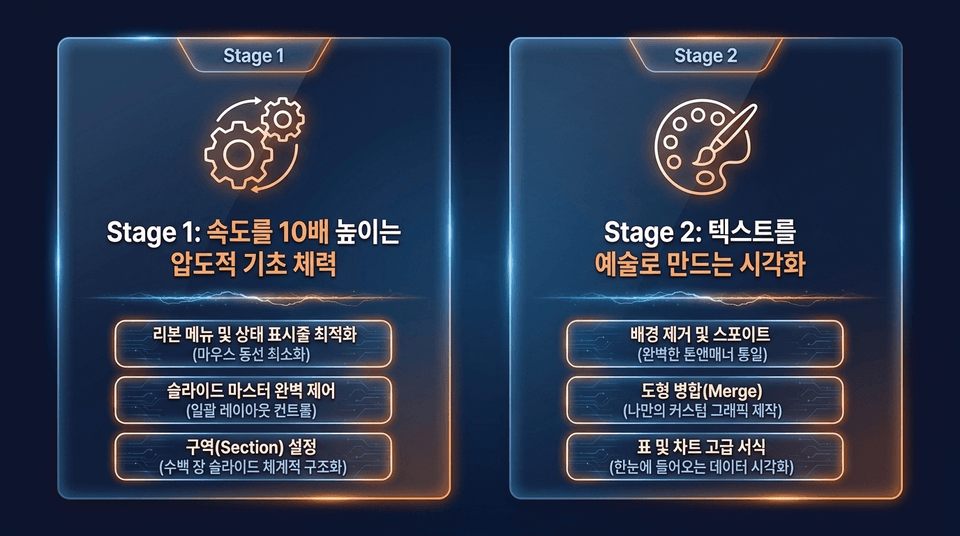
• Stage 1: Ribbon Menu and Status Bar Optimization (Minimizing Mouse Movement) | Complete Control of Slide Master (Batch Layout Control) | Section Setup (Systematically Structuring Hundreds of Slides) • Stage 2: Background Removal and Eyedropper (Perfectly Unified Tone and Manner) | Merge Shapes (Creating Custom Graphics of Your Own) | Advanced Table and Chart Formatting (Data Visualization at a Glance)
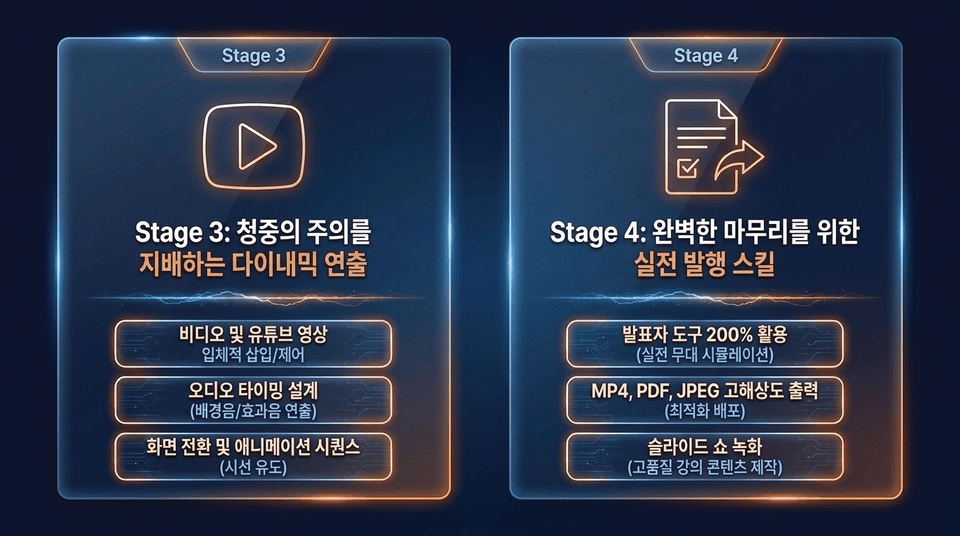
• Stage 3: Video and YouTube footage (immersive insertion/control) | Audio timing design (background music/sound effects direction) | Screen transitions and animation sequences (directing the viewer’s attention)
• Stage 4: Make the most of Presenter Tools (real-world stage simulation) | High-resolution export in MP4, PDF, and JPEG (optimized distribution) | Slide show recording (creating high-quality lecture content)
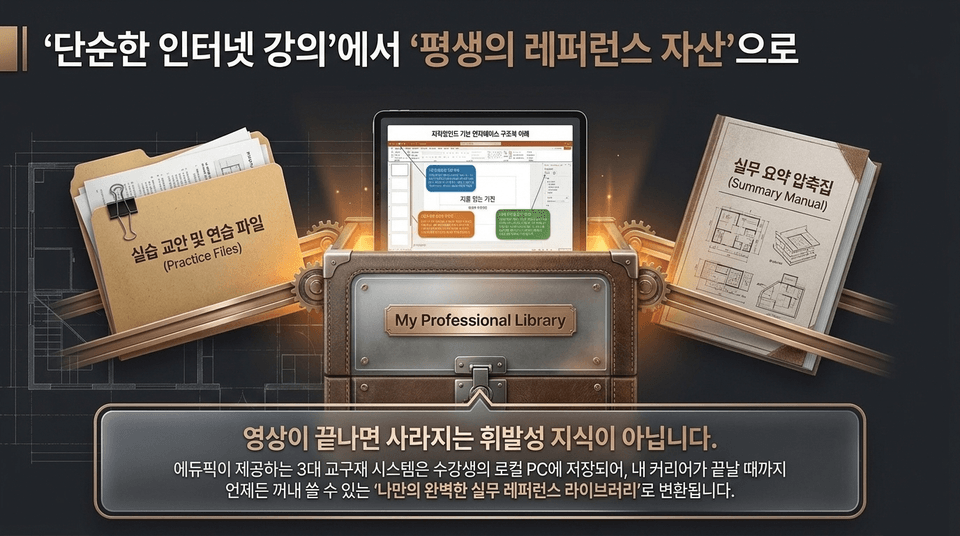
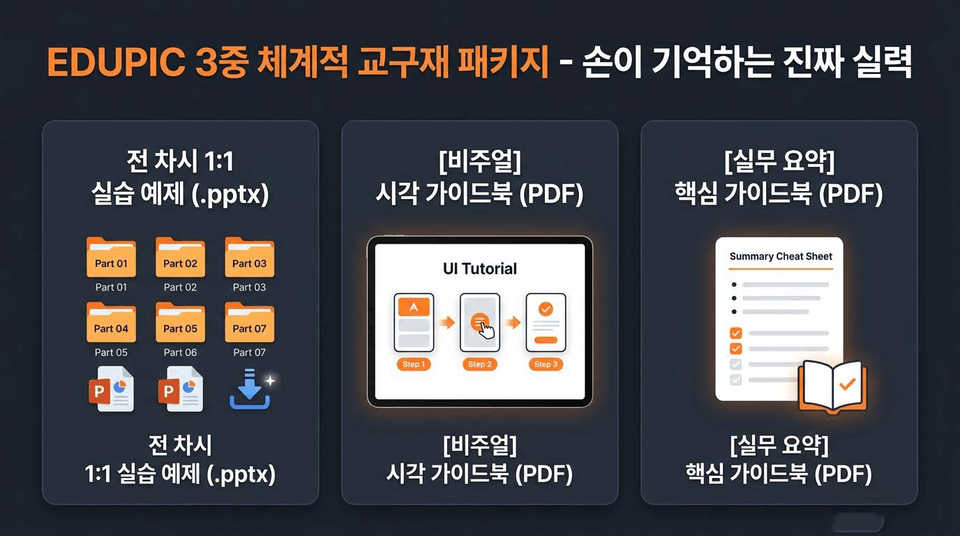
This is not ephemeral knowledge that disappears when the video ends. Edupick’s three-part teaching materials system is saved on the learner’s local PC and provided as “my own perfect practical reference library” that can be accessed and used at any time.
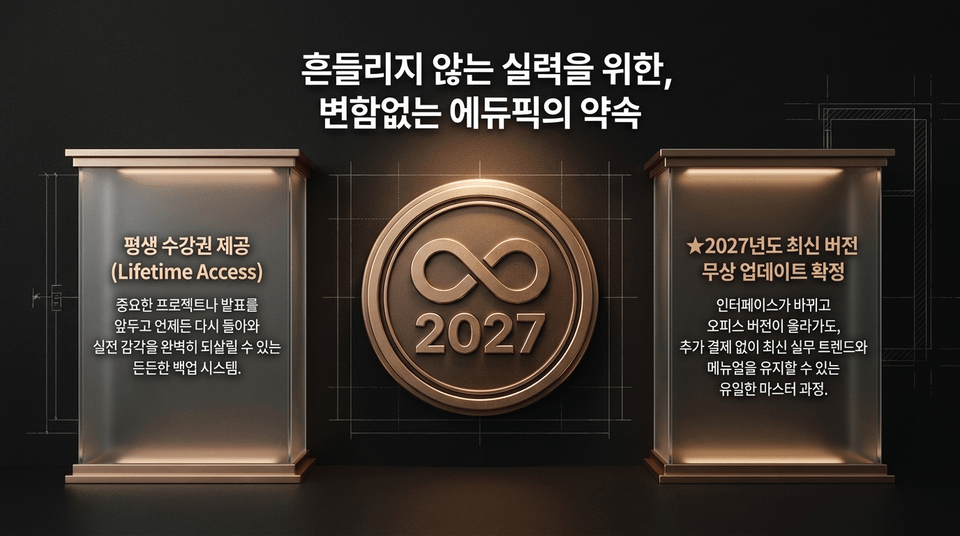
• Lifetime access provided: A reliable backup system you can return to anytime before an important project or presentation to fully restore your hands-on skills. • ★ Free updates to the latest 2027 version confirmed: Even when the interface changes and the Office version is upgraded, this is the only master course that lets you stay up to date with the latest real-world trends and manuals at no additional cost.

Core capabilities that never waver, even when the environment changes or versions differ. Break free from templates as fragile as sandcastles and build a solid presentation architecture of your own.
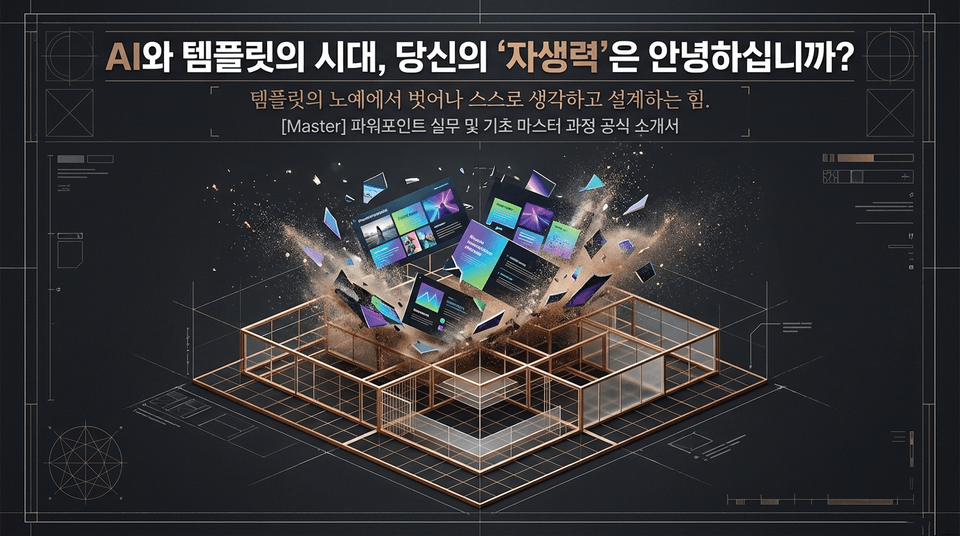
In the AI era, build true self-reliance that empowers you to confidently handle any template or tool. EDUPIC gives you the “real skills” to independently bring your ideas to completion from start to finish—without becoming a slave to tools. Lifetime access | Free updates to the latest 2027 version | Comprehensive triple-tier teaching materials package included
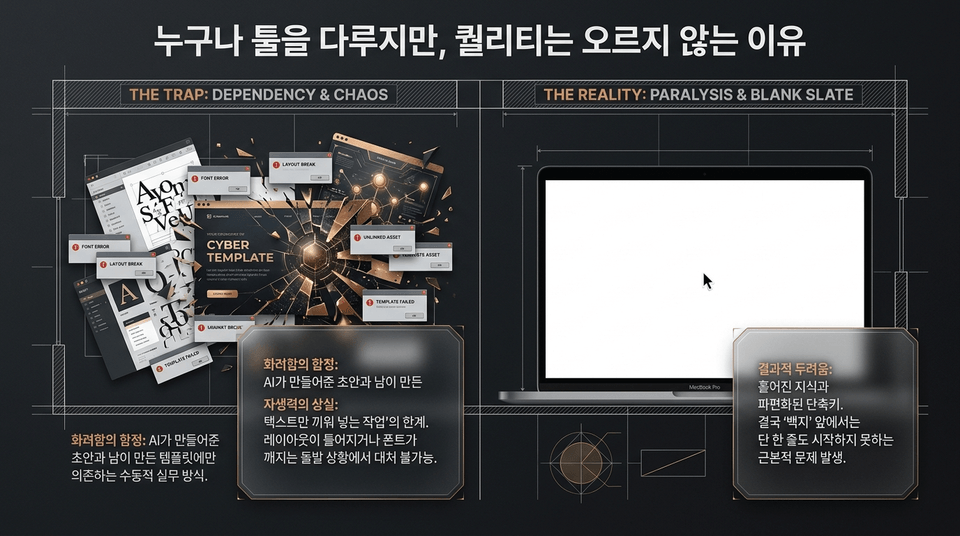
• THE TRAP (Dependency & Chaos): The trap of superficial polish! A passive working style that relies solely on AI-generated drafts and templates created by others. Unable to cope when font errors or layout breakdowns occur. • THE REALITY (Paralysis & Blank Slate): The fear of the end result! Scattered knowledge and fragmented shortcuts. Ultimately, this leads to the fundamental problem of being unable to start even a single line when faced with a 'blank page'.
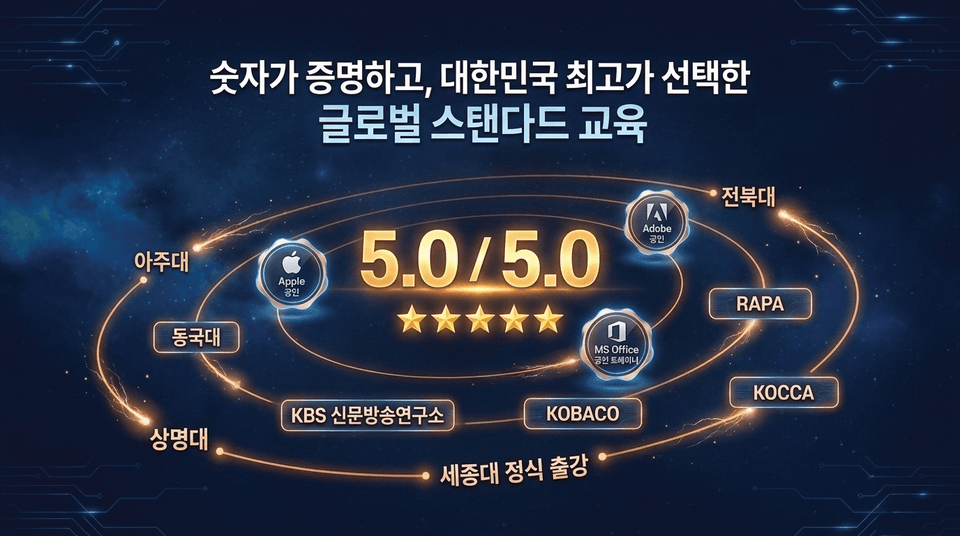
★ Student rating: 5.0 / 5.0
• Direct instruction from an internationally certified instructor: A world-class master with official Adobe, Apple, and MS Office trainer certifications
• Proven references: Official lectures delivered at KBS Institute of Journalism and Broadcasting, KOBACO, RAPA, KOCCA, Ajou University, Dongguk University, Jeonbuk National University, Sejong University, and Sangmyung University

• Unlimited lifetime access: Keep it forever and review it repeatedly without worrying about expiration • ★ Free upgrade to the latest 2027 version confirmed: No additional cost. Guaranteed free updates to the new curriculum • Official certificate of completion issued: An institution officially eligible for use with the Lifelong Education Voucher
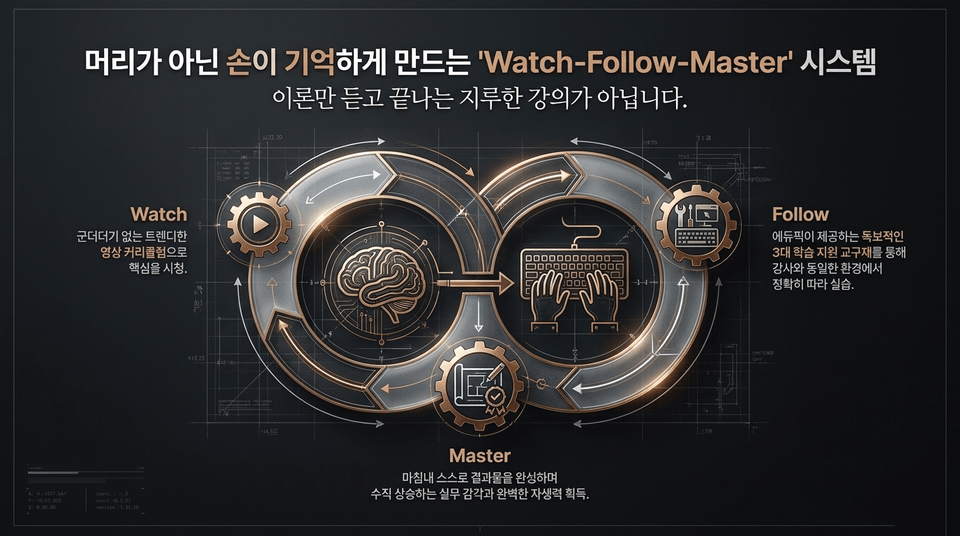
This is not a boring course that ends with just listening to theory. Watch (watch the essentials) ➔ Follow (practice by following along precisely) ➔ Master (achieve rapidly rising practical skills and complete self-reliance).
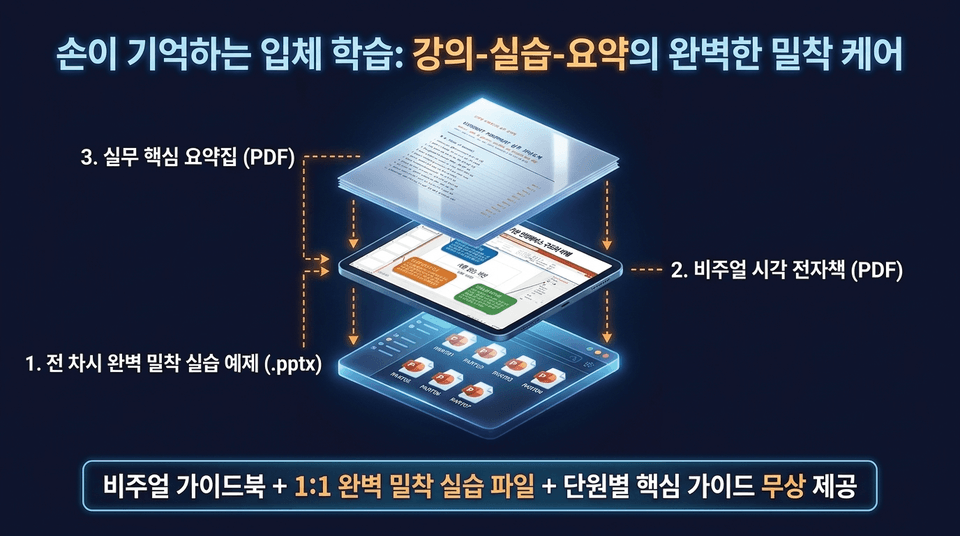
1. Perfectly guided practice examples for every lesson (.pptx): Free provision of dedicated practice files for PART 01–07 2. Visual e-book (PDF): A three-dimensional guide covering Stage 1 entry ➔ Stage 2 options/shortcuts ➔ Stage 3 practical tips 3. Practical essentials summary (PDF): A complete summary of essential theory, including Slide Master, themes, and section division
Official Introduction to the Master PowerPoint Practical Skills and Fundamentals Master Course. Break free from being a slave to templates and develop the ability to think and design independently. Move beyond superficial imitation and build the self-reliance to tackle any PowerPoint task with confidence.

• Institutional Trust: The EDUPIC education system, already established as the market standard (KBS Human Resources Development Center, KOBACO, KOCCA, JICA, Ajou University, Dongguk University, etc.)
• Verified Student Reviews: "It was amazing to be able to systematically build a solid foundation in PowerPoint. It was the best course." (hongkyu2lee8420) | "It is packed with useful tips that you can apply immediately at work. A rating of 5.0 is well deserved." (yongun2lee2549)
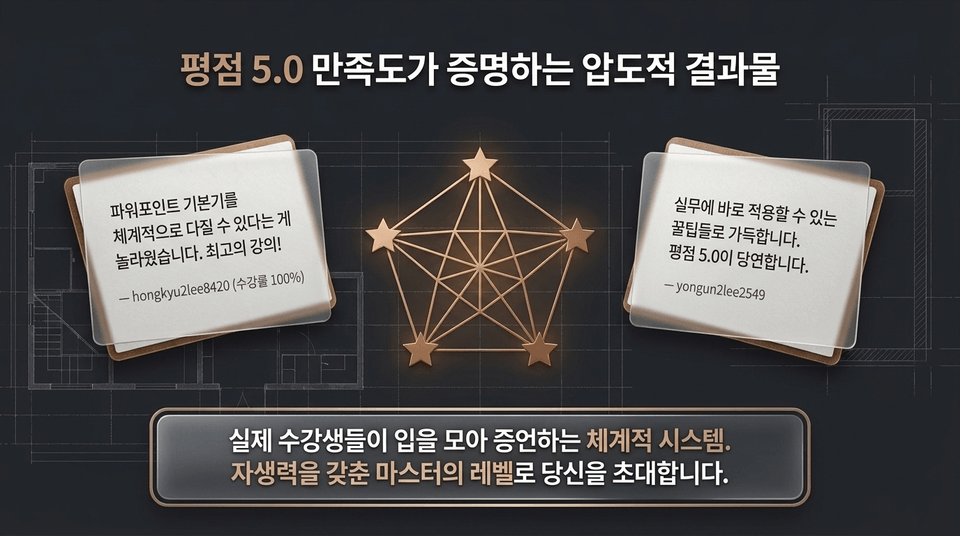
An outstanding result proven by a 5.0 rating and high satisfaction
Course Review 1 (From a Beginner/Non-Major's Perspective)
⭐⭐⭐⭐⭐ “A course that teaches you the principles, not just how to use the tools”
“Even after watching countless YouTube tutorials, I was still at a loss when it came to actual work. This course gave me a solid framework for understanding why things need to be done that way, and now I can independently handle any assignment from planning to completion.”
– Student Kim〇〇
Course Review 2 (From a Practitioner/Current Professional’s Perspective)
⭐⭐⭐⭐⭐ “My work time was reduced to one-third.”
“I took this course because I was tired of piecing together templates and wanted to establish a system. After learning how to optimize the entire workflow—not just shortcuts or fragmented skills—my overtime was dramatically reduced.”
– Current designer/planner, Mr./Ms. Park 〇〇
Course Review 3 (From the Perspective of Course Quality/Curriculum)
⭐⭐⭐⭐⭐ “An overwhelming level of quality, infused with the full expertise of an internationally certified instructor”
“True to the instructor’s experience teaching at government institutions and universities, the depth and clarity of the explanations are on another level. It’s a textbook-like course that I want to keep for life and refer to whenever I get stuck.”
– Student 〇〇
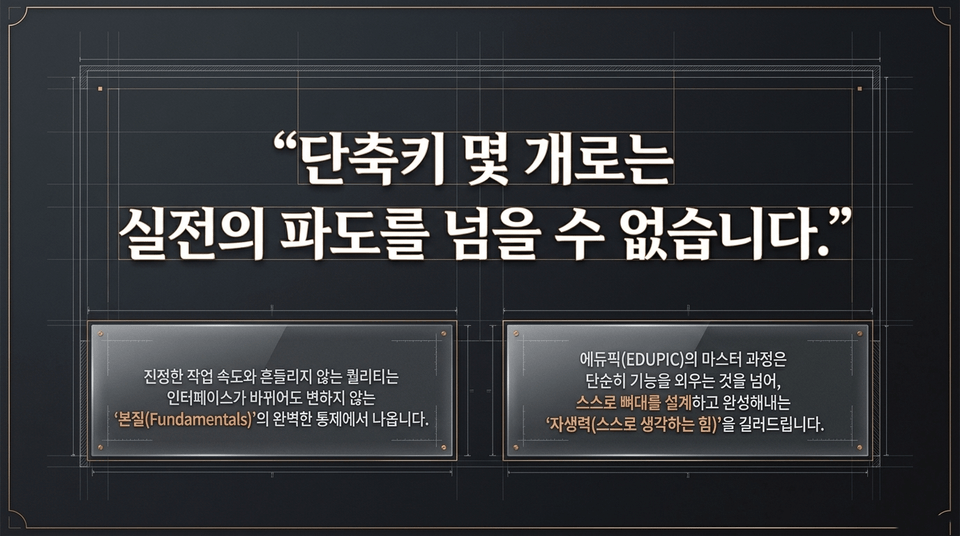
True work speed and unwavering quality come from perfect mastery of the “essentials (Fundamentals)” that remain unchanged even when the interface changes. EDUPIC develops your “self-reliance (the ability to think for yourself)” so you can design and complete the framework on your own.
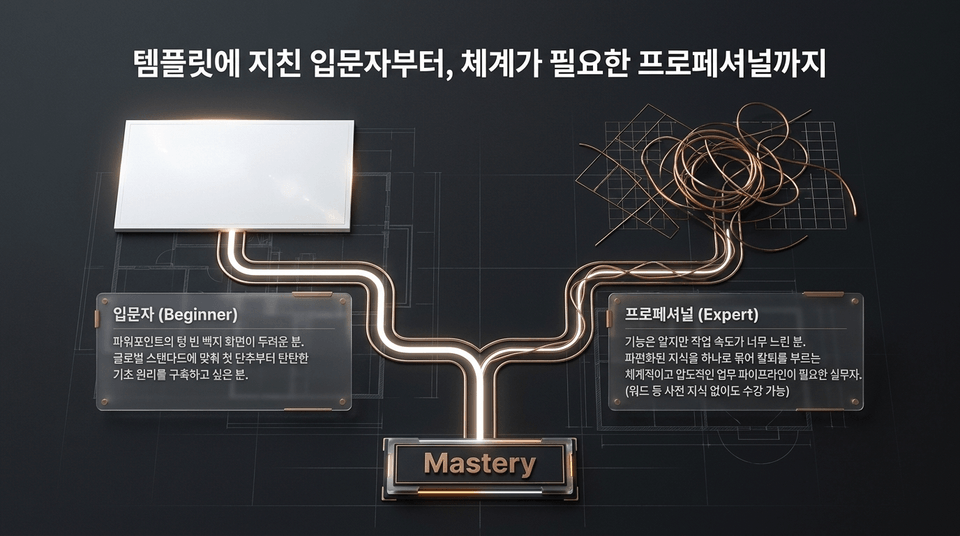
• Beginner: Those who are intimidated by PowerPoint’s blank screen. Those who want to build a solid foundation in the basic principles from the very first step, in line with global standards.
• Professional (Expert): Those who know the functions but work too slowly. Working professionals who need a systematic and powerful workflow that unifies fragmented knowledge and lets them leave work on time.

01. Visuals & Typography for Enhancing Visual Persuasiveness (30 Techniques)
Custom table/chart designs that organize complex data at a glance
Transform outdated basic shapes into trendy infographics with combining and merging techniques
Designing Letter Spacing, Line Spacing, and Typographic Hierarchy to Maximize Text Readability
02. Images & Layouts for a Professional Finish (25 Techniques)
Background removal (cutouts) and masking done entirely in PowerPoint, without external programs (Photoshop)
1-Second Alignment Method to the Micro-Pixel Level Using Slide Grids/Guides
Margin ratios and golden-ratio layouts that control the audience’s eye movement
03. Motion & Morphing (Morph) to Maximize Presentation Engagement (25 Techniques)
Practical animations that focus on delivering the message, excluding effects that are merely flashy
Advanced Slide Morphing Techniques for Keynote-Level Presentations
Designing screen flow to naturally guide the viewer’s eye during page transitions
04. The 21 Shortcuts That Increase Your Work Speed by 300% and Eliminate Overtime
Practical shortcut combinations that cut your work time in half once they become second nature
Building a reusable asset library of slide masters and custom templates
Productivity-maximizing know-how for batch-editing a large number of slides in just 1 minute
“The moment you fully master all 101 techniques, you will be able to perfectly visualize your ideas for any business plan or proposal you are given.”
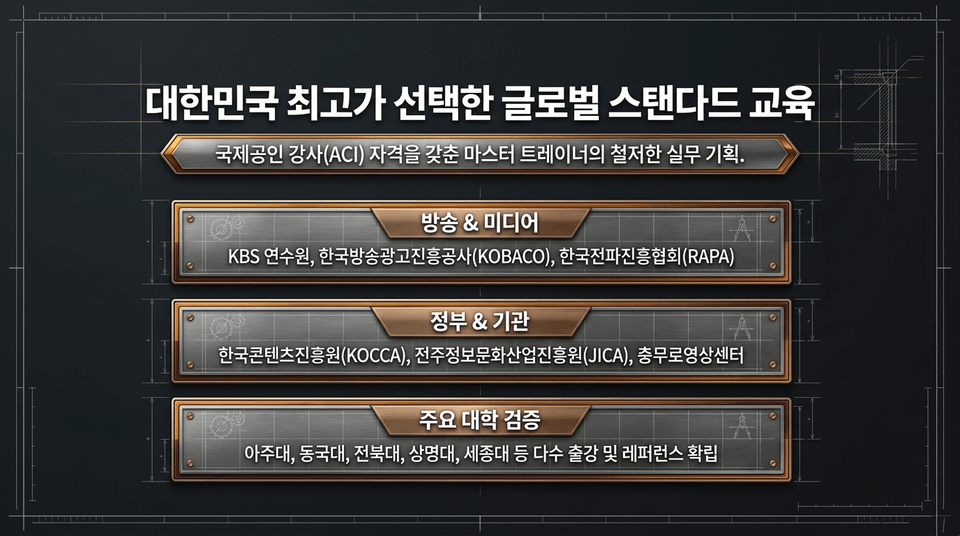
Thoroughly practical training designed by a master trainer holding the Adobe Certified Instructor (ACI) qualification.
• Broadcasting & Media: KBS Training Institute, Korea Broadcast Advertising Corporation (KOBACO), Korea Radio Promotion Association (RAPA)
• Government & Institutions: Korea Creative Content Agency (KOCCA), Jeonju Information & Culture Industry Promotion Agency (JICA), Chungmuro Video Center
• Proven at leading universities: Taught at Ajou University, Dongguk University, Jeonbuk National University, Sangmyung University, Sejong University, and many others, establishing a strong track record.
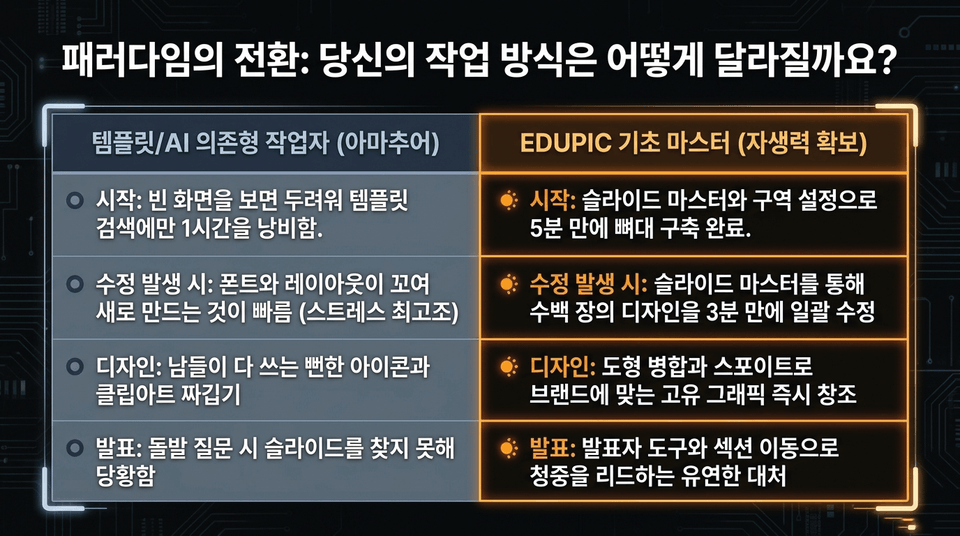
• Getting started: Seeing a blank screen makes you panic, so you waste an hour searching for templates ❌ ➔ Build the framework in just 5 minutes with Slide Master and section settings ⭕
• When revisions arise: Fonts and layouts become tangled, making it faster to start over ❌ ➔ Modify hundreds of designs at once in just 3 minutes using Slide Master ⭕
• Design: Patch together predictable icons and clip art that everyone else uses ❌ ➔ Instantly create unique graphics tailored to your brand with Merge Shapes and the Eyedropper ⭕
• Presenting: Panic when you can’t find the right slide during an unexpected question ❌ ➔ Respond flexibly and lead your audience with Presenter View and section navigation ⭕
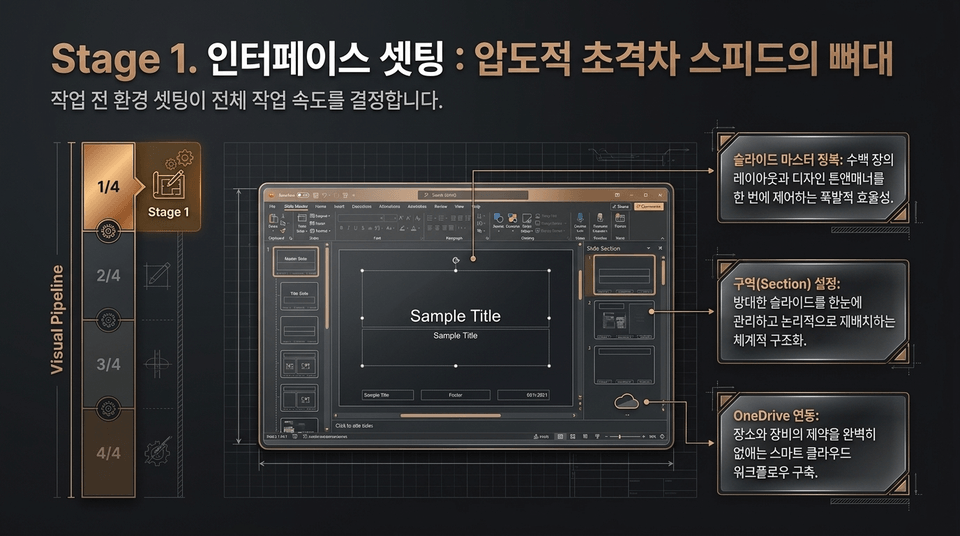
Setting up the environment before starting determines the overall speed of the work.
• Mastering Slide Master: Explosive work efficiency by controlling hundreds of layouts and the design tone and manner all at once.
• Section setup: Systematically structure vast numbers of slides for easy management and logical reorganization at a glance.
• OneDrive Integration: Build a smart cloud workflow that completely eliminates the limitations of location and equipment.
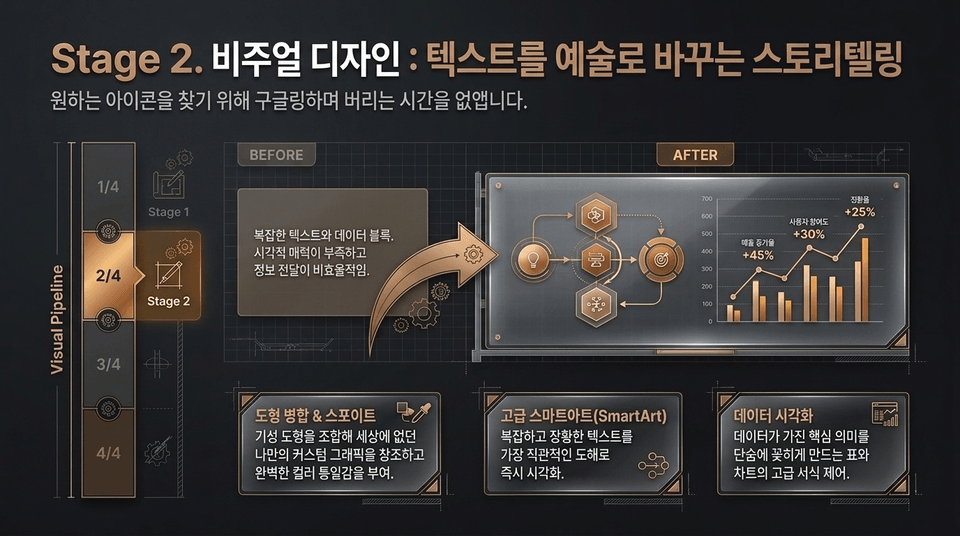
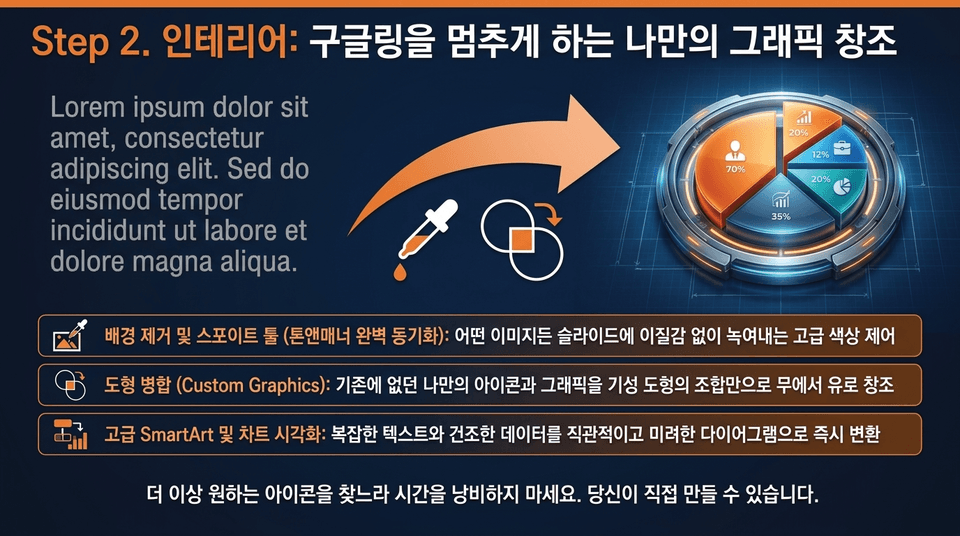
• Background Removal and Eyedropper Tool: Advanced color control that seamlessly blends any image into the slide.
• Merge Shapes (Custom Graphics): Create unique icons and graphics that didn’t exist before from scratch, using only combinations of built-in shapes.
• Advanced SmartArt and chart visualization: Instantly transform complex text and dry data into intuitive, elegant diagrams. No more wasting time searching for the icon you want. You can create them yourself.
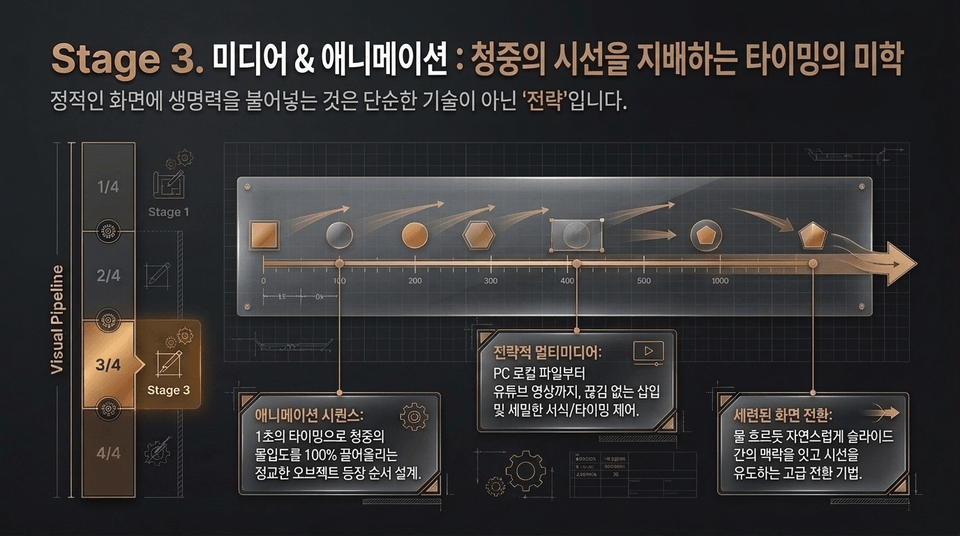
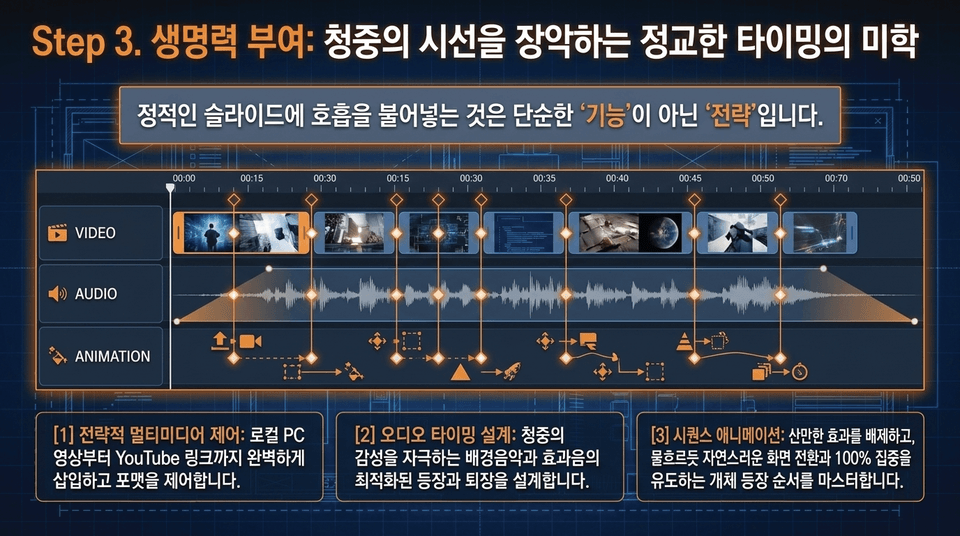
Bringing static screens to life is not merely a “technical skill” but a “strategy.”
• Animation sequences: Precisely designed object entrance order that boosts audience engagement by 100% with one-second timing.
• Strategic Multimedia: From local PC files to YouTube videos, seamless insertion with precise formatting and timing control.
• Sophisticated slide transitions: Advanced transition techniques that naturally connect the context between slides and guide the audience’s attention as smoothly as flowing water.
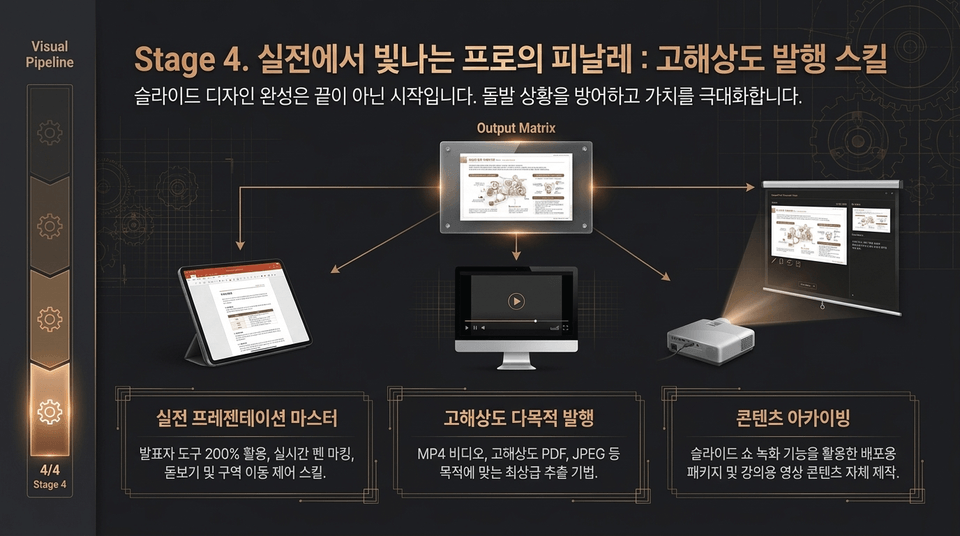
☑ Practical Presentation Mastery: Set up Presenter View to the fullest, allowing you to stay calm during live online presentations or unexpected situations.
☑ Real-Time Slide Show Control: Master pen marking, the magnifier, and navigating between sections with ease, engaging dynamically with your audience.
☑ High-Resolution Publishing and Archiving: Learn how to perfectly extract and package finished work for various purposes in formats such as MP4 video, PDF, and high-resolution JPEG."

"Build essential skills that never waver, no matter how the environment changes or which version you use. Break free from sandcastle-like templates and construct a solid presentation architecture of your own."

In just 60 modules, we’ve seamlessly connected everything from the basics to real-world practice in the most efficient timeframe.
Step 1. Interface Setup ➔ Step 2. Visual Design ➔ Step 3. Media and Animation ➔ Step 4. Practical Presentations and Publishing.
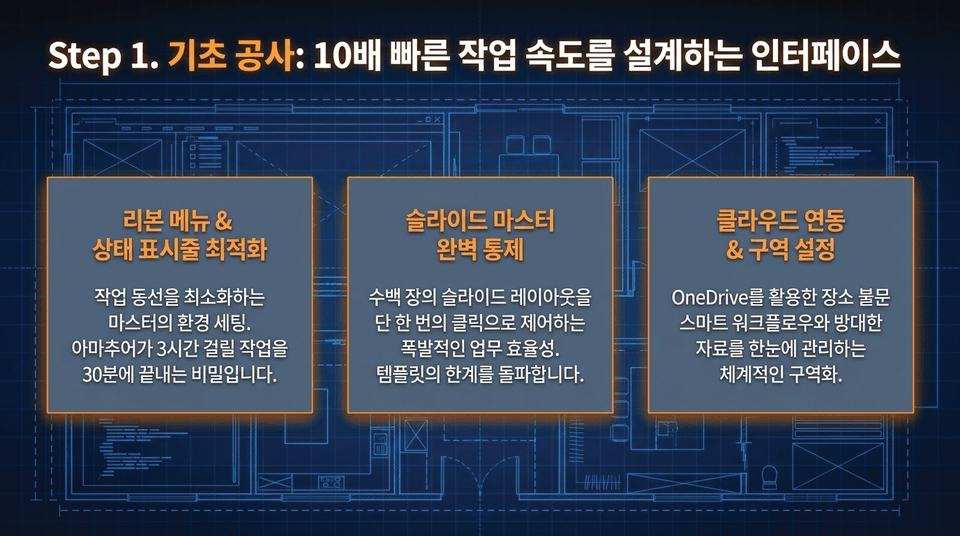
• Ribbon Menu & Status Bar Optimization: The master’s environment setup that minimizes your workflow. This is the secret to finishing in 30 minutes what would take an amateur 3 hours. • Complete Control of the Slide Master: Explosive work efficiency that lets you control hundreds of slide layouts with a single click. • Cloud Integration & Section Setup: A smart workflow using OneDrive and sectioning that lets you manage extensive materials at a glance.
• Comprehensive Coverage of Core Principles: The ultimate cheat sheet created by practitioners, densely extracting only the essential framework of the course into text. It includes all the fundamental principles needed to become self-sufficient, from Slide Master and theme settings to logical section division.
• A Reference You Can Consult Anytime: A perfect summary that lets you find the relevant section in just one minute and immediately apply it to your work when you can’t remember something before an important presentation.

This is not fleeting knowledge that disappears when the video ends.
The three-part educational materials system provided by Edupick is stored on the learner’s local PC and transformed into 'your own perfect practical reference library' that you can access and use anytime until the end of your career.
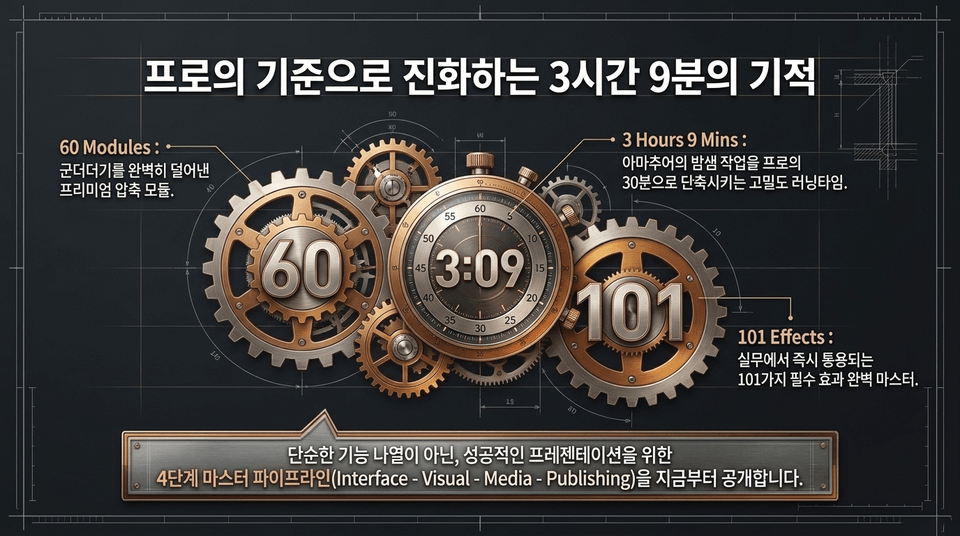
• 60 Modules: Premium, condensed modules with all unnecessary content completely stripped away.
• 3 Hours 9 Mins: A high-density runtime that reduces amateurs’ overnight work to 30 minutes for professionals.
• 101 Effects: Master all 101 essential effects that can be used immediately in real-world work.
Rather than simply listing features, we reveal a 4-stage master pipeline for creating successful presentations.
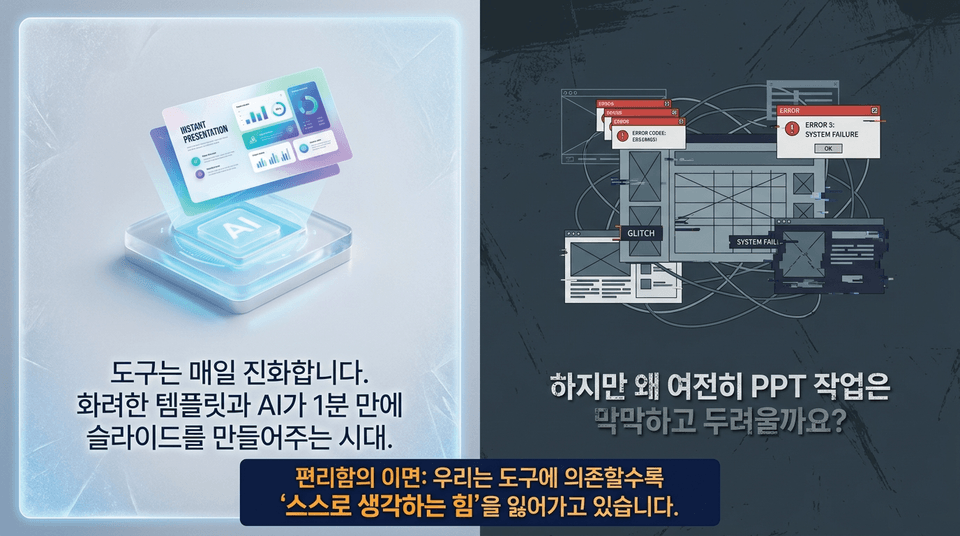
But why does working on PPT still feel so overwhelming and intimidating? The downside of convenience: the more we rely on tools, the more we lose the “ability to think for ourselves.” Work created with just a few clicks can fall apart at even the smallest revision request.
"Build true self-reliance that lets you stand confidently before any template or tool in the AI era.
EDUPIC gives you the 'real skills' to independently bring the ideas in your head all the way to completion—not become a slave to tools.
Lifetime access | Free updates to the latest version through 2027 | Comprehensive three-part learning materials package included"

• Template collapse: When I insert my text into a design template, the fonts break and the layout becomes a mess. I don't know where to start fixing it.
• AI's misguided results: AI summarized the text for me, but modifying the details to fit real-world work takes even longer than starting from scratch.
• The cycle of all-nighters: You can't overcome the rough waves of real-world work with just a few keyboard shortcuts and tricks. Without a solid foundation, your work speed becomes endlessly slow.
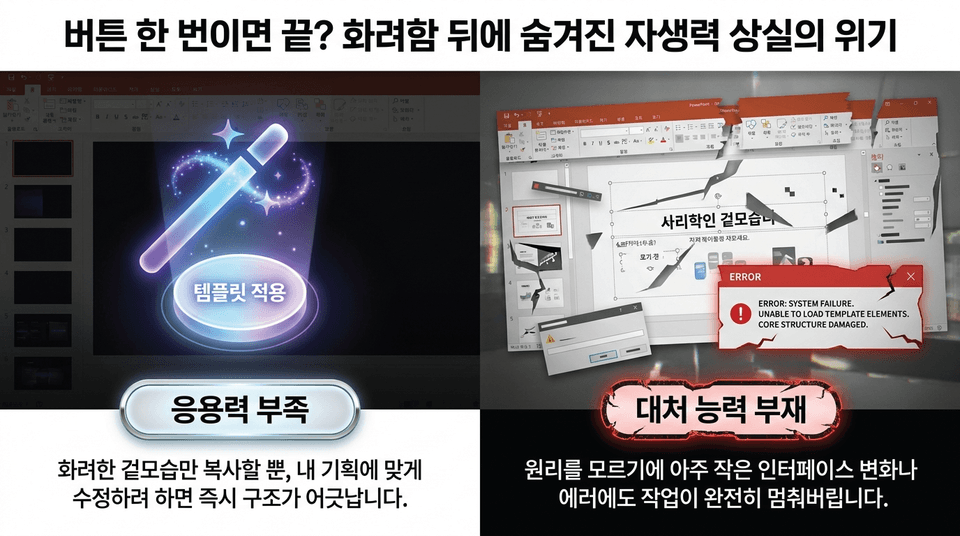
Lack of adaptability: You can only copy flashy appearances, and the moment you try to modify them to fit your own plan, the structure immediately falls apart.
• Inability to respond: Because you don’t understand the underlying principles, even the slightest interface change or error brings your work to a complete halt."
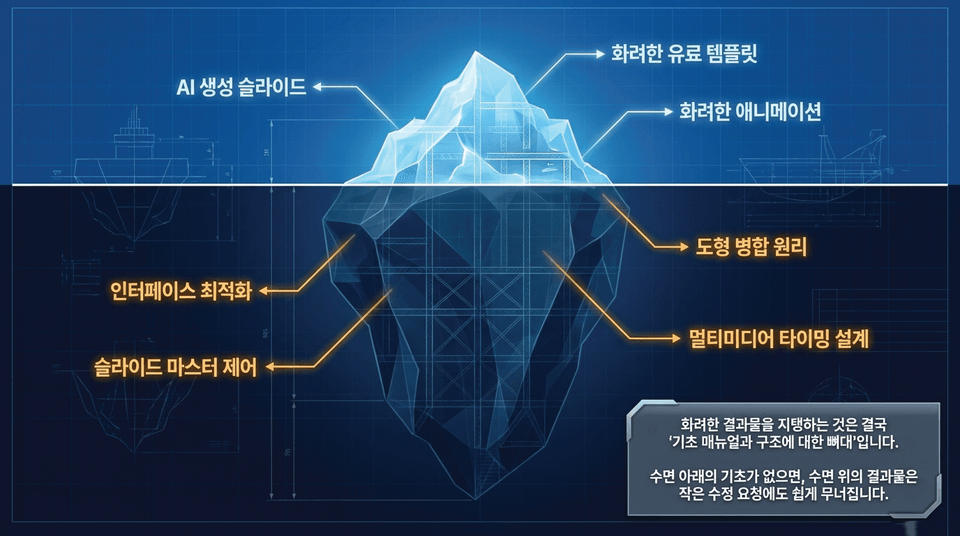
• Above the surface (10%): AI-generated slides, flashy paid templates, and flashy animations
• Below the surface (90%): interface optimization, slide master control, the principles of merging shapes, and multimedia timing design.
Without a foundation beneath the surface, results above the surface can easily fall apart even with a minor revision request.

"This is not fleeting knowledge that disappears when the video ends.
The three core instructional materials systems provided by Edupick are saved on the learner’s local PC and transformed into a 'personal, comprehensive practical reference library' that can be taken out and used anytime throughout their career."
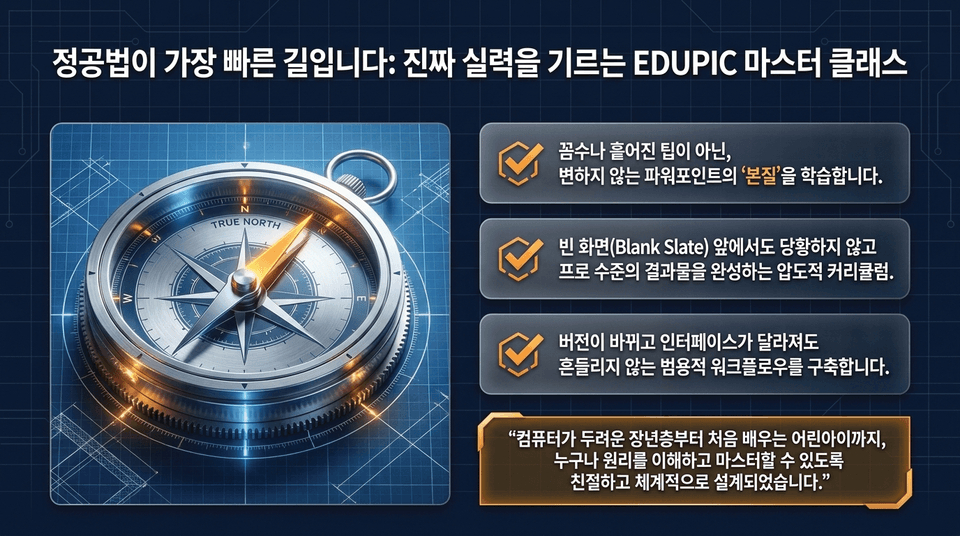
☑ Learn the unchanging “essence” of PowerPoint—not shortcuts or scattered tips.
☑ A comprehensive curriculum that enables you to complete professional-level work without feeling overwhelmed, even when faced with a blank screen (Blank Slate).
☑ Build a versatile workflow that remains reliable even when versions change and interfaces look different. "It is designed to be friendly and systematic so that anyone—from older adults who are afraid of computers to children learning for the first time—can understand the principles and master them."

Imitating appearances: a sandcastle that cracks with even the slightest change ❌
• Understanding principles: a solid foundation that lets you solve problems independently without getting flustered, even when new AI tools or design trends emerge ⭕
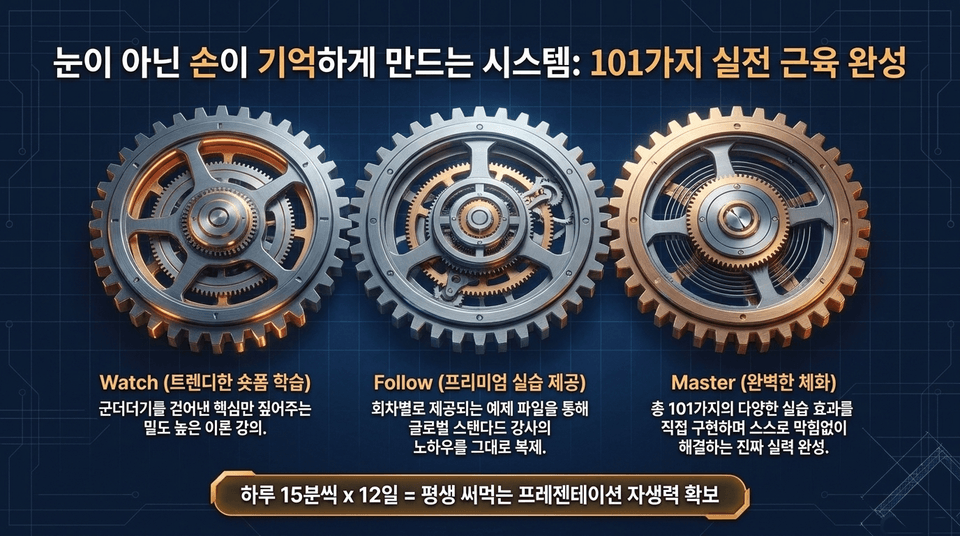
• Watch (Trendy Short-Form Learning): High-density theory lectures that focus only on the essentials, stripped of unnecessary details. • Follow (Premium Practical Exercises): Replicate the know-how of global-standard instructors exactly through example files provided for each lesson.
• Master (Complete Mastery): Build genuine skills by directly implementing 101 diverse practice effects and learning to solve problems independently without getting stuck. 15 minutes a day x 12 days = lifelong self-sufficiency in creating presentations

• Children: Build the ability to complete assignments independently through the right first steps in the digital world
• Older adults: Gain confidence by learning the basic principles in a friendly way, even if they are not familiar with operating a computer
• Office workers & university students: Achieve overwhelming productivity that lets you leave work on time by reducing mouse movement by 10x
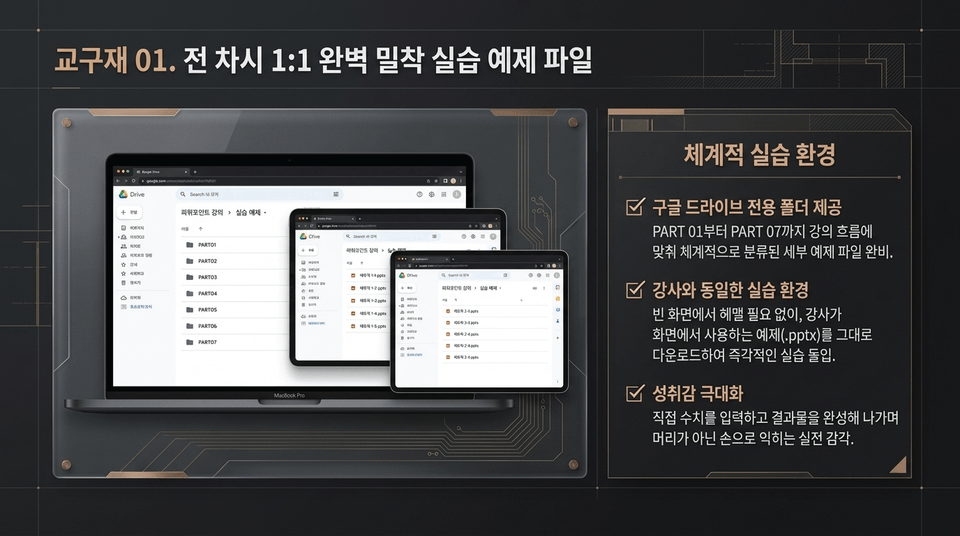
• Dedicated Google Drive folder provided: Detailed example files systematically organized from PART 01 through PART 07, fully prepared to match the course flow.
• The same practice environment as the instructor: No need to get lost on a blank screen—download the example (.pptx) files used by the instructor on screen and start practicing immediately.
• Maximize your sense of achievement: Build practical skills through hands-on experience by entering figures yourself and completing your work, learning through your hands rather than just your head.
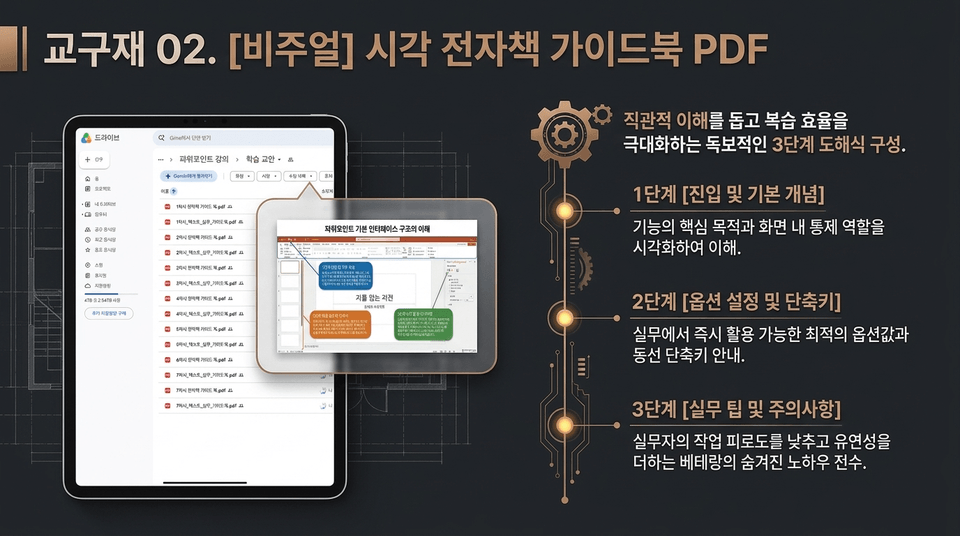
EDUPIC is with you every step of the way, helping you fully bring the plans in your head to life in any environment.
Complete your real-world skills now with lifetime access on Inflearn.
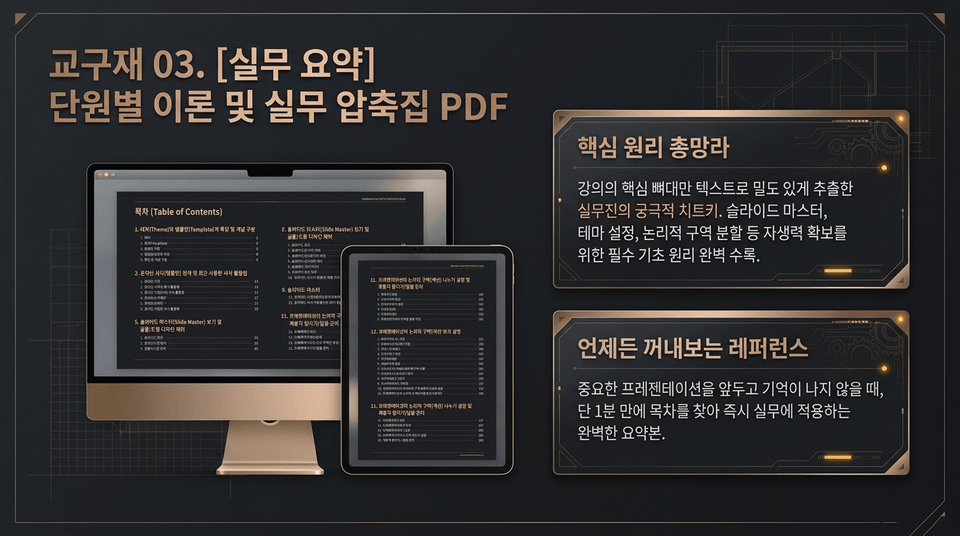
• Comprehensive coverage of core principles: The ultimate cheat sheet for professionals, densely extracting only the essential framework of the course into text. It contains all the essential foundational principles for building self-sufficiency, including Slide Master, theme settings, and logical section division.
• A reference you can consult anytime: When you can’t remember something before an important presentation, find the table of contents in just one minute and immediately apply it to your work—a perfect summary.
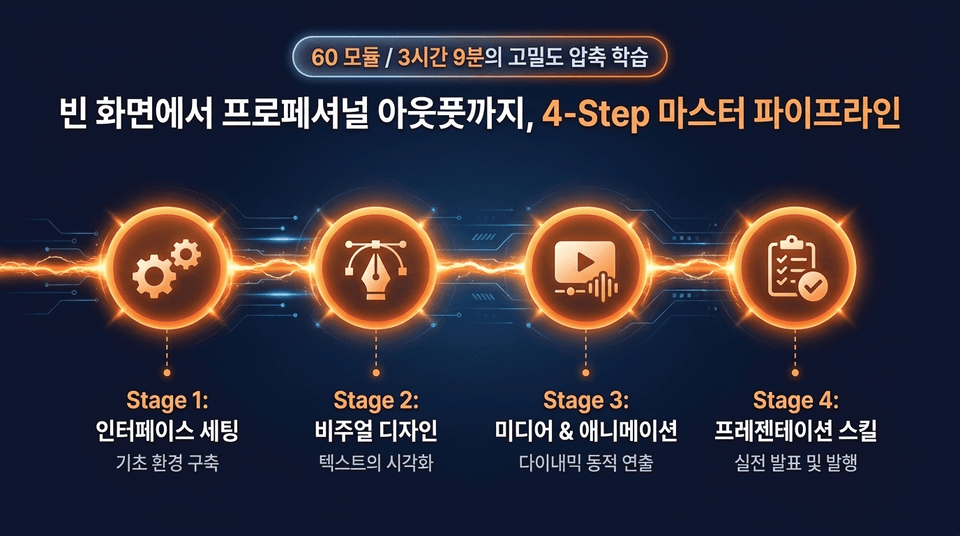
• Stage 1: Interface Setup (Building the Basic Environment)
• Stage 2: Visual Design (Visualizing Text)
• Stage 3: Media & Animation (Dynamic Visual Effects)
• Stage 4: Presentation Skills (Real-World Presentations and Publishing)
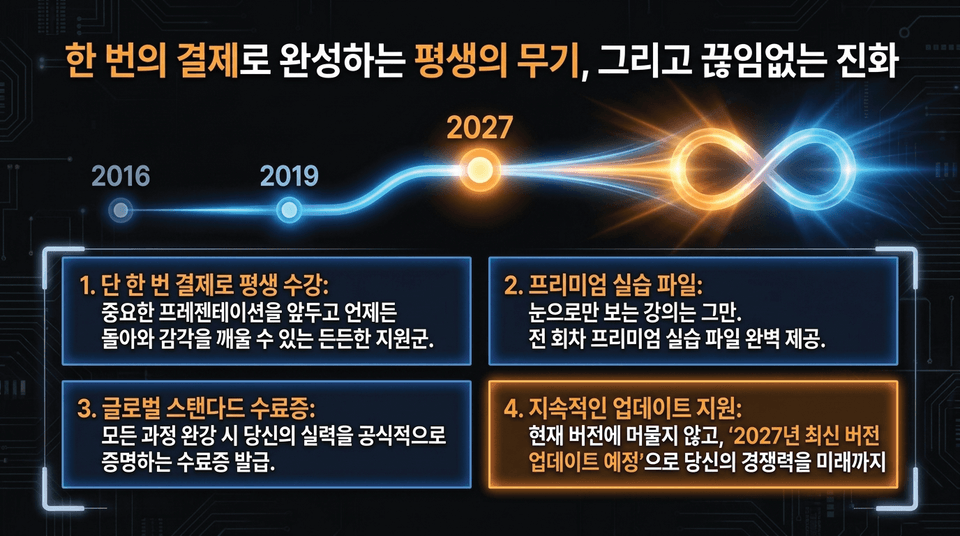
1. Lifetime access with a single payment: A reliable resource you can return to anytime before an important presentation to refresh your skills.
2. Premium practice files: No more just watching lectures. Premium practice files are provided for every session.
3. Globally Recognized Certificate of Completion: Upon completing all courses, you will receive a certificate that officially proves your skills.
4. Continuous Update Support: Don’t remain stuck on the current version—“the latest 2027 version update is planned” to ensure your competitiveness well into the future.
Master the PowerPoint Practical Skills & Fundamentals Course
Lifetime access with a single payment + free access to the latest 2027 revamped content + free delivery of 3-tier systematic course materials!
Join the EDUPIC PowerPoint Master Class ➔



![[Master] A Solid Basics Course for Mastering Vegas ProCourse Thumbnail](https://cdn.inflearn.com/public/files/courses/333400/cover/ai/2/979a70a0-ec99-47ef-bd7b-7883f25abc66.png?w=420)
![[Master] Logic Pro X Course for Solid FundamentalsCourse Thumbnail](https://cdn.inflearn.com/public/files/courses/333265/cover/ai/2/17a32478-e555-4570-9048-60d185dff97c.png?w=420)
![[Master] Basic Solid Audition CourseCourse Thumbnail](https://cdn.inflearn.com/public/files/courses/333264/cover/ai/2/97588aa2-8f02-4d97-ab60-793af35babc7.png?w=420)
![[Master] Solid Basics After Effects CC CourseCourse Thumbnail](https://cdn.inflearn.com/public/files/courses/333257/cover/ai/2/cc466790-af2d-4198-b5e8-1795be65e85a.png?w=420)
![[Master] Solid Cinema 4D Basics CourseCourse Thumbnail](https://cdn.inflearn.com/public/files/courses/333255/cover/ai/2/9c49cd06-4ea4-4208-bbe6-53012a50e97c.png?w=420)
![[Master] Basic Solid: Follow Along with 101 Premiere Pro EffectsCourse Thumbnail](https://cdn.inflearn.com/public/files/courses/330105/cover/ai/2/e8ee2cfe-abd5-48f9-92f2-f49829f2014a.png?w=420)
![[Advanced] Mastering Excel: Building a Solid Foundation CourseCourse Thumbnail](https://cdn.inflearn.com/public/files/courses/330004/cover/01m04tf9hsr0m5gzxrskce1nja?w=420)

![[Intermediate] Mastering Excel with a Solid Foundation CourseCourse Thumbnail](https://cdn.inflearn.com/public/files/courses/330003/cover/01m04pa6n703t49hn2dmwpy0ct?w=420)
![[Beginner] Mastering Excel with a Solid Foundation CourseCourse Thumbnail](https://cdn.inflearn.com/public/files/courses/330002/cover/01m01nqapy9skgs8gsn4geedyp?w=420)
![[Advanced] Mastering Basic Solid Vocabulary CourseCourse Thumbnail](https://cdn.inflearn.com/public/files/courses/329993/cover/01m05r0fqknfxtp3x8z47xe9wv?w=420)
![[Intermediate] Mastering Basic Vocabulary with a Solid Foundation CourseCourse Thumbnail](https://cdn.inflearn.com/public/files/courses/329992/cover/01m05qy1cw6ff6j32fmydcqjrb?w=420)
![[Master] Course: Mastering Motion 5 with Solid FundamentalsCourse Thumbnail](https://cdn.inflearn.com/public/files/courses/329588/cover/ai/2/0cb79354-a333-4c64-966b-d74732d58a47.png?w=420)
![[Master] Mastering Illustrator with Solid Fundamentals CourseCourse Thumbnail](https://cdn.inflearn.com/public/files/courses/329341/cover/ai/2/2fc896c1-5fa9-47b2-964a-c77c04aecc1b.png?w=420)
![[Master] Mastering Premiere Pro: The Fundamentals and Essentials CourseCourse Thumbnail](https://cdn.inflearn.com/public/files/courses/328934/cover/ai/2/a3f2420d-f7b9-40f8-9c1f-20e6fcdef11f.png?w=420)
![[Master] Solid Fundamentals Final Cut Pro X CourseCourse Thumbnail](https://cdn.inflearn.com/public/files/courses/328720/cover/ai/0/5d3a6fdc-11f8-4076-9d98-68cabf216f68.png?w=420)
![[Master] Mastering Cubase with Solid Fundamentals CourseCourse Thumbnail](https://cdn.inflearn.com/public/files/courses/328633/cover/ai/0/55019ddb-2451-4429-8caa-5230574e4ca2.png?w=420)
![[PowerPoint 2013] Business PowerPoint BasicCourse Thumbnail](https://cdn.inflearn.com/public/files/courses/338217/cover/01k0r7he682wkc45th9w7eqmbj?w=420)
![[Pass ITQ PowerPoint A in One Go] in just 2 daysCourse Thumbnail](https://cdn.inflearn.com/public/courses/330108/cover/a0a7ac8c-cbd6-4acf-9cad-494ee28e1faf/파워포인트 썸네일(인프런).jpg?w=420)
![[AI Cheat Key] The Document-Work Booster Office Workers Have Been Waiting For: Claude in Excel & PowerPointCourse Thumbnail](https://cdn.inflearn.com/public/files/courses/343890/cover/ai/3/9cda404e-27b4-4a30-9003-b48a6d42f992.png?w=420)
![[Pass ITQ Excel A in One Go] in 3 daysCourse Thumbnail](https://cdn.inflearn.com/public/courses/329652/cover/b44e11b6-a47e-4993-86ea-a85da9836bb5/329652-eng.png?w=420)

![[For Beginners] Data Visualization with Power BICourse Thumbnail](https://cdn.inflearn.com/public/courses/327055/cover/455b54c1-3e63-439b-9b60-5d12e12bc303/PowerBI-001 (1).png?w=420)