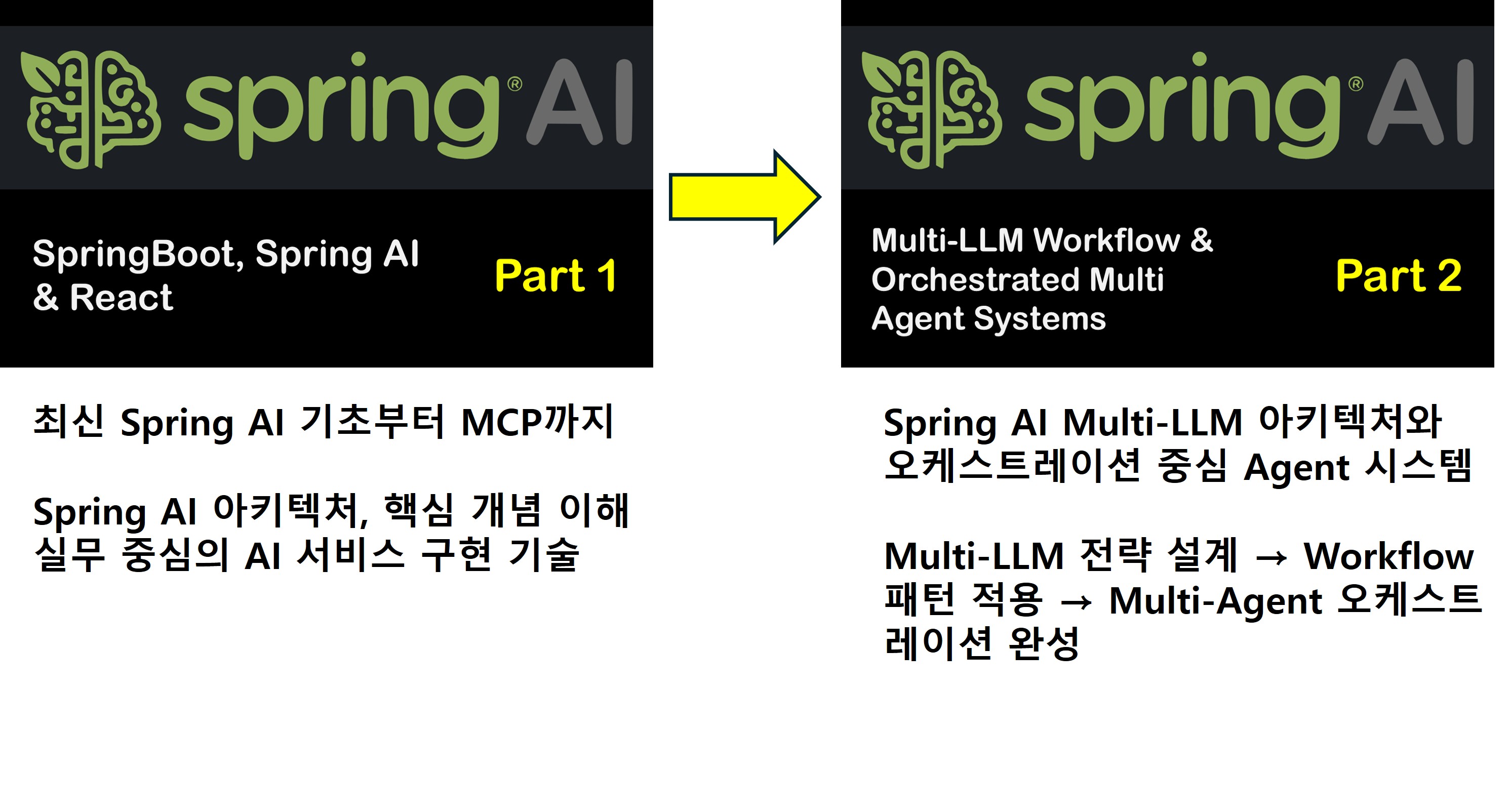

From the basics of the latest Spring AI to MCP

I highly recommend Spring AI to developers using Spring Boot and React, as well as those considering the introduction of AI systems in corporate environments. This course goes beyond a simple introduction to libraries; it helps you understand the core concepts and internal structure of Spring AI, and strengthens your practical implementation skills through various hands-on examples. The course is based on Spring AI version 1.1.x and provides continuous technical support and expansion strategies to ensure you can adapt to future version upgrades. Furthermore, we expand the practical value of Spring AI technology by utilizing MCP (Model Context Protocol) to achieve cross-domain context integration, AI linkage in distributed environments, and AI architecture design suitable for enterprise environments. With the goal of building AI systems that can actually be deployed in corporate settings, this will serve as a practical guide that balances theory and hands-on experience.

(4.9) 10 reviews

103 learners

Level Basic

Course period Unlimited

Spring Boot
Spring Boot
ChatGPT
ChatGPT
RAG
RAG
SpringAI
SpringAI
Model Context Protocol
Spring Boot
Spring Boot
ChatGPT
ChatGPT
RAG
RAG
SpringAI
SpringAI
Model Context Protocol

Reviews from Early Learners

Reviews from Early Learners

4.9

5.0

희성

31% enrolled

I recommend this to beginners who have just started with Spring AI, as well as those who need a review. In my case, thanks to the detailed learning materials—ranging from the provided prompt configurations for Spring AI to Thymeleaf, React, and the backend—I have been able to learn comfortably by running the provided code immediately and quickly grasping the core logic.

5.0

Victor

74% enrolled

It was very well-organized, and I loved that it wasn't just about mindlessly following along. Even the fact that materials were provided in a copy-paste format to minimize tedious input actually helped quite a bit in understanding the overall structure. The curriculum is structured so well that I was able to clearly grasp the core concepts of Spring AI. The quality is much higher and cleaner than other lectures that just show you how to ask random things to a prompt. I truly feel like I'm learning. Thank you.

5.0

이은범

100% enrolled

I recommend this for Spring Boot beginners. The basic explanations are easy to understand, and above all, I am satisfied because it feels like a bonus to learn how to utilize AI, which is essential these days.

What you will gain after the course

  • Development of various AI model integration systems using Spring Boot

  • Hands-on utilization of core libraries provided by Spring AI

  • Development and Application of AI Services within Enterprises through MCP System Construction

  • Conducting Spring Boot MVC-based training, expanding to React integration.

From the basics of the latest Spring AI to MCP

This course is an enterprise AI application development process using Spring AI, and it is designed to help you learn practical AI service implementation technologies such as Large Language Models (LLM), prompt engineering, RAG (Retrieval-Augmented Generation), and Tool/Function Calling.

This course is primarily designed for Spring Boot-based backend developers,
and covers how to naturally integrate AI functions while maintaining the strengths of the Spring ecosystem, such as DI, Bean management, and modular architecture.

The lecture includes the following content.

  • Understanding Spring AI Architecture and Core Concepts

  • Hands-on practice with ChatClient, Prompt, Advisor, and Memory structures

  • LLM integration (OpenAI, etc.) and prompt design strategies

  • Multimodality API – Images & Vision, Audio and Speech

  • Implementing a RAG System Using Vector Stores

  • Utilizing Tool / Function Calling and MCP (Model Context Protocol)

  • Spring Boot-based AI Service Design and Testing (including Mockito-based testing)

  • Scalability and maintenance strategies considering corporate environments

After completing this course,
you will move beyond simple AI API calls and
gain the capability to directly design and implement stable, scalable Spring-based AI systems.
Through this, you will acquire
AI backend development skills that can be immediately applied to real-world tasks, such as corporate AI adoption, internal knowledge search systems, AI chatbots, and workflow automation services. như triển khai AI trong doanh nghiệp, hệ thống tìm kiếm tri thức nội bộ, chatbot AI, dịch vụ tự động hóa quy trình.

💡Key Highlights of This Course

  • Developing various AI model integration systems using Spring Boot

  • Practice-oriented utilization of core libraries provided by Spring AI

  • Development and application of corporate AI services through MCP system construction

  • Spring Boot MVC-based training, expanding with React integration

💡Key Features of This Course

  • The course will be updated as future versions of Spring AI are released.

  • During the class, Thymeleaf will be used for the frontend, and we will also implement it using React.

  • You can expand Spring AI by using MCP and tools simultaneously.

💡What you will learn.

1⃣ Setting up the Spring AI development environment in Spring Boot
2⃣ Chapter 1. Chat Completion
3⃣ Chapter 2. Prompt Template & Structured Output Converter
4⃣ Chapter 3. Advisor API
5⃣ Chapter 4. Multimodality API – Images & Vision
6⃣ Chapter 5. Multimodality API – Audio and Speech
7⃣ Chapter 6. Tool Calling
8⃣ Chapter 7. Embedding Model
9⃣ Chapter 8. RAG (Retrieval-Augmented Generation)
🔟 Chapter 9. MCP (Model Context Protocol)
🅰️ Chapter 10. React

What you will learn

1⃣ Setting up the Spring AI development environment in SpringBoot

SpringBoot development setup and environment configuration for proceeding with the Spring AI course

Project creation and curriculum setting for training sessions

The course materials are attached to the practice project, so you can always refer to them during the hands-on sessions.

1. Development Environment and Lesson Content Overview

2. Class Environment and Lesson Plan Setting

3. Issuing Open AI Key

4. Issuing Gemini Key

5. Spring AI Setting

6. PostgreSQL Setting

7. What is Spring AI

2⃣ Chapter 1. Chat Completion

It enables the integration of AI-based chat completion features into applications. By using pre-trained language models such as GPT (Generative Pre-trained Transformer), it interprets user input, generates natural language responses, and allows the application to process them. Response processing is developed by dividing it into Non-Streaming and Streaming methods.

1. Chat (Zero-Shot Prompting): Zero-Shot Prompting is a method where the LLM generates a response based solely on the prompt provided by the user.

2. Chat Stream: A method of streaming based on Reactive Streams (Project Reactor)

3. Chat (Few-Shot Prompting): A method of including multiple examples (Input/Output Pairs) in the prompt to help the model perform specific tasks more accurately

4. Chat (Chain-of-Thought Prompting): A prompting method that guides the LLM to step-by-step develop its own intermediate reasoning process while solving a problem.

5. Chat Memory: A feature that stores the context of a conversation with an LLM in memory and retrieves it for subsequent requests to enable continuous and natural context-based dialogue.

3⃣ Chapter 2. Prompt Template & Structured Output Converter

Using the Prompt Template & Structured Output Converter, we guide the AI model to generate results for specific purposes. The composition and design quality of a prompt significantly impact the model's response accuracy, consistency, and utility. In this chapter, we will study the utilization of various Prompt Templates.

1. Prompt Template: A feature that dynamically generates structured prompts (Prompt Strings) based on user-input natural language sentences, simple commands, parameters, etc.

2. ListOutputConverter: Output Converter that parses into Java's List<String> or other List types

3. MapOutputConverter: A converter that transforms data into Java's Map<String, Object> format

4. BeanOutputConverter: A converter that transforms into a specified Java Bean object

5. ParameterizedType: Parses complex types such as List<UserInfo> and Map<String, List<Item>>

4⃣Chapter 3. Advisor API

Advisors API is a framework designed to intercept, transform, and augment interactions with AI models within an application. Through this, we will encapsulate common generative AI processing logic, precisely control input and output flows, and create reusable AI components.

1. Advisor: Communicate with LLM using various Advisors

2. Advisor: Stream: Communicate with the LLM using various Advisors via Reactive Streams

3. Recursive Advisors: Calling the LLM recursively or repeatedly until specific conditions are met

5⃣ Chapter 4. Multimodality API – Images & Vision

Multimodal Large Language Models (MLLM) allow for the simultaneous processing of various data types such as images, audio, and video in addition to text, enabling the generation of high-quality text-based responses through comprehensive analysis. In this chapter, we will explore image analysis and image generation.

1. Generate Image for URL: Generate an image URL based on the prompt entered by the user

2. Generate Image: Generate an image file based on the prompt entered by the user

3. Image Analysis: Various vision-based recognition such as analysis of image content, context, and elements

4. Video Analysis: Analysis of specific frames in a video

6⃣ Chapter 5. Multimodality API – Audio and Speech

Multimodal Large Language Models (MLLM) have made it possible to accept various types of data simultaneously—not just text, but also images, audio, and video—and analyze them comprehensively to generate high-quality text-based responses. In this chapter, we will explore audio analysis and audio generation.

1. Text to Speech: Convert user-input text into audio data (Audio)

2. Text to Speech: Chat: Generate voice responses by passing user input text to the LLM

3. Text to Speech: Stream: Generates real-time voice responses by passing user input text to the LLM

4. Speech to Text: Converts the user's spoken voice input (Audio) into text

5. Speech to Text: Chat: Generates a response after converting the user's voice input (Audio) into text

6. Speech to Text: Chat Voice: Converts the user's speech input (Audio) into text and then generates a voice response

7⃣ Chapter 6. Tool Calling

Tool Calling, or Function Calling, allows AI models to expand their capabilities by interacting with external APIs or software tools. Through this, we will create an environment where the model can automate various tasks such as performing actual functions, retrieving data, and controlling systems, going beyond simple text responses.

1. Date Time

DateTimeTools: Generates current time data.

CurrentWeatherTools: Provides current weather data based on longitude and latitude.

ForecastWeatherTools: Creates weather forecast information based on longitude and latitude.

2. Customer Inquiry: Inquire customer information by integrating with LLM using tools.

CustomerTools: Returns customer information in JSON format based on the Customer object type.

CustomerStringTools: Returns customer information in String format based on the Customer object type.

CustomerToolCallResultConverter: Converts data generated by the Tool into JSON or String format.

3. Recommendation: A product recommendation system based on a customer's purchase list using a specific ID via ToolContext.

4. Access System: This is a system that recognizes employee ID cards through a camera and grants access based on the ID number on the card.

8⃣ Chapter 7. Embedding Model

Embedding is a technology that converts data such as text, images, and video into semantic-based vector forms (arrays of floating-point numbers) to numerically represent the relationships and semantic similarities between inputs. The length of this vector array is called the Vector Dimension.

We will study Spring AI as prerequisite knowledge so that you can either directly configure a RAG (Retrieval Augmented Generation) architecture using embeddings or use the default RAG flow provided by Spring.

1. Text Embedding: This is a method where text data is converted into high-dimensional vectors (Vector Representation) through an embedding model, stored in a Vector Store, and then relevant documents are retrieved through similarity search (Semantic Search) by embedding the user's question.

2. Hotel Data Embedding: Multi-field data related to hotels, such as hotel name, location, amenities, price, and reviews, is embedded and stored in a Vector Store, after which user searches are performed.

3. Chat Memory PGvector: A method of embedding LLM conversation history in real-time and storing it in PGVector (PostgreSQL Vector Extension)

4. Chat Memory JDBC: This is a method of storing the LLM's conversation flow based on a Relational Database (JDBC).

9⃣ Chapter 8. RAG (Retrieval-Augmented Generation)

RAG is a technology designed to supplement the limitations of Large Language Models (LLMs) in areas such as long-form processing, factual accuracy, and external knowledge awareness. It enables the generation of more accurate and reliable responses by combining retrieved relevant data with the prompt.

1. ETL Pipeline: Processes files uploaded by the user (TXT, PDF, DOC, etc.) to store or delete them in the Vector Store

2. RAG Chat: Chat with LLM based on data stored in the Vector Store

3. RAG Chat: template: Apply PromptTemplate to the RAG Chat function

4. Retrieval Augmentation Advisor: Supports the LLM to continue the conversation flexibly even if there are no accurate search results in the Vector Store

5. Compression Query Transformer: Compresses conversation history and follow-up questions to reconstruct them into an independent query that captures the core of the conversation.

6. Rewrite Query Transformer: Rewrites the user's question clearly when it is wordy or ambiguous

7. Translation Query Transformer: Translates the user's question into a specific language to enable multilingual conversations.

8. Multi Query Expander: Creates various variations (Query Expansion) of the user's question for conversation

🔟 Chapter 9. MCP (Model Context Protocol)

Model Context Protocol (MCP) is a standardized protocol that allows AI models to interact with external tools, data, and resources in a structured way. Through this, we will develop an integrated AI system that connects models with the real world (databases, APIs, file systems, etc.).

1. MCP Chat: A feature that supports interacting with LLMs by integrating with various MCP servers

  • Standard Input/Output (STDIO) MCP Server: Weather Forecast

  • SSE WebMVC MCP Server: Current weather

  • SSE WebFlux MCP Server: Current Time


2. MCP Access: Access control system based on the ID Number recognized from the employee ID card through the camera
Configuring Tool Calling and MCP Server simultaneously

  • SSE WebFlux MCP Server: Compare employee ID with all employee IDs (also converted to Tool Calling method)

  • SSE WebMVC MCP Server: Control access doors based on whether the employee ID matches

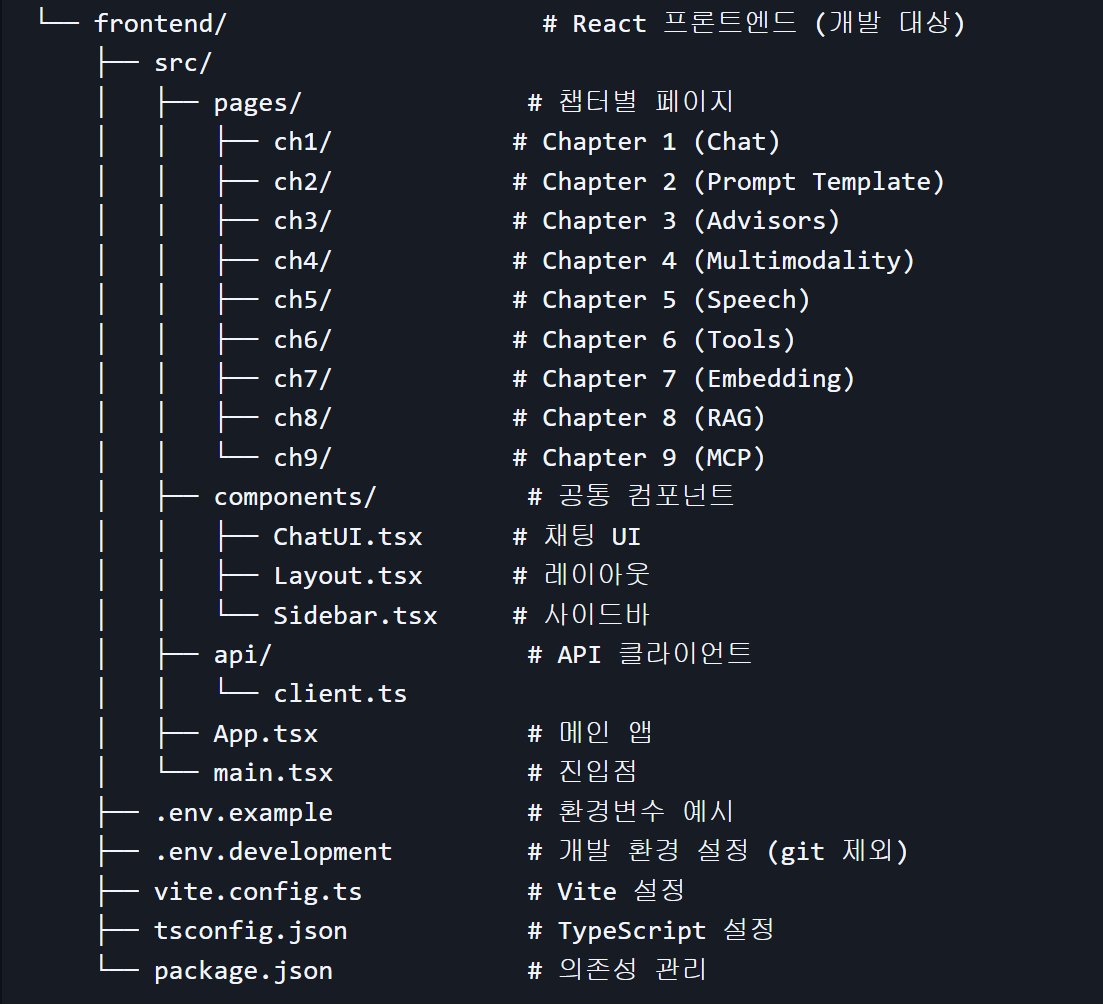
🅰️ Chapter 10. React

Converting SpringBoot MVC to React

Frontend Configuration

  • React 19.2.0 + TypeScript

  • Vite (Build Tool)

  • React Router 7.10.1

  • Axios / Fetch API (API Communication)


Notes before taking the course

Practice Environment

  • Operating System and Version (OS): All OS types including Windows, macOS, and Linux are supported.

  • Tools used: JDK, Intellij(Ultimate or Community), PostgreSQL & Docker, Node.js, VSCode

  • PC Specifications: A basic specification PC with internet access

Learning Materials

  • Format of learning materials provided: Various types of materials such as educational environment projects and lesson plans are provided.

  • Quantity and Capacity: Learning materials provided for each section

Prerequisite Knowledge and Precautions

  • Those with basic knowledge of HTML, CSS, and JavaScript.

  • Those with experience in Java and SpringBoot development

  • Please post your questions on the bulletin board, and I will make sure to respond as quickly as possible.


  • The copyright of this lecture belongs to Tonesol Co., Ltd., and unauthorized distribution or reproduction is prohibited. The learning materials are also copyrighted and may not be used for any purpose other than personal study.

Recommended for
these people

Who is this course right for?

  • Spring Boot backend developers who want to apply AI technology to their practical work

  • Developers who want to design and implement enterprise AI systems using Spring AI.

  • Those who want to develop actual services through integration with various AI services (LLM, Embedding, Vector DB, etc.)

  • Those who wish to integrate cross-domain contexts using MCP (Model Context Protocol) and organically connect and expand AI systems in a distributed environment.

Need to know before starting?

  • Basic knowledge of HTML, CSS, and JavaScript

  • Experienced in Java and SpringBoot system development

Hello
This is tootoo

144

Learners

13

Reviews

3

Answers

4.9

Rating

2

Courses

Hello

I am Jinman Lee (nickname tootoo), a knowledge sharer.

I have communicated with you in the classroom for a long time.

Now, I will create great content so that I can communicate with all of you online.

jmlee@tonesol.com

Thank you.

More

Curriculum

All

62 lectures ∙ (15hr 41min)

Course Materials:

Lecture resources
Published: 
Last updated: 

Reviews

All

10 reviews

4.9

10 reviews

  • withoutthem님의 프로필 이미지
    withoutthem

    Reviews 19

    Average Rating 4.9

    5

    74% enrolled

    It was very well-organized, and I loved that it wasn't just about mindlessly following along. Even the fact that materials were provided in a copy-paste format to minimize tedious input actually helped quite a bit in understanding the overall structure. The curriculum is structured so well that I was able to clearly grasp the core concepts of Spring AI. The quality is much higher and cleaner than other lectures that just show you how to ask random things to a prompt. I truly feel like I'm learning. Thank you.

    • joohsd875347님의 프로필 이미지
      joohsd875347

      Reviews 2

      Average Rating 5.0

      Edited

      5

      31% enrolled

      I recommend this to beginners who have just started with Spring AI, as well as those who need a review. In my case, thanks to the detailed learning materials—ranging from the provided prompt configurations for Spring AI to Thymeleaf, React, and the backend—I have been able to learn comfortably by running the provided code immediately and quickly grasping the core logic.

      • hyunhiroto4056님의 프로필 이미지
        hyunhiroto4056

        Reviews 1

        Average Rating 5.0

        5

        31% enrolled

        • bum0107님의 프로필 이미지
          bum0107

          Reviews 2

          Average Rating 5.0

          Edited

          5

          100% enrolled

          I recommend this for Spring Boot beginners. The basic explanations are easy to understand, and above all, I am satisfied because it feels like a bonus to learn how to utilize AI, which is essential these days.

          • unicodaum님의 프로필 이미지
            unicodaum

            Reviews 16

            Average Rating 5.0

            Edited

            5

            56% enrolled

            It was great to be able to learn through hands-on practice, testing various functional examples ranging from the theory of Spring AI to applications like RAG and MCP. It was very helpful. (^^)

            Similar courses

            Explore other courses in the same field!

            Limited time deal ends in 1 days

            $45,380.00

            24%

            $47.30