
![[Beginner] Mastering Basic Vocabulary with a Strong Foundation CourseCourse Thumbnail](https://cdn.inflearn.com/public/files/courses/329990/cover/01m05qtvdpfm5nx33ywnh2d2t0?w=420)
[Beginner] Mastering Basic Vocabulary with a Strong Foundation Course
EDUPIC
$17.60
Beginner / Word, MS-Office
4.3
(4)
Take an EDUPIC course and become a true fan! This is an introductory course for Word 2013&2016.

Beginner
Word, MS-Office

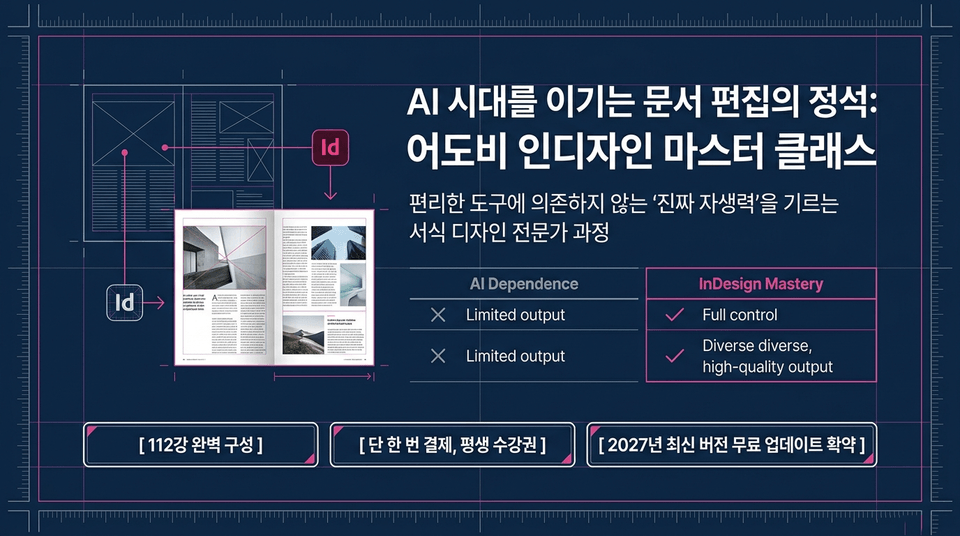
A professional course in format design that builds “true self-reliance” without relying on convenient tools.
112 fully structured lessons | One-time payment, lifetime access | Free update to the latest 2027 version planned
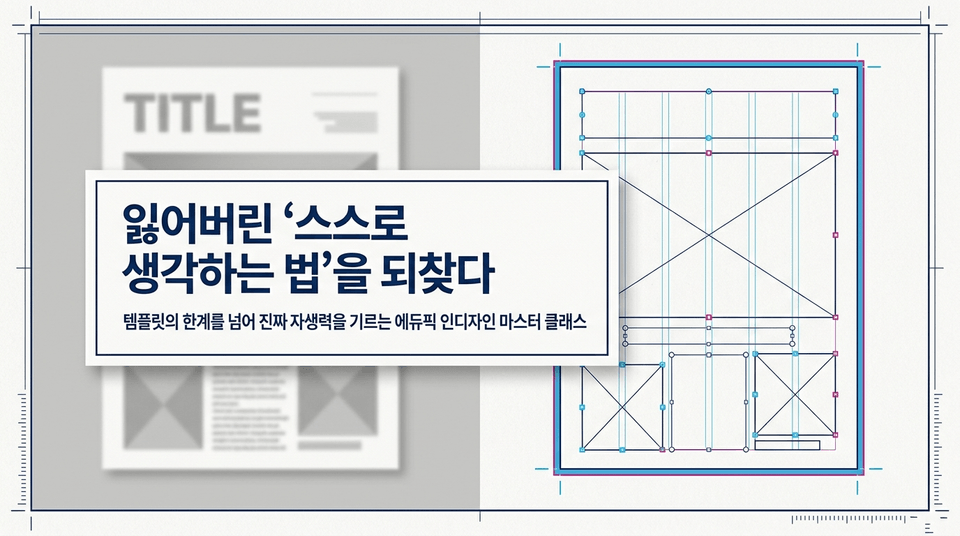
Edupick InDesign Master Class that goes beyond the limitations of templates to build true self-reliance.
Amid the convenience of generating layouts with the click of a button, we help you discover the most important ability: to design and solve problems independently.
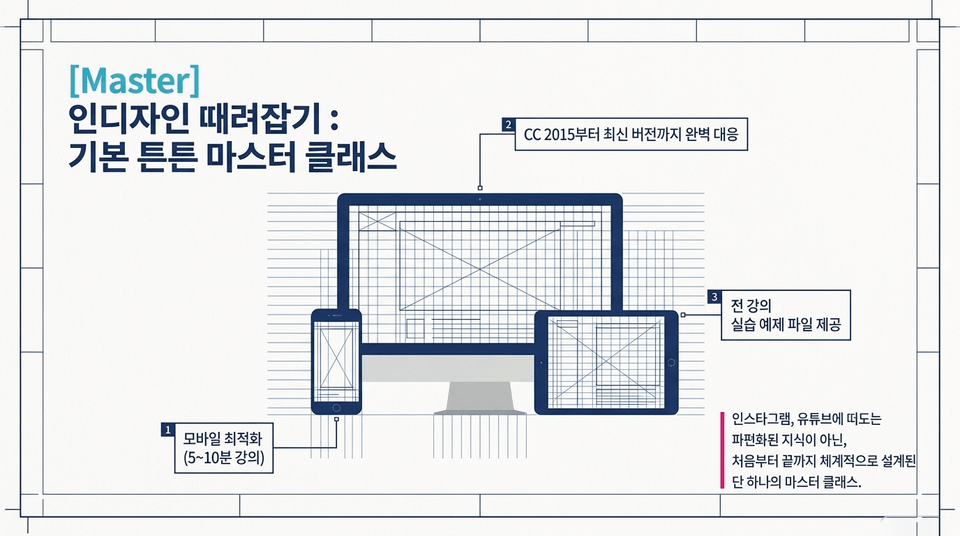
Fully compatible with everything from CC 2015 to the latest version! Practice example files are provided for every lecture, along with 5–10-minute mobile-optimized short-form content.
Not fragmented knowledge scattered across Instagram and YouTube, but the one and only master class systematically designed from start to finish.
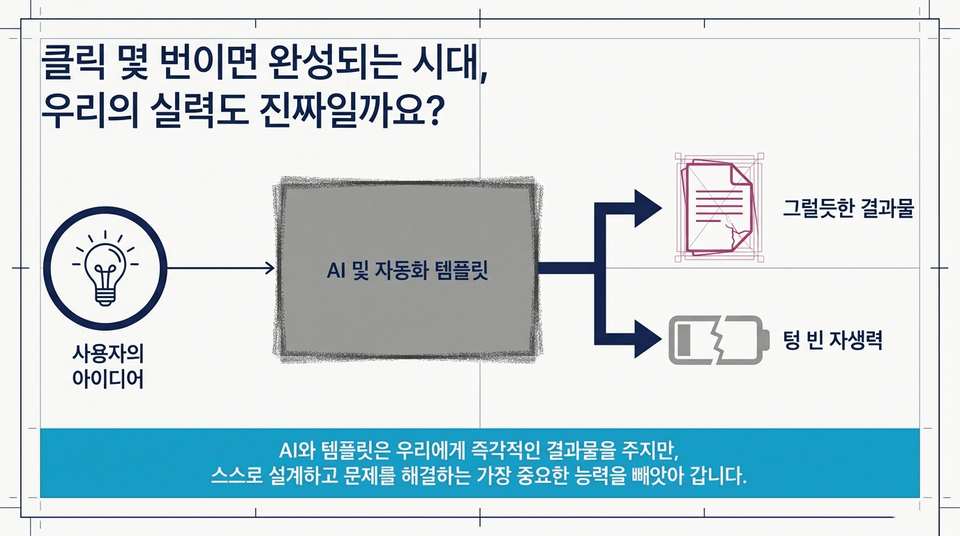
Your idea ➔ AI and automation templates ➔ A plausible result / Empty self-reliance.
AI and templates give us immediate results, but they take away the most important abilities: designing and solving problems on our own.
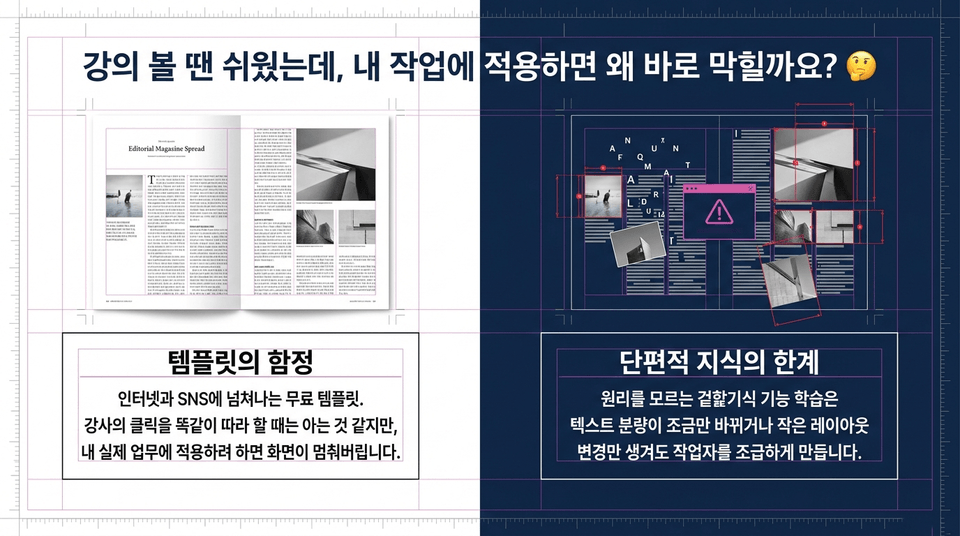
The trap of free templates overflowing on the internet and social media.
You may feel like you understand when copying the instructor’s clicks exactly, but superficial feature learning without understanding the underlying principles makes you anxious as soon as the text length changes slightly or even a minor layout adjustment is made.
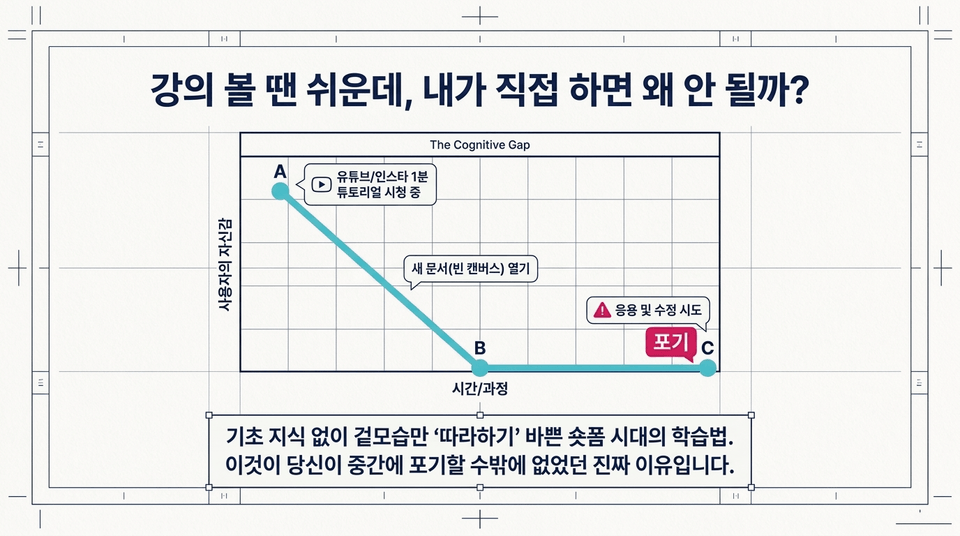
Watching a one-minute YouTube/Instagram tutorial (confidence A) ➔ Opening a new document (blank canvas) (confidence plummets to B) ➔ Trying to adapt and make modifications ➔ Giving up (C).
This is the learning method of the short-form era, where people are too busy merely ‘following along’ with appearances without any foundational knowledge. This is the real reason you had no choice but to give up halfway through.
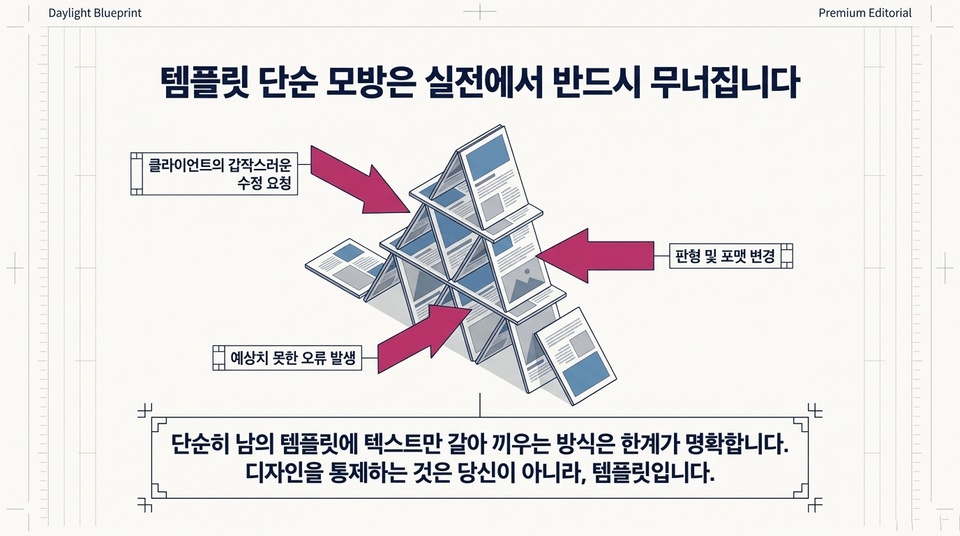
When a client suddenly requests revisions, the layout or format changes, or unexpected errors occur, everything collapses like a house of cards.
Simply replacing the text in someone else’s template has clear limitations. You are not in control of the design—the template is.
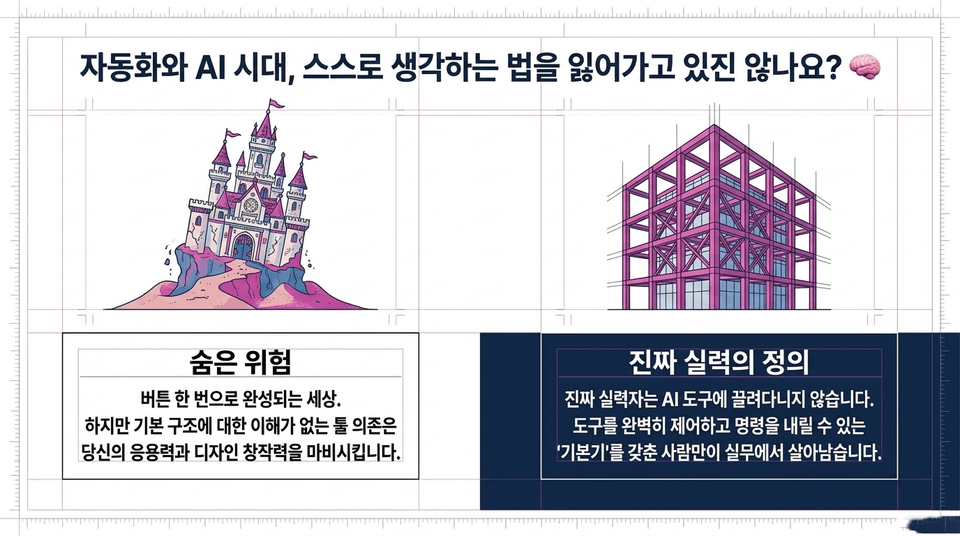
The hidden danger: a world where everything is completed with the click of a button. However, relying on tools without understanding the underlying structure paralyzes your ability to adapt and your creative design skills.
The definition of true skill: A truly skilled person is someone with the 'fundamentals' to fully control AI tools and give them commands, rather than being led around by them.
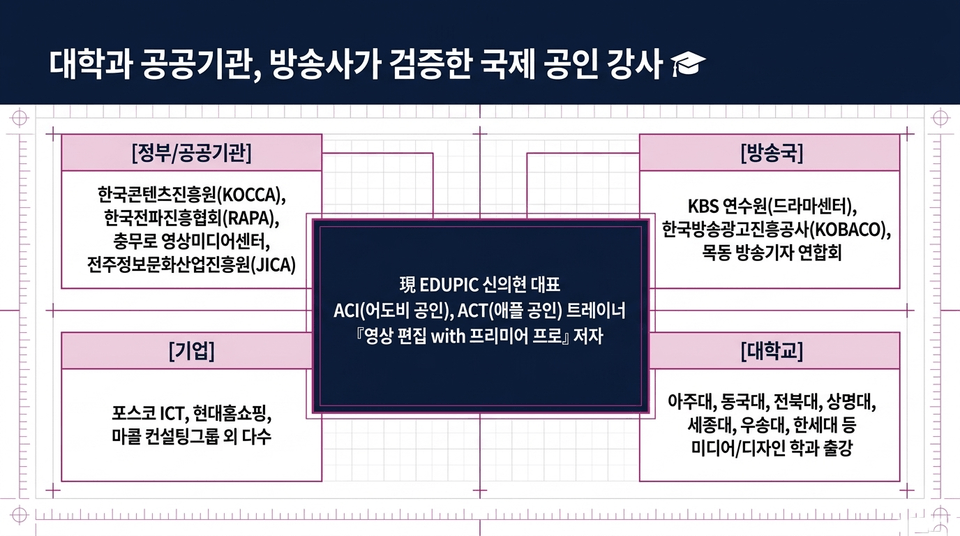
• Government/public institutions: Korea Creative Content Agency (KOCCA), Korea Radio Promotion Association (RAPA), Chungmuro Video Media Center, Jeonju Information & Culture Industry Promotion Agency (JICA)
• Broadcasting stations: KBS Human Resources Development Center (Drama Center), Korea Broadcast Advertising Corporation (KOBACO), Mokdong Association of Broadcast Journalists
• Companies: POSCO ICT, Hyundai Home Shopping, Macoll Consulting Group, and many others
• Universities: Lectured in media/design departments at Ajou University, Dongguk University, Jeonbuk National University, Sangmyung University, Sejong University, Woosong University, Hansei University, and others
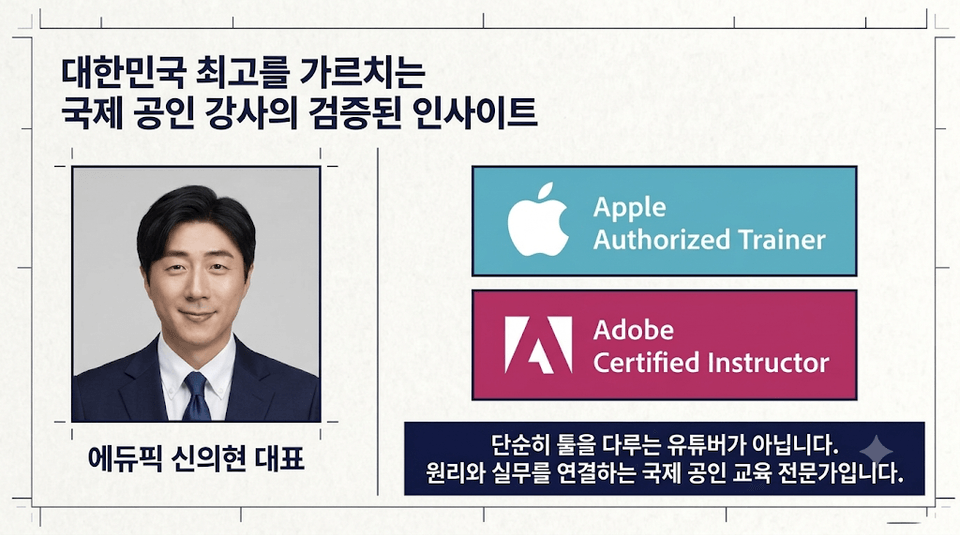
Current EDUPIC CEO Shin Eui-hyun | Adobe Certified Instructor (ACI Adobe Certified) & Apple Authorized Trainer (ACT Apple Certified) | Author of 『Video Editing with Premiere Pro』.
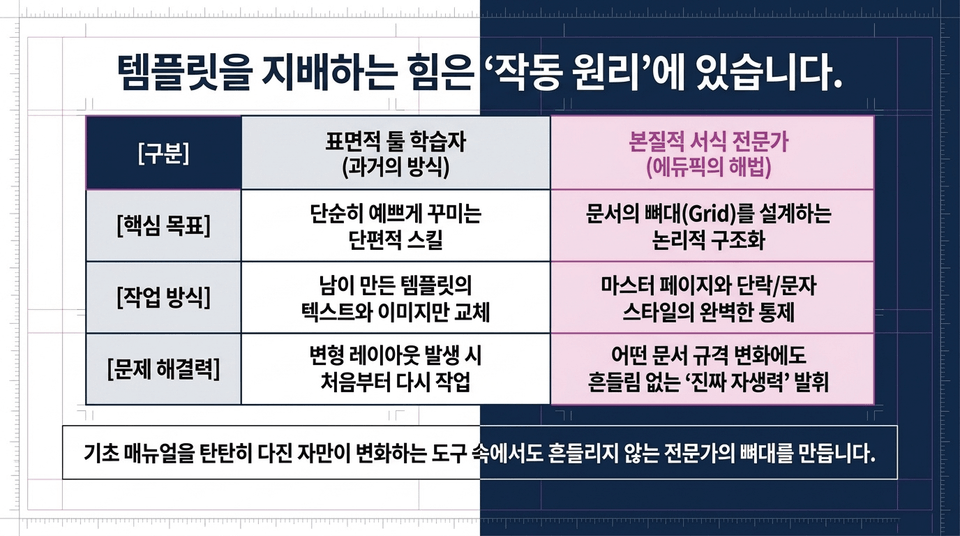
• Surface-level tool learner (the old approach): Fragmented skills that simply make things look pretty ➔ Replacing the text/images in templates created by others ➔ Having to start over whenever a modified layout arises
• Fundamental formatting expert (Edupick’s solution): Logical structuring by designing the document’s framework (Grid) ➔ Complete control over master pages and paragraph/character styles ➔ Demonstrating true self-reliance that remains steady through any changes in document specifications 'True self-reliance'-
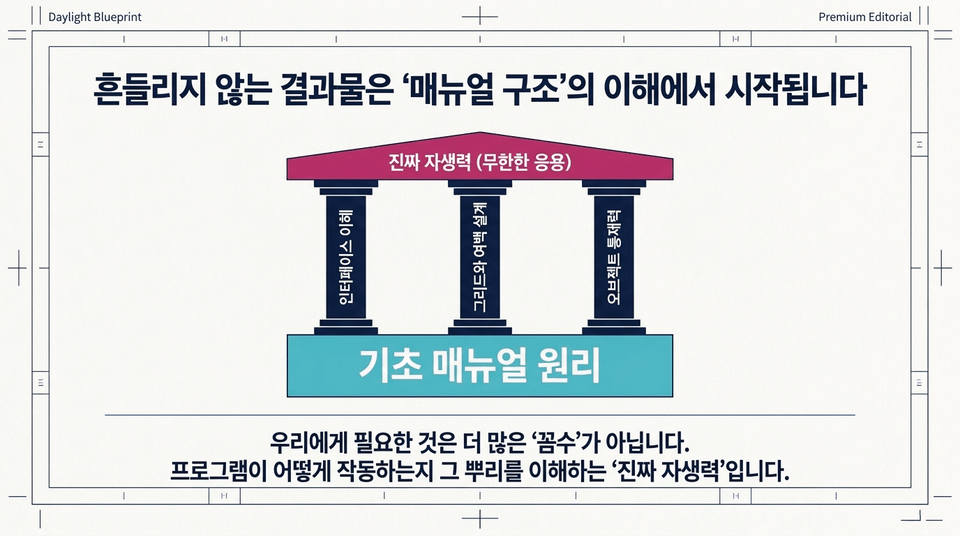
Understanding the fundamentals of manual principles and the interface + grid and margin design + object control ➔ true self-reliance (unlimited applications).
What we need is not more “tricks.” It is “true self-reliance”—understanding the roots of how the program works.
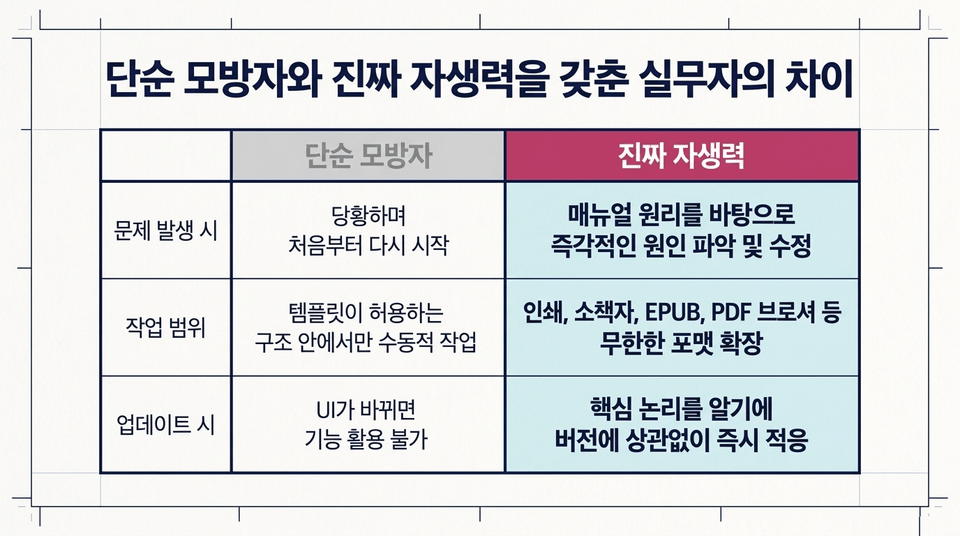
• When problems arise: Panic and start over from the beginning ❌ vs. Immediately identify and fix the cause based on the principles in the manual ⭕
• Scope of work: Passive work limited to the structures allowed by templates ❌ vs. Unlimited format expansion, including print, booklets, EPUB, PDF brochures, and more ⭕
• When updating: Unable to use features when the UI changes ❌ vs. Adapt immediately regardless of the version because you understand the core logic ⭕
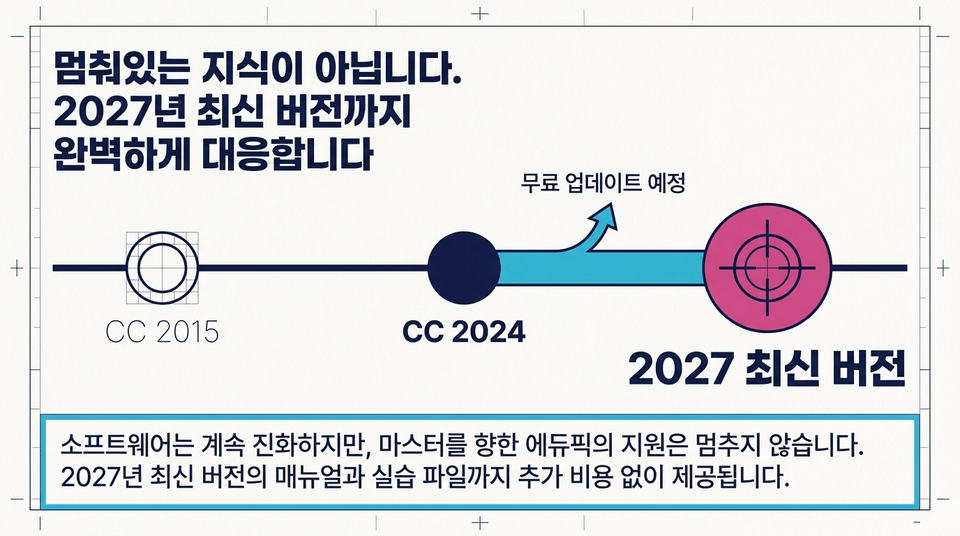
CC 2015 ➔ CC 2024 ➔ 2027 latest version (free update planned).
Software continues to evolve, but EduPick’s support to help you become a master never stops. Manuals and practice files for the latest 2027 version will also be provided at no additional cost.
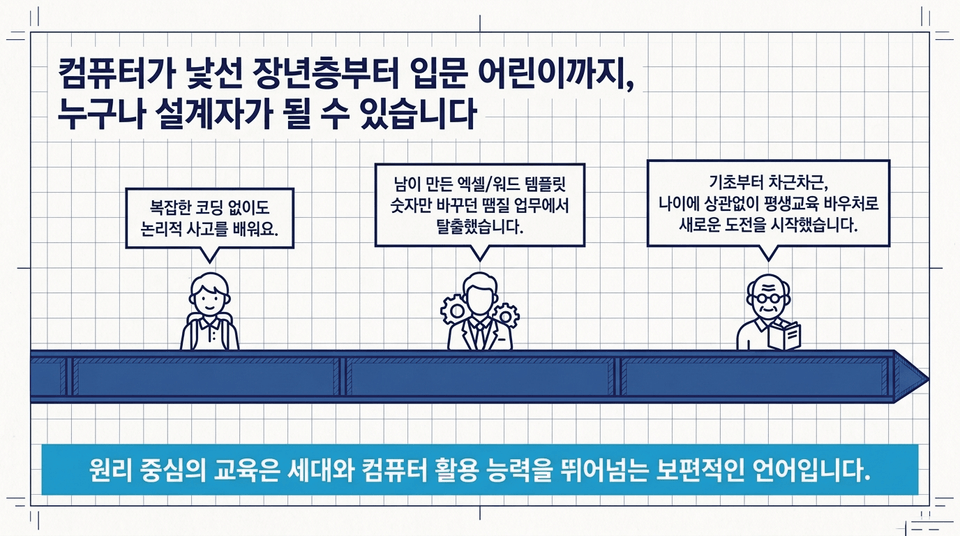
• Learn logical thinking without complicated coding.
• I escaped from patchwork tasks where I only changed numbers in Excel/Word templates created by others.
• Starting from the basics step by step, I began a new challenge with a lifelong education voucher, regardless of age.
Principle-based education is a universal language that transcends generations and computer proficiency.
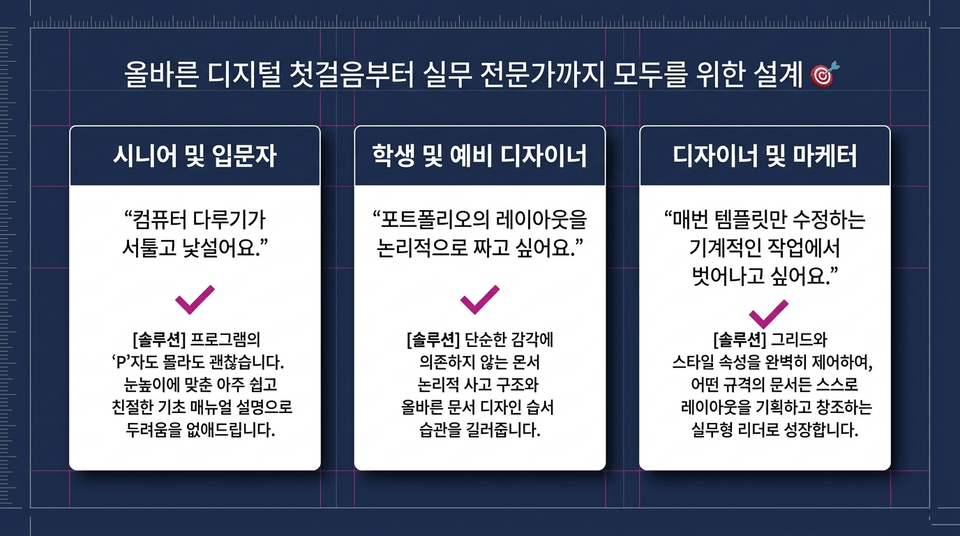
• Seniors and beginners: "I’m not comfortable using computers, and they feel unfamiliar." ➔ With this solution, it’s okay if you don’t know even the 'P' of the program. We eliminate your fears with very easy and friendly explanations in a basic manual.
• Students and aspiring designers: "I want to organize my portfolio layout logically." ➔ This solution helps you develop a logical thinking structure for documents and proper document design habits, without relying solely on intuition.
• Designers and marketers: "I want to move beyond the mechanical work of modifying templates every time." ➔ By gaining complete control over the solution’s grid and style properties, you will grow into a practical leader who can plan and create layouts for documents of any format on your own.
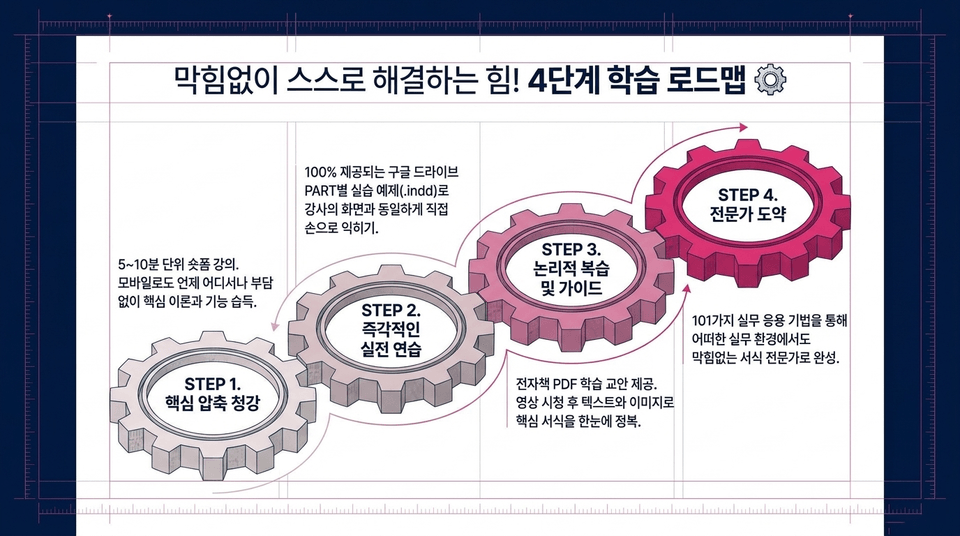
• STEP 1. Condensed Core Lessons: Short-form lectures in 5–10-minute segments. Learn the essential theories and features anytime, anywhere, without 부담, even on mobile.
• STEP 2. Immediate Hands-On Practice: Practice directly with 100% of the PART-specific exercises (.indd) provided on Google Drive, following along with the instructor’s screen to build hands-on skills.
• STEP 3. Logical Review and Guidance: An e-book PDF study guide is provided. After watching the videos, master the key formatting techniques at a glance through text and images.
• STEP 4. Step Up to Expert: Become a formatting expert who can work seamlessly in any professional environment through 101 practical application techniques.
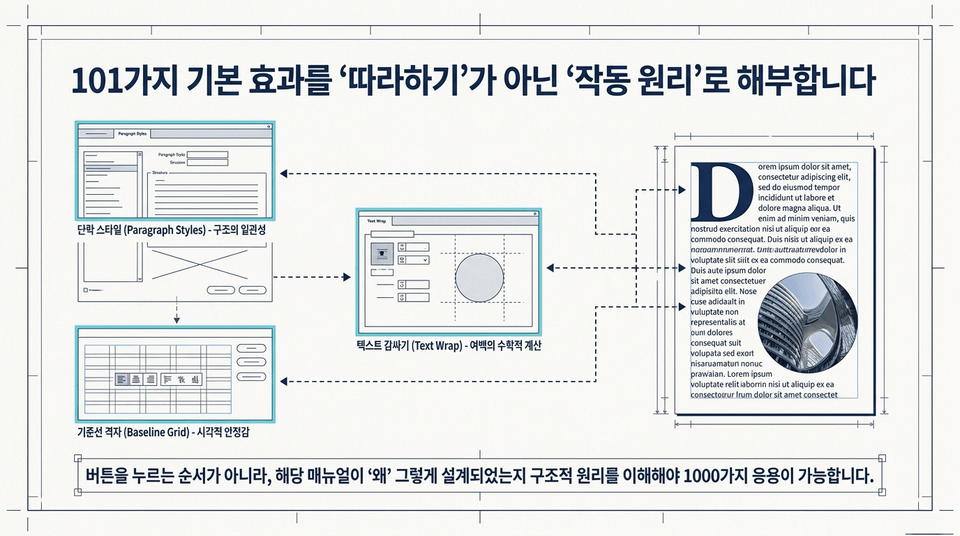
• Paragraph Styles: Controlling structural consistency
• Baseline Grid: Providing visual stability
• Text Wrap: Mathematical calculation of margins
Rather than simply following the order of button clicks, you need to understand the structural principles behind why the manual was designed that way to apply them in 1,000 different ways.
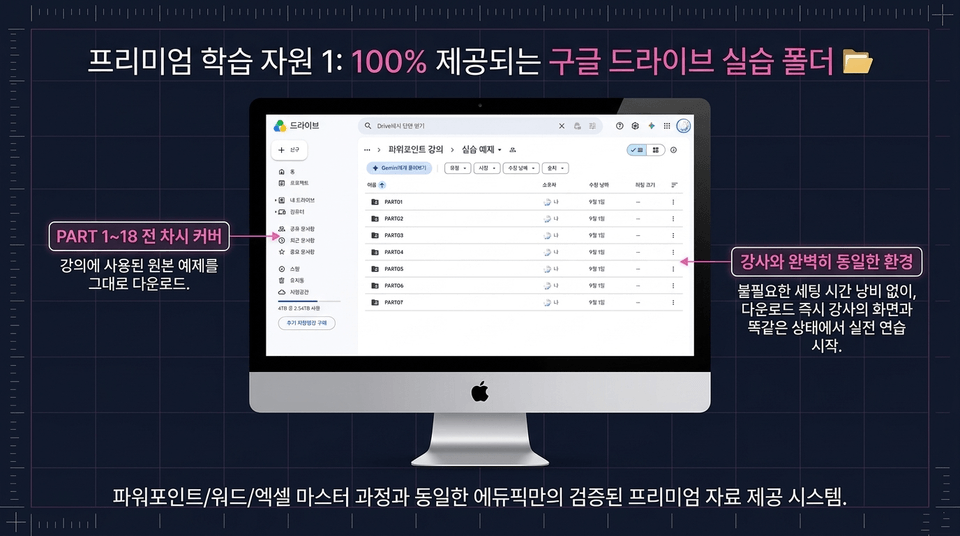
• PART 1–18, every lesson covered: Download the original examples (.indd) used in the course as-is.
• Exactly the same environment as the instructor: Start hands-on practice immediately in the exact same state as the instructor’s screen, without wasting time on unnecessary setup.
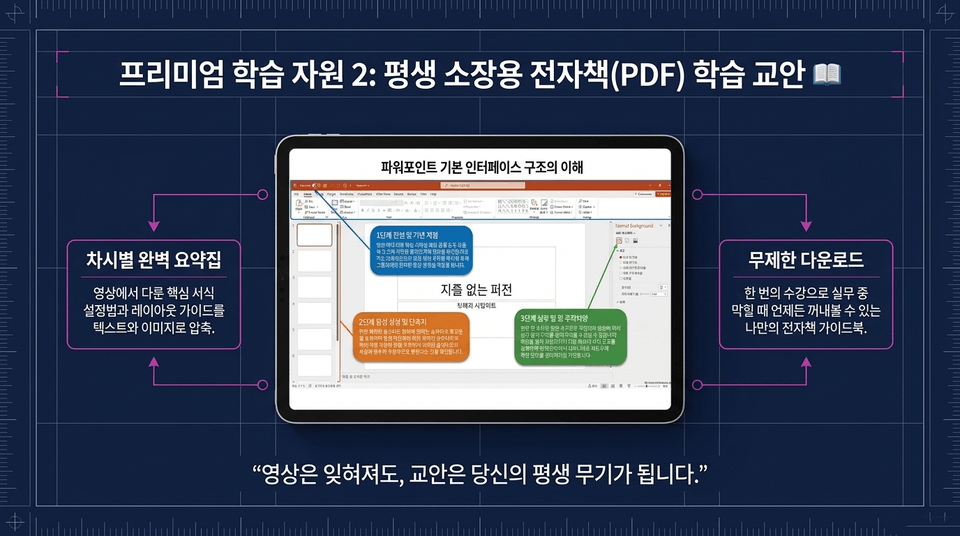
• Perfect summary guide for each lesson: Key formatting setup methods and layout guides covered in the videos, condensed into text and images.
• Unlimited downloads: Your own e-book guidebook that you can refer to anytime you get stuck at work after taking the course once.
"Even if the videos are forgotten, the course materials will remain your lifelong weapon."
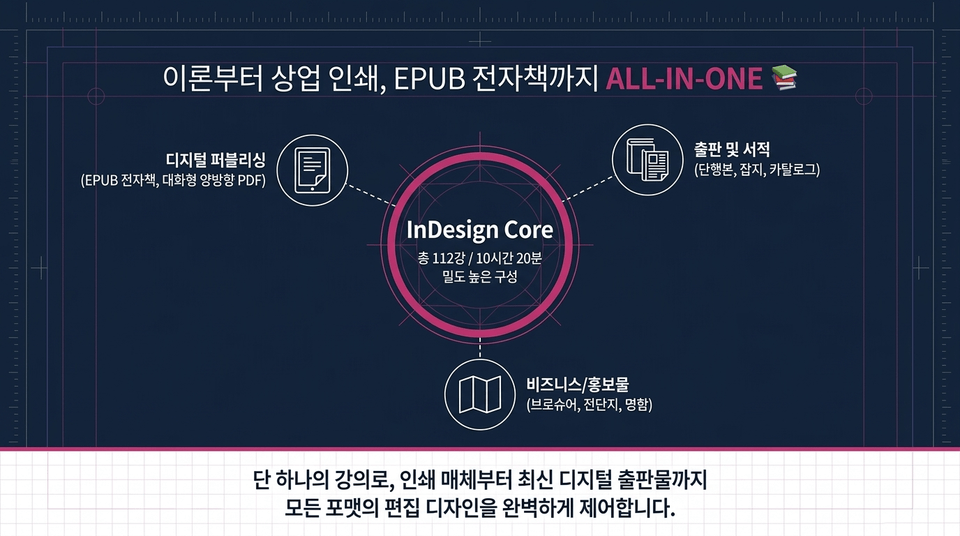
InDesign Core (112 lessons in total / a densely structured 10 hours and 20 minutes)
• Publishing and books: books, magazines, catalogs
• Business/promotional materials: brochures, flyers, business cards
• Digital publishing: EPUB e-books, interactive PDFs
With a single course, you can fully control the editorial design of every format, from print media to the latest digital publications.
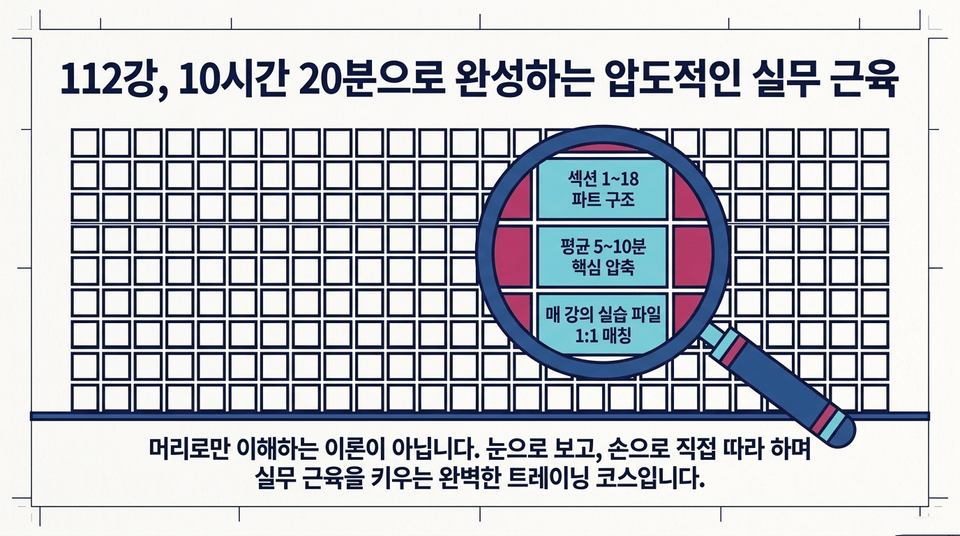
Section 1–18 part structure ➔ An average of 5–10 minutes of essential content ➔ 1:1 matching practice files for every lecture.
This isn’t theory you only understand intellectually. It’s a complete training course that builds practical skills by watching, following along hands-on, and practicing yourself.
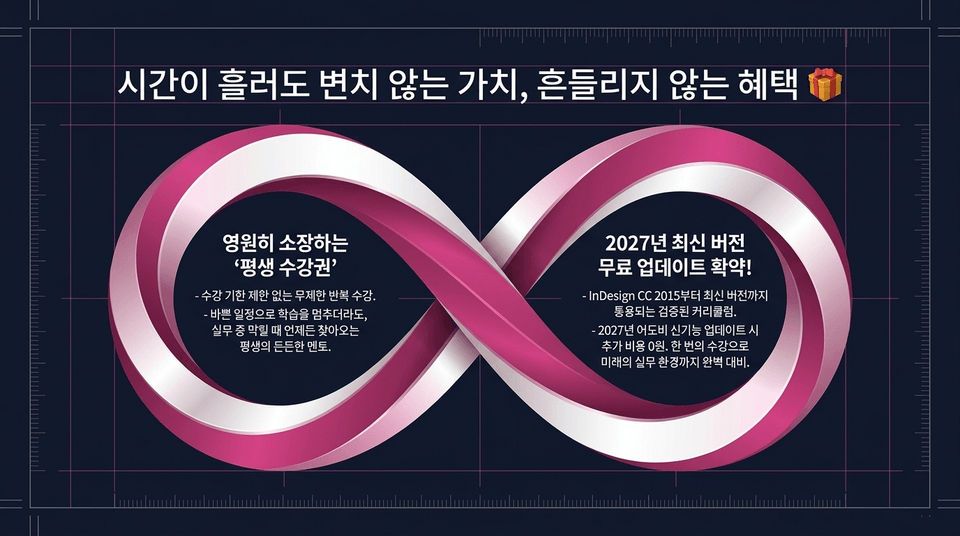
• Own it forever with a 'lifetime access pass': Unlimited repeat access with no expiration. Even if you pause your studies due to a busy schedule, this lifelong, reliable mentor is always there whenever you get stuck at work.
• Guaranteed free update to the latest 2027 version!: A proven curriculum applicable from InDesign CC 2015 through the latest version. When Adobe releases new features in 2027, there will be no additional cost! Prepare perfectly for your future work environment with a single course.
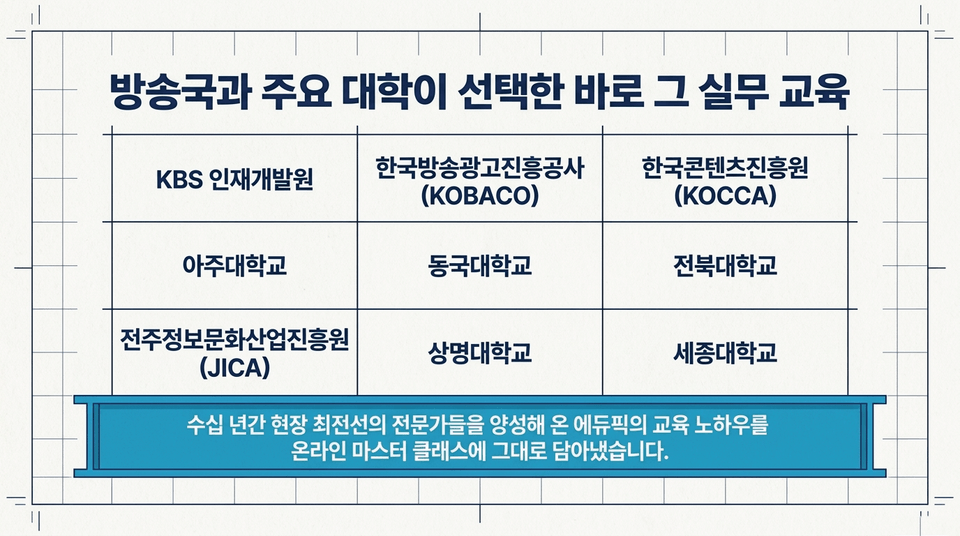
• Government/Public Institutions: Korea Creative Content Agency (KOCCA), Korea Radio Promotion Association (RAPA), Chungmuro Video Media Center, Jeonju Information & Culture Industry Promotion Agency (JICA)
• Broadcasting Stations: KBS Human Resources Development Center (Drama Center), Korea Broadcast Advertising Corporation (KOBACO), Mokdong Association of Broadcast Journalists
• Companies: POSCO ICT, Hyundai Home Shopping, Marcol Consulting Group, and many others
• Universities: Lectured in media/design departments at Ajou University, Dongguk University, Jeonbuk National University, Sangmyung University, Sejong University, Woosong University, Hansei University, and others
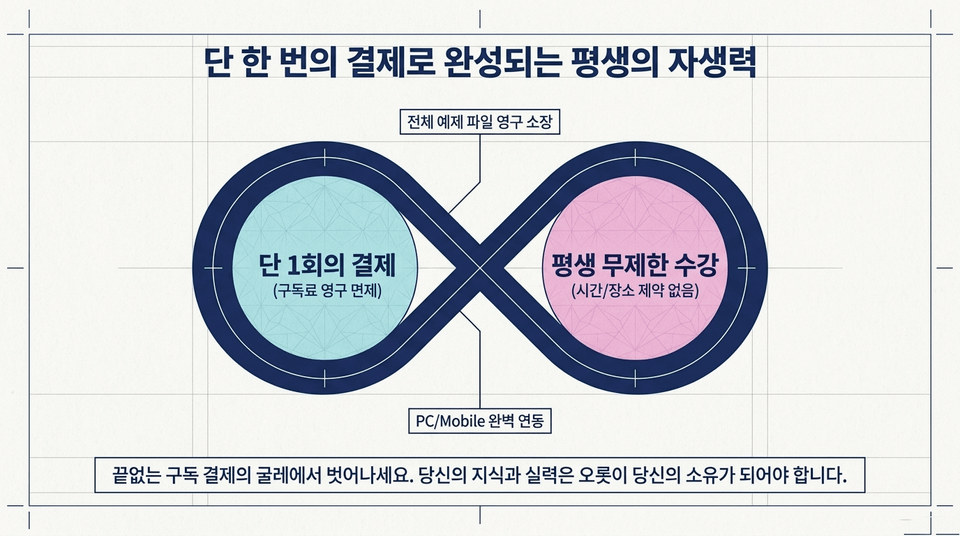
One-time payment only (subscription fees waived forever) ➔ Lifetime unlimited access (no time or location restrictions) ➔ Permanent ownership of all example files ➔ Seamless PC/Mobile integration.
Break free from the endless cycle of subscription payments. Your knowledge and skills should belong solely to you.
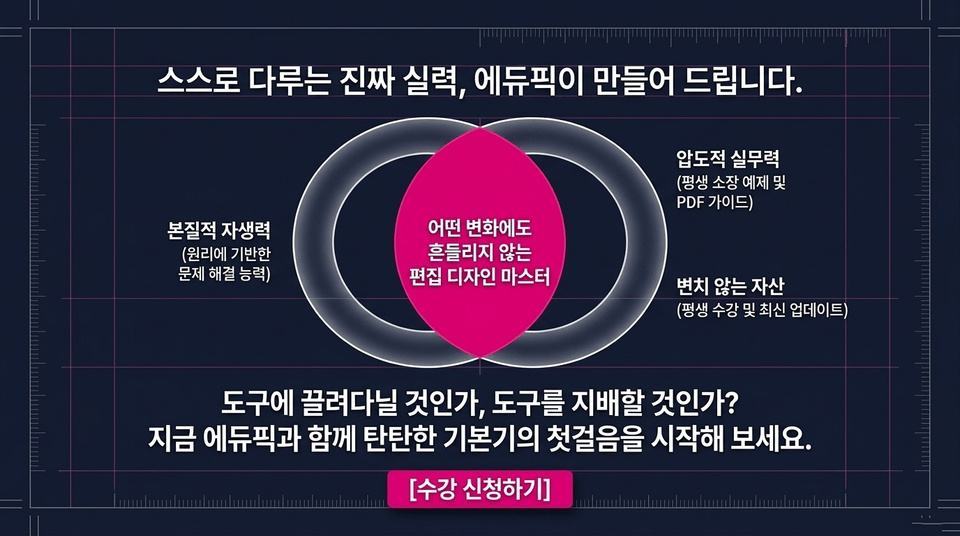
Essential self-reliance (the ability to solve problems based on principles) + overwhelming practical expertise (lifetime access to examples and PDF guides) + an enduring asset (lifetime enrollment and the latest updates) = an editorial design master who remains unshaken by any change.
Will you be controlled by your tools, or will you master them? Take the first step toward a solid foundation with EduPick today.
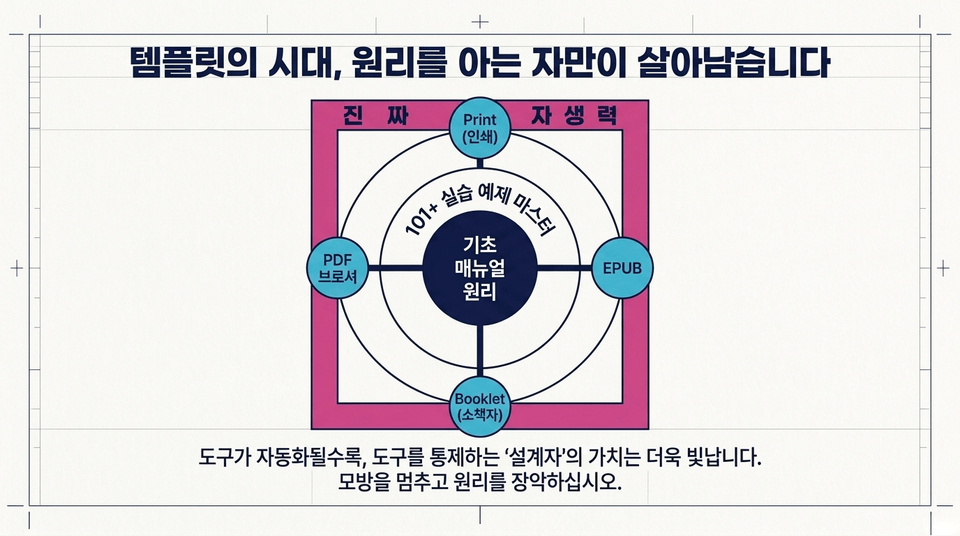
Master the fundamentals and manual principles ➔ Master 101+ hands-on examples ➔ Print, EPUB, Booklet, PDF brochures ➔ True self-reliance.
The more tools become automated, the more the value of the ‘designer’ who controls them shines. Stop imitating and master the principles.
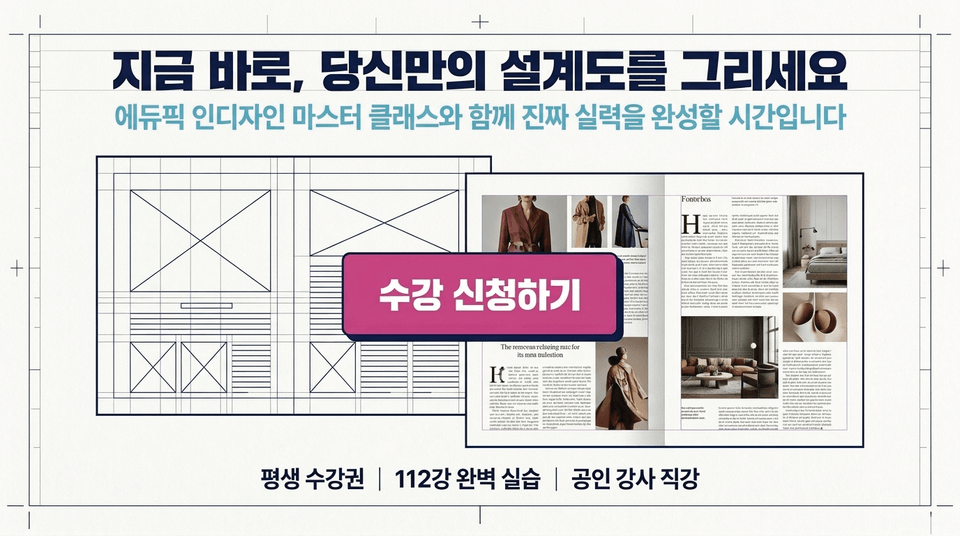
It’s time to complete your true skills with the Edupick InDesign Master Class.
Lifetime access | 112 comprehensive lessons | Taught directly by a certified instructor
Enroll now ➔



![[Master] A Solid Basics Course for Mastering Vegas ProCourse Thumbnail](https://cdn.inflearn.com/public/files/courses/333400/cover/ai/2/979a70a0-ec99-47ef-bd7b-7883f25abc66.png?w=420)
![[Master] Logic Pro X Course for Solid FundamentalsCourse Thumbnail](https://cdn.inflearn.com/public/files/courses/333265/cover/ai/2/17a32478-e555-4570-9048-60d185dff97c.png?w=420)
![[Master] Basic Solid Audition CourseCourse Thumbnail](https://cdn.inflearn.com/public/files/courses/333264/cover/ai/2/97588aa2-8f02-4d97-ab60-793af35babc7.png?w=420)
![[Master] Solid Basics After Effects CC CourseCourse Thumbnail](https://cdn.inflearn.com/public/files/courses/333257/cover/ai/2/cc466790-af2d-4198-b5e8-1795be65e85a.png?w=420)
![[Master] Solid Cinema 4D Basics CourseCourse Thumbnail](https://cdn.inflearn.com/public/files/courses/333255/cover/ai/2/9c49cd06-4ea4-4208-bbe6-53012a50e97c.png?w=420)
![[Master] Basic Solid: Follow Along with 101 Premiere Pro EffectsCourse Thumbnail](https://cdn.inflearn.com/public/files/courses/330105/cover/ai/2/e8ee2cfe-abd5-48f9-92f2-f49829f2014a.png?w=420)
![[Advanced] Mastering Excel: Building a Solid Foundation CourseCourse Thumbnail](https://cdn.inflearn.com/public/files/courses/330004/cover/01m04tf9hsr0m5gzxrskce1nja?w=420)

![[Intermediate] Mastering Excel with a Solid Foundation CourseCourse Thumbnail](https://cdn.inflearn.com/public/files/courses/330003/cover/01m04pa6n703t49hn2dmwpy0ct?w=420)
![[Beginner] Mastering Excel with a Solid Foundation CourseCourse Thumbnail](https://cdn.inflearn.com/public/files/courses/330002/cover/01m01nqapy9skgs8gsn4geedyp?w=420)
![[Master] Basic, Solid PowerPoint CourseCourse Thumbnail](https://cdn.inflearn.com/public/files/courses/330000/cover/ai/2/5012d48c-44e2-4646-a0ce-862974174b5a.png?w=420)
![[Advanced] Mastering Basic Solid Vocabulary CourseCourse Thumbnail](https://cdn.inflearn.com/public/files/courses/329993/cover/01m05r0fqknfxtp3x8z47xe9wv?w=420)
![[Intermediate] Mastering Basic Vocabulary with a Solid Foundation CourseCourse Thumbnail](https://cdn.inflearn.com/public/files/courses/329992/cover/01m05qy1cw6ff6j32fmydcqjrb?w=420)
![[Master] Course: Mastering Motion 5 with Solid FundamentalsCourse Thumbnail](https://cdn.inflearn.com/public/files/courses/329588/cover/ai/2/0cb79354-a333-4c64-966b-d74732d58a47.png?w=420)
![[Master] Mastering Illustrator with Solid Fundamentals CourseCourse Thumbnail](https://cdn.inflearn.com/public/files/courses/329341/cover/ai/2/2fc896c1-5fa9-47b2-964a-c77c04aecc1b.png?w=420)
![[Master] Mastering Premiere Pro: The Fundamentals and Essentials CourseCourse Thumbnail](https://cdn.inflearn.com/public/files/courses/328934/cover/ai/2/a3f2420d-f7b9-40f8-9c1f-20e6fcdef11f.png?w=420)
![[Master] Solid Fundamentals Final Cut Pro X CourseCourse Thumbnail](https://cdn.inflearn.com/public/files/courses/328720/cover/ai/0/5d3a6fdc-11f8-4076-9d98-68cabf216f68.png?w=420)
![InDesign 2024 Basics to Practical Use Master Course [Subtitles Included]Course Thumbnail](https://cdn.inflearn.com/public/courses/333362/cover/91faa49d-01d6-4fc6-90a0-d339c5dbfe65/333362.jpg?w=420)