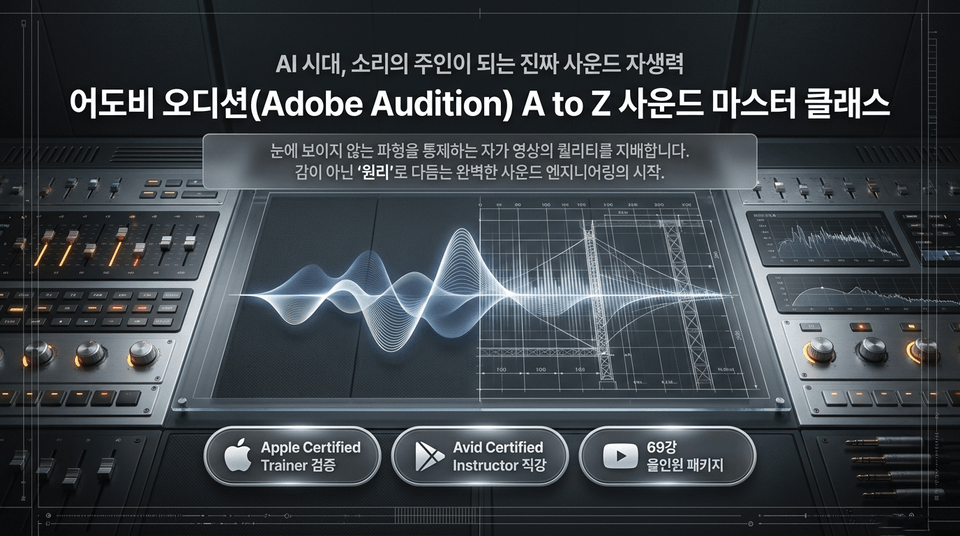
Adobe Audition Sound Master Class: The Complete A-to-Z Self-Sufficiency Manual. Rather than relying on convenient AI automation buttons and templates, we instill the 'real self-sufficiency' to control and design sound yourself.
Adobe Audition A to Z Sound Master Class. Those who control invisible waveforms control the quality of video. The beginning of perfect sound engineering, refined not by intuition but by 'principles'. (Apple Certified Trainer verified | Direct instruction by an Avid Certified Instructor | 69-lesson all-in-one package)
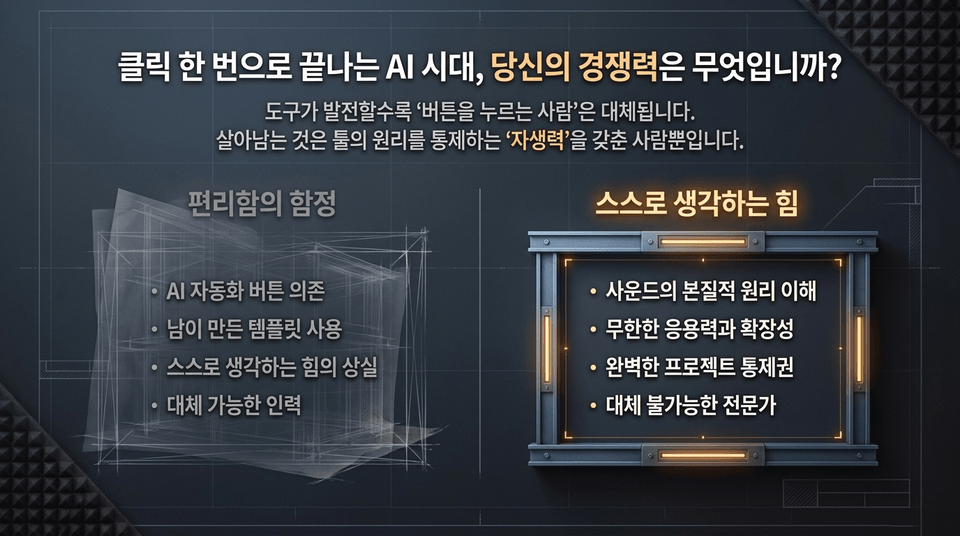
The more tools advance, the more people who merely “press buttons” are replaced. The only ones who survive are those with “self-reliance”—the ability to control the principles behind the tools. • The trap of convenience: Dependence on AI automation ➔ Using templates created by others ➔ Loss of the ability to think ➔ Replaceable workers • The power to think for yourself (EDUPIC): Understanding the fundamental principles of sound ➔ Infinite adaptability and scalability ➔ Complete control over your projects ➔ Irreplaceable experts
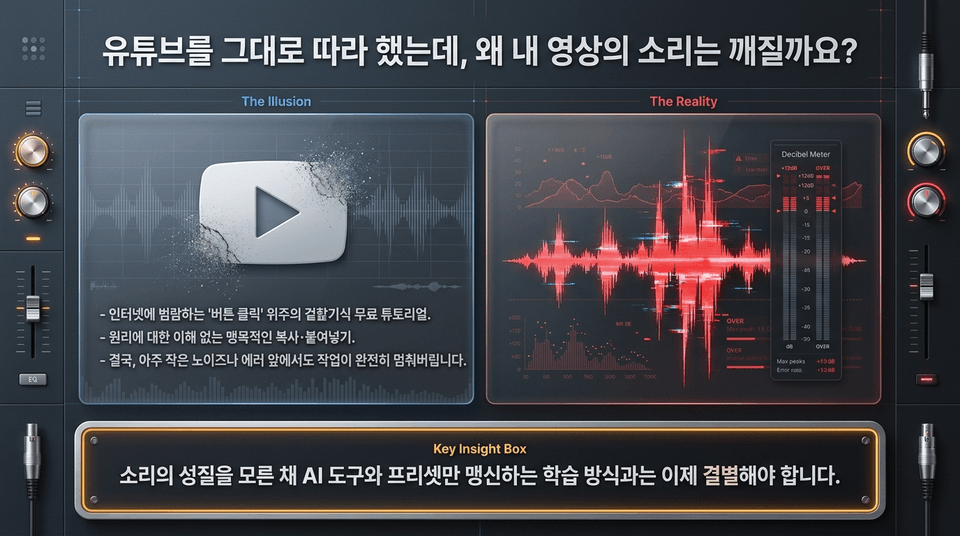
THE ILLUSION (YouTube free tutorials): Superficial, “button-clicking” techniques that flood the internet. Blind copy-and-pasting without understanding the underlying principles brings your work to a complete halt at the slightest noise or error. KEY INSIGHT: It’s time to break away from learning methods that blindly rely on AI tools and presets without understanding the nature of sound.
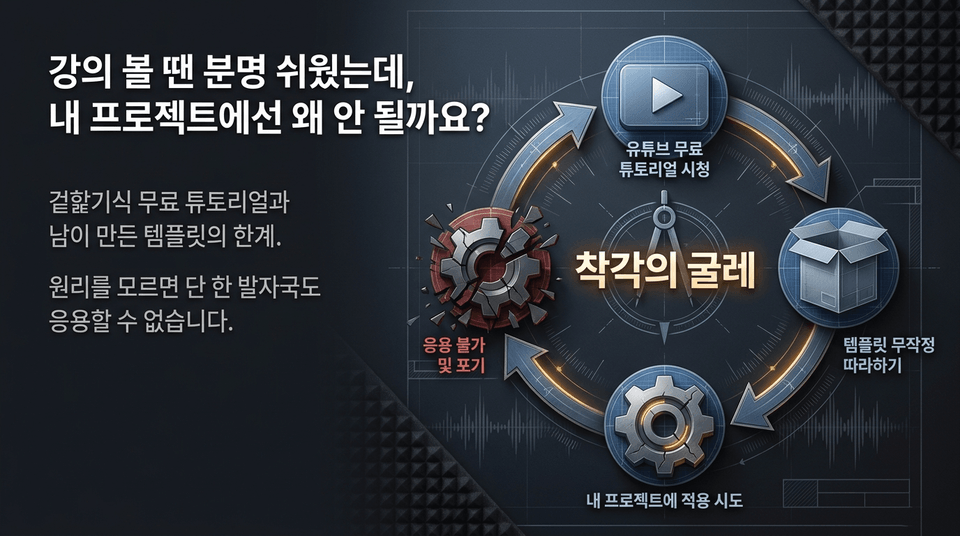
The cycle of misconception: Watching free YouTube tutorials ➔ Mindlessly following templates ➔ Trying to apply them to your own projects ➔ Being unable to adapt them and giving up. The limitations of superficial free tutorials and templates created by others. Without understanding the principles, you can’t apply them even one step further.
🏆 Building Overwhelming Instructor Credibility (Authority)
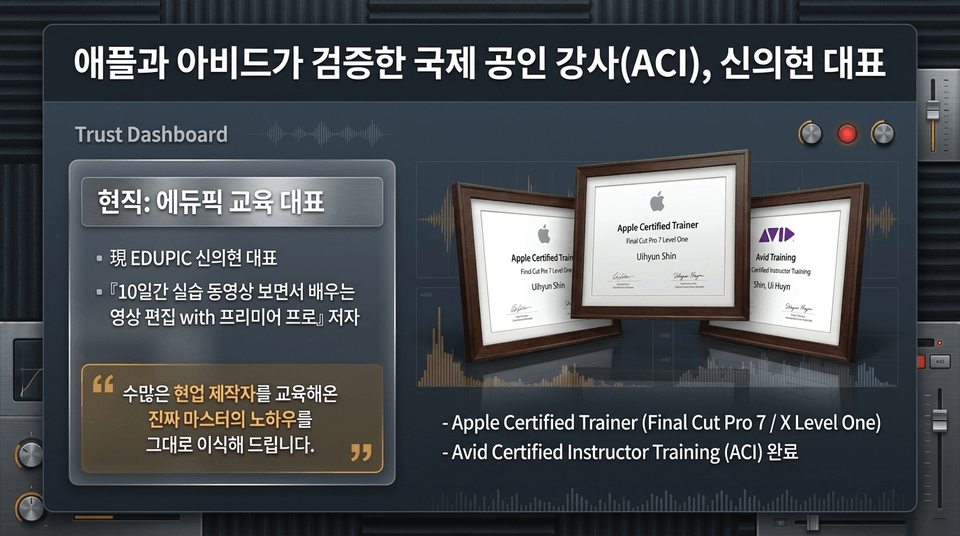
Current EDUPIC CEO Shin Eui-hyun | Author of 《Learn Video Editing with Premiere Pro by Watching Practice Videos for 10 Days》 • Apple Certified Trainer (Final Cut Pro 7 / X Level One) • Completed Avid Certified Instructor Training (ACI) "We will pass on the know-how of a true master who has trained countless industry professionals."
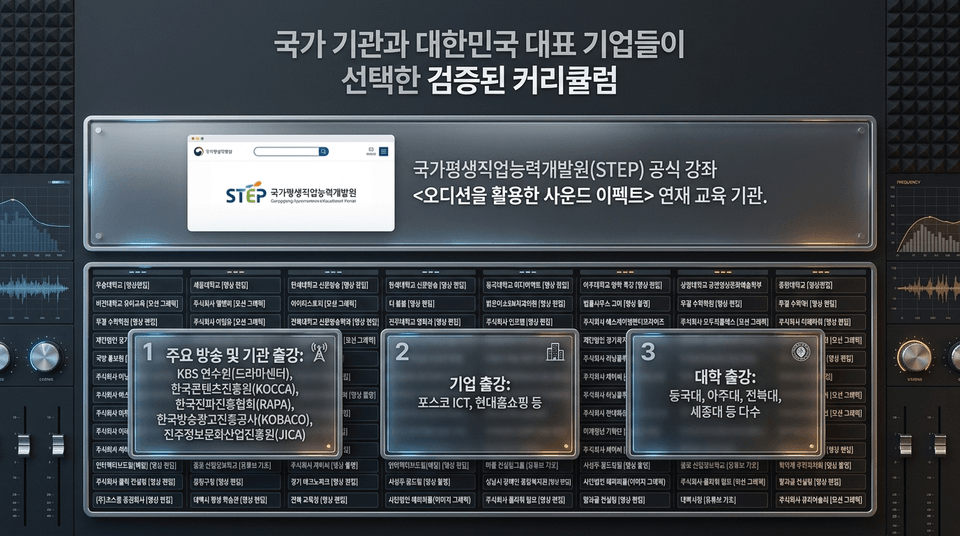
Official course provider for the National Institute for Lifelong Vocational Skills Development (STEP)<Sound Effects Using Audition> series • Training provided for major broadcasters and institutions: KBS Training Center (Drama Center), Korea Creative Content Agency (KOCCA), Korea Radio Promotion Association (RAPA), Korea Broadcast Advertising Corporation (KOBACO), and the Information and Culture Industry Promotion Agency (JICA) • Corporate training: POSCO ICT, Hyundai Home Shopping, and others • University lectures: Dongguk University, Ajou University, Jeonbuk National University, Sejong University, and many others
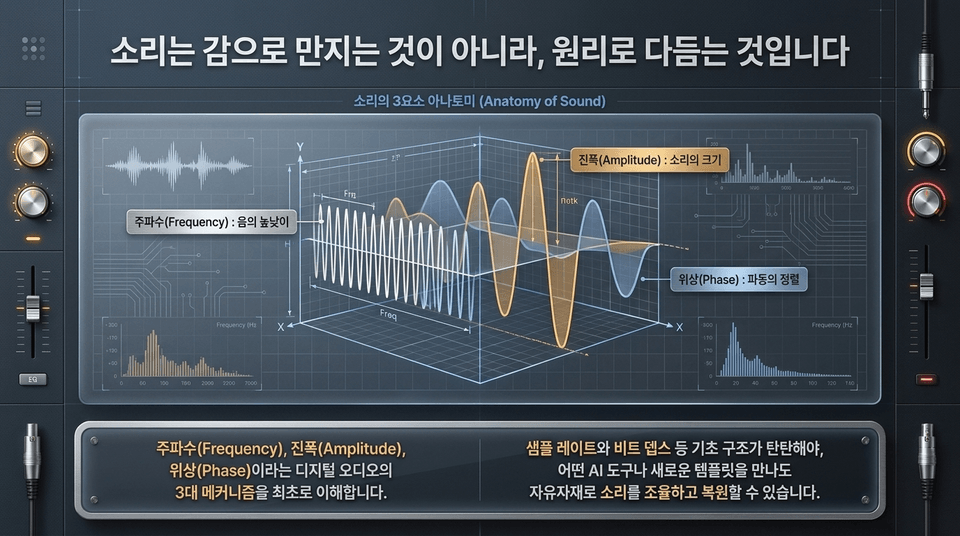
Anatomy of Sound: • Frequency: Analyzing pitch • Amplitude: Controlling volume • Phase: Aligning waves and preventing cancellation You must first understand the three core mechanisms of digital audio—frequency, amplitude, and phase—and establish a foundation in basic structures such as sample rate and bit depth. Only then can you freely fine-tune sound with any AI tool.
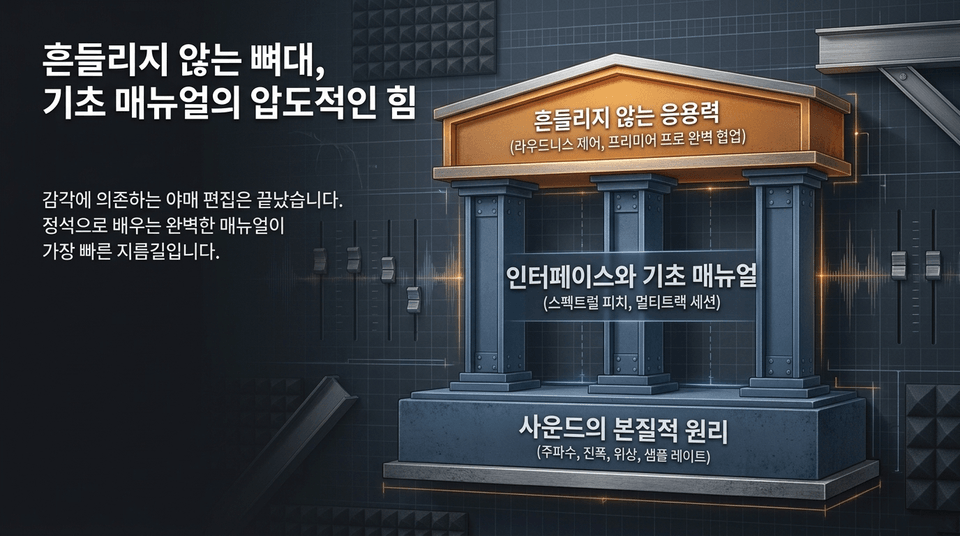
Improvised editing based on intuition is over. A perfect manual learned the right way is the fastest shortcut. • Unshakable adaptability: Loudness control and seamless collaboration with Premiere Pro • Interface and foundational manual: Spectrum pitch display and multitrack sessions • The fundamental principles of sound: Frequency, amplitude, phase, and sample rate mechanisms
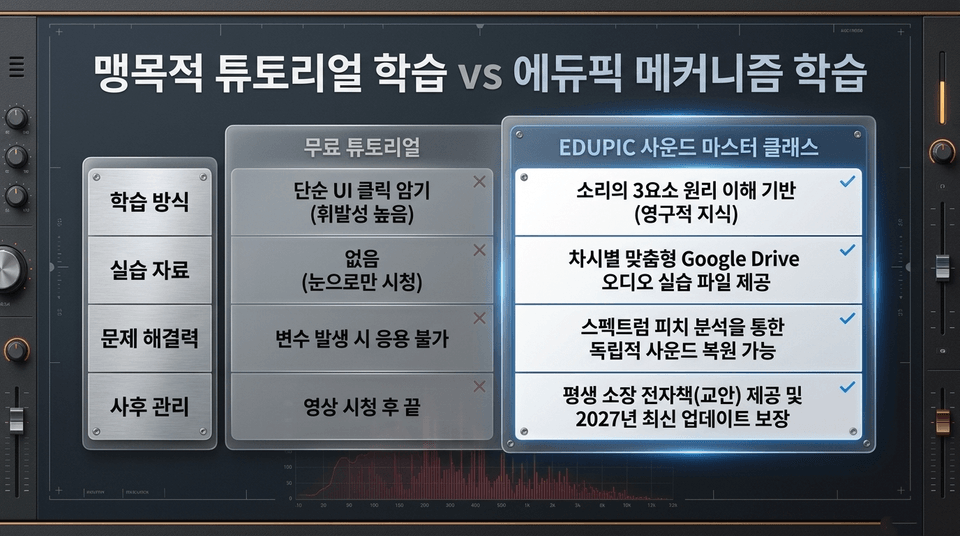
• Free tutorials: Memorizing simple UI clicks (volatile knowledge) ➔ No hands-on materials ➔ Unable to adapt when variables arise ➔ Ends after watching the video • EDUPIC Master Class: Understanding the principles of the three elements of sound (lasting knowledge) ➔ Google Drive audio practice files provided ➔ Independent restoration possible based on spectrum pitch analysis ➔ Lifetime ownership of course materials and guaranteed updates through 2027
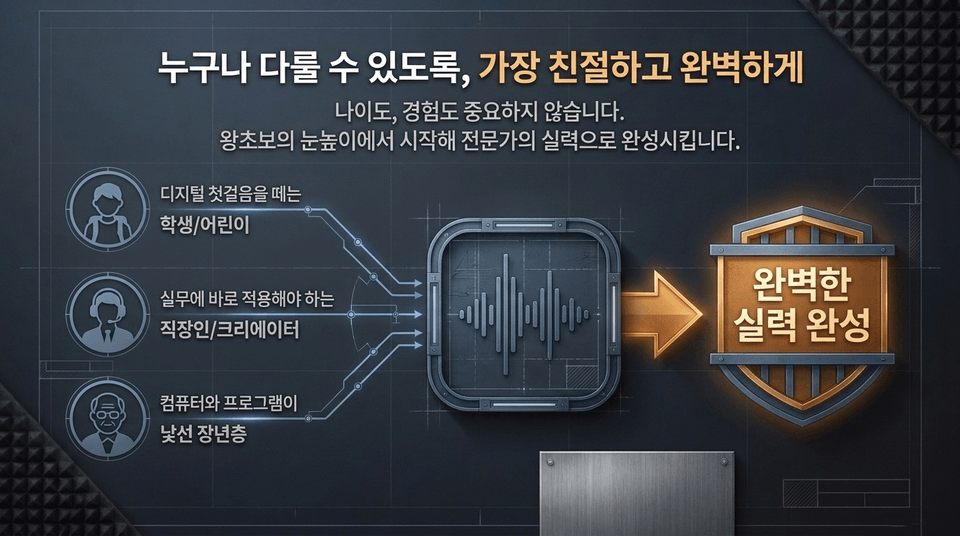
Age and experience don’t matter. Starting at a complete beginner’s level, we help you build expert-level skills. • Students and children taking their first steps into the digital world • Office workers and creators who need to apply their skills right away • Older adults unfamiliar with computers and software ➔ Become an “independent sound creator” who can shape sound on your own!
⚡ Differentiated Learning System (3STEP Loop & Drive Asset)
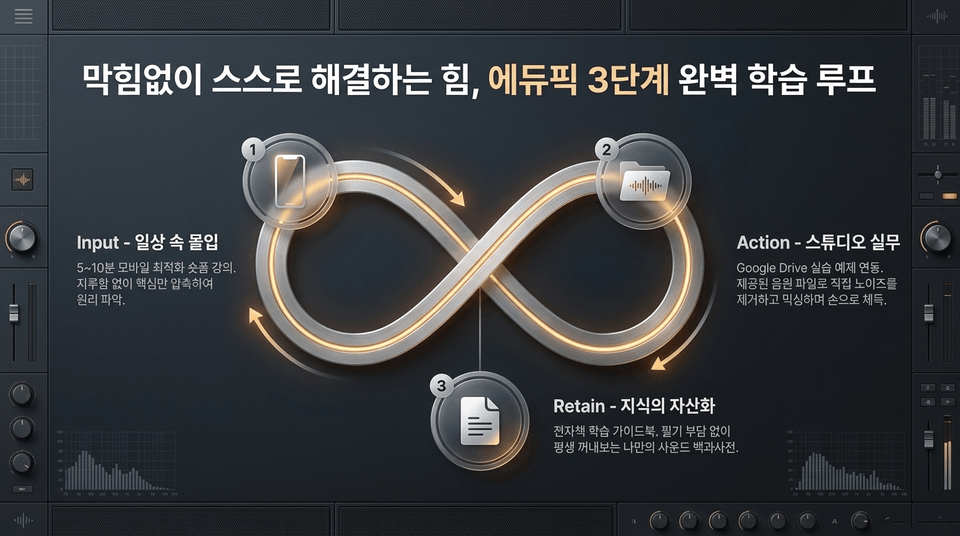
The power to solve problems on your own without getting stuck, EdUpick’s perfect three-step learning loop: 1. Input (Immersion in everyday life): Mobile-optimized 5–10-minute short-form lectures. Grasp the principles by focusing on the essentials without boredom. 2. Action (Studio practice): Integrated Google Drive practice examples. Build hands-on experience by directly removing noise and mixing with the provided audio files. 3. Retain (Turning knowledge into an asset): An e-book learning guide. Your own sound encyclopedia that you can refer to for a lifetime without the burden of taking notes.
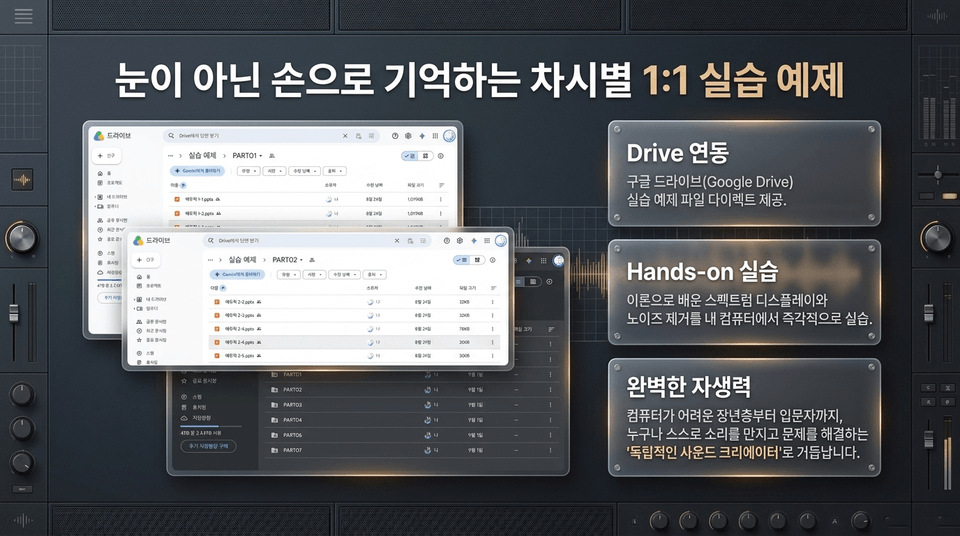
• Drive integration: Direct access to Google Drive practice example files • Hands-on practice: Immediately practice the spectrum display and noise removal techniques learned in theory on your own computer • Complete self-reliance: Become a sound creator who can shape sound and solve problems independently.
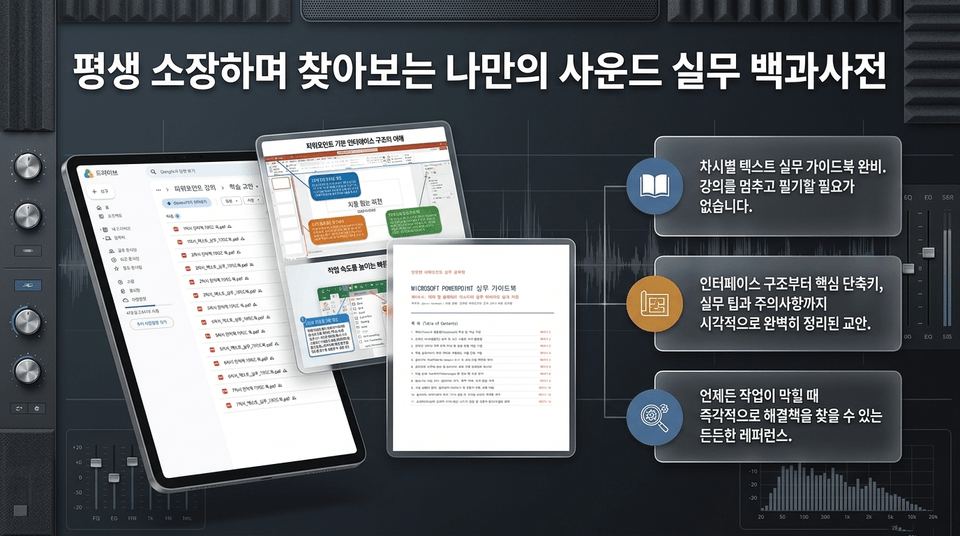
• A complete text-based practical guidebook for each lesson (no need to pause the lecture to take notes) • A visually organized guide covering everything from the interface structure and essential shortcuts to practical tips and precautions • A reliable reference for finding immediate solutions whenever you get stuck during your work
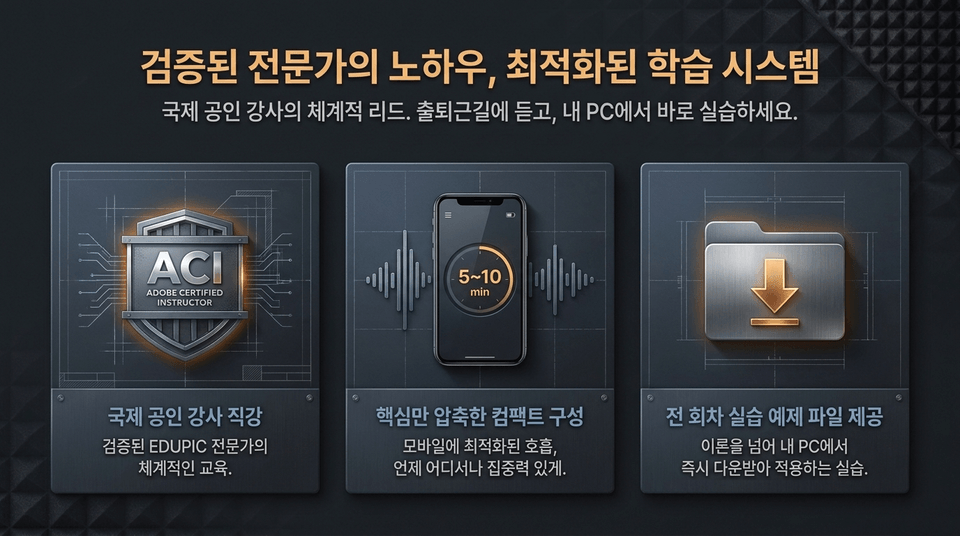
• Direct instruction from an ACI internationally certified instructor: Structured guidance from a proven EDUPIC expert • Compact curriculum focused on the essentials: Save time with 5–10-minute, mobile-optimized lessons • Practice example files for every lesson: Go beyond theory with hands-on exercises you can download and apply immediately on your PC
📚 All-in-One Curriculum (Full Curriculum)
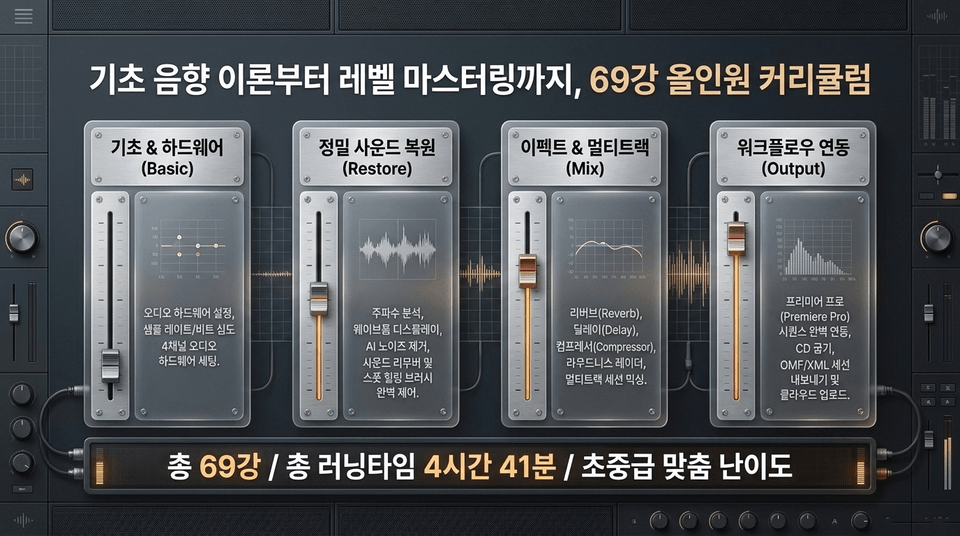
69 lessons in total / Total runtime: 4 hours 41 minutes / Tailored for beginner to intermediate levels • Basics & Hardware: Audio hardware setup, sample rate/bit depth, 4-channel setup • Precise Sound Restoration: Frequency analysis, AI noise removal, Sound Remover, Spot Healing Brush • Effects & Multitrack: Reverb, delay, compressor, Loudness Radar, multitrack mixing • Workflow Integration: Premiere Pro sequence integration, OMF/XML export
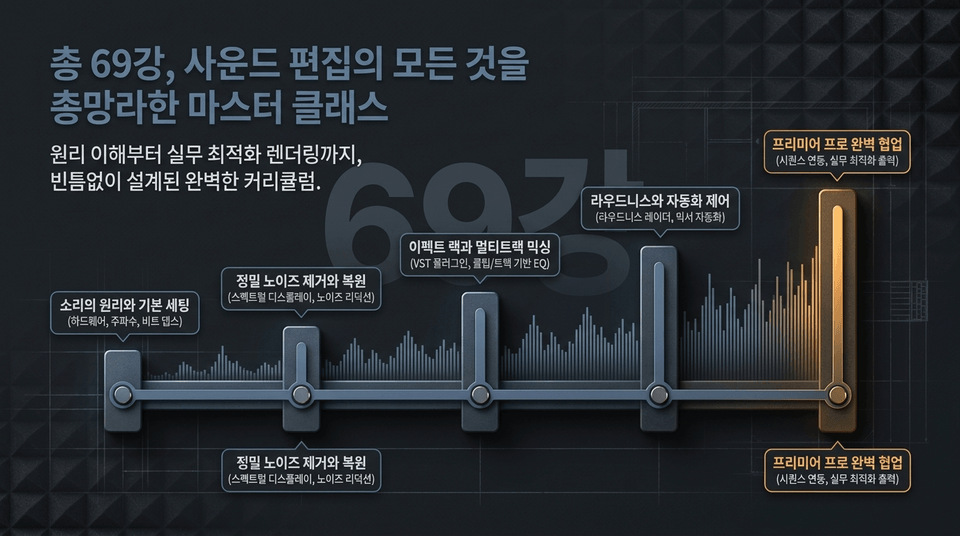
A complete curriculum designed without gaps, from understanding the principles to optimizing renders for real-world work. The principles of sound and basic setup ➔ precise noise removal and restoration ➔ effect racks and multitrack mixing ➔ loudness and automation control ➔ seamless collaboration with Premiere Pro.
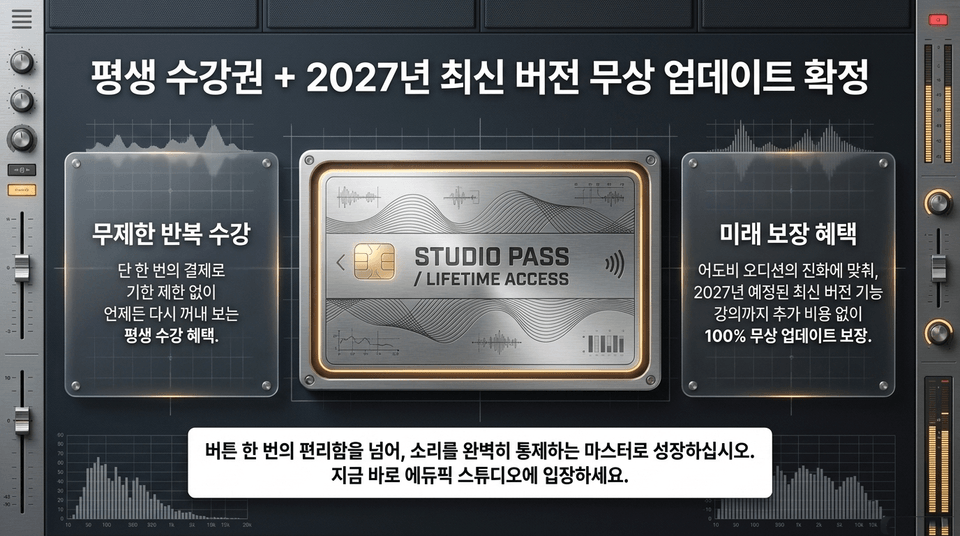
• Unlimited repeat access: With a single payment, enjoy lifetime access with no expiration, allowing you to revisit the course anytime (STUDIO PASS / LIFETIME ACCESS) • Future-proof benefit: As Adobe Audition evolves, you are guaranteed 100% free updates, including lessons on the latest version features scheduled for 2027, at no additional cost!
🔥 Final Closing & Enrollment (CTA)
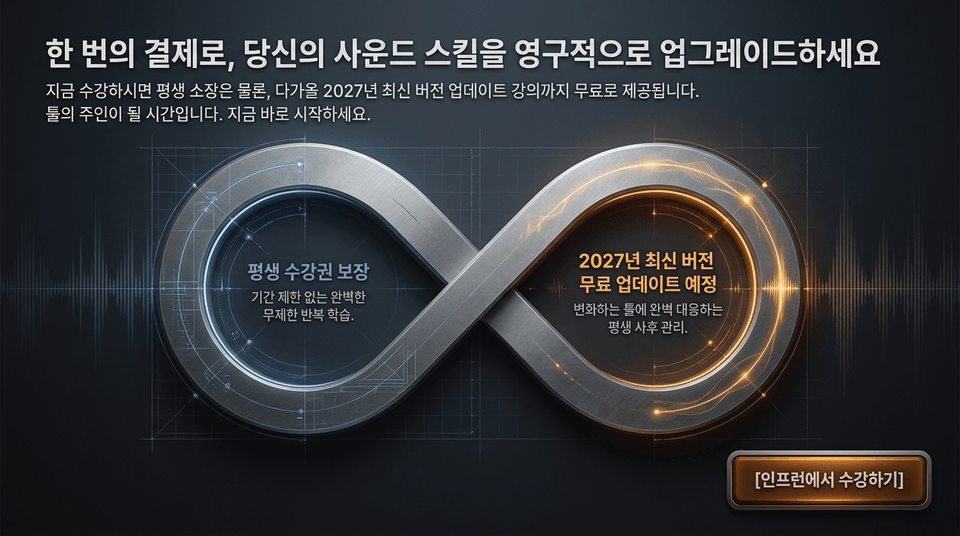
If you enroll now, you’ll receive lifetime access, as well as free access to lessons covering the upcoming 2027 version updates. It’s time to become the master of your tools. Start now. Go beyond the convenience of a single button click and grow into a master who has complete control over sound. Take the course on Inflearn ➔
Recommended for these people
Who is this course right for?
A beginner using Audition for the first time
Those who want to learn Adobe Audition systematically






![[Beginner] Mastering Basic Vocabulary with a Strong Foundation CourseCourse Thumbnail](https://cdn.inflearn.com/public/files/courses/329990/cover/01m05qtvdpfm5nx33ywnh2d2t0?w=420)


![[Master] A Solid Basics Course for Mastering Vegas ProCourse Thumbnail](https://cdn.inflearn.com/public/files/courses/333400/cover/ai/2/979a70a0-ec99-47ef-bd7b-7883f25abc66.png?w=420)
![[Master] Logic Pro X Course for Solid FundamentalsCourse Thumbnail](https://cdn.inflearn.com/public/files/courses/333265/cover/ai/2/17a32478-e555-4570-9048-60d185dff97c.png?w=420)
![[Master] Solid Basics After Effects CC CourseCourse Thumbnail](https://cdn.inflearn.com/public/files/courses/333257/cover/ai/2/cc466790-af2d-4198-b5e8-1795be65e85a.png?w=420)
![[Master] Solid Cinema 4D Basics CourseCourse Thumbnail](https://cdn.inflearn.com/public/files/courses/333255/cover/ai/2/9c49cd06-4ea4-4208-bbe6-53012a50e97c.png?w=420)
![[Master] Basic Solid: Follow Along with 101 Premiere Pro EffectsCourse Thumbnail](https://cdn.inflearn.com/public/files/courses/330105/cover/ai/2/e8ee2cfe-abd5-48f9-92f2-f49829f2014a.png?w=420)
![[Advanced] Mastering Excel: Building a Solid Foundation CourseCourse Thumbnail](https://cdn.inflearn.com/public/files/courses/330004/cover/01m04tf9hsr0m5gzxrskce1nja?w=420)

![[Intermediate] Mastering Excel with a Solid Foundation CourseCourse Thumbnail](https://cdn.inflearn.com/public/files/courses/330003/cover/01m04pa6n703t49hn2dmwpy0ct?w=420)
![[Beginner] Mastering Excel with a Solid Foundation CourseCourse Thumbnail](https://cdn.inflearn.com/public/files/courses/330002/cover/01m01nqapy9skgs8gsn4geedyp?w=420)
![[Master] Basic, Solid PowerPoint CourseCourse Thumbnail](https://cdn.inflearn.com/public/files/courses/330000/cover/ai/2/5012d48c-44e2-4646-a0ce-862974174b5a.png?w=420)
![[Advanced] Mastering Basic Solid Vocabulary CourseCourse Thumbnail](https://cdn.inflearn.com/public/files/courses/329993/cover/01m05r0fqknfxtp3x8z47xe9wv?w=420)
![[Intermediate] Mastering Basic Vocabulary with a Solid Foundation CourseCourse Thumbnail](https://cdn.inflearn.com/public/files/courses/329992/cover/01m05qy1cw6ff6j32fmydcqjrb?w=420)
![[Master] Course: Mastering Motion 5 with Solid FundamentalsCourse Thumbnail](https://cdn.inflearn.com/public/files/courses/329588/cover/ai/2/0cb79354-a333-4c64-966b-d74732d58a47.png?w=420)
![[Master] Mastering Illustrator with Solid Fundamentals CourseCourse Thumbnail](https://cdn.inflearn.com/public/files/courses/329341/cover/ai/2/2fc896c1-5fa9-47b2-964a-c77c04aecc1b.png?w=420)
![[Master] Mastering Premiere Pro: The Fundamentals and Essentials CourseCourse Thumbnail](https://cdn.inflearn.com/public/files/courses/328934/cover/ai/2/a3f2420d-f7b9-40f8-9c1f-20e6fcdef11f.png?w=420)
![[Master] Solid Fundamentals Final Cut Pro X CourseCourse Thumbnail](https://cdn.inflearn.com/public/files/courses/328720/cover/ai/0/5d3a6fdc-11f8-4076-9d98-68cabf216f68.png?w=420)
![[Master] Mastering Cubase with Solid Fundamentals CourseCourse Thumbnail](https://cdn.inflearn.com/public/files/courses/328633/cover/ai/0/55019ddb-2451-4429-8caa-5230574e4ca2.png?w=420)