How to use MS Outlook (Desktop/Web/Mobile Version) - Introduction to screens, settings, and useful features!
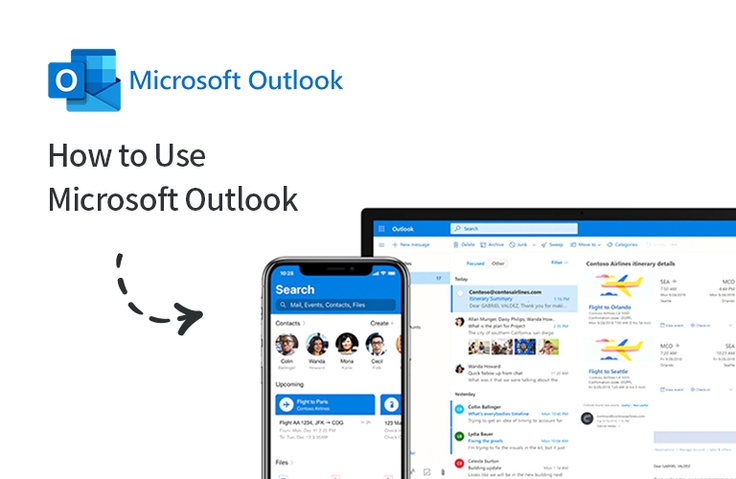
Email has long been the most common means of communication. Most of the work is done through email by office workers, so let's learn about Outlook (Microsoft Outlook) on PC/web/mobile to be able to do the work neatly during work hours.
Work smarter with office tools, Outlook, responsible for managing business emails!
Lecture Introduction 📝
Outlook lets you efficiently use email, calendar, contacts, and tasks all in one place.
Most of you who are reading this lecture introduction probably have the goal of getting your work done neatly during work hours!
Office workers handle most of their work through email, which has become the most common means. There are a lot of email services, but most companies use Microsoft Outlook, or Outlook as we commonly call it, to manage their emails.
In addition to those who use Office 365 services or Exchange Online, there are many people who do not use these services but instead use Gmail or other email services, and they purchase and install Outlook separately and link their accounts to use it.
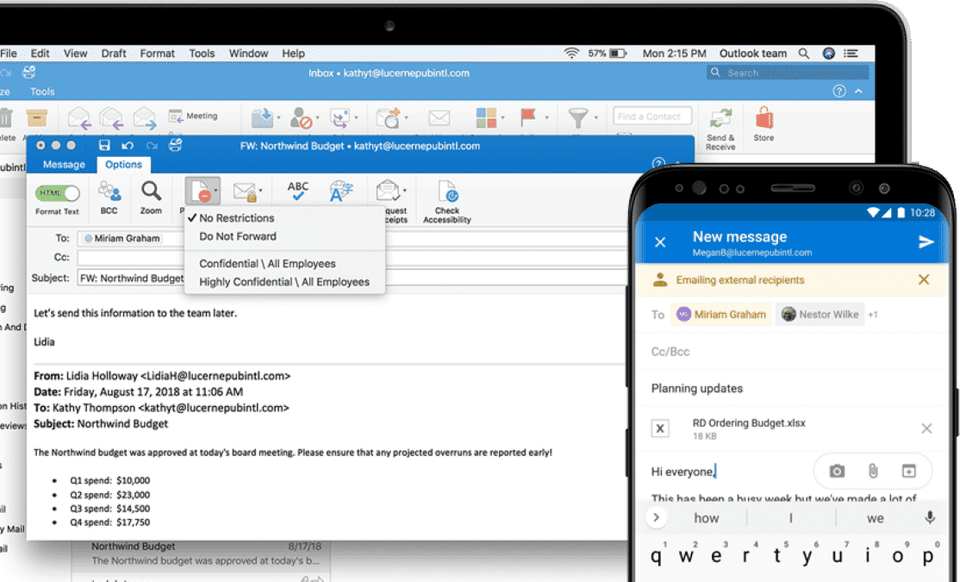
In this training, you will learn how to use Outlook's desktop (PC) version, online web version, and mobile version so that you can conveniently handle email tasks on your PC/online/mobile phone.
Why should I learn? ✒️
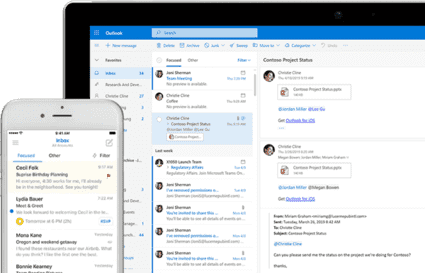
You can use everything in one service, Outlook, including email, calendar, contacts, and tasks, and it is conveniently available as it is 100% synchronized not only on PC but also online and on mobile...
however!!! Are you just sending/receiving emails? Are you still writing your schedule in a diary and posting it on paper in front of the conference room to indicate who will write it?
▲ What if you still can’t get 100% use out of Outlook?
So I prepared. You can learn about Outlook's useful hidden features, as well as how to conveniently work withOutlook not only on your PC but also on the online web and on your mobile phone, and apply them to your actual work right away .
What you will learn in this course ✏️
Microsoft Exchange Online?
Introduction to Outlook
How to Use Outlook Online Web (OWA)
How to use Outlook on your PC desktop (Desktop Outlook)
How to use Outlook on mobile (Mobile Outlook)
>> The lecture covers not only the introduction of menus and screens, but also the environment settings. "We will proceed with useful features available in each version, such as " inserting screenshots, sending scheduled emails, voting, conditional formatting, auto-reply, rules during auto-reply, flags (categories), recalling messages, scheduling, scheduling online, sharing calendars, organizing schedules, tracking responses, mentions, etc. "
















![[Latest version update] Project and task management to become a pro at planning - MS PlannerCourse Thumbnail](https://cdn.inflearn.com/public/courses/336001/cover/9368db08-c64b-42ca-8ad1-e7a872bffc0e/336001.jpg?w=420)

![[Work Automation Using Free MS RPA] Power Automate Desktop - Automate Repetitive TasksCourse Thumbnail](https://cdn.inflearn.com/public/courses/332826/cover/fd9d8667-48a8-4d2e-b27d-1154f66df679/332826.png?w=420)





![[Work Automation Using Free MS RPA] Power Automate Desktop - Excel AutomationCourse Thumbnail](https://cdn.inflearn.com/public/courses/330201/cover/8adc841c-39de-4770-98d3-2439ed8881a3/330201-eng.png?w=420)

![[Work Automation Using Free MS RPA] Power Automate Desktop BasicCourse Thumbnail](https://cdn.inflearn.com/public/courses/329047/cover/35cb417d-cd84-47f8-a20f-653724b03a77/329047-eng.png?w=420)
![[Work Automation Using Free MS RPA] Power Automate Desktop EssentialsCourse Thumbnail](https://cdn.inflearn.com/public/courses/329655/cover/8364da63-535b-4613-9b02-3dcdfc21791d/329655-eng.png?w=420)


![[For Beginners] Data Visualization with Power BICourse Thumbnail](https://cdn.inflearn.com/public/courses/327055/cover/455b54c1-3e63-439b-9b60-5d12e12bc303/PowerBI-001 (1).png?w=420)


![[Pass ITQ Excel A in One Go] in 3 daysCourse Thumbnail](https://cdn.inflearn.com/public/courses/329652/cover/b44e11b6-a47e-4993-86ea-a85da9836bb5/329652-eng.png?w=420)
