
Mastering Photoshop Principles: A Version-Independent Practical Design System
This is a systematic learning course designed to help you understand the fundamental principles of Photoshop beyond simple imitation. Structured as a 4-step roadmap—covering everything from layers, masks, and color correction to high-end retouching—it consists of 65 sessions averaging 5 minutes a day, allowing you to master practical design skills that can be applied immediately to any version of the software.
Understanding the essential operating principles of Photoshop's core features and securing the ability to apply them regardless of the version.
Establishing a 4-step professional workflow for layers, masks, color correction, and portrait retouching
Practical design independence and the ability to work on projects such as detail pages, card news, and thumbnails.
No more wandering through Photoshop. The moment you master the 'true principles' of the tools, your workflow becomes 10 times faster.
Stop rote memorization and just following along. A unique, systematic manual that allows you to perfectly master the canvas, no matter which version you use.
Key Details
Master the Principles: Once you understand the true purpose of each tool, you can apply them yourself to any complex task.
Equipping Fundamentals: A solid framework for completing trendy designs; fundamentals are the ultimate skill.
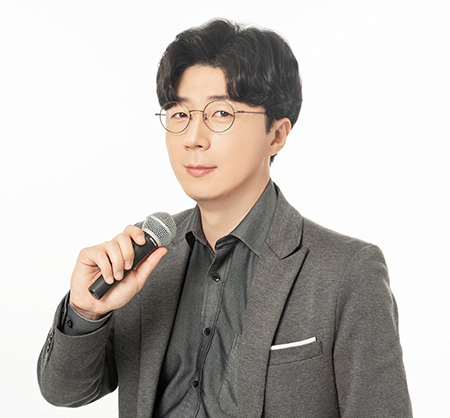
The CEO, an ACI (Adobe Certified Instructor) and one of the highest-level instructors in Korea officially certified by Adobe, teaches the course directly.
Experience the overwhelming lecture know-how chosen first by prestigious university platforms and South Korea's leading broadcasting stations and institutions.
History
TOP Universities Lectured at prestigious universities such as Ajou University, Dongguk University, Jeonbuk National University, Sangmyung University, and Sejong University.
Broadcasting & Institutions KBS Training Institute · Korea Broadcasting Advertising Corporation (KOBACO) · Korea Creative Content Agency (KOCCA) Lectures
A word from the instructor: "I have perfectly blended front-line practical know-how with a systematic university curriculum into this single class.
Experience a 'real practical manual Photoshop lecture' that could never be fulfilled by free YouTube lectures designed for views.
It's time to end the time-wasting cycle of blindly following along only to get stuck, and finally acquire real skills that will serve as a powerful weapon for a lifetime.
Differentiation Comparison Table Composition
Learning Method: Fragmented knowledge for views ➔ A seamless 4-step high-speed growth roadmap
Understanding Principles: Simple follow-along that cannot be applied ➔ Solid understanding of principles that remains unshaken even when versions change
Practice Materials: No examples provided or inconsistent ➔ High-quality practice files customized for each level per session
Instructor Expertise: Unverified instructors ➔ 1:1 private lesson quality from an Adobe Certified Instructor (ACI)
Stop giving up on online courses you've already paid for! A triple-threat close-care system precisely designed with a '100% completion rate' in mind
Smart learning curation that removes all the fluff and maximizes efficiency for busy modern people.
Key Details
10-minute ultra-compressed core lectures per day: Lightly on mobile! High-density summary courses to master anytime, anywhere without burden
100% Real-world Sync Examples: No more just watching lectures! High-quality practice files provided so your hands learn first.
Unlimited review support with no expiration: Own it for life with a single payment! Your personal encyclopedia to look up whenever you need it.Rise to the ranks of a Photoshop master in just 4 steps with 65 sophisticated curriculums.
A miracle high-speed course that allows you to shed the beginner label and equip yourself with the sensibilities of a professional designer by investing a total of 4 hours and 21 minutes.
Step-by-step roadmap configuration
Stage 1. : Setting up the optimal environment to perfectly dominate the canvas
Stage 2. : Conquering Layers and Masks, the Most Powerful Heart of Photoshop
Stage 3. : Advanced Color & Tone Correction to Breathe Life into Dead Images
Stage 4. : Seamless and Sophisticated Pro-level Portrait/Product Retouching and Smart Filters
Stage 1.Pro practitioner's secret settings & essential shortcuts to triple your workflow speed
Stop fumbling with your tools as soon as you open them and establish the most efficient environment tailored specifically for designers.
Key Details
2x Speed Workflow Shortcuts: Master the essential applications of the 5 core shortcuts used daily in professional practice.
Secret Panel Settings: Perfectly transplanting the movement-minimizing panel layout that only experts keep hidden.
Perfect Canvas Control: Mathematical principles and intuitive control of scaling, Free Transform, and cropping
Stage 2. Handle any complex composition with ease! Mastering 'Layers and Masks,' the heart of Photoshop
Build the true foundational strength of Photoshop to freely edit and sculpt images without any damage.
Key Details
The Standard of Background Removal: The secrets of sophisticated selection techniques (Select and Mask) that perfectly cut out even a single strand of hair
Smart Object: The magic of non-destructive editing that never loses quality no matter how many times you scale it up or down
Layer Folder Build: Clean and systematic file organization principles that earn praise even when collaborating with multiple designers
Stage 3. Advanced Color Design & Contrast Control to breathe life into dull and ordinary photos
It's not just about applying simple filters; you will freely master professional cinematic tones and perfect emotional contrast ratios.
Detailed Points
Non-destructive Adjustment Layers: A smart editing method that preserves 100% of the original image, allowing you to revert at any time.
Mastering Levels & Curves: Perfect contrast control techniques that determine the three-dimensionality and depth of a photograph
Emotional Cinematic Toning: Professional color application that realizes black and white conversion, darkroom toning, and movie-like colors exactly as they are
Stage 4. More natural than plastic surgery! Magical high-end portrait retouching & smart filter techniques
Master everything from the fine skin texture retouching seen in advertisements to the perfect removal of distracting subjects.
Key Details
Natural Portrait Retouching: The formula for achieving extreme naturalness, from blemish removal and skin brightening to clear eyes and wrinkle reduction.
Liquify: Precision retouching that creates the most beautiful face & body lines without distorting the subject or background
Using Smart Filters: Creating premium visual effects through dreamy perspective (Out of Focusing) and distortion correction
Stop just watching. A high-speed learning process where you 'complete immediately upon downloading within 1 second of video playback'
The premium original example files used by the instructor are provided as-is, allowing for immediate application in practice.
This is not a tedious lecture that ends with theory. By following along with the same high-quality practice files used by the instructor—reflecting the latest trends in every session—you will find these skills becoming your own before you know it.
If even one of these applies to you, this class will be the turning point of your life.
Stop feeling intimidated by Photoshop. We present the most certain and fastest route to growth.
Detailed Target
Overwhelmed Beginners: Those who opened Photoshop for the first time and closed the window within 3 minutes because they didn't know which icon to click first.
Stagnant Self-Learner: Those who know how to use the basic functions but lack the ability to apply them, resulting in designs that are always predictable and outdated.
Time-pressed professionals: Office workers who work overtime every day due to slow work speed and are trapped in a feedback hell from their bosses regarding quality
N-jobber with skyrocketing sales: Business owners who want to personally create high-quality detail pages and promotional images that will make their products and brands shine
The benefits are overwhelming! Edupick's exclusive perks that will completely break down your barriers to learning
Start lightly without worrying about tuition fees, and own your very own lifelong, reliable design encyclopedia.
Detailed Benefit Information
Official Lifelong Education Voucher Certification: Start high-quality education immediately with zero tuition burden using the government-supported voucher card (Available only within the Inflearn platform)
100% Lifetime Ownership with No Expiration: No need to rush through the course due to a deadline; provided with a lifetime access pass that you can revisit permanently whenever you need it (Exclusive to Wadiz)
It is time to fill that daunting blank white canvas with your 'amazing sense' and 'confidence.'
The moment you step onto these 65 friendly steps, your design market value and the quality of your results will be completely transformed.
"Join the Edupick Master Class right now and keep it for a lifetime!
Recommended for these people
Who is this course right for?
A complete beginner feeling overwhelmed in front of the Photoshop interface
Self-taught learners who can follow along with YouTube tutorials but cannot apply them to actual work.
Office workers suffering from overtime due to slow work speed, and solo entrepreneurs who want to reduce outsourcing costs.