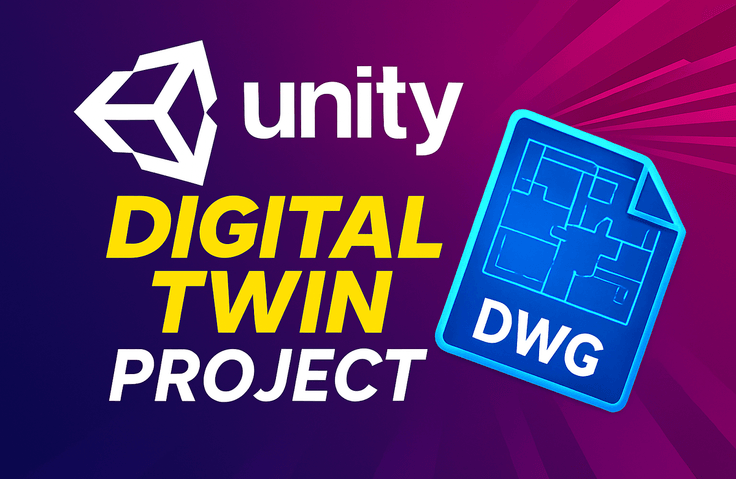
Unity WebGL Digital Twin Project in Practice: DWG(CAD) 3D Automatic Conversion and Real-time Space Generation
In this course, you will build a system that directly parses DWG drawings in Unity and automatically converts them into actual 3D walls based on lines and polylines.
After completing the DWG → 3D map automatic generation pipeline, you will also implement map editor functionality that allows you to freely place various objects on the generated space and save/load them in JSON/DB format.
Finally, by integrating essential features used in real-world digital twins such as heatmaps, status displays, and real-time data reflection, you will complete a digital twin project from start to finish that can be immediately applied in industrial settings.
Understanding and Application Methods of Procedural Modeling
A sense of shader rendering order
Data Management through DI
"Practical Unity Digital Twin with DWG Drawings: From Automatic Map Generation to 3D Editor & Heatmap"
📘 Course Introduction
How can you automatically create a 'realistic 3D space' from just a single drawing? And how do you implement a digital twin service that allows you to place, modify, and visualize data on top of it?
The answer is DWG-based procedural modeling and real-time data-driven visualization technology.
In this course, starting with a core engine that reads DWG drawings and automatically generates walls based on Unity, you will experience the entire process of a digital twin project used in actual industrial sites all at once.
The goal is not to create a demo that ends like a game, but to build production-ready structures and features that can be used immediately in real-world practice.
Within this single curriculum, you will complete the core features of a digital twin service.
💡What makes this course special?
✔ Implement 'Digital Twin Production Technology' used in actual industry from start to finish
Automatic DWG drawing conversion, map editor, object placement features, heatmap data visualization, and more Composed of features used directly in corporate settings.
✔ DWG → 3D space generation technology rarely known in Unity
Not typical polygon modeling, but implementing technology that converts drawing data (lines/polylines) → actual walls (thickness/height).
✔ Build runtime editor (2D + 3D) from scratch
While implementing the editor module directly, you'll learn techniques for creating tools that work in both Scene and Game play environments.
✔ Implementing Clean Architecture with VContainer-based DI
You'll learn everything from dependency injection, module separation, to testable architecture design that are essential in professional work.
✔ Complete Implementation of Undo / Redo Pattern
During object placement/movement/deletion, you'll directly build a working Command Pattern-based Undo/Redo system.
✔ Digital Twin Data Visualization Using Heatmap Shaders
Call the API at regular intervals using a scheduler to build a real-time visualization system that reflects dynamically changing heatmap data.
Core Technologies You'll Learn in This Course
1. DWG → Unity Procedural Modeling
Understanding DWG file structure
Line / Polyline → Automatic Wall Mesh Generation
Wall height/thickness calculation and 3D conversion
Real-time wall editing (add/delete/move)
2. Runtime 2D Map Editor Development
Manipulate walls with mouse/touch input
Snap, handle, and UI tool creation
Save/Load edited content
3. REST API Integration and Data Communication
Fetching map/object information from the server
Save modified data to the server
Implement real-time data polling scheduler
4. VContainer-based DI Architecture Design
Service/Manager/Domain separation
Design with a horizontally scalable architecture
Building a maintainable architecture
5. 3D Object Placement and Editing Features
Create / Move / Delete tool implementation
Object snap, rotation, height adjustment
JSON-based state saving
6. Applying Undo / Redo Pattern
Command pattern design
State Snapshot Management
Used in map editing like in real-world scenarios
7. Digital Twin Visualization with Heatmap Shader
Color gradient expression
Data-driven heatmap generation
Reflect in real-time with automatic update scheduler
💡Key Differentiators
There are many Unity courses, but not a single one covers "the technology to automatically create actual 3D spaces by reading DWG drawings". This course goes beyond simple feature implementation and delivers the complete pipeline actually applied in real-world digital twin services.
You'll 'implement directly' through all these processes, and this is the only course where you can experience a real Production-Ready digital twin architecture built by industry professionals.
While most courses teach you "how to use" Unity features, this course is a 'hands-on project course' that shows you the entire process of designing and building a system with Unity.
👨💻 Who should take this course?
Developers who want to implement digital twin technology with Unity
Those curious about CAD → Unity automation pipelines
Those who want to experience structured Unity projects used in real-world practice
Those who want to learn advanced features like runtime editor, Undo/Redo, and DI
Lead developers who want to quickly build company PoCs / projects
Students/developers who want to create a solid "real-world project" for their portfolio
After completing this course
You'll be able to receive DWG drawings and automatically generate 3D walls, and create a real procedural modeling pipeline that can be naturally modified at runtime.
From DI structure design using VContainer, REST API communication, to applying Undo/Redo patterns—all the techniques used in actual work become naturally familiar.
You'll also learn how to implement data-driven visualization using heatmap shaders. You'll no longer feel intimidated by how actual digital twin services work or how they're structured.
You'll break free from the perception that digital twin = large corporations/special projects, and gain the ability to complete industrial systems with Unity alone.
You'll naturally learn runtime editor design, data structuring, and architecture separation as if it's second nature. You'll no longer be just an implementer, but a developer who builds systems.
Notes Before Taking the Course
Practice Environment
The course is conducted on Windows. MacOS users can also follow along without any issues.
The course is conducted based on Unity 6000.2.10f1. If you have version 6 or higher, you should be able to follow along without any issues. To ensure synchronization just in case, please install version 6.2 or higher.
Learning Materials
I'll provide you with the Github link.
I'll provide the resource files in the first lecture
Prerequisites and Important Notes
Prerequisites for Unity
Understanding of asynchronous programming (coroutines, async)
Basic knowledge of JSON
Recommended for these people
Who is this course right for?
A developer who wants to study digital twins but has no reference materials
A Unity developer who has just moved past beginner level and wants to skill up a bit more
Need to know before starting?
You must have a general understanding of Unity and C#.









![[Unity 6] Learning by Doing: Real-World 2D Platformer Game DevelopmentCourse Thumbnail](https://cdn.inflearn.com/public/files/courses/332685/cover/01kw424yrfm5cgfhdnyq5a3hfc?w=420)

![[C#/.NET 8.0] Welcome, new to Blazor Server?Course Thumbnail](https://cdn.inflearn.com/public/courses/332519/cover/3cf23c17-f3af-46f2-9544-9272265d4f34/332519-eng.png?w=420)
![[A Must-Know for Game Developers] Practical Game MathematicsCourse Thumbnail](https://cdn.inflearn.com/public/files/courses/339548/cover/ai/3/8b7a81f3-57e8-41fa-ae00-331f7672e104.png?w=420)
![[C#/.NET 6.0]Welcome, new to Blazor WebAssembly?Course Thumbnail](https://cdn.inflearn.com/public/courses/330523/cover/3fa0f720-ca44-40dc-be80-8935360415cb/blazor_wasm_iamge.png?w=420)
![[2025] Full-Scale 2D Strategic Tower Defense Game Development Course with Unity & C#Course Thumbnail](https://cdn.inflearn.com/public/files/courses/339095/cover/01k6f4gwphnnzy16stck45yv45?w=420)