Getting Started with Interactive Web Development
studiomeal
This course will teach you the fundamentals of developing creative, interactive web pages.

Basic
HTML/CSS, JavaScript, Interactive Web
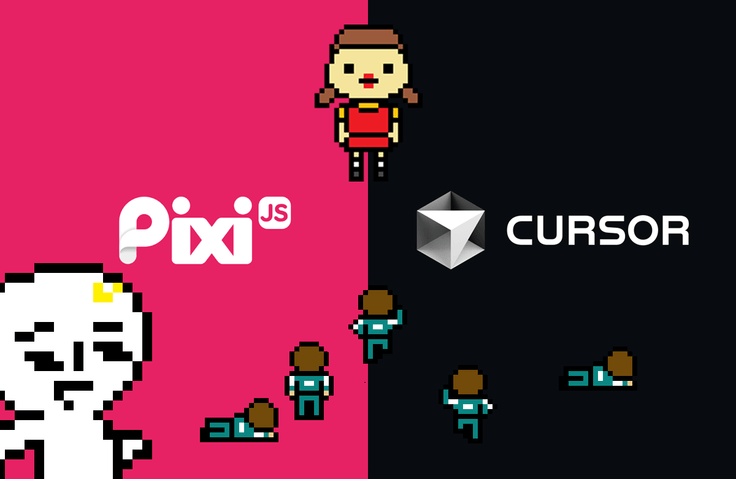
Learn the basics of PixiJS, the undisputed leader in 2D graphics, and learn how to develop quickly and efficiently using the AI code editor Cursor.
206 learners
Level Beginner
Course period Unlimited
Reviews from Early Learners
5.0
김형진
Personally, I really enjoyed learning the basic concepts of Pixi.js and implementing effects using it. 😄 I've been developing using Cursor lately, and it was great to learn how it can be applied in development by creating a game using Cursor in this course. It was also helpful that you taught us how to create the necessary assets. You explained things so well that I could easily understand the concepts, and the practical exercises were fun! Thanks to you, I was able to quickly acquire knowledge and will be able to create interesting works. Thank you for the great course! 🙌
5.0
조내일
I had purchased this course in advance thinking I might need it, but I forgot about it until I rediscovered it while looking through my old purchases to prepare for a side project. Pixi.js wasn't as difficult as I expected, and the learning process was fun, which made the course even more enjoyable. I think I'll be able to apply what I've learned in various ways. Thank you!
5.0
topcircle
This is a sample lecture on PixiJS. It would be helpful if you could also teach us how to use react-pixijs. Looking forward to part 2!
PixiJS Core Concepts
Developing using AI code editor Cursor
Create pixel images
First, quickly learn the core concepts of PixiJS, a 2D graphics library suitable for developing animations, interactive content, games, etc., and learn the know-how to efficiently implement desired movements using the AI coding tool Cursor.
Even if you are coding with AI, there are some basic knowledge that you should know to avoid getting lost. First, start by learning the basic concepts and functions of PixiJS. PixiJS is a high-performance 2D graphics library that uses WebGL, and is suitable for developing animations, interactive content, games, etc.
AI can implement the desired function very quickly. However, if you ask it to do it blindly, AI will also get lost. Learn some things to know when starting to code with AI, and how to solve problems more quickly.
Create your own web game by learning how to create the resources you need for your game, along with the voice sounds and pixel sprite images included in the sample game.
You need to know the basics of JavaScript, such as the concepts of variables and functions, to learn smoothly. No difficult knowledge is required. Try out the free public videos to gauge the level of difficulty.
When using the free downloadable resources introduced in the lecture for actual projects, please check the exact license (the lecture materials do not include any downloaded images other than those I created myself).
Who is this course right for?
Designers and developers who want to express high-performance web 2D graphics
If you want to create a simple web game but are hesitant because you think it will be difficult to create the game logic yourself
Anyone who wants to start developing using an AI coding editor

Career Verified
19,826
Learners
1,298
Reviews
1,175
Answers
5.0
Rating
11
Courses
I worked as a web developer/designer in Seoul, then moved through Jeju... and am currently in Penang, Malaysia, working hard on development, creating educational content, and conducting various trials and experiments as a solopreneur.
I have a strong interest in interactive web with visual impact, and I share web development-related technologies on YouTube and Facebook under "1-Minute Coding."
Developer/Designer/Content Creator
Website https://studiomeal.com
YouTube https://youtube.com/c/1분코딩
Facebook https://www.facebook.com/1mincoding
All
24 lectures ∙ (2hr 24min)
Course Materials:
1. What is PixiJS?
03:23
3. Prepare code
05:01
4. Basic structure
06:41
7. animation
06:13
9. Interaction
03:48
10. Filter
06:36
11. Sprite Animation
09:27
12. Sound
02:02
14. Build
02:10
All
16 reviews
4.9
16 reviews

Reviews 22
∙
Average Rating 5.0
Edited
5
Personally, I really enjoyed learning the basic concepts of Pixi.js and implementing effects using it. 😄 I've been developing using Cursor lately, and it was great to learn how it can be applied in development by creating a game using Cursor in this course. It was also helpful that you taught us how to create the necessary assets. You explained things so well that I could easily understand the concepts, and the practical exercises were fun! Thanks to you, I was able to quickly acquire knowledge and will be able to create interesting works. Thank you for the great course! 🙌
Thank you for your thoughtful review, Hyungjin! 😭 I hope you do a lot of fun work!!

Reviews 1
∙
Average Rating 5.0
Reviews 2
∙
Average Rating 5.0

Reviews 24
∙
Average Rating 4.8
5
I had purchased this course in advance thinking I might need it, but I forgot about it until I rediscovered it while looking through my old purchases to prepare for a side project. Pixi.js wasn't as difficult as I expected, and the learning process was fun, which made the course even more enjoyable. I think I'll be able to apply what I've learned in various ways. Thank you!
Reviews 3
∙
Average Rating 5.0
Check out other courses by the instructor!
Explore other courses in the same field!





![[VOD] 6-Week Complete! High-Concentration Vibe Coding for Development Practice (Cursor AI, Figma)Course Thumbnail](https://cdn.inflearn.com/public/files/courses/338156/cover/01k4c77bftwd8ec4k0yakavbrc?w=420)
![[Premium] Creating Web Services Through AI ConversationsCourse Thumbnail](https://cdn.inflearn.com/public/courses/335994/cover/b44c7c7a-dbfd-4258-865d-74abf38f224d/335994.jpg?w=420)