Thank you for helping me organize and supplement the parts I learned on my own.
In order to solve the Transform accumulation problem in Painter, please explain the save and restore functions when you have a chance.
In Json, if you create a JsonObject and setObject, and then output it as toJson in Document, the content will be modified, but it seems that it can be replaced with Save.
Since the lecture period is 3 months, if I can't watch the lecture later, I would like you to provide lecture notes so that I can refer to the content.
5.0
이준현
31% enrolled
I'm retaking this class, and I love it, love it.
5.0
wnsjh9110
100% enrolled
Advanced features such as QPainter, threads, custom widgets, DB, XML/JSON, networking, and more are systematically covered across the full scope of practical work, which was a great help in building actual applications. The course includes Android app development and installation package creation, making it a well-balanced lecture where you can learn desktop, mobile, and deployment all at once.
What you will gain after the course
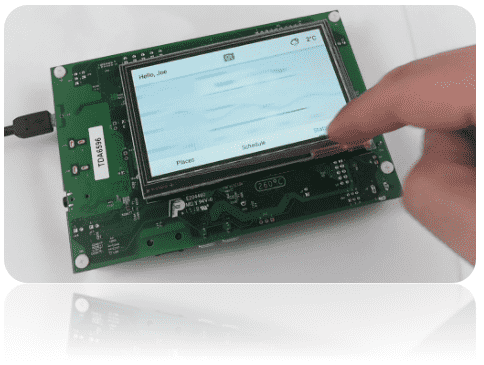
Learn how to develop SW that runs on various platforms, including desktop, mobile, and embedded, using Qt.
Learn how to develop SW using Qt on MS Windows, Linux, and MacOS.
Learn how to develop apps for the mobile Android platform using Qt.
Qt Programming One framework, one codebase, any platform.
What is Qt?
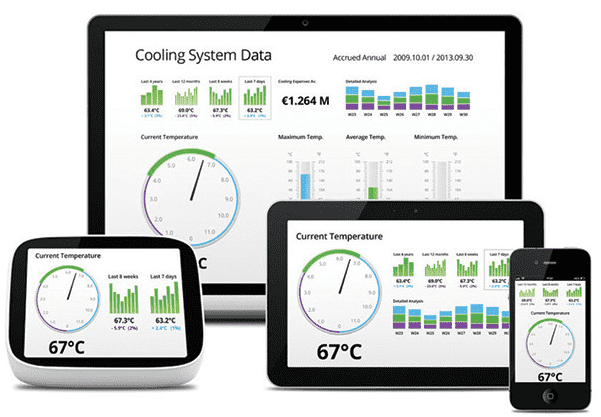
Qt is an application framework, andSW developed using Qt is compatible ( supported ) with MS Windows, MacOS, Android, iOS, Embedded Linux, QNX, etc. Therefore, there is no need to develop separate applications compatible with each operating system . And Qt isn't just a development framework for GUIs. It offers a vast array of APIs that address the needs of a wide range of industries .
SW developed with Qt can be ported to each operating system . For example, to develop an app for Android , you need to use JAVA , Android SDK, and NDK , but if you develop using C++ , which Qt uses, you can develop an app that runs on Android.
Applications developed with Qt can be ported to desktop operating systems , mobile operating systems, and embedded operating systems . Therefore, it is a development framework that can minimize labor costs and time required for development, and it uses C++. The development framework even includes tools that support multiple languages and development tools that can create installation distributions ( installation files ).
What can you do with Qt?
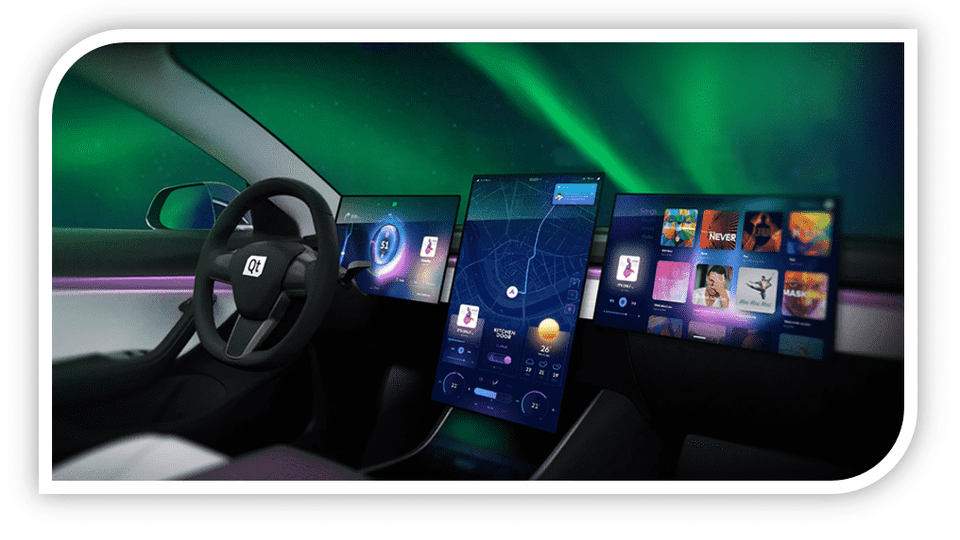
Qt can be used to develop software in a variety of industries . Tens of thousands of leading automotive OEMs use Qt. And countless other fields, including TVs, home appliances , and construction, are developing software using Qt.
It is possible to port SW developed with Qt to operating systems that operate at the MCU level, such as the FreeRTOS operating system, which is a real-time OS.
Qt, how do I use it?
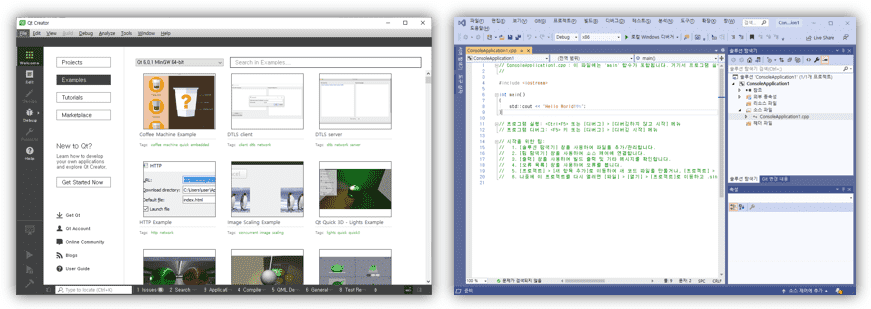
Qt provides the Qt Creator IDE tool as a development IDE tool . However, for developers familiar with the Visual Studio IDE tool, you can install the Qt Visual Studio Add-in to develop SW using Qt in the Visual Studio IDE tool .
Learn things like this
Developing with Qt minimizes time and cost by being compatible with various operating systems, and through this training course, you can learn how to develop SW using Qt.
Therefore, by taking this course, you can improve your ability to develop SW in various industrial fields and acquire Qt intermediate or higher level skills .
Learning the vast API provided by Qt
How to develop application software that works the same way on multiple platforms
Learn how to use the tools provided by Qt
I recommend this to these people
Those who need to develop SW compatible with various platforms
Those who want to develop SW required in various industrial fields using Qt
Lecture Structure 📖
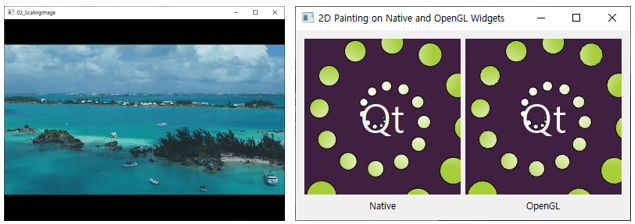
Section 1. 2D Graphics Using the QPainter Class The QPainter class can draw 2D graphic elements on a QWidget. For example, you can display shapes, lines, text, and images on a widget. In this section, you'll learn how to use QPainter to display 2D graphic elements on a QWidget.
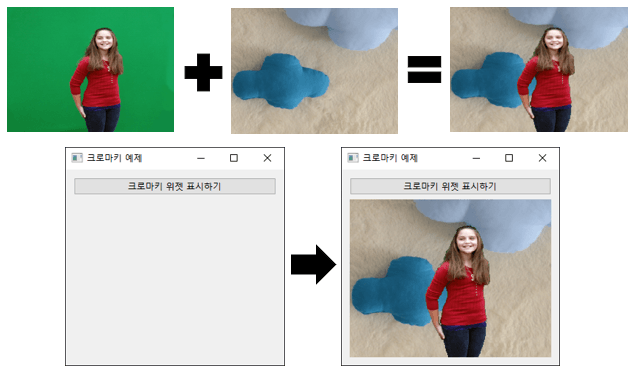
Section 2. QPainter in Practice: Implementing Chroma Key Image Processing Chromakey is the process of changing the background color by setting it to a specific color. Learn more about QPainter by implementing a method that replaces the green background in an image read in with another image.
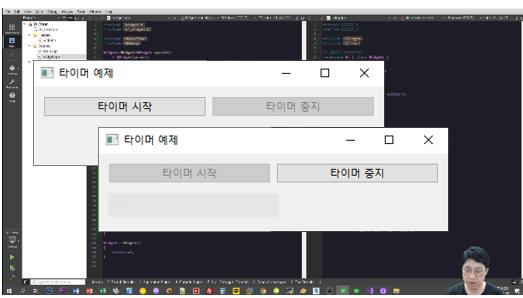
Section 3. Implementing a Timer Qt provides the QTimer class to call a specific function at a specified interval. In this section, you'll learn how to use QTimer.
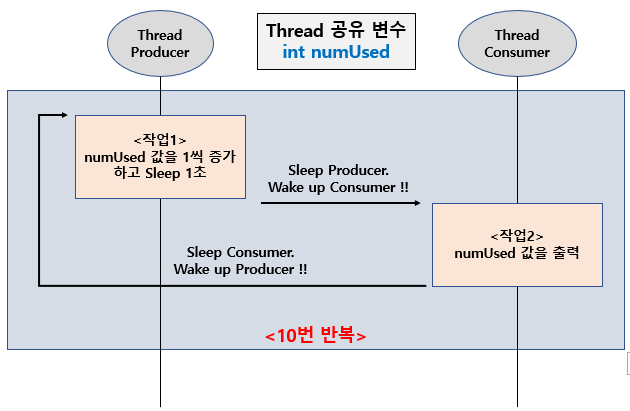
Section 4. Thread Programming Qt provides useful thread-related classes to simplify thread implementation. It also provides methods for implementing reentrancy-compliant threads. Therefore, in this section, we'll learn how to implement threads. Furthermore, we'll learn how to implement reentrancy-compliant threads in a multithreaded environment.
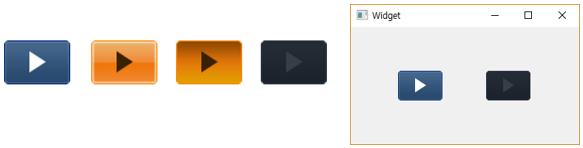
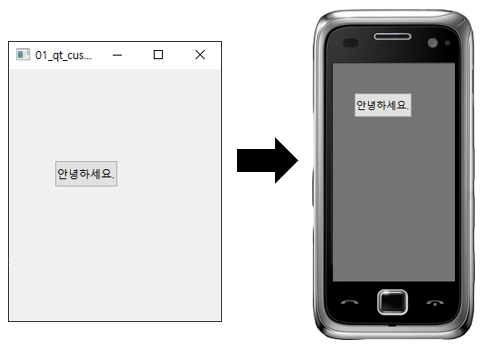
Section 5. Custom Widget If you can't build a GUI using the widgets provided by Qt, you'll need to create your own. In this case, you'll learn how to create custom widgets. You'll also learn how to implement non-rectangular window shapes.
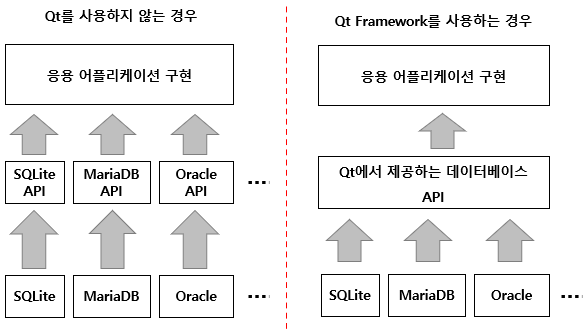
Section 6. Database Programming Qt provides an API for accessing databases. For example, the database API provided by Qt allows you to use a common Qt database API regardless of the database you use. For example, instead of using the client APIs provided by each database, such as MySQL, MS-SQL, Oracle, and SQLite, you can use the database API provided by Qt to handle databases such as MySQL, MS-SQL, Oracle, and SQLite in common. Therefore, in this section, you will learn how to use the database API provided by Qt.
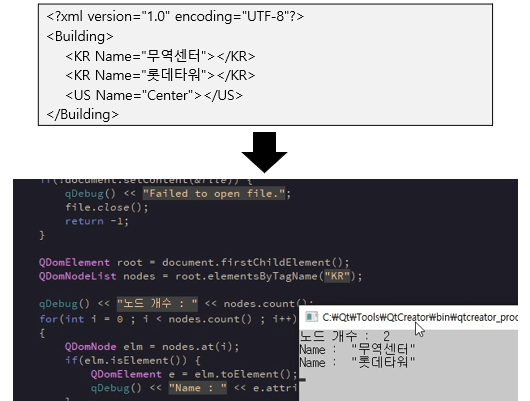
Section 7. XML Qt provides modules for easy XML handling. Using the XML module provided by Qt, you can easily handle XML data using SAX and DOM methods. In this section, you'll learn how to handle XML.
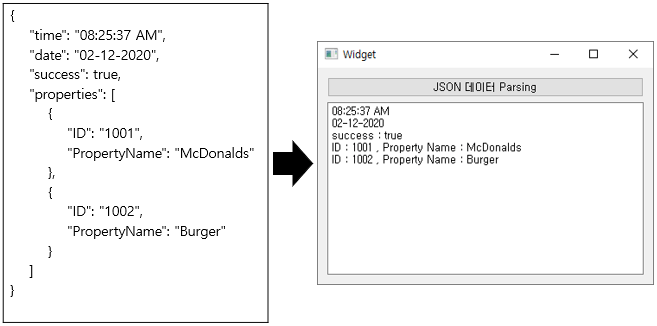
Section 8. JSON Qt provides a JSON module that allows you to easily handle JSON (JavaScript Object Notation). In this section, you'll learn how to easily handle JSON format using the JSON module provided by Qt.
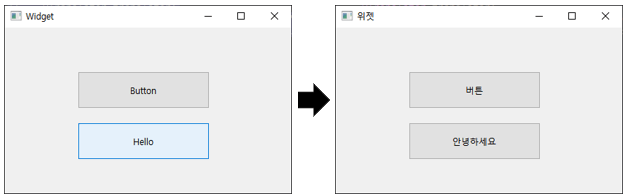
Section 9. Developing Applications That Support Multilingualism Qt provides an easy way to develop multilingual applications. In this section, you'll learn how to create multilingual applications using the multilingual tools provided by Qt.
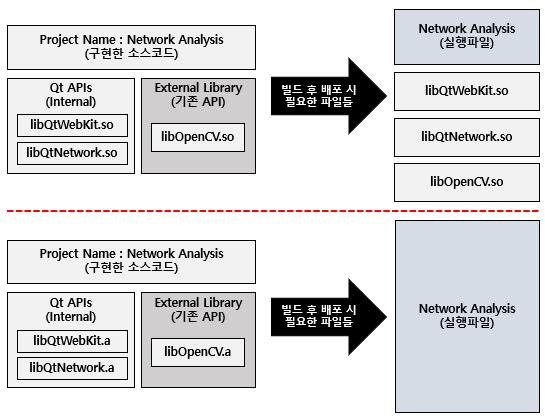
Section 10. Libraries Learn how to use external libraries in your Qt-based applications. You'll also learn how to create libraries with Qt.
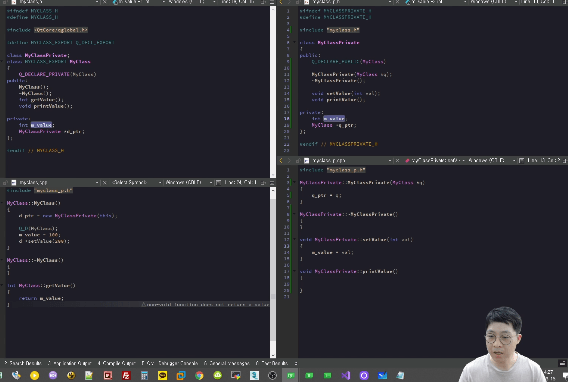
Section 11. D-Pointer For effective source code management following version upgrades, C and C++ use opaque pointers or opaque types. Qt has improved opaque pointers to make them more efficient, using D-Pointers. This section will teach you how to use D-Pointers.
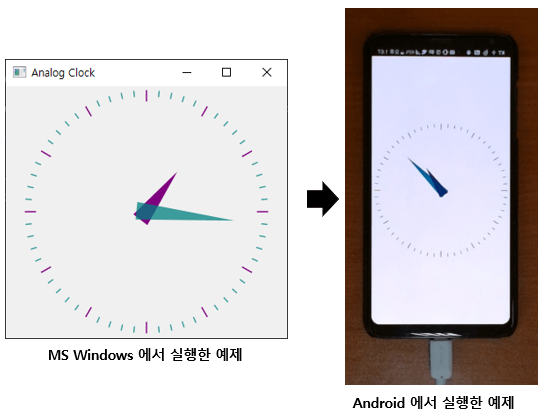
Section 12. Android Mobile App Development Using Qt Qt supports a variety of platforms. In this section, you'll learn how to build an app for the Android platform using C++ and Qt.
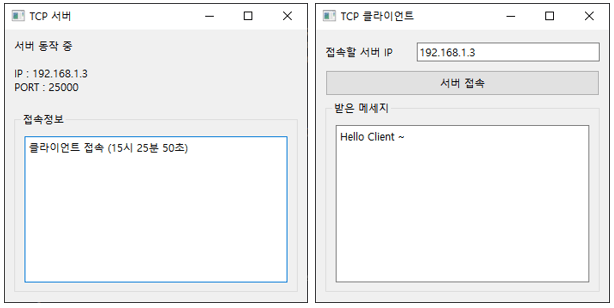
Section 13. Network Programming To make it easier to implement TCP/IP network-based applications, Qt provides the Qt Network module. In this section, you'll learn how to use the Qt Network module to implement TCP and UDP protocol-based applications.
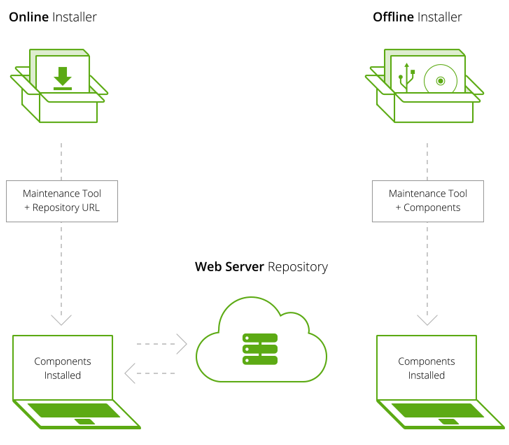
Section 14. Creating an installation distribution for distributing the developed SW. Qt provides a tool called the Qt Install Framework, which allows you to easily create installers for MS Windows, Linux, and macOS platforms. In this section, you'll learn how to create installers using the Qt Install Framework.
Recommended for these people
Who is this course right for?
Recommended for anyone who needs to develop applications that are compatible with multiple platforms.
You can develop SW in various industries such as automobiles, medical, multimedia, and networks.
Work Experience Current: SW Team Leader in the Embedded field LG Electronics, VS Division IVI Advanced Platform/Module Development SW Maestro, SW Mentor
Teaching Experience Samsung Electronics, Qt & QML Lectures LG Electronics, In-house Instructor for Qt & QML Hancom Academy, Qt Guest Lecturer Guest Lecturer for Qt at numerous IT companies
Thank you for helping me organize and supplement the parts I learned on my own.
In order to solve the Transform accumulation problem in Painter, please explain the save and restore functions when you have a chance.
In Json, if you create a JsonObject and setObject, and then output it as toJson in Document, the content will be modified, but it seems that it can be replaced with Save.
Since the lecture period is 3 months, if I can't watch the lecture later, I would like you to provide lecture notes so that I can refer to the content.
Of course. ^^ As you said, I will send you the lecture notes format after solving the Painter Transform accumulation problem and adding the save and restore functions. I will review JSON again and send you the revised content if there are any.
And I am distributing the Qt-related PDF that is added or revised in relation to the above on Github below, so if you refer to the URL below, it will be helpful.
https://github.com/eddykim777/qtbook
Thank you so much for taking the lecture. And thank you so much for taking the lecture for the first time. Bow~ (_._)
Advanced features such as QPainter, threads, custom widgets, DB, XML/JSON, networking, and more are systematically covered across the full scope of practical work, which was a great help in building actual applications. The course includes Android app development and installation package creation, making it a well-balanced lecture where you can learn desktop, mobile, and deployment all at once.







![[Introduction] Qt 6 Programming Part 1Course Thumbnail](https://cdn.inflearn.com/public/courses/326732/cover/9cda2d92-c82c-474b-810e-58e5cc25bc51/커버이미지_Qt 6 프로그래밍_1편.png?w=420)

![[Beginner] Practical Qt/QML Programming for Stepping Up to Intermediate LevelCourse Thumbnail](https://cdn.inflearn.com/public/courses/334936/cover/4f53471f-7fc8-4602-a102-4bb4872dae35/334936.png?w=420)

![[Beginner] QML Programming Part 2Course Thumbnail](https://cdn.inflearn.com/public/courses/334674/cover/7f8b40af-9435-49f3-a498-d0fb87a8ca43/334674.png?w=420)
![[Beginner] QML Programming, Part 1Course Thumbnail](https://cdn.inflearn.com/public/courses/329512/cover/c86fe3de-d56e-4fb8-8d24-d92ccffc6b7d/329512.png?w=420)
![[Level 3] From Beginner to Expert: Practical Application Master Class with Qt and PythonCourse Thumbnail](https://cdn.inflearn.com/public/courses/335355/cover/df1bb1b2-848a-430b-9eb3-087e418d0ffb/335355.png?w=420)
![[Level 2] Python Programming with Qt: QMLCourse Thumbnail](https://cdn.inflearn.com/public/courses/335346/cover/f8e06c2e-03bb-4e02-910d-965ee2e547b8/335346.png?w=420)
![[Level 1] Python Programming with Qt: IntroductionCourse Thumbnail](https://cdn.inflearn.com/public/courses/335089/cover/838ed04b-4bc0-4f9f-bd00-91361fcb6238/335089.png?w=420)