It helped me understand web assembly.
The part I want to know more about is the part where the program runs on a web client, so I would like an explanation on the part where data is linked to the web server. If you have any information on whether I need to link to the server through Emscripten SDK, Qt's QNetwork SDK, or another method, please share it.
5.0
hjwang
31% enrolled
Thank you for the detailed lecture.
5.0
funky856
100% enrolled
I really appreciate the lack of material on WebAssembly. It would be nice to have an in-depth course on using WebAssembly using only C++ and JavaScript.
What you will gain after the course
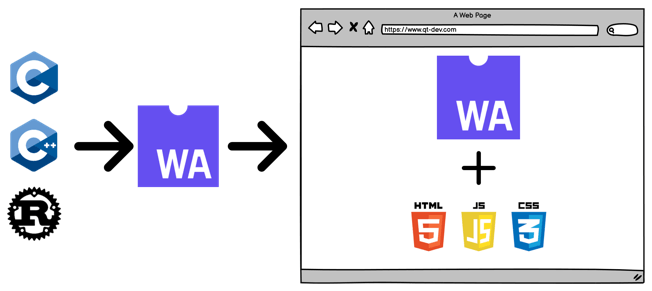
You can develop web applications that run in web browsers using C/C++/Rust.
You can develop web applications using C/C++/Rust instead of PHP, ASP.NET, JSP, etc.
You can develop web applications that run in a web browser by using existing C/C++/Rust source code as is.
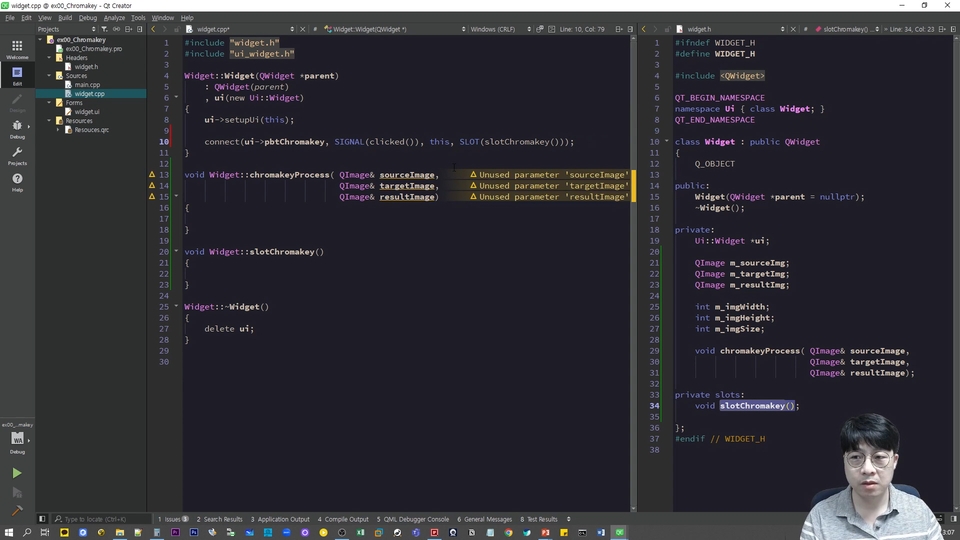
Now, let's easily develop for the web using Qt as well!.
Web applications with compiled languages? WebAssembly
Web application development has traditionally been carried out using various web programming languages such as HTML, CSS, JavaScript, PHP, ASP.NET, and JSP. However, with the introduction of WebAssembly technology, it is now possible to develop web applications in a more efficient and powerful way. In particular, new possibilities have opened up for implementing applications that run in web browsers using high-performance languages such as C, C++, and Rust.
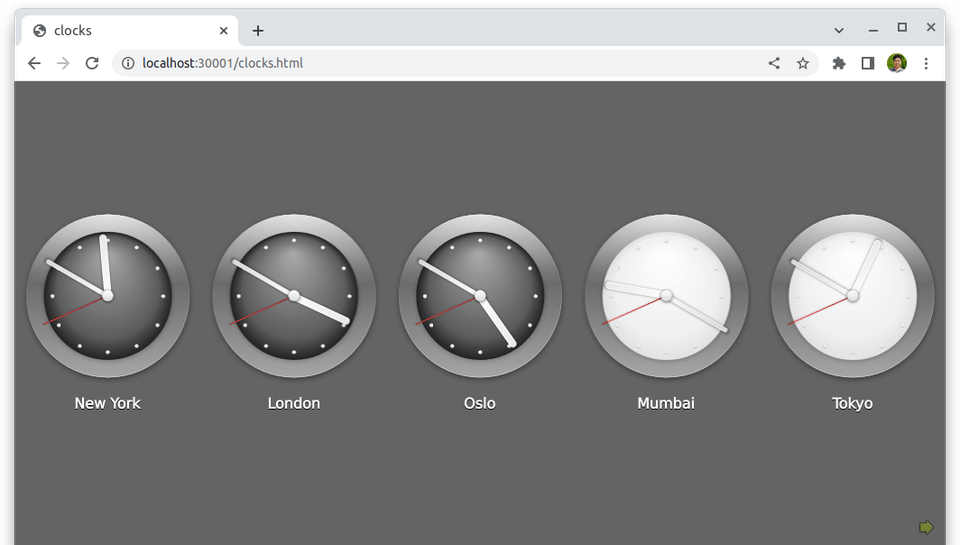
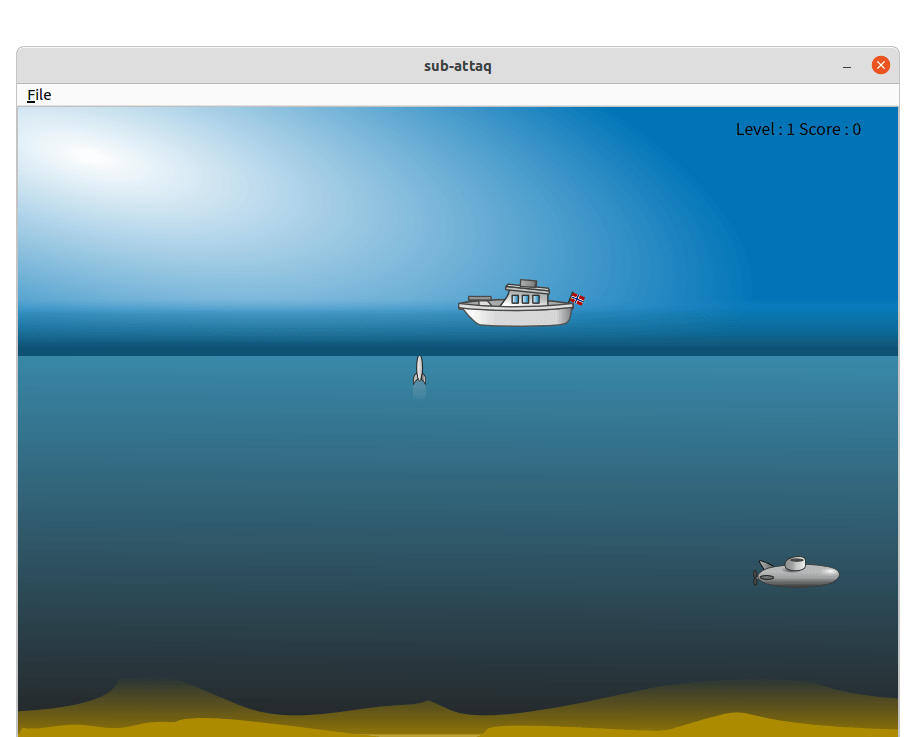
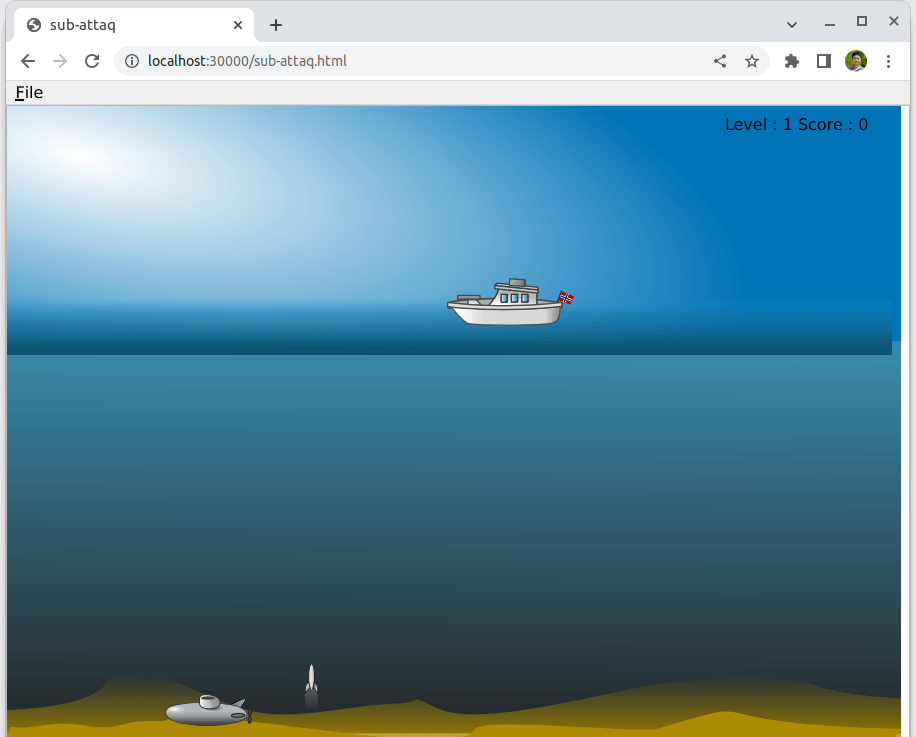
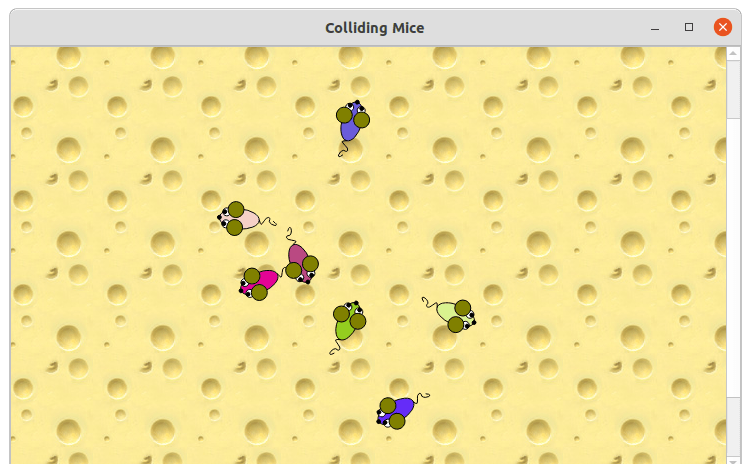
Native Web Application vs. WebAssembly
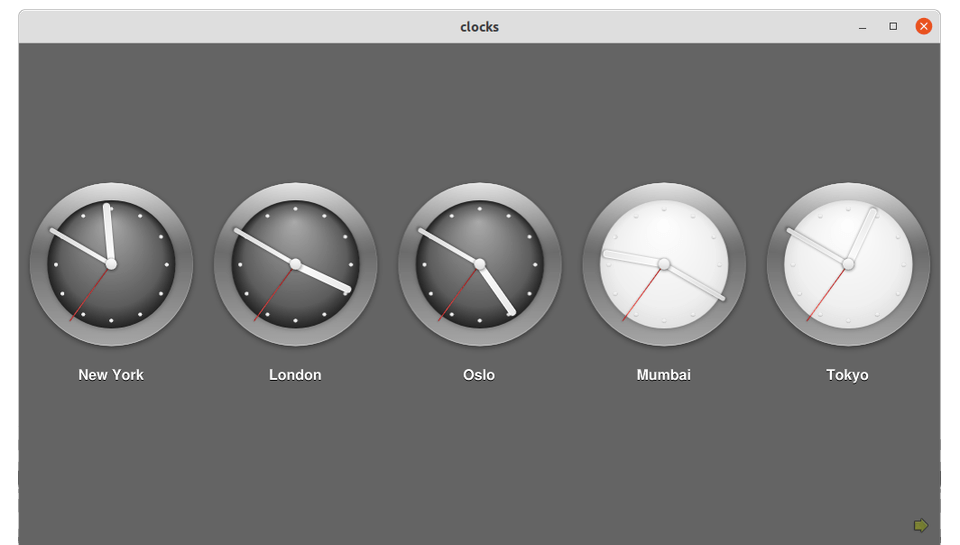
This is a comparison screen showing a native application and a WebAssembly-based web application built from the same source code. As a result, WebAssembly demonstrates such remarkable performance that it is difficult to notice any significant difference in execution speed.
1) Comparison screen of Clock execution built with the same source code
네이티브 컴파일러를 이용해 빌드한 파일을 실행한 화면
WebAssembly 기술로 빌드한 실행파일(WASM)을 웹 브라우저에서 실행한 화면
2) Execution comparison screen of the Submarine Attack game built with the same source code
네이티브 컴파일러를 이용해 빌드한 파일을 실행한 화면
WebAssembly 기술로 빌드한 실행파일(WASM)을 웹 브라우저에서 실행한 화면
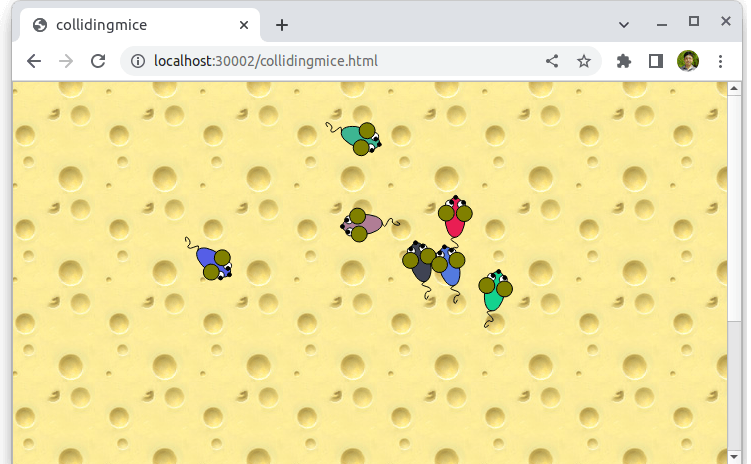
3) Execution comparison screen of Colliding Mice built from the same source code
네이티브 컴파일러를 이용해 빌드한 파일을 실행한 화면
WebAssembly 기술로 빌드한 실행파일(WASM)을 웹 브라우저에서 실행한 화면
Course Objectives
Learn how to effectively set up a WebAssembly development environment on various platforms, including Microsoft Windows, Linux, and macOS.
In addition, you can gain practical skills for developing web applications using WebAssembly technology by leveraging high-performance languages such as C, C++, and Rust.
Even web applications that require complex logic or high performance, which are difficult to develop with JavaScript, can be implemented more easily and efficiently through WebAssembly technology.
WebAssembly-based applications compiled from languages such as C, C++, and Rust provide native-level performance and boast exceptional execution speed and stability even in web environments.
Key advantages unique to this course ✅
A course designed with practical application in mind
This course is systematically designed to enhance practical skills. Each section is structured to help you build a solid foundation of basic concepts through theoretical learning, followed by implementing real-world examples to master skills applicable to the workplace. Through this process, learners can develop practical capabilities that are immediately applicable in real-world scenarios.
Boost your focus with vivid live coding
The instructor is featured on the lecture screen. Learn anytime, anywhere with the feel of an in-person class through vivid live coding sessions.
WebAssembly, recommended for these people!
✅ Those who want to develop high-performance web applications that run in web browsers
✅ Those who want to develop web applications that run in a web browser
Q&A 💬
Q. In addition to theory and syntax, will I be able to see various real-world examples?
Of course. You can learn the process of developing web applications that run in web browsers using WebAssembly through hands-on examples. Additionally, the curriculum is systematically structured to help you gain practical know-how that can be applied to real-world development through hands-on practice.
Q. Can I set up the WebAssembly development environment on my preferred operating system?
Of course. You can systematically learn how to set up a WebAssembly development environment on various operating systems, including Microsoft Windows, macOS, and Linux, through the lecture.
Q. Are there any reference materials or textbooks for the course content?
I serve as an administrator for the Qt Developer Community (qt-dev.com). You can find related information on this site.
Check out the course objectives.
You will learn how to set up a WebAssembly development environment on various platforms, including Microsoft Windows, Linux, and macOS.
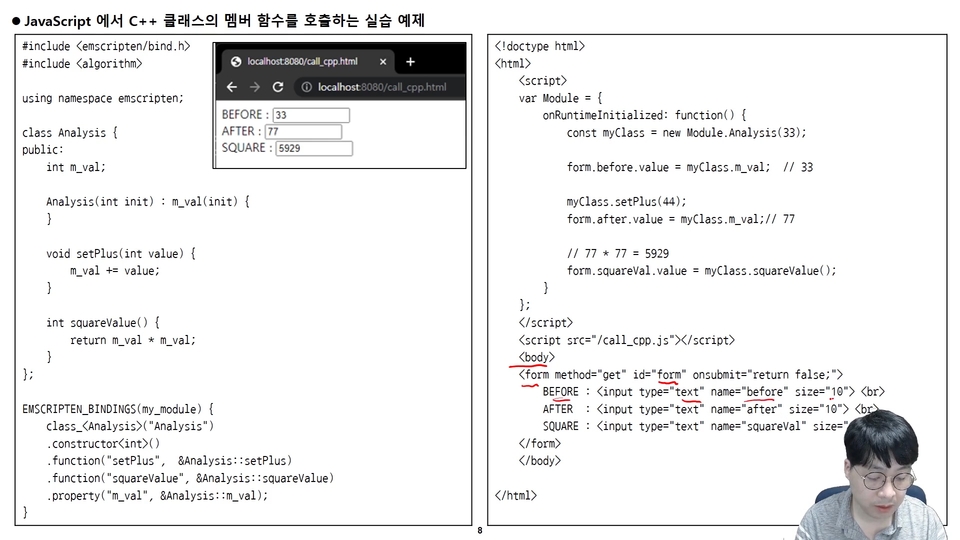
You can learn how to use C++ to develop web applications with WebAssembly technology.
WebAssembly technology allows you to more easily and quickly develop web applications that feature complex logic or require high performance, which are difficult to build using traditional web programming.
Recommended for these people
Who is this course right for?
Those who want to easily develop web applications that run in a web browser using C/C++/Rust
Those who want to develop high-performance web applications using C/C++/Rust
Work Experience Current: SW Team Leader in the Embedded field LG Electronics, VS Division IVI Advanced Platform/Module Development SW Maestro, SW Mentor
Teaching Experience Samsung Electronics, Qt & QML Lectures LG Electronics, In-house Instructor for Qt & QML Hancom Academy, Qt Guest Lecturer Guest Lecturer for Qt at numerous IT companies
I really appreciate the lack of material on WebAssembly. It would be nice to have an in-depth course on using WebAssembly using only C++ and JavaScript.
Thank you so much for your great review, funky856.
If possible, I will share how to use C++ and JavaScript in future updates.
And most of all, thank you again for taking the class and giving me a great review.
It helped me understand web assembly.
The part I want to know more about is the part where the program runs on a web client, so I would like an explanation on the part where data is linked to the web server. If you have any information on whether I need to link to the server through Emscripten SDK, Qt's QNetwork SDK, or another method, please share it.
Hello. Junghwan Jeong, thank you so much for taking the WebAssembly programming course.
Also, thank you so much for your great review.
Since the executable binary that runs using WebAssembly operates on the client side, it seems that the client will need to connect through a communication library such as a socket to communicate with the web server. There is no data right now, but I will write and add the part that communicates with the web server soon.
Thank you again for your great review. ^^;
If you have any further questions, please feel free to ask.




![[Level 3] From Beginner to Expert: Practical Application Master Class with Qt and PythonCourse Thumbnail](https://cdn.inflearn.com/public/courses/335355/cover/df1bb1b2-848a-430b-9eb3-087e418d0ffb/335355.png?w=420)

![[Level 2] Python Programming with Qt: QMLCourse Thumbnail](https://cdn.inflearn.com/public/courses/335346/cover/f8e06c2e-03bb-4e02-910d-965ee2e547b8/335346.png?w=420)

![[Level 1] Python Programming with Qt: IntroductionCourse Thumbnail](https://cdn.inflearn.com/public/courses/335089/cover/838ed04b-4bc0-4f9f-bd00-91361fcb6238/335089.png?w=420)
![[Beginner] Practical Qt/QML Programming for Stepping Up to Intermediate LevelCourse Thumbnail](https://cdn.inflearn.com/public/courses/334936/cover/4f53471f-7fc8-4602-a102-4bb4872dae35/334936.png?w=420)
![[Beginner] QML Programming Part 2Course Thumbnail](https://cdn.inflearn.com/public/courses/334674/cover/7f8b40af-9435-49f3-a498-d0fb87a8ca43/334674.png?w=420)
![[Beginner] QML Programming, Part 1Course Thumbnail](https://cdn.inflearn.com/public/courses/329512/cover/c86fe3de-d56e-4fb8-8d24-d92ccffc6b7d/329512.png?w=420)
![[Introduction] Qt 6 Programming Part 2Course Thumbnail](https://cdn.inflearn.com/public/courses/326823/cover/9c839f33-d59f-422a-9704-64534673a39c/커버이미지_Qt 6 프로그래밍_2편.png?w=420)
![[Introduction] Qt 6 Programming Part 1Course Thumbnail](https://cdn.inflearn.com/public/courses/326732/cover/9cda2d92-c82c-474b-810e-58e5cc25bc51/커버이미지_Qt 6 프로그래밍_1편.png?w=420)
![[C#/.NET 6.0]Welcome, new to Blazor WebAssembly?Course Thumbnail](https://cdn.inflearn.com/public/courses/330523/cover/3fa0f720-ca44-40dc-be80-8935360415cb/blazor_wasm_iamge.png?w=420)