
[Part 1: Basics] OpenClaw.AI Master Class: Create Your Own Autonomous AI Agent with Gemini and Docker

Build your own AI headquarters at a low cost! This is a practical guide to building autonomous AI agents that combine Gemini 2.5 Flash and Docker to ensure security while reducing costs.

(4.9) 14 reviews

115 learners

Level Basic

Course period Unlimited

Docker
Docker
Business Productivity
gemini
gemini
AI Agent
AI Agent
openclaw
openclaw
Docker
Docker
Business Productivity
gemini
gemini
AI Agent
AI Agent
openclaw
openclaw

Reviews from Early Learners

4.9

5.0

Kevin

79% enrolled

Hello, I'm Kevin! OpenClaw is a personalized AI assistant that allows even those with no experience using AI tools to establish the concept of AI agents and try them out in real life. While some may already be using AI agents from a business perspective in corporate settings, I believe this is an innovative tool that those who haven't had that chance can use effectively. In Part 1 of the lecture, I focused on building a solid foundation for Part 2. Since Part 2 is currently in production, I hope many of you will join us and become someone who can thrive in the AI era! Thank you!

5.0

ํ•˜์ง„์ˆ˜

74% enrolled

As a humanities major, it's not exactly easy, but it's manageable if I follow along step-by-step. I just wish the code provided was a bit more organized. I'm looking forward to the next lecture.

5.0

kbjun22

100% enrolled

It was a very informative lecture where I could learn the basic principles of AI agents that I had only heard about. Following along with the lecture, I finished the entire course without even noticing the time passing.

What you will gain after the course

  • Building Your Own Autonomous AI Assistant System

  • AI workspace based on thorough security

  • Cost-effective integration of the latest AI models (Gemini 2.5 Flash)

  • Success stories in practical task automation

  • Know-how for Resuscitating Low-End Hardware

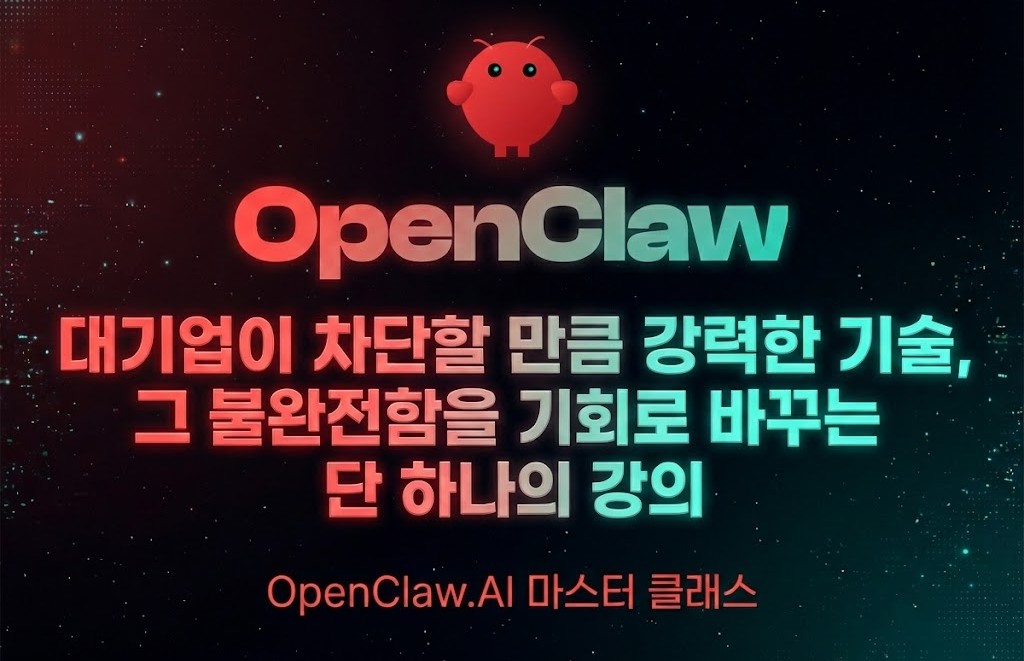
Recently, news has been circulating that major domestic IT companies are restricting the use of OpenClaw within their offices. This is due to concerns over security and the loss of control.

Paradoxically, however, this is the strongest evidence of just how disruptive this technology is. When smartphones and the cloud first appeared, companies also locked their gates citing 'security' as the reason. But in the end, the winners were not those who resisted the wave, but those who first learned how to understand the nature of the wave and control it safely.


"A massive trend has already begun; where do you stand?"

At this very moment, the global AI ecosystem is rapidly restructuring in the direction that OpenClaw is pursuing.

  • Claude Code has now opened the era of remote agents, allowing users to write code and issue commands from the outside via Telegram.

  • Perplexity AI's new 'Computer' feature has introduced an advanced system where multiple agents divide roles and process workflows in parallel.

What do these latest technologies have in common? It is that they are evolved versions of the 'autonomous agent system' that OpenClaw has already implemented and proven.


Working with OpenClaw is not just about learning how to use a tool. It is about being the first to experience the 'future AI agent standard' envisioned by Claude Code or Perplexity at a practical, in-depth level. While others only read about the future of work in the news, you will be building it into your own workflow right now.


Therefore, this lecture series presents the most definitive roadmap for overcoming vague fears and mastering a technology that may become the standard of the future.

๐Ÿ›ก๏ธ Key Differentiation: Why must it be 'Docker'?

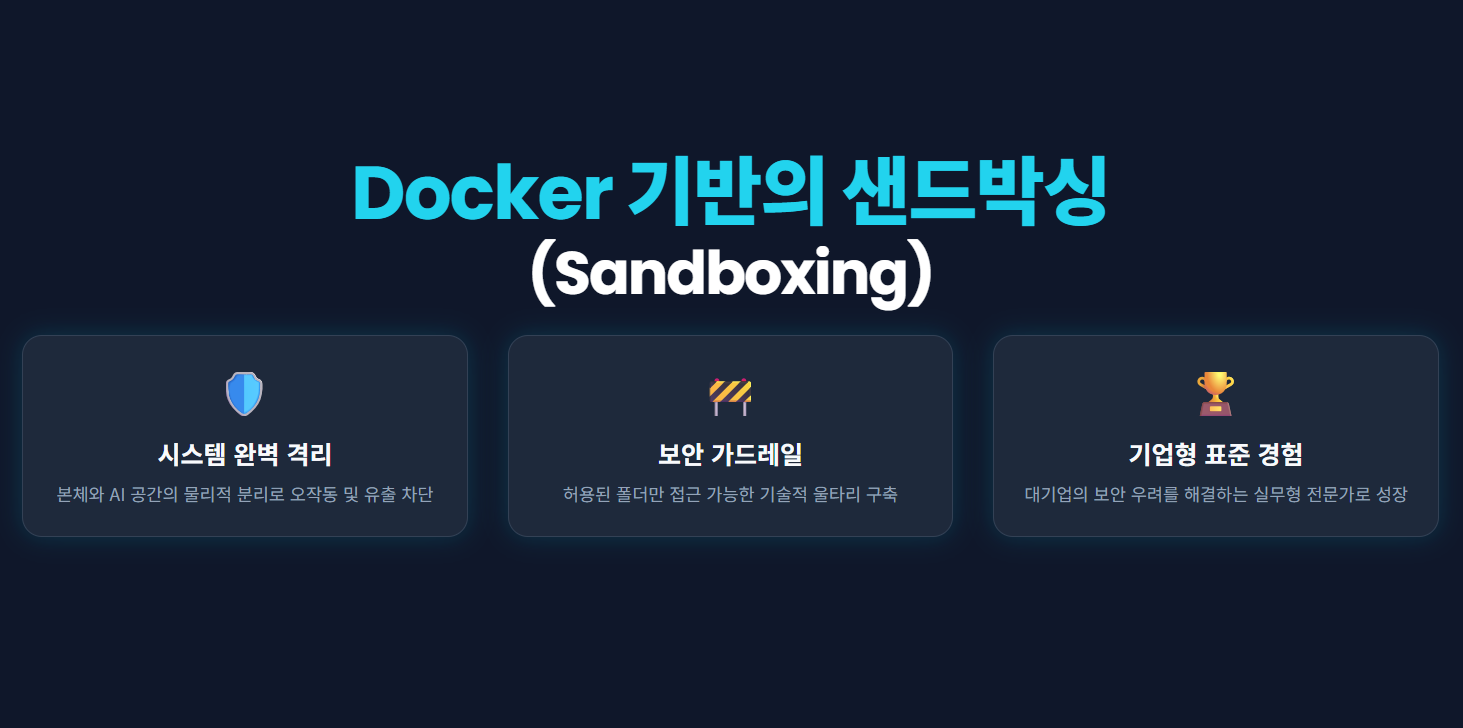
OpenClaw has the powerful authority to view the user's screen and move the mouse. To ensure this control does not threaten your host system, this course focuses on Docker-based sandboxing technology as a core element.

  • Complete System Isolation: By separating the space where the AI agent operates from your main PC, we protect your precious files and settings from AI malfunctions or data leakage threats.

  • Setting Up Security Guardrails: You will learn how to set up technical boundaries so that the AI can only access the folders and tools we permit, rather than having unrestricted access.


  • Enterprise-grade Security Standards Experience: Through the process of technically resolving security risks that large corporations are concerned about, you will transform into a 'security-centric AI expert' who is immediately welcomed in the field.

  • Special Lecture on OpenClaw Agent Security Strategy and Vulnerability Response:

    • At the end of the course, through the 'Security Special Lecture', we analyze OpenClaw's security mechanisms and potential vulnerabilities. It transforms you into a 'Security-Focused AI Expert' who can predict security threats and establish defense strategies, going beyond just being a user who utilizes features.

๐Ÿš€ After taking this course, you will experience these changes


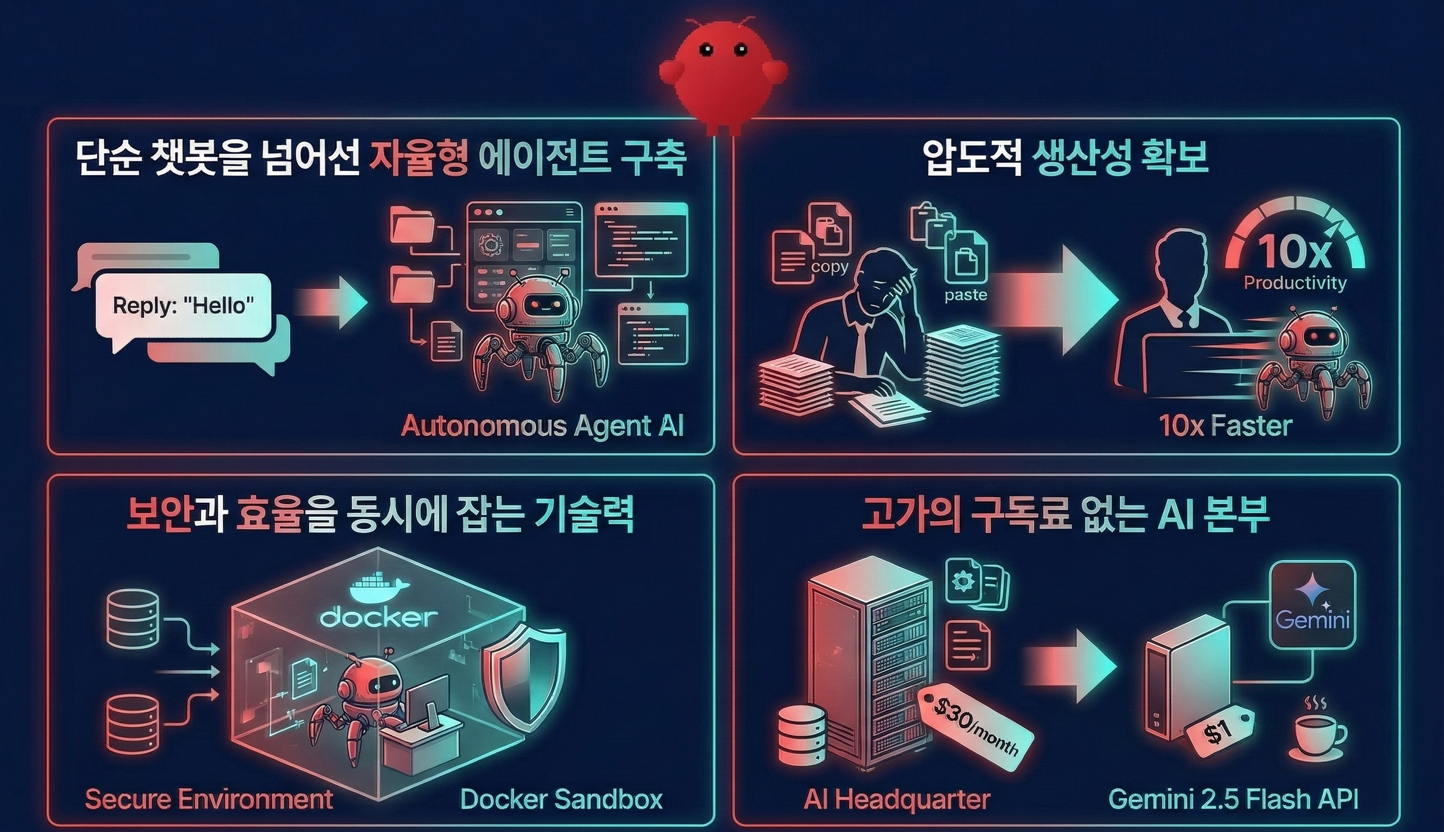
  • Building Autonomous Agents Beyond Simple Chatbots: Instead of a chatbot that only answers questions, you will transplant Agentic AI that thinks and acts on its own into your PC.

  • Achieve overwhelming productivity: You will be freed from the tedious manual work of copying and pasting every time, experiencing improved efficiency compared to before.

  • Technology that captures both security and efficiency: You will gain the 'real skill' of safely containing and utilizing AI within a Docker sandbox.

  • An AI headquarters without expensive subscription fees: You will own a system that runs top-tier intelligence at all times at a reasonable cost by integrating the Gemini 2.5 Flash API.

๐Ÿ’ก Why 'OpenClaw' and 'Autonomous Agents' now?

1. Changes in Corporate Hiring Trends: "The Era Where One Person Replaces Ten"

Amidst the developer hiring freeze, companies now want 'architects who command AI legions' rather than 'simple coders.' OpenClaw, an autonomous agent, is the future standard that monitors tasks in real-time and acts on its own judgment.


2. Security issues are not a 'barrier' but a 'competitive advantage'

The reason companies block it is that this technology is powerful enough to perceive and control the entire screen. This course does not hide these security vulnerabilities. Instead, by covering how to overcome them and safely integrate them into practice within an isolated learning environment (Docker), we will transform you into 'an AI expert who understands security'.

๐Ÿ’ป I highly recommend this course to the following people!

  • Developers and practitioners tired of repetitive tasks: Those who want to be freed from the manual labor of summarizing hundreds of files and writing reports.

  • Learners concerned about their PC's security: Those who want to try AI agents but have hesitated due to fear of system contamination or information leakage.

  • Early adopters who want to stay one step ahead of others: Those who want to move past the era of chatbots and preoccupy the next-generation standard, 'Agent' technology.

  • Technology leaders torn between security and efficiency: Those who want to learn how to technically control security risks while still leveraging the power of AI technology.

๐Ÿ“œ Lecture Section Introduction

Section 1. Orientation โ€“ Why โ€˜Agentsโ€™?

  • Understand the difference between chatbots and agents intuitively.

  • You will get a big picture of how OpenClaw.ai operates and how much we will build in this course.

  • We summarize the hardware cost-effectiveness strategy that utilizes existing PCs and laptops without additional costs, and provide a pre-installation checklist as a free guide.


Section 2. Environment Setup โ€“ Creating a Secure AI Workspace

  • Install Docker and configure a security sandbox environment isolated from your PC.

  • By creating the config and workspace folder structures yourself, you will learn how to distinguish between "where configuration files go vs. where actual work files go.".

  • Through volume mount settings, safely connect the local folder โ†” inside the container.

  • Docker/Linux commands that are easy to confuse are supplemented with a free guide cheat sheet.

Section 3. Equipping the Brain โ€“ Gemini API Integration

  • Practice how to issue a Gemini API key from Google AI Studio and manage it securely.

  • Try your first boot with the minimum configuration file (openclaw.min.json) and experience the process of filling out your own openclaw.json through onboarding.

  • We provide a System Prompt template as a free guide to help you define "what kind of assistant this AI is and what tone and principles it works with."

Section 4. Hands-on Practice โ€“ Autonomous File Control

  • Set the IDENTITY/USER profile through the OpenClaw dashboard chat to define the AI assistant's persona and its owner.

  • Observe firsthand the workflow where it scans a specific folder on its own, identifies the file list, and selects the necessary tools to use.

  • We will practice entrusting an entire example project folder, such as cafe_project, to the AI, having it summarize planning proposals, calculate budget totals, and organize to-do lists from meeting minutes, and then automatically generate a final_report.txt. (bรกo cรกo_cuแป‘i_cรนng.txt).

  • You will learn "how to make a single line of prompt perform multiple tasks simultaneously."

Section 5. Wrap-up โ€“ Review and Preview of Next Steps

  • We will summarize the entire workflow from installation to automatic report generation once more and cover precautions for maintenance and updates.

  • We will summarize the roles of the model (Gemini), the agent (OpenClaw), and the user with analogies to make them easy to remember.


  • Briefly preview what features will be expanded in the upcoming lectures (remote control, Telegram integration, etc.).


Section 6. Security Special Lecture โ€“ Minimum Defense Strategies to Protect My Assistant

In this section, we will practice raising the security level of the already well-functioning OpenClaw assistant to a point where it is suitable for use in real-world environments. Going beyond simply "hiding keys," you will learn through firsthand experience with code and configuration files exactly what is dangerous to leave behind and where.

  • Instead of leaving the Gemini API key as plain text in configuration files like auth-profiles.json, we will change the method to moving it to the host OS environment variables and then injecting it into the container.

  • Remove unnecessary flags (--allow-configured) from the command option in docker-compose.yml to reduce the scope of settings the agent can access. ฤ‘แปƒ giแบฃm phแบกm vi cแบฅu hรฌnh mร  tรกc nhรขn cรณ thแปƒ can thiแป‡p.

  • We will also refactor the token password to be passed via environment variables instead of being written directly in the file, reducing the risk of accidental uploads to repositories or exposure during screen sharing.

  • Through these tasks, you can naturally understand the difference between "convenient settings for development/practice" and the "safety measures required for an agent running on an actual PC."

After listening to this section, you will develop the sense that โ€œkeeping my assistant safe is just as important as making it smarter,โ€ and your fundamental habits for handling API keys and tokens will change when working on other projects in the future.

๐Ÿ“ข A word from the instructor

Will you remain a quitter who says, "I can't do it because of security," or "I will build a system that achieves 10x efficiency through safe control" will you become a leader who says that?


Hello. This is Kevin.

I am striving to create a lecture that can be helpful to everyone who wishes to utilize OpenClaw.

I believe that focusing solely on learning how to use OpenClaw could lead to overlooking "security," which is one of the most important essentials. Therefore, I designed this course with security in mind, and I plan to continue covering it as an integral part of the curriculum moving forward.

Furthermore, this course goes beyond the mere use of OpenClaw, focusing on building a security sandbox to develop the proper intellectual foundation required for the full-fledged AI era.


I will add my small effort to help you grow into a competitive intellectual who leads upcoming trends, so please don't give up until the end; I hope we can adapt well and thrive together in this new era.


Keep it up!

โš™๏ธ Download Lecture Materials

  • Provided Materials: PDF lecture notes for each lesson used in the course, source code required for practice, and a free guide are provided.

๐Ÿงฐ Tech Stack Used

  • OpenClaw

  • Docker

  • Google Gemini API(2.5 flash)

โœ… Do you have any questions?

Q. I am a non-major who knows nothing about coding. Can I really follow along?

It is definitely possible.

This course is not about memorizing complex programming syntax, but rather a class where you learn the process of moving the "intelligence called AI" into a "secure workspace called Docker."

Technical commands are designed to work simply by copying and pasting them from the guidebook.

You will be focusing on designing the logical structure of "how to put AI to work for my tasks," rather than on the technology itself.

Q. Why use a complex program like Docker? Can't I just install and use it directly on my PC?

Docker is a virtualization technology with numerous advantages. In particular, the most important reason we use Docker in this course is for "security."

AI agents have powerful permissions to read and write files on your PC. If you release an agent across your entire PC without security measures, there is a risk that important files could be deleted or personal information leaked due to unexpected errors.

Docker provides a 'safe, dedicated workspace (Sandbox)' for the agent. By isolating the agent to operate only within that space, it is an essential choice for safely utilizing AI while perfectly protecting your precious host PC.

Q. Is it possible to practice on low-spec laptops or old PCs?

Yes, it is possible.

OpenClaw processes complex AI computations on Google's servers (Gemini API) rather than on your own computer. Since your PC only serves to transmit those commands and manage the resulting files, you can sufficiently build your own AI server even with a 5-6 year old laptop, as long as it meets the minimum specifications to run Docker.

Detailed hardware usage strategies are explained separately in the lecture.

Q. Is there a specific reason for using the Gemini API?

The decision to use the Gemini API was made because of Google's ecosystem.

Assuming we are building an agent-based automation system, I carefully decided on this after concluding that integrating the various Google services we use in our daily lives into the agent system would further improve our quality of life.

I decided on the Gemini API.

Of course, once you have built a solid foundation, I believe it won't be difficult to expand to any AI model you desire.

Q. Will my assistant be complete with just the Part 1 lectures? What is the difference from Part 2?

After completing the Part 1 lecture, you will have a 'capable assistant that works perfectly within my computer.'

The core abilities to analyze text files and write reports are all completed in Part 1.


Part 2 is an advanced course specialized in 'remote control' to utilize this assistant via smartphone (Telegram) even when you are away from home. First and foremost, I believe the most important thing is to solidly build the assistant's 'intelligence' and 'work environment' in Part 1.

Q. Can I use AI like ChatGPT or Gemini to carry out this project?

In the modern development paradigm, it is actually more unusual not to utilize AI. I highly recommend that you use it actively.

However, you should be wary of simply handing everything over with a request like "make this for me." If you are a beginner, you must first understand the principles of how the system works and the security rules with your own mind.

Please keep in mind that relying on AI too early can lead to losing the 'technical self-sufficiency' needed to solve problems on your own when they arise later, so I recommend using it appropriately.

๐Ÿ’ก Notes before taking the course

Practice Environment Operating System and Version (OS)

  • Windows 10/11 (Both Home and Pro versions available)

  • macOS (Both Intel and Apple Silicon supported)

  • Linux (All distributions where Docker can be installed)


โ€ป Note: To run Docker Desktop, 'Virtualization Technology' must be enabled in your system BIOS settings.


Computing Power (Hardware)

  • CPU: Virtualization-supporting CPU (most CPUs released within the last 5โ€“6 years)

  • Memory: Minimum 8GB or more recommended (to smoothly run Docker and the browser simultaneously)

  • Storage: Approximately 20GB or more of free space (for storing Docker images and project files)


Tools Used: Docker Desktop (or Docker Engine)

  • This is a core tool for building an isolated workspace (sandbox) for the agent.

  • We will cover the installation process in detail during the lecture, so you do not need to install it in advance.

Visual Studio Code (VS Code)

  • This is the main code editor for editing the agent's configuration files (.env, .yml) and persona files (.md).

  • It is a free tool and will be used as the standard editor for the course exercises.

Google AI Studio (Gemini API)

  • This is the API key for the AI model that will serve as the brain of the agent.

  • This course utilizes a 'Paid Tier (Free of Charge)', so there may be some additional costs incurred during the hands-on exercises. (Google account required)


Network Environment

  • Since you need to communicate with Google's AI servers in real-time, a stable internet connection is required.


Precautions

  • If you wish to use the learning materials and code from this lecture in your personal space, such as a blog, you must include the lecture title, the instructor's name, and a link to the lecture. Please understand that any other unauthorized distribution is not permitted.

Recommended for
these people

Who is this course right for?

  • Office workers who felt uneasy about using AI for work due to security policies

  • Working professionals who want to be freed from repetitive daily file management and summarization tasks.

  • Those who want to build 'AI that takes action' beyond a simple chatbot.

  • Cost-conscious talent who wants to own high-performance AI without the burden of monthly subscription fees.

  • A non-major who doesn't know complex coding but wants to have their own AI headquarters.

Need to know before starting?

  • Prerequisite Knowledge: "Basic computer literacy is all you need"

  • Mindset: "Overcoming the fear of the black screen (terminal)"

  • Preparing the Environment: "It's okay if you don't have a high-spec PC"

  • Recommendations (It's okay if you don't know these; it won't affect your ability to take the course!): You have heard of the terms 'Docker' or 'API'.

  • Recommendation (It's okay if you don't know, it won't affect your ability to take the course!): Experience using a text editor such as Notepad or VS Code.

Hello
This is Kevin

6,669

Learners

281

Reviews

124

Answers

4.8

Rating

11

Courses

  • Main languages or technologies: Java, Spring Framework, RxJava, Reactor, Spring WebFlux

  • Worked as a Backend Developer at Penta Security Inc. (From 2015.07 To 2022.01)

  • Worked as a Senior Educational Software Engineer (Backend) at Code States Co., Ltd. (https://www.codestates.com)
    (From 2022.03 To 2024.01.31)

- Working as a freelance developer and instructor (Since 2024.02)

- Author of

Hello, I'm Kevin. ^^

I am very happy to meet you all as an instructor here on Inflearn.

As is the case in any field, I believe that for a software developer in particular, constantly honing one's skills to keep up with ever-changing trends is the only way to survive. I am one of those developers who enjoys developing software while maintaining a mindset of always learning.

I started my courses on Inflearn with the hope that my knowledge and experience could be of even a little help to others.

I will continue to reach out to students through various courses that provide practical help. Thank you.


Questions and feedback are always welcome, so please feel free to reach out via email (it.village.host@gmail.com).


More

Reviews

All

14 reviews

4.9

14 reviews

  • insamdrink3364๋‹˜์˜ ํ”„๋กœํ•„ ์ด๋ฏธ์ง€
    insamdrink3364

    Reviews 3

    โˆ™

    Average Rating 4.3

    5

    74% enrolled

    As a humanities major, it's not exactly easy, but it's manageable if I follow along step-by-step. I just wish the code provided was a bit more organized. I'm looking forward to the next lecture.

    • kevin
      Instructor

      Hello Jinsu, Thank you so much for sharing the inconveniences you experienced in your course review. Reflecting on your feedback, I have just posted a new announcement regarding a more systematic update to the management of the lecture materials (including code). Part 2 of the lecture is expected to open as early as this week, or by next week at the latest. If you encounter any other inconveniences, please feel free to share your feedback anytime! Thank you!

  • ahnyesin13๋‹˜์˜ ํ”„๋กœํ•„ ์ด๋ฏธ์ง€
    ahnyesin13

    Reviews 4

    โˆ™

    Average Rating 4.8

    5

    63% enrolled

    It's fun

    • kevin
      Instructor

      I'm glad you're finding it fun. ^^ It gets even more interesting once you've actually built everything, so I'd like to ask you to stick with it until the very end~ Thank you!

  • jihoonyang6760๋‹˜์˜ ํ”„๋กœํ•„ ์ด๋ฏธ์ง€
    jihoonyang6760

    Reviews 1

    โˆ™

    Average Rating 5.0

    5

    32% enrolled

    • kevin
      Instructor

      Thank you for leaving a course review!

  • oliviahong7761๋‹˜์˜ ํ”„๋กœํ•„ ์ด๋ฏธ์ง€
    oliviahong7761

    Reviews 1

    โˆ™

    Average Rating 5.0

    5

    32% enrolled

    • kevin
      Instructor

      Thank you for leaving a course review! Have a great time with OpenClaw!

  • kmkang2281๋‹˜์˜ ํ”„๋กœํ•„ ์ด๋ฏธ์ง€
    kmkang2281

    Reviews 8

    โˆ™

    Average Rating 4.9

    5

    63% enrolled

    • kevin
      Instructor

      Thank you for leaving a review! I hope it was helpful!

Kevin's other courses

Check out other courses by the instructor!

Similar courses

Explore other courses in the same field!