
inflearn logo
inflearn logo

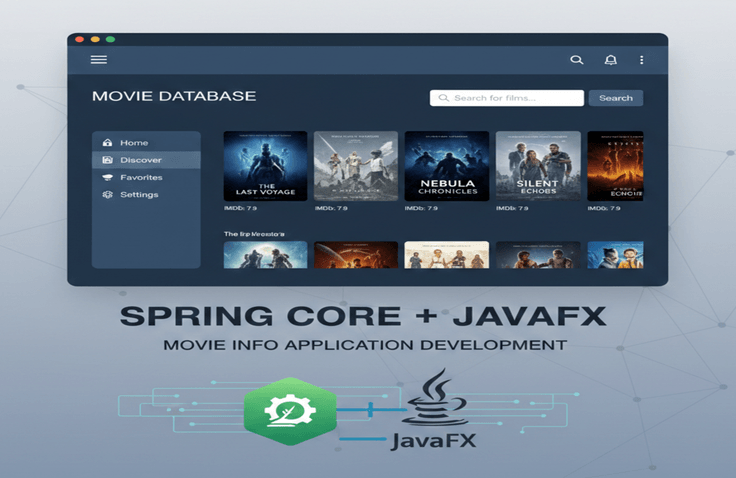
[Java Practical Project UI Edition] Building a Movie Information Application Based on Spring Core + JavaFX

In [Java Practical Project: UI Edition], we will create a movie information application that operates solely on pure Java technology using JavaFX. This course is designed to help you deeply understand the "structure connecting screens and logic" by directly implementing UI event handling, asynchronous logic, and user interaction flows in Java before moving on to web and smartphone apps. You will train your structural thinking by separating business logic and UI through integration with Spring Core, and learn how to solve UI performance degradation issues that may occur when fetching movie information from external APIs using asynchronous processing. Through this, you will clearly understand the principles of data flow, event listeners, and thread-based asynchronous processing, elevating your understanding of the Java language itself to the next level. In short, this course is a "practical stage to experience the essence of UI and the core of asynchronous processing with Java before moving to the web." Do not forget that this is not a class for just typing along with code, but a learning experience where you can personally master the principles of connecting UI and logic.

6 learners are taking this course

Level Basic

Course period Unlimited

Java
Java
JavaFX
JavaFX
Web API
Web API
Movie
Movie
spring-framework
spring-framework
Java
Java
JavaFX
JavaFX
Web API
Web API
Movie
Movie
spring-framework
spring-framework

What you will gain after the course

  • How to remove redundant code by combining Java interfaces and abstract classes

  • How to abstract an HTTP service by combining an HTTP communication client, Adapter, and Factory

  • How to connect JavaFX UI and business logic using an external movie information API

  • Ability to design and implement UI event handling, screen updates, and user input flows

  • How to improve UI performance using asynchronous calls (Thread, CompletableFuture, Task, Platform.runLater, etc.)

  • How to integrate the JavaFX UI layer in a Spring Core environment

  • How to apply the MVC (Model-View-Controller) pattern in a JavaFX environment

  • Separation of roles between FXML-based UI design and Controller code

  • Training thinking that can be expanded to Web UI development through JavaFX application architecture

  • Learning core concepts that lead to the web (event loops, asynchronous flows, state management) through Java UI

⭐ [Java Practical Project: UI Edition] Building a Movie Information Application Based on Spring Core + JavaFX

“A hands-on project where you build a UI application from scratch using Java, mastering everything from external API integration to UI optimization using asynchronous programming!”


This course is a practical project-based lecture where you will directly implement a desktop application for providing movie information using Java, Spring Core, and JavaFX.


Before moving on to web or mobile UIs, this course is designed to let you experience UI flow, event handling, asynchronous structures, and API-based screen rendering using only Java.

The goal of this course is not to master JavaFX skills in depth, but to quickly elevate the core concepts and practical implementation skills needed for a Java developer to expand into UI technologies.


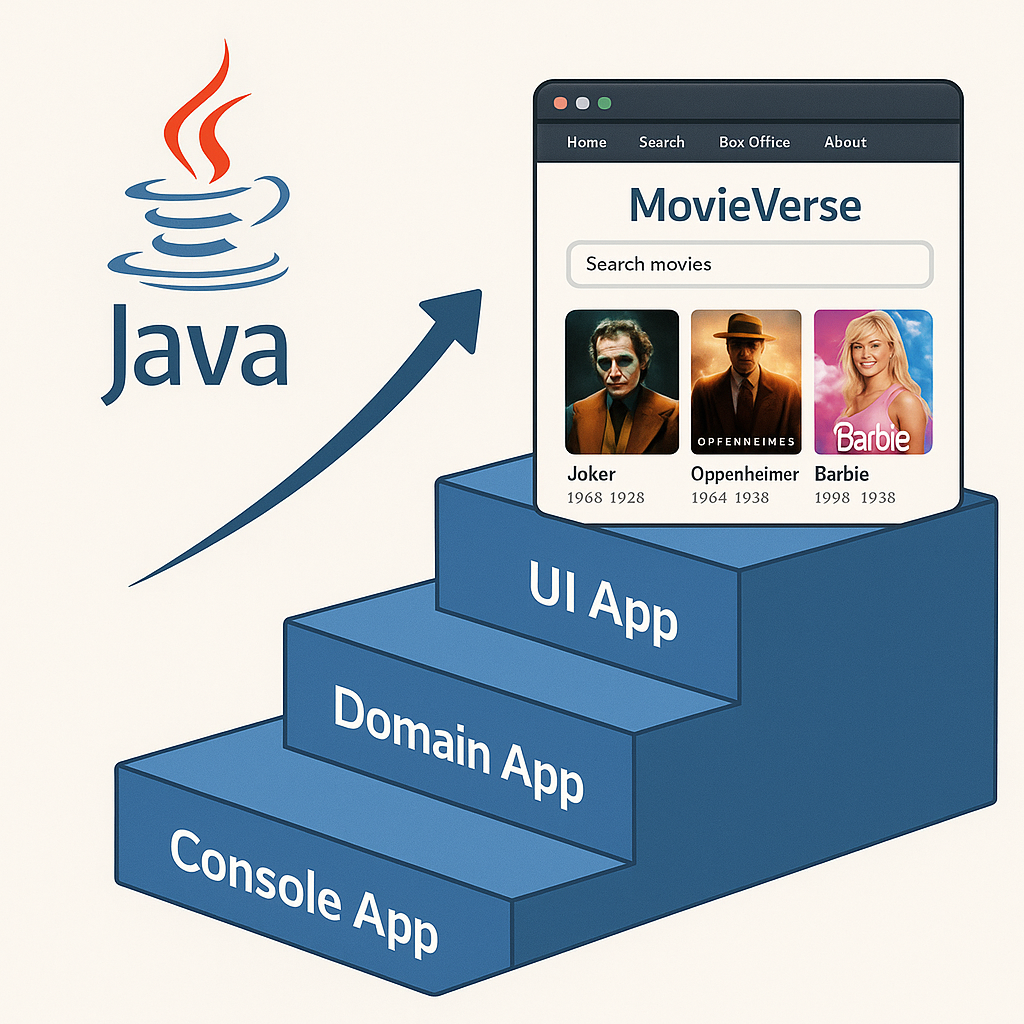
If in Part 2 you implemented a domain-centric order system for the console, in Part 3 you will gain hands-on experience with the essentials of UI applications, such as external API integration, screen transitions, image loading optimization, and asynchronous processing.

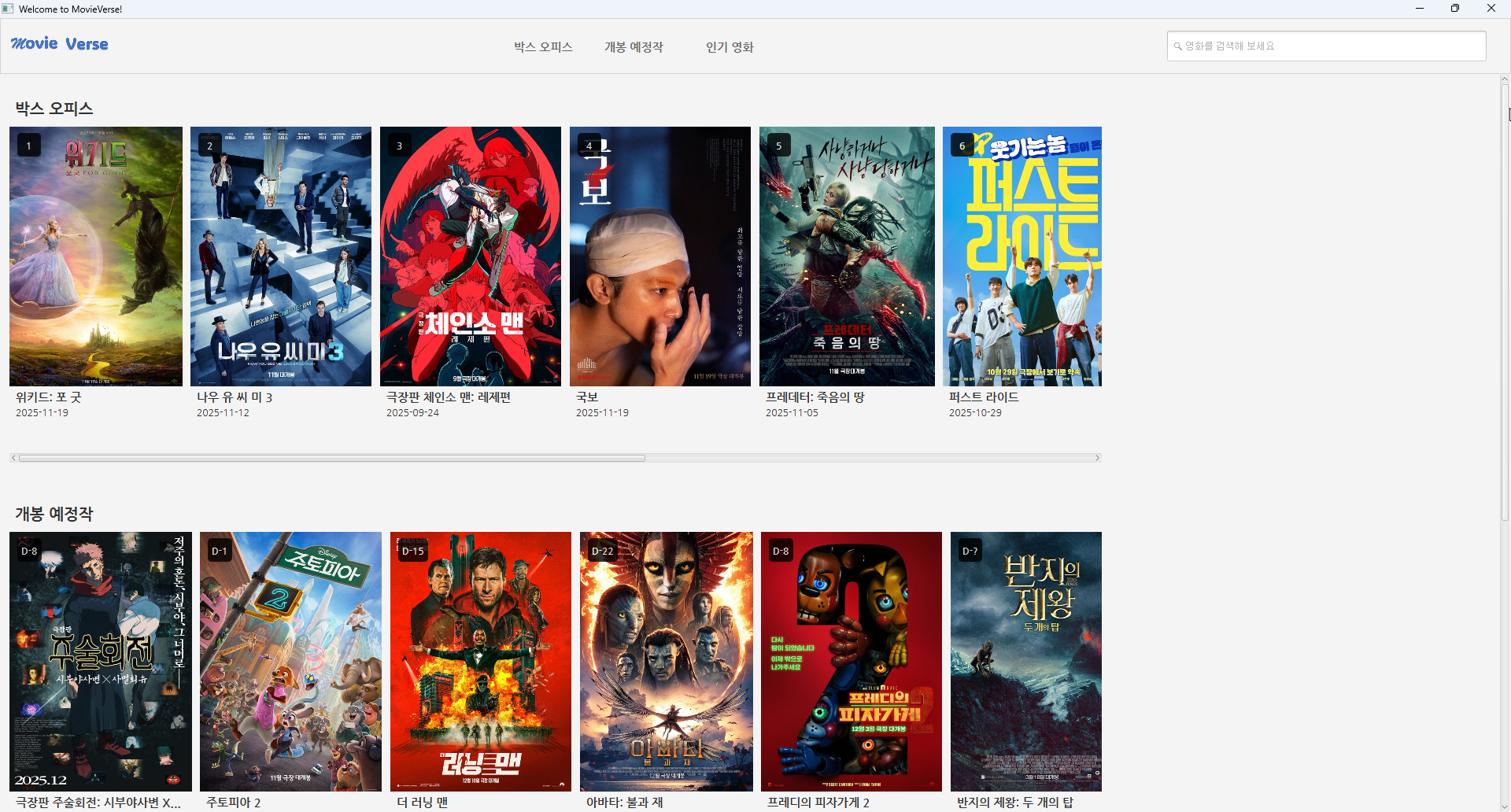
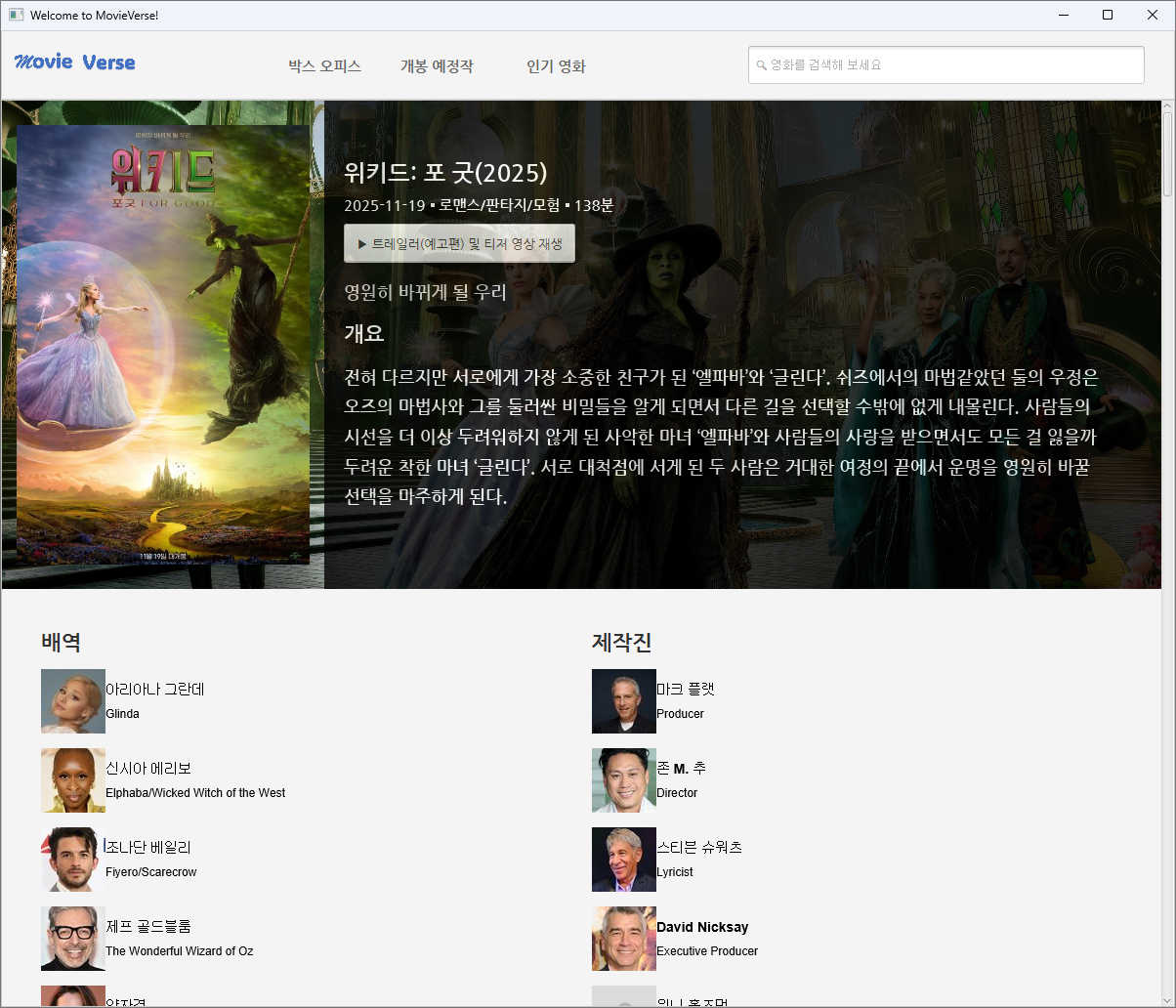
In this course, you can build your own desktop application for providing movie information using Spring Core and JavaFX.

⭐ Why does Part 3 of the Java Mini Project use JavaFX?

JavaFX is not widely used in practice.
Nevertheless, the reason for choosing JavaFX in this lecture is clear.


👉 “At the stage of entering as a Java developer, learning web and mobile UI technologies all at once is inefficient.”


Frontend frameworks like React, Vue.js, and Next.js have a
high learning curve, making it a significant burden for Java developers to learn them while simultaneously studying Java.

However, if you lack experience with web UI trends, you are likely to grow into only a half-baked Java developer.

I believe JavaFX is the best technology for learning this UI-side flow at the introductory stage of becoming a Java developer.


✔ Learn the core of UI structural design through Java

  • Screen transition structure

  • Event Handling

  • Asynchronous processing

  • State Management

  • Screen Rendering Flow

All of these are used in the exact same way in web UI.
Only the technology is different; the "concepts" remain the same.


Directly solve problems that arise during external API-based UI development

You will experience a real-world service scenario where response data received through external API communication is reflected in the actual UI.


✔ Growth comes from the process of optimizing inconvenient technologies

JavaFX is not as convenient as modern UI frameworks used on the web, nor is its performance outstanding.
That is why, instead, you will gain a deep understanding of
“Why is asynchrony important in UI?”
“Why should image loading be separated into threads?”


You will gain a deep understanding of these essential aspects.

This is the core reason why I created Part 3 of the Java Mini Project.

🎁 What competencies will you ultimately acquire?

  • ⭐ You will learn commonality techniques to eliminate redundant code by complexly utilizing Java's interfaces and abstract classes.

  • ⭐ You will understand why and how asynchronous processing is required in UI using tools such as CompletableFuture.

  • Before learning web UI technologies, you will first understand “What is a UI?” through Java.

  • Once you complete a UI with JavaFX, it becomes much easier to expand into other UI technologies such as React, Android UI, and HTML/CSS/JS.

  • ⭐ You can rise to the next level as a practical developer by experiencing the overall application flow of the Spring Core + UI combination.


🧱 Course Features

  • Project-based, hands-on practice:
    This is not just simple following; it is a practice-oriented structure where students first think through and implement solutions based on given requirements.

  • Pre-learning → Direct Implementation → Implementation Explanation process:
    If a specific technology is required for the lecture, the concept is first covered in a separate session,
    and after the student implements it first, comparative learning is conducted using the instructor's version of the code and explanation.

  • Practical Design:
    The entire process, from requirements analysis to structuring, implementation, and testing, is organized so that you can experience it according to real-world workflows.

🧰 Tech Stack Used

  • Java 17+

  • Spring Framework Core

  • JavaFX 21


  • JUnit testing framework


  • Layered Architecture Structure

👨‍🏫 Recommended for the following people

✔ Even if you have learned Java syntax and Spring Core

Those who have no experience building an application with a UI themselves


✔ Before moving on to frontend technologies

Those who want to first experience UI structure and event flow through Java


✔ Those who want to understand why asynchronous processing is important in UI applications


✔ While building a real-world API-based UI application

Java developers who want to enhance their project implementation skills


✔ After completing up to Java Mini Project 2

Those who want to create more "user-friendly" applications

❤️ The Instructor's Sincerity

This course was prepared to go beyond simply "following along with code" and provide you with the experience of completing your own application by designing and implementing it yourself.

I believe that no matter how great a technology is, if you cannot think for yourself and utilize it, it is like "staring blankly at a magnificent fireworks display without being able to express that moving feeling to the world."


I will help you until the end so that you don't just stare at the code, but take your first step toward becoming 'someone who can actually write code' in the real world.

Please do not give up on your dream of becoming a Java developer, and I will be rooting for you to do your best until the very end so that you can successfully start your career as a developer!

✅ Do you have any questions?

Q. I haven't taken Part 1 and Part 2 yet; is it okay to take only this course?

It is possible.

However, unlike the console environments in Parts 1 and 2, this course includes UI/UX technologies and many topics related to Java concurrency. Therefore, it would be beneficial to study Java Threads in advance.

Q. How much JavaFX do I need to know to be able to complete the project in this course?

In this lecture, we are not going to implement very complex UIs using JavaFX.

Therefore, I believe that if you learn just the basic usage of JavaFX, you will be able to follow along with the UI portion without any trouble.

Q. You mentioned that JavaFX is not used in actual development fields, so why use JavaFX as the UI technology?
It is because I focused solely on improving Java skills by concentrating on the fundamentals of the Java language.

The goal when first creating this lecture was to 'help you build a solid foundation in Java, the most important language'. Even now, as the development paradigm is rapidly shifting (towards one that utilizes AI tools), I believe the fundamentals of Java—which can be considered the original object-oriented language—must be even more robust, so I excluded other technologies or languages on the UI side.

I believe that by using JavaFX, I can experience UI development patterns while simultaneously strengthening my fundamental Java skills since it relies solely on Java. ^^

Q. Can I use AI to carry out this project?
Since building applications using AI is now a naturally accepted practice in the corporate world, I think it might actually be more unusual not to use AI tools like ChatGPT or Gemini.

However, I still believe that simply asking an AI to "make it like this" based on the requirements document provided in the lecture is not a desirable approach.

I believe most people taking this course are at an introductory or beginner level. If you rely too heavily on AI before you feel confident in your own thinking and implementation skills through programming, I think you might face a situation where it actually undermines your own growth.

💡 Things to note before taking the course

Practice Environment

  • Operating System and Version (OS)

    • Any operating system is fine as long as it is a PC environment.

    • However, you must be able to install JDK 17 or higher, and it is recommended to have sufficient computing power (CPU, memory, etc.) for the IntelliJ IDE to run the exercises smoothly.

  • Tools Used

    • JDK 17 (Minimum Requirement)

    • JavaFX 2.1 or higher

    • IntelliJ IDE

      • The IntelliJ IDE used in the lecture is the Ultimate version, but using the free Community version will not be a problem at all.

      • Even if you do not use IntelliJ IDE, it is perfectly fine to use any code editing tool you are familiar with (such as Visual Studio Code).

    • Spring Boot 3.x or higher

      • The lecture uses Spring Boot version 3.5.7, and any Spring 3.x version is fine for taking the course.


    • Gradle 7.3 (minimum requirement) or higher

      • Since the Gradle version compatible with JDK 17 is 7.3, I have matched the versions between the two.

      • If problems occur due to version compatibility, it would be best to refer to Java Compatibility and match the versions as much as possible.

    • JUnit 5 (minimum requirement) or higher

🎓 Learning Materials

Precautions

  • If you wish to use the learning materials and code from the lecture in personal spaces such as blogs, you must include the lecture title, the instructor's name, and a link to the lecture. Please understand that unauthorized distribution beyond this is not permitted.

Recommended for
these people

Who is this course right for?

  • Those who have mastered Java syntax and basic grammar but lack experience in UI event flow and asynchronous processing.

  • Those who have learned Java syntax and Spring Core but have no experience building an application with a UI.

  • Those who want to understand UI operating principles and user interaction structures through Java before diving into web development.

  • Those who want to gain experience in desktop UI development through JavaFX and develop their frontend sensibilities.

  • Those who have learned Spring Core but want to practice the connection structure between the UI layer and business logic.

  • Those who have taken Part 2 (Food Truck Kiosk) and want to create a practical project expanded into a UI environment.

  • Those who want to experience asynchronous programming firsthand with Java code

  • Those who want to understand the essence of UI/UX flow before entering the field as a web frontend or Java developer in the future.

  • Java developers who want to enhance their project implementation skills by building real-world UI applications based on APIs.

Need to know before starting?

  • Java Syntax and Object-Oriented Programming (OOP) Basic Concepts

  • Experience with basic Spring Core usage (Bean registration, DI, configuration classes, etc.)

  • Basic understanding of REST API calls and JSON data processing

  • Basic concepts of thread or asynchronous (Async) processing flows

  • Interest in GUI programming

  • Experience taking the Part 2 (Food Truck Kiosk) lecture or implementing a similar console project.

Hello
This is Kevin

6,483

Learners

256

Reviews

109

Answers

4.8

Rating

8

Courses

- Primary languages or technologies: Java, Spring Framework, RxJava, Reactor, Spring WebFlux

- Worked as a Senior Educational Software Engineer (Backend) at Code States (https://www.codestates.com)
(From 2022.03 To 2024.01.31)

- Working as a freelance developer and instructor (From 2024.02)

- Publications

Hello, I'm Kevin. ^^

I am delighted to meet you all as an instructor here on Inflearn.

As is the case in any field, I believe that for a software developer in particular, the only way to survive is to constantly hone one's skills to keep up with ever-changing trends. I am one of those developers who enjoys software development while maintaining a mindset of continuous learning.

I started my courses on Inflearn with the hope that my knowledge and experience could be of some help to others.

I will continue to reach out to students with a variety of courses that provide practical, real-world help. Thank you.

Questions and feedback are always welcome, so please feel free to reach out via email (it.village.host@gmail.com).

We will continue to reach out to you with a variety of courses. Thank you. Questions and feedback are always welcome, so please feel free to contact us via email (it.village.host@gmail.com).

More

Curriculum

All

36 lectures ∙ (6hr 29min)

Course Materials:

Lecture resources
Published: 
Last updated: 

Reviews

Not enough reviews.
Please write a valuable review that helps everyone!

Kevin's other courses

Check out other courses by the instructor!

Similar courses

Explore other courses in the same field!

Limited time deal ends in 7 days

$23,100.00

30%

$26.40