




Click! Web Crawling & Data Analysis Like a Pro with AI (w. GEMINI CLI)

Creating Your Own Data Analysis Portfolio with Free Gemini CLI Vibe Coding: Data Collection, Analysis, Reporting, and Dashboard Automation Even if you are new to data collection, you can collect, analyze, visualize, and create reports and dashboards like a professional data analyst once you master the principles, prompt engineering, and VSCode. From Python data collection to report writing with Gemini CLI and VSCode: Learn prompt engineering and troubleshooting methods for foolproof data collection and analysis.

(4.8) 45 reviews

559 learners

Level Beginner

Course period Unlimited

Python
Python
VSCode
VSCode
gemini
gemini
Python
Python
VSCode
VSCode
gemini
gemini

Reviews from Early Learners

4.8

5.0

Ho Sung Kim

75% enrolled

It was very helpful for coding. Antigravity suddenly appeared 😊😊;; I hope you can also cover how to use antigravity later.

5.0

김선환

32% enrolled

I'm enjoying your lectures. Please stay healthy always.

5.0

이상문

61% enrolled

It's great because it's a process that can be done alongside practical experience.

What you will gain after the course

  • Understanding the workflow from CLI-based web scraping to analysis using GEMINI CLI

  • Web Crawling Without Failure, Vibe Coding

  • Systematically managing AI-generated code versions by integrating Git and VSCode

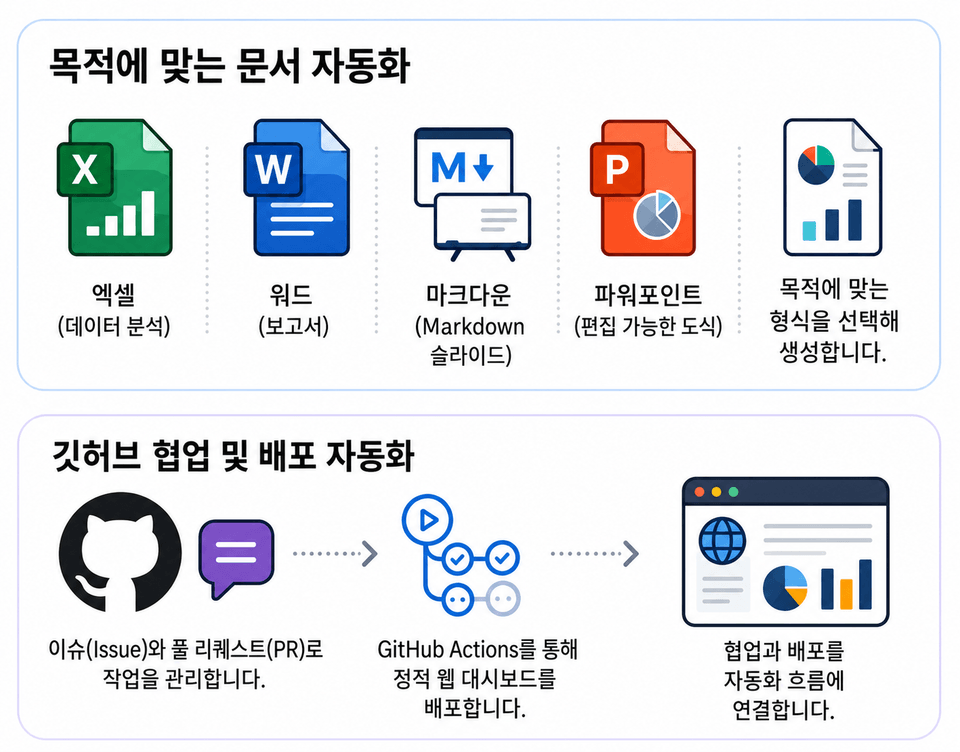
  • Visualize the collected data and reduce reporting time by automatically converting Markdown into PPT.

  • Building Your Own Data Analysis Web Application Using Streamlit

A New Experience with AI:
Practical Data Analysis


Easily solve data collection, analysis, and visualization with Vibe Coding using Gemini CLI and AI Assistant!


Until now,
there have been many hurdles to overcome
in order to perform data collection (crawling) and analysis.


Studying Python syntax, installing Selenium and setting up the environment,
and even repeated code modifications every time the HTML structure changes...
It took a lot of time and energy.

.
.

But now, the fact is that many things have changed with AI!

In this lecture,

Without the existing complex processes,
we will show you a new way to analyze data
using AI!


Difficulties of traditional learning methods

  • Expensive AI tool costs

  • Copilot ($10/mo), Cursor ($20/mo), ChatGPT Team ($30/mo)... The fixed cost of $50–$100 per month right from the start is burdensome.

  • Boring, grammar-focused lectures

  • You want to collect and analyze data, but you've been stuck on Python grammar for 20 hours... You get exhausted before even seeing an actual result.

  • Limitations of copy-pasting code

  • When the code generated by ChatGPT results in an error, you can't resolve it and eventually end up giving up.

Spreading your wings with Vibe Coding

  • Zero-Cost Strategy

  • Build an environment comparable to paid tools using the combination of VSCode (free) + Gemini CLI (free). It is not too late to switch to paid tools after you have become sufficiently familiar with them.

  • Project-centered and result-oriented

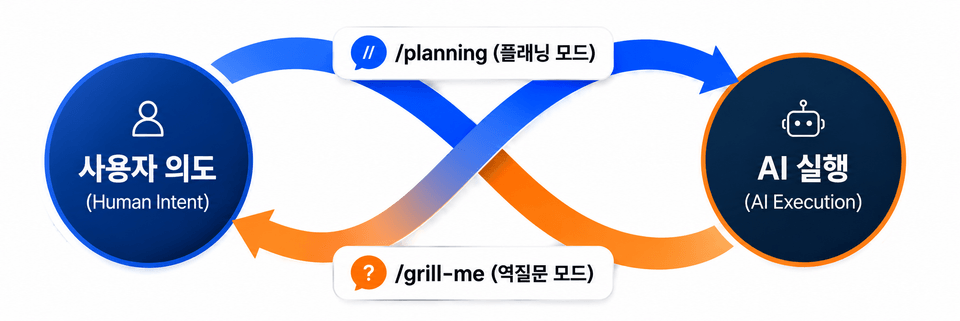
  • Leave the grammar study to the AI. We focus on the planning and instruction of "what data should we collect and how should we display it?"

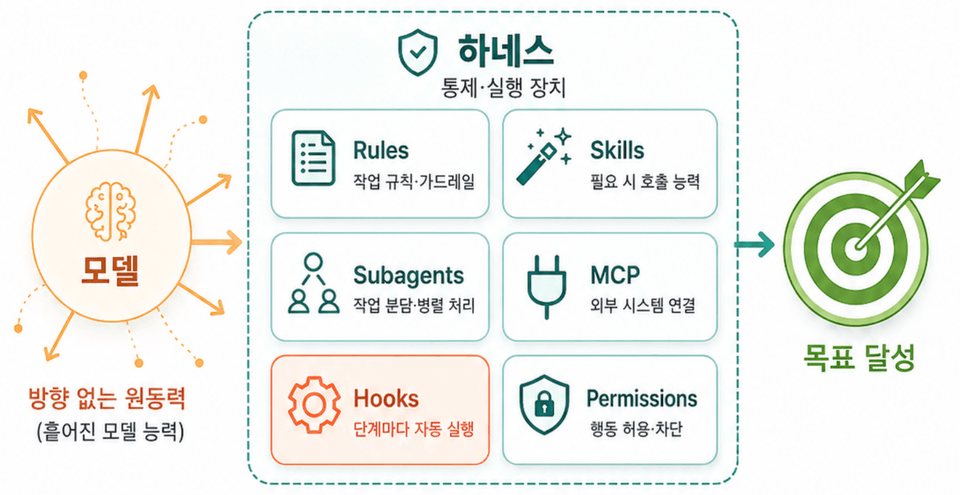
  • Self-fixing AI Workflow

  • You will learn 'Self-Healing' prompt techniques that allow the AI to fix errors itself when they occur by providing it with the logs.


⭐️ Key Highlights of This Course ⭐️

point 01.

Easily perform desired tasks with just prompts

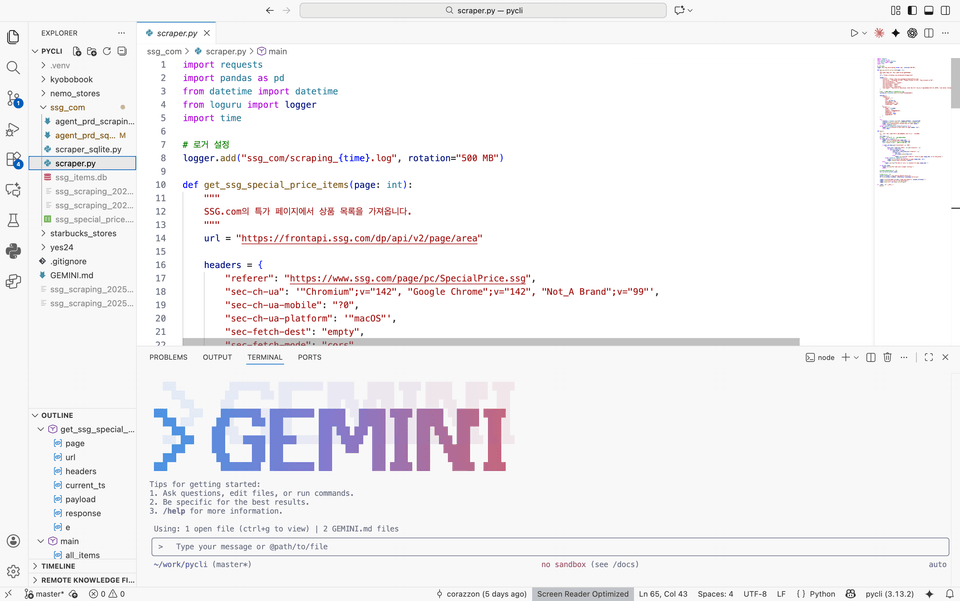
GEMINI CLI-based data collection and analysis workflow

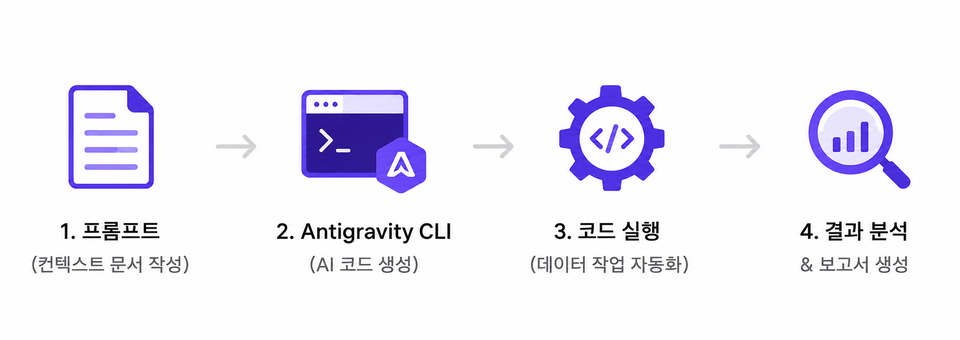
From data collection to cleaning to reporting all at once, using only prompts

A hands-on curriculum that anyone, including non-majors, can follow without complex coding, just like having a conversation with AI

Learn the principles of writing work orders so you can immediately apply them to any data analysis


point 02.

AI-based data analysis for free

Build a powerful AI analysis environment using only the Gemini CLI + VS Code combination

Start without any cost burden by conducting all exercises with free tools

Once mastered, it can be expanded to various AI coding tools such as Claude Code and Copilot CLI


> Why Gemini CLI?

Gemini CLI is a lightweight AI coding tool that runs immediately with a simple installation, allowing you to
easily design data collection, refinement, and automation workflows based on prompts.


point 03.

Practical projects implemented with real-world data

Practical projects using real website data
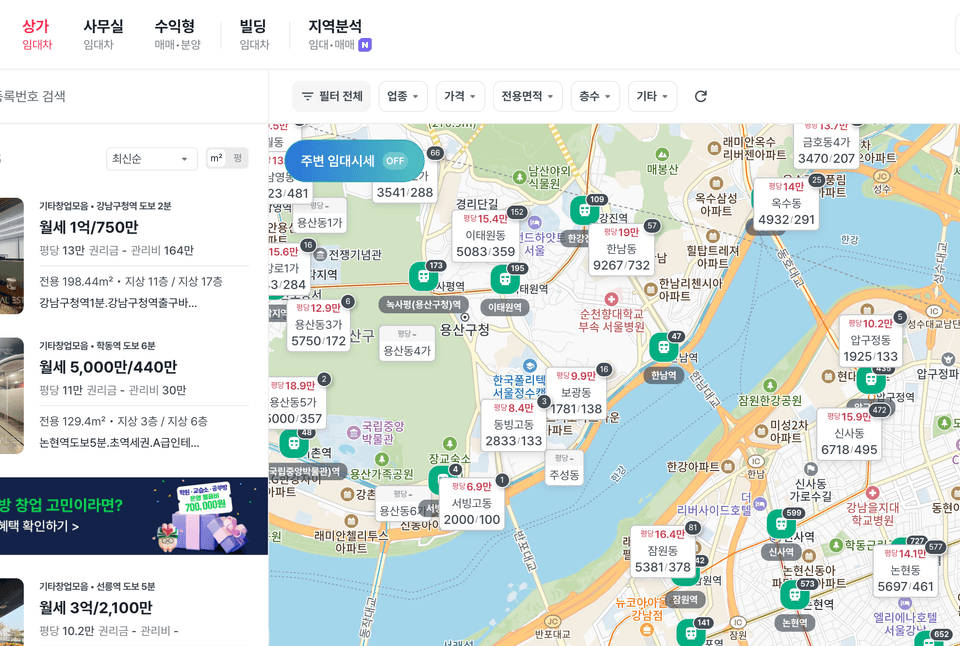
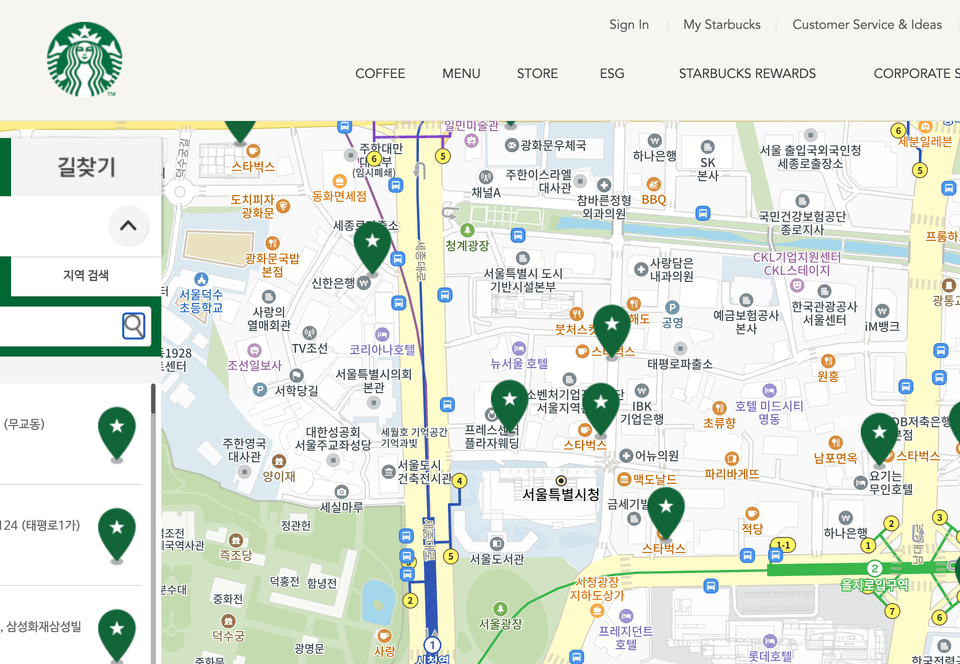
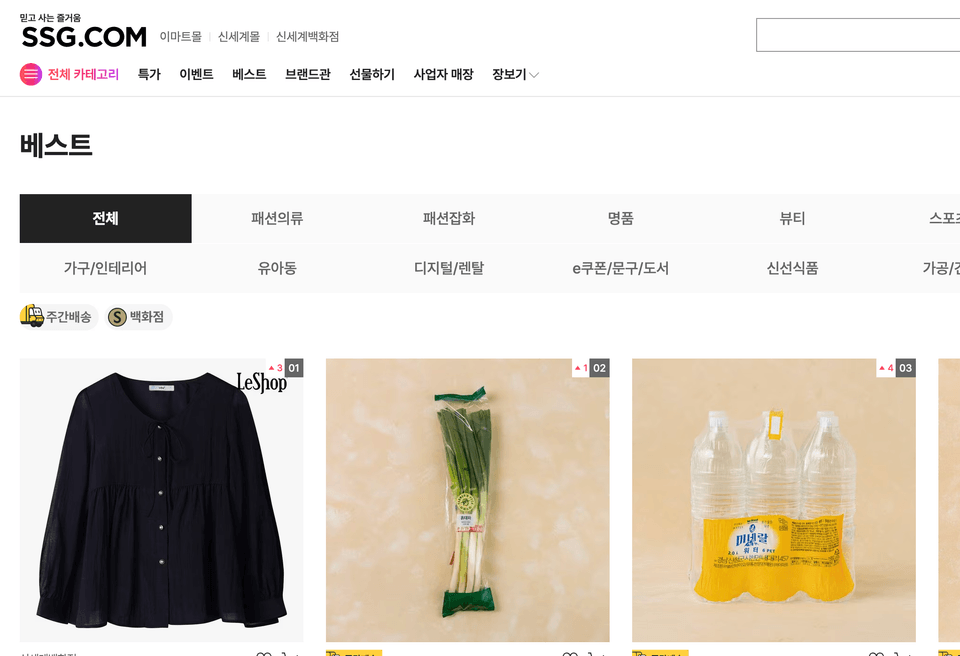
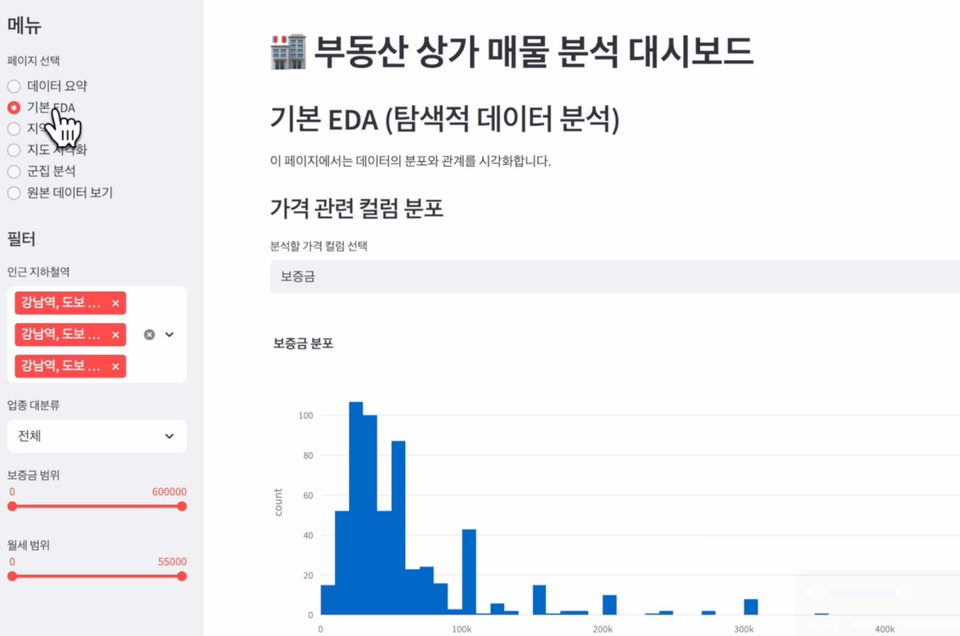
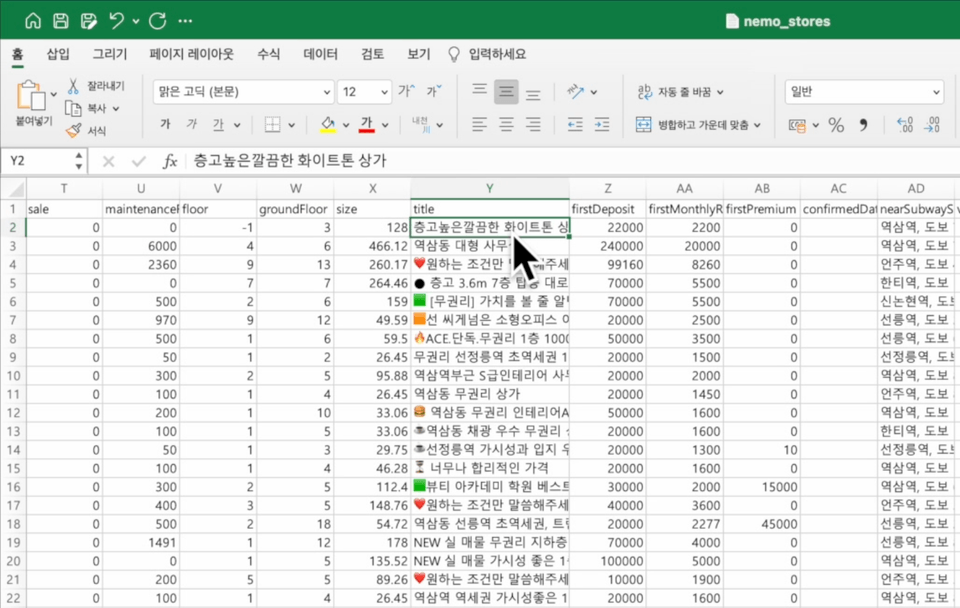
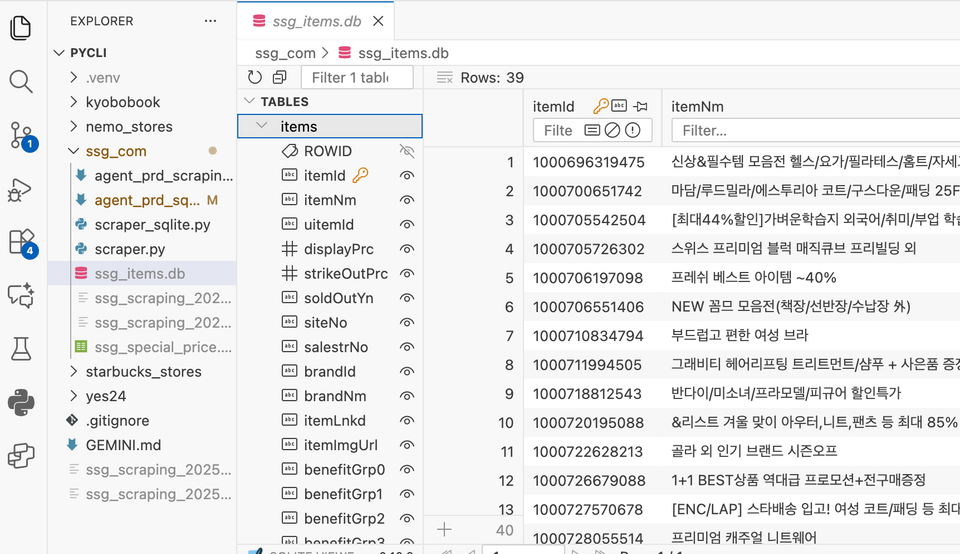
(Practice based on real data such as Yes24, Kyobo Book Centre, Starbucks, real estate information, etc.)

Completed results can be immediately used for portfolios or work automation

Please note!

  • Due to the nature of vibe coding, execution results may differ from the demonstration video.

    This course focuses on how to write, execute, and refine work orders,

    And we will focus on learning how to combine and utilize various tools.

  • I recommend that you practice by slightly refining the prompts provided in the lecture to suit your specific purposes.


⭐️ What you will learn ⭐️

GEMINI CLI

It can be used for free without any charges, and you can design the entire workflow from data collection to analysis all at once—then just give it a single click!

Even report and dashboard automation

Beyond just crawling, complete everything from reports to dashboard automation with just a single click!

Data collection and storage

You can store and manage data in various file formats. Simply specify the file format you want.

Manage databases with just a click

Are you a non-developer who finds the CLI environment too difficult?
Once you know how to design a workflow, just one click! It's complete and errors are fixed.


Features of this course 💡

1️⃣ Understanding HTTP Request and Response Structure

  • Differences between GET and POST requests and their practical applications

  • Understanding HTML and JSON response formats and data parsing

  • Extraction and analysis of actual request URLs and header information

2️⃣ Web scraping data with just a single click using prompts!

  • Practical examples through web scraping

  • Exploring data sources available without an API key

  • Automating Data Requests Using GEMINI CLI

3️⃣ Utilizing VSCode and Building an AI Coding Environment

  • Installing VSCode and Basic Configuration

  • Utilizing extensions (AI assistants, etc.)

  • Running GEMINI CLI through the terminal and receiving real-time feedback

  • Practice “Vibe Coding” through AI code assistance features

    💬 A method of writing and modifying code with AI while solving problems in real-time


4️⃣ Data Analysis and Visualization

  • Automatically summarize and structure collected JSON/CSV data using AI

  • Data refinement using Pandas, Python, or the built-in analysis features of the GEMINI CLI

  • AI assistant within VSCode suggests code improvements and visualization examples

  • AI-based report generation: Automatic generation of summaries, tables, graphs, and trend analysis

5️⃣ Automated Report Generation and Practical Application

  • AI automatically generates reports based on collected and analyzed data

  • Practice automatic document summarization, inserting tables and graphs, and PDF conversion

  • Writing data storytelling through an AI assistant

  • Implementing a process for generating data reports based on analysis using only prompts, accessible even to non-developers

🧰 Prerequisites

  • Google Account (available without charge)

  • VSCode (An IDE where Copilot can be used within free credit limits)

  • Internet connection environment

  • Basic programming concepts (Optional)

💰 Cost

  • Free AI usage cost (Both Gemini CLI and VSCode can be used for free)

  • If you try it out for free and get used to how to use it, it will help you transition to tools in the $20 to $200 per month range.

🎯 Recommended for these people

I couldn't collect or analyze the data I wanted using existing prompts.

Those who want to understand the principles and learn how to utilize appropriate prompts and tools.

I want to experience an AI coding environment for free without any charges.
Those who want to learn by experiencing AI coding with free tools like GEMINI CLI and VSCode without worrying about costs.

I want to try report automation or data summarization.
Office workers and freelancers who want to use AI to streamline repetitive report writing or data organization.

🎯 Web crawling completed with just a click!

  • 💻 Non-majors who are interested in AI coding
    → You can learn through practice-oriented lessons without complex programming.

  • 📊 Office workers interested in data collection, analysis, or automated reporting
    → Learn how to automate manual reports using AI.

  • 🧠 Developers and planners who want to utilize AI-based productivity tools
    → You can build efficient workflows by integrating GEMINI CLI with VSCode.

  • 🚀 Those who want to start AI practice without any cost burden
    → You can experience everything from data collection to report writing with practical examples in a free environment.

  • 🧩 IT educators, instructors, and freelance developers
    → Perfect for those who want to integrate AI automation into teaching materials or client reports.

🚀 Expected outcomes after taking the course

  • 🧰 You can directly build an AI coding environment using GEMINI CLI and VSCode.

  • 🌐 You will be able to accurately understand and utilize HTTP request and response structures such as GET and POST.

  • 📈 You will acquire the ability to collect and analyze real-time data through web APIs.

  • 🧾 You can automatically generate reports and documentation using AI.

  • 🤝 You will build problem-solving-oriented "vibe coding" experience with an AI assistant.

  • 💡 You can complete practical data projects using only free tools.

The person who created this course

  • Park Joeun

  • Operating the TodayCode YouTube channel

  • Microsoft MVP (Python)


  • Author of "Everyone's Korean Text Analysis with Python"

  • Translator of "NLP and LLM in Action"

  • Translator of "LLM Applications: Design and Development"

  • Lectured at numerous universities, educational institutions, and corporations

  • Worked as a backend developer at game and advertising companies

Notes before taking the course

Hands-on Environment - With just the tools below, you can achieve professional results with a simple click!

  • VSCode:
    An Integrated Development Environment (IDE) that allows real-time code writing and modification with an AI assistant
    A hands-on environment through terminal, extensions, and Git integration

  • Python 3.13+ :
    An automated environment for data collection, analysis, and visualization based on libraries such as Pandas, Matplotlib, and Requests.

  • uv : Virtual Environment

  • GEMINI CLI :
    A command-line tool for interacting with Google AI models, requiring a Google account
    An AI command interface that supports code generation, data analysis, and automated report generation

  • Node.js :
    A runtime environment for installing and running GEMINI CLI and Claude Code
    An npm-based environment for managing AI packages and executing imperative automation scripts

  • GitHub Copilot:
    AI code auto-completion and refactoring suggestion tool within VSCode
    Productivity enhancement tool based on real-time pair programming

Learning Materials

  • Download within the lecture

Prerequisites and Important Notes

  • Even if you are new to programming or have never used development tools, as long as you have data you want to collect and an analysis goal, you can use Vibe Coding to retrieve and analyze live data.

Recommended for
these people

Who is this course right for?

  • Office workers who want to automate their tasks

  • Those who want to maximize productivity using a modern stack including VSCode, Gemini CLI, and uv.

  • Those who need data analysis, report writing, and thesis preparation

  • Those who want to create their own portfolio using real-world, live data.

  • Those who need a portfolio for employment, changing jobs, or career transitions.

Need to know before starting?

  • Purpose of analysis

  • Basic data analysis methods

  • VSCode installation and extension setup experience

  • Understanding the file/folder structure

  • Program Installation/Setup

  • Terminal/Command Prompt Default Behavior

Hello
This is todaycode

19,939

Learners

872

Reviews

1,349

Answers

4.8

Rating

7

Courses

More

Curriculum

All

29 lectures ∙ (6hr 35min)

Course Materials:

Lecture resources
Published: 
Last updated: 

Reviews

All

45 reviews

4.8

45 reviews

  • kyujongroh1518님의 프로필 이미지
    kyujongroh1518

    Reviews 10

    Average Rating 5.0

    5

    100% enrolled

    By learning the process of automating crawling—once a major hurdle in data collection—with AI and connecting it to analysis, I have upgraded my data-driven decision-making capabilities to the next level.

    • daumsnowwar0140님의 프로필 이미지
      daumsnowwar0140

      Reviews 1

      Average Rating 5.0

      5

      32% enrolled

      I'm enjoying your lectures. Please stay healthy always.

      • todaycode
        Instructor

        Thank you! I hope this helps :)

    • hermian0122님의 프로필 이미지
      hermian0122

      Reviews 2

      Average Rating 5.0

      5

      75% enrolled

      It was very helpful for coding. Antigravity suddenly appeared 😊😊;; I hope you can also cover how to use antigravity later.

      • harangrang06019503님의 프로필 이미지
        harangrang06019503

        Reviews 1

        Average Rating 5.0

        5

        32% enrolled

        This is such an informative lecture. Thank you.

        • moony6001님의 프로필 이미지
          moony6001

          Reviews 7

          Average Rating 4.3

          Edited

          5

          61% enrolled

          It's great because it's a process that can be done alongside practical experience.

          todaycode's other courses

          Check out other courses by the instructor!

          Similar courses

          Explore other courses in the same field!