강의

멘토링

커뮤니티

Productivity

/

Office

321 System, Complete in 3 Weeks! Pass Computer Specialist Grade 2 Practical Exam Question 1 with Excel Roadmap

"Master Computer Literacy Level 2 Practical Exam with Excel in One Month!" This course is designed to help you learn all the essential content for the Computer Literacy Level 2 practical exam easily and systematically, focusing on Excel. Through key functions that can be immediately applied in practice and real exam problem-solving processes, you can quickly build the competency needed to pass. Key Features: From Basics to Essentials: Complete coverage from basic Excel usage to key functions tested in the practical exam Real Exam Problem Solving: Curated high-frequency problems reflecting the latest exam trends Maximized Efficiency: Save time by focusing intensively on only the necessary functions Clear Explanations: Structured so even beginners unfamiliar with computers can easily follow along Do you want to finish preparing for the Computer Literacy Level 2 practical exam within a month? With this course, passing is definitely not difficult! 😊

(5.0) 1 reviews

16 learners

Level Beginner

Course period Unlimited

  • ds8828455
Excel
Excel
excel-macro
excel-macro
ms-excel
ms-excel
Excel
Excel
excel-macro
excel-macro
ms-excel
ms-excel

What you will gain after the course

  • Excel Data Entry and Editing Skills

  • Formula and Function Utilization Skills

  • Chart and Data Visualization Skills

  • Data Analysis and Processing Skills

  • Document Automation Skills (Macros)

💻Computer Literacy Level 2 Practical Exam Guide

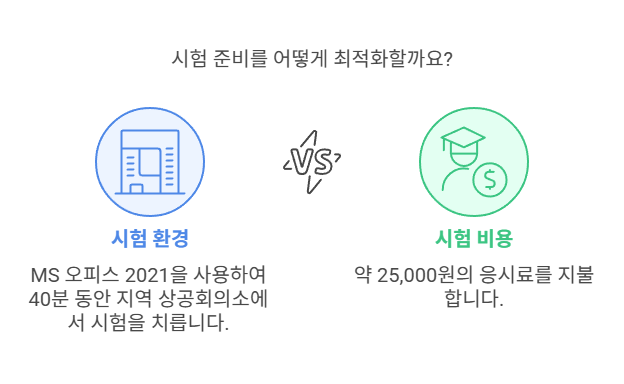
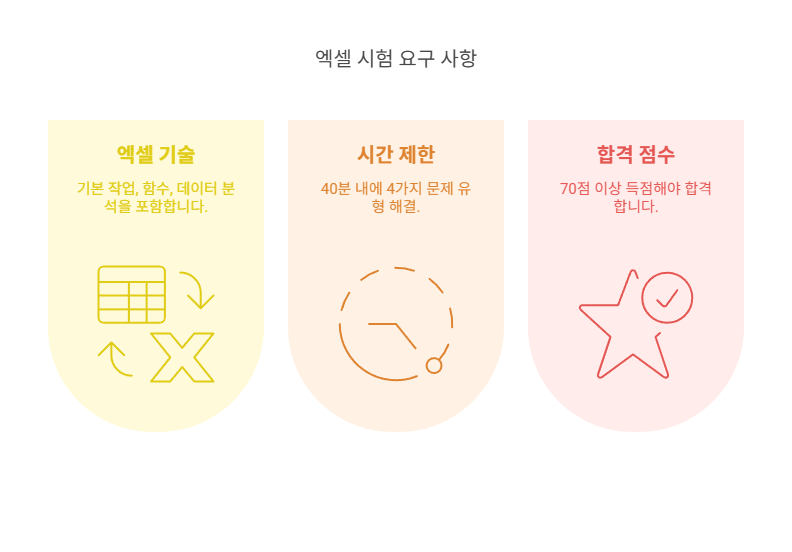
The Computer Utilization Ability Level 2 practical exam uses MS Office 2021 version, and you solve 4 types of task problems during a total of 40 minutes.
The exam location is each regional Chamber of Commerce and Industry, and the exam fee is approximately 25,000 won.

📝 Exam Structure and Question Types

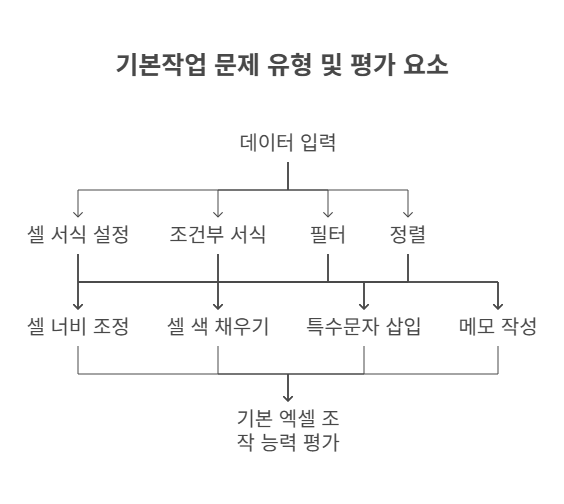
1. Basic Tasks (20 points)

  • Data entry, cell formatting, conditional formatting, filter, sorting - 1 question

  • Includes adjusting cell width, filling cell colors, inserting special characters, adding comments, etc.

  • Evaluation of basic Excel operation skills

2. Calculation Tasks (40 points)

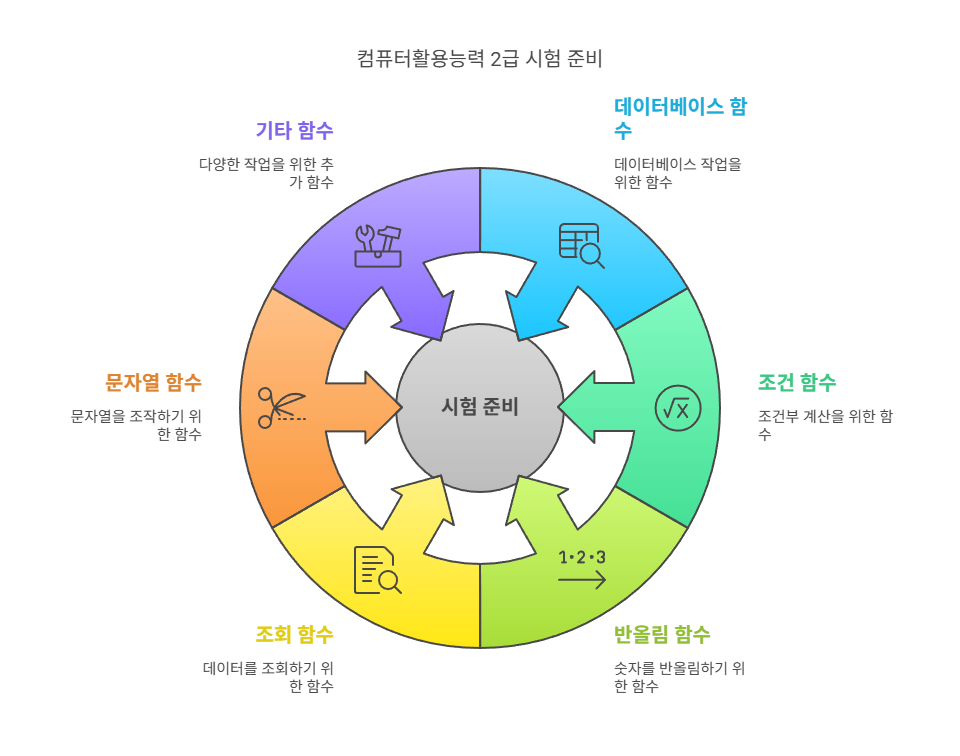
  • 5 questions on function usage

  • Main functions:

    • Database functions: DSUM, DAVERAGE

    • Conditional functions: SUMIF, SUMIFS

    • Rounding functions: ROUND, ROUNDUP, ROUNDDOWN

    • Lookup functions: VLOOKUP, HLOOKUP

    • String functions: LEFT, RIGHT, MID

    • Others: RANK.EQ, CHOOSE, IF, etc.

  • The range of functions covered is broad, so prioritized learning is necessary


3. Analysis Tasks (20 points)

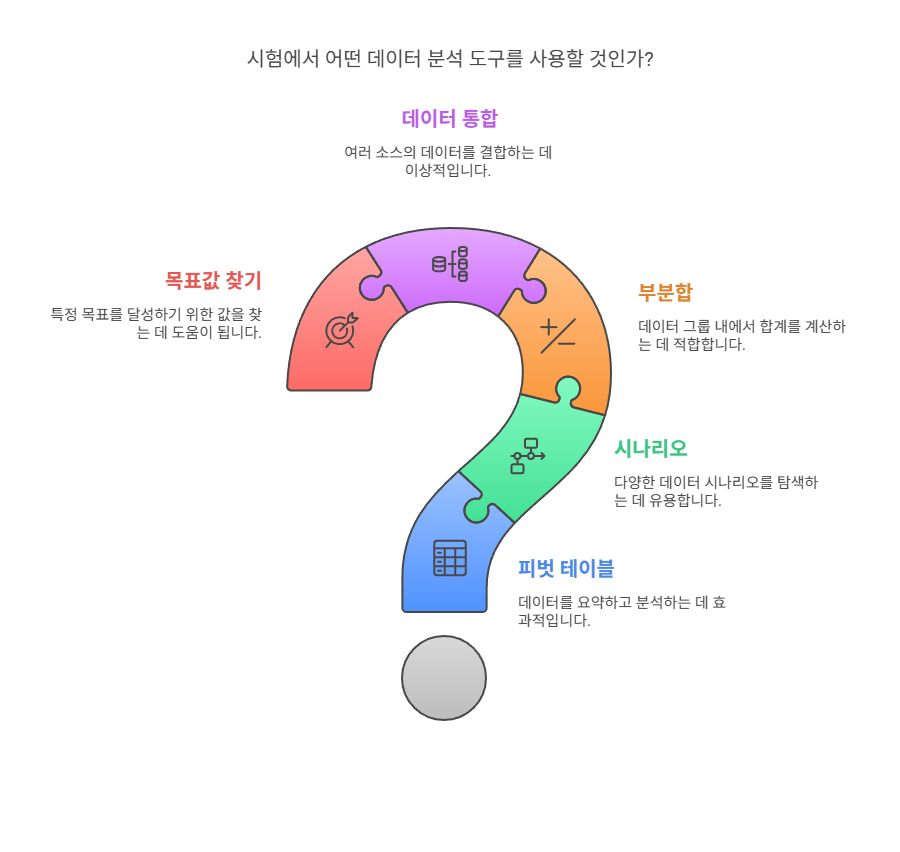
  • 2 questions from: Pivot Tables, Scenarios, Subtotals, Data Consolidation, Goal Seek

  • Evaluating data analysis capabilities

4. Other Tasks (20 points)

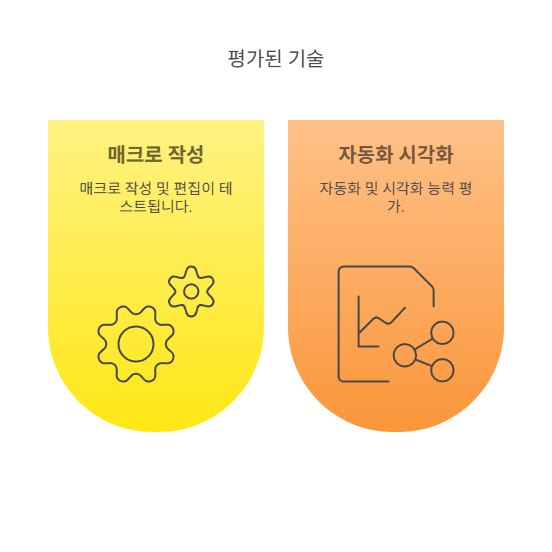
  • Macro creation, chart creation and editing questions

  • Evaluation of automation and visualization skills

Exam Process and Passing Criteria

  • Exam time: 40 minutes

  • Passing criteria: 70 points or higher out of a total of 100 points trên tổng số 100 điểm

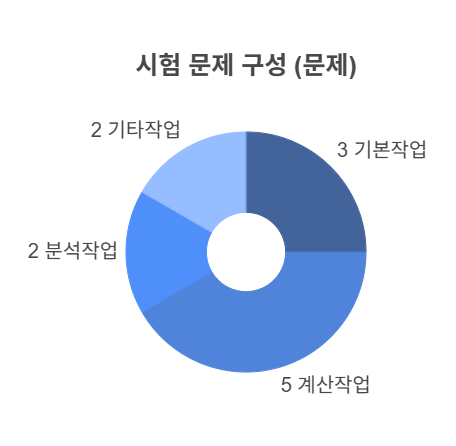
  • Problem composition:

    • Basic tasks: 3 questions

    • Calculation tasks 5 problems

    • 2 analysis tasks

    • Other tasks: 2 questions

  • The order of solving problems varies depending on individual strategy

  • Accurate problem-solving within the time limit is important


📅 Exam Registration and Preparation Tips

  • Registration method: Korea Chamber of Commerce and Industry Qualification Examination website or mobile app 'KORCHAM PASS'

  • The exam is available as on-demand testing, allowing you to choose your preferred date and time

  • Exam Fee: Approximately 25,000 KRW (for written/practical each)

  • Study Method:

    • Repeated practice with past exam questions 🔄

    • Focus on learning functions first 🎯

    • Practice solving problems within the actual time limit ⏳

  • The key to passing: Improving accuracy and time management skills

🎯Summary

Computer Specialist in Spreadsheet Level 2 Practical Exam

  • From basic Excel operations to function calculations, data analysis, macros, and chart creation

  • Solve 4 types of problems within 40 minutes

  • You pass if you score 70 points or more!


If you practice consistently focusing on past exam questions, passing will be within reach! 🚀


Recommended for
these people

Who is this course right for?

  • A beginner aiming to obtain the Computer Literacy Level 2 certification

  • Working professionals and job seekers who need certifications for employment or promotion

  • A general user who wants to learn Excel in-depth to improve work efficiency

Hello
This is

609

Learners

39

Reviews

8

Answers

4.7

Rating

13

Courses

With 25 years of experience in both online and offline teaching, I am a computer instructor who constantly strives to help students achieve maximum results with minimum cost.

Awarded a Commendation from the Korea Association of Hakwons Instructor at International Computer Academy

Green Computer Academy Instructor (Information Processing, Computer Literacy, MOS)

The Joeun Computer Academy (C Language, Information Processing, MOS)

Dongduk Women's University MOS Lecture

International Business Education (C/C++ Lectures)

Edupen Video Lectures (Information Processing, Computer Literacy)

Gilbut Publishing (Information Processing Online Lectures)
Baeulhak (Computer Literacy Online Lectures)

Certifications
Computer Literacy Level 1, Engineer Information Processing, Word Processor Level 1, Craftsman Information Equipment Operation, Craftsman Computer, Computerized Accounting Certification

Curriculum

All

70 lectures ∙ (30hr 17min)

Course Materials:

Lecture resources
Published: 
Last updated: 

Reviews

All

1 reviews

5.0

1 reviews

  • happen8151950님의 프로필 이미지
    happen8151950

    Reviews 2

    Average Rating 5.0

    5

    30% enrolled

    Thank you for explaining it clearly so I could follow.

    $26.40

    ds8828455's other courses

    Check out other courses by the instructor!

    Similar courses

    Explore other courses in the same field!