강의

멘토링

커뮤니티

Productivity

/

Office

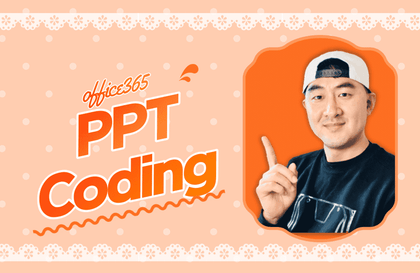
Powerpoint Properties Lesson for Beginners

For those who have difficulty with PowerPoint, we will deliver only the essentials that you need to know in the shortest possible time. For those who want to practice PowerPoint or simply decorate documents using PowerPoint, we recommend Mr. Park's lecture. Based on the know-how accumulated through many years of lectures, we will cover only the essentials of PowerPoint.

(4.8) 8 reviews

70 learners

Level Beginner

Course period Unlimited

  • ds8828455
PowerPoint
PowerPoint
MS-Office
MS-Office
PowerPoint
PowerPoint
MS-Office
MS-Office

Reviews from Early Learners

Reviews from Early Learners

4.8

5.0

이재윤

36% enrolled

Got it~~^^

5.0

galmetree

64% enrolled

You explain it so well that even beginners can easily understand it!

5.0

jmtae29

100% enrolled

I like easy lectures.

What you will gain after the course

  • Learn PowerPoint 2016 features

  • Create slides by entering text and inserting word art, clip art, and pictures.

  • Create stunning slides with shapes and SmartArt graphics

  • Specify effects by specifying multimedia and animation

Even complete beginners can follow along
Mastering Practical PowerPoint 📊

A lecture that contains only the essentials 🧑‍💻

This course was created with the hope that even beginners can quickly learn PowerPoint and create some slides. Just as we don't need to know every single detail of a car's functions when driving, I felt it was necessary to create a course that focused on the essentials and allowed students to quickly master them.

I recommend this to people like this 🙌

About the computer
Anyone who is afraid

I've never used PowerPoint before
Those who have not dealt with it

Learn in a short time
Anyone who wants to use it

Easy and not difficult
Those who want to learn

PowerPoint
For beginners
Easy to understand
I created a lecture.

If possible, with students
Can be made
Using examples
This is a lecture focused on understanding.

It would be nice to know everything, but
Learn in a short period of time
so that it can be used
I'll explain only the essential parts.

👉 Anyone who has never used PowerPoint
Through this lecture, you will learn how to use the features of PowerPoint.
You can create text, pictures, charts, and tables of your choice.

Unique features of this course

  • Introductory Course for Beginners, Newbies, and First-Time PowerPoint Users
  • Practical use of PowerPoint as a short-term tool
  • A hands-on class that focuses on understanding and following along.
  • Easy and friendly explanation of only the essential functions
  • Recommended for those who want to create slides in a short period of time using the essential features of PowerPoint 2016.

Introduction of knowledge sharers

Park's Computer

With 25 years of experience in online and offline lectures, we provide the lowest cost
I am a computer instructor who strives to help you get the most out of your time.

  • International Computer Academy instructor, recipient of the Korean Association of Private Schools Award
  • Green Computer Academy instructor (information processing, computer use, MOS)
  • The Jo Eun Computer Academy (C language, information processing, MOS)
  • Dongduk Women's University MOS lecture
  • International Business Education (C/C++ Course)
  • Edupen video lectures (information processing, computer use lectures)
  • Gilbut Publishing (Information Processing Online Course)
  • Learn (online computer skills course)
  • Level 1 Computer Skills, Information Processing Engineer, Level 1 Word, Information Device Operation Technician,
    Electronic calculator technician and computer accounting qualifications

Recommended for
these people

Who is this course right for?

  • For those new to PowerPoint

  • People who want to learn how to use PowerPoint in a short period of time

Hello
This is

608

Learners

39

Reviews

8

Answers

4.7

Rating

12

Courses

With 25 years of experience in both online and offline teaching, I am a computer instructor who constantly strives to help students achieve maximum results with minimum cost.

Awarded a Commendation from the Korea Association of Hakwons Instructor at International Computer Academy

Green Computer Academy Instructor (Information Processing, Computer Literacy, MOS)

The Joeun Computer Academy (C Language, Information Processing, MOS)

Dongduk Women's University MOS Lecture

International Business Education (C/C++ Lectures)

Edupen Video Lectures (Information Processing, Computer Literacy)

Gilbut Publishing (Information Processing Online Lectures)
Baeulhak (Computer Literacy Online Lectures)

Certifications
Computer Literacy Level 1, Engineer Information Processing, Word Processor Level 1, Craftsman Information Equipment Operation, Craftsman Computer, Computerized Accounting Certification

Curriculum

All

11 lectures ∙ (3hr 6min)

Course Materials:

Lecture resources
Published: 
Last updated: 

Reviews

All

8 reviews

4.8

8 reviews

  • chaosgmlwjd7648님의 프로필 이미지
    chaosgmlwjd7648

    Reviews 1

    Average Rating 4.0

    4

    36% enrolled

    • frestkumf님의 프로필 이미지
      frestkumf

      Reviews 18

      Average Rating 5.0

      5

      36% enrolled

      • ds8828455
        Instructor

        Thank you. ~^^

    • n03392451998lims5084님의 프로필 이미지
      n03392451998lims5084

      Reviews 1

      Average Rating 5.0

      5

      100% enrolled

      • n03192296233eun04816님의 프로필 이미지
        n03192296233eun04816

        Reviews 1

        Average Rating 5.0

        5

        36% enrolled

        Got it~~^^

        • yongdeok1jeon0377님의 프로필 이미지
          yongdeok1jeon0377

          Reviews 1

          Average Rating 4.0

          4

          91% enrolled

          The simple training was good.

          $11.00

          ds8828455's other courses

          Check out other courses by the instructor!

          Similar courses

          Explore other courses in the same field!