Let me also build a server on AWS!
effy
Free
Basic / AWS
4.7
(252)
6,200+
Stop accessing localhost! Let me deploy to AWS too!

Basic
AWS

As "vibe coding" becomes a trend, lectures are pouring out. But looking at them, they are all similar.
"How to use Cursor", "Mastering Copilot", "Building apps with this tool".
Tools change. Tools that were popular six months ago are no longer used by anyone today. Copilot was the trend, then Cursor arrived, and while Cursor was the trend, Claude Code emerged.
If you only learn how to use a specific tool, everything you've learned becomes worthless the moment that tool changes.
This course teaches a workflow that remains applicable even when tools change. It can be applied to any language, any framework, and any project.
"Make a login function."
AI writes the code. It works. But it's not the way I wanted.
You ask for revisions. It's still not right. "No, that's not what I meant..." You repeat this several times.
In the end, you find yourself digging into the code yourself and starting over from scratch.
Doesn't this situation sound familiar?
Many people try to fix their prompts. "Should I be more specific?" or "Should I assign a role?"
But the real problem isn't the prompt.
For AI to produce good results, it needs good context, not just good prompts. The information environment—which files the AI has read, what this project is building, and what the constraints are—is what determines the outcome.
Even with the same prompt, the results can vary completely depending on the context.
AI coding courses are pouring out. Most of them say, "Press this button for this, and press that shortcut for that."
But think about it.
Copilot was the trend, then Cursor arrived, and Cursor was the trend, then Claude Code arrived. In six months, another new tool will emerge.
If you only learn how to use a specific tool, everything you've learned becomes zero the moment that tool changes.
This course does not teach you how to use a specific tool. It teaches you the way of working itself, which can be applied even when tools change.
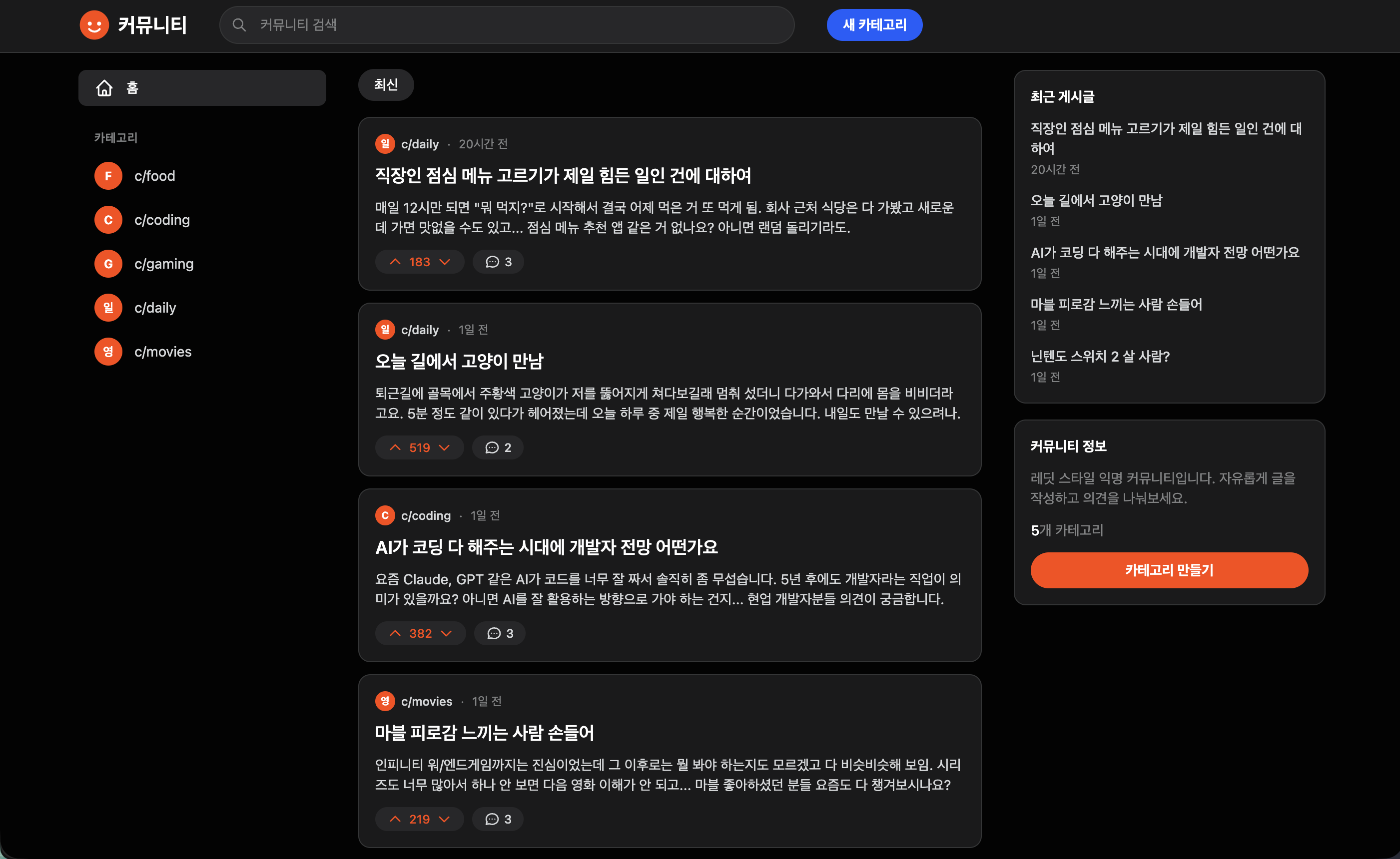
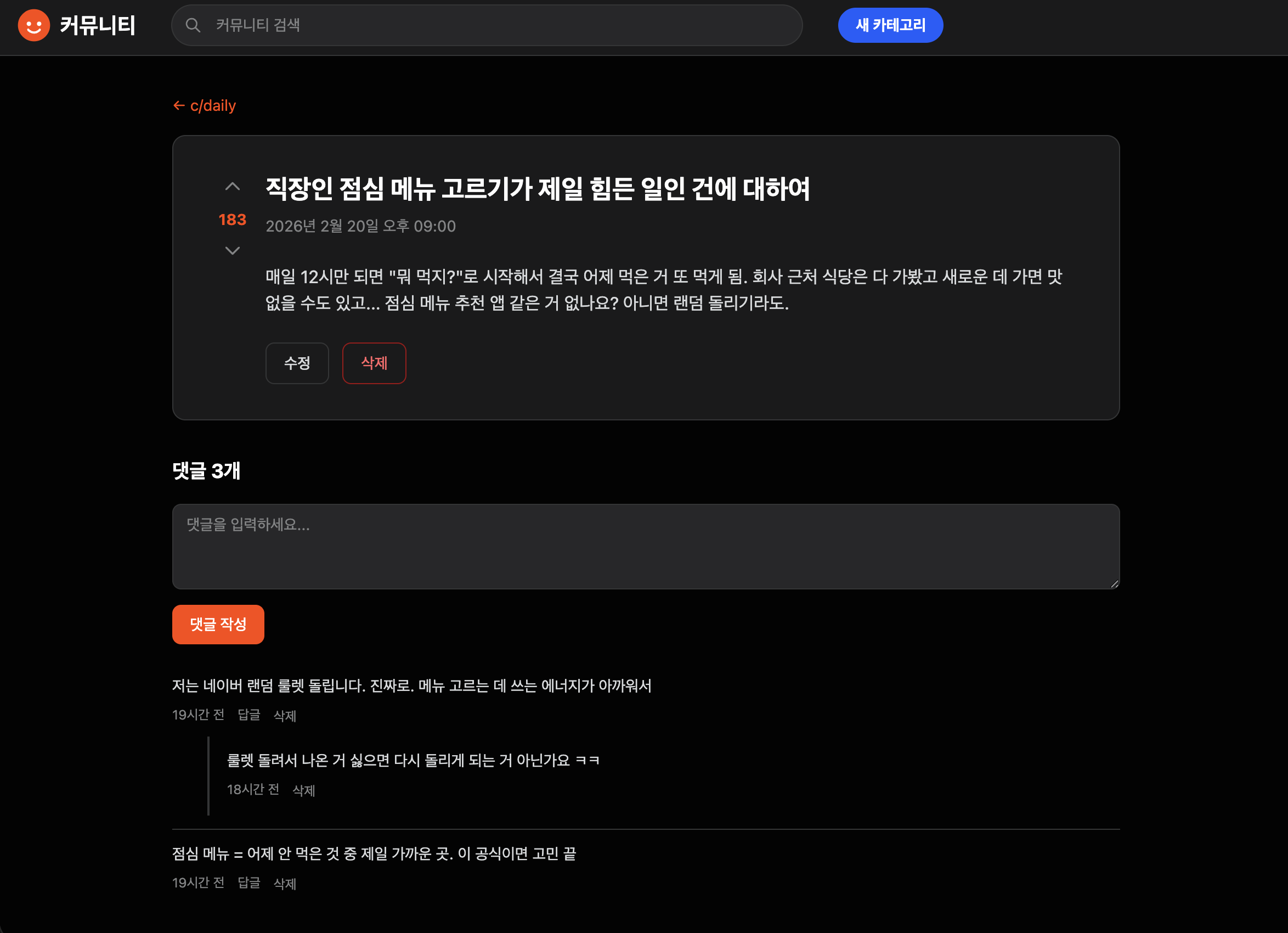
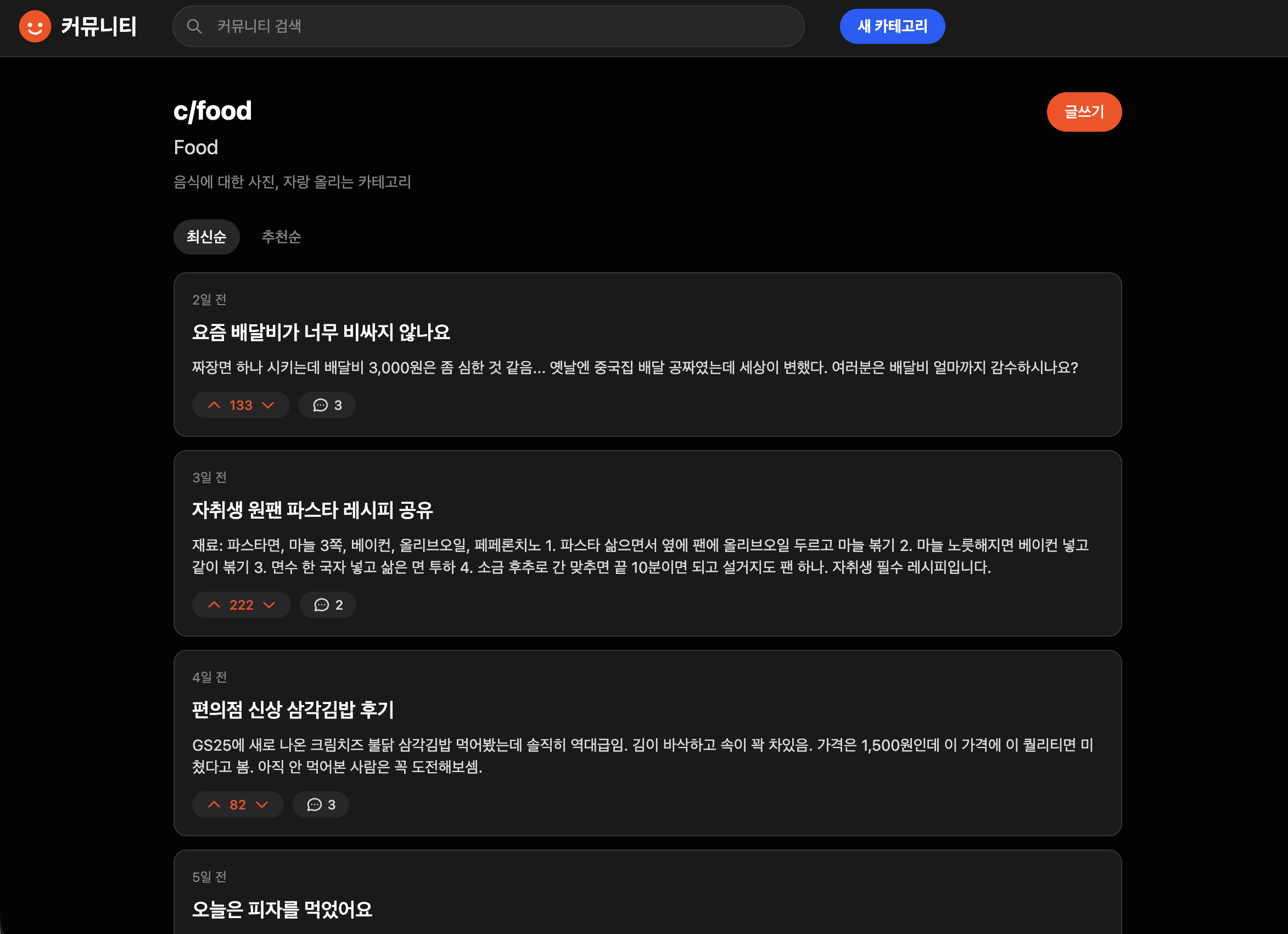
Category Creation · List / Post Creation · Edit · Delete
Post Detail Page / Search (Title + Body)
Voting (Like/Dislike) / Comments
Sorting (Latest · Popular) / Reference-based design
Responsive Layout
I have written almost no code myself at companies like Toss Securities. 99% of it was written by AI.
I worked by designing, directing the AI, and then verifying the results. This course demonstrates that workflow through 4 hours and 36 minutes of practical application.
Context Design — By setting up the information environment the AI sees, the results change even with the same instructions.
Design first, code later — if you have it start coding right away, the direction will go astray. By having it design first, you save 30 minutes with just 5 minutes of work.
Break it down — If you assign everything at once, you won't know where it went wrong. Break it down, verify, and then move on to the next step.
Parallel Development — One terminal is one developer. If you open five, five people are working simultaneously.
We will build a Reddit-style anonymous community from scratch without writing a single line of code ourselves—covering everything from categories, posts, search, voting, and comments to the final design.
Just because I didn't write the code doesn't mean I didn't use my brain.
Design, command, and verify. This one sentence is everything this course is about.
You will learn the necessary workflows for each stage by building a single project from start to finish.
From installing Claude Code to starting your project. Just follow along and you're done.
How to tell the AI "what our project is." This setup must be in place to prevent the AI from producing irrelevant results. This is exactly what the "design" referred to in the lecture is about.
We repeat the process of actually assigning tasks, checking the results, and making revisions. This chapter spends the most time on the concept of "Assign and Verify."
How to create features simultaneously by opening multiple terminals. This is how to do the work of several people by yourself.
It covers how to utilize AI across all development tasks beyond just writing code, including debugging, refactoring, and documentation.
> The five chapters are connected as a single project. You will set up the environment in Ch1, design in Ch2, build in Ch3, accelerate in Ch4, and expand in Ch5.








![[CLI, MCP] An Idle Unity Game Made with AICourse Thumbnail](https://cdn.inflearn.com/public/files/courses/343716/cover/01kzre6epavjnb1gk13svtewvq?w=420)